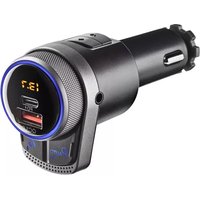
Spark BT Hero - FM Transmitter NGS - Free user manual and instructions
Find the device manual for free Spark BT Hero NGS in PDF.



| Product type | Bluetooth FM Transmitter for Car |
| Brand | NGS |
| Model | Spark BT Hero |
| Dimensions | 56 x 40 x 103 mm |
| Weight | 55 g |
| Materials | ABS and aluminum |
| Power supply | 12-24 V (cigarette lighter socket) |
| Charger output power | 42 W (PD 24 W + QC 3.0) |
| FM frequency band | 87.5 - 108.0 MHz |
| Frequency stability | ±10 ppm |
| Transmission power | < 50 nW |
| Bluetooth | Version 5.1 |
| Supported audio formats | MP3, WAV, APE, FLAC |
| Screen | LED |
| Main functions | Hands-free calls, music streaming, fast charging, Siri/Google Assistant activation |
| Maintenance and cleaning | Wipe with a dry, soft cloth. Do not use harsh liquids. |
| Safety | Use only in a 12-24 V vehicle. Do not expose to water or moisture. |
| Spare parts and repairability | No user-serviceable parts. Device not repairable. |
| Warranty | Refer to the warranty provided with the product. |
Frequently Asked Questions - Spark BT Hero NGS
User questions about Spark BT Hero NGS
0 question about this device. Answer the ones you know or ask your own.
Ask a new question about this device
Download the instructions for your FM Transmitter in PDF format for free! Find your manual Spark BT Hero - NGS and take your electronic device back in hand. On this page are published all the documents necessary for the use of your device. Spark BT Hero by NGS.
USER MANUAL Spark BT Hero NGS
NORSK I SUOMI I SVENSKA I DANSK I LIETUVIŲ I MAGYAR


www.ngs.eu
USER'S MANUAL
OVERVIEW
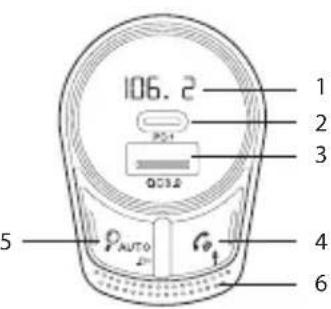
1 LED Display
2 PD 24W charging port
3 QC3.0 charging port
4 Phone & Siri / Google assistant
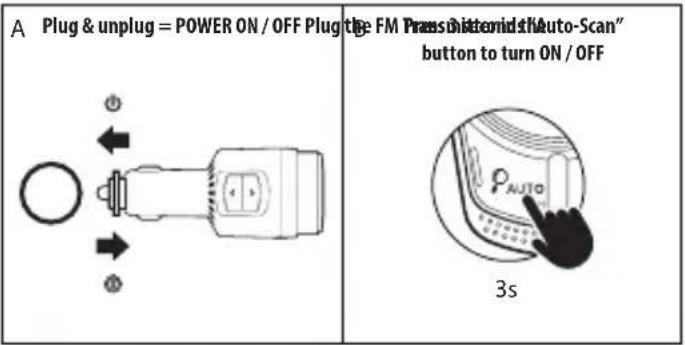
5 Auto-Scan & Power on / off
6 Microphone
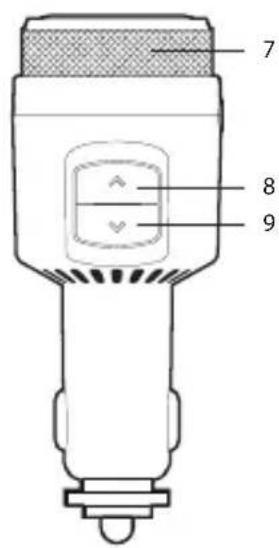
7 Metal Rotatory knob
8 Previous
9 Next
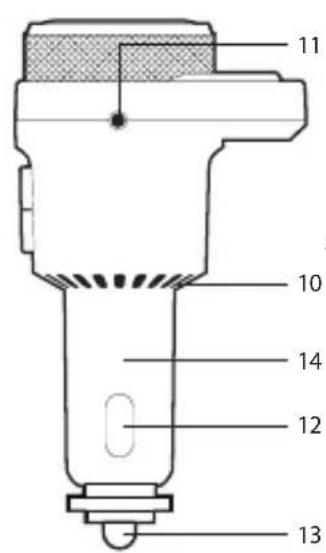
10 Heat dissipation
11 Aux jack
12 Negative pole
13 Positive pole
14 Cigar plug
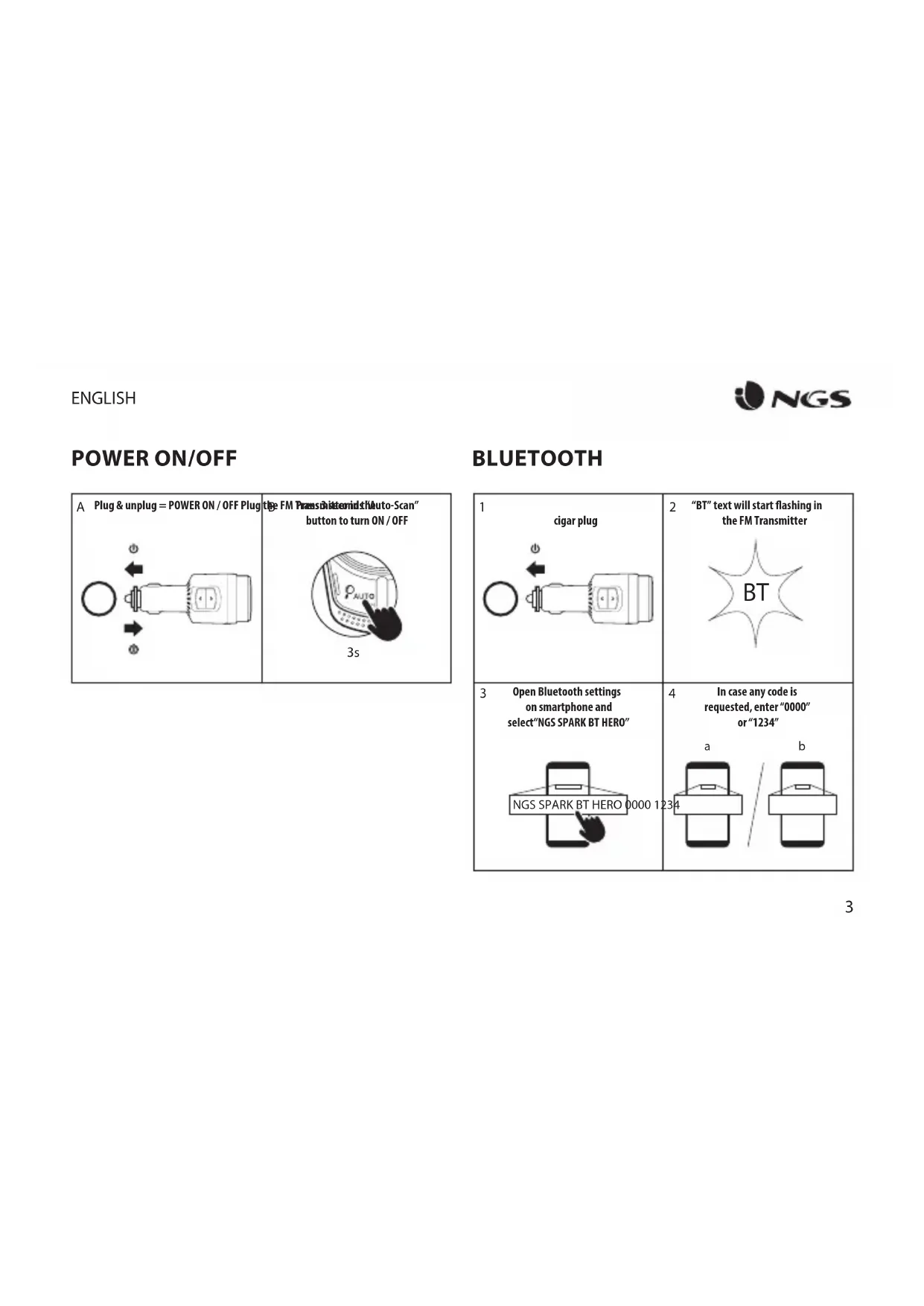
POWER ON/OFF
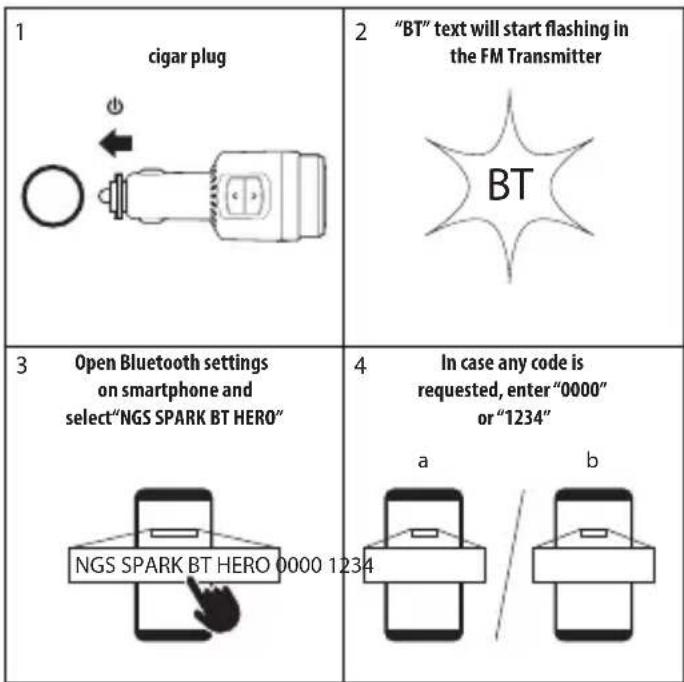
BLUETOOTH
FM RADIO CONNECT
AUTO MANUAL
1 Short press "Auto-Scan" button | 2 for the available FM channel  |
3 Manually select the same FM channel in your car radio | 4 If need to find a new signal due to suffer interferences, proceed to next point.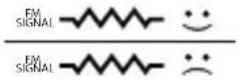 |
| [4SDC] Repeat steps 1,2 and 3 until the selected channel does not have any interferences. | |
5 | 6 [OYG3] [OYG3] |
7 | |
| 1 | Manually select the best available FM channel in your car radioThe FM Transmitt  |
| 2 | Short press “Auto-Scan” button x2 times to enter manual FM selection  |
| 3 | Turn right / left the rotatory knob until the FM Transmitter match the FM channel selected in the car radio system. 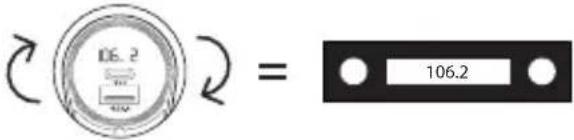 |
MUSIC CONTROLS USING THE FM CHANNELS
1 Make sure the smartphone is connected to the FM Transmitter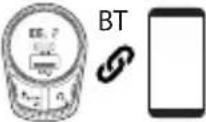 | 2 Make sure FM Transmitter and Car radio system are paired and in the same FM Channel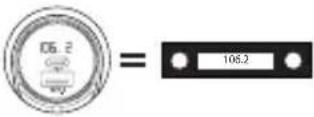 |
3 Press play/pause in your smartphone to control music | 4 To adjust volume, use the rotatory knob of the FM Transmitter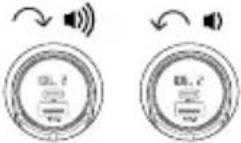 |
| 5 To go to previous or next song, use the buttons on top of the FM Transmitter (refer to point “8” and “9” of the product’s diagram in page 1) | 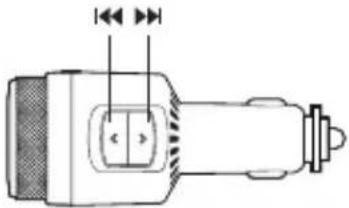 |
USER'S MANUAL
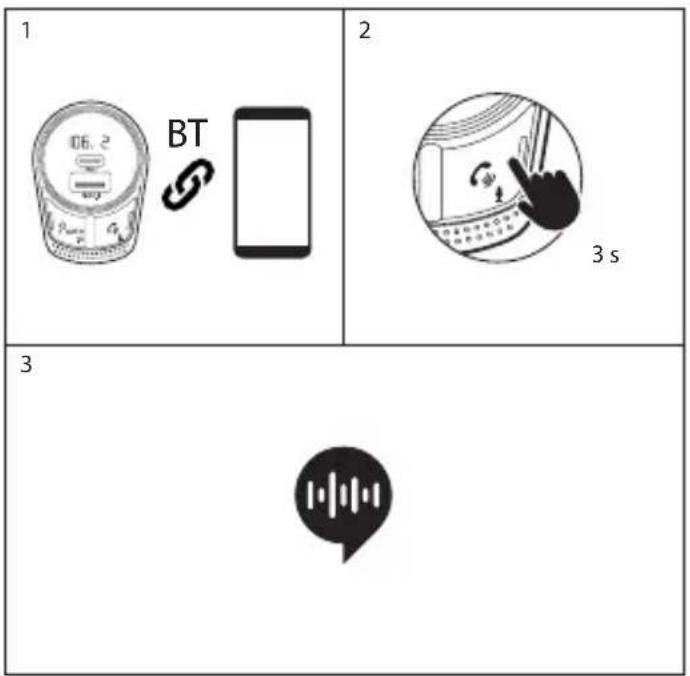
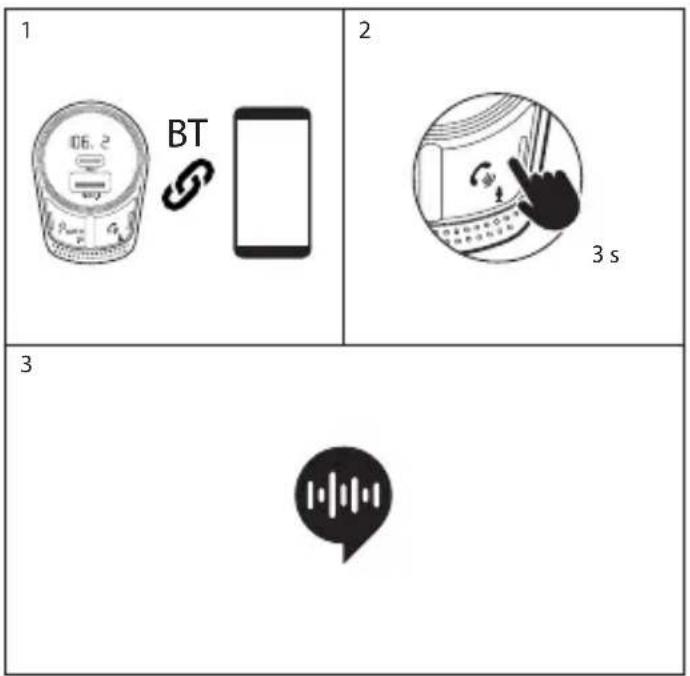
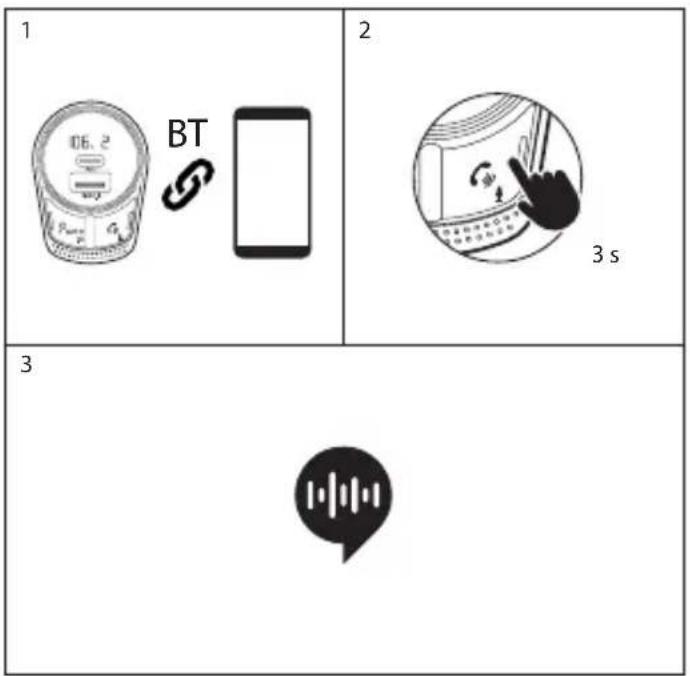
PHONE CALLS SIRI/GOOGLE ASSISTANT
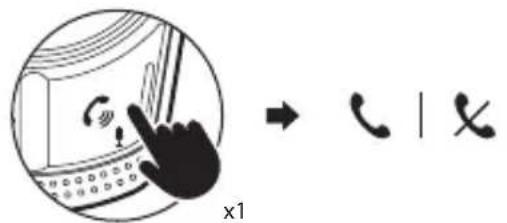
Short press "phone" button to pick up or hang up an incoming call
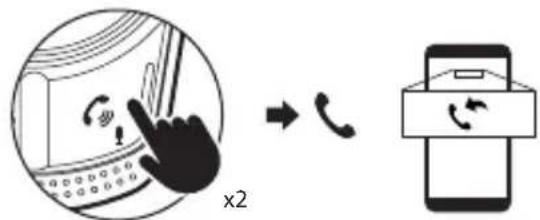
Short press x2 times "phone" button to re-dial last dialed phone number
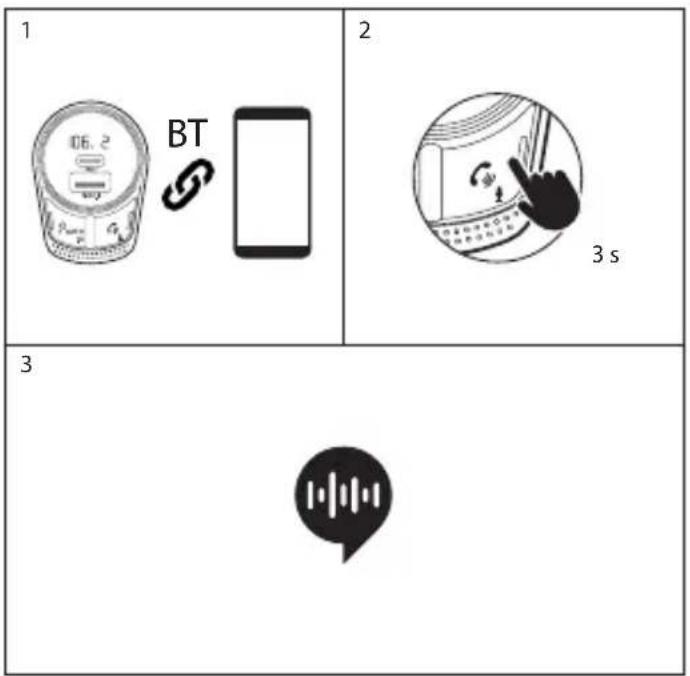
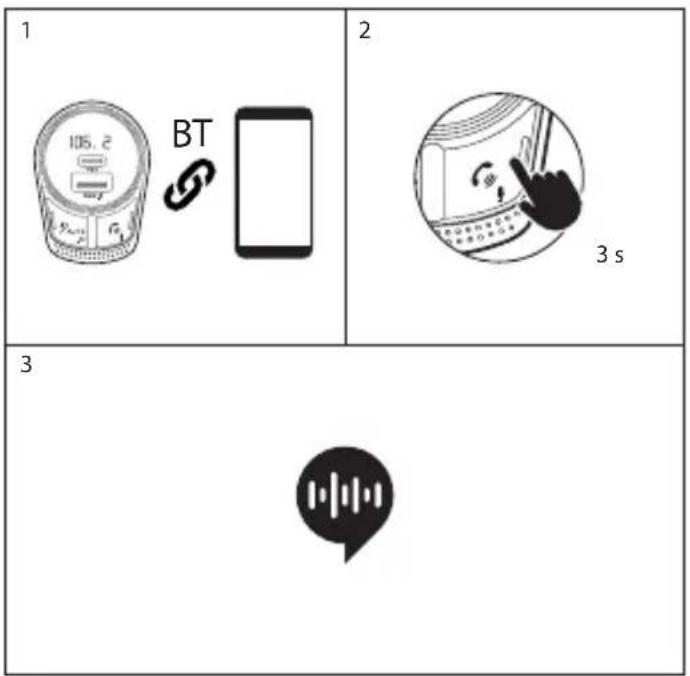
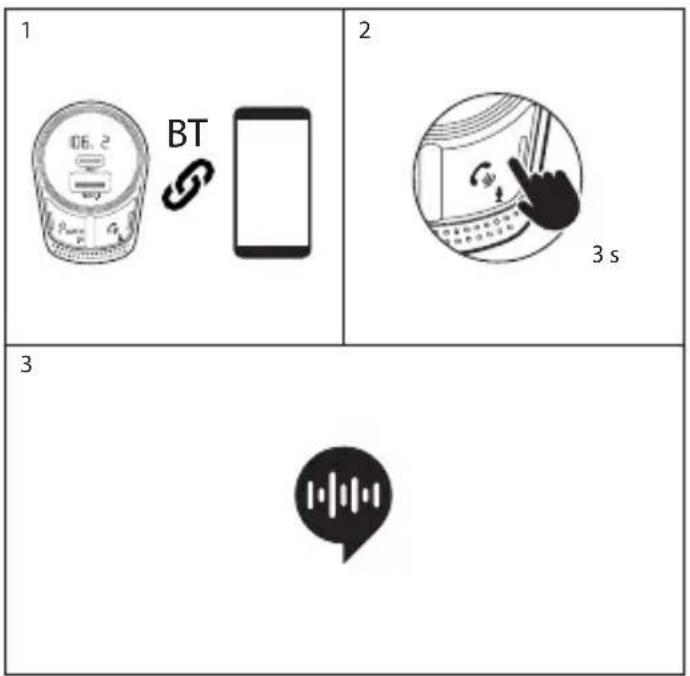
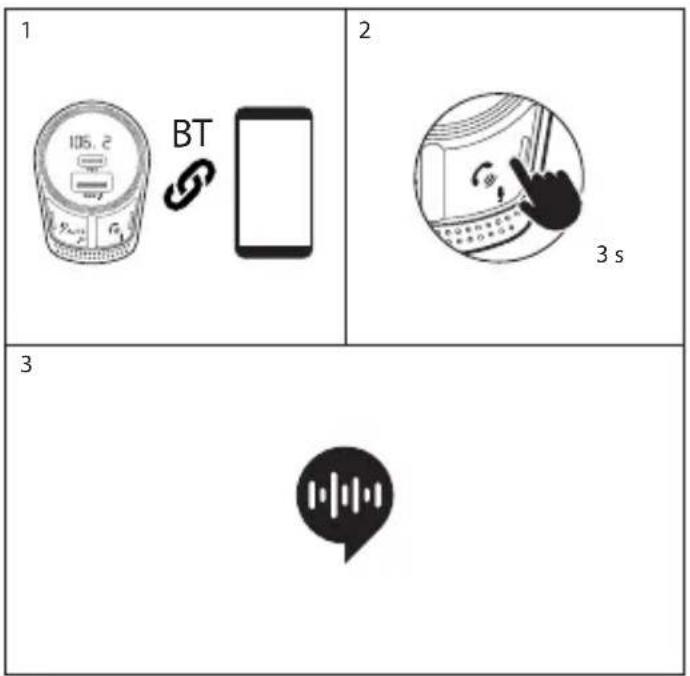
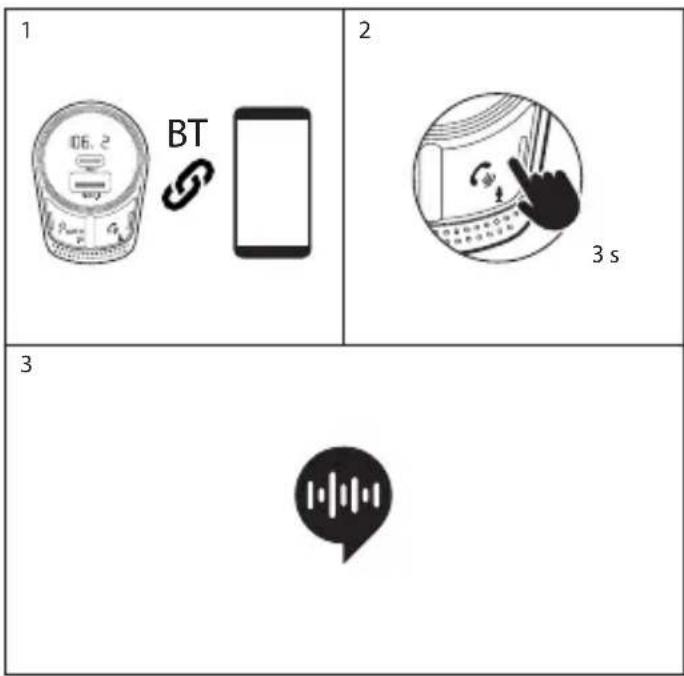
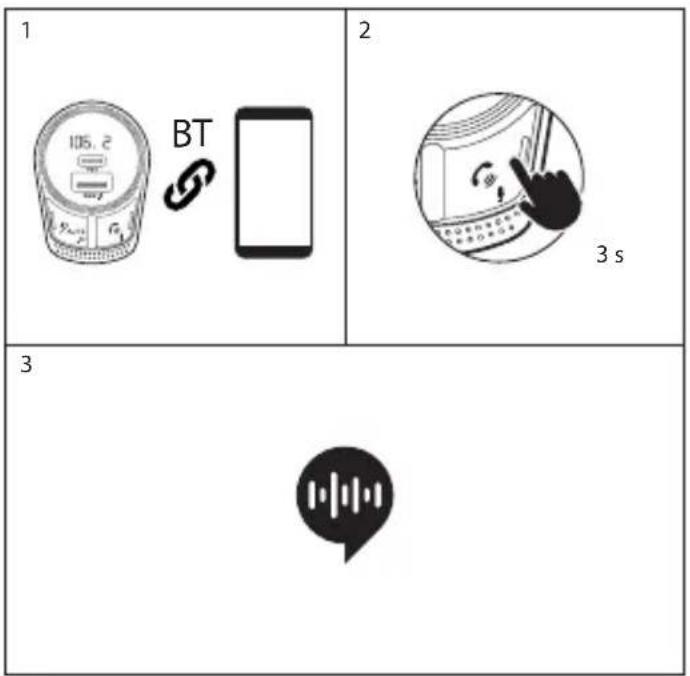
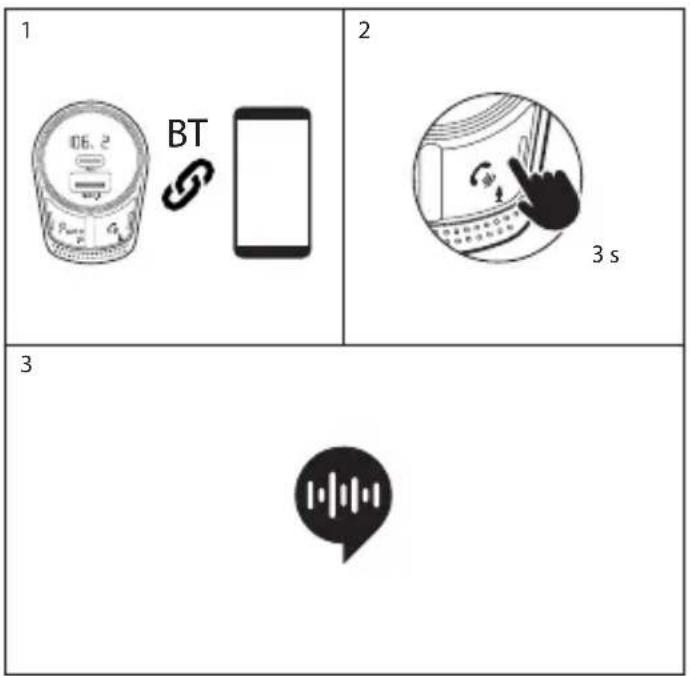
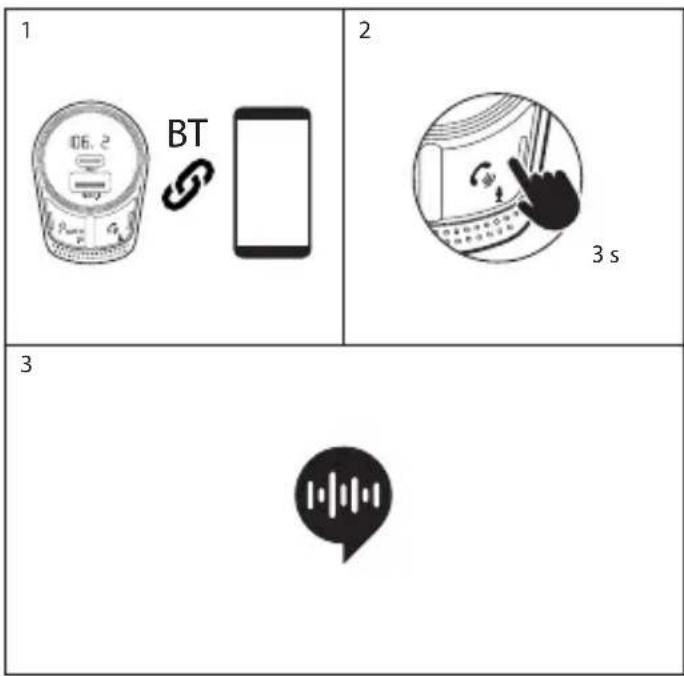
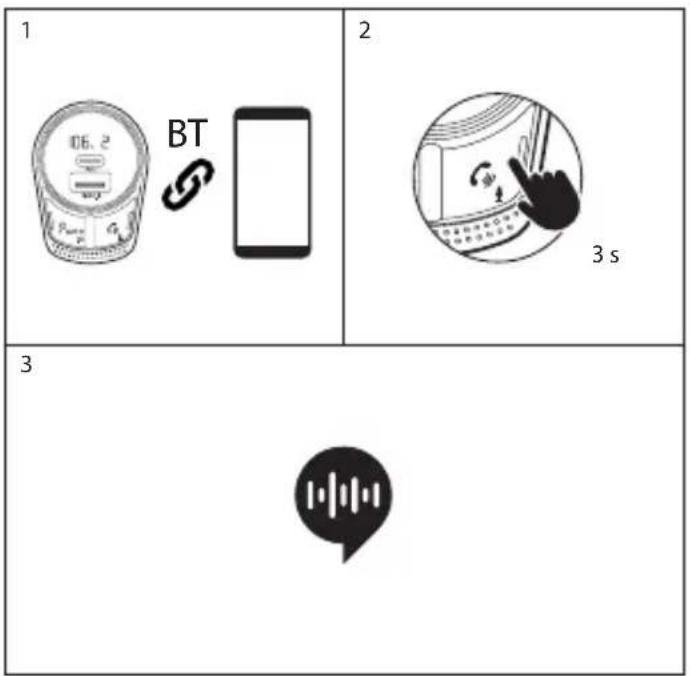
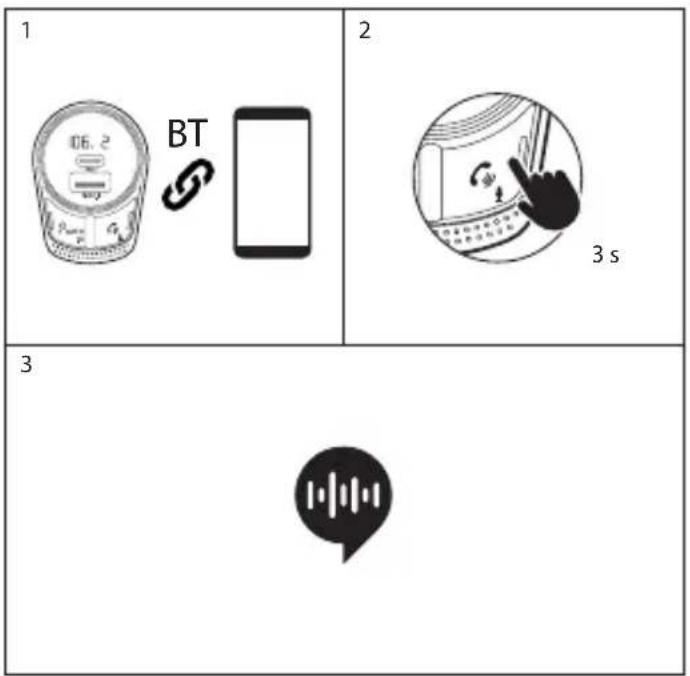
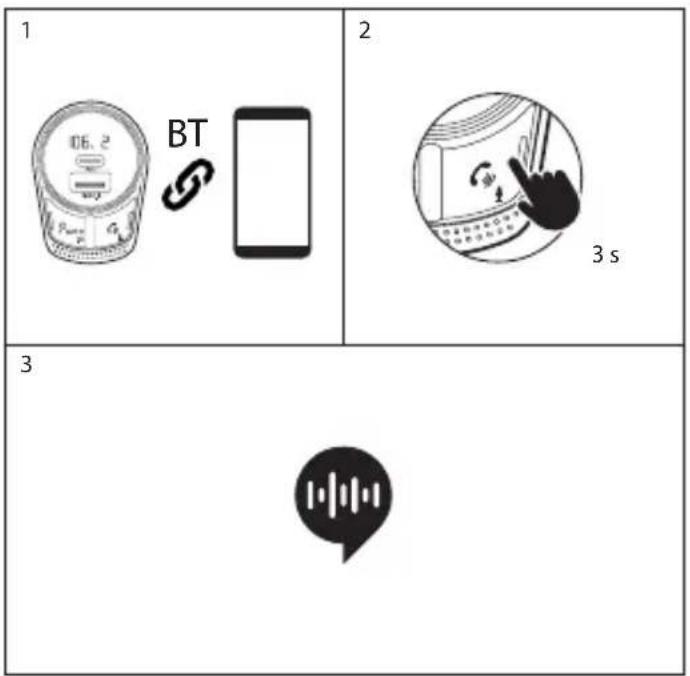
1 Make sure the smartphone is connected to the FM Transmitter
2 Press & hold for 3 seconds "phone" button

natural_image
Illustration of a hand pointing at a device with a circular frame and control buttons (no text or symbols)3 Your smartphone voice assistant will be waken up *

* This feature depends on your phone brand / model and its settings. For more detailed information, refer to our technical team
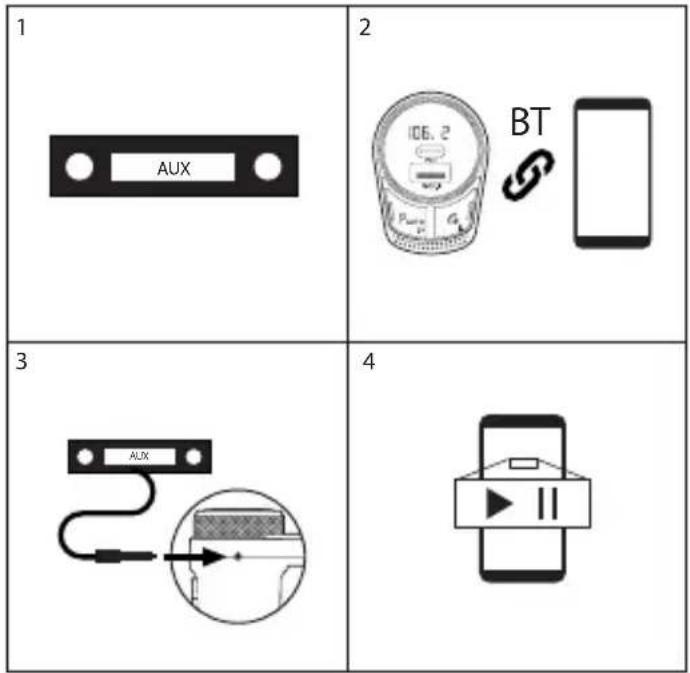
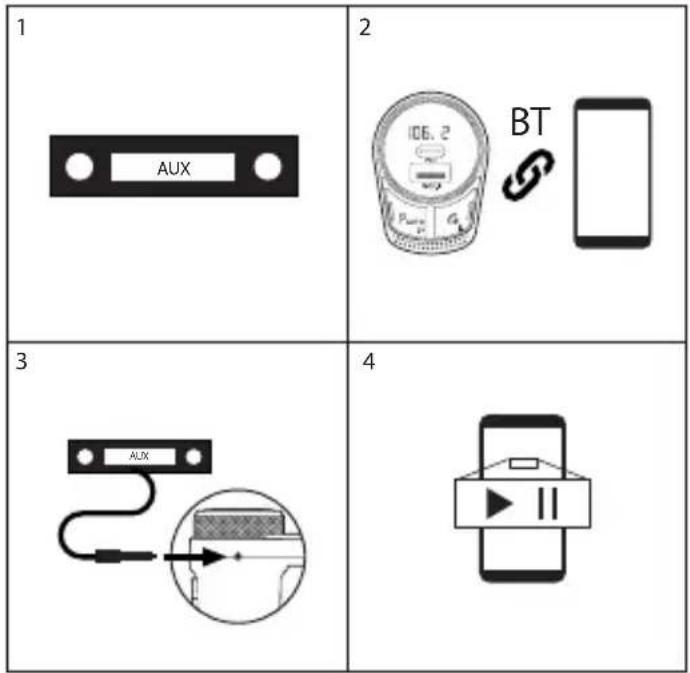
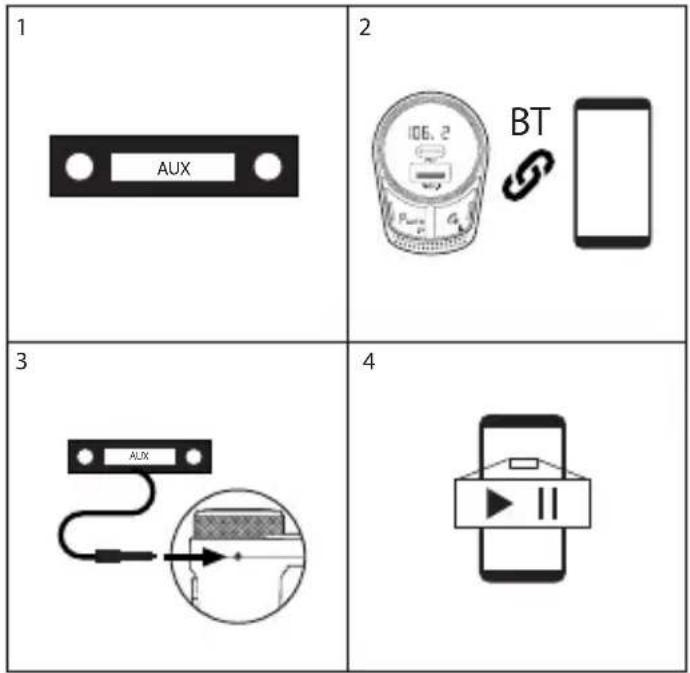
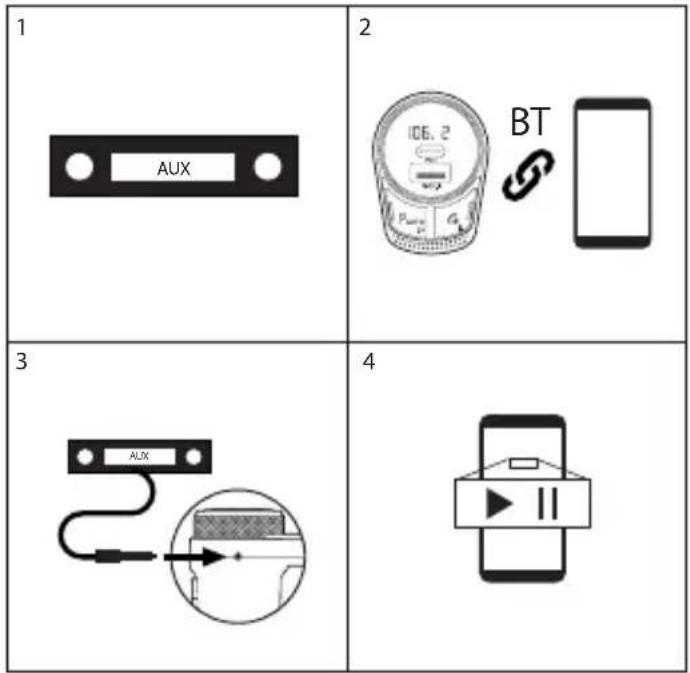
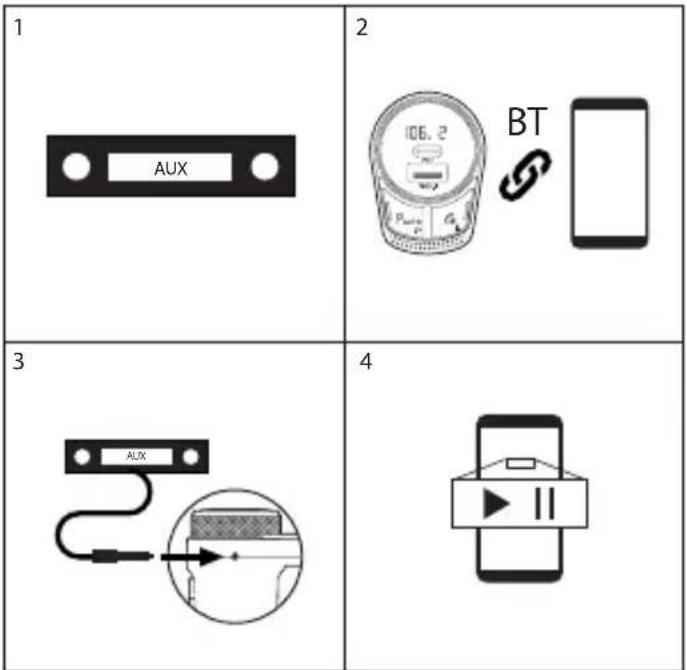
MUSIC CONTROLS USING THE AUX OUTPUT
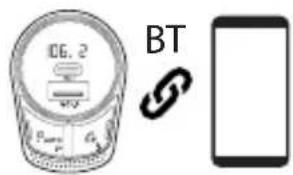
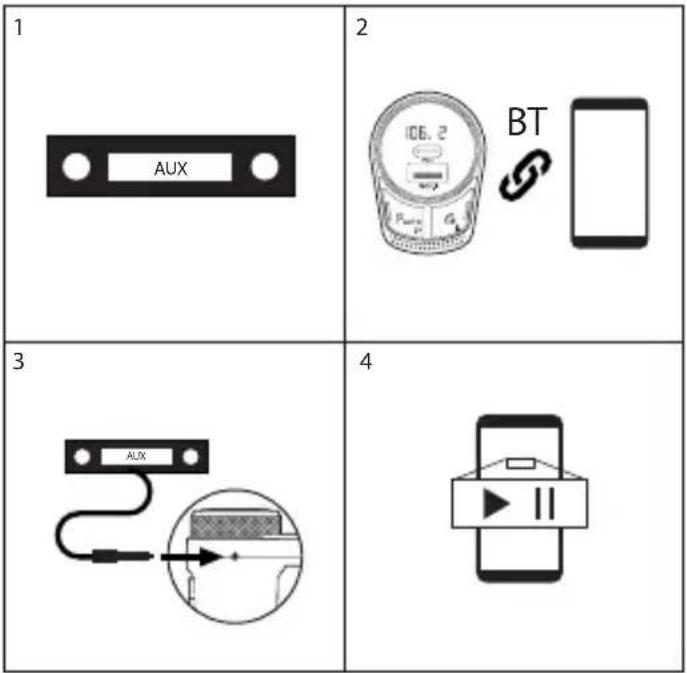
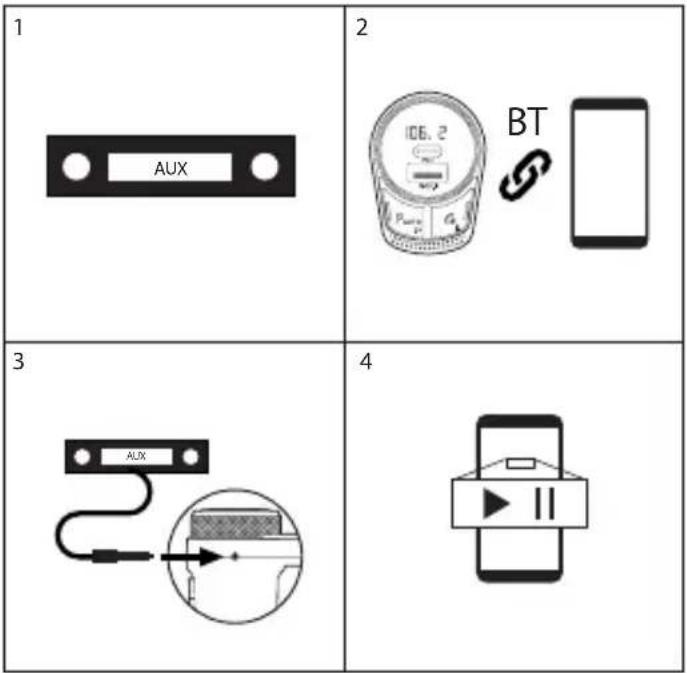
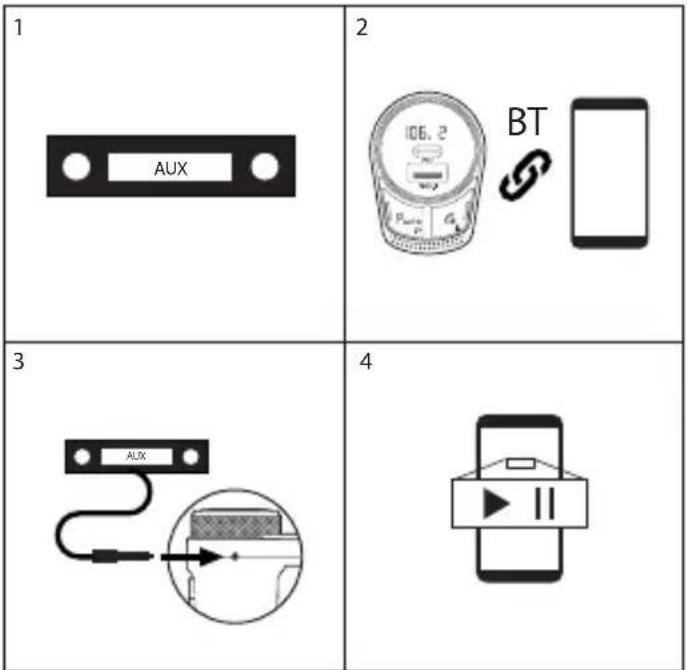
1 If available in your car, select the “Aux input” mode | 2 Make sure the smartphone is connected to the FM Transmitter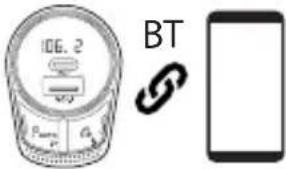 |
3 Connect your car and FM Transmitter (reefer to point “11” in page 1) using the included jack 3.5mm audio cable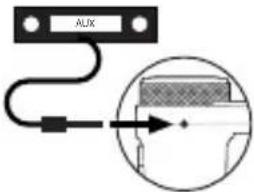 | 4 Control the music from your smartphone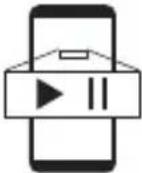 |
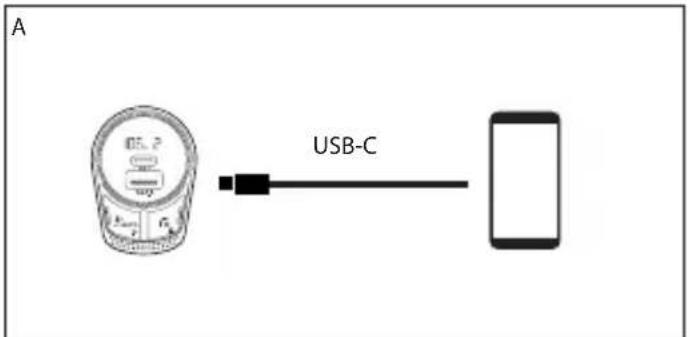
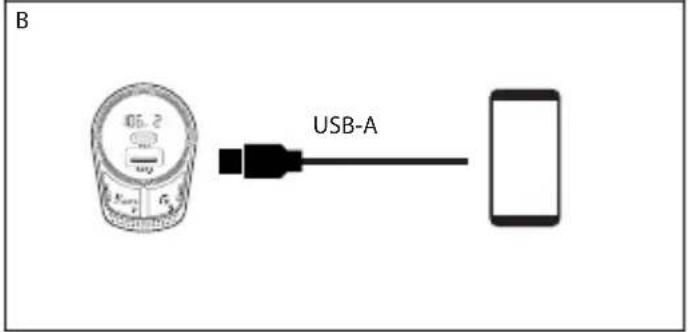
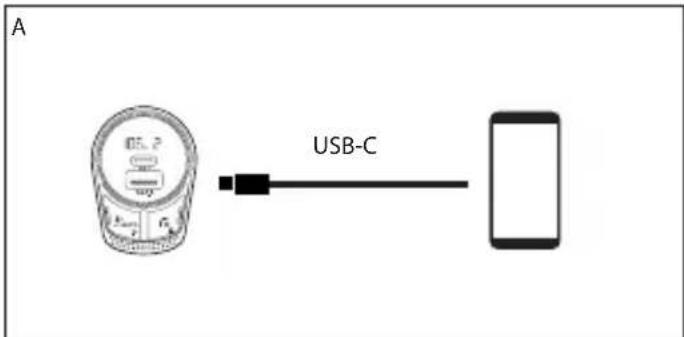
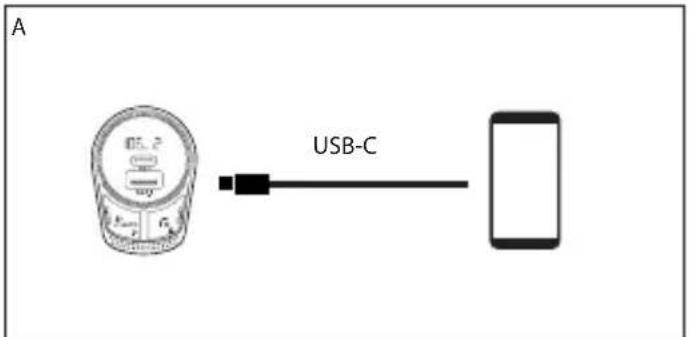
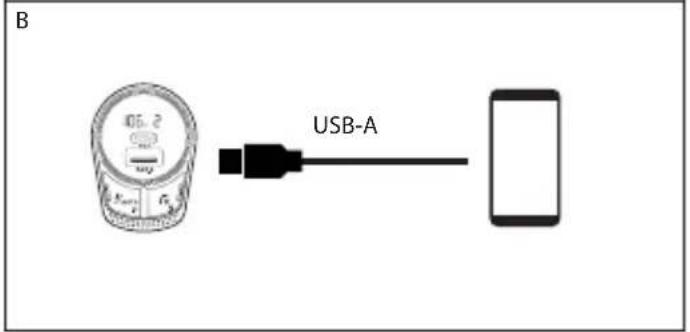
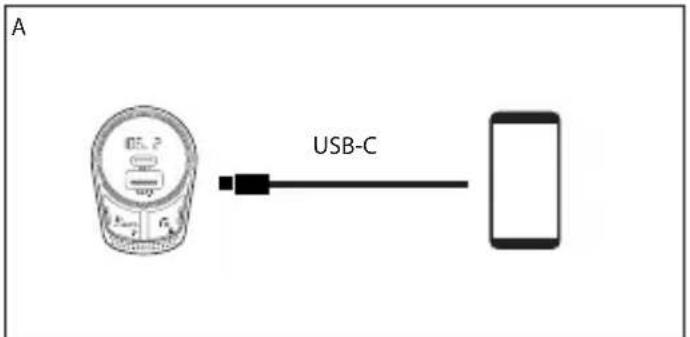
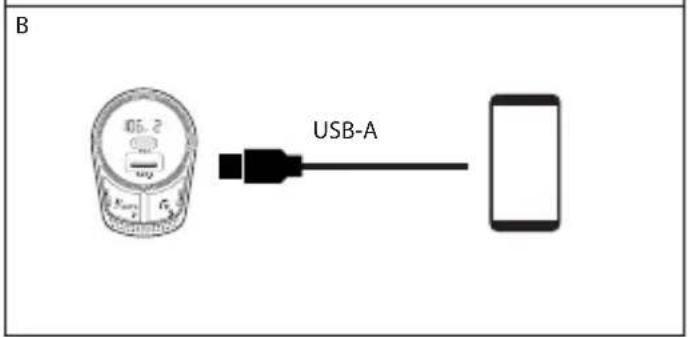
CHARGING OPTIONS
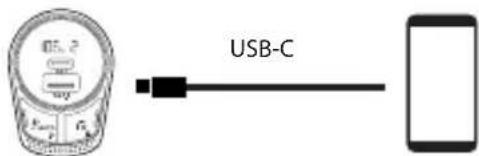
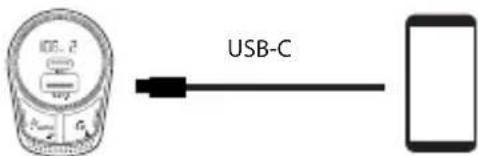
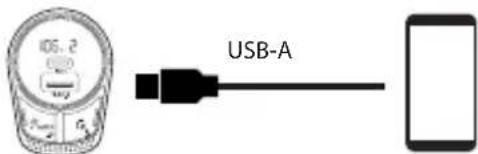
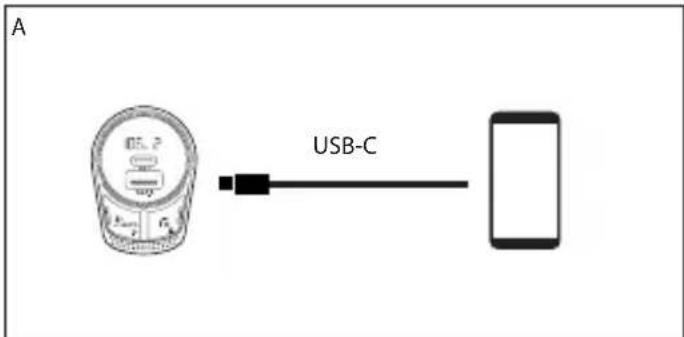
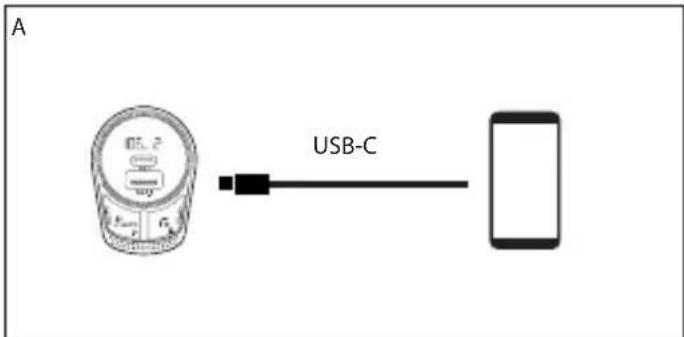
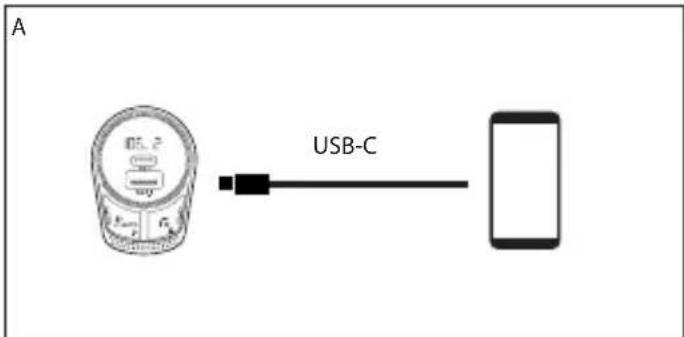
A Connect the USB-C cable to point "2" in page 1 and connect the other end to your smartphone/tablet
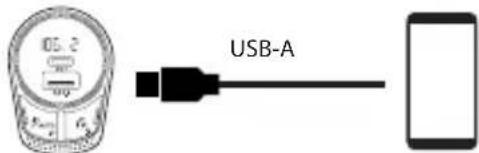
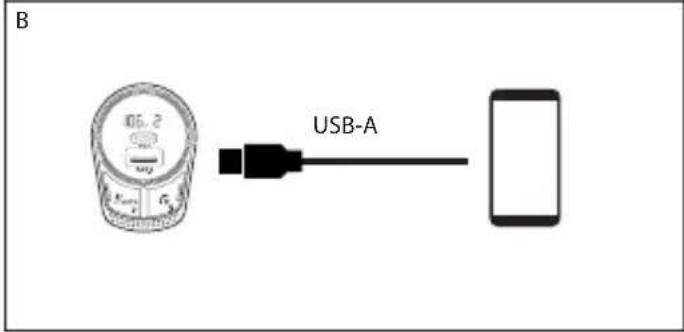
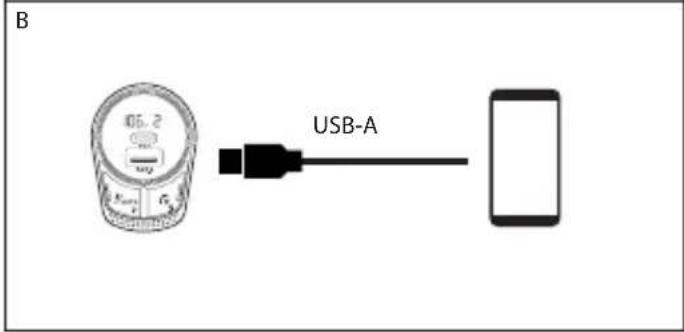
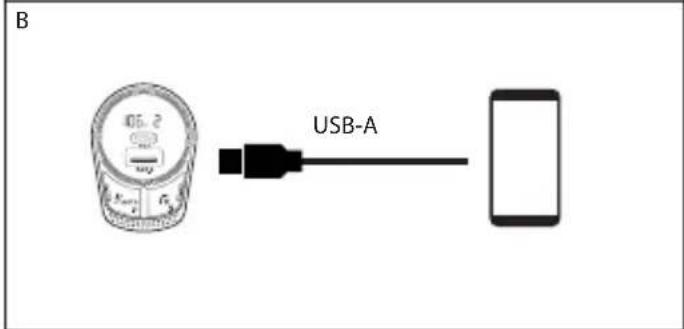
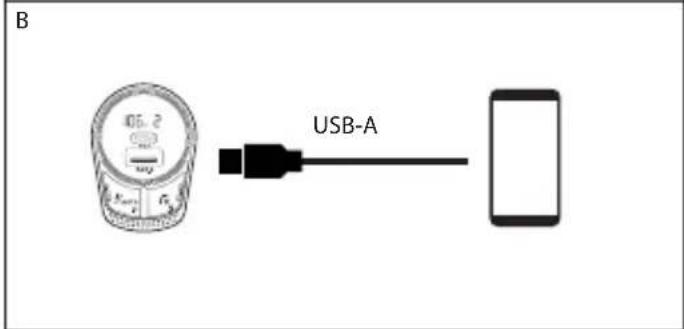
B Connect the USB-B cable to point "3" in page 1 and connect the other end to your smartphone/tablet
USER'S MANUAL
SPECIFICATIONS
Auto-Scan best available FM frequency
Siri & Google assistant activation
Noise Cancellation for clear talking
3.5mm aux-out jack
Bluetooth 5.1
Charger output: 42W (PD24W + QC3.0)
Frequency range: 87.5 - 108.0MHz
Frequency stability: ±10ppm
Product Input: 12-24V
Music Format: MP3, WAV, APE, FLAC
Product size: 56*40*103mm
Weight: 55g
Material: ABS + Aluminum
Transmission Power <50nW


If at any time in the future you should need to dispose of this product please note that:
Waste electrical products should not be disposed of with household waste. Please recycle where facilities exist.
Check with your Local Authority or retailer for recycling advice.
(Waste Electrical and Electronic Equipment Directive)
APERÇU GENERAL
natural_image
Illustration of a hand pointing at a device with a circular frame and a scroll, no text or symbols present.flowchart
graph TD
    A["x1"] --> B["Phone Icon"]
    C["x2"] --> D["Phone Icon"]
    style A fill:#f9f,stroke:#333
    style C fill:#f9f,stroke:#333
GEBRUIKERSHANDLEIDING
flowchart
graph TD
    A["x1"] --> B["Call to Telephone Icon"]
    C["x2"] --> D["Phone icon with Call icon"]
CONTROLLI MUSICALI UTILIZZANDO L'USCITA AUX
1 | 2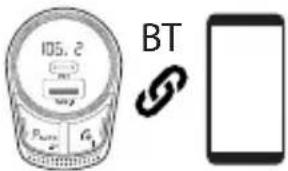 |
3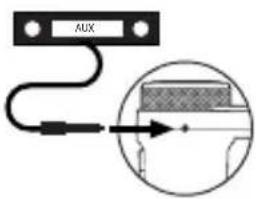 | 4 |
flowchart
graph TD
    A["Step x1"] --> B["Call to Telephone"]
    C["Step x2"] --> D["Phone icon with 'x2' arrow"]
MANUAL DO UTILIZADOR
CONTROLOS MUSICAIS COM A SAÍDA AUXILIAR
flowchart
graph TD
    A["Step x1"] --> B["Call to Telephone Icon"]
    C["Step x2"] --> D["Phone icon with Hand Trigger"]
    style A fill:#f9f,stroke:#333
    style C fill:#f9f,stroke:#333
STEROWANIE MUZYKĄ ZA POMOCĄ WYJŚCIA AUX
| 1 | 2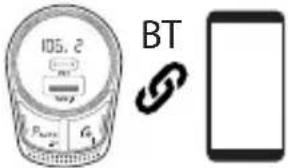 |
3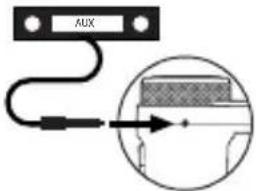 | 4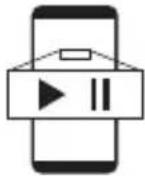 |
flowchart
graph TD
    A["Step x1"] --> B["Call to Telephone"]
    C["Step x2"] --> D["Phone icon with scroll arrow"]
GEBRUIKSAANWIJZING
MUZIEKBEDIENING MET BEHULP VAN AUX-UITVOER
OPLAADMOGELIJKHEDEN
SPECIFICATIES
Automatische scan best beschikbare FM-frequentie
Activatie Siri & Google Assistant
flowchart
graph TD
    A["x1"] --> B["Call to Telephone Icon"]
    C["x2"] --> D["Phone icon with Call icon"]
OVLÁDÁNÍ HUDBY POMOCÍ AUX VÝSTUPU
| 1 | 2 |
| 3 | 4 |
MOŽNOSTI NABÍJENÍ
A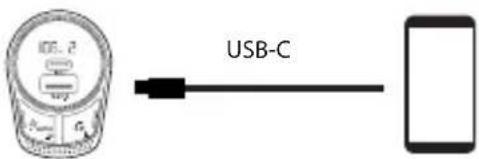 |
B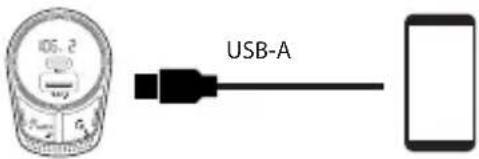 |
UŽIVATELSKÁ PŘÍRUČKA
SPECIFIKACE
flowchart
graph TD
    A["x1"] --> B["Call to Telephone Icon"]
    C["x2"] --> D["Phone icon with scroll arrow"]
POUŽÍVATELŠKÁ PRÍRUČKA
OVLÁDANIE HUDBY POMOCOU AUX MOŽNOSTI NABÍJANIA VÝSTUPU
SLOVENČINA

ŠPECIFIKÁCIE
1 | 2  |
3 | 4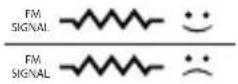 |
 | |
5 | 6 [SWAC] [SWAC] |
7 | |
| 1 |  |
| 2 |  |
| 3 | 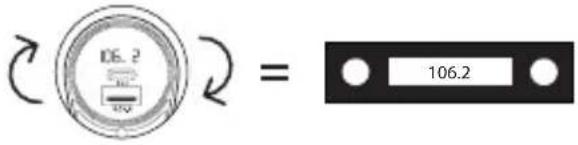 |
ΕΛΛΗΝΙΚΑ

flowchart
graph TD
    A["Step x1"] --> B["Call to Telephone"]
    C["Step x2"] --> D["Phone icon with scroll arrow"]
flowchart
graph TD
    A["x1"] --> B["Phone Icon"]
    C["x2"] --> D["Phone Icon"]
    style A fill:#f9f,stroke:#333
    style C fill:#f9f,stroke:#333
BRUKERVEILEDNING
MUSIKKKONTROLLER VED HJELP AV LADING ALTERNATIVER AUX-UTGANGEN
SPESIFIKASJONER
Auto-Scan best tilgjengelig FM-frecuency
flowchart
graph TD
    A["x1"] --> B["Call to Telephone Icon"]
    C["x2"] --> D["Phone icon with 'x2' arrow"]
MUSIIKIN HALLINTA AUX OUTPUTIN LATAUSVAIHTOEHDOT KAUTTA
KÄYTTÖOPAS
TIEDOT
flowchart
graph TD
    A["Step x1"] --> B["Call to Telephone"]
    C["Step x2"] --> D["Phone icon with 'x2' arrow"]
ANVÄNDARMANUAL
| 1 | 2 |
| 3 | 4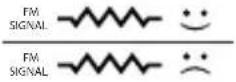 |
| |
| 5 | 6 [KBYC] |
| 7 | |
| 1 | |
| 2 | |
| 3 | |
DANSK

flowchart
graph TD
    A["x1"] --> B["Call to Telephone Icon"]
    C["x2"] --> D["Phone icon with scroll arrow"]
MUSIK KONTROL VED HJÆLP AF AUX OUTPUT
OPLADNING MULIGHEDER
BRUGERVEJLEDNING
SPECIFICATIONER
Transmission Power <50NW


flowchart
graph TD
    A["x1"] --> B["Call to Telephone"]
    C["x2"] --> D["Phone icon with scroll arrow"]
VARTOTOJO INSTRUKCIJA
MUZIKOS VALDIKLIAI NAUDOJANT AUX IŠVESTI
IKROVIMO PASIRINKIMAS
SPECIFIKACIJOS
flowchart
graph TD
    A["Step x1"] --> B["Call to Telephone"]
    C["Step x2"] --> D["Phone icon with scroll arrow"]
ZENEVEZÉRLÖK AZ AUX KIMENETI TÖLTÉSI LEHETŐSÉGEKKEL
FELHASZNÁLÓI KÉZIKÖNYV
SPECIFIKÁCIÓK
AND THEREFORE COMPLY WITH THE ESSENTIAL REQUIREMENTS AND PROVISIONS OF THE FOLLOWING DIRECTIVES OF THE EUROPEAN PARLIAMENT AND EUROPEAN COUNCIL:
Y, POR LO TANTO, CUMPLE CON LOS REQUERIMIENTOS Y PROVISIONES DE LAS SIGUIENTES DIRECTIVAS DEL PARLAMENTO EUROPEO:
RADIO EQUIPMENT DIRECTIVE 2014/53/EU ROHS DIRECTIVE 2011/65/EU & (EU) 2015/863
DIRECTIVA DE EQUIPOS DE RADIO 2014/53/EU DIRECTIVA ROHS 2011/65/EU & (EU) 2015/863
AUTHORIZED REPRESENTATIVE: LURBE GRUP S.A
REPRESENTANTE AUTORIZADO: PORTUETXE 27
20018 SAN SEBASTIÁN (GUIPÚZCOA)
SPAIN
SAN SEBASTIÁN, JUNE 1ST, 2022
NGS: Transmission auto-scan FM
BT SPARK HERO
A ÉTÉ TESTÉ CONFORMÉMENT AUX NORMES STANDARD EUROPÉENNES HARMONISÉES SUIVANTES :
FOI TESTADO EM CONFORMIDADE COM AS SEGUINTES NORMAS STANDARD EUROPEIAS HARMONIZADAS:
EN 55032:2015/A11:2020
ETSI EN 301 489-9 V2.1.1 (2019-04)
EN 55035:2017/A11:2020
ETSI EN 301 489-17 V3.2.4 (2020-09)
EN 62479:2010
technical support: www.ngs.eu/support
www.ngs.eu
- USER'S MANUAL
- OVERVIEW
- POWER ON/OFF
- BLUETOOTH
- FM RADIO CONNECT
- MUSIC CONTROLS USING THE FM CHANNELS
- PHONE CALLS SIRI/GOOGLE ASSISTANT
- MUSIC CONTROLS USING THE AUX OUTPUT
- CHARGING OPTIONS
- SPECIFICATIONS
- APERÇU GENERAL
- GEBRUIKERSHANDLEIDING
- CONTROLLI MUSICALI UTILIZZANDO L'USCITA AUX
- CONTROLOS MUSICAIS COM A SAÍDA AUXILIAR
- STEROWANIE MUZYKĄ ZA POMOCĄ WYJŚCIA AUX
- MUZIEKBEDIENING MET BEHULP VAN AUX-UITVOER
- OPLAADMOGELIJKHEDEN
- SPECIFICATIES
- OVLÁDÁNÍ HUDBY POMOCÍ AUX VÝSTUPU
- MOŽNOSTI NABÍJENÍ
- UŽIVATELSKÁ PŘÍRUČKA
- SPECIFIKACE
- POUŽÍVATELŠKÁ PRÍRUČKA
- OVLÁDANIE HUDBY POMOCOU AUX MOŽNOSTI NABÍJANIA VÝSTUPU
- ŠPECIFIKÁCIE
- MUSIKKKONTROLLER VED HJELP AV LADING ALTERNATIVER AUX-UTGANGEN
- SPESIFIKASJONER
- MUSIIKIN HALLINTA AUX OUTPUTIN LATAUSVAIHTOEHDOT KAUTTA
- KÄYTTÖOPAS
- TIEDOT
- MUSIK KONTROL VED HJÆLP AF AUX OUTPUT
- OPLADNING MULIGHEDER
- BRUGERVEJLEDNING
- SPECIFICATIONER
- MUZIKOS VALDIKLIAI NAUDOJANT AUX IŠVESTI
- IKROVIMO PASIRINKIMAS
- SPECIFIKACIJOS
- ZENEVEZÉRLÖK AZ AUX KIMENETI TÖLTÉSI LEHETŐSÉGEKKEL
- FELHASZNÁLÓI KÉZIKÖNYV
- SPECIFIKÁCIÓK
Brand : NGS
Model : Spark BT Hero
Category : FM Transmitter