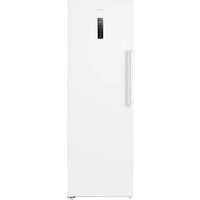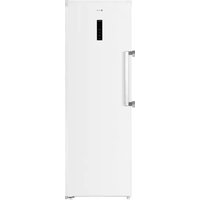
VPVR186NFD - Freezer Veripart - Free user manual and instructions
Find the device manual for free VPVR186NFD Veripart in PDF.


User questions about VPVR186NFD Veripart
0 question about this device. Answer the ones you know or ask your own.
Ask a new question about this device
Download the instructions for your Freezer in PDF format for free! Find your manual VPVR186NFD - Veripart and take your electronic device back in hand. On this page are published all the documents necessary for the use of your device. VPVR186NFD by Veripart.
USER MANUAL VPVR186NFD Veripart
text_image
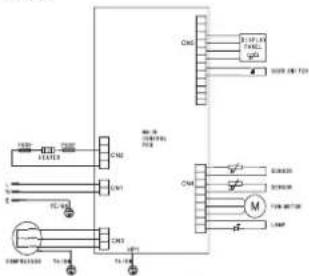
Electrical schematic diagram showing motor control circuit with fuses, switches, and wiring connectionsSerial Number:
| Climate classification SN / N / ST / T | |
| Freezer compartment volume 274L | |
| Fourstar compartment volume 274L | |
| Voltage 220-240V~ | |
| Frequency 50Hz | |
| Rated current 1.3A | |
| Security class I | |
| Power usage 140W | |
| Energy consumption E16 0.409 kWh/24h | |
| Energy consumption E32 0.805 kWh/24h | |
| Temperature rise time 9h | |
| Refrigerant | R600a,74g |
| Insulating agent | Cyclopentane |
| Freezing capacity (Kg/24h) | 17 |
| Product code | 919559 |
Veripart is a registered trademark of Coolblue B.V.
Wcena 664
3012CN. Rotterdam
The Netherlands
Made in China
Batchcode:


bar
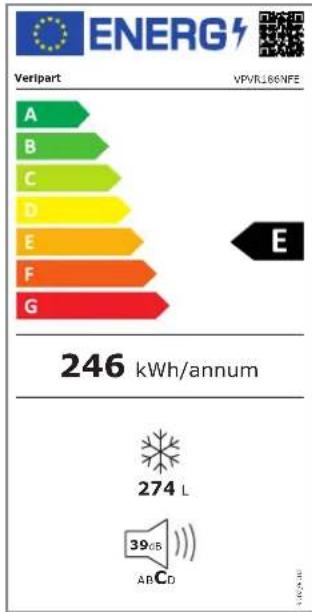
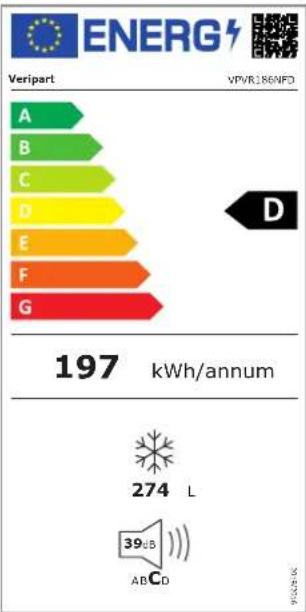
| Category | Value (kWh/annum) | |---|---| | A | 246 | | B | 274 | | C | 39 | | D | 274 | | E | 274 | | F | 274 | | G | 274 | The chart displays a single bar representing the total energy consumption across five categories labeled A through G. The speaker icon indicates a 39 GB AC to CD segment.
VPVR186NFD

veripart
VPVR186NFD
Freezer
text_image
Electrical schematic diagram with labeled components and wiring connectionsSerial Number:
Batchcode:


bar
| Category | Value (kWh/annum) | |---|---| | A | 197 | | B | 274 | | C | 39 | | D | 274 | | E | 274 | | F | 274 | | G | 274 | Veripart VPVR186NFD| Climate classification - | Klimaatklasse / Classification climatique / Klimaklassifizierung |
| Freezer compartment volume - | Opslagvolume vriezer / Volume de stockage du congélateur / Gefrierspeichervolumen |
| Fourstar compartment volume - | Fourstar-opslagvolume / Volume de stockage Fourstar / Vier-Sterne-Speichervolumen |
| Voltage - | Spanning / Tension / Spannung |
| Frequency - | Frequentie / Fréquence / Frequenz |
| Rated current - | Nominale spanning / Tension nominale / Nennspannung |
| Security class - | Veiligheids klasse / Classe de sécurité / Sicherheitsklasse |
| Power usage - | Stroomverbruik / Consommation d'énergie / Stromverbrauch |
| Energy consumption E16 - | Energieverbruik E16 / Consommation d'énergie E16 / Energieverbrauch E16 |
| Energy consumption E32 - | Energieverbruik E32 / Consommation d'énergie E32 / Energieverbrauch E32 |
| Temperature rise time - | Temperatuur stijging tijd / Temps de montée en température / Temperaturanstiegszeit |
| Refrigerant - | Koelmiddel / Réfrigérant / Kältemittel |
| Insulating agent - | Isolatiemiddel / Agent isolant / Isoliermittel |
| Freezing capacity - | Vriescapaciteit / Capacité de congélation / Gefriervermögen |
| Product code - | Productcode / Code produit / Produktcode |
INHOUDSOPGAVE
VOORWOORD
1. VEILIGHEID 6
1.1 VEILIGHEIDSWAARSCHUWINGEN EN -VOORSCHRIFTEN

!WAARSCHUWING!
natural_image
Simple diagram showing a black curved arrow pointing downward on a white background with no text or symbols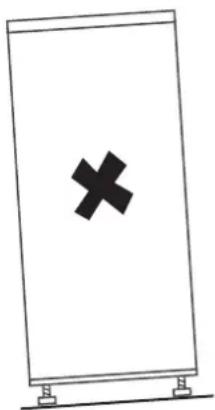
natural_image
Simple line drawing of a rectangular sign with a black 'X' symbol on the front face and two small supports at the bottom (no text or labels)4. Reinig
natural_image
Illustration of a hand using a tool to lift or adjust a wooden shelf (no text or symbols)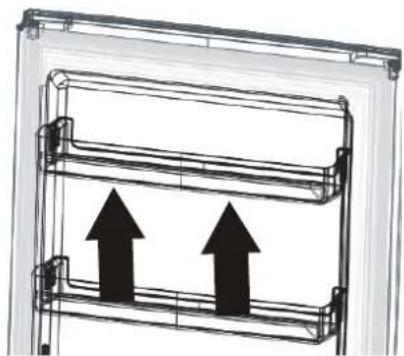
natural_image
Diagram of a multi-level mechanical or electrical component with two upward-pointing arrows indicating flow or movement (no text or symbols present)3.1 DE DRAAIRICHTING VAN DE DEUR OMKEREN
natural_image
Line drawing of a screwdriver with a pointed tip (no text or symbols)natural_image
Line drawing of an adjustable wrench with a handle and screw (no text or symbols)natural_image
Line drawing of a screwdriver with no text or symbolsnatural_image
Technical line drawing of a vertical metal bracket with mounting flanges (no text or symbols)Handgreep 1x
Handvat afdekking
2x

Schroeven
2x
natural_image
Technical line drawing of a mechanical clamp or bracket assembly (no text or symbols)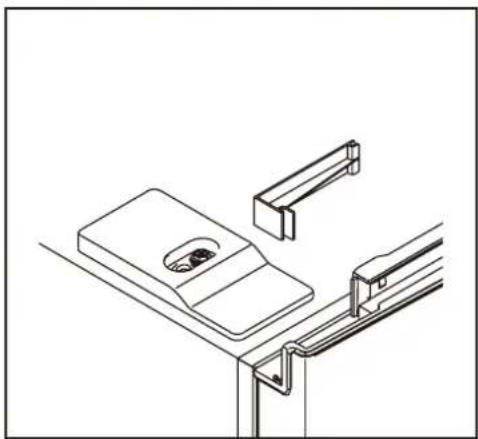
natural_image
Technical line drawing of a mechanical assembly with no visible text or symbolsnatural_image
Technical line drawing of a mechanical assembly with a screw and bracket (no text or symbols)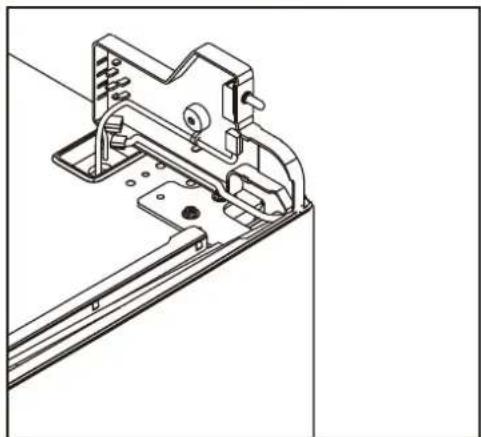
natural_image
Technical line drawing of a mechanical bracket assembly (no text or symbols)natural_image
Technical line drawing of a mechanical assembly with mounting holes and a bracket (no text or symbols)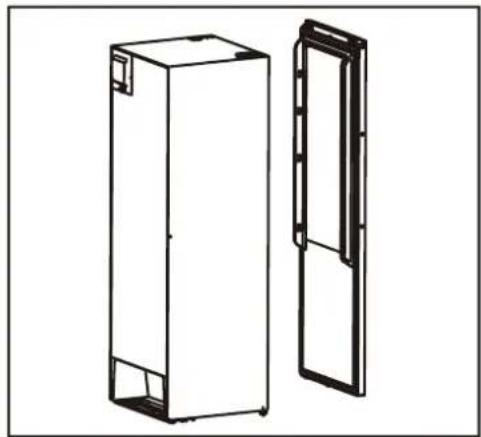
natural_image
Technical line drawing of two rectangular metal enclosure units, one open and one closed, with no text or symbols present.natural_image
Line drawing of a door lock mechanism with handle and mounting bracket (no text or symbols)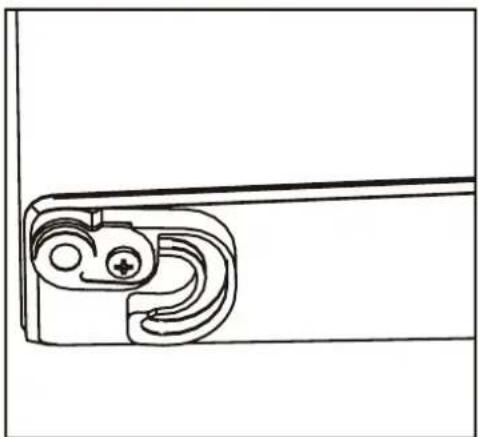
natural_image
Technical line drawing of a mechanical bracket or clamp (no text or symbols)natural_image
Technical line drawing of a mechanical bracket with mounting holes and a separate bracket assembly (no text or symbols)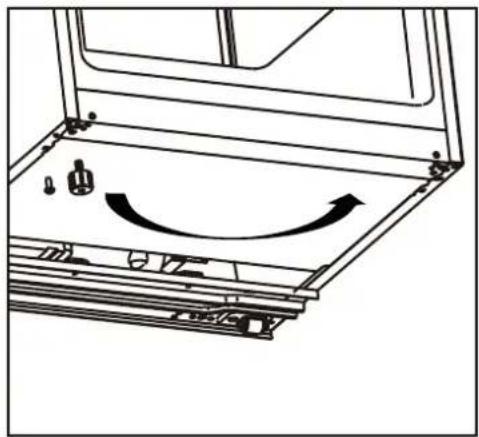
natural_image
Technical line drawing of a mechanical assembly with no visible text or symbolsnatural_image
Mechanical assembly diagram showing a shaft and housing with a bolt and nut, no text or symbols present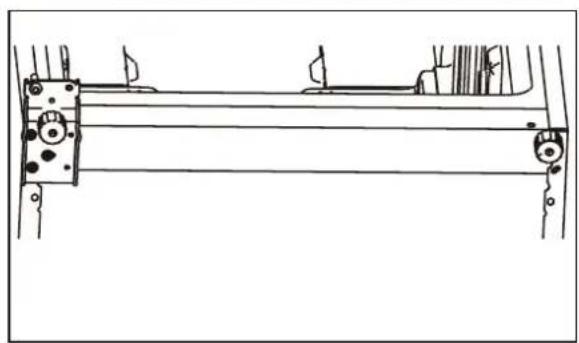
natural_image
Technical line drawing of a mechanical assembly with mounting brackets and levers (no text or symbols)natural_image
Technical line drawing of a mechanical bracket with two cylindrical components and a curved arrow indicating rotation (no text or symbols)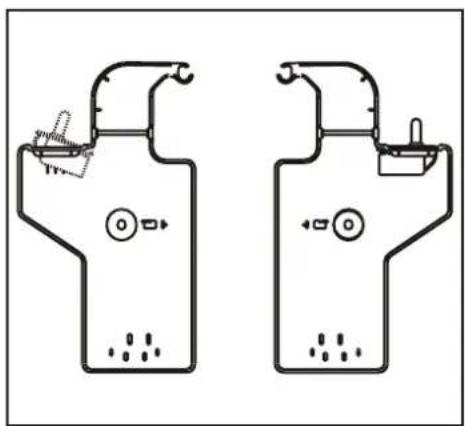
natural_image
Two identical schematic diagrams of household appliances or devices, no text or symbols present.natural_image
Simple line drawing of a mechanical device mounted on a bracket (no text or symbols)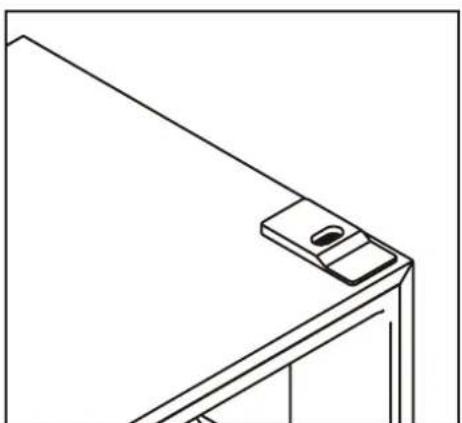
natural_image
Line drawing of a corner-mounted device with a small screen and mounting bracket (no text or symbols)natural_image
Diagram of a document with arrows indicating rotational movement, no text or symbols present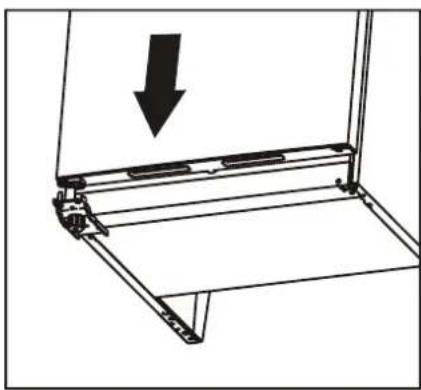
natural_image
Technical line drawing of a mechanical assembly with an arrow indicating downward motion (no text or symbols present)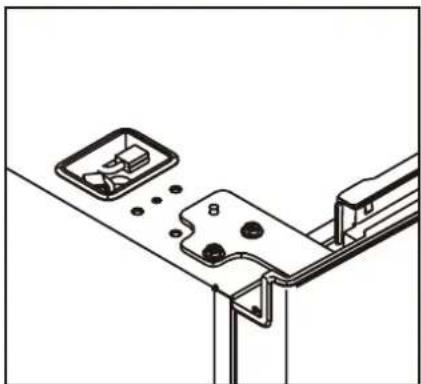
natural_image
Technical line drawing of a mechanical assembly with mounting brackets and a bracket (no text or symbols)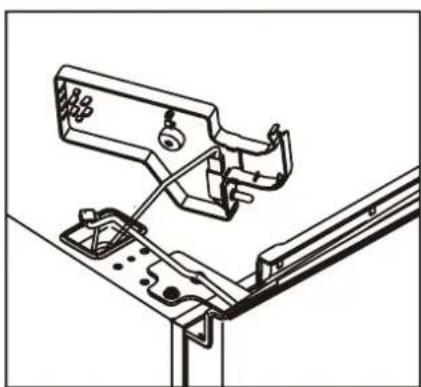
natural_image
Technical line drawing of a mechanical assembly with no visible text or symbols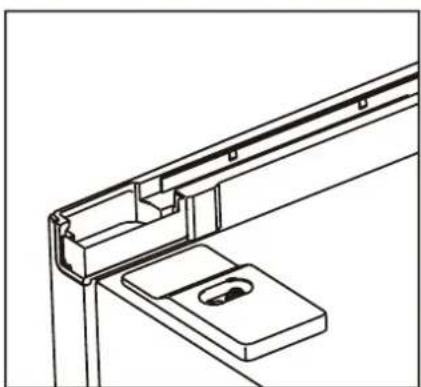
natural_image
Technical line drawing of a structural bracket assembly (no text or symbols)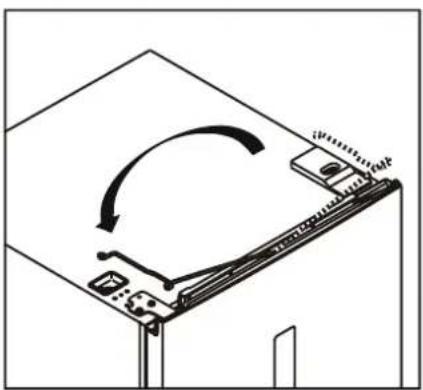
natural_image
Diagram of a mechanical device with an arrow indicating rotational motion (no text or symbols)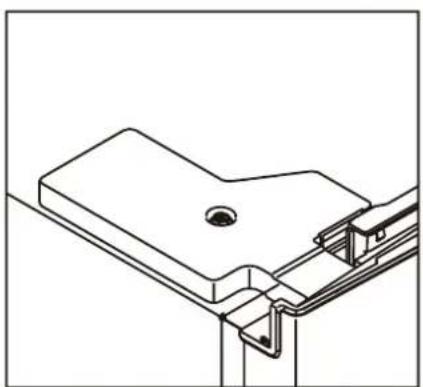
natural_image
Technical line drawing of a mechanical bracket assembly (no text or symbols)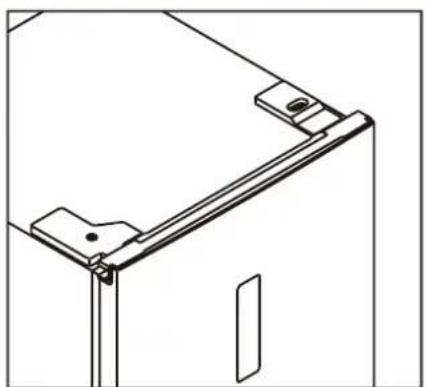
natural_image
Technical line drawing of a mechanical bracket or frame assembly (no text or symbols)Handgreep installeren
natural_image
Line drawing of a screwdriver with a circular head and threaded shaft (no text or symbols)natural_image
Technical line drawing of a mechanical bracket assembly with a tool inserted (no text or symbols)text_image
Technical diagram showing two labeled components (① and ②) with directional arrows indicating movement or force.
4. GEBRUIK
text_image
Technical diagram illustrating lock and unlock mechanism of a mechanical assembly, with labeled parts and directional arrows.natural_image
Symbol of a trash bin crossed with no text or labels, accompanied by a black rectangular block below (no readable text or symbols)1.1 Safety warnings and regulations 36
1.2 Safety instructions: installation 37
1.3 Safety instructions: use 38
2. PRODUCT FEATURES 39
3. INSTALLATION 41
3.1 Door reversal instructions 43
- USE 48
- MAINTENANCE AND CLEANING 53
- TROUBLESHOOTING 55
- TAKING OUT OF SERVICE 58
- SAFE DISPOSAL 59
FOREWORD
About this document
- This manual contains all information for the correct, efficient and safe use of the appliance.
- This manual is intended for the end user and/or buyer of this appliance.
- Make sure you have read and understood the instructions in this manual completely before installing or using the appliance. Keep this document for future use as long as you use and/or own the appliance.
- Coolblue B.V. cannot in any way be held liable for material or immaterial damage to you or to others, the appliance, your other belongings or belongings of others caused by not following the instructions in this manual.
- The warnings and safety instructions in this manual do not cover all possible circumstances and situations.
- If you contact our customer service, make sure you have the model number ready. The information can be found on the type plate or on the front of this manual.
Original instructions
This manual was originally written in Dutch. All other languages are translated documents. In the case of translation errors, the Dutch version is leading.
Symbols used
| SYMBOL DESCRIPTION | ||
 | DANGER! | Fire hazard and/or flammable materials |
 | WARNING! | Indicates a dangerous situation which, if not avoided, may result in serious immaterial damage to you or others. |
 | CAUTION! | Indicates a dangerous situation which, if not avoided, may result in slight immaterial damage to you or others. |
 | ATTENTION! | Indicates a situation related to material damage. |
 | NOTE | Indicates useful additional information. |
Copyright
The data depicted in this manual, including texts, photographs, graphic drawings, trademarks, (trade) names and logos, are the property of Coolblue B.V. and are protected by copyright, trademark law and/or any other intellectual property right, unless these data belong to a third party. You are never allowed to reproduce, transfer, distribute, store or make the contents of the manual available to third parties, in whole or in part, without the prior written consent of Coolblue B.V. and/or the third party to whom the data belong.

NOTE
You can also find the latest version of this manual online, at www.coolblue.nl/en if you search for the article number.
Veripart contact details
Veripart is a registered brand of Coolblue B.V.
Customer service can be reached at:
www.coolblue.nl/en/customer-service
1. SAFETY
1.1 SAFETY WARNINGS AND REGULATIONS

!WARNING!
- Keep the vents in the appliance housing open.
- Do not use mechanical devices, electrical appliances (such as a hairdryer or heater) or other means to defrost your freezer.
- Ensure that no components of the cooling circuit are damaged during transport and installation of the appliance (only in cases where the cooling circuit is freely accessible).
- Do not place electrical appliances in the food storage compartments of the freezer (such as ice cream machines) unless they are of a type expressly declared suitable by the manufacturer.
- When positioning the appliance, ensure that the power cable is not stuck or damaged.
- Do not use an extension lead or socket for this appliance.

CAUTION!
- Packaging with flammable gases or liquids may leak at low temperatures, do not store flammable gases or liquids in the appliance.
- Do not store containers containing flammable materials, propellant or explosive substances such as aerosols, refill cartridges for fire extinguishers, etc. in the appliance.
- Do not place carbonated or sparkling drinks in the freezer compartment.
- Do not remove objects from the freezer compartment if your hands are wet/damp as this may cause grazes or frostbite.
- If you want to avoid forming a combustible gas-air mixture in the event of a leak in the cooling circuit, consider the size of the space in which the appliance is located and the amount of freezerrant used.
- It is dangerous for people other than authorised technicians to carry out maintenance or repairs with cover plates removed. To avoid the risk of electric shocks, do not attempt to repair this appliance yourself.
- This appliance may be used by children from eight years of age and above and by persons with reduced physical, sensory or mental capabilities or lack of experience and knowledge, provided that they are under supervision or have been trained in the safe use of the appliance and that they understand the associated dangers.

ATTENTION!
- This appliance is intended for domestic use and similar applications such as:
staff kitchens in shops, offices and other work environments;
farms and guests in hotels, motels, B&B and other residential environments;
catering and similar non-retail applications.
- It is dangerous to change the characteristics or specifications of the appliance or to try to modify this product in any way.
- Food storage times recommended by the food manufacturer must be observed.
- Never pull the power cable to disconnect the plug from the socket. Always hold the plug firmly and pull it straight out of the socket.
1.2 SAFETY INSTRUCTIONS: INSTALLATION

DANGER!
Risk of fire / flammable materials.

CAUTION!
- The appliance is heavy. Take care when handling and wear protective gloves and closed footwear.
- It is dangerous for persons other than authorised service technicians to carry out maintenance on electrical components (plug, power cable, compressor, etc.) or to carry out repairs with the cover plates removed. To avoid the risk of electric shocks, do not attempt to repair this appliance yourself.
- If you detect any damage to the appliance or the power cable, do not connect the appliance but contact the service department (see contact details on page 40).
- The power cable must be attached behind the appliance and must not be exposed or loose.
- Make sure that the power cable of the installed appliance is always easily accessible.
- This appliance requires a standard 220-240V 50Hz socket with 2-pole earthing. The power cable of this appliance is equipped with a 2-pole plug suitable for standard wall sockets with earthing to minimise the risk of electric shocks.
- On first installation (or after turning the door) wait at least four hours before connecting the appliance to the power. This allows the oil to flow back into the compressor.
- Ensure that air can circulate around the appliance.
- Pull the plug out of the socket before carrying out any actions on the appliance (e.g. turning the door).
- Incorrect use of the earthed plug may cause an electric shock.
- This appliance is not intended for use as a built-in freezer.
- The correct operation of the appliance can only be guaranteed if the specified temperature range is respected. If, as a result of another installation, the correct ventilation requirements are not met, the appliance
- will function correctly, but energy consumption may increase slightly.
- This appliance is not suitable for use with an inverter.
- Do not install the appliance near radiators, stoves, ovens or hobs.
- Do not install the appliance in direct sunlight.
- Do not install this appliance in spaces that are too damp or too cold.
- Do not expose the appliance to rain.
- The total volume of the space in which the appliance is installed divided by the amount of freezerrant of the appliance must not be less than 8 g/m ^3 . The amount of freezerrant contained in the appliance can be found on the type plate.
- The LED lamp supplied with this unit is for use only in this device and not intended for other applications and contains energy efficiency class G.
- The appliance may not operate optimally if it is in a place where the ambient temperature is below the minimum or above the maximum of the temperature range for which the appliance is designed for a longer period of time. Please refer to the "Climate Range" table below.
Climate Range
The information about the climate range of the appliance is stated on the type plate. It indicates at which ambient temperature (or room temperature) the operation of the appliance is optimal (correct).
This type of freezer has climate range SN, N, ST, T.

| CLIMATE RANGE PERMISSIBLE AMBIENT TEMPERATURE | |
| SN From +10°C to +32°C | |
| N From +16°C to +32°C | |
| ST From +16°C to +38°C | |
| T From +16°C to +43°C | |
1.3 SAFETY INSTRUCTIONS: USE
! CAUTION!
Observe the following instructions to avoid food contamination:
- When the door is open for a long time, the temperature in the compartments of the appliance can rise considerably.
- Clean surfaces that may come into contact with food and accessible drainage systems regularly.
- Store raw meat and fish in suitable containers in the appliance so that they do not come into contact with or drip on other foods.
- If the appliance remains empty for a long time, switch it off, clean and dry it and leave the door open to prevent mould forming in the appliance.
2. PRODUCT FEATURES
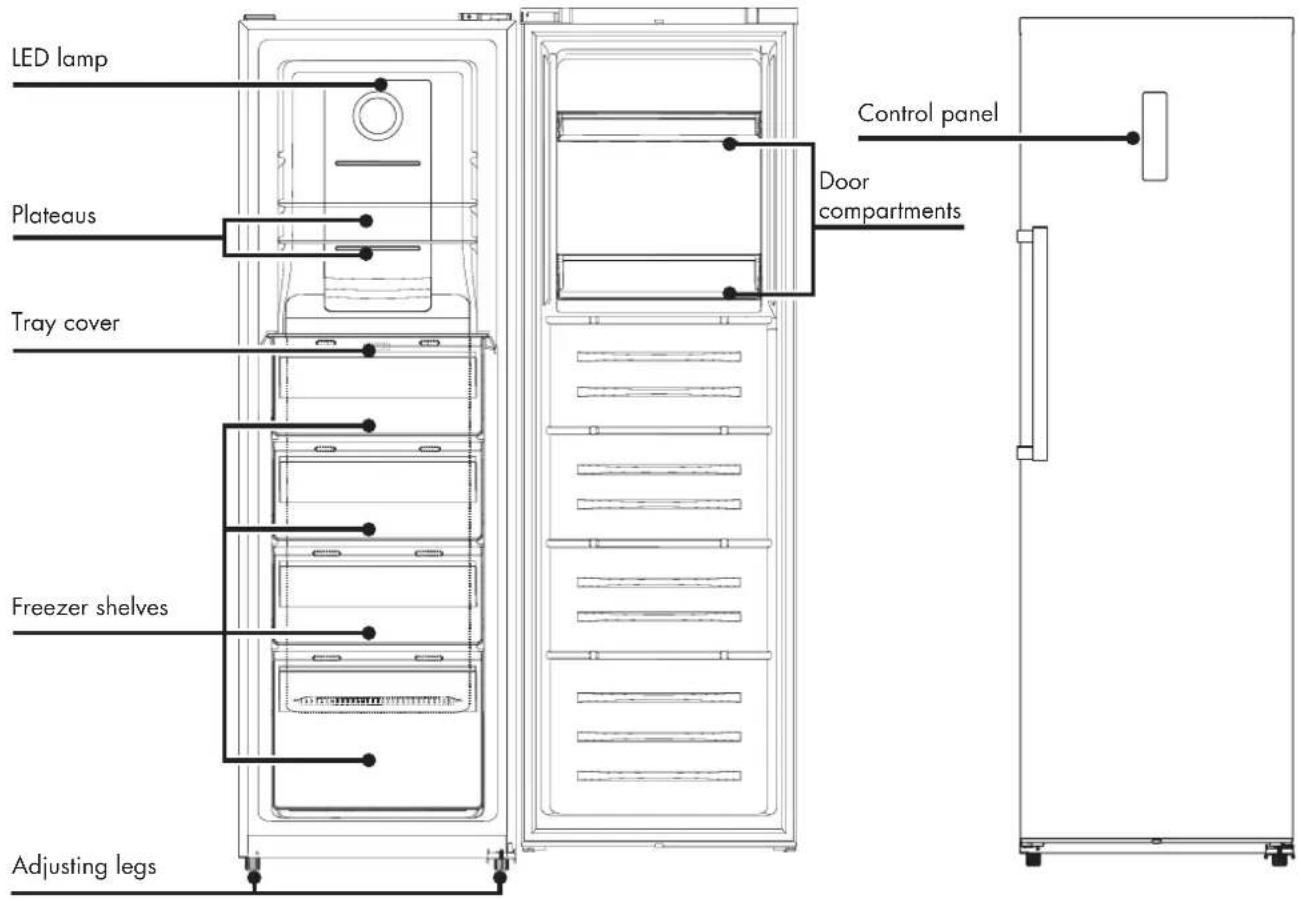
text_image
LED lamp Plateaus Tray cover Freezer shelves Adjusting legs Control panel Door compartments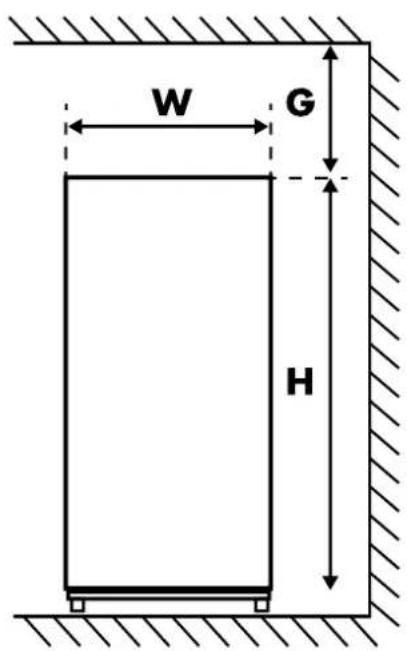
text_image
W G H• Figure 1. Front view
text_image
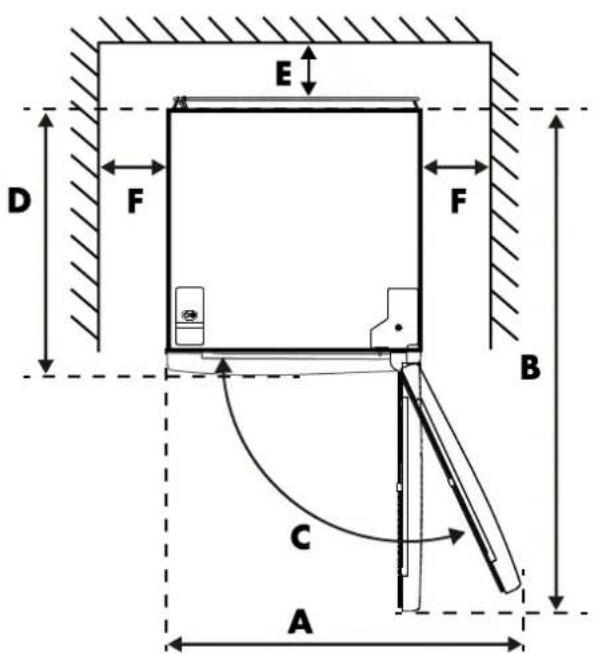
E D F F B C A• Figure 2. Top view
WDHABC(°) EFG
*Figures 1 and 2 illustrate the space required for the appliance.
Does not contain freon
The freon-free freezerrant (R600a) and the environmentally friendly foam insulation (cyclopentane) used for the appliance do not affect the ozone layer and have a very small impact on global warming.

Guarantee
This appliance comes with a guarantee period of two years after purchase. For more information on guarantee conditions, please visit www.coolblue.nl/en/customer-service. In any case, you must have the purchase order with purchase and/or delivery date in order to be able to claim the guarantee. If you place the refrigerator in an ambient temperature that is colder than the minimum temperature, the guarantee lapses.
Spare parts
Spare parts for this appliance are available. To order or find out more, visit www.coolblue.nl/en/customer-service
Technical data and energy label
The technical data is indicated on the type plate on the inside of the appliance and on the energy label (both also printed on page 2). The QR code on the energy label provided with the appliance provides a web link to the information related to the appliance performance in the EU EPREL database. Keep the energy label for reference together with the user manual and any other documents provided with this appliance. It is also possible to find the same information in EPREL via the link https://eprel.ec.europa.eu and the model name and product number that can be found on the type plate of the appliance. See link www.theenergylabel.eu for detailed information on the energy label.
| VERIPART CONTACT DETAILS | |
| Address: Weena 664, 3 | 012 CN, Rotterdam |
| Website www.coolblue.nl | /en/customer-service |
3. INSTALLATION
Before installing the appliance, carefully review the safety information (section 1).
⚠ Warning!
When the appliance is installed, check that the earthing wire and the circuit breaker work normally.
If vibration noise occurs because the freezer is positioned against the wall or if the wall becomes black due to air circulation around the compressor, you should place the device away from the wall.
1. Unpack
Remove the packaging materials and dispose of them properly. Check that the appliance is not damaged. Do not connect the appliance if it is damaged. Report any damage immediately to the salesperson via customer service. In that case, keep the packaging.
2. Location
The location where you place your appliance should be well ventilated and the air should not be too hot. Do not place the appliance near a heat source, such as a stove or boiler, and avoid direct sunlight, so as to guarantee the cooling effect and save on energy consumption. Do not place the appliance in a damp place so that it cannot rust and there is no leakage current.
3. Installation of the appliance
- This appliance is not intended for use as a built-in appliance.
- To reverse the direction in which the door opens, go to section 3.1.
- During operation, the appliance emits heat to the environment.
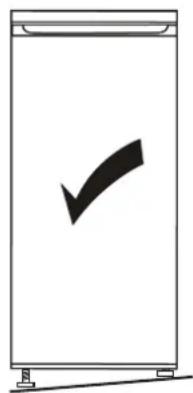
Therefore there must be at least 5 cm clearance on the top, at least 5 cm on both sides and at least 5 cm on the back of the fridge (see also page 39). - Use the front adjusting legs to level the appliance. If the appliance is not level, it may affect the performance of the gasket seal or even lead to a failure of your appliance.
- It must be possible to disconnect the appliance from the mains power supply. The plug must therefore be easily accessible after installation.
- Place the appliance on a firm and flat surface (floor) so that it is stable, otherwise vibrations and noise may occur.
- When placing the appliance on floor coverings such as carpets, straw mats or polyvinyl chloride (PVC), place a solid sheet or cover under the appliance to prevent colour change due to heat dissipation.
natural_image
Simple line drawing of a rectangular container with a black checkmark inside (no text or symbols)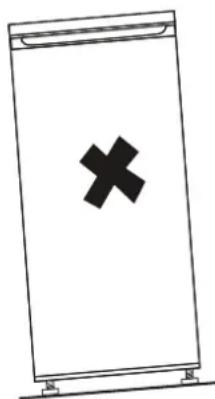
natural_image
Simple line drawing of a rectangular object with a black 'X' symbol on its surface (no text or labels)4. Clean
Clean the interior and all internal accessories with lukewarm water and some neutral soap before first use to remove the typical smell of a brand new appliance. Dry everything carefully. Do not use solvents or abrasive powders; these will damage the coating.
5. Wait
Wait four hours before connecting the appliance so that the oil can flow back to the compressor.
6. Switch on
Before plugging in the power cable, check that the voltage and frequency of the type plate match your power supply network. The appliance must be earthed. The power cable is supplied with an earthed plug for this purpose. If the socket is not earthed, connect the appliance to a separate earth according to current regulations and consult a qualified electrician. Insert the mains plug into the socket to start the compressor. After 1 hour, open the freezer door. If the temperature in the freezer compartment is noticeably lower, this indicates that the cooling system is operating normally.
7. Mounting accessories
- Adjustable shelves
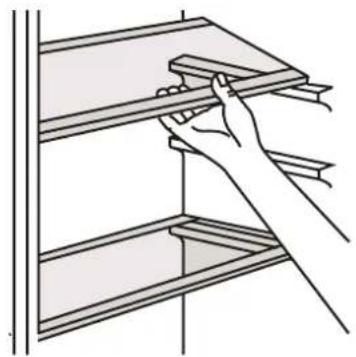
The walls of the appliance are equipped with a series of guide profiles so that the shelves can be inserted if desired.
- Installing the door compartments
To store food of different sizes, the door compartments can be set to different heights. Proceed as follows: gradually pull the compartment in the direction of the arrows until it comes loose and put it in the desired position.
8. Storing food
See Section 4 "Use".
natural_image
Line drawing of a hand holding a shelf with a wooden plank (no text or symbols)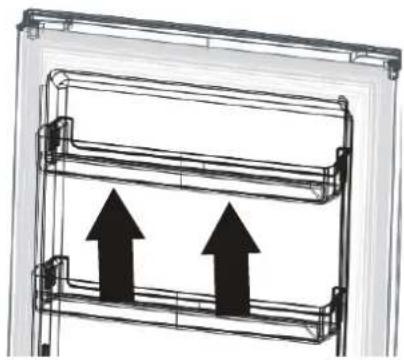
natural_image
Diagram of a double door frame with two upward-pointing arrows indicating flow or movement (no text or symbols)3.1 DOOR REVERSAL INSTRUCTIONS
- To remove the door, the appliance must be tilted backwards. We recommend doing this with two people. Rest the appliance on a firm surface so that it does not slip away as you reverse the door.
- Keep all removed parts to remount the door later.
- Do not lay the appliance down flat. This can damage the cooling system. If the appliance does have to be placed on its back or side for some time during this process, it must be able to stand upright for four hours before connecting it to prevent damage to the internal components.
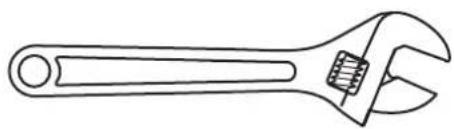
Necessary tools:

natural_image
Line drawing of a screwdriver with a pointed tip (no text or symbols)• Crosshead screwdriver
natural_image
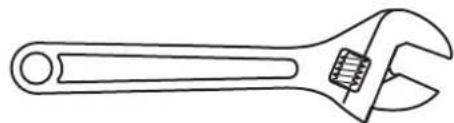
Line drawing of an adjustable wrench with a handle and screw (no text or symbols)- Adjustable spanner

natural_image
Line drawing of a screwdriver with no text or symbols- Flat head screwdriver

natural_image
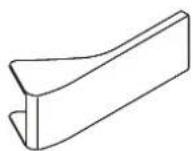
Technical line drawing of a vertical metal bracket with mounting holes (no text or symbols)Handle 1x
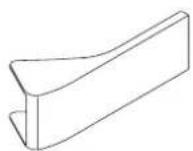
Handle cover 2x

Screws 2x

Left closure guide
1x
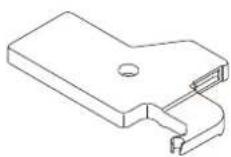
Left hinge cover
1x
- Unplug and empty the appliance.
- Remove the wiring covers at the top of the door.
- Remove the wiring covers at the top of the door.
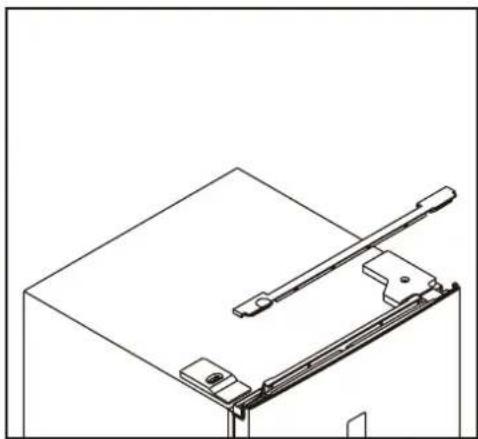
natural_image
Technical line drawing of a mechanical clamp or bracket assembly (no text or symbols)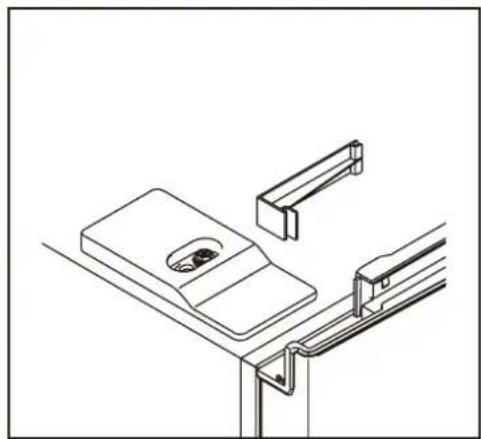
natural_image
Technical line drawing of a mechanical assembly with no visible text or symbols- Unscrew the cover top right and disconnect the door switch connector and the display.
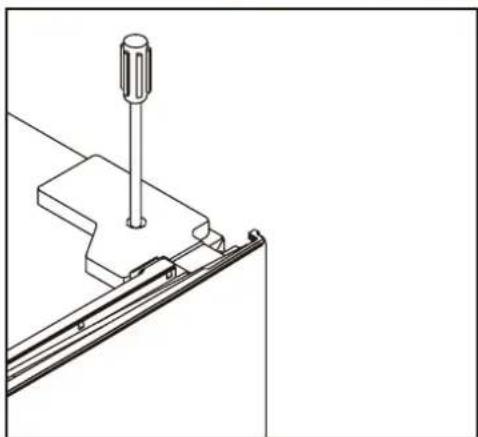
natural_image
Technical line drawing of a mechanical assembly with a screw and bracket (no text or symbols)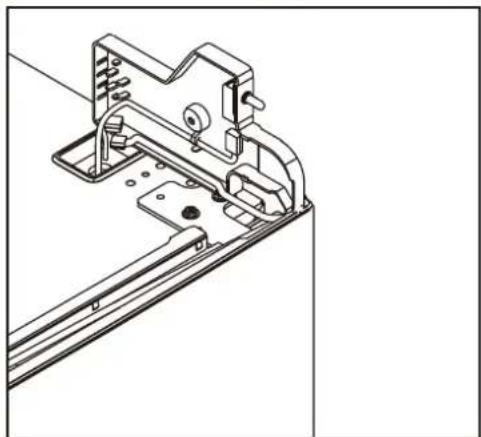
natural_image
Technical line drawing of a mechanical bracket assembly (no text or symbols)- Unscrew the top hinge and remove the door.
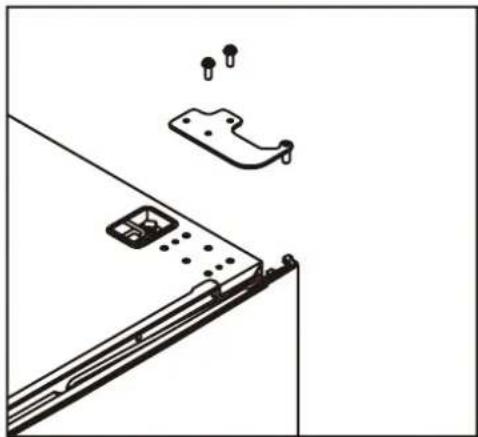
natural_image
Technical line drawing of a mechanical assembly with mounting bracket and mounting holes (no text or symbols)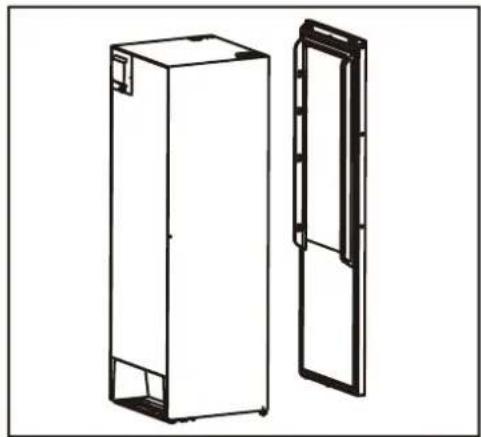
natural_image
Technical line drawing of two rectangular metal enclosure units, one open and one closed, with no text or symbols present.- Remove the right closure guide and take the left safety closure included with the accessories supplied and install it on the left side.
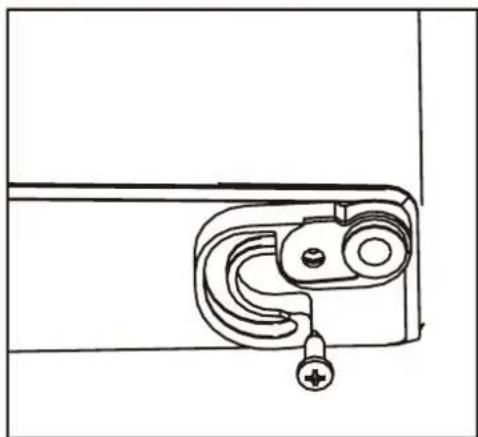
natural_image
Line drawing of a door latch mechanism with handle and mounting bracket (no text or symbols)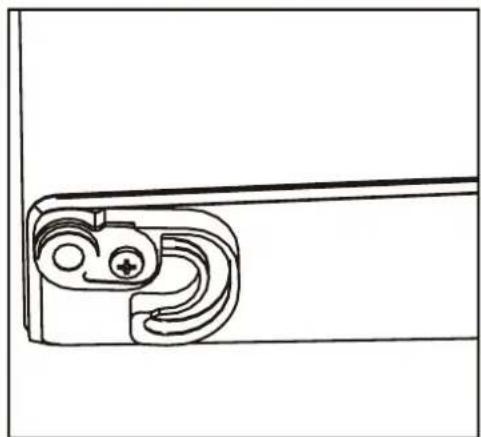
natural_image
Technical line drawing of a mechanical bracket or clamp (no text or symbols)
- Remove the lower hinge. Move the adjustable foot from the left to the right.

natural_image
Technical line drawing of a mechanical bracket with mounting holes and a bracket assembly (no text or symbols)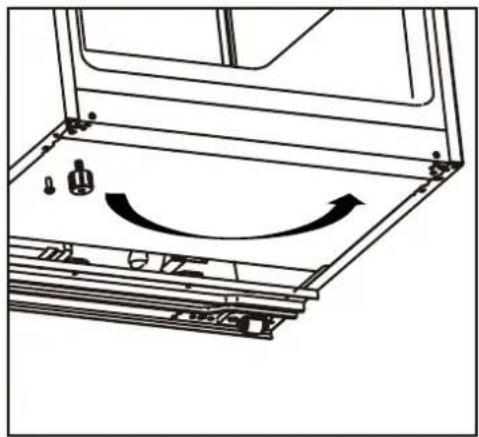
natural_image
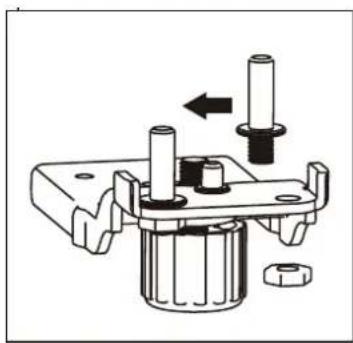
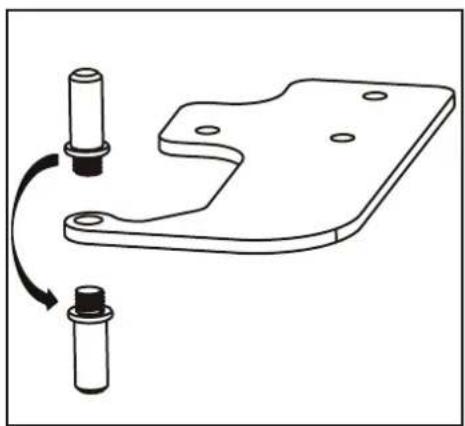
Technical line drawing of a mechanical assembly with no visible text or symbols- Loosen the bottom hinge pin and move it from the right to the left. Now install the lower hinge on the left side of the appliance.
natural_image
Mechanical assembly diagram showing a shaft and housing with a bolt and nut, no text or symbols present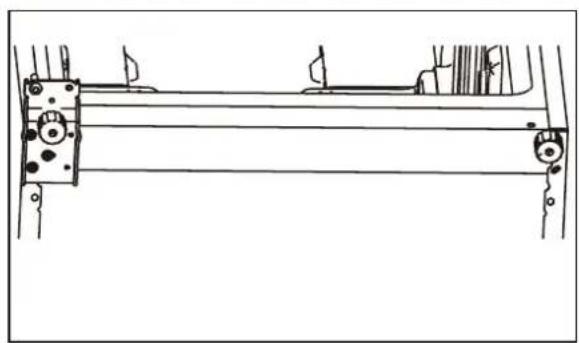
natural_image
Technical line drawing of a mechanical assembly with rollers and brackets (no text or symbols)- Loosen the top hinge pin and move it from the bottom to the top. Remove the door switch from the right hinge cover and install it in the left hinge cover included in the accessories supplied.
natural_image
Technical line drawing of a mechanical bracket with two cylindrical components and a curved arrow indicating rotation (no text or symbols)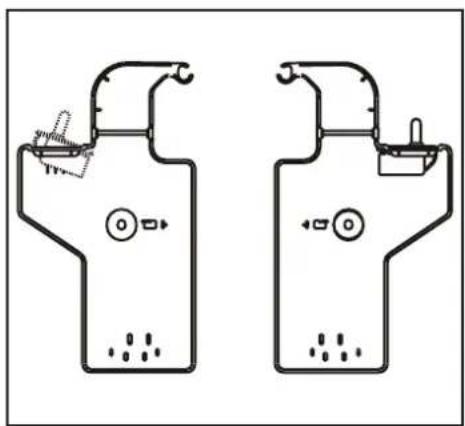
natural_image
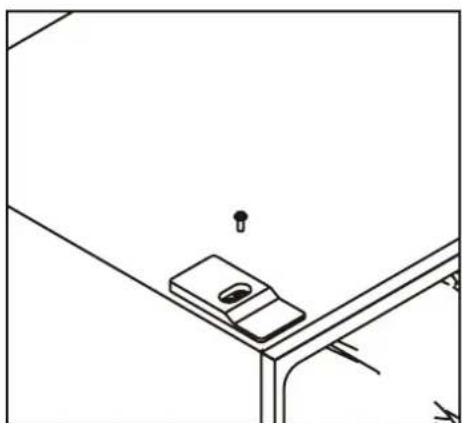
Two identical line drawings of a showerhead with control valves and a water level indicator (no text or symbols)- Unscrew the top cover on the left, move it and install it on the right.
natural_image
Simple line drawing of a mechanical device mounted on a bracket (no text or symbols)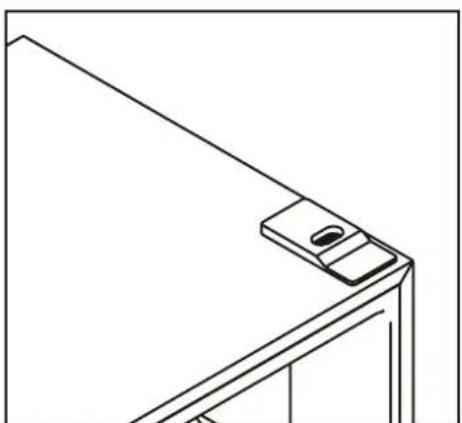
natural_image
Line drawing of a corner-mounted device with a small screen and mounting bracket (no text or symbols)- Remove the refrigerator and freezer door gaskets, then rotate and reattach them.
- Install the door and move the connecting wires from the right to the left.
- Install the top hinge on the left, adjust the top hinge slightly during installation to ensure that the door seal is properly sealed.
- Connect the plug. Install the cover on the hinge.
- Install the wiring cover caps.
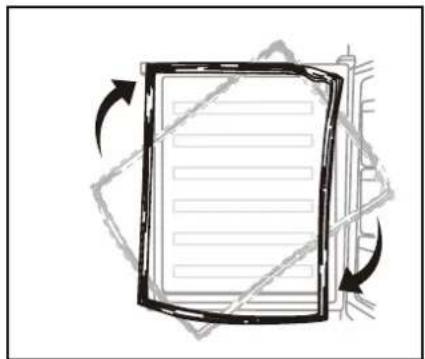
natural_image
Diagram of a document with arrows indicating rotational movement (no text or symbols)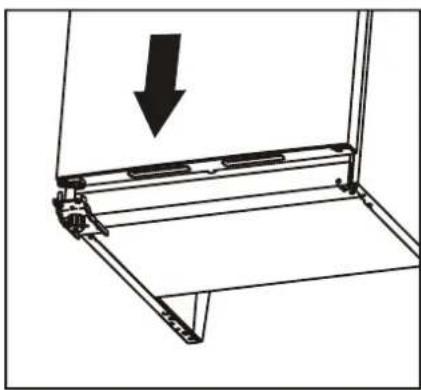
natural_image
Technical line drawing of a mechanical assembly with an arrow indicating downward motion (no text or symbols present)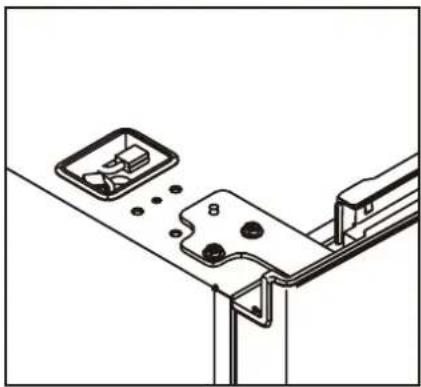
natural_image
Technical line drawing of a mechanical assembly with mounting brackets and a numbered component (no text or symbols)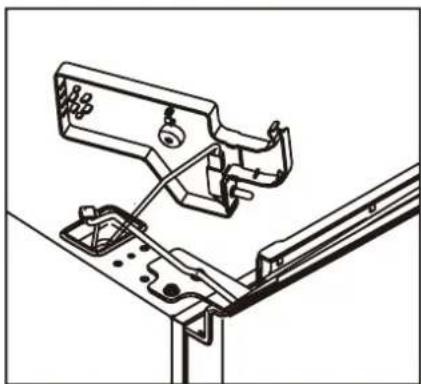
natural_image
Technical line drawing of a mechanical assembly with no visible text or symbols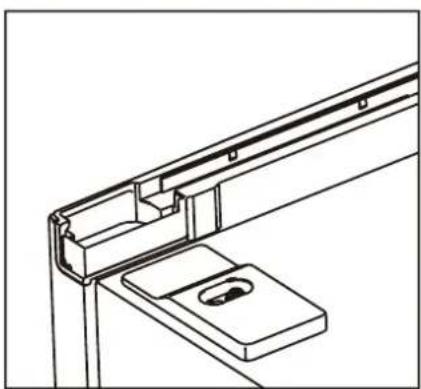
natural_image
Technical line drawing of a mechanical bracket assembly (no text or symbols)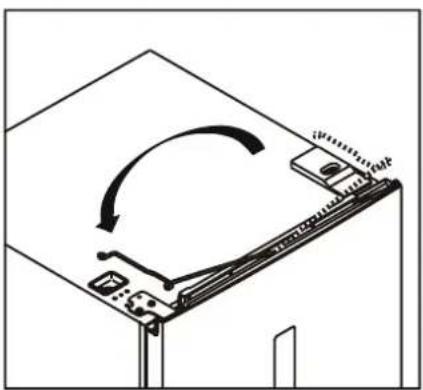
natural_image
Diagram of a mechanical device with an arrow indicating rotational motion (no text or symbols)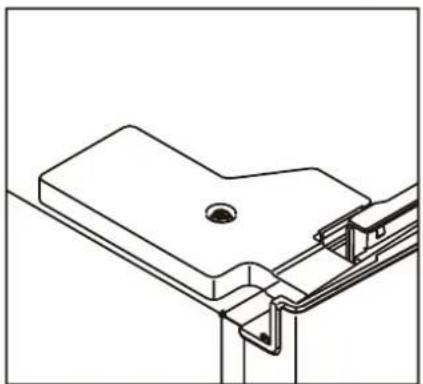
natural_image
Technical line drawing of a mechanical bracket assembly (no text or symbols)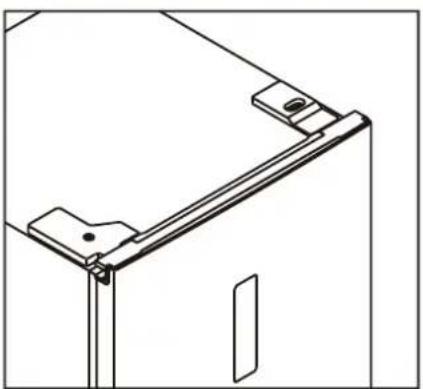
natural_image
Technical line drawing of a mechanical bracket or frame assembly (no text or symbols)Install the handle
- Remove the covers from the screw holes.
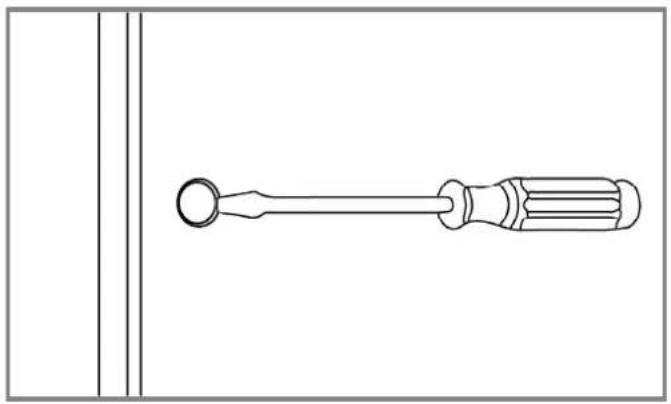
natural_image
Line drawing of a screwdriver with a circular head and threaded shaft, shown in line style (no text or symbols)- The handle is in a freezer drawer. Screw the handle to the door using the screws supplied.

natural_image
Technical line drawing of a mechanical bracket assembly with a tool inserted (no text or symbols)- Place the handle covers over the screws.
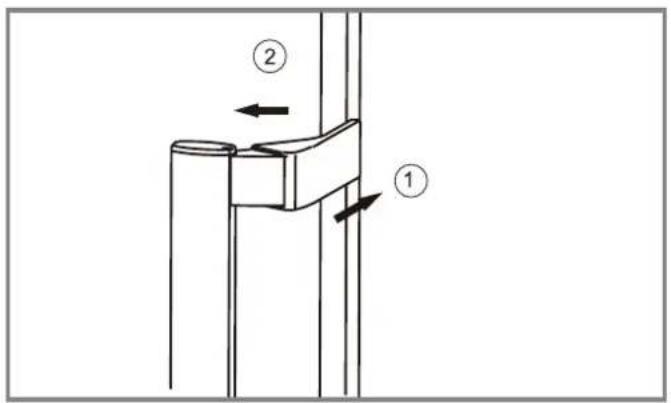
text_image
Technical diagram showing two labeled mechanical components with directional arrows indicating movement or force directions.4. USE
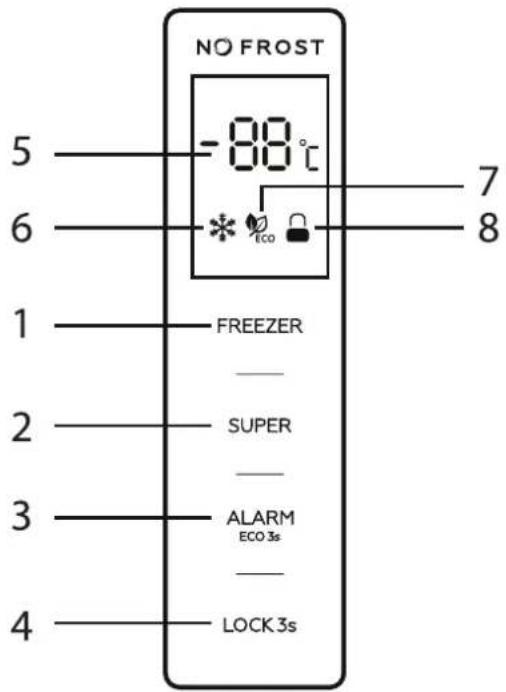
1. Control panel
- Controls
- FREEZER: Temperature control of the appliance
- SUPER: Switch 'Super mode' on or off
- ALARM/ECO: Switch door open alarm on or off, 'Eco-mode' on or off.
- LOCK: Lock and unlock the control panel.
- LED screen
- Display set temperature
- 'Supermodus' indicator
- 'Eco-mode' indicator
- 'Lock' indicator
*The buttons only work when the appliance is unlocked. The buttons emit a beep when touched.
text_image
NO FROST -88°C 5 6 7 8 1 FREEZER 2 SUPER 3 ALARM ECO 3s 4 LOCK 3s2. Temperature setting
The freezer temperature can be set by pressing the 'Freezer' button. After the most recent setting, the display will blink for five seconds. After this, the desired temperature is set and this is shown on the display. (5). The following settings are possible:
-14, -16, -18, -20 and -22 and 'Supermode'. The recommended setting is -18 °C.
3. Enable 'Supermode'
When the 'Supermode' function is enabled, the temperature in the box will be cooled quickly, which helps prevent any loss of the food's nutritional value and preserve its freshness. Press the 'Super' button (2) to select 'Supermode'.
After the 'Supermode' indicator has blinked for five seconds, 'Supermode' is enabled.
When 'Supermode' is selected, the 'Supermode' indicator will illuminate and display -25 °C. When 'Supermode' is enabled, the temperature of the appliance cannot be changed. In this case, the 'Supermode' indicator flashes three times. If the temperature needs to be changed, first switch off 'Supermode'. To switch off 'Supermode':
- Press the 'Super' button to switch off 'Supermode'.
- Once 'Supermode' is switched on, and the appliance is not reset, 'Supermode' will automatically switch off after 50 hours. The appliance returns to the last set temperature setting.
*In 'Supermode' the appliance will consume more energy than normal. The most energy-efficient mode for this appliance is -18 °C. In 'Supermode' the appliance may emit slightly more noise.
4. ECO mode
Press the 'Alarm / Eco' button for three seconds to select 'Eco-mode'. After the 'Eco' indicator on the display has blinked for five seconds, 'Eco-mode' is enabled. When 'Eco-mode' is selected, the 'Eco' indicator illuminates on the display. The appliance is now set to the most efficient temperature setting, based on the ambient temperature. The appliance will be set automatically according to the following situations.
| Ambient temperature (Td) Between 10°C and 27°C Between 28° and 34°C Above 35°C | |||
| Set temperature -18°C -16°C | -15°C | ||
When 'Eco-mode' is enabled, the temperature of the appliance cannot be changed. If the temperature needs to be changed, first switch off 'Eco-mode' by pressing and holding the 'Eco' button for three seconds.
5. Door alarm
If the door remains open for more than 90 seconds, the door alarm goes off. You can disable it by closing the door properly or by pressing the 'Alarm / Eco' button.
6. Temperature alarm
If the temperature in the appliance becomes too high, the temperature alarm will go off. The display shows 'HT' (High Temperature), alternating with the current temperature in the appliance. Briefly press the 'Alarm / Eco' button to turn off the temperature alarm. If the temperature in the appliance has dropped to the set temperature, the alarm will be disabled and 'HT' will automatically disappear from the display.
7. Unlock/Lock
Press the 'Lock' button for three seconds to lock the control panel. The display shows the lock and unlock symbol. When the lock is enabled, the appliance settings cannot be changed. In this case, the 'Lock' indicator blinks three times on the display. If the appliance needs to be configured, first disable the lock by pressing and holding the 'Lock' button for three seconds. When the control is unlocked, all buttons are available. If no action is taken within 25 seconds the control panel automatically locks.
8. Daily use
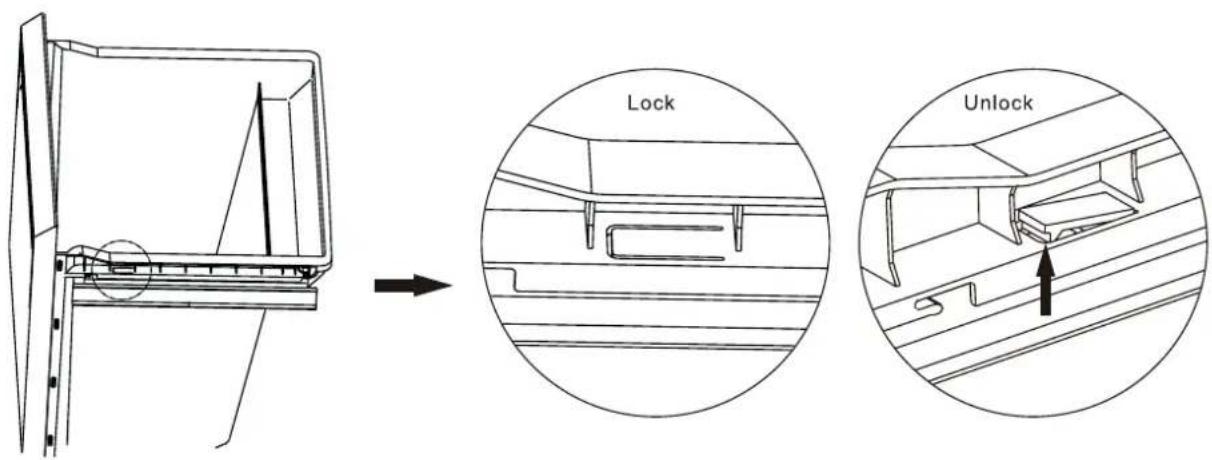
Removing the refrigerated drawer.
- Pull out the bottom drawer to the stop position.
- Push up the lock on both sides of the bottom drawer.
- Pull out the bottom drawer.
text_image
Lock UnlockPrecautions for use
- On first use or after a long period of downtime: run the appliance for at least 4 hours at -22 degrees before placing products in the freezer.
- After 24 hours, set the temperature control back to the recommended position of -18 degrees.
- The appliance may not operate optimally (risk of thawing or too high a temperature in the freezer) if it is in a place where the ambient temperature is below the minimum of the temperature range for which the appliance is designed for a longer period of time. The information about the temperature range (climate type) of the appliance is stated on the rating label, which is explained on page 38.
- The interior temperature may be affected by factors such as the location of the cooling unit, the ambient temperature and the frequency with which the door is opened. Adjust the temperature setting if desired.
- Do not place filled glass or can packages in the freezer to avoid breakage due to volume expansion.
- Do not place electrical appliances in the freezer (such as ice cream machines) unless they are of a type expressly declared suitable by the manufacturer.
- Packaging with flammable gases or liquids may leak at low temperatures, do not store flammable gases or liquids in the appliance.
- Do not store containers containing flammable materials, propellant or explosive substances such as aerosols, refill cartridges for fire extinguishers, etc. in the appliance.
- Do not place carbonated or sparkling drinks in the freezer compartment.
Food storage
- The freezer is suitable for freezing fresh food and storing frozen food for a long time.
- The maximum amount of food that can be frozen in 24 hours is for this refrigerator: 17kg .
- The freezing process takes 24 hours. Do not add any other food to freeze during this period.
- The temperature of the freezer is kept below -18°C. This allows food to be stored for a long time. The storage period on the packaging must be observed.
- The ideal temperature setting for the freezer is -18^ . It is possible to set it colder, but in principle this is not necessary. A lower temperature does not mean that food will last longer, but every degree lower does mean more energy consumption.
- Allow hot food to cool to room temperature before putting it in the freezer.
- Only freeze fresh and thoroughly cleaned foods.
- Prepare the food in small portions so that it is soon completely frozen and can then be thawed in the desired amount.
- Do not allow fresh, non-frozen food to come into contact with food that has already been frozen, and prevent the temperature of the food that has already been frozen from rising.
- Lean foods are better and more durable than fatty foods; salt shortens the shelf life of food.
- Ice lollies, if eaten directly from the freezer, can cause frostbite.
- It is advisable to indicate the freezing date on each individual package in order to keep track of the shelf life.
- It is advisable to keep the time between buying the food and putting it in the freezer as short as possible.
- Pack the food airtight into food freshness bags before distributing it evenly over the freezer drawers.
- Packaging bags you use should be dry, in case several packaging bags are frozen together.
- Ensure there is sufficient space between foods. Putting them too close together blocks the cold airflow, affecting the cooling effect.
- To prevent cross-contamination and odour transfer, food should be packed in suitable materials that are sturdy, flavourless, impermeable to air and water, non-toxic and pollution-free.
- The freezer drawers are intended to preserve food for a long time. The drawers are best used as follows:
- Bottom drawer for raw meat, poultry, fish.
- Middle drawer for frozen vegetables, fries.
- Top drawer for ice cream, frozen fruit, deep frozen pastries.
Tips for shopping for frozen food
- When you are buying frozen food, look at the Storage Guidelines on the packaging. You will be able to store each item of frozen food for the period shown against the star rating. This is usually the period stated as "Best before", found on the front of the packaging.
- Check the temperature of the frozen food cabinet in the shop where you buy frozen food.
- Make sure the frozen food package is in perfect condition.
- Always buy frozen products last on your shopping trip or visit to the supermarket.
- Try to keep frozen items together whilst shopping and on the journey home, as this will help to keep the food cooler.
- Don't buy frozen food unless you can freeze it straight away. Special insulated bags can be bought from most supermarkets and hardware shops. These keep the frozen foods cold longer.
- For some foods, thawing before cooking is unnecessary. Vegetables and pasta can be added directly to boiling water or steamed. Frozen sauces and soups can be put into a saucepan and heated gently until thawed.
- Use quality food and handle it as little as possible. When food is frozen in small quantities, it will take less time for it to freeze and thaw.
- Estimate the amount of food that needs to be frozen. When freezing large amounts of fresh food, adjust the temperature control knob to the low mode to lower the freezer temperature so, food can be frozen quickly and retain its freshness.
5. MAINTENANCE AND CLEANING
Before cleaning the appliance, carefully review the safety information (Section 1).
For hygienic reasons, the inside of the appliance, including accessories, should be cleaned regularly.
! CAUTION!
- Remove the plug from the socket before cleaning.
- Never touch the plug with wet or moist hands because of the risk of electric shocks and injury.
- Do not spill water directly onto the appliance to prevent rust, leakage and accidents.
- Do not put your hands unprotected in the bottom of the appliance as the sharp metal corners can cause scratches.
- Do not use water jets and steam to clean the appliance.
- To prevent damage, do not use a hard brush, steel brush, detergent, soap powder, alkaline detergent, benzene, petrol, acids, chlorine, abrasive powders, hot water or other corrosive or soluble substances to clean the cabinet surface, door gasket or plastic decorative parts etc.
- Do not use mechanical devices, electrical appliances (such as a hairdryer or heater) or other means to defrost your appliance.
! ATTENTION!
- The electrical parts of the appliance may only be cleaned with a dry cloth.
Note!
Once in use, it is best to use the appliance continuously. Under normal circumstances it is best not to interrupt its use in order not to affect the lifetime of the appliance.
Defrosting
This freezer is a no-frost freezer. This means that defrosting is automatic. If ice does form in the freezer, please contact our customer service as this should not happen.

Interior and exterior cleaning
- Food residues in the appliance can cause a bad smell. The appliance should therefore be cleaned regularly.
- Remove all freezer drawers and clean with a soft cloth or sponge moistened with warm water or neutral detergent.
- If you are using cleaning agents, clean with a soft cloth or sponge, and wipe dry.
- Regularly remove the dust from the back panel and side plates of the appliance. Use a dry cloth for this (no water).
- If the appliance will not be used for several months, switch it off, defrost the freezer, clean and dry it and leave the door open to prevent mould forming in the appliance. For more information on switching off and storage, see Section 7.
6. TROUBLESHOOTING
You can solve some problems easily yourself using the table below. Caution!
! ATTENTION!
- Before solving the problem, switch off the power supply.
- If the following descriptions do not solve your problem, please contact our customer service: www.coolblue.nl/en/customer-service
- Only a qualified electrician or authorised person may solve the faults not contained in this manual. Repairs carried out by unauthorised persons may cause injury and/or serious damage to persons and property.
PROBLEM POSSIBLE CAUSE SOLUTIONS
| The appliance does not cool at all. | - The control knob for the temperature is wrong.- The plug is not inserted properly.- There is no voltage on the socket.- The fuse is blown or defective.- The appliance is installed in a place where the ambient temperature is less than 10°C, such as a balcony, garage or storage room.- The power has failed. | - Set the thermostat to another position.- Insert the plug properly.- Open the door and check if lamp is on. If the lamp is off, there may be no voltage on the socket. Have the socket repaired by an electrician.- Check the fuse and replace if necessary.- Install the appliance in a protected location where the ambient temperature is higher than 10°C. If the appliance is installed in a room with too low a temperature, the internal cooling system may not operate correctly.- Try to open the door of the appliance as little as possible to keep the food safe and fresh for hours. If you know about the power failure beforehand: Set the thermostat button in the high mode an hour in advance, so that the food is frozen completely. (Do not add any other food to freeze during this period!) Set the temperature mode back to the original setting in good time when the power supply is restored. |
| PROBLEM POSSIBLE CAUSE SOLUTIONS | ||
| The temperature in the appliance is too low/high. | - The temperature is not set correctly.- The door is not closed properly.- The temperature of the food is too high.- Many products are stored at the same time.- The door has been opened too often. | - Set a higher/lower temperature.- Find the cause of the door not closing properly, remove or move possible obstacles.- Allow the food to cool to room temperature before preserving.- Preserve fewer products at the same time.- Only open the door if necessary. |
| Strange smell in the appliance. | - There is spoiled food in the appliance.- The appliance is not clean.- Food with a strong smell is present in the appliance. | - Throw away spoiled food.- Clean the appliance.- Pack food with a strong smell. |
| The door does not open easily. | - You tried to open the door immediately after closing. | - Wait a few seconds between closing and re-opening the door. |
| The compressor works continuously. | - Too many products are stored at the same time.- The room temperature is too high.- The food placed in the appliance was too hot.- The door is not closed properly. | - Wait a few hours and then check the temperature again.- Please refer to Section 4.- Allow food to cool to room temperature before storing.- See the next section. |
| The alarm goes off. | - The door is open.- The temperature in the appliance is too high. The display shows the message 'HT' | - Make sure the door is completely closed and stays closed. Press the 'Alarm/Eco' button.- Reduce the ambient temperature by opening windows or doors or use sun blinds. Allow food to cool to room temperature before placing it in the appliance. Go to Section 6 of Chapter 4 for more information. |
| The side panels are hot. | - This is normal.The heat exchanger components are on the side of the appliance. Immediately after installation, the sides become hot, after the fridge reaches its internal temperature, the temperature of the side panels will decrease. | |
PROBLEM POSSIBLE CAUSE SOLUTIONS
| The display shows 'HT'. | - The temperature in the appliance is too high. | - Lower the ambient temperature by opening windows or doors or use sun blinds. Allow food to cool to room temperature before placing it in the appliance. Do not place too much food in the appliance at the same time. A maximum of 17 kg can be frozen in 24 hours. Go to Section 6 of Chapter 4 for more information. |
| Abnormal noise | - The appliance is not stable/ level.- The appliance is making contact with the wall or other objects.- 'Super mode' is enabled. | - Readjust the appliance's adjusting legs.- Move the appliance slightly.- This is normal. 'Super mode' uses the maximum power of the appliance. This means the temperature is temporarily set to -25°C. After 50 hours, 'Super-mode' is automatically disabled. |
| The temperature cannot be set. | - 'Super mode' is enabled.- 'Eco mode' is enabled.- The control panel is locked. | - Go to Chapter 4 'Use' to switch off the function and set the temperature. Check the symbol on the display to turn off the corresponding function. |
| The appliance freezes too much. | - The temperature of the appliance is set too high.- 'Super mode' is enabled. | - Go to Chapter 4 for information on setting the temperature. The recommended temperature setting for this appliance is -18°C.- Go to Section 3 of Chapter 4 to switch off 'Super mode'. |
| The lamp is broken. | - The lamp is broken. - Contact customer service. |
7. TAKING OUT OF SERVICE
Switching off and storage

If the appliance will not be used for several months, first switch it off and then pull the plug out of the socket.
• Make sure the appliance is completely thawed.
- Clean the inside thoroughly and wipe dry. To prevent the formation of odours and moulds, leave the door open: block it.
- Clean the door gasket groove with soap and water and wipe everything dry with a soft cloth.
- Do not use a hard brush, steel brush, detergent, soap powder, alkaline detergent, benzene, gasoline, acids, hot water or other corrosive or soluble substances to clean the appliance.
- Store the cleaned appliance in a dry, ventilated place, away from a heat source. Make sure the appliance is on a level surface and do not place heavy objects on top.
- The appliance in storage must not be accessible to children playing.
8. SAFE DISPOSAL
! CAUTION!
Waste processing
- Freezerrants and the cyclopentane foam used for the appliance are flammable. When the appliance is disposed of, it must therefore be kept away from sources of fire and collected or returned to a qualified waste processing company.
- The appliance may not under any circumstances be incinerated to prevent damage to the environment or other damage.
- R-600a is used as a freezerrant in this appliance. Therefore, please contact local authorities regarding the safe disposal of this appliance.
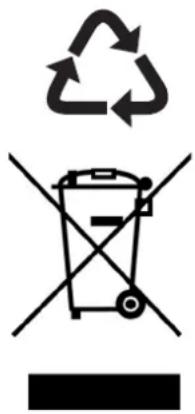
text_image
Creative Commons recycling symbol with recycling icon and no disposal bin crossed outThe materials used in this appliance marked with this symbol are recyclable.
This marking indicates that this product should not be disposed of via household waste throughout the EU. In order to prevent damage to the environment or human health as a result of uncontrolled waste, it must be processed responsibly so that raw materials can be reused sustainably. Use the existing collection systems or contact the shop where you purchased the product if you want to dispose of the used product. There, the product is recycled in an environmentally friendly way.
- Old cooling appliances still have value. Responsible disposal ensures that valuable raw materials can be recycled. Of course, the appliance may not be disposed of with (domestic) residual waste, but it must be collected or returned to the environmental station of your municipal waste processing company.
- The freezerrants and insulation materials used in your appliance require special care. When draining, ensure that the pipes on the back of the appliance are not damaged.
- Avoid damaging the cooling unit, especially the heat exchanger.
- Information on how to dispose of old appliances and packaging correctly can be found at your local municipal waste processing company.

Veripart is a registered trademark of Coolblue B.V.
Weena 664
3012CN Rotterdam
The Netherlands
Made in China
MANUEL D'UTILISATION
CONGÉLATEUR

VPVR186NFE

VPVR186NFD

veripart
TABLE DES MATIÈRES
AVANT-PROPOS
63
1. SÉCURITÉ 65
natural_image
Simple line drawing of a rectangular container with a black checkmark symbol on the side (no text or labels)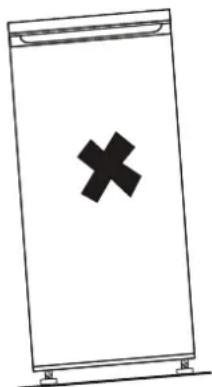
natural_image
Simple line drawing of a rectangular device with a black 'X' symbol on the front panel (no text or labels)
4. Nettoyage
natural_image
Illustration of a hand installing or adjusting a shelf panel (no text or symbols visible)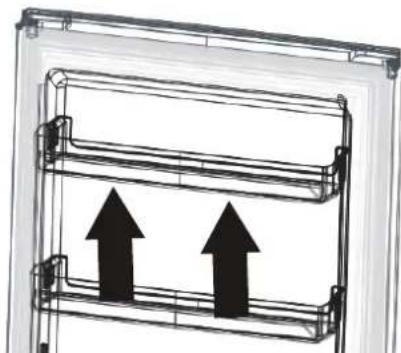
natural_image
Diagram of a multi-level rack or storage unit with two upward-pointing arrows indicating flow or movement (no text or symbols present)
3.1 INVERSION DU SENS DE ROTATION DE LA PORTE
natural_image
Line drawing of a screwdriver with threaded tip (no text or symbols)• Tournevis cruciforme
natural_image
Line drawing of an adjustable wrench with a handle and screw (no text or symbols)- Clé à molette

natural_image
Line drawing of a screwdriver with no text or symbols- Tournevis plat

natural_image
Technical line drawing of a vertical metal bracket with mounting holes (no text or symbols)Poignée 1x
natural_image
Technical line drawing of a mechanical clamp or bracket assembly (no text or symbols)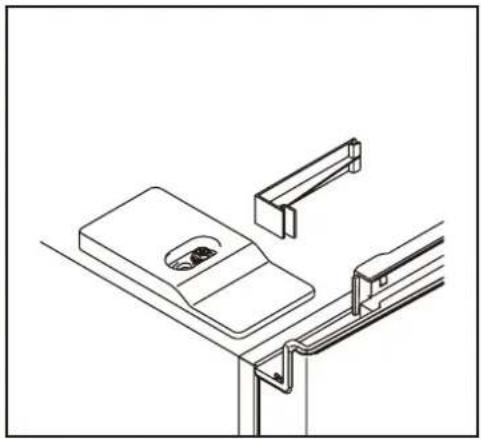
natural_image
Technical line drawing of a mechanical assembly with no visible text or symbolsnatural_image
Technical line drawing of a mechanical assembly with a screw and bracket (no text or symbols)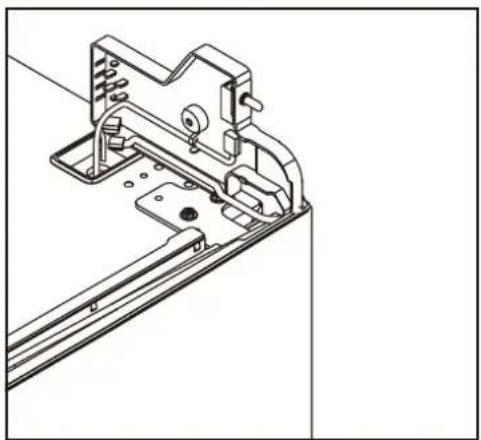
natural_image
Technical line drawing of a mechanical bracket assembly (no text or symbols)natural_image
Technical line drawing of a mechanical assembly with mounting holes and a bracket (no text or symbols)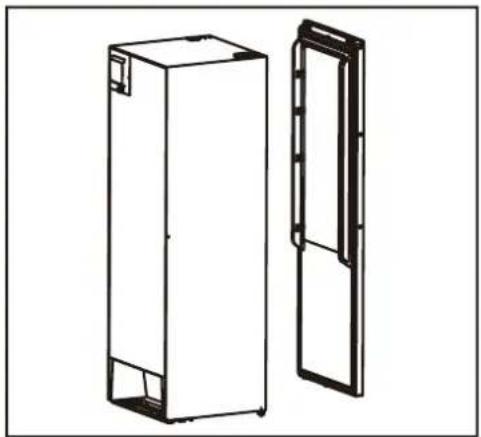
natural_image
Technical line drawing of two rectangular metal enclosure units, one open and one closed, with no visible text or symbols.natural_image
Line drawing of a door handle with a key inserted, no text or symbols present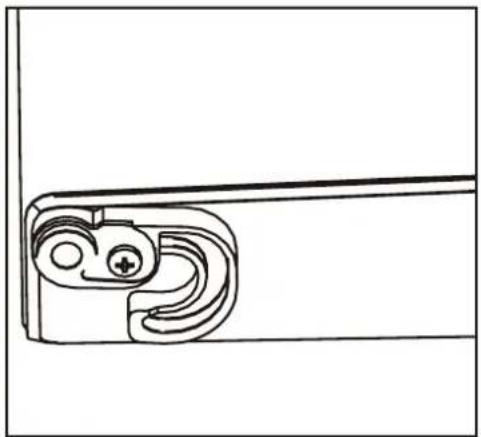
natural_image
Technical line drawing of a mechanical bracket or clamp (no text or symbols)natural_image
Technical line drawing of a mechanical bracket with mounting holes and a separate bracket component (no text or symbols)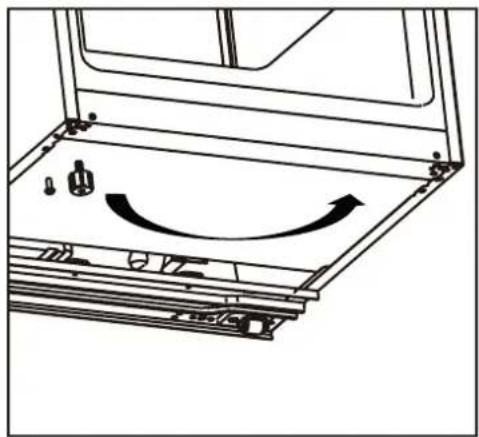
natural_image
Technical line drawing of a mechanical assembly with no visible text or symbolsnatural_image
Mechanical assembly diagram showing a shaft and nut assembly with directional arrows (no text or labels)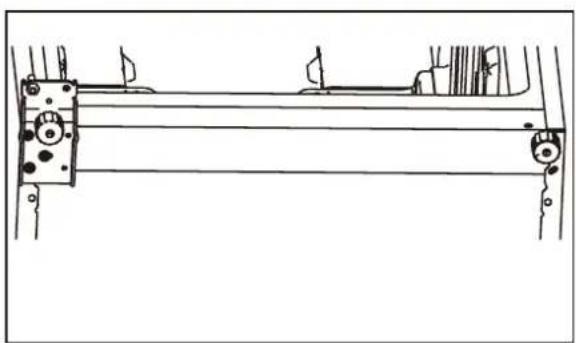
natural_image
Technical line drawing of a mechanical assembly with rollers and brackets (no text or symbols)natural_image
Technical line drawing of a mechanical bracket with two cylindrical components and a curved arrow indicating rotation (no text or symbols)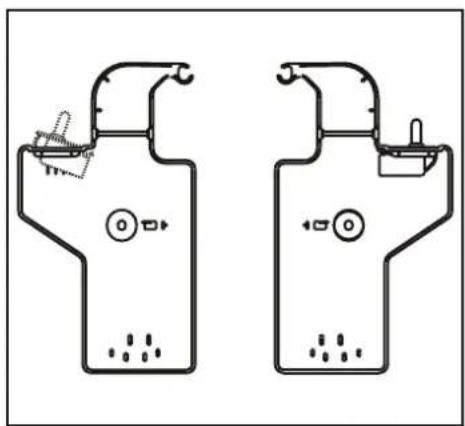
natural_image
Two identical line drawings of household appliances or fixtures, possibly refrigerators or gauges, with no visible text or symbols.natural_image
Simple line drawing of a mechanical device mounted on a bracket (no text or symbols)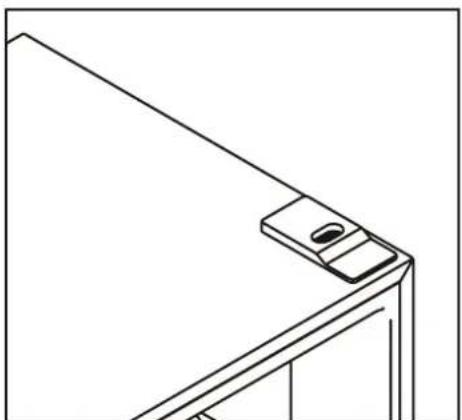
natural_image
Line drawing of a mechanical bracket or bracket with a small inset detail (no text or symbols)natural_image
Diagram of a document with arrows indicating rotational movement, no text or symbols present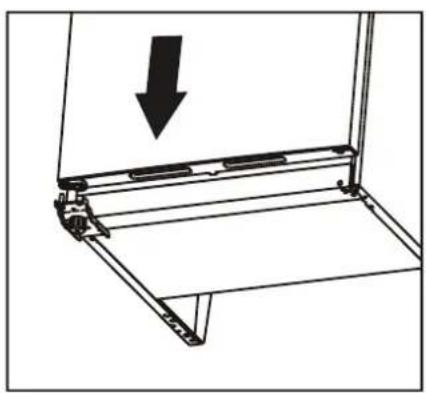
natural_image
Technical line drawing of a mechanical bracket with an arrow indicating downward motion (no text or symbols)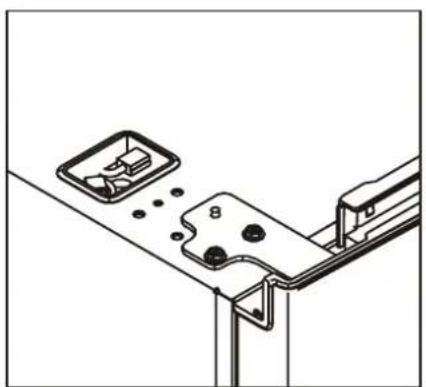
natural_image
Technical line drawing of a mechanical bracket assembly with mounting holes and internal components (no text or symbols)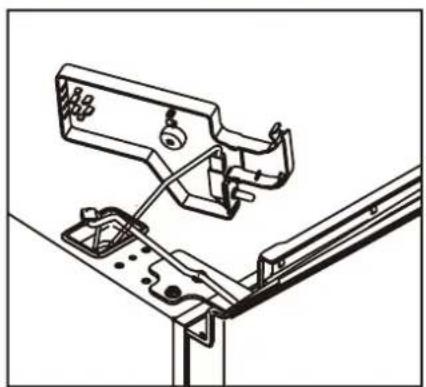
natural_image
Technical line drawing of a mechanical assembly with no visible text or symbols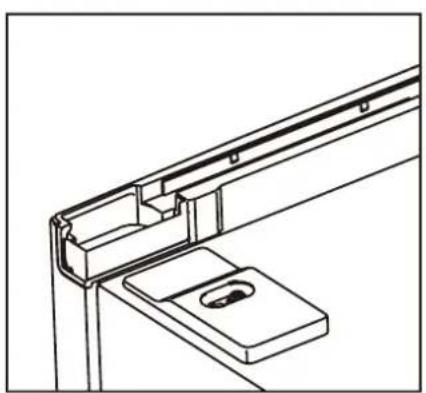
natural_image
Technical line drawing of a mechanical bracket assembly (no text or symbols)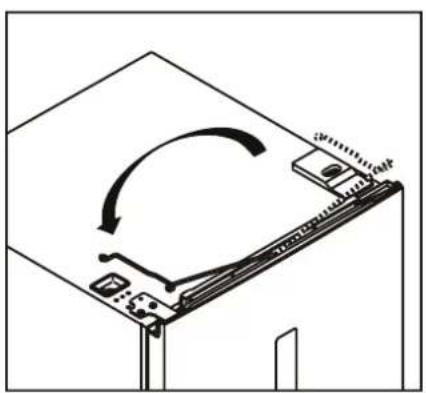
natural_image
Diagram of a computer monitor with an open screen and scroll, showing a circular arrow indicating rotation (no text or symbols present)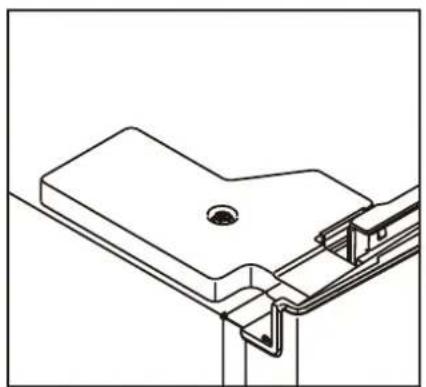
natural_image
Technical line drawing of a mechanical bracket assembly (no text or symbols)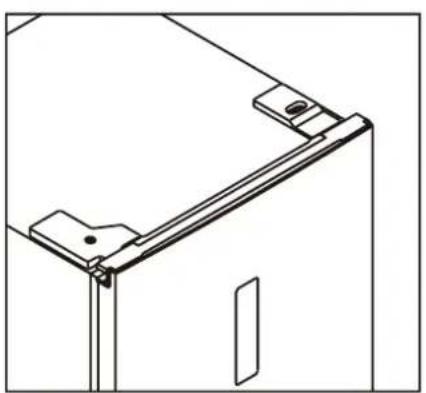
natural_image
Technical line drawing of a mechanical bracket or frame assembly (no text or symbols)
natural_image
Line drawing of a screwdriver with a circular head and threaded shaft (no text or symbols)natural_image
Technical line drawing of a mechanical bracket or bracket assembly with a tool inserted (no text or symbols)text_image
Technical diagram showing two labeled components (① and ②) with directional arrows indicating movement or force.
4. UTILISATION
text_image
Lock UnlockPROBLÈME CAUSE POSSIBLE SOLUTIONS
2. PRODUKTMERKMALE 99
3. INSTALLATION 101
natural_image
Simple line drawing of a rectangular container with a black checkmark inside (no text or symbols)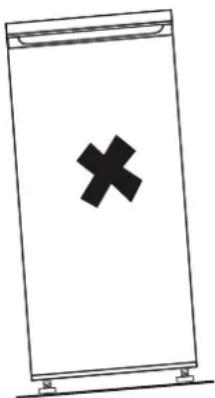
natural_image
Simple line drawing of a rectangular device with a black 'X' symbol on the front panel (no text or labels)4. Reinigung
natural_image
Illustration of a hand using a tool to lift or install a wooden shelf (no text or symbols visible)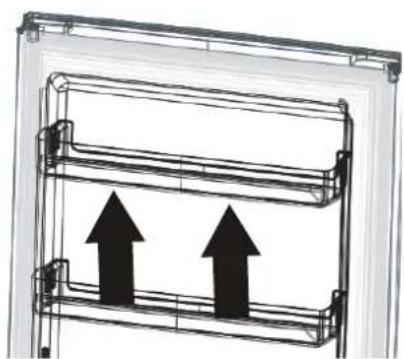
natural_image
Diagram of a double door frame with two upward-pointing arrows indicating motion or movement (no text or symbols)
natural_image
Line drawing of a screwdriver with threaded shaft (no text or symbols)natural_image
Line drawing of an adjustable wrench with a handle and screw (no text or symbols)natural_image
Line drawing of a screwdriver with no text or symbols• Schraubendreher

natural_image
Technical line drawing of a vertical metal bracket with mounting flanges (no text or symbols)Griff 1x
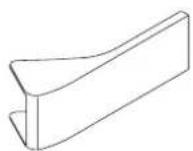
Griffabdeckung
2x

Schrauben
2x
natural_image
Technical line drawing of a mechanical clamp or bracket assembly (no text or symbols)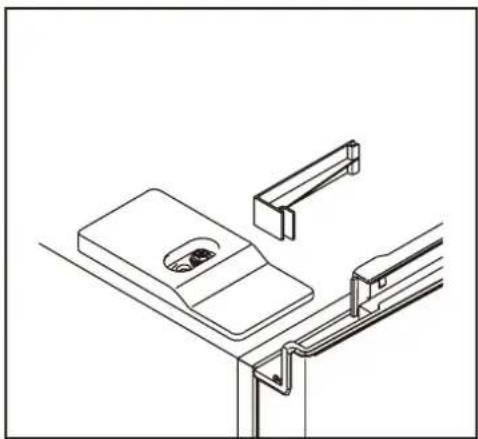
natural_image
Technical line drawing of a mechanical assembly with no visible text or symbols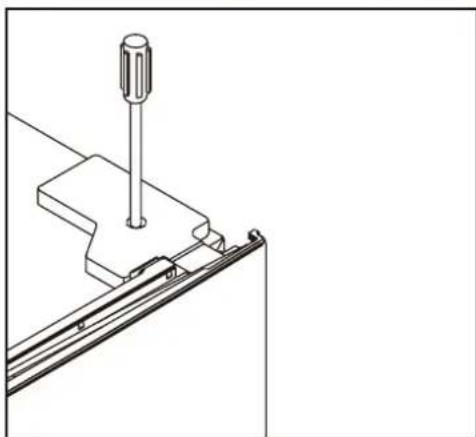
natural_image
Technical line drawing of a mechanical assembly with a screw and bracket (no text or symbols)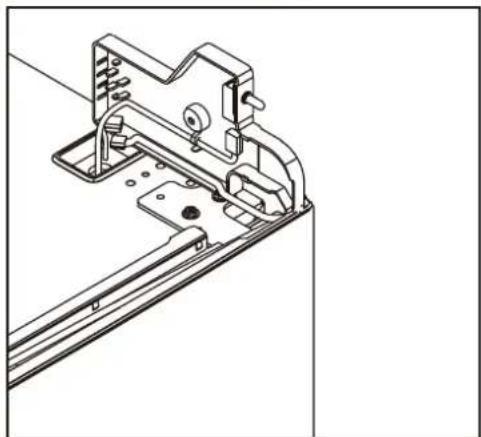
natural_image
Technical line drawing of a mechanical bracket assembly (no text or symbols)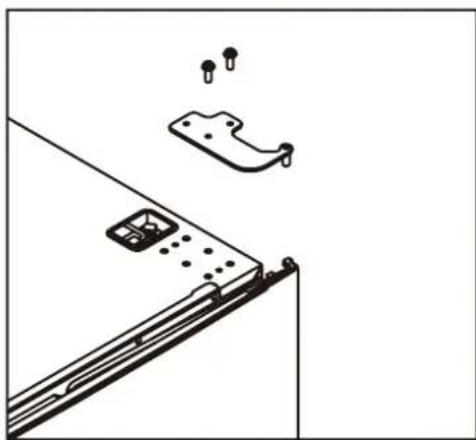
natural_image
Technical line drawing of a mechanical assembly with mounting holes and a bracket (no text or symbols)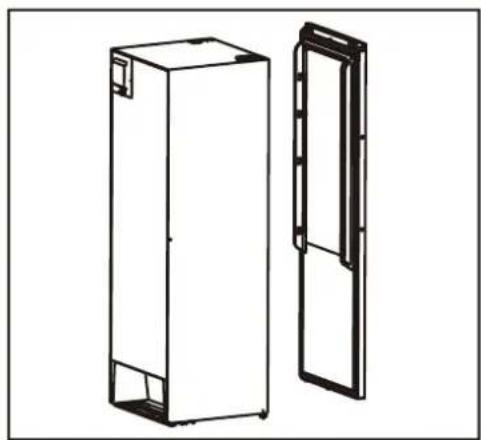
natural_image
Technical line drawing of two rectangular metal enclosure units, one open and one closed, with no visible text or symbols.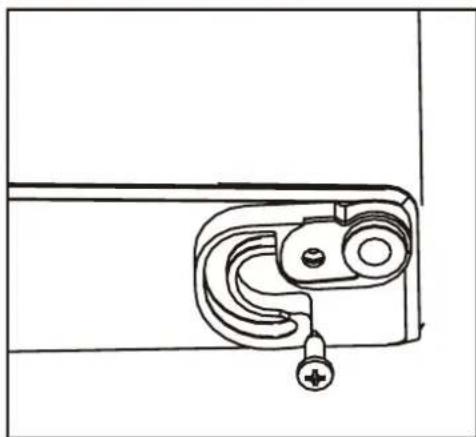
natural_image
Line drawing of a door latch mechanism with handle and mounting bracket (no text or symbols)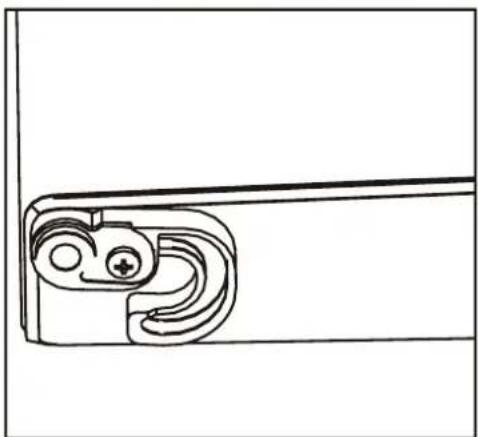
natural_image
Technical line drawing of a mechanical bracket or clamp (no text or symbols)
natural_image
Technical line drawing of a mechanical bracket with mounting holes and a bracket assembly (no text or symbols)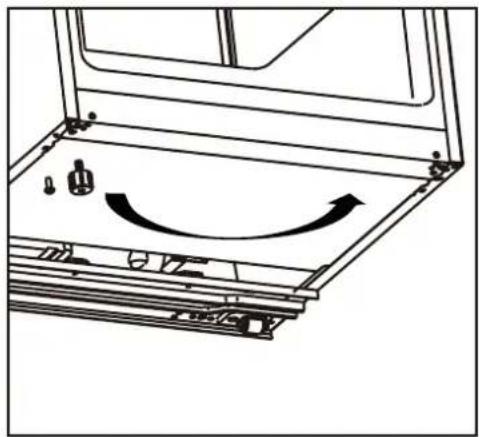
natural_image
Technical line drawing of a mechanical assembly with no visible text or symbolsnatural_image
Mechanical assembly diagram showing a shaft and housing with a bolt and nut, no text or symbols present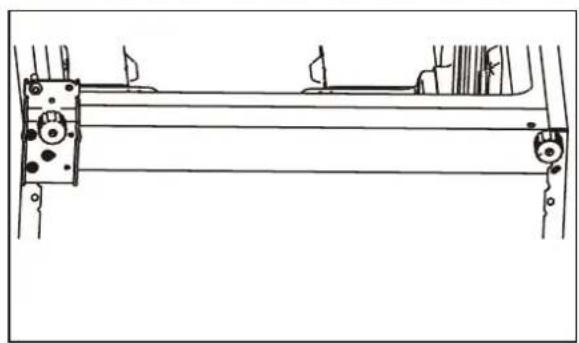
natural_image
Technical line drawing of a mechanical assembly with rollers and brackets (no text or symbols)natural_image
Technical line drawing of a mechanical bracket with two cylindrical components and a curved arrow indicating rotation (no text or symbols)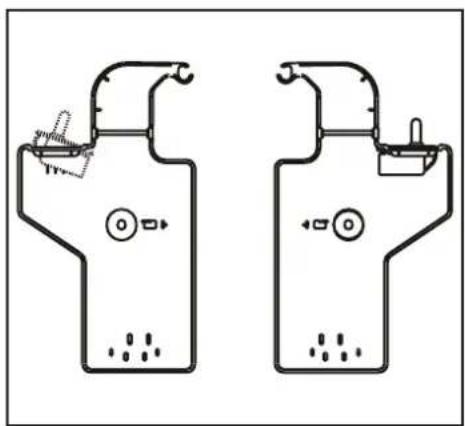
text_image
Diagram of two identical electrical or electronic device layouts with labeled components and connectionsnatural_image
Simple line drawing of a mechanical device mounted on a bracket (no text or symbols)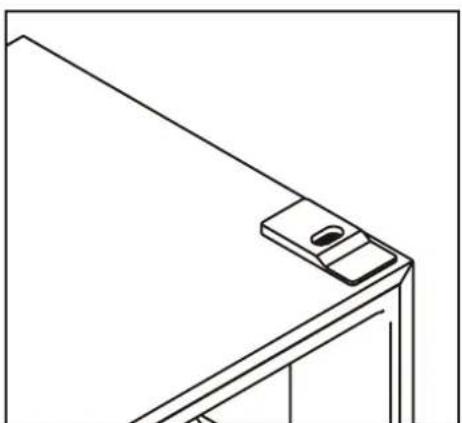
natural_image
Line drawing of a corner-mounted device with a small screen and mounting bracket (no text or symbols)
natural_image
Simple line drawing of a document with arrows indicating rotation or movement (no text or symbols)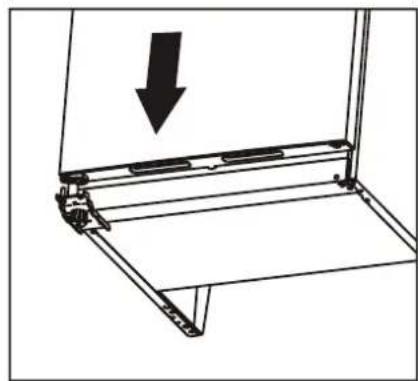
natural_image
Technical line drawing of a mechanical bracket with an arrow indicating downward motion (no text or symbols)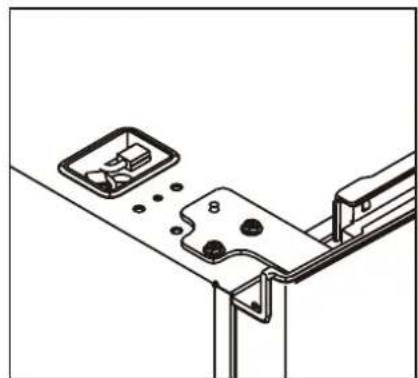
natural_image
Technical line drawing of a mechanical assembly with mounting brackets and a bracket (no text or symbols)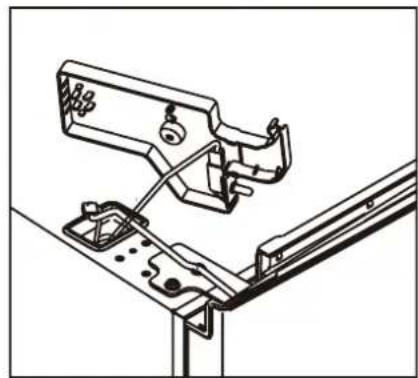
natural_image
Technical line drawing of a mechanical assembly with no visible text or symbols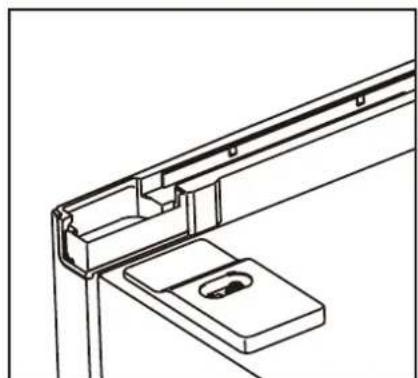
natural_image
Technical line drawing of a mechanical bracket assembly (no text or symbols)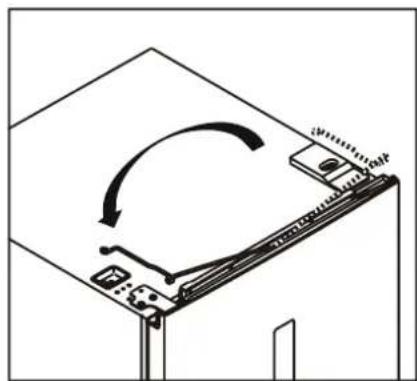
natural_image
Diagram of a device with an arrow indicating rotation or movement, showing a mechanical assembly (no text or symbols present)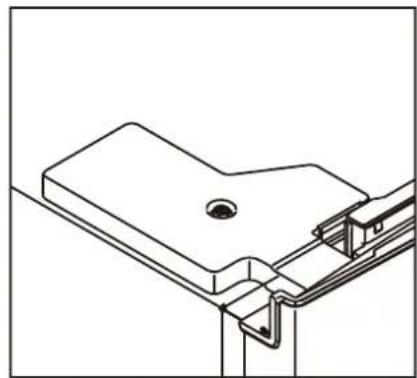
natural_image
Technical line drawing of a mechanical bracket assembly (no text or symbols)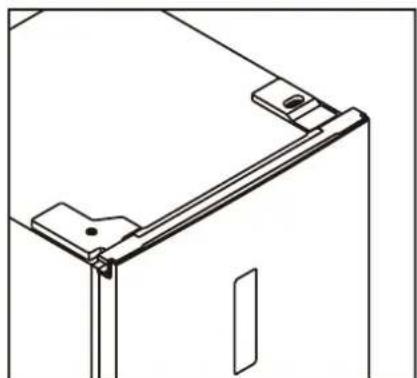
natural_image
Technical line drawing of a mechanical bracket or frame assembly (no text or symbols)Handgriff anbauen
natural_image
Line drawing of a screwdriver with a circular head and threaded shaft, shown in line style (no text or symbols)natural_image
Technical line drawing of a mechanical bracket assembly with a tool inserted (no text or symbols)text_image
Technical diagram showing two labeled components (① and ②) with directional arrows indicating movement or force.
4. BENUTZUNG
1. Das Bedienfeld
- Bedienungstasten
text_image
DE Lock Unlocktext_image
Creative Commons recycling symbol with recycling icon and crossed-out trash binVeripart is a registered trademark of Coolblue B.V.
Weena 664
3012CN Rotterdam
The Netherlands
Made in China