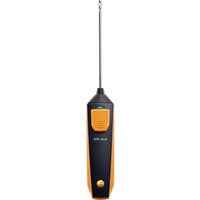
USER MANUAL 905i Testo
Testo – Smart Probes
natural_image
Row of eight electric motor models with black and orange designs, no visible text or labels
| Language code | Page |
| Inbetriebnahme-Anleitung | [de] | 4 |
| Startup Instruction | [en] | 7 |
| Instrucciones para la puesta en marcha | [es] | 10 |
| Manuel de mise en service | [fr] | 13 |
| Istruzioni per la messa funzione | [it] | 16 |
| Manual para colocacao em funcionamento | [pt] | 19 |
| Руководство по вводу в эксплуатацию | [ru] | 22 |
| 初期設定 説明書 | [ja] | 25 |
| 启动说明 | [zh] | 28 |
| Approval and Certification | | 32 |

www.testo.com/download-center

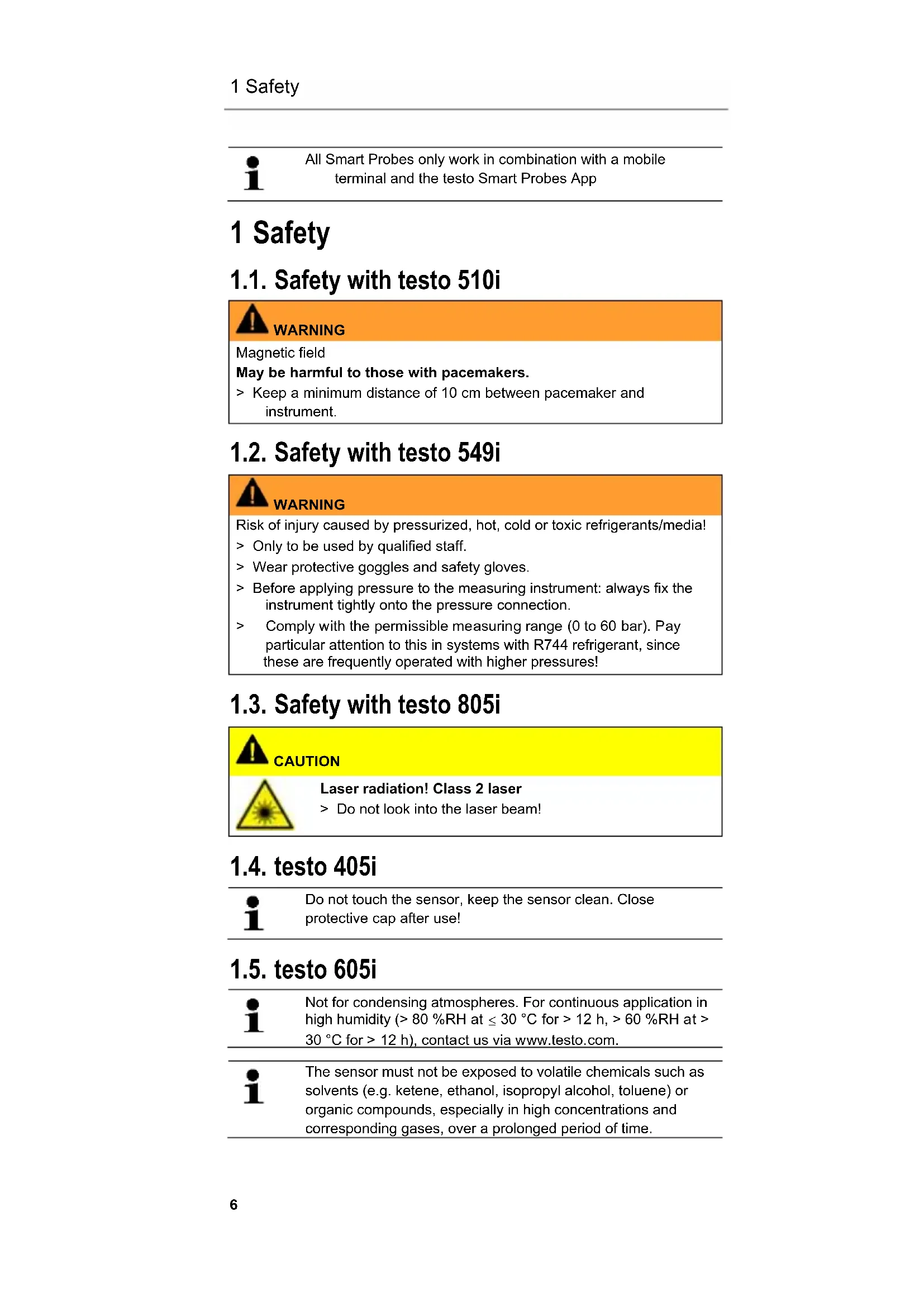
All Smart Probes only work in combination with a mobile terminal and the testo Smart Probes App
1 Safety
1.1. Safety with testo 510i

WARNING
Magnetic field
May be harmful to those with pacemakers.
Keep a minimum distance of 10 cm between pacemaker and instrument.
1.2. Safety with testo 549i

WARNING
Risk of injury caused by pressurized, hot, cold or toxic refrigerants/media!
Only to be used by qualified staff.
Wear protective goggles and safety gloves.
Before applying pressure to the measuring instrument: always fix the instrument tightly onto the pressure connection.
Comply with the permissible measuring range (0 to 60 bar). Pay particular attention to this in systems with R744 refrigerant, since these are frequently operated with higher pressures!
1.3. Safety with testo 805i

CAUTION
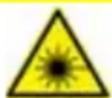
Laser radiation! Class 2 laser
Do not look into the laser beam!
1.4. testo 405i

Do not touch the sensor, keep the sensor clean. Close protective cap after use!
1.5. testo 605i

Not for condensing atmospheres. For continuous application in high humidity (> 80 %RH at ≤ 30 °C for > 12 h, > 60 %RH at > 30 °C for > 12 h), contact us via www.testo.com.

The sensor must not be exposed to volatile chemicals such as solvents (e.g. ketene, ethanol, isopropyl alcohol, toluene) or organic compounds, especially in high concentrations and corresponding gases, over a prolonged period of time.
2 Overview
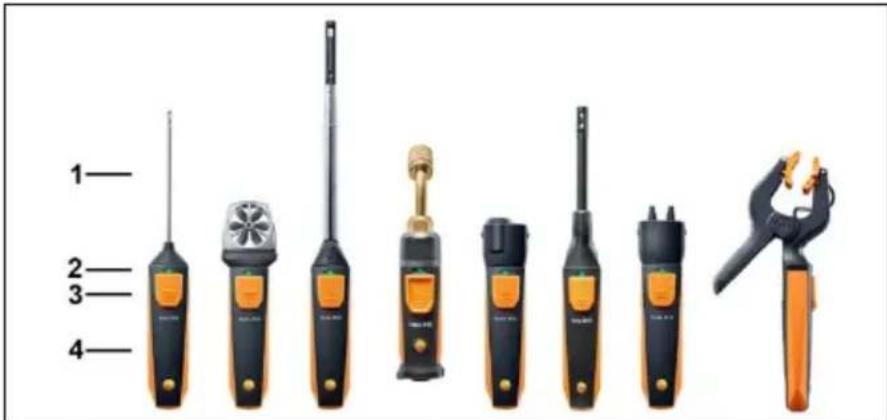
| 1 | Measuring unit | 3 | Key |
| 2 | LED | 4 | Battery compartment (at the back) |
3 Switching on/off
3.1. Switching on
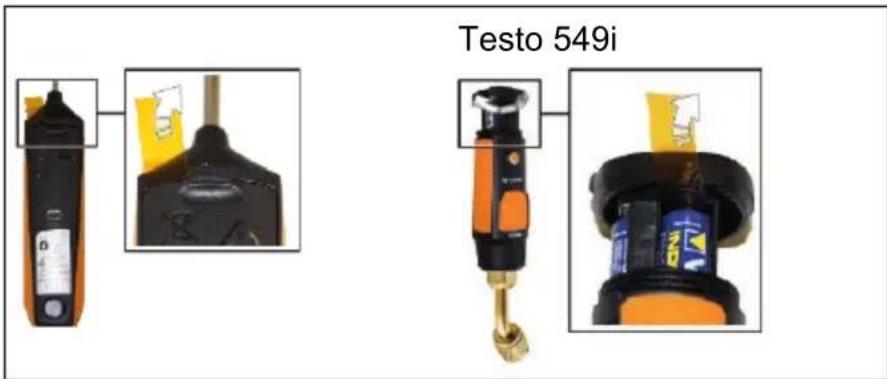
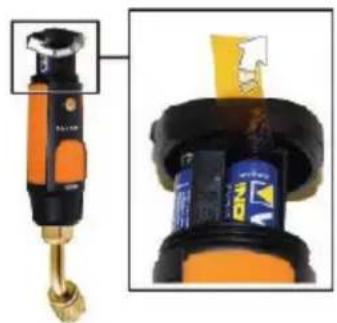
- Pull the film out of the battery compartment.
- Press the key.
- The Smart Probes switch on.
3.2. Switching off
- Press and hold the key.
- The Smart Probes switch off.
4 Bluetooth® module
Establishing Bluetooth ^® connection

You need a Tablet or Smartphone with the Testo Smart Probes App already installed on it to be able to establish a Bluetooth connection.
You can get the App for iOS instruments in the App Store or for Android instruments in the Play Store.
Compatibility:
- requires iOS 8.3 or later / Android 4.3 or later
- requires Bluetooth 4.0
Bluetooth® approval

The use of the wireless module is subject to the regulations and stipulations of the respective country of use, and the module may only be used in countries for which a country certification has been granted. The user and every owner has the obligation to adhere to these regulations and prerequisites for use, and acknowledges that the re-sale, export, import etc. in particular in countries without wireless permits, is his responsibility.
5 LED status
| LED status Meaning |
| Flashing red Low battery status |
| Flashing yellow | Smart Probe is switched on.Smart Probe searching, but not yet connected. |
| Flashing green | Smart Probe is switched on.Bluetooth is connected. |
6 Transmitting reading
√ The Smart Probes are switched on and connected to their mobile terminal via Bluetooth.
- The Smart Probes' readings are automatically shown in the standard display.
- Press the key.
- The reading that is currently present is held.
- Press the key again.
- The instrument again displays the current readings.

These commissioning instructions describe the basic operating steps.
To find out how to handle the product safely and for detailed information, please refer to the instruction manual at: www.testo.com/download-center

www.testo.com/download-center

Homologation Bluetooth®

www.testo.com/download-center

www.testo.com/download-center

natural_image
Close-up of a black handheld device with a label and a yellow product box, shown from two different angles (no visible text or symbols)
Testo 549i
natural_image
Close-up of a handheld industrial tool with orange and black components, showing a close-up view of its internal components (no visible text or symbols)
www.testo.com/download-center

www.testo.com/download-center
Approval and Certification
| Product | testo 115i, testo 405i, testo 410i, testo 510i, testo 549i, testo 605i, testo 805i, testo 905i |
| Mat.-No. | 0560 1115, 0560 1405, 0560 1410, 0560 1510, 0560 1549, 0560 1605, 0560 1805, 0560 1905 |
| Country | Comments |
| Australia |  | E 1561 |
| Brazil |             “Este equipamento opera em caráter secundário, isto é, não tem direito a proteção contra interferência prejudicial, mesmo de estações do mesmo tipo, e não pode causar interferência a sistemas operando em caráter primário.” “Este equipamento opera em caráter secundário, isto é, não tem direito a proteção contra interferência prejudicial, mesmo de estações do mesmo tipo, e não pode causar interferência a sistemas operando em caráter primário.” |
| Canada | Product IC ID:testo 115i IC ID: 12231A-1115testo 405i IC ID: 12231A-1405testo 410i IC ID: 12231A-1410testo 510i IC ID: 12231A-1510testo 549i IC ID: 12231A-1549testo 605i IC ID: 12231A-1605testo 805i IC ID: 12231A-1805testo 905i IC ID: 12231A-1905 |
| see IC Warnings |
| China | CMII ID:testo 115i CMIIT ID: 2015DP6557testo 405i CMIIT ID: 2015DP6558testo 410i CMIIT ID: 2015DP6612testo 510i CMIIT ID: 2015DP6559testo 549i CMIIT ID: 2015DP6560testo 605i CMIIT ID: 2015DP6561testo 805i CMIIT ID: 2015DP6562testo 905i CMIIT ID: 2015DP6563 |
| Europa + EFTA | CE The EU Declaration of Conformity can be found on the testo homepage www.testo.com under the product specific downloads.EU countries:Belgium (BE), Bulgaria (BG), Denmark (DK), Germany (DE), Estonia (EE), Finland (FI), France (FR), Greece (GR), Ireland (IE), Italy (IT), Latvia (LV), Lithuania (LT), Luxembourg (LU), Malta (MT), Netherlands (NL), Austria (AT), Poland (PL), Portugal (PT), Romania (RO), Sweden (SE), Slovakia (SK), Slovenia (SI), Spain (ES), Czech Republic (CZ), Hungary (HU), United Kingdom (GB), Republic of Cyprus (CY).EFTA countries:Iceland, Liechtenstein, Norway, Switzerland The EU Declaration of Conformity can be found on the testo homepage www.testo.com under the product specific downloads.EU countries:Belgium (BE), Bulgaria (BG), Denmark (DK), Germany (DE), Estonia (EE), Finland (FI), France (FR), Greece (GR), Ireland (IE), Italy (IT), Latvia (LV), Lithuania (LT), Luxembourg (LU), Malta (MT), Netherlands (NL), Austria (AT), Poland (PL), Portugal (PT), Romania (RO), Sweden (SE), Slovakia (SK), Slovenia (SI), Spain (ES), Czech Republic (CZ), Hungary (HU), United Kingdom (GB), Republic of Cyprus (CY).EFTA countries:Iceland, Liechtenstein, Norway, Switzerland |
| Hong-kong | Authorized |
| Japan | testo 115i 204-540016testo 405i 204-540016testo 405i 204-540017testo 410i 204-540017testo 410i 204-540018testo 510i 204-540018testo 510i 204-540019 204-540019 | testo 549i 204-540020testo 605i 204-540020testo 605i 204-540021testo 905i 204-540021testo 905i 204-540023see Japan Information 204-540023see Japan Information |
| Korea | testo 115i Certification No. MSIP-CRM-Toi-115itesto 405i Certification No. MSIP-CRM-Toi-405itesto 410i Certification No. MSIP-CRM-Toi-410itesto 510i Certification No. MSIP-CRM-Toi-510itesto 549i Certification No. MSIP-CRM-Toi-549itesto 605i Certification No. MSIP-CRM-Toi-605itesto 805i Certification No. MSIP-CRM-Toi-805itesto 905i Certification No. MSIP-CRM-Toi-905isee KCC Warning |
| Taiwan | testo 115i NCC: CCAB16LP177FT0testo 405i NCC: CCAB16LP177AT3testo 410i NCC: CCAB16LP1770T1testo 510i NCC: CCAB16LP177DT9testo 549i NCC: CCAB16LP177ET1testo 605i NCC: CCAB16LP177BT5testo 805i NCC: CCAB16LP177CT7testo 905i NCC: CCAB16LP177GT2 |
| Turkey | Authorized |
| USA | Product FCC ID:testo 115i FCC ID: 2ACVD-1115testo 405i FCC ID: 2ACVD-1405testo 410i FCC ID: 2ACVD-1410testo 510i FCC ID: 2ACVD-1510testo 549i FCC ID: 2ACVD-1549testo 605i FCC ID: 2ACVD-1605testo 805i FCC ID: 2ACVD-1805testo 905i FCC ID: 2ACVD-1905see FCC Warnings |
| Russia | Authorized |
| Philippines | Authorized |
| South Africa | testo 115i TA-2016/1207testo 405i TA-2016/1201testo 410i TA-2016/1200testo 510i TA-2016/1199testo 549i TA-2016/1198testo 605i TA-2016/1204testo 805i TA-2016/1206testo 905i TA-2016/1205 |
| Blue-tooth®SIG List | Bluetooth® | Range 15 m (free field)(varies with the used mobile device) |
| Bluetooth® type | L Series BLE Module (08 Mai 2013) based on TICC254X chip |
| Qualified Design ID | B016552 |
| Bluetooth® radio class | Class 3 |
| Bluetooth® company ID | LSD Science & Technology Co., Ltd |
| RF Band | 2402-2480MHz |
| Output power | O dBm |
IC Warnings
This instrument complies with Part 15C of the FCC Rules and Industry Canada RSS-210 (revision 8). Commissioning is subject to the following two conditions:
(1) This instrument must not cause any harmful interference and
(2) this instrument must be able to cope with interference, even if this has undesirable effects on operation.
Information from the FCC (Federal Communications Commission)
For your own safety
Shielded cables should be used for a composite interface. This is to ensure continued protection against radio frequency interference.
FCC warning statement
This equipment has been tested and found to comply with the limits for a Class C digital device, pursuant to Part 15 of the FCC Rules. These limits are designed to provide reasonable protection against harmful interference in a residential installation. This equipment generates, uses and can radiate radio frequency energy and, if not installed and used in accordance with the instructions, may cause harmful interference to radio communications.
However, there is no guarantee that interference will not occur in a particular installation. If this equipment does cause harmful interference to radio or television reception, which can be determined by turning the equipment off and on, the user is encouraged to try to correct the interference by one or more of the following measures:
- Reorient or relocate the receiving antenna.
- Increase the separation between the equipment and receiver.
- Connect the equipment into an outlet on a circuit different from that to
which the receiver is connected.
- Consult the dealer or an experienced radio/TV technician for help. Caution
Changes or modifications not expressly approved by the party responsible for compliance could void the user's authority to operate the equipment. Shielded interface cable must be used in order to comply with the emission limits.
Warning
This device complies with Part 15 of the FCC Rules. Operation is subject to the following two conditions:
(1) this device may not cause harmful interference, and
(2) this device must accept any interference received, including interference that may cause undesired operation.
KCC Warning