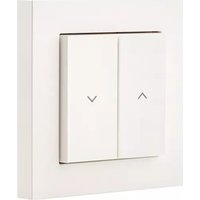
Shutter Switch - Electrical switch EVE - Free user manual and instructions
Find the device manual for free Shutter Switch EVE in PDF.


| Product type | Connected electric switch for roller shutter |
| Brand | EVE |
| Model | Shutter Switch |
| Power supply | 230 V ~, 50/60 Hz |
| Maximum connected power | 750 VA |
| Maximum load current | 6 A (5 A per channel) |
| Connection terminals | Solid wire 1.5 mm² |
| Required recessed box dimensions | Ø 68 mm, min. depth 35 mm |
| Operating ambient temperature | -10 °C to +50 °C |
| Operating ambient humidity | 85% max., non-condensing |
| Protection rating | IP20 |
| Frequency range | 2402 to 2480 MHz (BLE) / 2405 to 2480 MHz (Thread) |
| Maximum RF power | 12 dBm (EIRP) |
| Compatibility | Apple HomeKit, Matter, Thread |
| Main functions | Roller shutter control (up/down), configuration via Eve app, voice control, manual control |
| Installation | Requires a qualified electrician, neutral wire mandatory, installation in recessed box |
| Maintenance and cleaning | Clean with a soft dry cloth, do not use abrasive products |
| Safety | Disconnect circuit before installation, risk of electric shock, household use only |
| Matter setup code | Printed on the back of the manual, keep carefully |
Frequently Asked Questions - Shutter Switch EVE
User questions about Shutter Switch EVE
0 question about this device. Answer the ones you know or ask your own.
Ask a new question about this device
Download the instructions for your Electrical switch in PDF format for free! Find your manual Shutter Switch - EVE and take your electronic device back in hand. On this page are published all the documents necessary for the use of your device. Shutter Switch by EVE.
USER MANUAL Shutter Switch EVE
eve shutter switch ②
DE DasistEveShutterSwitch 4
EN Meet Eve Shutter Switch 24
FR Découverte d'Eve Shutter Switch 44
www.evehome.com/global
Facebook
facebook.com/meeteve

Eve Newsletter
evehome.com/newsletter

X @meetve

YouTube @MeetEve

Instagram @meet_eve

Eve Blog blog.evehome.com

Threads @meet_eve

Bluesky @meetve
Meet Eve Shutter Switch
- Voltage: 230 V 50/60 Hz
- max. connected load: 750 VA
- max. load current: 6 A (max. 5 A per channel)
- Connection terminals: 1.5 mm2 rigid wire
- Flush-mounted socket dimension: 60 mm ,min. 35 mm depth
- Ambient temperature: -10 °C to 50 °C
- Operating humidity: max. 85% , non-condensed
- Protection rating: IP20
- Frequency range: 2402 - 2480 MHz (BLE) / 2405 - 2480 MHz (Thread)
RF Power: max. 12 dBm (EIRP)
Get Started

CAUTION - Risk of electric shock!
Only authorized electricians may connect, install and set up Eve Shutter Switch. Before installation, ensure the system is disconnected from the power supply!
Eve Shutter Switch is used to directly switch permanently connected electrical loads with a supply voltage of 230V . Eve Shutter Switch is designed for use in household and similar fixed installations. Before installation, ensure suitability by reviewing the technical data and the operating conditions.
Eve Shutter Switch must not be used in conjunction with life-support systems or other devices that could put the life or health of humans and animals at risk or risk property damage.
Installation - Preparation
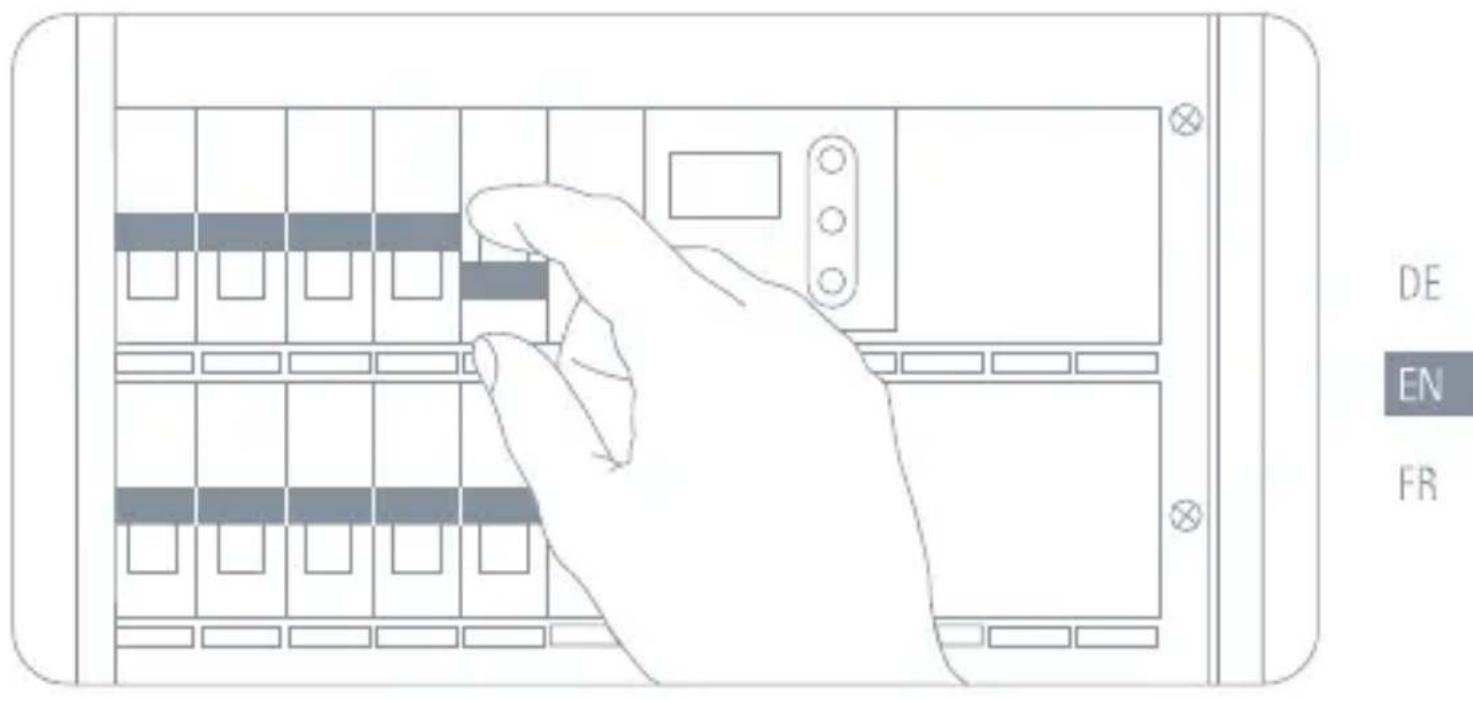
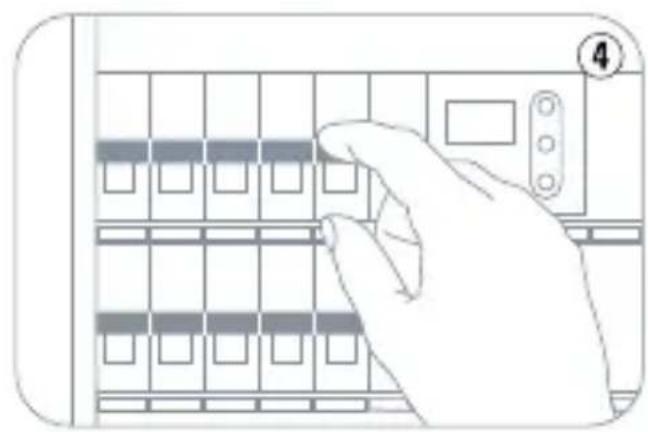
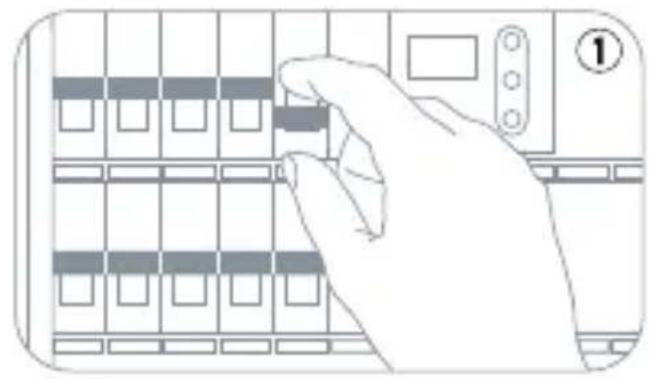
In your fuse box, switch off the fuse connected to your shutter switch. Press the buttons on your current shutter switch a few times to make sure that there is no current flowing.
Installation
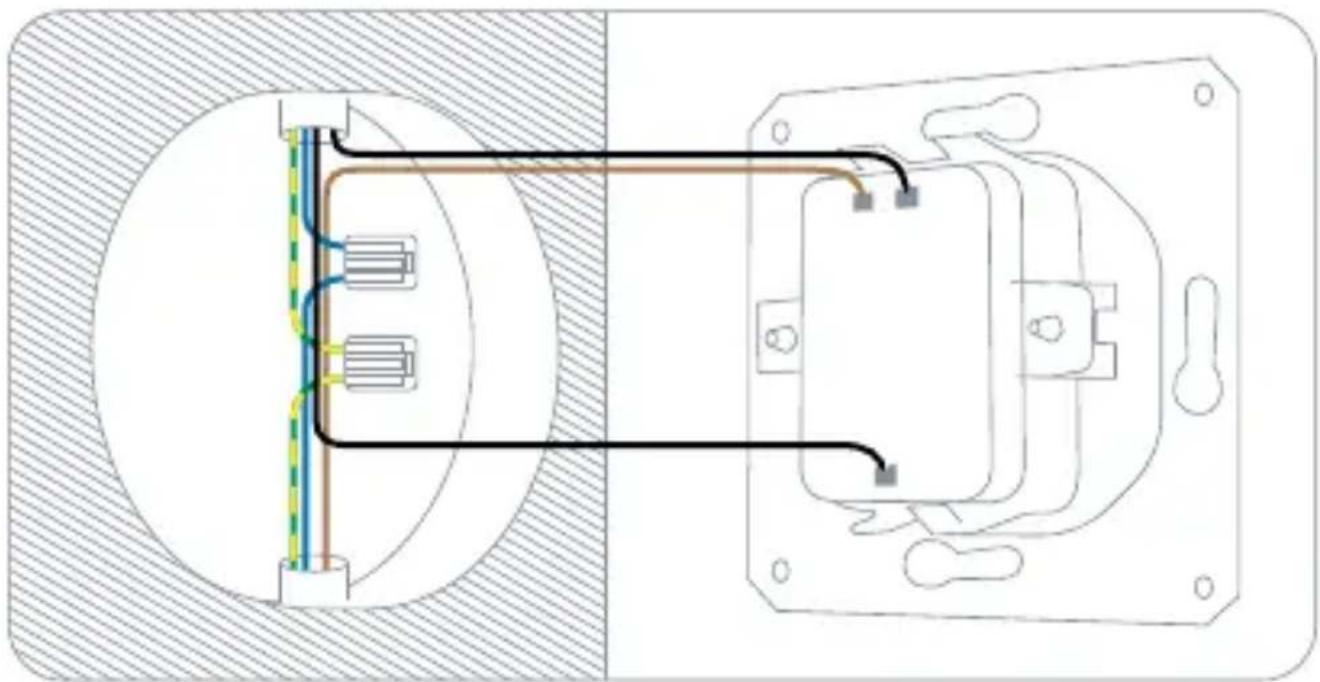
1 Remove your current shutter switch
Loosen your existing shutter switch and pull it out. Note the current wiring and take a photo of it if necessary. You can usually tell which line is the current-carrying input (L) and which lines leads to the shutter by the direction from which the cables are led into the box and by the inscription on your current shutter switch.

Eve Shutter Switch can only be installed if there is a neutral line (N, usually blue) in your outlet.
DE
EN
FR
Remember which line is connected to the input on your current shutter switch (L), for example by marking it with adhesive tape. Then disconnect the existing wiring and remove your current shutter switch.
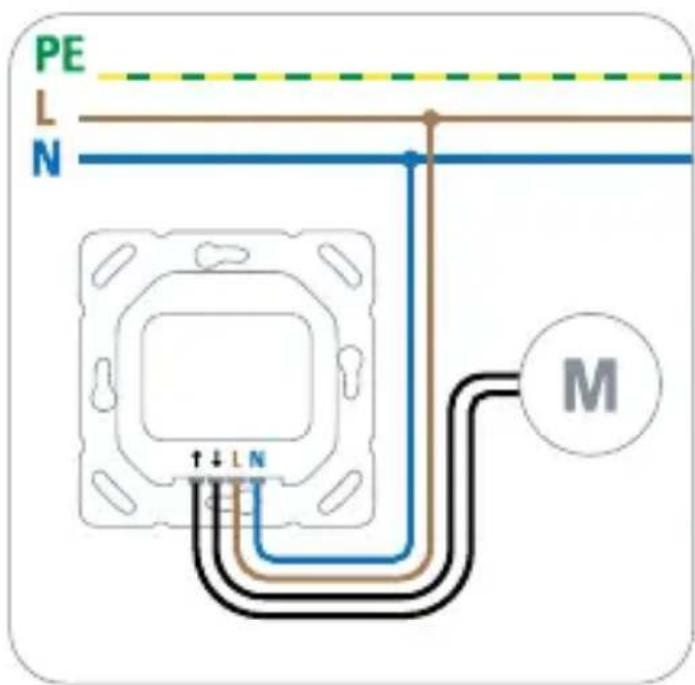
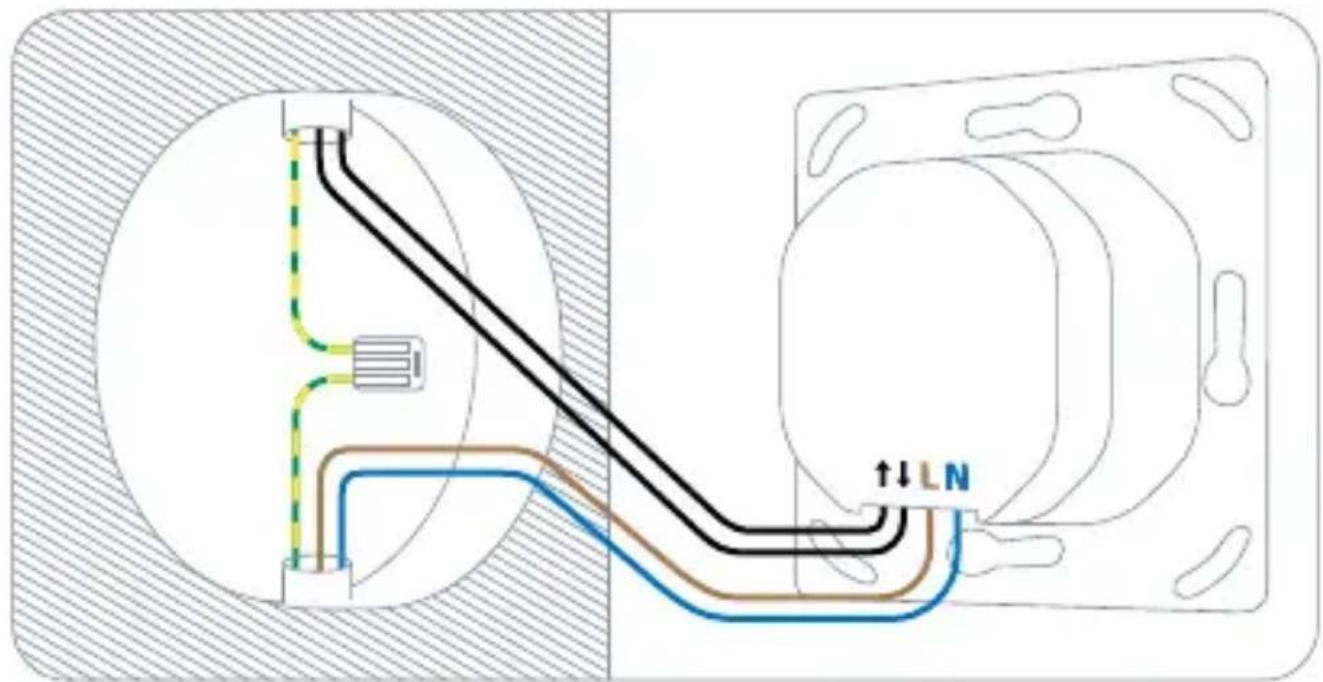
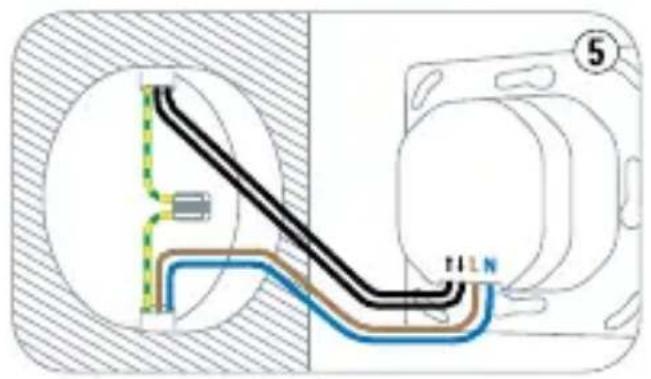
② Connect Eve Shutter Switch
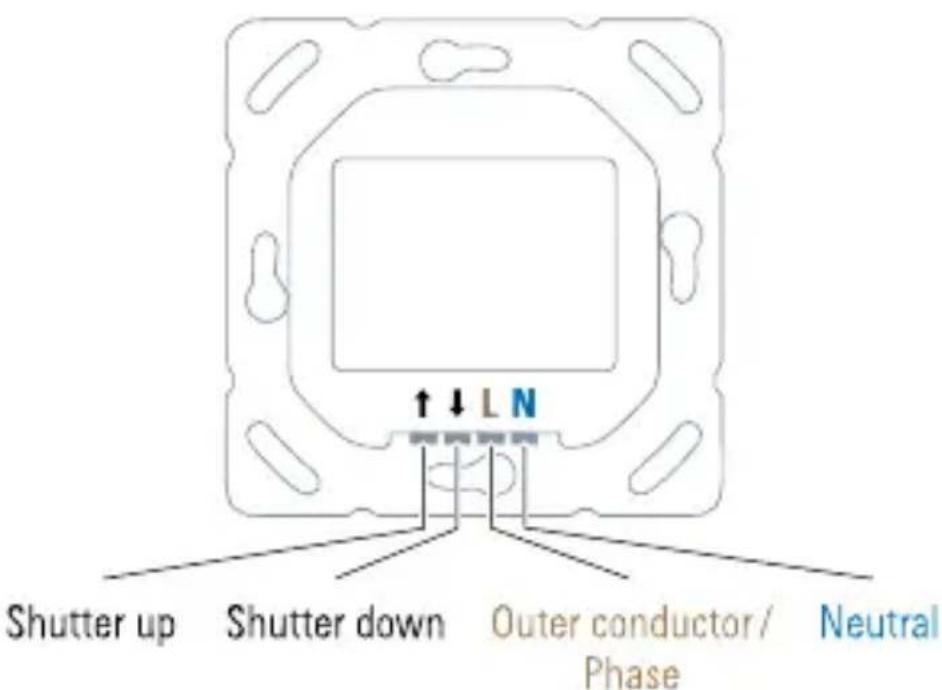
- ↑:Shutter up
-4:Shutter down
L: Outer conductor/phase (current-carrying line) - N: Neutral line
Eve Shutter Switch requires that a neutral line is connected. If the outlet is not equipped with a neutral line, Eve Shutter Switch is incompatible with this outlet.

Eve Shutter Switch does not require a connection to a protective conductor / ground wire (PE, usually green/yellow).
DE
EN
FR
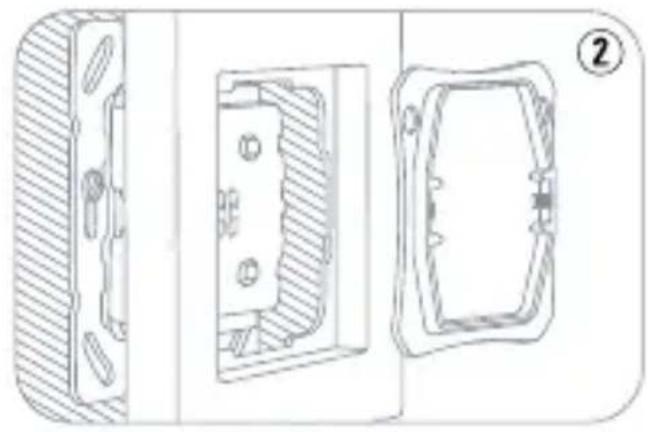
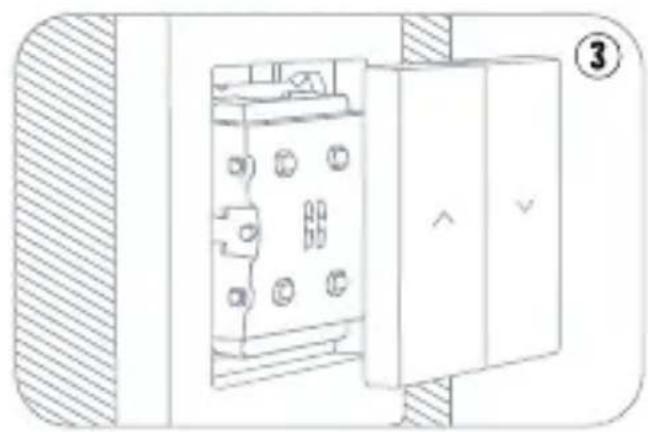
Mounting
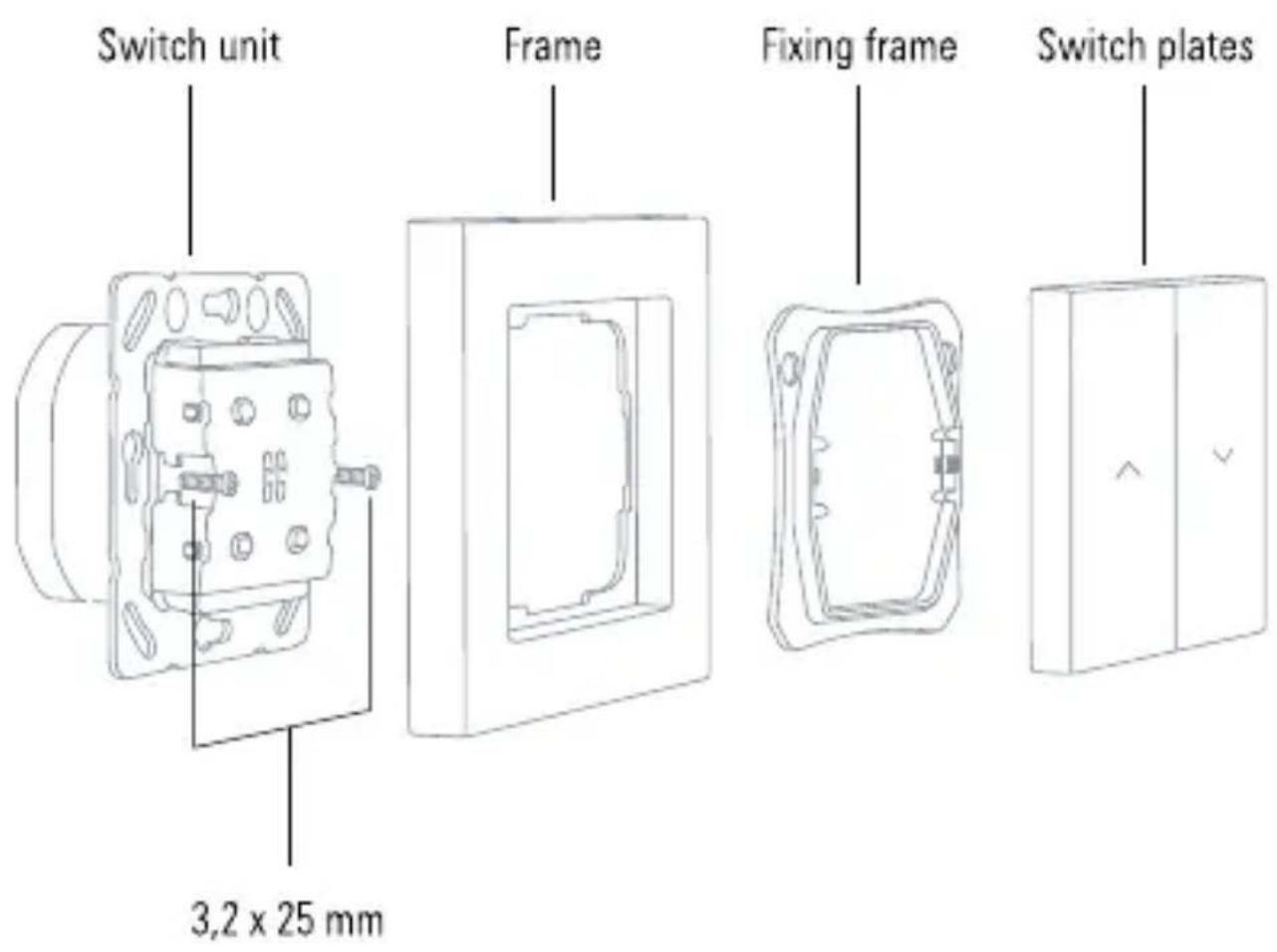
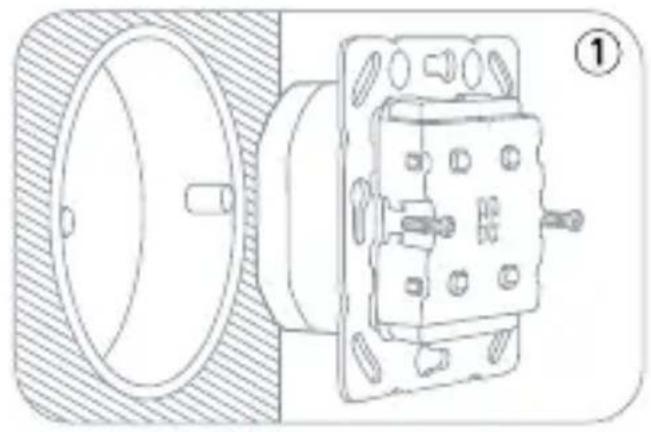
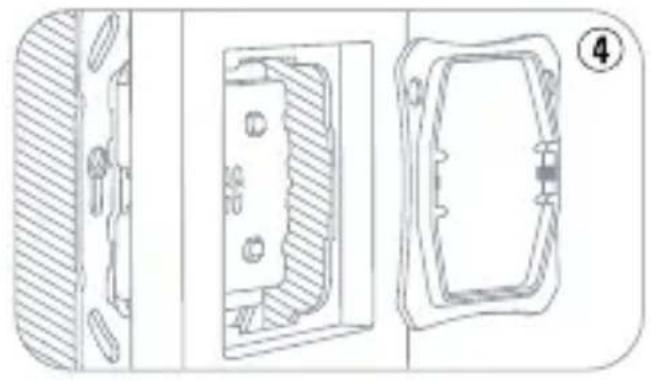
① Place the switch unit in the flush-mounted socket and secure it with the 3.2 × 25 mm screws (included).
② Place the supplied or your existing frame on the switch unit and secure it with the fixing frame.
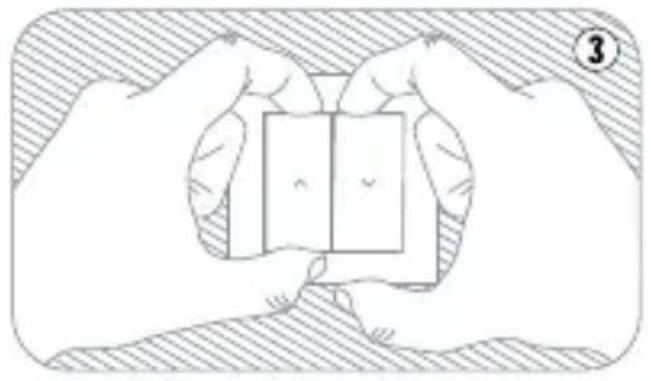
3 Press the switch plates onto the switch unit.
In your fuse box, switch on the fuse dedicated to the circuit of that shutter switch. You should now be able to move your shutter by pressing Eve Shutter Switch.
DE
EN
FR
Setup in the Eve app
Access Eve Shutter Switch using the Eve app, or the apps or voice assistants of your preferred platforms. Make sure to have a compatible Thread Border Router. Learn more at evehome.com/hub
Feature sets may vary, depending on your platform. More information at evehome.com/eve-shutter-switch
Open the Eve app and tap Add Accessories. Eve will now guide you through the setup process.
If you already have the Eve app installed and a device added, open the Eve app settings and add Eve Shutter Switch.


To add Eve Shutter Switch, use the Matter code on the back of this manual. Please keep your Matter Setup Code in a safe place.
Manual setup
If you have added Eve Shutter Switch to a platform that is not supported in the Eve app, you can set it up directly on Eve Shutter Switch.
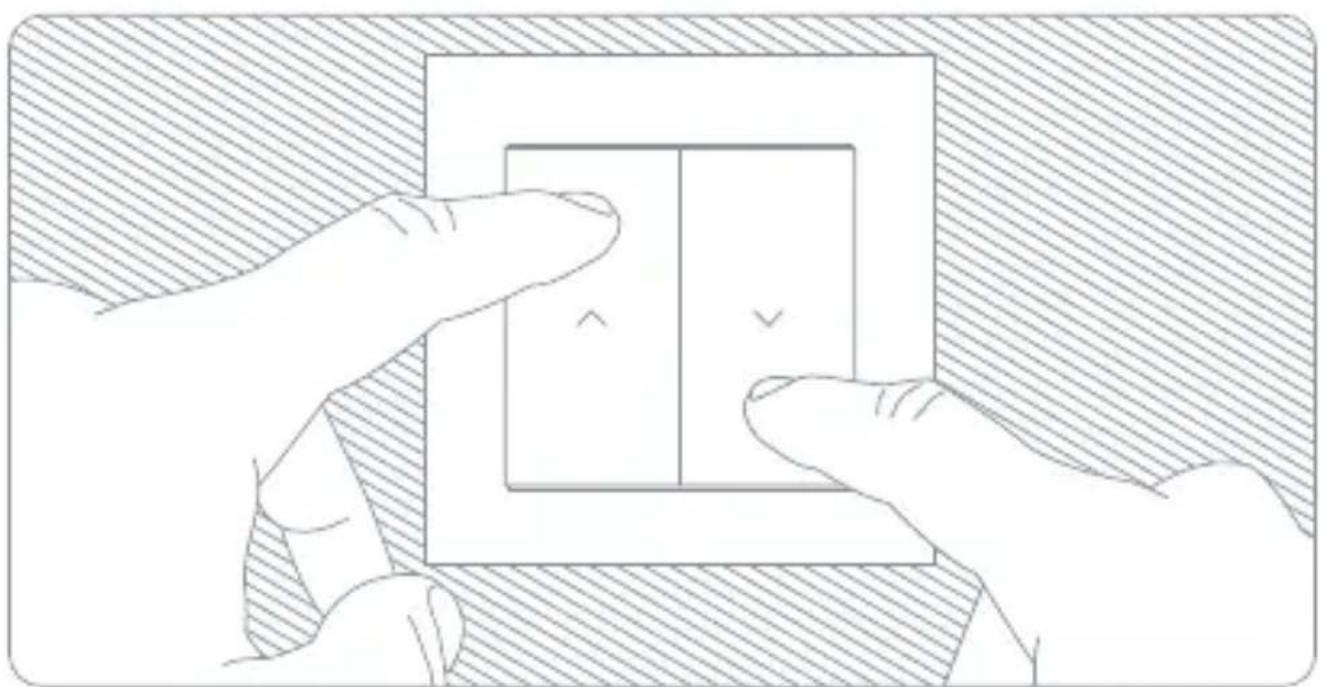
① Activate setup mode: Press and hold the switch plates at the top left and bottom right for 3 seconds and release them as soon as the LED flashes yellow and blue.
2 Move the roller shutter up: If the roller shutter is not yet fully raised, press and hold the up arrow to open it completely.
③ Set top position: Press and hold the switch plates at the top left and bottom right again for 3 seconds and release them as soon as the LED flashes yellow and blue.
Lower roller shutter: Now press and hold the down arrow to lower the roller shutter completely and release it as soon as the roller shutter stops moving.
⑤ Set down position: Press and hold the switch plates at the top left and bottom right for 3 seconds as before and release them as soon as the LED flashes yellow and blue.
6 Move the roller shutter up: Once the lower position has been set, press and hold the up arrow to raise the roller shutter again.
Exit setup mode: Release the up arrow when the roller shutter stops moving and Press the switch plates at the top left and bottom right one last time to exit setup mode. If setup was successful, the LED will flash green.
Enjoy
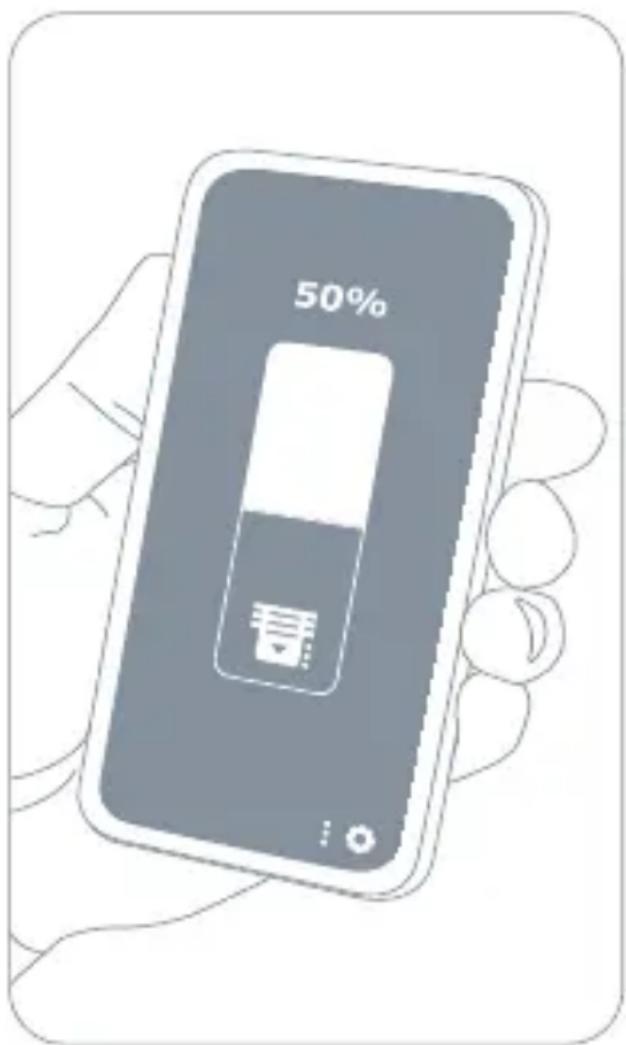
Operate your shutter using the app or a voice command.
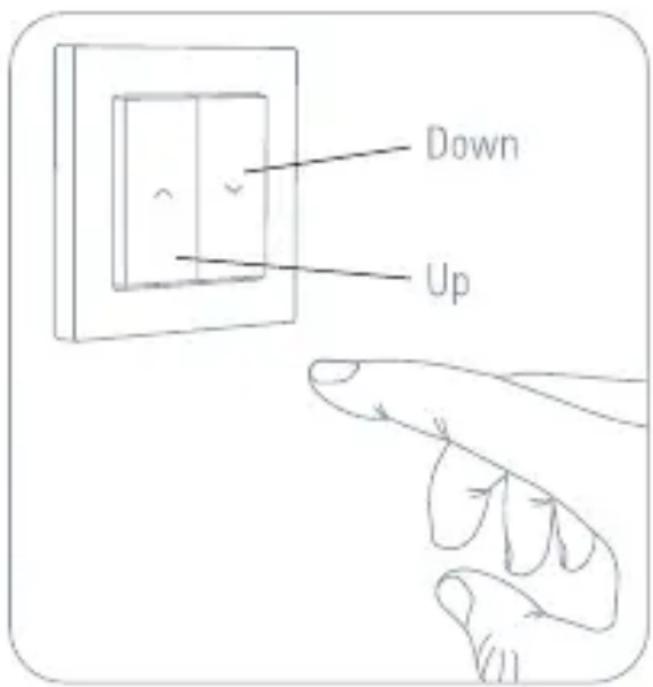
You can also operate your shutters directly via Eve Shutter Switch.
Reset
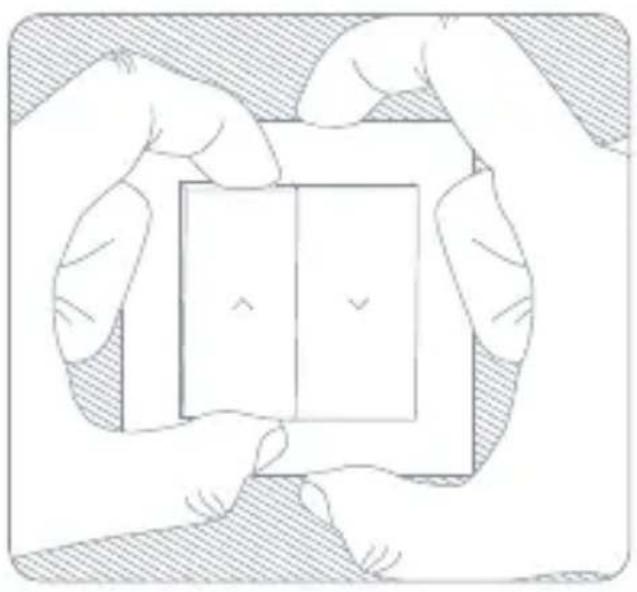
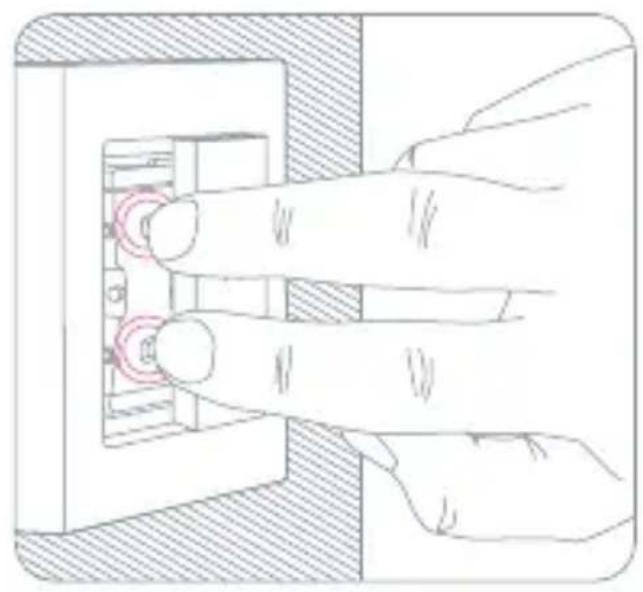
1 Remove the left switch plate by pulling down this switch plate from top edge.
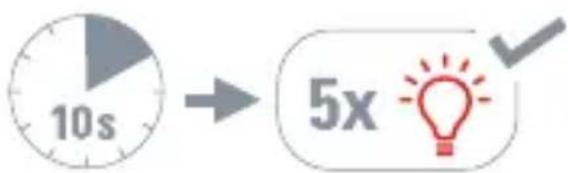
2 Press both left buttons simultaneously for 10 seconds.
DE
EN
FR
Disassembly
1 In your fuse box, switch off the fuse connected to your shutter switch.
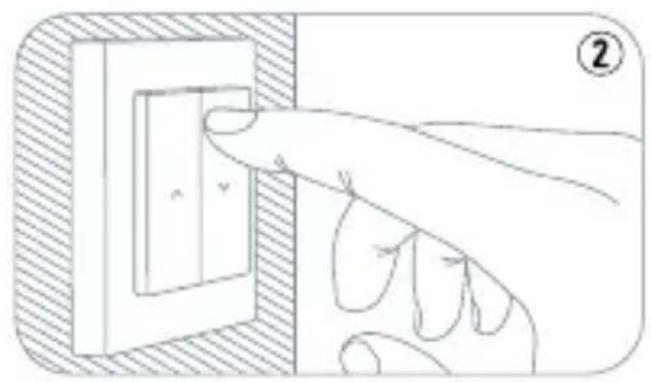
2 Make sure that there is no current flowing by pressing the buttons on Eve Shutter Switch a few times.
3 Remove the switch plates by pulling down each rocker switch evenly from top edge.
4 Remove the fixing frame and remove the frame.
You can now remove the switch unit from your flush-mounted socket and disconnect the cables.
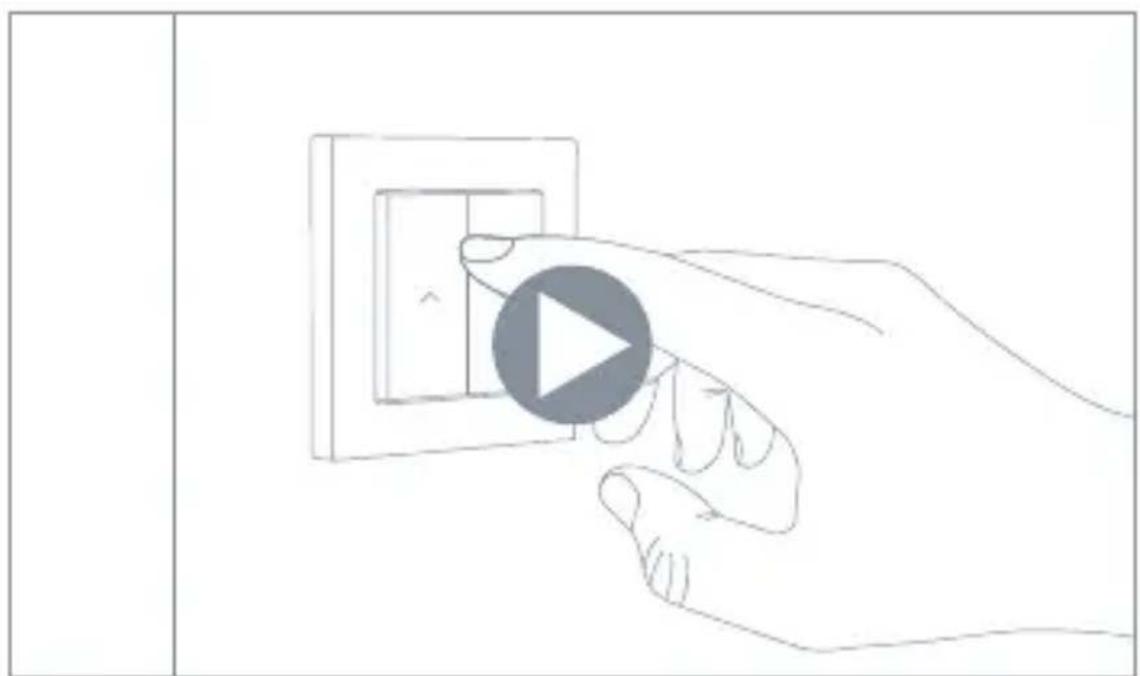
Video installation guide
www.evehome.com/install-shutterswitch
Happily connected?
Write a review and tell your friends Stay in touch and discover more via:

Facebook
facebook.com/meeteve

Eve Newsletter
evehome.com/newsletter

X @meetve

YouTube @MeetEve

Instagram @meet_eve

Eve Blog blog.evehome.com

Threads @meet_eve

Bluesky @meetve
Something amiss?
Reach out now: Visit our knowledge base or contact our support team

help.evehome.com

evehome.com/contact
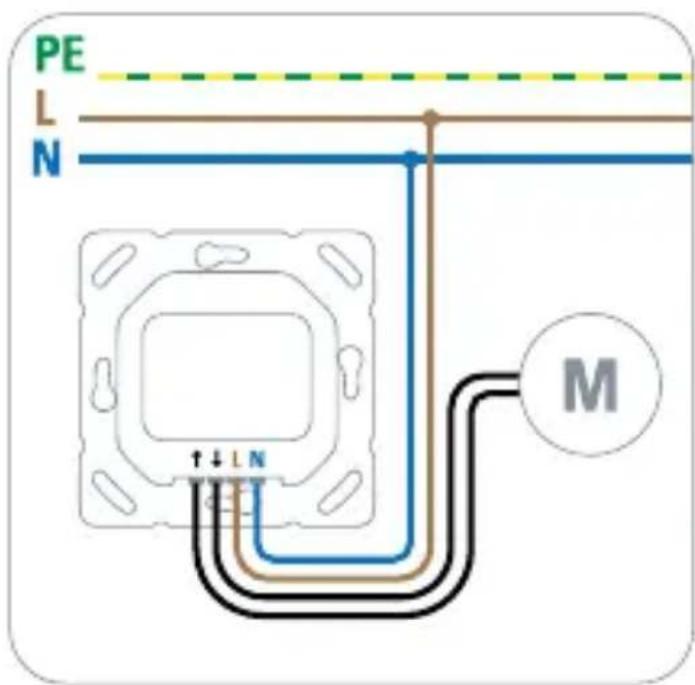
(2) Branchez Eve Shutter Switch
facebook.com/meeteve

Eve Newsletter
evehome.com/newsletter

X
@meetve

YouTube
@MeetEve

@meet_eve

Eve Blog
blog.evehome.com

Threads
@meet_eve

Bluesky
@meetve
Un problème ?
Contactez-nous!
This device conforms to the general requirements and further relevant provisions of the 2014/53/EC directive. You can download the declaration of conformity from www.evehome.com/doc.
Please keep your Matter setup code in a safe place. You need it to securely add Eve to your home, and nobody but you has a copy.
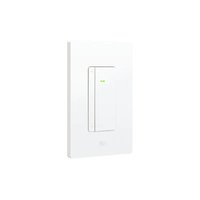


- EVE SHUTTER SWITCH ②
- MEET EVE SHUTTER SWITCH
- GET STARTED
- CAUTION - RISK OF ELECTRIC SHOCK
- INSTALLATION - PREPARATION
- INSTALLATION
- 1 REMOVE YOUR CURRENT SHUTTER SWITCH
- MOUNTING
- SETUP IN THE EVE APP
- MANUAL SETUP
- ENJOY
- RESET
- DISASSEMBLY
- VIDEO INSTALLATION GUIDE
- HAPPILY CONNECTED
- SOMETHING AMISS
- UN PROBLÈME
Brand : EVE
Model : Shutter Switch
Category : Electrical switch