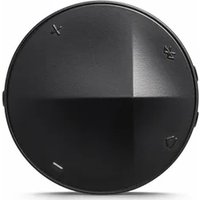
XB10 - Mp3 player ASTELL KERN - Free user manual and instructions
Find the device manual for free XB10 ASTELL KERN in PDF.


| Product type | Bluetooth amplifier MP3 player |
| Brand | ASTELL KERN |
| Model | XB10 |
| Dimensions | ∅50 x 12.3 mm (circular) |
| Weight | Approximately 23 g |
| Battery | Rechargeable lithium-polymer 3.7 V, 350 mAh |
| Music / talk time | Approximately 5 hours |
| Standby time | Up to 300 hours |
| Charging time | Approximately 2 hours (micro-USB 5 V / 2 A) |
| Bluetooth version | 4.1, Class 2 |
| Bluetooth profiles | A2DP (multi), AVRCP, HFP, HSP |
| Audio codecs | SBC, AAC, aptX, aptX HD |
| Audio ports | 2.5 mm balanced, 3.5 mm unbalanced |
| Main functions | Power/lock control, Bluetooth buttons, volume, play/pause, DCT, built-in microphone for calls, multipoint pairing (up to 2 devices) |
| Indicator light | Blue/red/green LED depending on status (power on, pairing, charging, etc.) |
| Reset | Hold the power control to the right for 8 seconds |
| Bluetooth range | 10 meters maximum |
| Operating temperature | -10°C to 45°C |
| Certifications | KC, FCC, CE, SRRC, BT SIG |
| Care and cleaning | Wipe with a dry cloth; avoid water, chemicals, humidity, and extreme temperatures |
| Safety | Do not use while driving; avoid prolonged listening at high volume; do not expose to water |
| Limited warranty | 1 year for EU and non-EU countries (accessories: 90 days) |
Frequently Asked Questions - XB10 ASTELL KERN
User questions about XB10 ASTELL KERN
0 question about this device. Answer the ones you know or ask your own.
Ask a new question about this device
Download the instructions for your Mp3 player in PDF format for free! Find your manual XB10 - ASTELL KERN and take your electronic device back in hand. On this page are published all the documents necessary for the use of your device. XB10 by ASTELL KERN.
USER MANUAL XB10 ASTELL KERN
Bluetooth Headphone AMP
XB10
Astell&Kern
INSTRUCTION BOOK
IRIVERI www.iriver.co.kr
© 1999\~2016 IRIVER Limited. All rights reserved.
구성품
KOREAN
XB10 착탈형 클립
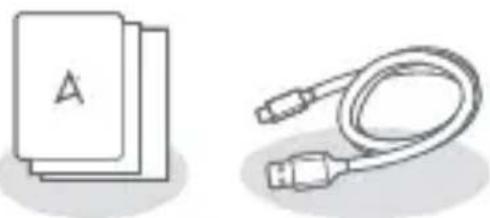
! DCT(Distinctive Clear Technology) 모드란?
©1999\~2016 iriver Limited. All rights reserved.
Qualcomm aptX is a product of Qualcomm Technologies International, Ltd.
제품보증서
품질보증서
The items listed herein are subject to change without prior notice for the purpose of performance improvement or due to the manufacturer's circumstance.
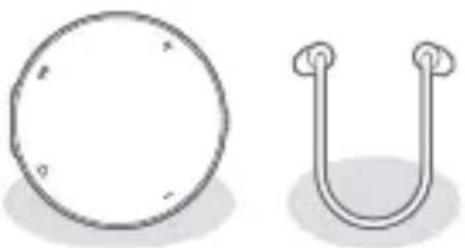
XB10 Detachable
clip

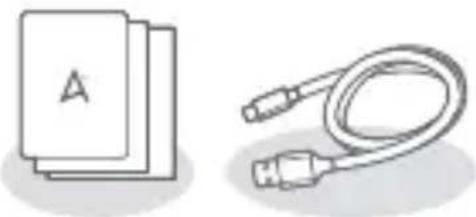
Warranty & Instruction Manual
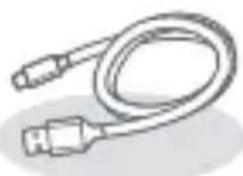
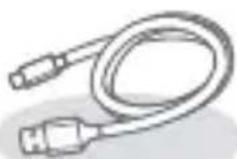
Micro-USB Cable
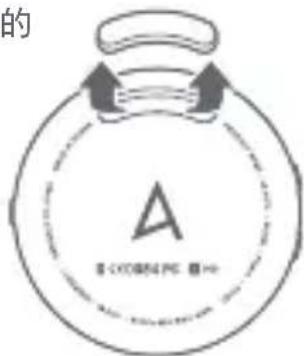
Mounting the Clip
ENGLISH
- Please remove the rubber cover on the bottom of the product.
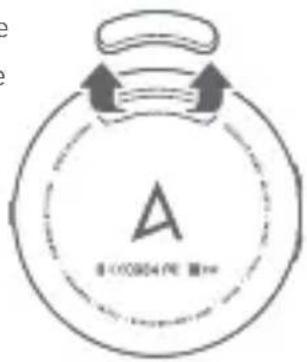
- Please insert one side of the clip first and then do the same with the other side.
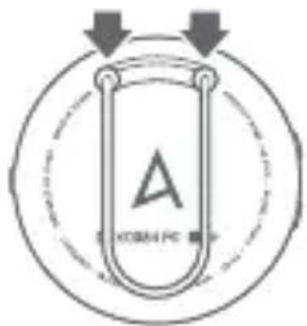
- Push the two side slightly for a snug fit.
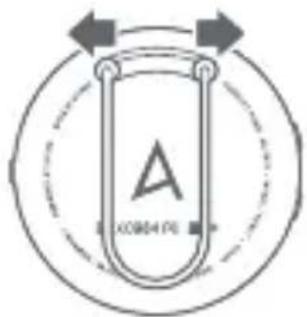
Overall Structure
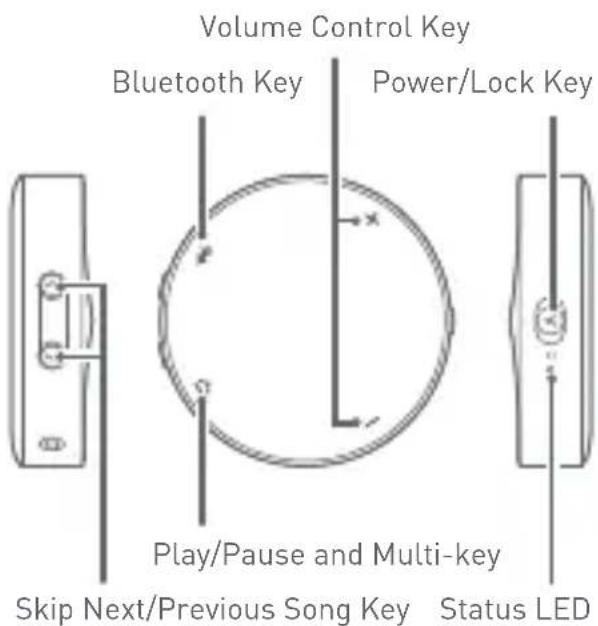
Micro-USB Port (for Recharging)
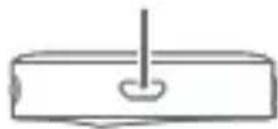
3.5 mm Port
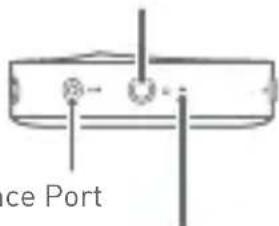
2.5 mm Balance Port
Built-In Microphone
Skip Next/Previous Song Key
Replays the next/previous song.
Power Key
To the right: You can turn the device on/off by pushing the key to the right side for about 3 seconds.
To the left: You can lock all keys by pushing the key to the left side.
Volume Control Key
You can control the volume by using the [+]/[-] keys.
Bluetooth Key
You can pair this device with other devices equipped with Bluetooth functionality.
Play/Pause and Multi-key
You can replay or pause music and turn on/off the DCT mode in the middle of replaying music.
Status LED
You can check power on/off, Bluetooth pairing, DCT mode on/off, recharging status through the LED indicator light.
Earphone Jack
You can listen to music by connecting with a general-purpose 3.5-mm earphone or headphone.
Balance Port
You can listen to music by connecting with an earphone or headphone that support the balance cable (2.5 mm).
Micro USB connector (only charging)
Connect the device with 5V 2A adapter (sold separately) or PC using Micro USB cable. Charging starts.
Built-In Microphone
Supports phone call functionality.
Turning the Device On/Off
- Push the power key on the side of the device to the right for 3 seconds and you will hear a beep sound and see a blue light on the indicator before the power is on.
- Push the power key on the side of the device to the right for 3 seconds while the device's power is on and you will hear a beep sound and see a red light on the indicator before the power is off.
Bluetooth Pairing
Qualcomm® aptX™ / Qualcomm® aptX™ HD audio
The XB10 supports Qualcomm aptX and Qualcomm aptX HD audio codec standards. Qualcomm aptX and Qualcomm aptX HD audio codecs only work on smartphones and audio devices that support the technology.
- You can turn on the power by pushing the power key on the side of the device to the right for 3 seconds.
- Press the Bluetooth key for 3 seconds and you will hear a beep sound and see flashing blue and red lights alternately before pairing is ready.
- Turn on Bluetooth of the device with which you want to connect.
-
Select this device on the list of devices available for Bluetooth connection for pairing.
Setting up iOS>Bluetooth>Select "XB10"
Setting up Android>Bluetooth>Select
“ X B 1 0 ” -
Once pairing is completed, you will hear a beep sound and see a flashing blue light on the indicator with an interval of 3 seconds. You can replay music from a device connected through Bluetooth.
-
Press and hold the [✗] key while paired to switch to pairing standby mode for connection with other devices.
! When connected first time the device goes directly to the pairing mode immediately after the power is turned on.
! The Bluetooth key will be disabled when music is replayed or you are talking on the phone.
! For instructions on how to pair this product with your device, please refer to Bluetooth pairing instructions on each device.
! The XB10 automatically reconnects to the last connected device. If the last device is not automatic reconnected, find the XB10 from the desired device to establish a connection.
! During playback, long press action on [</>] key may not function properly depending on the specifications of the device to use.
Multi pairing
- Have two devices (A&B) for multi pairing ready.
- Connect the first device (A) and XB10.
- Press the Bluetooth key to enter the pairing mode. (At this time, A that is paired will be disconnected.)
- Connect XB10 and the second device (B).
- Select XB10 from the Bluetooth items of A that was connected first.
- Pair XB10 with both A and B.
! Multi pairing supports up to two devices. ! When two devices are multi-paired, you must stop playing music from one device before you play music on the other.
Listening to Music
- Press the [I] key once lightly. Press the [I] key once while the music is played. If you want to start replaying again, press it again.
When replaying music first time, you may have to activate the music player of the device to which this product is connected.
- To play previous/next song, press the [<]/[> ] key briefly.
- To fast-forward or rewind, press the [< ] /[ > ] key at length.
- You can adjust the volume by pressing the [+]/[−] key while replaying.
You can hear a beep sound when you control the volume and you reach a minimum/maximum volume level.
- Press and hold the [+ / - ] key to adjust the volume in increments.
- Press the [1>] key for 4 seconds and you can hear a beep sound with blue and green alternating lights before the DCT mode is turned on.
Press the [1>] key for 4 seconds when the DCT mode is on and you can hear a beep sound before the DCT mode is turned off.
! The XB10 supports Distinctive Clear Technology (DCT), a digital noise removal technology, so that you can enjoy clearer and crispier sound.
! The DCT mode is operational only when music is played.
! CAUTION
Please do not keep higher volume for a long time in order to avoid any possible damage to your ears. For your safety, do not use this product while driving or cycling. It may cause hazard due to sound insulation.
Talking on the Phone
-
Once the phone rings, you can take the call by pressing the [ ] key in the product. You can reject an incoming phone call by pressing the [ ] key for 3 seconds.
-
While talking on the phone, you can hang up by pressing the [ ] key.
- When making a phone call, you can cancel the call by pressing the [ ] key.
Resetting
- If you experience a malfunction or freeze, you can reset the system by pushing the power key on the side to the right for 8 seconds.
Lock
- If you push the power/lock key on the side to the left, all keys would be locked. If you push the key to the opposite side, all keys would be unlocked. With this lock, you can keep keys from being operated accidentally.
Recharging
- You can recharge the product by inserting a Micro USB cable that comes with the package in the USB port located on its side. The indicator shows a red light if it is being it shows a blue light if it is fully charged. If the battery power remains below 10 percent, a red light will flash on all operational modes with a beeping sound.
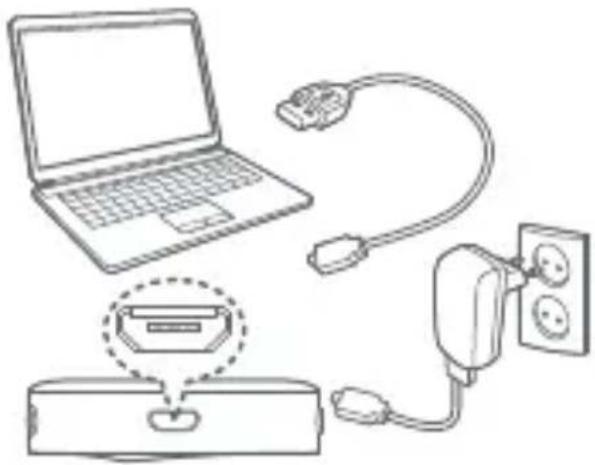
! In some devices, you can find out the remaining battery power on the upper-side bar together with Bluetooth indication.
Status Indicator Light
| Power onThe light turns blue and then flashes |
| Power offFlashing red light |
| Bluetooth connection standbyBlue light flashing twice every 2 seconds(status not connecting with the master) |
| Pairing standbyBlue and red light flashing alternately(status connection with the master available) |
| Pairing completeBlue light flashing once every 3 seconds(status fully connected with the master) |
| Music replaying stateDCT off Blue light flashing once every 5 secondsDCT on Blue and green light flashingalternately once every 5 seconds |
| Phone calling statusBlue light flashing once every 5 seconds |
| Status of a call incomingBlue light flashing once every 0.5 second |
| Status of a call outgoing |
| Blue light flashing once every 0.5 second |
| Charging |
| Red light on |
| Charging completed |
| Blue light on |
| Low battery |
| Red light on during all operating conditions |
! If you keep pressing the XB10 Bluetooth key for 2 seconds on Bluetooth connection standby or pairing completed with the master, you can change it to pairing standby and connect with another device.
! Since rechargeable batteries are consumables, they may not last as long as indicated depending on operating environment, and battery life may be gradually reduced.
! Bluetooth operating distances vary with the usage environment.
! The use of this device with products other than the specified compatible AK products may cause malfunctions.
Specifications
| Product Name | AK XB10 |
| Bluetooth Version | Bluetooth 4.1, Class2 |
| Bluetooth Profile | A2DP (multi), AVRCP, HFP, HSP |
| Frequency Band | 2.4 - 2.4835 GHz ISM Band |
| Receiver Sensitivity | -90dBm@0.1%BER (typical) |
| Slide Key | Power/Lock |
| Button Key | Pairing, Fast Forward, Rewind, Play/Pause, Volume Up, Volume Down |
| Audio Codec | SBC, AAC, aptXTM, aptXTM HD |
| Audio Port | 2.5-mm Balanced, 3.5-mm Unbalanced |
| Size | ∅50 x 12.3 mm (thickness) (circular) |
| Weight | Approx. 23g |
| Battery Type | 3.7V 350mAh lithium polymer rechargeable battery |
| Charging Method | Micro USB 5 Pin (5V 2A) |
| Hours of Operation | Approximately 5 hours for music playing and phone calls |
| Standby Time | Up to 300 hours |
| Charging Time | Approximately 2 hours |
| Range | Maximum of 10 meters |
| Operating Temperature | -10°C - 45°C (23°F - 113°F) |
| Certifications | KC, FCC, CE, SRRC, BT SIG |
Troubleshooting
- The device won't turn on.
Please check whether the power adaptor is connected properly.
- Please check whether the device is charged. Charge with 5V 2A output adapter. We recommend the use of the Micro USB cable that comes with the package.
- No sound comes out except static and noise.
- Please check whether the volume set at [0]. - Please check whether the earphones are plugged in properly, and make sure dust isn't obstructing the port connection.
Please check the volume of the device to which it is connected.
Please make sure that the music file is not corrupted.
Please check whether Bluetooth pairing is properly made.
Please find out whether there is any device causing frequency interference nearby. Please find the best signal receiving location by moving the device slowly.
- Bluetooth connection is not made.
- Please maintain the distance between the product with a Bluetooth device (maximum signal receiving distance is 10 meters)
Precautions
• Do not put heavy objects on the product.
- If the product gets wet from rain (water), beverage, liquid medicine, sweat or moisture, never turn it on. Wipe it with dry cloth, and get it checked at the nearest iriver service center (Water-damaged devices may not be available for free repair regardless of warranty status).
- Avoid places with excessive moisture, dust, or smoke.
• Never disassemble, repair or alter the product.
- Avoid exposing the device to direct sunlight or extreme temperatures.
- Do not keep the product next to strongly magnetic objects like magnets, TVs, monitors and speakers.
- As chemicals or detergents change the surface of the product and removes the paint, never use them.
- Do not drop the product or give a strong shock to the product (places where there is strong vibration. etc.).
• Do not press two or more keys at the same time.
Copyright
iriver Limited retains the rights to patents, trademarks, copyrights, and other intellectual property rights related to this manual.
No contents of this user manual may be duplicated or reproduced in any format or by any means without the prior approval of iriver Limited. Using or reproducing, in whole or part, the contents of this document is subject to penalties. Software, audio, video, and any other copyrighted contents are protected in accordance with relevant copyright laws. The user accepts all legal responsibility for the unauthorized reproduction or distribution of the copyrighted contents from this product. Companies, organizations, products, people, and events used in the examples are not based on actual data. iriver has no intention to be associated with any company, institution, product, person, or incident through this instruction manual, and no such inference should be made. It is the responsibility of the user to comply with applicable copyright laws.
©1999-2016 iriver Limited. All rights reserved.
The Bluetooth® word mark and logos are registered trademarks owned by Bluetooth SIG, Inc., and any use of such marks by iriver Ltd. is under license.
Qualcomm aptX is a product of Qualcomm Technologies International, Ltd.
Disclaimers
The manufacturer, importer, and distributor shall not be liable for damages including accidental and personal injury due to the improper use or operation of this product. The information in this user manual was written based on current product specifications.
The manufacturer, iriver Limited, is adding new complementary features and will continue to apply new technologies in the future.
All specifications may be changed without prior notice. There is no warranty against data loss due to the use of this product.
FCC Information
This device complies with part 15 of the FCC Rules. Operation is subject to the following two conditions:
- This device may not cause harmful interference, and
- This device must accept any interference received, including interference that may cause undesired operation.
FCC notification to users
This equipment has been tested and found to comply with the limits for a CLASS B digital device, pursuant to Part 15 of the FCC Rules. These limits are designed to provide reasonable protection against harmful interference when the equipment is operated in a commercial environment. This equipment generates, uses, and can radiate radio frequency energy and, if not installed and used in accordance with the instructions, may cause harmful interference to radio communications. However, there is no guarantee that interference will not occur in a particular installation. If this equipment does cause harmful interference, the user is encouraged to try to correct the interference by consulting with a dealer or an experienced technician for technical assistance.
Any changes or modifications to the equipment not expressly approved by the party responsible for compliance could void user's authority to operate the equipment.
Limited Warranty Statement
EUROPE ENGLISH
THIS WARRANTY CARD IS VALID ONLY FOR SERVICE ON PRODUCTS PURCHASED IN EU AND NON-EU EUROPEAN COUNTRIES.
For other countries, please contact the Store/Dealer where purchased.
Thank you for purchasing an inver product. All inver products come with one-year limited warranty against defects in materials and workmanship from the original date of purchase from an authorized agent.
river's warranty covers only those defects which arise as a result of normal use of the product. And the customer shall NOT have any claim under this warranty for repair or adjustment expenses if,
- The product is repaired or altered unless done or approved by iriver.
- The problem is cause by using in violation of any operating or handling instructions provided by iriver.
- The problem is 'caused by unusual physical or electrical stress, misuse, abuse' power shortage, or negligence.
- The problem is caused by a fire or other natural calamity.
- The *warranty period has expired.
Warranty Period
| Iriver product | Duration of Limited WarrantyEU Countries |
| Player console | 1 Year |
| Accessories | 90 Days |
| Refund or Exchange | 30 Days |
| Non-EU Countries | |
| Player console | 1 Year |
| Accessories | 90 Days |
| Refund or Exchange | 30 Days |
If you have any problems or suggestions with this product, please contact one of the following.
URL: http://www.iriver.com
e-mail: webmaster@iriver.com
Limited Warranty Statement
NORTH AMERICA ENGLISH
THIS WARRANTY CARD IS VALID ONLY FOR SERVICE ON PRODUCTS PURCHASED IN NORTH AMERICA.
For other countries, please contact the Store/Dealer where purchased.
Thank you for purchasing an iriver product. All iriver products come with one-year limited warranty against defects in materials and workmanship from the original date of purchase from an authorized agent.
iriver's warranty covers only those defects which arise as a result of normal use of the product. And the customer shall NOT have any claim under this warranty for repair or adjustment expenses if,
- The product is repaired or altered unless done or approved by iriver.
- The problem is cause by using in violation of any operating or handling instructions provided by iriver.
- The problem is caused by unusual physical or electrical stress, misuse, abuse power shortage, or negligence.
- The problem is caused by a fire or other natural calamity.
- The *warranty period has expired.
Warranty Period
| Iriver product | Duration of Limited Warranty |
| North America | |
| Player console | 1 Year |
| Accessories | 90 Days |
| Refund or Exchange | 30 Days |
If you have any problems or suggestions with this product, please contact one of the following.
URL: http://www.iriver.com
e-mail: webmaster@river.com
Lieferumfang
Micro-USB-Kabel
Anbringen des Clips
DEUTSCH
©1999-2016 iriver Limited.
Qualcomm aptX is a product of Qualcomm Technologies International, Ltd.
Haftungsausschluss
XB10 Clip
amovible

Câble micro-USB
Montage de la pince
FRANÇAIS
Si vous le déplace
©1999-2016 iriver Limited. All rights reserved.
URL: http://www.iriver.com
e-mail: webmaster@iriver.com
Contenido
ESPAÑOL
Cable Micro-USB
Montaje del soporte
©1999-2016 iriver Limited.
Qualcomm aptX is a product of Qualcomm Technologies International, Ltd.
Descargos
XB10 可拆卸式背夹

保
修卡和说明书
微型 USB 线缆
安装背夹
- 请拆下产品底部的橡胶盖。
简体中文
使 Qualcomm aptX is a product of Qualcomm Technologies International, Ltd.
免责声明
XB10 可拆卸夹具
保固和說明手冊
Micro-USB 線
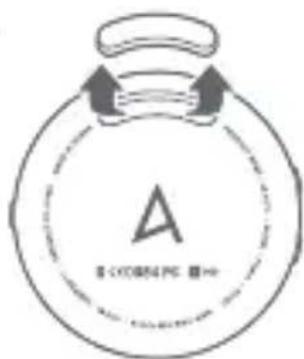
安裝夾具
- 請取下產品底部橡膠蓋。
繁體中文
©1999-2016 iriver Limited.
使 Qualcomm aptX is a product of Qualcomm Technologies International, Ltd.
免責聲明

- 구성품
- KOREAN
- 제품보증서
- 품질보증서
- MOUNTING THE CLIP
- ENGLISH
- OVERALL STRUCTURE
- SKIP NEXT/PREVIOUS SONG KEY
- POWER KEY
- VOLUME CONTROL KEY
- BLUETOOTH KEY
- PLAY/PAUSE AND MULTI-KEY
- STATUS LED
- EARPHONE JACK
- BALANCE PORT
- MICRO USB CONNECTOR (ONLY CHARGING)
- BUILT-IN MICROPHONE
- TURNING THE DEVICE ON/OFF
- BLUETOOTH PAIRING
- MULTI PAIRING
- LISTENING TO MUSIC
- TALKING ON THE PHONE
- RESETTING
- LOCK
- RECHARGING
- TROUBLESHOOTING
- PRECAUTIONS
- COPYRIGHT
- DISCLAIMERS
- FCC INFORMATION
- FCC NOTIFICATION TO USERS
- LIMITED WARRANTY STATEMENT
- LIEFERUMFANG
- ANBRINGEN DES CLIPS
- DEUTSCH
- HAFTUNGSAUSSCHLUSS
- MONTAGE DE LA PINCE
- FRANÇAIS
- CONTENIDO
- ESPAÑOL
- MONTAJE DEL SOPORTE
- DESCARGOS
- 安装背夹
- 免责声明
- 安裝夾具
- 免責聲明
Brand : ASTELL KERN
Model : XB10
Category : Mp3 player