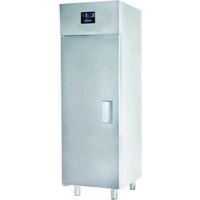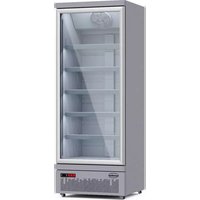
7455.2214 - Freezer CombiSteel - Free user manual and instructions
Find the device manual for free 7455.2214 CombiSteel in PDF.
Questions des utilisateurs sur 7455.2214 CombiSteel
0 question sur cet appareil. Repondez a celles que vous connaissez ou posez la votre.
Poser une nouvelle question sur cet appareil
Download the instructions for your Freezer in PDF format for free! Find your manual 7455.2214 - CombiSteel and take your electronic device back in hand. On this page are published all the documents necessary for the use of your device. 7455.2214 by CombiSteel.
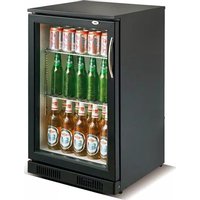
USER MANUAL 7455.2214 CombiSteel
SAFETY PRECAUTIONS To ensure proper use, please thoroughly study these SAFETY PRECAUTIONS before operating the unit. The purpose of the safety precautions in the manual is to ensure safe and correct use of the unit to minimize risks that could cause serious damage and injury to you or other persons. The safety precautions provided are divided into WARNINGS and CAUTIONS. Cases where improper handling of the unit could lead to death or serious injury are listed under the “WARNING” heading. However, the cases listed under the “CAUTION” heading could also lead to serious results. To ensure the safety, adhere strictly to both types of safety precautions. WARNING Improper handling of the unit could lead to death or serious injury. CAUTION Improper handling of the unit could lead to serious results depending on the circumstances.
Text set off by the exclamation mark contains information that should be strictly adhered to. After reading the instruction manual, store it in an easily accessible place where the user(s) of this product can easily find it. Precautions for installation WARNING
Installation should be performed only by the dealer or a qualified expert. Attempting to install the unit yourself could result in water leakage, refrigerant leakage, electrical shock or fire.
Precautions for use WARNING
All repairs, disassembly and modifications should be performed only by qualified technicians. Attempting to perform these yourself could result in a fire, malfunction and injury.
Never splash water directly onto the product or wash with water as short- circuit and electrical leakage could result.
Never put flammable or volatile substances into the unit as explosion and fire could result.
Do not damage, modify, excessively bend, strain, twist or bundle up the power cord. Also, placing heavy objects on the power cord or squeezing it into a tight place could damage it, possibly resulting in electrical shock or fire.5
Use a dedicated wall outlet. Do not use extension cords or convenience receptacles as this could result in overheating, which could lead to fires or an electrical shock.
Never use flammable spray cans or leave flammable substances near the unit. Sparks from electrical switches could result in explosion and fire.
The cooler is intended for storage and display of beer and beverages for sale. Do not use for other purpose than the intended as this could adversely affect items placed in the unit.
Never attempt to insert fingers, sticks, etc. into the cold air suction outlet. A circulation fan is rotating at high speed inside the outlet. Injury, electrical shock and improper operation could result.
For indoor use only. Using the unit in a location exposed to rain could result in electrical leakage and electrical shock.
Never place heavy objects or items containing water on top of the unit. Objects could fall down and cause injury and spilled water could deteriorate the insulation of electrical components and result in electrical leakage.
Install the unit in a location where the floor is sturdy enough to support the load of the unit. If the floor is not sturdy enough or installation is incorrectly performed, the unit could tip over and falling shelves and products could cause personal injury.
If you find gas leakage, please don’t touch the cooler. Close all gas valves and open the door(s) for ventilation. Gas leakage could cause explosion or start a fire which can cause a fire injury.
Store the unit in a location where it is not exposed to rain. Using a unit that has been exposed to rain could result in electrical leakage and electrical shock.
Place the unit away from hot air sources. The cooling performance will be reduced if the unit is placed near heat sources such as hot plates and stoves and if it is exposed to direct sunlight.6
Leave disassembly and disposal of the unit to qualified experts.
Should the unit need temporary storage, make sure not to store the unit in a location where children play and take precautions so that the door(s) cannot be completely closed. This will minimize the risk that a child becomes trapped inside the compartment.
WELL VENTILATED PLACE
Please leave more than 10cm space between unit and the wall. If there is no space, the cooling capacity will be reduced.
If installation in a damp location is unavoidable, please install an electrical leakage circuit breaker. If no electrical leakage circuit breaker is installed, electrical shock could result.
Never hang from the door or climb onto the unit. The unit could tip over or fall and cause material damage or injury.
Disconnect the power cord plug from the wall outlet before moving the unit and make sure that the power cord is not damaged during transport. A damaged power cord could result in electrical shock and/or fire.
Grasp the handle when closing the door. Holding at other positions could result in pinched fingers and injury.
Do not apply excessive force to the glass surfaces as the glass could break/smash and cause personal injury.
When disconnecting the power cord plug from the wall outlet, hold at the plug main body close to the outlet. Pulling the cord could cause wire breakage, possible resulting in overheating and fire.
Make sure that the unit does not tip over or fall when it is moved. A falling unit could cause serious injury.
Do not throw items onto the shelves and do not place items totalling more than 30kg on each shelf. The shelf could fall down, possibly causing injury or break the shelf itself.
Be sure to attach and secure shelves correctly. An improperly attached shelf could fall down and cause injury or break the shelf.7
Before use Remove shipping package, tape, etc. Also leave the door(s) open for ventilation for a while. The unit is cleaned before shipment. However, clean the compartment interior once after delivery. Please insert power supply plug into the wall outlet, single-phase to cat voltage. Allow the unit to operate for about 1 hour to cool the compartment before placing items in the cooler.
WAIT 5 MINUTES OR MORE BEFORE RE-STARTING
Restarting the unit immediately after it has been turned off may cause fuses to blow and activate the circuit- breaker, thus, the compressor may be overloaded and/or other damage may occur. Temperature adjustment See the “digital controller manual” on page 31. Drain tray Defrosting is performed automatically and drain water is collected in the drain tray. Water in the drain tray is evaporates automatically. In humid surroundings, there will be large amounts of water in the drain tray, so please throw away drain water at least once a day. Efficient use Please follow the instructions below, to save energy. To prevent cold air from escaping, open and close the door(s) quickly and keep the door(s) opened for as short a time as possible. Please install the unit in the place which is well-ventilated. Shelf height adjustment The shelf height can be adjusted. Arrange the shelves in accordance with the dimensions of the items to be placed in the cooler. Placing items in the showcase This showcase employs a forced circulation of cold air system. If circulation of cold air is obstructed, the items will not be adequately refrigerated. Pay attention to the following points: Do not let items obstruct the cold air inlet and suction outlet. Place items so that they do not protrude from the shelves. The gap between the shelves and the door(s) is used for circulation of cold air. Place items evenly on all shelves. Please do not display goods on the bottom. Please put goods on the shelf.8 CLEANING WARNING To prevent any electrical shock hazards or injury by rotating circulation fan, always disconnect the power cord plug from the wall outlet before cleaning.
Exterior and cooler compartment Wipe the exterior and cooler compartment of the unit with a soft, dry cloth. If very soiled, wipe with a cloth that has been moistened with a detergent. Then wipe with a cloth that has been dipped in water. WARNING Do not splash water directly onto the cooler and do not wash with water. Short-circuiting and electrical shock could result.
Clean the cooler regularly to keep it clean at all times. Never use polishing powder, soap powder, gasoline, oil or hot water as these will damage the painting and plastic components. Checks after cleaning To ensure the safety, perform the following checks after cleaning the unit. Make sure that the power plug is firmly inserted into a dedicated wall outlet. Confirm that the plug is not abnormally hot. Check the power cord for cracks and damage. Should the slightest irregularity be observed, contact the dealer form whom you have purchased the unit. TROUBLESHOOTING In case the unit shows operating problems, check the following before calling the authorized service agent. Problems Possible Causes Possible Solutions The unit is not operating Faulty electrical contact Verify electrical connections. Poor electrical power Check the power connection and electrical outlet. Thermostat set to the minimum position Adjust the thermostat setting to a higher number. Not reaching the desired temperature Unit is exposed to direct sunlight. Relocate the unit to a shaded area. Thermostat is not properly adjusted. Adjust the thermostat setting to a higher number. Door(s) not properly closed Check the levelling of the unit and door seal. Products poorly distributed or excess product load Redistribute the product load according start instructions. Clogged condenser Clean the condenser. Blocked grills Clean the grills of any debris collected. For models with electronic temperature controller, indicates E0 or E1. Unplug the unit from the outlet. If the error continues, contact an authorized service technician. Excessive noise The unit is not properly levelled. Level the unit, making sure all the feet are in firm contact with the floor. Something is in contact with the appliance, e.g. boxes, mops, brushes, etc. Keep the objects away from the appliance. Water on the floor Drain hose is outside of the drain pan. Lovate the hose in the drain pan.9 WARNINGS
WARNING: Keep ventilation openings, in the unit enclosure or in the in the built-in structure, clear of
WARNING: Do not use mechanical devices or other means to accelerate the defrosting process, other than
those recommender by the manufacturer.
WARNING: Do not damage the refrigerant circuit.
WARNING: Do not use electrical appliances inside the food storage compartments of the appliance, unless
they are of the type recommended by the manufacturer.
WARNING: This appliance can be used by children aged from 8 years and above and persons with reduced
physical, sensory or mental capabilities or lack of experience and knowledge if they have been given supervision or instruction concerning use of the appliance in a safe way and understand the hazards involved.
WARNING: Children shall not play with the appliance.
WARNING: Cleaning and user maintenance shall not be made by children without supervision.
WARNING: If the supply cord is damaged, it must be replaced by the manufacturer, its service agent or
similarly qualified persons in order to avoid a hazard. The following warnings only used for the product with refrigerant R290
WARNING: Equipment is only allowed to transport and place in the normal way, during transportation, we
need to ensure heat from sun radiation to equipment is not more than 60℃ , so as to protect refrigeration unit.
WARNING: Equipment should be installed in a well-ventilated place, avoid larger thermal radiation. (Prohibit
in front of a heater or heating equipment)
WARNING: For any types of maintenance and well-keeping, need to stop power supply first, and
professional personnel is required.
WARNING: R290 discharge is only allowed to operate in well-ventilated room or outdoor, open flame is
WARNING: LED light is not allowed to replace by oneself, but by professional maintenance personnel.
WARNING: Do not store explosive substances such as aerosol cans with a flammable propellant in this
WELL VENTILATED PLACE
inflammable dans cet appareil.PJEZ (PJEZ****G/H/I/L/M/N/O/P*) - electronic controller +050004235 - rel. 1.1 - 10.06.2015Dimensions (mm)Panel mountingRear (with 2 quick-t side brackets)Fig. 1Fig. 2 Description PJEZ* (models S, Y, C) represent a range of electronic microprocessor controllers with LED display developed for the management of refrigerating units, display cabinets and showcases. • PJEZS*, designed for the management of static refrigerating units, no fan on the evaporator, operating at temperature above 0°C; • PJEZY*, designed for the management of static refrigerating units, no fan, operating at low temperatures;• PJEZC*, designed for the managements of low temperature ventilated refrigerating units. Technical specifications power supply 230 Vac +10 /-15% 50/60 Hz; 115 Vac +10 /-15% 50/60 Hzrated power 3.5 VAinputsNTC probes 1 or 2 inputs1 digital inputrelay outputs 30 A relay UL: 16 A Res. 16 FLA 96 LRA - 240 Vac (FASTON tabs) EN60730-1: 20(10) A 250 Vac (FASTON tabs) UL: 12 A Res. 12 FLA 72 LRA - 240 Vac EN60730-1: 12(10) A 250 Vac8 A relay UL: 8 A Res. 2 FLA 12 LRA - 240 Vac C300, EN60730-1: 8(4) A NO, 6(4) A NC, 2(2) A CO - 250 Vac5 A relay UL: 5 A Res. 1 FLA 6 LRA - 240 Vac C300, EN60730-1: 5(1) A - 250 Vactype of probe Std CAREL NTC 10 KΩ at 25 °Cconnections for screw terminals, cross-section of cables from 0.5 mm2 to 1.5 mm2, rated maximum current per terminal 12Afor FASTON tabs, cross-section of cables up to 2.5 mm2, rated maximum current per terminal 20Aassembly use rear bracketsdisplay 2 digit LED display with sign (-99 to 99) and decimal point; four status LEDsoperating conditions -10T50 °C - humidity <90% rH non-condensingstorage conditions -20T70 °C - humidity <90% rH non-condensingrange of measurement -50T90 °C - resolution 0.1 °Cfront panel index of protection panel installation with IP65 type 1 gasketcase plastic terminal, 81x26x65 mmclassification according to protection against electric shockClass II when suitably integratedenvironmental pollution normalPTI of the insulating material 250Vperiod of stress across the insulating parts longcategory of resistance to heat and fire category D (UL94 – V2)immunity against voltage category 1type of action and disconnection 1C relay contactsno. of relay automatic operating cycles 100,000 operationssoftware class and structure Class Acleaning the instrument only use neutral detergents and watercable max. length probes: 30m, relay: 10m
- do not run the power cable less than 3 cm from the bottom part of the device or from the probes; • the connections only use copper wires;• relay not allowed to use on fluorescent lamp(neon) with phase-shift capacitors. Table of alarms Alarm code LED DescriptionParameters involved ON probe 1 error = control -E1(*) ON probe 2 error = defrost [d0 = 0 / 1] dr(*)ON open door alarm
ON unit parameter error - ON operating parameter error - (*) not available for PJEZS*E* IMPORTANT WARNINGS The CAREL product is a state-of-the-art device, whose operation is specified in the technical documentation supplied with the product or can be downloaded, even prior to purchase, from the website www.carel.com.The customer (manufacturer, developer or installer of the final equipment) accepts all liability and risk relating to the configuration of the product in order to reach the expected results in relation to the specific final installation and/or equipment. The failure to complete such phase, which is required/indicated in the user manual, may cause the final product to malfunction; CAREL accepts no liability in such cases. The customer must use the product only in the manner described in the documentation relating to the product. The liability of CAREL in relation to its products is specified in the CAREL general contract conditions, available on the website www.carel.com and/or by specific agreements with customers.PJEZS*9 10 118
Electrical connectionsFig. 3 Disposal of the product The appliance (or the product) must be disposed of separately in accordance with the local waste disposal legislation in force. Safety standards: Installation precautions:• the connection cables must guarantee insulation up to 90 °C;• ensure a space of at least 10 mm between the case and the nearby conductive parts;• digital and analogue input connections less than 30m away; adopt suitable measures for separating the cables so as to ensure compliance with the immunity standards; Secure the connection cables of the outputs so as to avoid contact with very low voltage parts.卡乐保留不预先告示即修改产品特性的权力。 CAREL INDUSTRIES HQs Via dell’Industria, 11 - 35020 Brugine - Padova (Italy) Tel. (+39) 0499716611 – Fax (+39) 0499716600 – http://www.carel.com – e-mail: carel@carel.com Parameters table Table of parameters for PJEZY*,PJEZC*,PJEZS*J* Description Type Min Max Def. UOM
Control differential F 0 19 2.0 °C
Comp. and fan start delay after start-up C 0 99 0 Min
Type of defrost (0= heater; 1= hot gas; 2= heater by time; 3= hot gas by time; 4= heater by time with temp. cont.) C 0 4 0 -
Interval between two defrosts C 0 24 8 Hour
Dripping time after defrost C 0 15 2 Min钟
Fan and alarm differential (≤0,AL and AH expressed as absolutes; >0,AL and AH expressed relative to the set point) C -20 20 -2.0 °C
Low and high temperature alarm delay C 0 99 0 Min钟
door related FAN or Light management 0= input not active 1=door opening with FAN OFF 2= door opening with Light ON(FAN is not available, Light output is activated) C 0 2 0 -
fan states during defrost C 0 1 1 -
post-dripping time C 0 15 0 Min钟
Start delay when FAN ON is required by the Regulation C 1 99 3 Sec F5 Fan Duty Cycle(with F2=2): ON time C 1 99 5 Min钟
Fan Duty Cycle(with F2=2) : OFF time C 1 99 5 Min钟
Minimum set point allowed to the user C -50 r2 -50 °C
Control differential F 0 19 2.0 °C
Comp. and fan start delay after start-up C 0 99 0 Min
Interval between two defrosts C 0 24 8 Hour
Fan and alarm differential (≤0,AL and AH expressed as absolutes; >0,AL and AH expressed relative to the set point) C -20 20 -2.0 °C
Low and high temperature alarm delay C 0 99 0 Min
Minimum set point allowed to the user C -50 r2 -50 °C
- Minimum compressor ON time is 1 minute;
- If there is no defrost relay, the compressor will be shut down for defrost;
- Freeze the display when defrost, it returns when the temperature reaches the set point;
- Alarm is bypassed 1 hour after defrost;
- Open door alarm will be activated after detecting the door opening 5 minutes. Setting the set point (desired temperature)
- press for 1 s, the set value will start flashing after a few moments;
- increase or decrease the value using or ;
- press to confirm the new value. Switching the device ON/OFF press for more than 3 s. The control and defrost algorithms are now disabled and the instru- ment displays the message“OFF” alternating with the temperature read by the set probe. Manual defrost (only for models C/Y) press down for DOWN more than 3 s (the defrost starts only the temperature conditions are valid). Show defrost probe temperture(only for models C/Y) press and together. Access and setting type F (frequent) and type C (configuration) parameters
- press for 3 s (the display will show “PS”);
index function normal operation Start up ON OFF blink 1 compressor on off request on 2 fan on off request on 3 defrost on off request on 4 aux output on output off - on 5 digit 2 digit LED display with sign (-99 to 99) and decimal point Table.1 Table of functions activated by the buttons button normal operation start up pressing the button alone pressed together more than 3 s: toggle ON/OFF pressed together display defrost probe temp.
EasyManual