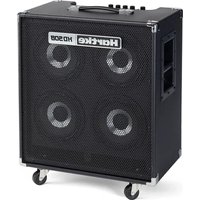
HD508 - Guitar amp Hartke - Free user manual and instructions
Find the device manual for free HD508 Hartke in PDF.



| Product Type | Active Bass Combo Amplifier |
| Brand | Hartke |
| Model | HD508 |
| Output Power | 500 W peak / 250 W RMS (Class D) |
| Speakers | 4 x 8" HyDrive (paper/aluminum hybrid cone, neodymium magnet) |
| Dimensions (W x D x H) | 498 x 305 x 515 mm |
| Weight | 15.6 kg |
| Power Supply | Mains 100-120V or 220-240V (selectable), fuse T4AL/250V (100-120V) or T2AL/250V (220-240V) |
| Instrument Input | 6.35 mm unbalanced jack, nominal input level 77.46 mV rms (@1 kHz) |
| Auxiliary Input | 3.5 mm stereo jack (line level) |
| Outputs | XLR Direct Output (pre-EQ/pre-Volume), effects loop (Send/Return 6.35 mm jacks), headphone output 6.35 mm jack |
| Equalization | 3 bands: Bass (70 Hz), Mid (700 Hz), Treble (5 kHz); plus parametric Shape filter (100 Hz - 900 Hz, cut 20 dB) |
| Shape Switch | Activates a preset equalization curve enhancing bass sound; the Shape knob adjusts the filter frequency |
| Signal-to-Noise Ratio | 49.3 dBu (1 Wrms @1 kHz) |
| Total Harmonic Distortion | 0.54% (@1 dB below rated output, 1 kHz typical) |
| Operating Conditions | Residential, commercial, light industrial, urban outdoor environments (do not rack mount) |
| Safety | Do not open, do not expose to water or excessive heat, use only with specified accessories |
| Maintenance and Cleaning | Clean with a dry cloth; do not block ventilation openings; refer all servicing to qualified personnel |
| Spare Parts and Repairability | Contact Samson (1-800-SAMSON) or local distributor; requires an RA number for return |
| General Information | User manual available in PDF format; compatible with electric bass guitar |
Frequently Asked Questions - HD508 Hartke
User questions about HD508 Hartke
0 question about this device. Answer the ones you know or ask your own.
Ask a new question about this device
Download the instructions for your Guitar amp in PDF format for free! Find your manual HD508 - Hartke and take your electronic device back in hand. On this page are published all the documents necessary for the use of your device. HD508 by Hartke.
USER MANUAL HD508 Hartke
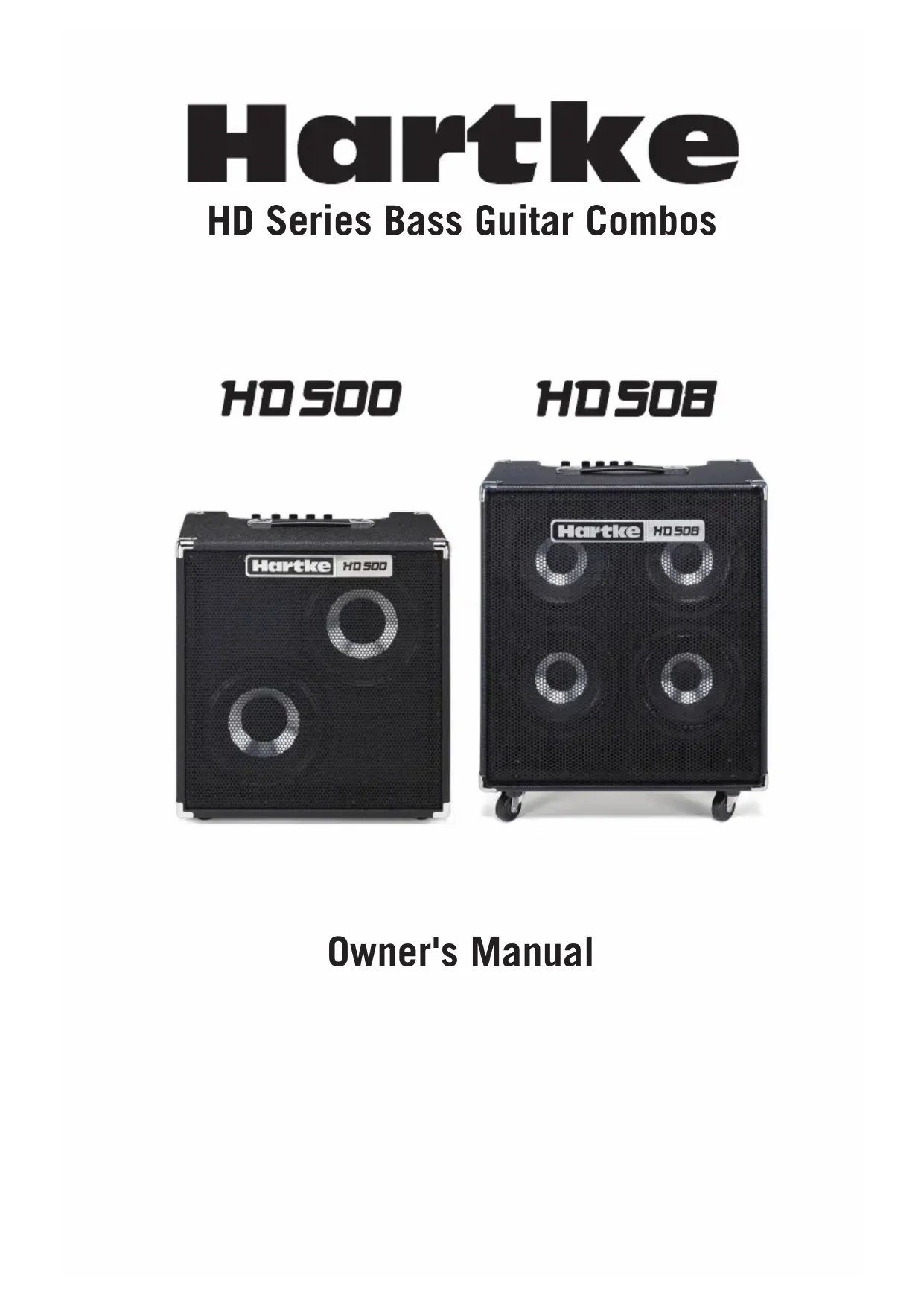
HD Series Bass Guitar Combos
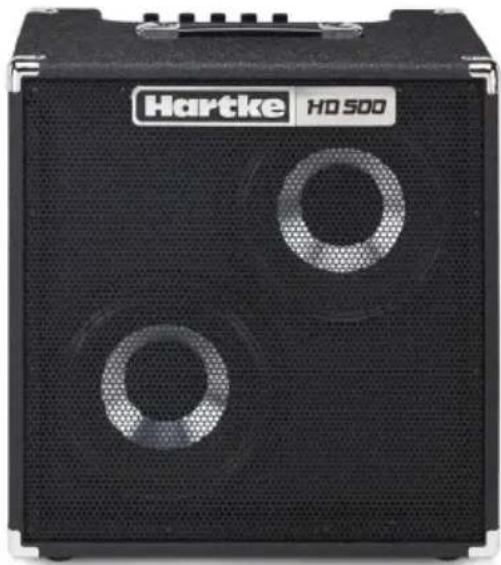
HD 500
natural_image
Black Hartke HD 500 audio amplifier with two circular vented buttons (no text or symbols on body)HD 508
natural_image
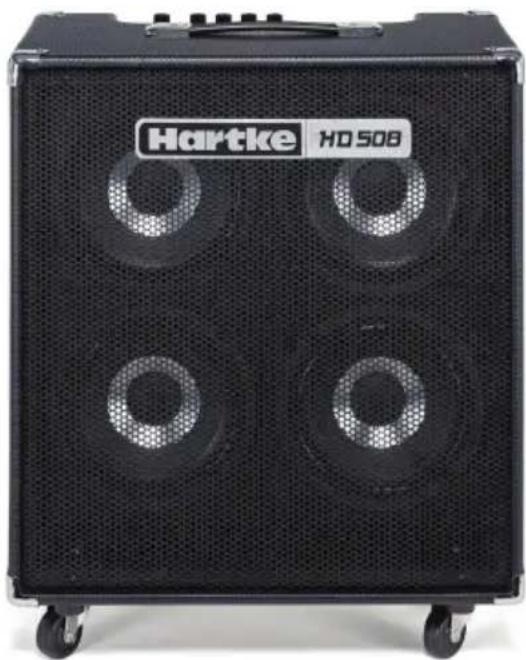
Black Hartke HD 508 audio amplifier with four circular vent�ers and mesh grille (no visible text or symbols on body)Owner's Manual
Important Safety Information

AVIS RISQUE DE CHOC ÉLECTRONIQUE- NE PAS OUVRIR
WARNING: TO REDUCE THE RISK OF ELECTRIC SHOCK, DO NOT REMOVE COVER (OR BACK) AS THERE ARE NO USER-SERVICEABLE PARTS INSIDE. REFER SERVICING TO QUALIFIED SERVICE PERSONNEL.
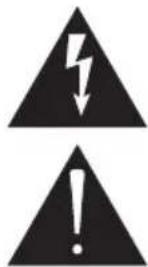
This lightning flash with arrowhead symbol within an equilateral triangle is intended to alert the user to the presence of non-insulated “dangerous voltage” within the product's enclosure that may be of sufficient magnitude to constitute a risk of electric shock.
The exclamation point within an equilateral triangle is intended to alert the user to the presence of important operating and maintenance instructions in the literature accompanying the appliance.
EMC Notice
The H500 and HD508 are active speakers for professional use, they can be used in following electromagnetic environment: residential, commercial and light industrial, urban outdoors. They are the apparatus Not intended for rack mounting.
- For HD500 and HD508, the peak inrush current equals to 9.31A.
FCC Notice
This device complies with part 15 of the FCC Rules. Operation is subject to the following two conditions: (1) this device may not cause harmful interference, and (2) this device must accept any interference received, including interference that may cause undesired operation.
Changes or modifications not expressly approved by the party responsible for compliance could void the user's authority to operate the equipment.
NOTE: This equipment has been tested and found to comply with the limits for a Class B digital device, pursuant to Part 15 of the FCC Rules. These limits are designed to provide reasonable protection against harmful interference in a residential installation. This equipment generates, uses and can radiate radio frequency energy and, if not installed and used in accordance with the instructions, may cause harmful interference to radio communications. However, there is no guarantee that interference will not occur in a particular installation. If this equipment does cause harmful interference to radio or television reception, which can be determined by turning the equipment off and on, the user is encouraged to try to correct the interference by one or more of the following measures:
- Reorient or relocate the receiving antenna.
- Increase the separation between the equipment and receiver.
- Connect the equipment into an outlet on a circuit different from that to which the receiver is connected.
- Consult the dealer or an experienced radio/TV technician for help.
HD500 and HD508 are Bass Combo Amplifiers for professional use. This apparatus is not intended to be rack mounted. It can be used in the following electromagnetic environment: residential, commercial and light industrial, urban outdoors. Under EM disturbance the signal to noise ratio may increase 3dB.
Copyright 2019, V2
Hartke
278-B Duffy Ave
Hicksville, New York 11801
www.hartke.com
Important Safety Information
- Read these instructions.
- Keep these instructions.
- Heed all warnings.
- Follow all instructions.
- Do not use this apparatus near water.
- Clean only with dry cloth.
- Do not block any ventilation openings. Install in accordance with the manufacturer's instructions.
- Do not install near any heat sources such as radiators, heat registers, stoves, or other apparatus (including amplifiers) that produce heat.
- Do not defeat the safety purpose of the polarized or grounding type plug. A polarized plug has two blades with one wider than the other. A grounding type plug has two blades and a third grounding prong. The wide blade or the third prong are provided for your safety. If the provided plug does not fit into your outlet, consult an electrician for replacement of the obsolete outlet.
-
Protect the power cord from being walked on or pinched particularly at the plugs, convenience receptacles, and at the point where they exit from the apparatus.
-
Only use attachments/accessories specified by the manufacturer.
-
Use only with the cart, stand, tripod, bracket, or table specified by the manufacturer, or sold with the apparatus. When a cart is used, use caution when moving the cart/apparatus combination to avoid injury from tip-over.
-
Unplug the apparatus during lightning storms or when unused for long periods of time.
- Refer all servicing to qualified personnel. Service is required when the apparatus has been damaged in any way, such as power supply cord or plug is damaged, liquid has been spilled or objects have fallen into the apparatus has been exposed to rain or moisture, does not operate normally, or has been dropped.
- This appliance shall not be exposed to dripping or splashing water and that no object filled with liquid such as vases shall be placed on the apparatus.
- Caution-to prevent electrical shock, match wide blade plug wide slot fully insert.
- Please keep a good ventilation environment around the entire unit.
- To prevent injury, this apparatus must be securely attached to the stand in accordance with the installation instructions.
- WARNING: The battery (battery or batteries or battery pack) shall not be exposed to excessive heat such as sunshine, fire or the like.
- CAUTION: Danger of explosion if battery is incorrectly replaced. Replace only with the same or equivalent type.

If you want to dispose this product, do not mix it with general household waste. There is a separate collection system for used electronic products in accordance with legislation that requires proper treatment, recovery and recycling.
Private household in the 28 member states of the EU, in Switzerland and Norway may return their used electronic products free of charge to designated collection facilities
or to a retailer (if you purchase a similar new one).
For Countries not mentioned above, please contact your local authorities for a correct method of disposal.
By doing so you will ensure that your disposed product undergoes the necessary treatment, recovery and recycling and thus prevent potential negative effects on the environment and human health.
Introduction
Thank you for purchasing the HyDrive HD500 or HyDrive HD508 Bass Combo from Hartke! We know you don't like reading owners manuals, but you've just purchased one of the finest bass combos around, and we want to tell you about it. So, before you plug in and start playing, we'd like to suggest you take just a few moments to scan these pages.
The HD500 and HD508 Combos feature a 500 watt, high-efficiency and lightweight class-D amplifier. The HD500 features two 10" HyDrive Series speakers with neodymium magnets and the HD508 has four 8" HyDrive Series speakers. Hartke HyDrive transducers are a unique hybrid cone speaker design. Constructed using an outside paper cone which produces deep and warm low frequencies, and an inside aluminum cone which produces smooth mids and enough high-end to cut through the mix. The class-D amplifier along with neodymium speaker magnets combines tremendous power into a lightweight design.
In these pages, you'll find a description of the many features of your Hartke HD500 or HD508 bass amplifier combo, instructions for setting up and using the amp, plus full specifications. If you purchased the amplifier in the United States you will also find a warranty card enclosed — please follow the instructions so that you can receive technical support and so we can send you updated information about this and other Hartke products in the future. Also, be sure to check out our website (www.hartke.com) for complete information about our full product line.
We recommend you keep the following records for reference, as well as a copy of your sales receipt.
Serial number: ____
Date of purchase: ____
Dealer name: ____
With proper care and maintenance, your HD Combo will operate trouble-free for many years. Should the product ever require servicing, a Return Authorization (RA) number must be obtained before shipping your unit to Samson. Without this number, the unit will not be accepted. Please call Samson at 1-800-3SAMSON for an RA number prior to shipping your unit. Please retain the original packing materials and, if possible, return the unit in its original carton. If your HD was purchased outside of the United States, contact your local distributor for warranty details and service information.
Top Panel Controls
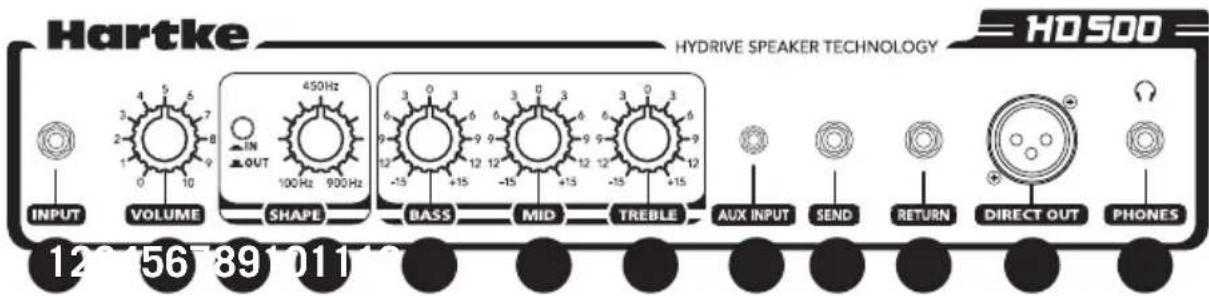
- INPUT - Connect your bass guitar here using a standard 1/4" unbalanced instrument cable.
- VOLUME Control - This is the overall volume control. For best signal-to-noise ratio, keep the output of your bass at or near maximum and adjust the VOLUME to the desired level.
- SHAPE Switch - When pressed it activates a special equalization curve that is designed to enhance the sound of your bass instrument. When the switch is in the out position, Shape is inactive.
- SHAPE Control - When the SHAPE switch is pressed in, this control is active. It applies a 20 dB filter to the specified frequency area so that you can customize the effect of the Shape curve to best complement your particular bass instrument. Moving the Shape control clockwise causes the notch filter to be applied to higher frequencies while moving it counterclockwise causes it to be applied to lower frequencies. At the fully clockwise position, the filter is applied to the 900Hz frequency area; at the fully counterclockwise position, the filter is applied to the 100Hz frequency area.
- BASS Control - This control is used to adjust the low frequency response. As it is turned clockwise the frequency area is boosted; as it is turned counterclockwise the frequency area is attenuated.
- MIDRANGE Control - This control is used to adjust the mid frequency response. As it is turned clockwise the frequency area is boosted; as it is turned counterclockwise the frequency area is attenuated.
- TREBLE Control - This control is used to adjust the high frequency response. As it is turned clockwise the frequency area is boosted; as it is turned counterclockwise the frequency area is attenuated.
- AUX INPUT - Use this 1/8" input to connect a line level device like a portable CD or MP3 player.
Top Panel Controls continued
- Effect SEND jack - Use this 1/4" unbalanced jack to send signal from the HD500 to outboard effects processors. In-line effects, such as stomp boxes, intended for low signal levels should be placed between the bass and the amplifier input and not connected with the Effect Send and Return jacks. You can also use the Effect Send jack to route signal to an external mixing console or amplifier with an input sensitivity of +4 dB.
- Effect RETURN jack - Use this 1/4" unbalanced jack to return low impedance signal to the HD500 from an outboard effects processor.
- Direct output - This standard male XLR connector provides a mic level pre-EQ (and pre-Volume control) balanced low-impedance output from the amplifier. This ouptput is usually used this to connect the HD500 to a Direct Injection (DI) box or to an XLR mic input when interfacing with external sound reinforcement or recording mixing consoles. The signal from this output adds approximately 6 dB of gain to the input level.
- Headphones jack - Connect headphones to this standard 1/4" jack. When a plug is inserted into the headphone jack, the speaker output is disconnected, allowing you to use your HD500 as a practice amplifier.
Rear Panel Controls
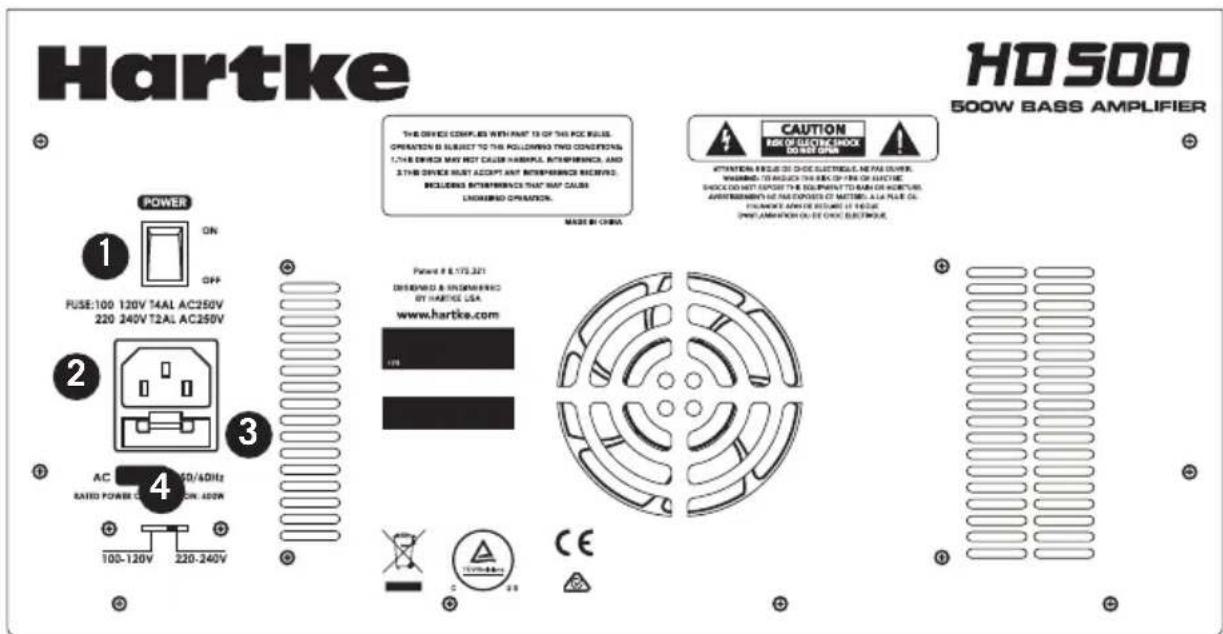
- Power Switch - Use this to power the amplifier on or off. When powered on, the switch illuminates red.
- AC Inlet - Attach the grounded AC power cord here to connect your amplifier to mains power. This cord comes supplied with the appropriate plug for your geographic area.
CAUTION: Do not use an adapter to defeat the third grounding pin on this plug or severe electric shock may result!
- Fuse Holder - The fuse holder comes from the factory with the appropriately rated fuse for your model. If you need to change this fuse for any reason, replace it with one that has the same exact rating.
- Voltage Selection Switch - This switch is used to select the amplifiers operating voltage
NOTE: Before using your speaker, be sure the voltage selection switch is set to the correct voltage for your country. Be sure to install the properly rated fuse when changing the operating voltage.
Quick Start
Setting up your Hartke HD500 or HD508 Combo Bass Amplifier is a simple procedure which takes only a few minutes:
- Remove all packing materials and decide where the amplifier is to be physically placed.
- Before you plug-in the power cable, be sure the Power switch is in the off position. Connect the supplied power cable to the AC inlet located on the rear panel. Then, plug-in the 3-pin AC plug into any grounded AC socket.
- Use a standard 1/4" instrument cable to connect your bass to the Input jack on the front panel.
- Turn the Volume control to the minimum (fully counterclockwise) position, set all EQ knobs to their twelve o'clock position and set the Shape switch to the OFF (out) position.
- Press the Power switch in order to turn on the amplifier.
- Set the output of your bass to maximum and then, while playing, slowly turn the Volume control up until the desired level is achieved.
- Press in the Shape switch and rotate the Shape knob clockwise and counterclockwise to hear the effect of the Shape equalization curve on your bass. Leave the Shape knob at the point where it best complements your particular instrument and playing style.
- Adjust the equalization controls to taste.
- Test the headphone output by turning the Volume control to its minimum (fully counterclockwise) position and then connect a pair of headphones to the top-panel Phones jack. While playing your bass, slowly turn the Volume control up, you should hear sound from the headphones and none from the connected speaker.
- If you want to connect the HD500/HD508 combo to a front-of-house mixing console or audio interface, plug a standard female XLR jack into the top-panel Direct Out output and connect it to an XLR mic-level input on a mixer.
Using Equalization
Hartke HD500 and HD508 combos give you control over shaping the sound of your bass, using a process called equalization. To understand how this works, it's important to know that every naturally occurring sound consists of a broad range of pitches, or frequencies, combined together in a unique way. This blend is what gives every sound its distinctive tonal color. The HD500/HD508 EQ controls allow you to alter a sound by boosting or attenuating specific frequency areas - they operate much like the bass and treble controls on stereo, but with much greater precision.
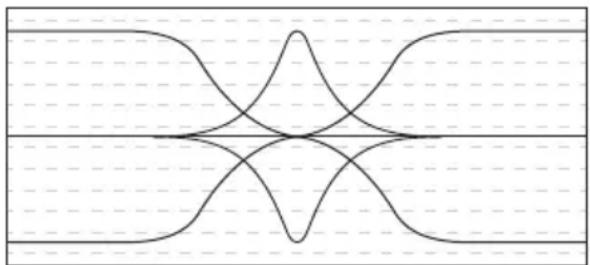
The HD500 and HD508 offers three bands of equalization. Each EQ knob, labeled Bass, Midrange, and Treble, affects a different frequency area of the audio. We carefully selected these frequency areas because they have maximum impact on bass guitar signals. The Bass and Treble controls are shelving EQs, which provide boost when the control is moved clockwise from the center or cut when the control is moved counterclockwise from the center. The Mid EQ control is a peaking EQ. As the Mid control is turned clockwise the frequency area is boosted; as it is turned counterclockwise the frequency area is attenuated.
natural_image
Symmetrical abstract line pattern with intersecting curves and dashed horizontal lines (no text or symbols)BassTrebleMidrange
In many instances, the best way to deal with equalization is to think in terms of which frequency areas you need to attenuate, as opposed to which ones you need to boost. Be aware that boosting a frequency area also has the effect of boosting the overall signal; specifically, too much Low EQ boost can actually cause overload distortion or even harm the connected speaker.
The Shape Control
The HD500 and HD508 unique Shape control enables the sound of your bass instrument to be enhanced at the touch of a button. When the front panel Shape switch is pressed in, a special equalization curve is activated that is designed to enhance the sound of most electric bass instruments. This curve provides moderate boost at certain frequency areas and deep attenuation at other frequency areas. Furthermore, the Shape control adds a filter to a selected frequency area within the Shape curve. As the Shape knob is turned clockwise, the filter is applied to higher frequency areas; as it is turned counterclockwise, the filter is applied to lower frequency areas.
Even when Shape is activated, the front-panel EQ controls remain operational. When all three EQ controls are set to their “O” (flat) position, they add no boost or attenuation to the preset Shape curve. However, when any EQ controls are turned left or right of their 12 o’clock (“O”) position, their boost or attenuation effect is layered upon the preset Shape curve. In this way, you can customize the sound of the HD500/HD508 amplifier further still to complement your particular bass instrument and playing style.
Note that, when the Shape switch is out, the EQ controls operate on the “flat” signal coming from your bass (that is, there is no preset equalization curve imposed).
The specific EQ you will apply to your bass signal is very much dependent upon your particular instrument and personal taste and playing style. However, here are a few general suggestions:
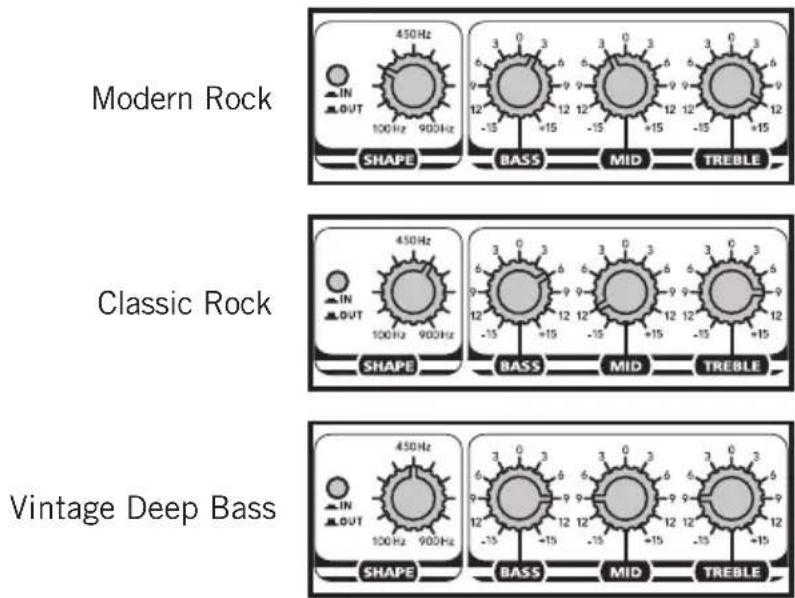
As you experiment with the EQ and Shape controls, don't forget that your bass also provides significant EQ control in the form of its pickup and tonal settings. This can be particularly effective in instruments that have active circuitry.
Specifications
Rated Output Power 500 watts Peak / 250 watts RMS
Rated Input Level 77.46mv rms (@1kHz)
Total Harmonic Distortion 0.54% (@1dB below rated output, 1kHz typical)
Signal To Noise Ratio 1W/49.3dBu (1Wrms @1kHz)
Signal Gain Speaker Output 37.1Vrms
Signal Gain to Direct Out 4.2Vrms
Equalizer Center Frequency
| Bass | 70Hz |
| Midrange | 700Hz |
| Treble | 5kHz |
| Shape Control | 100Hz - 900Hz |
| Fuse Rating | 220V-240V:T2AL AC250V100V-120V:T4AL AC250V |
| Weight | 34.39lb15.6kg |
| Dimensions (LxWxH) | 19.6" x 12" x 20.27"498mm x 305mm x 515mm |
At Hartke, we are continually improving our products, therefore specifications and images are subject to change without notice.
natural_image
Symmetrical abstract line pattern with intersecting curves and dashed horizontal lines (no text or symbols)BassTrebleMidrange
natural_image
Symmetrical abstract line pattern with intersecting curves and dashed horizontal lines (no text or symbols)BassTrebleMidrange
19,6" x 12" x 20,27"
El control Shape (forma)
Control Shape (forma)
100Hz - 900Hz
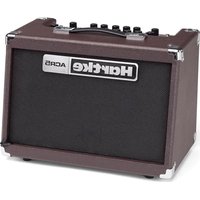
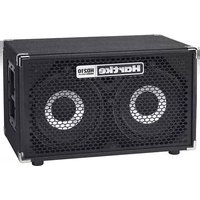
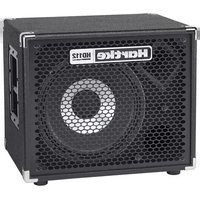
Brand : Hartke
Model : HD508
Category : Guitar amp