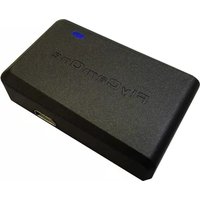
GPS Modul - Gps ACME - Free user manual and instructions
Find the device manual for free GPS Modul ACME in PDF.


| Product Type | External GPS Module |
| Brand | ACME |
| Model | GPS Module |
| Compatibility | FlyCamOne HD 720p, FlyCamOne HD 1080p, CarCamOne HD 720p |
| GPS Data Display | On external screen FCHD02 or on FlyCamOne HD 1080p screen |
| Main Functions | Recording of GPS coordinates, speed, distance, G-force, altitude, number of satellites, compass, artificial horizon |
| Connectivity | Connection cable, X-cable, 3.5mm AV output |
| Power Supply | Via camera |
| Included Software | FlyCamOne HD Player (compatible Windows XP, 7 and higher) |
| Recording Format | Text file on SD card |
| Installation | Connect the module and point towards the sky |
| Special Features | "Home-arrow" function after firmware update; heat-insulating windshields may interfere with reception |
| Care and Cleaning | Clean with a soft, dry cloth. Do not use harsh chemicals. |
| Safety | Avoid shocks and moisture. Do not disassemble. |
| Spare Parts and Repairability | Contact ACME support service for any repairs. |
| General Information | Recyclable product. Do not dispose of with household waste. |
Frequently Asked Questions - GPS Modul ACME
User questions about GPS Modul ACME
0 question about this device. Answer the ones you know or ask your own.
Ask a new question about this device
Download the instructions for your Gps in PDF format for free! Find your manual GPS Modul - ACME and take your electronic device back in hand. On this page are published all the documents necessary for the use of your device. GPS Modul by ACME.
USER MANUAL GPS Modul ACME
Information for disposal of crossed Bin marked products
This symbol is marked on a product or packaging, it means that the product including the batteries must not be disposed of with your general household waste. Only discard electrical/electronic items in separate collection schemes, which cater for the recovery and recycling of materials contained within. Your co-operation is vital to ensure the success of these schemes and for the protection of the environment.
ACME the game company GmbH
Industriestr. 10a
33397 Rietberg
Germany
Tel: +49 5244 7000 70
service@flycamone.com
oder / or
http://www.flycamone.com
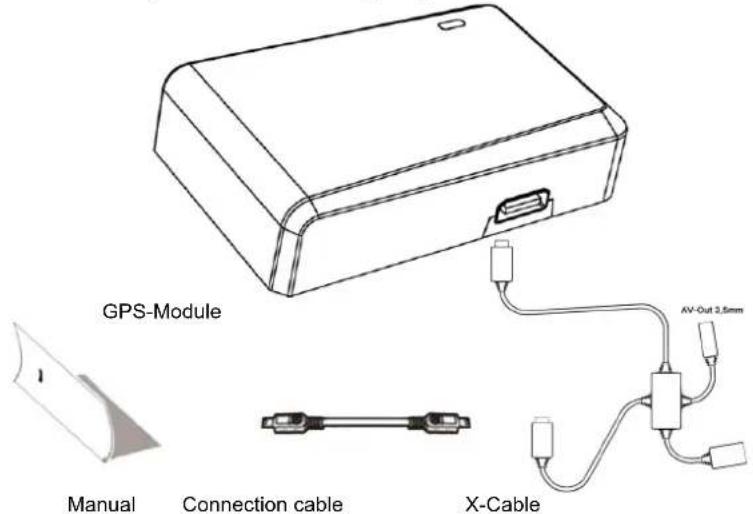
Lieferumfang
natural_image
Line drawing of a rectangular electronic device with a handle and mounting bracket (no text or symbols)GPS-Modul
Anleitung

Kabel (100mm)
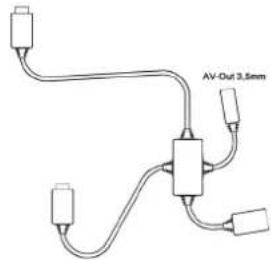
X-Kabel
Das GPS-Modul
Check the completeness before using the product!
Operation of the GPS-Module
The GPS-Module combines your videos with geographical data and map views. The PC Software grants you a view of all data at a look.
The GPS- information are not available on the display of the FlyCamOne HD 720p and CarCamOne HD 720p, but on the display of the FlyCamOne HD 1080p. When connecting the external screen (FCHD02), you can see the data on all cameras.
Simultaneous to the video, the GPS-Module creates a text folder on the memory card containing the GPS-Data.
For replay and analysis of the video- and GPS-Data the software „FlyCamOne HD Player" is required. Please download it on www.acme-online.de/download. The software supports Windows XP, Windows 7 and higher.
In flight mode altitude, speed, distance to starting point and G-power are displayed. The direction of flight, flight time and remaining memory space can be viewed as well as battery voltage and record status. The reached maximum speed and maximum G- Forces are shown as well.
A following Firmwareupdate for the cameras will display the "Home-arrow".
In CarCamOne Mode you can see current speed, max. speed, distance covered, G-Power, max. G-Powers the cars tilt angle. Please remember that vaporized windshields can extend detecting the GPS-Signal up to 2-4 minutes.
Installation of the GPS-Module
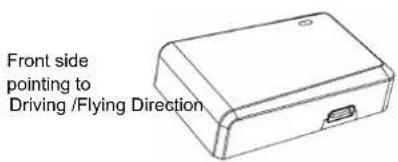
The supplied cables offer various setups of the GPS- Module – parallel or in circuit at the 10Pin-bus-system of the cam. Be sure that the „FlyCamOne“- logo on the module itself points to the sky and is not hidden through other items.
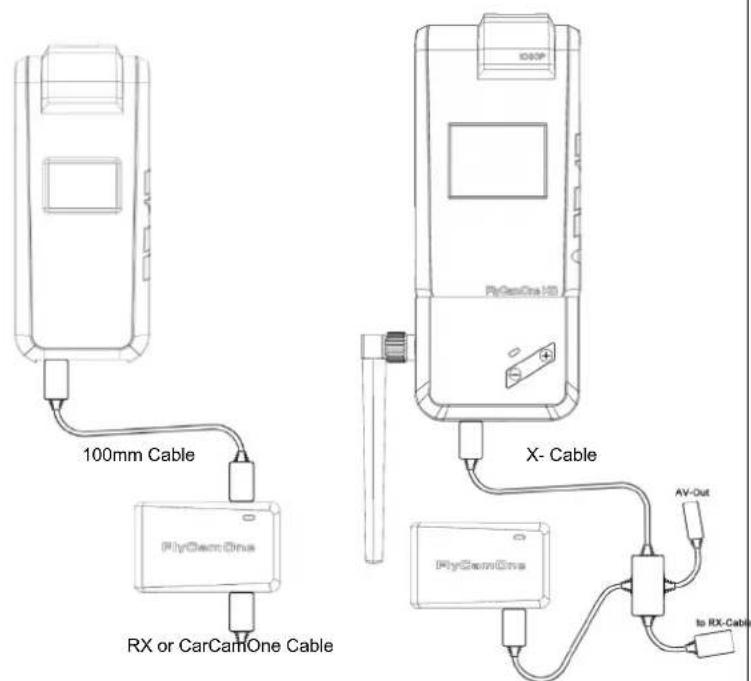
The recording of the GPS Data starts automatically as soon as the module gets plugged – activation is not necessary. In order to receive correct data, the module has to be connected before the recording starts – otherwise the height and the distance to the starting point cannot be detected correctly! Make sure to fix the module for right G-Data and right direction!
Display icons
The GPS Data are shown on the FlyCamOne HD 1080p directly. At the models FlyCamOne HD 720p and CarCamOne HD 720p will only be displayed at the external screen (FCHD02):
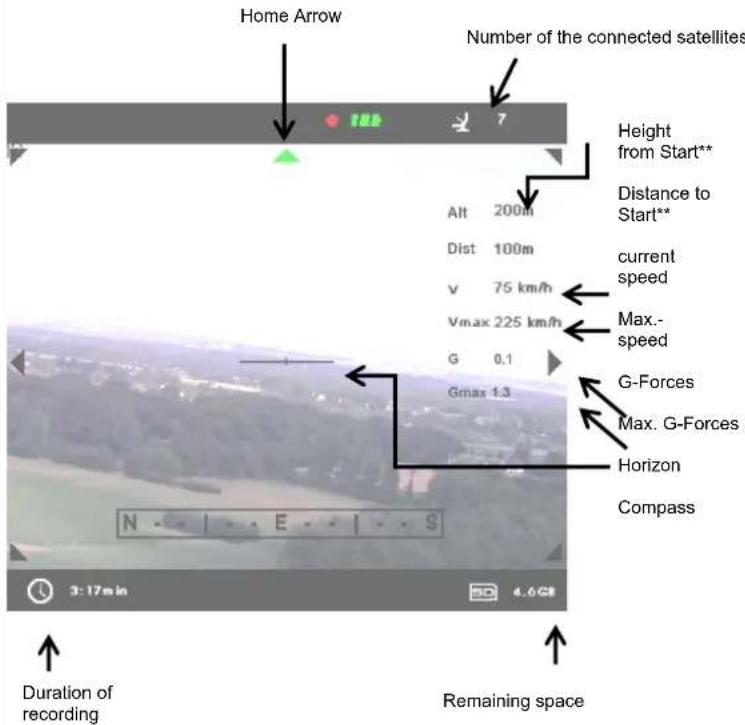
**The different profiles „FlyCamOne“ and „CarCamOne“ generate different Data. In FlyCamOne Mode height and distance from starting point are displayed. In CarCamOne Mode height above sea level and the driven distance are displayed. Pay attention on the chosen profile in the setup, menu item „System“.
PC Software
Please download the computer software from our homepage www.acme-online.de/download.
Please perform „Setup.exe“ for installation of the software.
The installation routine will ask for the directory and other information.
The software shows the video and GPS- Data in a cockpit desktop.
You can choose between FlyCamOne* and CarCamOne. The route information is shown by a map in the software. Therefore it is necessary to have an active internet connection. Please note that costs can occur.
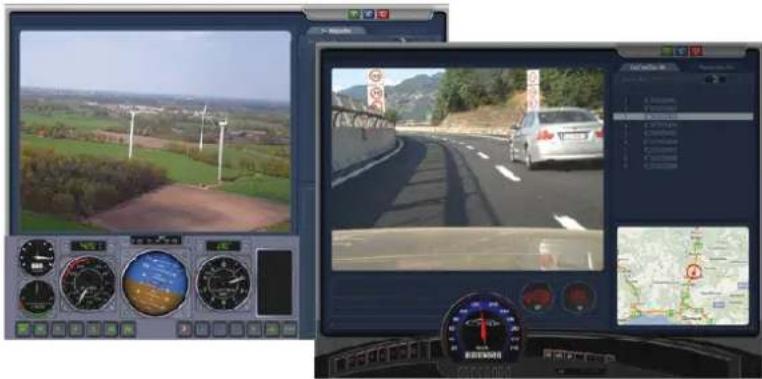
*FlyCamOne Software in Dec 2011!
Contenu de la boite
natural_image
Two-panel dashboard displaying a rural road scene with wind turbines and a car, alongside a map interface (no readable text or symbols)*FlyCamOne Software in Dec 2011!
ACME the game company GmbH
Industriestr. 10a
33397 Rietberg
Germany


