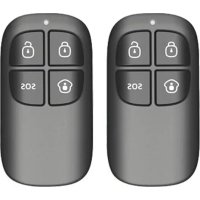
RC80 - Alarm system Chuango - Free user manual and instructions
Find the device manual for free RC80 Chuango in PDF.


| Product Type | Remote control for alarm system |
| Brand | Chuango |
| Model | RC80 |
| Dimensions | 58 x 31 x 9,5 mm |
| Weight | Approximately 20 g |
| Power supply | 1 CR2025 lithium battery (3 V DC) |
| Radio frequency | 433.92 MHz |
| Maximum range | 80 m in open area |
| Transmission current | < 7 mA |
| Max ERP power | -14.81 dBm |
| Housing material | PC + ABS plastic |
| Operating temperature | 0 °C to +55 °C |
| Operating humidity | < 80% (non-condensing) |
| Main functions | Arm, disarm, home mode, SOS, silent arming, silent disarming |
| Usage | Portable (keychain, pocket, bag) |
| Installation | Wireless connection to control panel |
| Maintenance | Clean with a soft, dry cloth |
| Battery replacement | Open the compartment, replace with a CR2025 |
| Safety | Do not expose to water or extreme temperatures |
| Compatibility | Compatible Chuango control panel |
Frequently Asked Questions - RC80 Chuango
User questions about RC80 Chuango
0 question about this device. Answer the ones you know or ask your own.
Ask a new question about this device
Download the instructions for your Alarm system in PDF format for free! Find your manual RC80 - Chuango and take your electronic device back in hand. On this page are published all the documents necessary for the use of your device. RC80 by Chuango.
USER MANUAL RC80 Chuango
∴ m = 3/11
∴ m = 3/11
∴ m = 3/11
-
-
∴ m = 3/11
∴ m = 3/11
∴ m = 3/11
∴ m = 3/11
-
∴ m = 3/11
USER MANUAL

RC-80
Remote Control
ENEN
Introduction
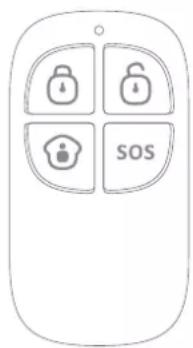
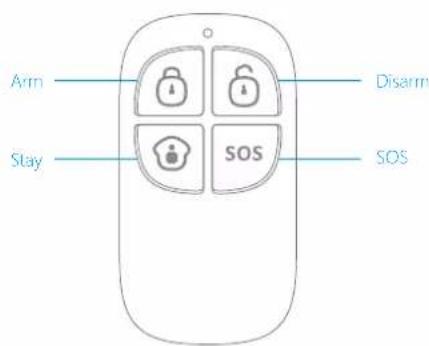
RC-80 remote control is dainty and delicate, easy to carry. It can be attached to your key rings, or just put into your pockets or purses. When you are about to exit or entry the house, you can use it to arm or disarm the system. In case of emergency, press the [SOS] button, the alarm will be activated immediately.
Overview
Connect Remote Control
Connecting the remote control is to build a wireless connection between the remote control and the control panel.
- Control panel enters into the connecting state (For details, please refer to the relative user manual).
- Press any key on the remote control, and the control panel beeps once, indicating a successful connection.
Note: If the control panel beeps twice when the above operation is done, it means the remote control has been connected before.
Operating Instructions
| Icon Operation Meaning | ||
| Arm | Press this button, and the control panel beeps once, indicating the whole system is armed. | |
| Disarm | Press this button, and the control panel beeps twice, then the system is disarmed except those sensors in the 24-hour zone. | |
| Stay | Press this button, all the sensors in home mode will enter disarm status. While other sensors remain in arm status, then user can move freely in the home zone. | |
| SOSOS | Press this button, the system will enter into the alarm state immediately. | |
| Mute Arm | Press the [Stay] button for 1 second, wait until its indicator flashes once then press the [Arm] button within 3 seconds, the system is armed silently. | |
| Mute Disarm | Press the [Stay] button for 1 second, wait until its indicator flashes once then press the [Disarm] button within 3 seconds, the system is disarmed silently. | |
Specifications
Power Supply: DC 3 V CR2025 Lithium Battery x 1
Transmit Current: <7 mA
Transmitting Distance: <80 m (Open area/no interference)
Radio Frequency: 433.92MHz
Housing Material: PC+ABS plastic
ERP(dBm).MAX: -14.81
Operation Condition:
Temperature: 0 °C \~ +55 °C
Relative Humidity: <80% (non-condensing)
Dimensions: 58 x 31 x 9.5 mm
DE DE
Einleitung


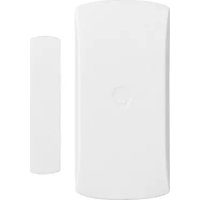
Brand : Chuango
Model : RC80
Category : Alarm system