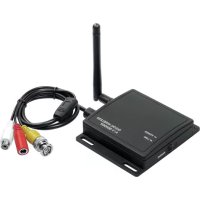
DF100TX - Surveillance Camera Indexa - Free user manual and instructions
Find the device manual for free DF100TX Indexa in PDF.

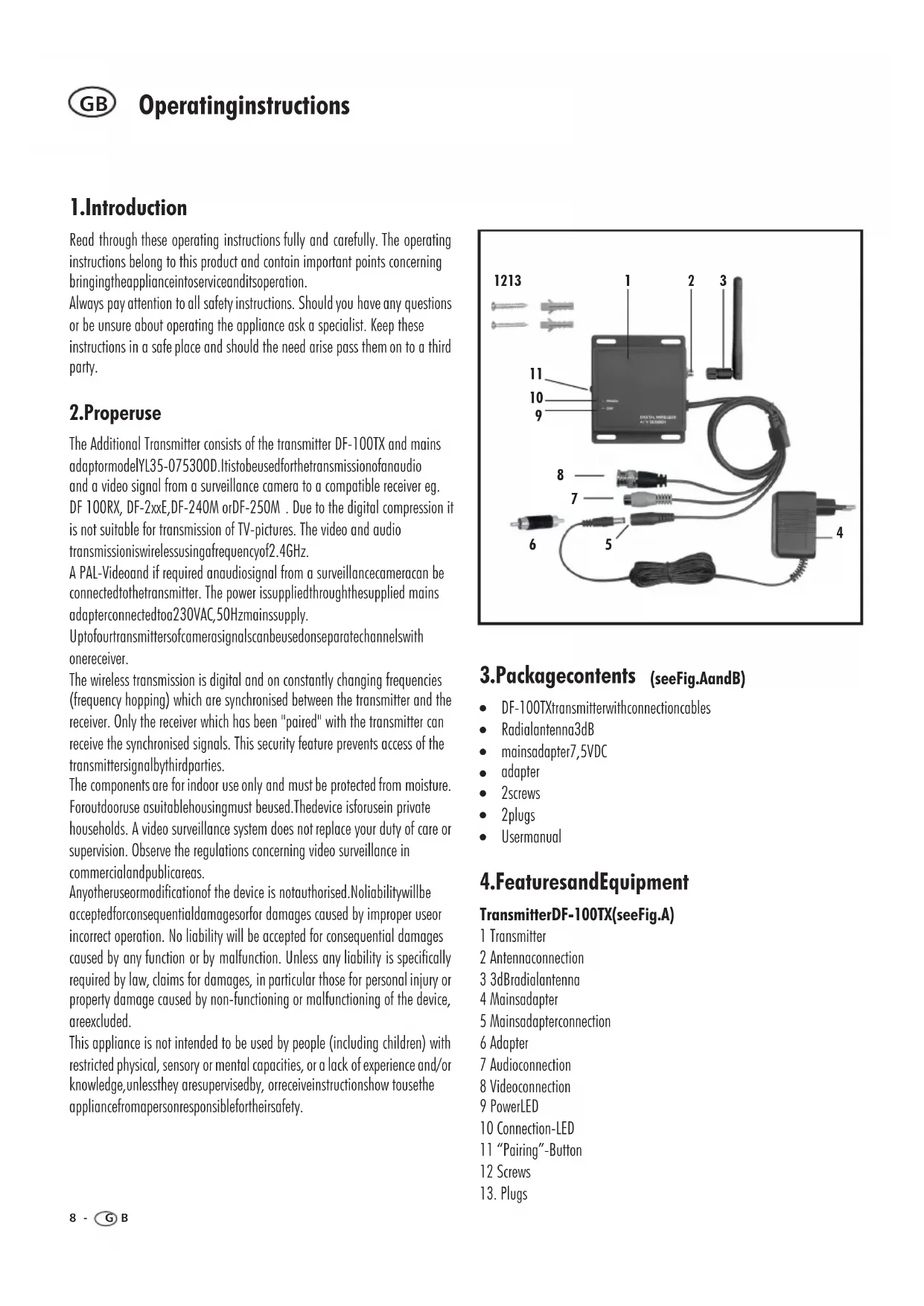


| Product type | Wireless digital transmitter for surveillance camera |
| Brand | Indexa |
| Model | DF100TX |
| Dimensions (without antenna) | 93 x 81 x 20 mm |
| Power supply | 7.5 V DC via mains adapter (230 V ~ 50 Hz, output 7.5 V DC 300 mA) |
| Power consumption | 200 mA |
| Transmission frequency | 2.402 - 2.480 GHz |
| Modulation | GFSK |
| Number of channels | 4 |
| Radio range | 100 - 200 m in clear line of sight |
| Maximum image resolution | 640 x 480 (VGA) |
| Video / audio inputs | 1 x video (1 Vp-p / 75 ohms), 1 x mono audio (1 Vp-p / 600 ohms) |
| Protection class | IP44 |
| Operating temperature | -10 °C to +50 °C |
| Included antenna | Omnidirectional antenna 3 dB |
| Included accessories | DF-100TX transmitter, antenna, 7.5 V DC charger, adapter, 2 screws, 2 wall plugs, user manual |
| Use | Indoor (dry rooms), outdoor with suitable protective housing |
| Care and cleaning | Disconnect before cleaning; use a soft brush or slightly damp cloth; do not open |
| Warranty | 2 years from purchase date |
Frequently Asked Questions - DF100TX Indexa
User questions about DF100TX Indexa
0 question about this device. Answer the ones you know or ask your own.
Ask a new question about this device
Download the instructions for your Surveillance Camera in PDF format for free! Find your manual DF100TX - Indexa and take your electronic device back in hand. On this page are published all the documents necessary for the use of your device. DF100TX by Indexa.
USER MANUAL DF100TX Indexa
Operating instructions page 8
1.Einleitung
Read through these operating instructions fully and carefully. The operating instructions belong to this product and contain important points concerning bringing the appliance into service and its operation.
Always pay attention to all safety instructions. Should you have any questions or be unsure about operating the appliance ask a specialist. Keep these instructions in a safe place and should the need arise pass them on to a third party.
2. Properuse
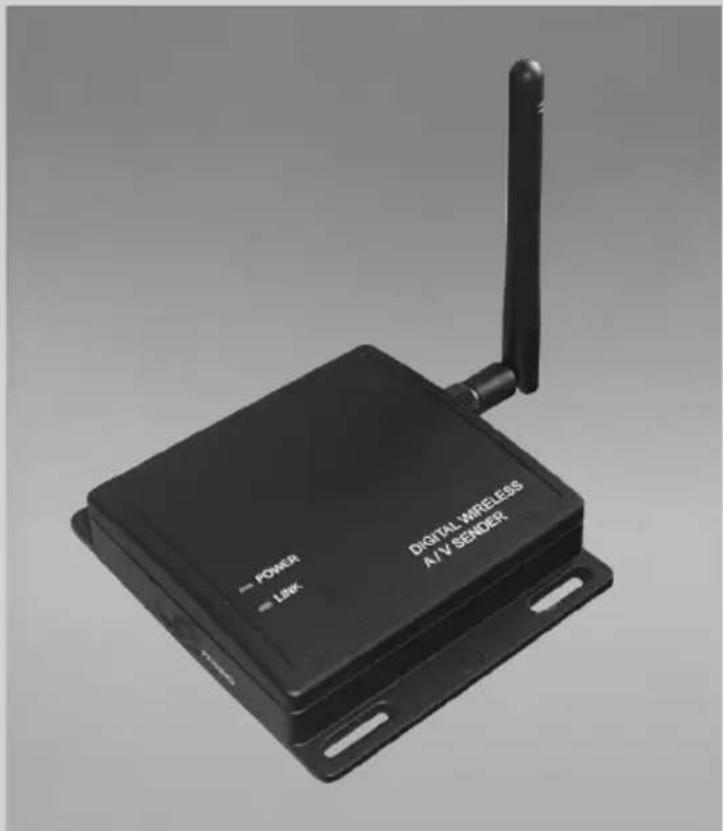
The Additional Transmitter consists of the transmitter DF-100TX and mains adaptormodelYL35-075300D.Itistobeusedforthetransmissionofanaudio and a video signal from a surveillance camera to a compatible receiver eg. DF 100RX,DF-2xxE,DF-240M orDF-250M.Due to the digital compression it is not suitable for transmission of TV-pictures. The video and audio transmissioniswiressusingafrequencyof2.4GHz.
A PAL-Video and if required anaudiosignal from a surveillancecameracan be connectedtothetransmitter. The power issuppliedthroughthesupplied mains adapterconnectedtoa230VAC,50Hzmainssupply.
Uptofourtransmittersofcamerasignalscanbeusedonseparatechannelswith onereceiver.
The wireless transmission is digital and on constantly changing frequencies (frequency hopping) which are synchronised between the transmitter and the receiver. Only the receiver which has been "paired" with the transmitter can receive the synchronised signals. This security feature prevents access of the transmittersignalbythirdparties.
The components are for indoor use only and must be protected from moisture. Foroutdooruse asuitablehousingmust beused.Thedevice isforusein private households. A video surveillance system does not replace your duty of care or supervision. Observe the regulations concerning video surveillance in commercialandpublicareas.
Anyotheruseormodificationof the device is notauthorised.Noliabilitywillbe acceptedforconsequentiallydamagesorfor damages caused by improper use or incorrect operation. No liability will be accepted for consequential damages caused by any function or by malfunction. Unless any liability is specifically required by law, claims for damages, in particular those for personal injury or property damage caused by non-functioning or malfunctioning of the device, areexcluded.
This appliance is not intended to be used by people (including children) with restricted physical, sensory or mental capacities, or a lack of experience and/or knowledge, unless they are supervised by, or receive instructions show tosethe appliance from apersonresponsiblefortheirsafety.
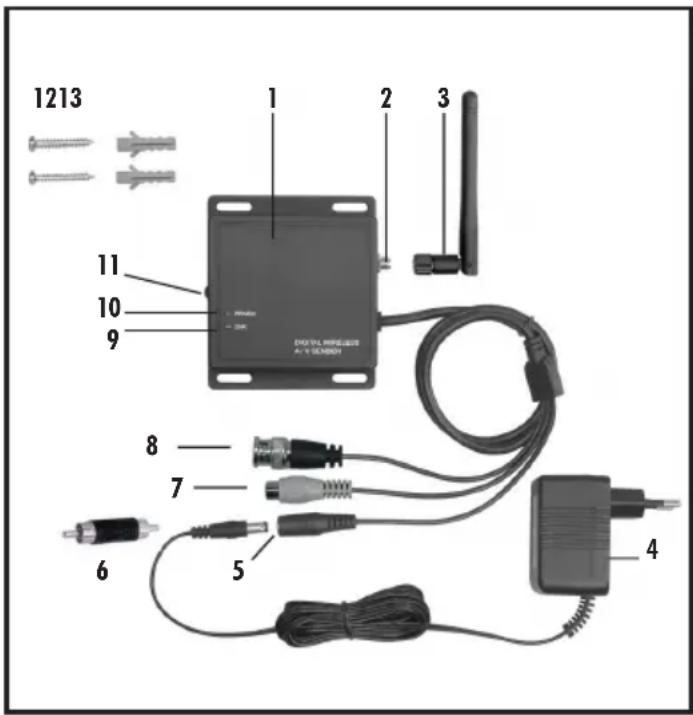
3.Packagecontents (seeFig.AandB)
- DF-100TXtransmitterwithconnectioncables
Radialantenna3dB - mainsadapter7,5VDC
- adapter
2screws
2plugs - Usermanual
4. Features and Equipment
TransmitterDF-100TX(seeFig.A)
1 Transmitter
2 Antennaconnection
3 3dBradiantenna
4 Mainsadapter
5 Mainsadapterconnection
6 Adapter
7 Audioconnection
8 Videoconnection
9 PowerLED
10 Connection-LED
11 "Pairing"-Button
12 Screws
13. Plugs
5. Technical data
Transmitter DF-100TX
OperatingVoltage 7,5V DC(mainsadapter)
Currentconsumption 200mA
Ratio-frequency 2402-2480MHz
Modulation GFSK
Channels 4
Videosignal 1Vp-p/750hm
Audiosignalmono 1Vp-p/6000hm
Max.Resolution(Pixel) 640x480(VGA)
Radiorange(max.) 100-200m(openspace)
Operatingtemperature - 10^ to +50^ Protectionclass IP44
Dimensionswithoutantenna(mm) 93x81x20
MainsAdapter
OperatingVoltage 230V 50Hz Output 7,5V DC,300mA
6.Safetyinstructions
The following instructions are provided for your safety and satisfaction during operation of the device. Note that non-observation of these safety instructions results in significant risks of accident.
Explanationofsymbols andtermsused:
Danger! If this point is not heeded life and health is endangered.
Attention! Non-observance of these instructions puts property at risk of damage.
Danger!
- Do not leave small children unsupervised with the device, packaging material or small parts. Otherwise there is a risk of fatal injury due to choking or suffocation.
- Do not damage any gas, electricity, water or telecommunication lines during drilling and fixing work. Otherwise there are dangers of fire, personal and fatal injury.
- Treat the cables carefully. Lay these so that they cannot be damaged and do not present any tripping hazard. Otherwise there are dangers of fire, personal and fatal injury.
- If you use the device for monitoring babies or small children ensure that the camera and cable are out of reach of children. Otherwise there is a risk to life and limb!
- Do not pull the cables over sharp edges and do not crush or crimp them elsewhere. Otherwise there are dangers of fire, personal and fatal injury.
- Prevent the device from coming into contact with moisture and do not submerge in water. Otherwise there is a danger of fatal injury.
- Only operate the device from the supplied power supply. Before connecting the power supply to the mains, ensure that the mains current complies with 230V 50Hz and is fitted with a fuse according to regulations. Otherwise there are dangers of fire and fatal injury.
Attention! Non-observation of these instructions puts propertyatrisk ofdamage.
- Protect the equipment and the cables against strong magnetic or electrical fields and against strong mechanical loads and vibrations.
- Do not place the equipment near fire, heat or in areas of high temperature.
- Only use the equipment with the supplied original parts or original accessories.
- Do not connect any damaged device (e.g. damage in transit). Repairs to the equipment must only be performed by specialists.
- Remove the mains adapter from the mains outlet when the device is not required for a longer time.
7. Location of equipment
Before mounting the device the wireless reception from the desired location.
Observe the following points:
- The maximum range of the wireless signal is approx. 100m (and up to 200m in optimal conditions) with line of sight contact between transmitter and receiver. Within buildings the range is greatly reduced by walls and floors, in particular those made of steel reinforced concrete, to a maximum of 20m . Metal housings, shelves and mirrors also block the wireless signal.
- If there is no wireless reception between the locations of the camera and the monitor/recorder then the cables between the camera and transmitter or between the receiver and monitor/recorder must be extended. Use RG 59/75 Ohm cable with the necessary BNC-connections.
- The wireless transmission can also be affected by strong electric fields and other wireless equipment. Ensure an adequate distance of the camera and receiver to microwave ovens, cordless phones, mobile phones, wireless devices in the 2.4GHz frequency band, electric motors and high voltage devices or power cables.
- The receiver must be placed on a solid and level surface or secured with the screws [12] and plugs [13], ideally 1m above the floor (optimal reception).
- Ensure that the device is located away from dust and vibration and that there is adequate air circulation.
- If the receiver is installed outside it must be protected by a suitable casing.
8. Connection of the transmitter
- Screw the antenna [3] into the antenna connection [2].
Connectthevideoinput[8]tothevideooutputofthecamera
If required, connect the audio input [7] to the audio output of the camera. If necessary use the headapter [6]. - Connect the DC-plug of the mains adapter cable [4] to the mains adapter connection[5]ofthetransmitter.
- Connectthemainsadapterwithasuitablemainsoutlet.
ThePOWERLED[9]lightsgreen
9Connectionpairing
The transmitter and receiver must be paired with each other to establish the wireless connection. The transmitter delivered in the set is already paired with thereceiveronchannel1. Shouldyouwishtochange thischannel orif youwish to pair additional transmitter to the receiver (maximum 3 additional transmitter)proceedasfollows:
- Selectthepoint"PairCAM"intheon-screenmenu.
- Selectthedesiredchannel.
- Checkthatthetransmitter is powered (POWER LED [9] lightsred)andthat itiswithinthereceptionrangeofthereceiver.
- Press the channel selection button on the receiver to start the connection procedure.
- Within 60 seconds press the pairing button [11] on the transmitter and hold it pressed for 5 seconds. The remaining time available to finish the pairing is counted down on the screen.
- Asuccessful connectionisindicated bythedisplay ofthecamera picture on thescreenandthelightingoftheredconnectionLED[10].
10.Maintenanceandcleaning
The products are maintenance-free: do not open the housings
- Check the safety and function regularly
- Remove the mains adapters from the mains sockets before cleaning
- Use a soft, slightly moist cloth or brush to clean the surfaces
11.Disposal

Do not dispose of packaging material, used batteries or products as household waste. Please use your recycling system. Details are available from your local authority.
12.Declarationofconformity
C∈①
Indexa GmbH, Paul-Böhringer-Str. 3, D-74229 Oedheim declares that this product complies with the basic requirements and the other relevant regulations of Directive 1999/5/EC. Conformity has been demonstrated. The complete declaration of conformity can be read at: www.indexa.de
This product can be used in the following countries:
D A L CH NL B I R C G B
13.Warranty
This device is warranted against defects for 2 years from the date of purchase. Please keep your receipt as proof of purchase. The warranty covers material or manufacturing defects only and does not cover, wear and tear or damage to fragile parts. The product is intended solely for private use and not for commercial use. In the event of incorrect and/or improper handling, the use of force or any unauthorised repair to the device, the warranty will become invalid. This warranty does not affect your statutory rights. the device, the warranty will become invalid. This warranty does not affect your statutory rights.
Indexa GmbH