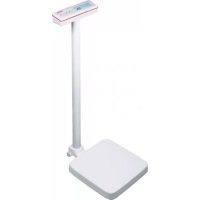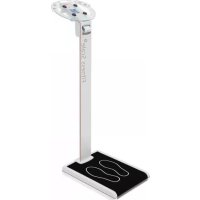
Balance 7850 - Measuring equipment SOEHNLE - Free user manual and instructions
Find the device manual for free Balance 7850 SOEHNLE in PDF.



User questions about Balance 7850 SOEHNLE
0 question about this device. Answer the ones you know or ask your own.
Ask a new question about this device
Download the instructions for your Measuring equipment in PDF format for free! Find your manual Balance 7850 - SOEHNLE and take your electronic device back in hand. On this page are published all the documents necessary for the use of your device. Balance 7850 by SOEHNLE.
USER MANUAL Balance 7850 SOEHNLE
https://www.soehnle-professional.com/site/documents
natural_image
Diagram of a mechanical device with a magnified inset showing a cross symbol (no text or labels present)text_image
Diagram illustrating a mechanical or electrical component with red arrows indicating rotation or adjustment, showing circular motion around a central component.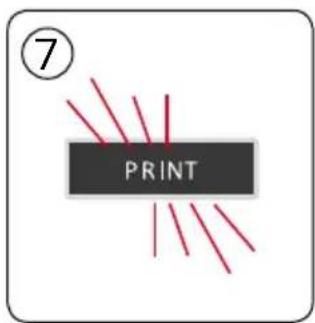
text_image
⑦ PRINT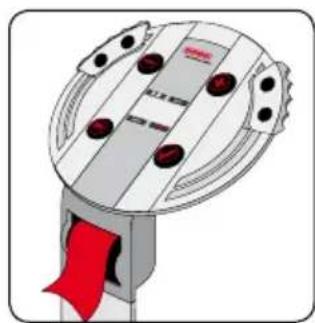
natural_image
Illustration of a mechanical device with a red ribbon and circular components (no text or symbols)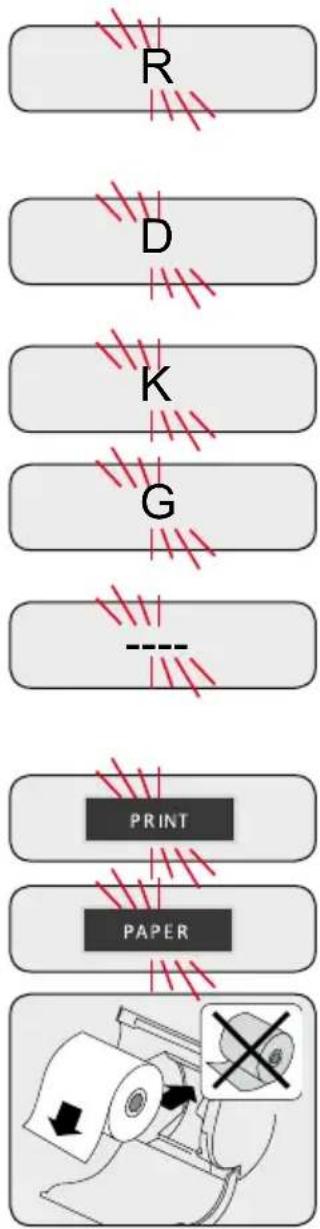
flowchart
graph TD
    A["Paper"] --> B["PRIN T"]
    B --> C["PAPER"]
    C --> D["Print"]
    D --> E["Output Image"]
    style A fill:#f9f,stroke:#333
    style B fill:#ccf,stroke:#333
    style C fill:#cfc,stroke:#333
    style D fill:#fcc,stroke:#333
    style E fill:#ffc,stroke:#333
Meldungen
Sie stehen unruhig.
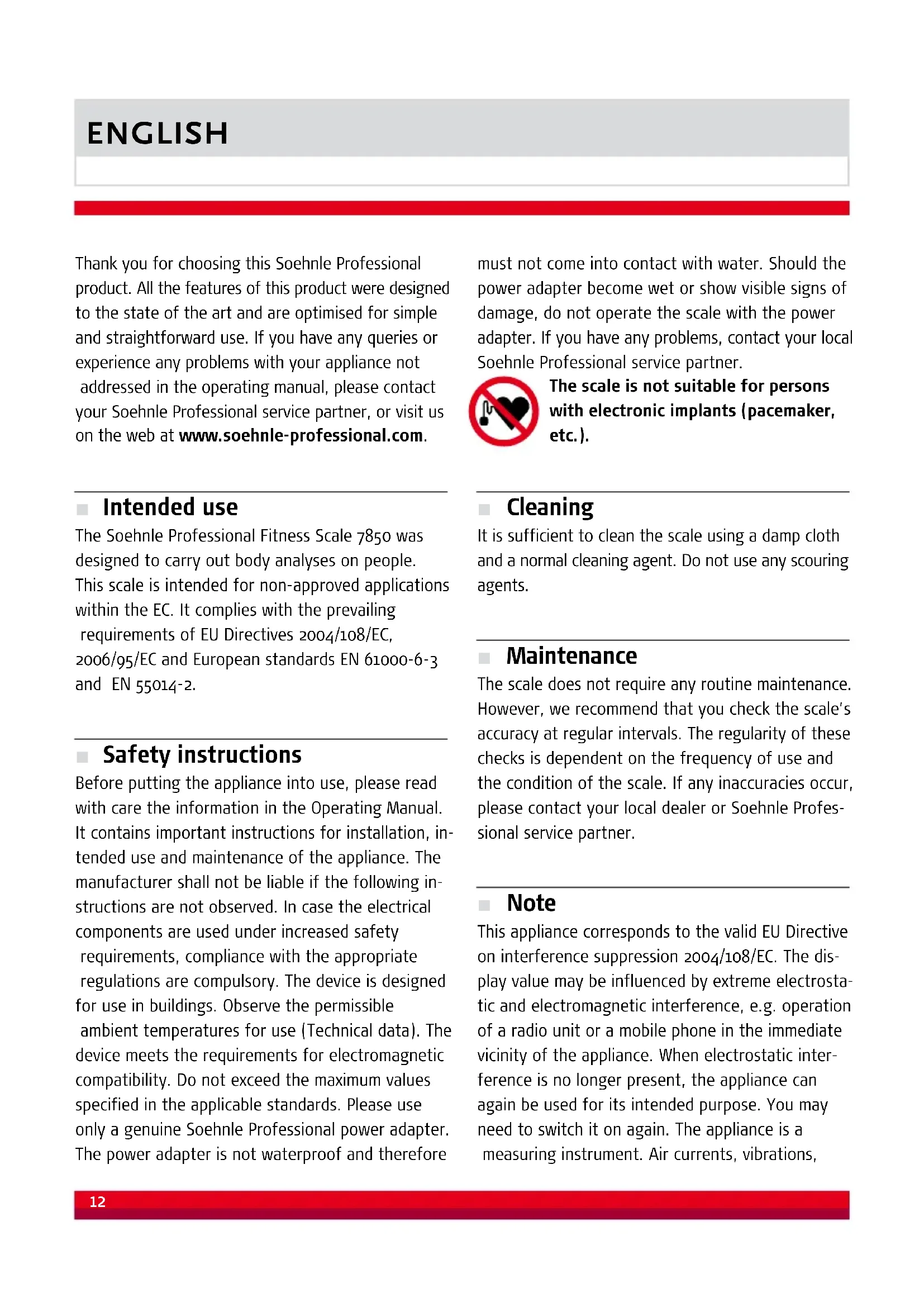
Thank you for choosing this Soehnle Professional product. All the features of this product were designed to the state of the art and are optimised for simple and straightforward use. If you have any queries or experience any problems with your appliance not addressed in the operating manual, please contact your Soehnle Professional service partner, or visit us on the web at www.soehnle-professional.com.
Intended use
The Soehnle Professional Fitness Scale 7850 was designed to carry out body analyses on people. This scale is intended for non-approved applications within the EC. It complies with the prevailing requirements of EU Directives 2004/108/EC, 2006/95/EC and European standards EN 61000-6-3 and EN 55014-2.
Safety instructions
Before putting the appliance into use, please read with care the information in the Operating Manual. It contains important instructions for installation, intended use and maintenance of the appliance. The manufacturer shall not be liable if the following instructions are not observed. In case the electrical components are used under increased safety requirements, compliance with the appropriate regulations are compulsory. The device is designed for use in buildings. Observe the permissible ambient temperatures for use (Technical data). The device meets the requirements for electromagnetic compatibility. Do not exceed the maximum values specified in the applicable standards. Please use only a genuine Soehnle Professional power adapter. The power adapter is not waterproof and therefore must not come into contact with water. Should the power adapter become wet or show visible signs of damage, do not operate the scale with the power adapter. If you have any problems, contact your local Soehnle Professional service partner.
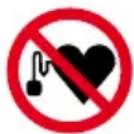
The scale is not suitable for persons with electronic implants (pacemaker, etc.).
Cleaning
It is sufficient to clean the scale using a damp cloth and a normal cleaning agent. Do not use any scouring agents.
Maintenance
The scale does not require any routine maintenance. However, we recommend that you check the scale's accuracy at regular intervals. The regularity of these checks is dependent on the frequency of use and the condition of the scale. If any inaccuracies occur, please contact your local dealer or Soehnle Professional service partner.
Note
This appliance corresponds to the valid EU Directive on interference suppression 2004/108/EC. The display value may be influenced by extreme electrostatic and electromagnetic interference, e.g. operation of a radio unit or a mobile phone in the immediate vicinity of the appliance. When electrostatic interference is no longer present, the appliance can again be used for its intended purpose. You may need to switch it on again. The appliance is a measuring instrument. Air currents, vibrations,
rapid changes in temperature and direct sunlight may have an effect on the accuracy of the scale. The scale is protected to IP 54 protection class. Therefore, avoid high levels of air humidity, vapour, aggressive liquids and heavy soiling.
Warranty/liability
If the appliance is delivered with a fault or defect which is within Soehnle Professional's scope of responsibility, Soehnle Professional is entitled to either repair the fault or supply a replacement appliance. Replaced parts remain the property of Soehnle Professional. Should the fault repairs or replacement delivery not be successful, the statutory provisions shall be valid. The period of warranty shall be two years starting on the date of purchase. Please retain your invoice as proof of purchase. If your scale requires servicing, please contact your dealer or Soehnle Professional Customer Service.
No responsibility shall be accepted for damage caused by any of the following reasons:
unsuitable or improper storage or use, incorrect installation or commissioning by the owner or third parties, natural wear and tear, changes or modifications, incorrect or negligent handling, overuse, chemical, electrochemical or electrical interference or humidity, unless this is attributable to negligence on the part of Soehnle Professional. If operating, climatic or any other influences lead to a major change in condition or material quality, the warranty for perfect appliance functioning shall be rendered null and void.
Attention: To avoid damages, please do not pull the scale to relocate it, please lift it up!
If Soehnle Professional provides an individual warranty, this means that the appliance supplied will be free from faults for the warranty period. Always keep the original packaging in case you have to return the scale.
Disposing of the scale
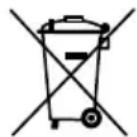
This product is not to be treated as regular household waste, but should be handed in to an electrical/electronic equipment recycling centre. You can obtain further details from your local council, your municipal waste disposal company or the firm from which you purchased the product.
Further Product Information
For further information and the software program ScaleManager please refer to:
https://www.soehnle-professional.com/en/site/documents
Please visit the Customer Center of our website www.soehnle-professional.com and choose Medical Scales/Stand scales/Fitness scale 7850.
Factors affecting readings
The analysis is based on a measurement of the electrical body resistance. Eating and drinking habits during the day and private lifestyles influence the body's fluid balance.
This is noticeable by fluctuations in the readings. To obtain analysis results that are highly precise and iterative, make sure that the measurement conditions are constant. Only then will you be able to observe changes precisely over a long period of time.
In addition, other factors may affect fluid balance:
• After a bath the indicator will display a body fat percentage that is too low and a body water percentage that is too high
• After a meal the indicator may be higher
- Women are subject to fluctuations due to their menstrual cycle
- Body fluids are lost due to illness or after bodily exertion (sport) After sporting activity, you should wait for a period of 6 to 8 hours before taking the next measurement
Anomalous or implausible readings may occur in the following situations:
- Persons with fever, oedema symptoms or osteoporosis
• Persons weighing over 150 kg
• Persons with a body fat portion of more than 50%
• Persons undergoing dialysis therapy
• Persons taking cardiovascular medication - Pregnant women
• Athletes who do more than 10 hours of intensive
training a week and have a resting heart rate under 60 bpm
• Competitive athletes and body builders
• Young people under 17 years old
Technical data
Weighing range: 180 kg
Division: 100 g
Max. air humidity: 85%
Storage temperature: -30^ bis 70^ C
Power supply: power adapter input 100-240V AC, output 7.5V DC, protection class IP 54
Battery: Lithium battery CR2032, 3V for the power supply of time and date settings
Printer: thermal printer, paper width 58 mm
Print paper: thermal paper outside layer, 49.5 mm wide, max. roll diameter 50mm, commercially available, Order Number from Soehnle Professional 2500.01.008 (pack containing 10 rolls)
text_image
SOFAMI 10000B • Water dispenser 11■ Indicators and controls
Keys to type in personal data
(input is cleared after printout)
- key (minus) + key (plus)
Key for paper feed Confirm key
LED indicators
Grasp hand electrodes
INPUT Enter personal data
PAPER Refill with paper
PRINT Printing out
Back
Lithium battery
USB port
Mass unit switchover
Reset
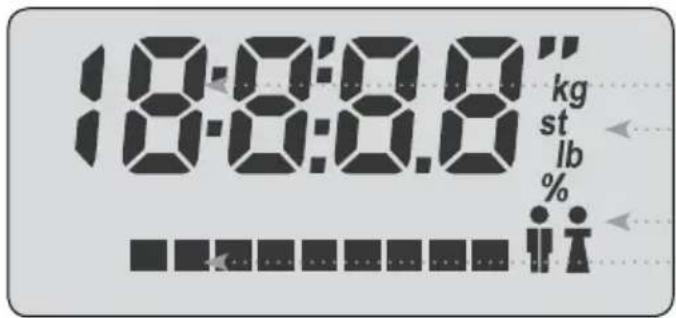
text_image
18:08:08" kg st lb % #t#t#t#t#t#t#t#t# 18:08:08"LC display
Value
Unit
Sex
Status bar
Getting started
-
Install the fitness scale level on a firm, flat surface
-
Connect the plug-in power supply unit without standing on the scale
-
Set the clock and date Please do not stand on the scale. Keep the + or - key pressed until the display shows the year. Press the + or - key to select the required year and confirm. Select the month by pressing the + key and confirm. Select the day by pressing the + or - key and confirm. The indicator then shows digits for setting the clock. Adjust the hour by using the + or - key and confirm. Do the same with the minutes and finally confirm.
-
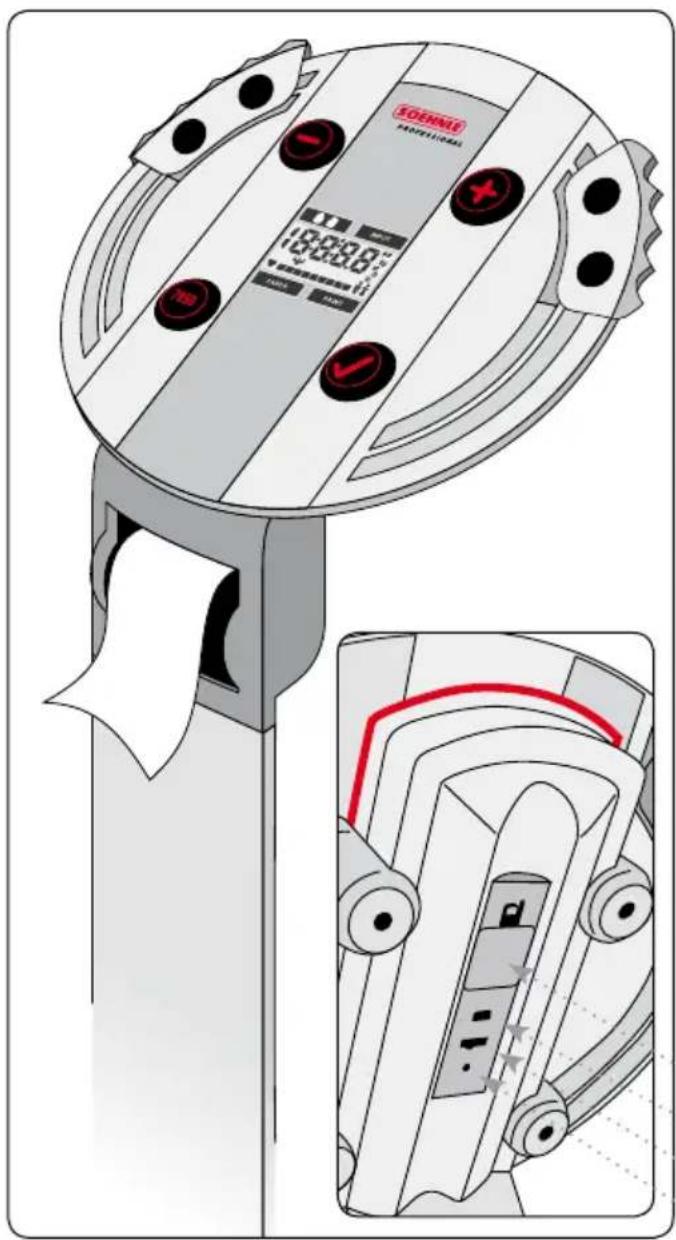
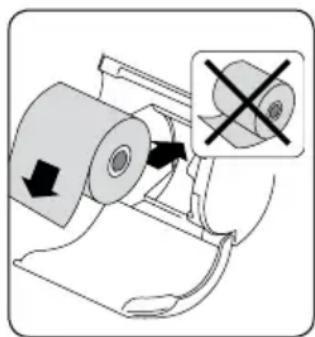
Insert the thermal paper roll (58mm wide) in the paper compartment (see figure) and pull out the paper strip by several centimetres. Close the lid and tap the key "7850"
natural_image
Diagram of a mechanical device with a magnified inset showing a cross symbol (no text or labels present)briefly to test whether the paper feeds through correctly. The printer has an easy-load function. There is no need to feed the paper through manually.
-
The scale is ready to operate
-
To relocate the scale do not pull it, please lift it up!
Mass unit switchover
Slide the switch on the rear at any time to switch over the mass unit from "kg and cm" to "lb and ft/inch" or "st/lb and ft/inch".
The default setting of the scale is "kg and cm". The last unit setting is retained even when the appliance is switched off.
0.0 kg
0.0 lb
0: 0.0 st lb
Battery exchange:
Please change the lithium battery when time and date settings are not correct anymore (without power supply of the scale).
Weighing
Stand on the scale as still and straight as possible while the Fitness Scale measures your weight. After a short period of time, the weight reading appears and the "INPUT" message flashes. If you only want to measure your weight, you can step off the scale now. The weight reading is printed out. Otherwise continue as described under Body Analysis.
7 2.2 ^kg
Body analysis
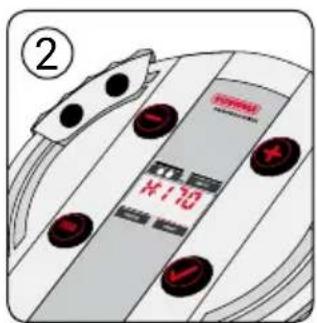
- Step onto the scale and measure your weight as described under "Weighing". If "INPUT" and "L: 175" flash, you can start entering your personal data.
- "H 170" / "L 170"
Enter your body size using the keys ⏻ and ⚠ and confirm your input by pressing the ⏅ key.
- "A 30"
Enter your age using the keys ⏻ and ⚠ and confirm your input by pressing the ⏅ key.
- "S"
Enter your sex using the keys ⏻ and ⚠ and confirm your input by pressing the ⏅ key.
- "AC" / "SP"
Enter your mobility type using the keys ⏻ and ⚠ and confirm your input by pressing the ⏅ key.
How physically active are you?
1 = up to 1 hr/day 2 = up to 2 hr/day
3 = up to 3 hr/day 4 = up to 4 hr/day
5 = more than 4 hr/day
- When the adjacent symbol flashes, immediately grab the hand electrodes of the body analysis scale like a steering wheel and hold them as long as the status bar in the LC display is running (about 20s).
- The results are printed out when the measurement was successful. The personal data you entered are then deleted afterwards.
Important: Please tear off upwards!
text_image
② H10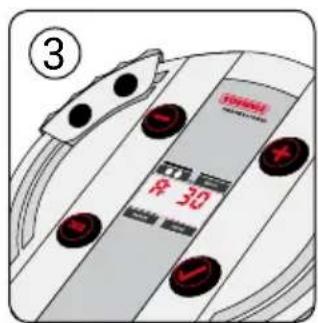
text_image
③ ¥ 30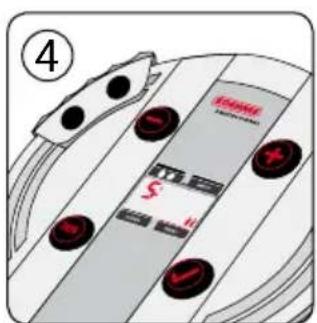
text_image
④ S H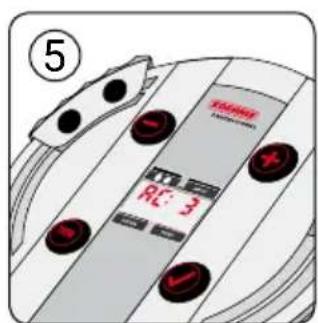
text_image
⑤ TAXIWE R.1: 3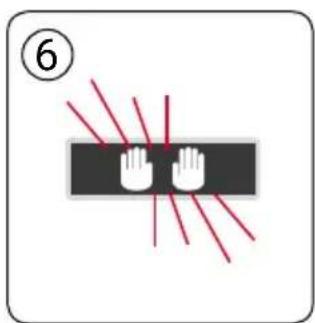
text_image
⑥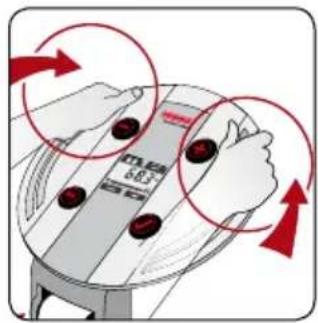
text_image
6.83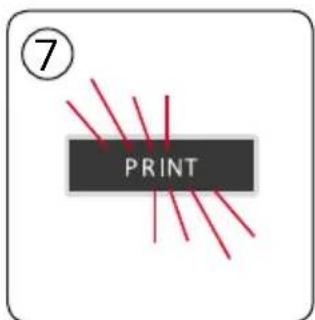
text_image
⑦ PRINT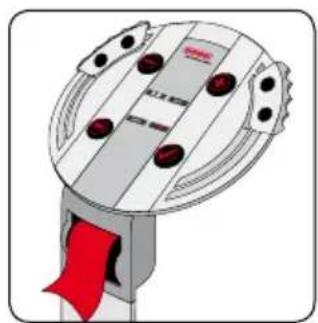
natural_image
Illustration of a mechanical device with red ribbon and circular components (no text or symbols)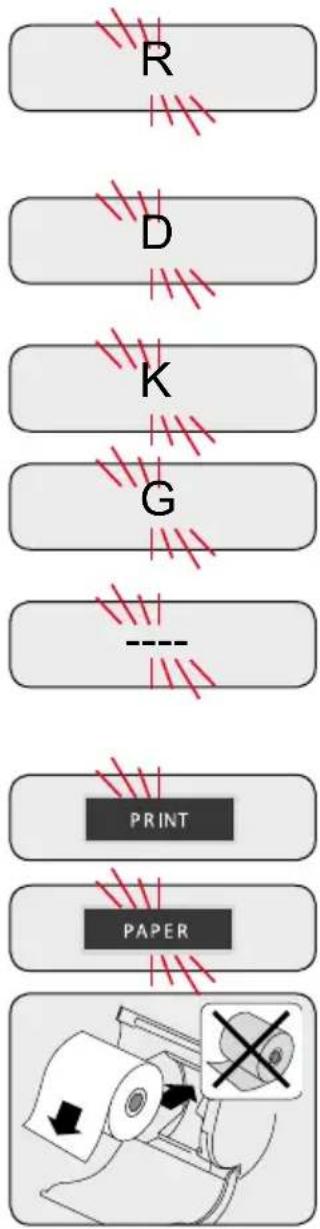
flowchart
graph TD
    A["Paper"] --> B["PRIN T"]
    B --> C["PAPER"]
    C --> D["Print"]
    D --> E["R"]
    E --> F["D"]
    F --> G["K"]
    G --> H["G"]
    H --> I["-->"]
Messages
You are not standing still.
Please step off the scale. Then step back onto the scale and stand still.
Operator error
Please repeat the measurement. Error message appears as printout.
Values are not feasible.
Please check your entries.
Please only load the Fitness Scale up to max. 180 kg.
PRINT lights up green: printing in progress
PRINT lights up green and PAPER flashes orange: paper jam or out of paper
Paper jam: Open the paper compartment and remove the paper roll.
Remove any crumpled paper. Replace the paper roll and pull out the paper strip by several centimetres.
Close the lid and tap the key "7850" briefly to test whether the paper feeds through correctly. Printout is printed after clearing the paper jam.
Out of paper: Insert a new paper roll. Insert the thermal paper roll
(58 mm wide) in the paper compartment and pull out the paper strip by several centimetres. Close the lid and tap the key "7850" briefly to test whether the paper feeds through correctly. Printout is printed after clearing the paper jam.
Other messages that may occur appear on printout.
Activation/Deactivation with Scale Manager
Installing "ScaleManger", your customisation software
This program adapts the printout to your requirements (e.g. company name, web address or simply a message to say thank you). "ScaleManager" must be installed on your PC. Please go to the customer center of our website www.soehnle-professional.com and select the Fitness scale 7850 under Downloads/Medical scales /Stand scales and download the "ScaleManager" ZIP file. Afterwards you can start and operate it easily. Please install first the driver (for WIN 2000, XP, Vista, Windows 7, Windows 8 or Windows 10) on your computer.
The instruction for the installation of the driver is also available in the Customer Center.
After installing, start the software "ScaleManger"
Start the program by pressing the "ScaleManager program" key.
You are asked to enter a PIN: PIN = 1234
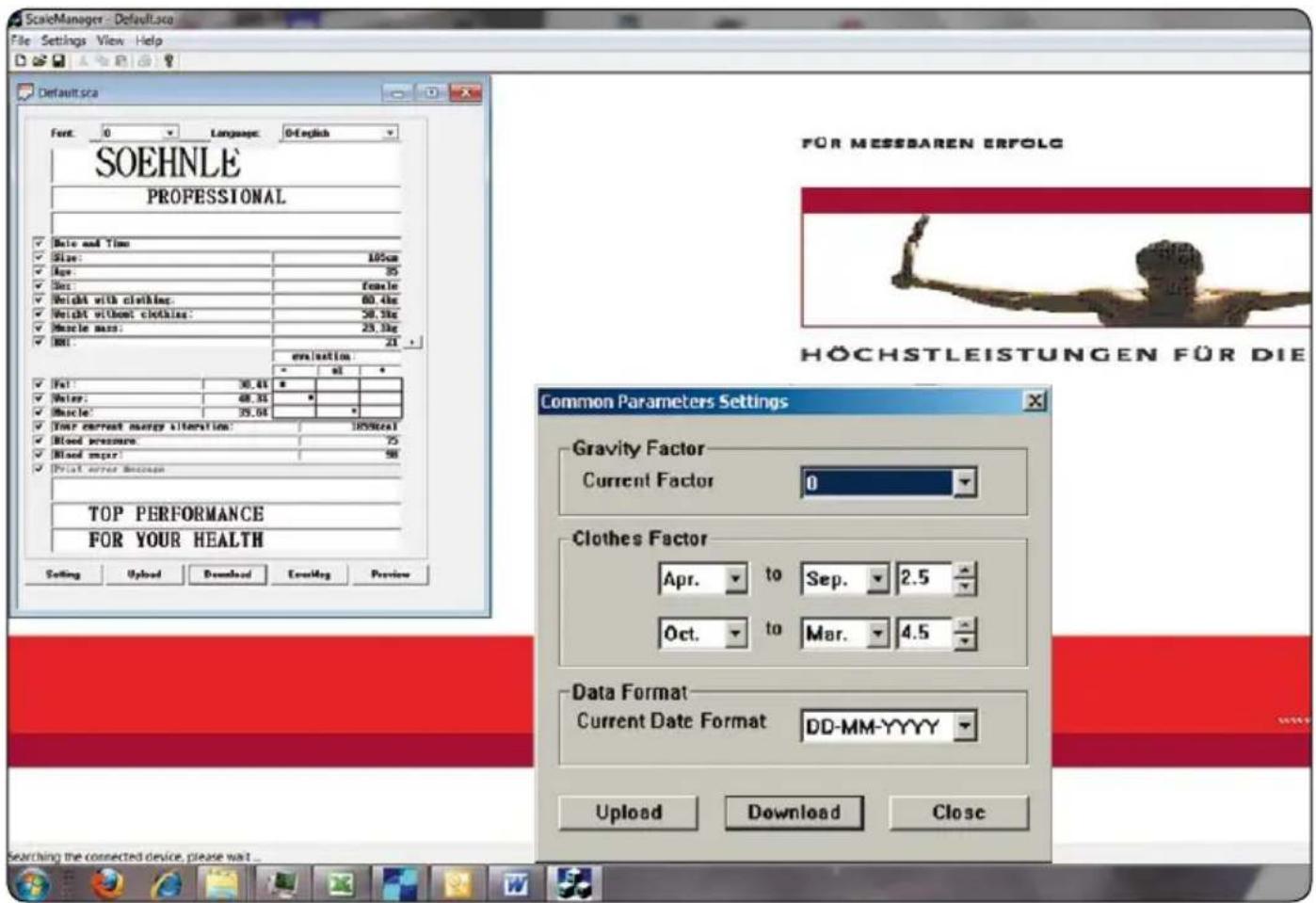
text_image
ScaleManager - Default.sca File Settings View Help Default.sca Font: 0 Language: 0-English SOEHNLE PROFESSIONAL Date and Time: Size: 105cm Age: 35 Sex: Female Weight with clothing: 60.4kg Weight without clothing: 50.3kg Muscle mass: 25.3kg BMI: 21 evaluation: Fat: 30.4% Water: 48.35 Muscle*: 35.04 Your current energy alteration: 105%cal Blood pressure: 75 Blood mark: 50 Print error motion TOP PERFORMANCE FOR YOUR HEALTH Common Parameters Settings Gravity Factor Current Factor 0 Clothes Factor Apr. to Sep. 2.5 Oct. to Mar. 4.5 Data Format Current Date Format DD-MM-YYYY Upload Download Close Searching the connected device, please wait..."ScaleManager" Program - Customise your printouts
1. Upload
Calls the preset printout data and settings from the scale
2. Language
Changes the language
3. Text input
Design your individual print text in the upper and lower three boxes.
4. Font
Select the font size 1, 2 or 3 for your printout data; freely selectable for each field
5. Setting
Please select for your application field the appropriate settings for gravity zones, clothing factor and date format.
6. Analytical Data
The data to be analysed can be showed or not showed while setting the tickmark
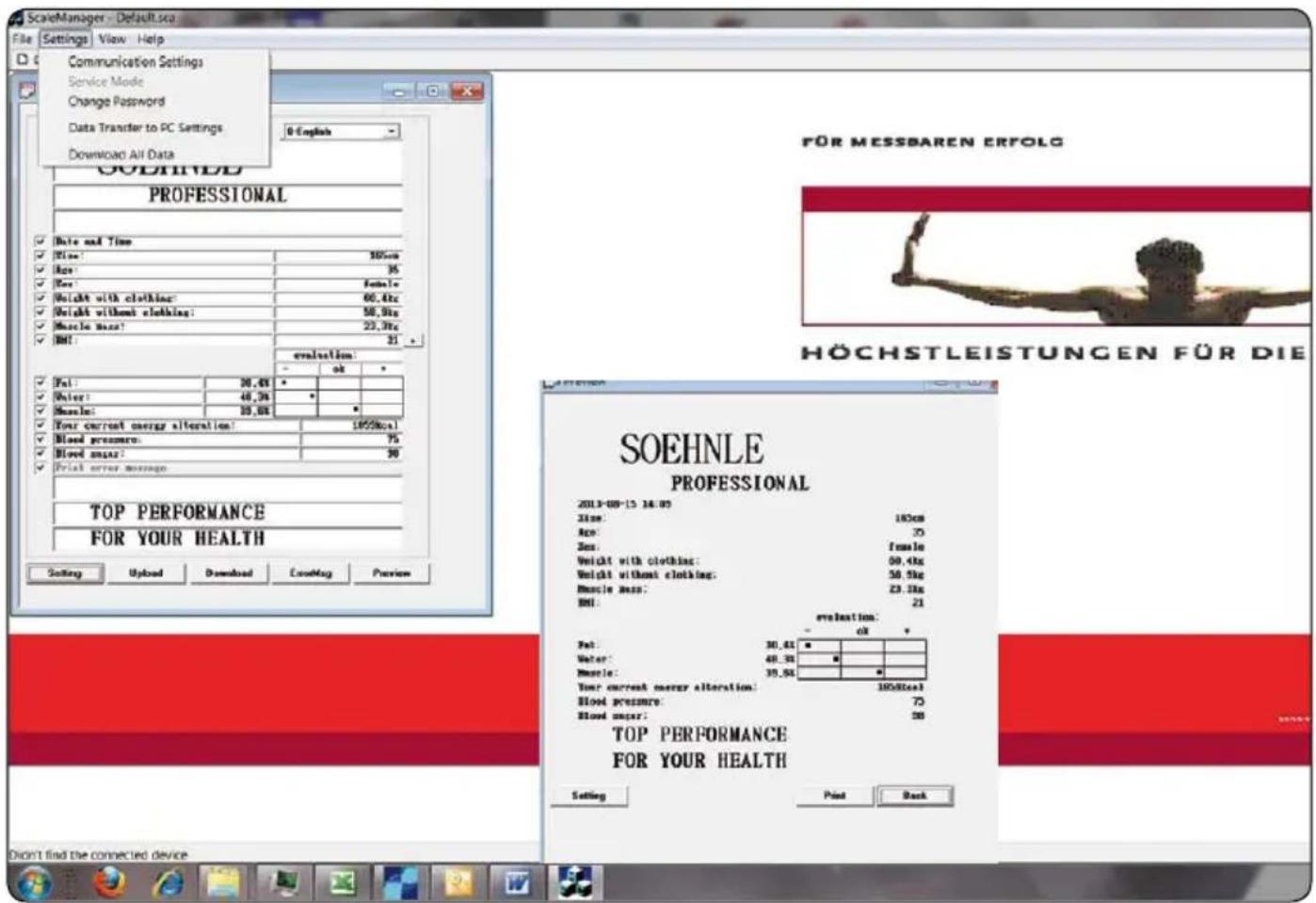
text_image
ScaleManager - Default.sca File Settings View Help Communication Settings Service Mode Change Password Data Transfer to PC Settings Download All Data 0-English SOEHNLE PROFESSIONAL Date and Time Size: 100cm Size: 35 Size: Female Weight with clothing: 60.4kg Weight without clothing: 58.9kg Muscle size: 23.3kg Bit: 21 - evaluation: - ok * Pat: 30,45 * Water: 48,35 * Muscle: 25,65 * Your current energy alteration: 100%vol Blood pressure: 75 Blood pressure: 50 Print error message: TOP PERFORMANCE FOR YOUR HEALTH SoEHNLE PROFESSIONAL 2013-09-15 18:00 Time: 180cm Size: 20 Size: female Weight with clothing: 60.4kg Weight without clothing: 58.9kg Muscle size: 23.3kg Bit: 21 - evaluation: - ok * Pat: 30,45 * Water: 48,35 * Muscle: 35,65 * Your current energy alteration: 100%vol Blood pressure: 75 Blood pressure: 50 TOP PERFORMANCE FOR YOUR HEALTH Setting Print Back FÜR MESSBAREN ERFOLG HÖCHSTLEISTUNGEN FÜR DIE7. Preview
Preview of your selected printout data
8. Download
Transfer of your printout data to the scale;
Settings > Download All Data = Transfer of all data to the scale
9. Print
Press PRINT in the Preview window to print out a sample. Before pressing PRINT, you must transfer the data to the "Scale" by using Download.
Confirm and close the window by pressing OK
10. Exit(X)
Ends the "ScaleManager" program
natural_image
Diagram of a mechanical device with a magnified inset showing a cross symbol (no text or labels present)text_image
Diagram showing hand gesture with red arrows indicating rotation or movement around a device screen
text_image
⑦ PRINT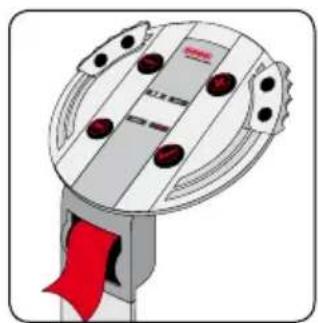
natural_image
Illustration of a mechanical device with red ribbon and circular components (no text or symbols)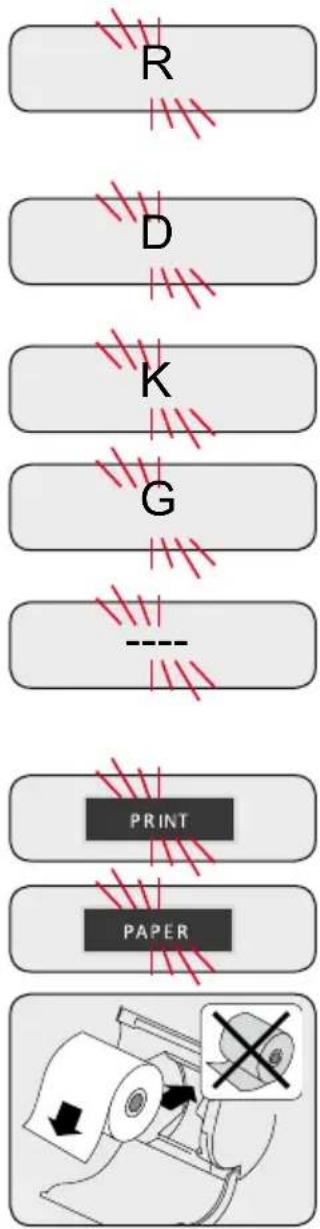
flowchart
graph TD
    A["Paper"] --> B["PRIN T"]
    B --> C["PAPER"]
    C --> D["Print"]
    D --> E["---"]
    E --> F["K"]
    F --> G["G"]
    G --> H["D"]
    H --> I["R"]
Messages
Vous bougez.
(Activation / Désactivation via Manager Balance)
text_image
ScatchManager - Form File Settings View Help Form Font: 0 Language: 4-France SOEHNLE PROFESSIONAL Date and Time Taille: 105cm Size: 35 Note: Numeric Bold size variations: 80.4kg Bold size variations: 50.8kg Muscle size: 29.7kg BMI: 31 evaluation: * * * angle: 36.4K ° height: 48.3K ° muscle: 26.6K ° voire concentration inergétique schoola: 1000mm version activity: 75 gly-size: 90 Print error diagnosis TOP PERFORMANCE FOR YOUR HEALTH Common Parameters Settings Gravity Factor Current Factor 0 Clothes Factor Apr. to Sep. 2.5 Oct. to Mar. 4.5 Data Format Current Date Format DD-MM-YYYY Upload Download Close Searching the connected device, please wait...https://www.soehnle-professional.com/en/site/documents
natural_image
Diagram of a mechanical device with a magnified inset showing a cross-shaped component (no text or symbols present)text_image
Illustration showing a hand holding a smartphone with red arrows indicating rotation or change, and a small screen displaying '6.02' and control buttons.
text_image
⑦ PRINT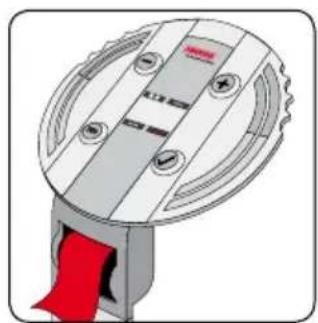
natural_image
Illustration of a mechanical component with a red ribbon and circular base (no text or symbols)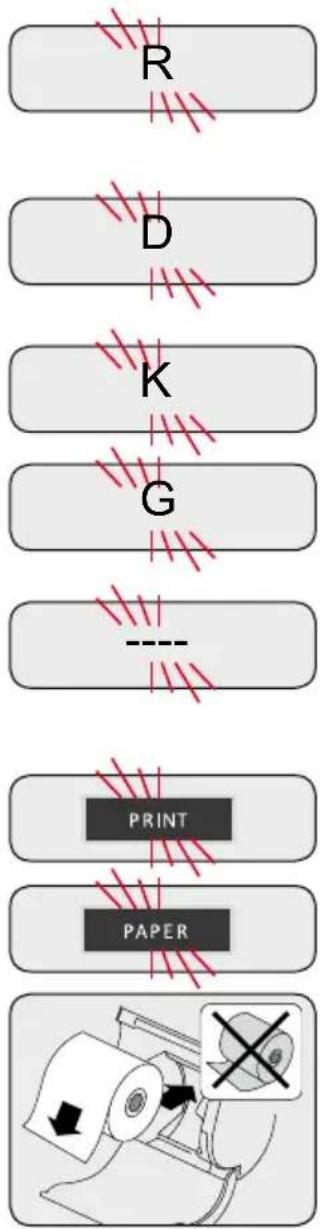
flowchart
graph TD
    A["Printer"] --> B["Paper"]
    B --> C["PRINT"]
    C --> D["Grip"]
    D --> E["K"]
    E --> F["D"]
    F --> G["R"]
Messaggi
Rilevato movimento.
text_image
ScaleManager - Form File Settings View Help Form Font: 0 Language: 1-English SOEHNLE PROFESSIONAL Date and Time: Night: 165cm Age: 39 Gender: female Weight inclusive clothes: 60.4kg Weight without clothes: 82.3kg BMI: 71 Judgements: Your current energy consumption: well I OK Top 1 Fat: 59.4% Water: 48.3% Muscle: 39.3% Your current energy consumption: 120.1 kcal TOP PERFORMANCE FOR YOUR HEALTH FÜR MESSBAREN ERFOLG Common Parameters Settings Gravity Factor Current Factor 0 Clothes Factor Apr. to Sep. 2.5 Oct. to Mar. 4.5 Data Format Current Date Format DD-MM-YYYY Upload Download Close STLEISTUNG Setting Upload Download ErrorMsg PreviewProgramma «ScaleManager» - Personalizzare la stampa
1. Upload
text_image
ScaleManager - Form File Settings View Help Communication Settings Service Mode Change Password Data Transfer to PC Settings Download All Data Language: 1-English SOEHNLE PROFESSIONAL Date and Time: Night: 100cm Age: 58 Gender: female Weight inclusive clothes: $1.4kg Weight without clothes: $2.5kg BMI: 21 Judgement: Your current energy consumption: well I OK Top I Fat: 56.4% Water: 48.3% Muscle: 39.6% Your current energy consumption: 1889 kcal TOP PERFORMANCE FOR YOUR HEALTH Setting Upload Download ErrorMsg Preview Preview SOEHNLE PROFESSIONAL 2009-03-26 17:12 Night: 145 cm Age: 58 Gender: female Weight inclusive clothes: $1.4kg Weight without clothes: $2.5kg BMI: 21 Judgement: well I OK Top I Fat: 58.4% Water: 42.3% Muscle: 39.6% Your current energy consumption: 1889 kcal TOP PERFORMANCE FOR YOUR HEALTH Setting Print Back SSBAREN ERFOLG HSTLEISTUNG6. Preview
text_image
Technical diagram showing a device with labeled buttons and a magnified view of its internal components, including red arrows indicating flow or movement.natural_image
Diagram of a mechanical device with an inset showing a cross symbol (no text or labels present)text_image
3 OFF R 30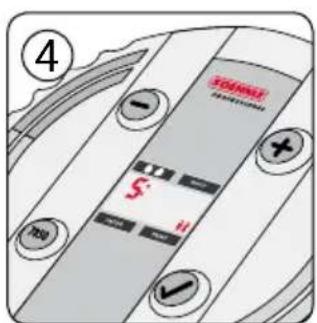
text_image
TOMATO 4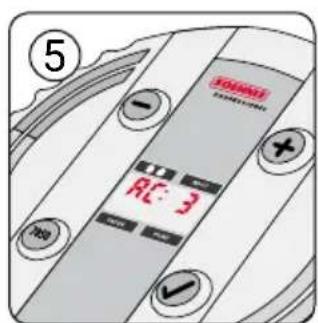
text_image
5 RC 3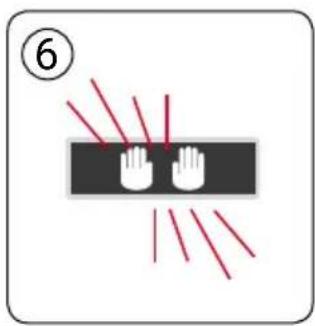
text_image
⑥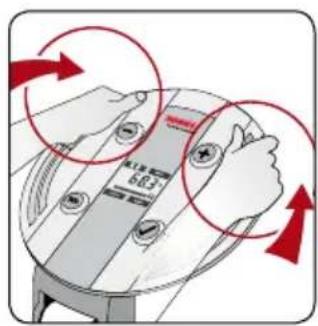
text_image
Illustration showing a hand holding a smartphone with red arrows indicating rotation or change, and a small screen displaying '683' and a plus sign.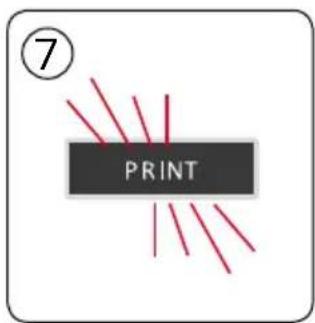
text_image
⑦ PRINT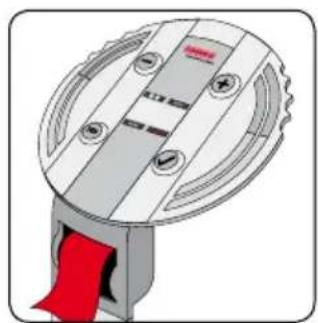
natural_image
Illustration of a mechanical device with a red ribbon inserted, showing internal components and mounting holes (no text or symbols)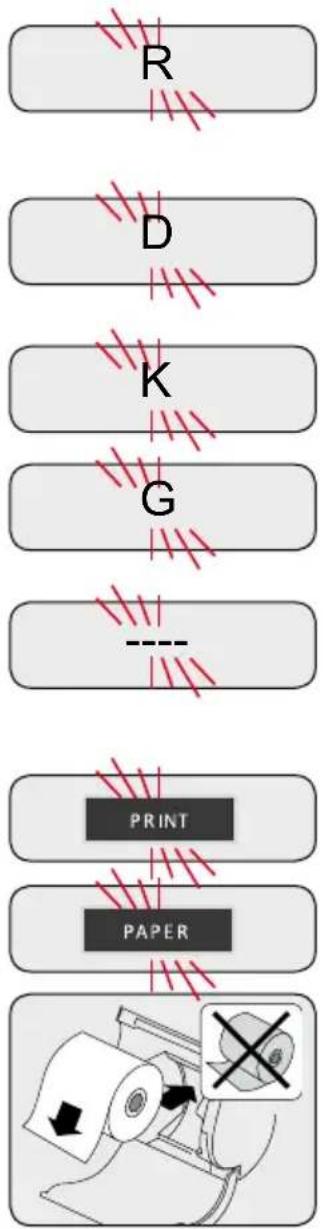
flowchart
graph TD
    A["Paper"] --> B["Print"]
    B --> C["PAPER"]
    C --> D["-->"]
    D --> E["R"]
    E --> F["D"]
    F --> G["K"]
    G --> H["G"]
    H --> I["-->"]
Zprávy
Nestojíte klidně.
text_image
ScaleManager - Form File Settings View Help Form Font: 0 Language: 1-English SOEHNLE PROFESSIONAL Date and Time: Night: 165cm Age: 39 Gender: female Weight inclusive clothes: 60.4kg Weight without clothes: 82.3kg BMI: 71 Judgements: Your current energy consumption: well I OK Top 1 Fat: 59.4% Water: 48.3% Muscle: 39.3% Your current energy consumption: 120.1 kcal TOP PERFORMANCE FOR YOUR HEALTH FÜR MESSBAREN ERFOLG Common Parameters Settings Gravity Factor Current Factor 0 Clothes Factor Apr. to Sep. 2.5 Oct. to Mar. 4.5 Data Format Current Date Format DD-MM-YYYY Upload Download Close STLEISTUNG Setting Upload Download ErrorMsg Previewtext_image
ScaleManager - Form File Settings View Help Communication Settings Service Mode Change Password Data Transfer to PC Settings Download All Data Language: 1-English SOEHNLE PROFESSIONAL Date and Time: Night: 100cm Age: 58 Gender: female Weight inclusive clothes: $1.4kg Weight without clothes: $2.5kg BMI: 21 Judgement: Your current energy consumption: well I OK Top I Fat: 56.4% Water: 48.3% Muscle: 39.6% Your current energy consumption: 1889 kcal TOP PERFORMANCE FOR YOUR HEALTH Setting Upload Download ErrorMsg Preview Preview SOEHNLE PROFESSIONAL 2009-03-26 17:12 Night: 145 cm Age: 58 Gender: female Weight inclusive clothes: $1.4kg Weight without clothes: $2.5kg BMI: 21 Judgement: well I OK Top I Fat: 58.4% Water: 42.3% Muscle: 39.6% Your current energy consumption: 1889 kcal TOP PERFORMANCE FOR YOUR HEALTH Setting Print Back SSBAREN ERFOLG HSTLEISTUNG6. Preview
text_image
Diagram illustrating a mechanical or electrical component with red arrows indicating rotation or movement, showing circular motion around a central component.
text_image
⑦ PRINT
natural_image
Illustration of a mechanical device with red arrows indicating motion or force direction (no text or symbols)text_image
6.83 100%
text_image
⑦ PRINT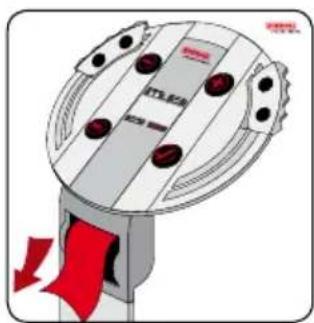
natural_image
Illustration of a mechanical device with red arrows indicating motion or force direction (no text or symbols)Kropsanalyse
natural_image
Illustration of a mechanical device with red arrows indicating motion or force direction (no text or symbols)EE LÜHIKASUTUSJUHEND
Kehakaalu analüüs
text_image
Diagram showing hand positioning of a device with red buttons and arrows indicating rotation or movement, including a digital display showing 1.63.
text_image
⑦ PRINT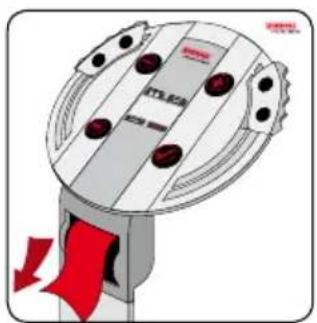
natural_image
Illustration of a mechanical device with red arrows indicating motion or force direction (no text or symbols)ES GUÍA RÁPIDA DE USO
Analizador corporal
natural_image
Diagram of a mechanical device with red arrows indicating motion or force direction (no text or symbols)FI PIKAOPAS
Kehoanalyysi
text_image
Illustration showing hand positioning of a device with red buttons and arrows indicating rotation or movement, including a speed limit sign.
text_image
⑦ PRINT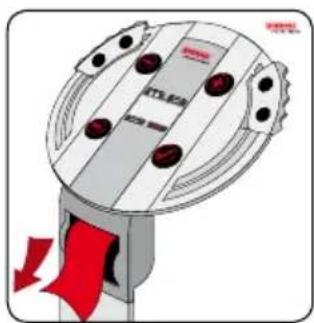
natural_image
Illustration of a mechanical device with red arrows indicating motion or force direction (no text or symbols)natural_image
Illustration of a mechanical device with red arrows indicating motion or force direction (no text or symbols)HR KRATKE UPUTE ZA UPORABU
Analiza tijela
- Stupite na vagu i utvrdite težinu. Ako treperi „INPUT“ i „L: 175“, počinje unos osobnih podataka.
- "L 175" Veličinu tijela namjestite tipkama te potvrdite tipkom √.
- "A 27" Starost namjestite tipkama te potvrdite s tipkom √.
- _nS^u Spol namjestite tipkama te potvrdite tipkom √.
- "SP" Tip kretanja odaberite tipkama te potvrdite tipkom √.
Koliko ste tjelesno aktivni?
$$ \begin{array}{l} \mathbf {1} = \text { do 1 sat / dan } \quad \mathbf {2} = \text { do 2 sata / dan } \ 3 = \text { do 3 sata / dan } \ 4 = \text { do } 4 \text { sata / dan } \ \mathbf {5} = \text { više od } 4 \text { sati / dan } \ \end{array} $$
natural_image
Illustration of a mechanical device with red arrows indicating motion or force direction (no text or symbols)HU RÖVID KEZELÉSI ÚTMUTATÓ
Testelemzés
text_image
⑤ 10:2 RL: 3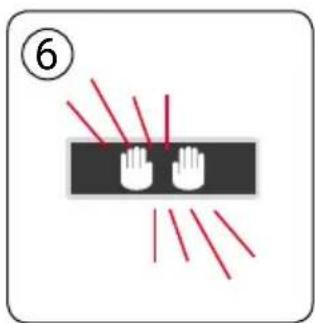
text_image
⑥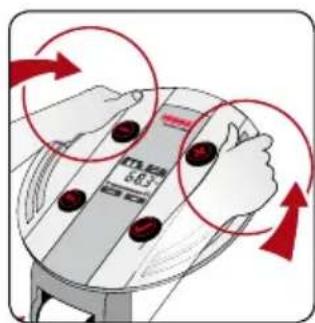
text_image
M25 601 SE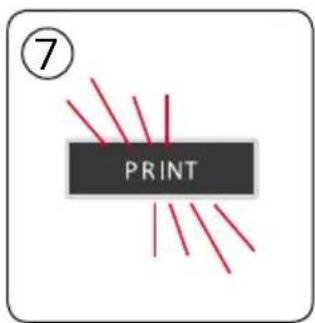
text_image
⑦ PRINT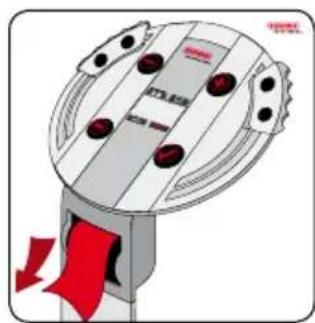
natural_image
Illustration of a mechanical device with red arrows indicating motion or force direction (no text or symbols)LT TRUMPA NAUDOJIMO INSTRUKCIJA
Kūno sudèties analizè
text_image
5 TENNSER RE: 3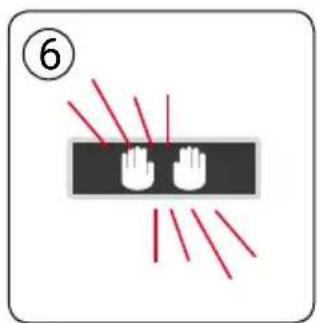
text_image
⑥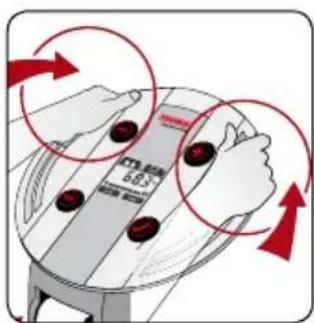
text_image
6.83
text_image
⑦ PRINT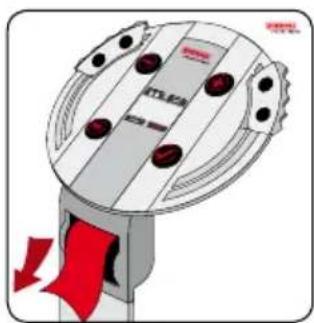
text_image
PTLEA RLV ŪSĀ LIETOŠANAS PAMĀCĪBA
Kermeña analize
text_image
M12.43 M12.45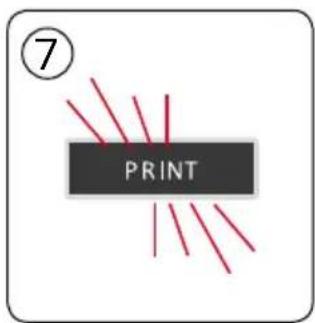
text_image
⑦ PRINT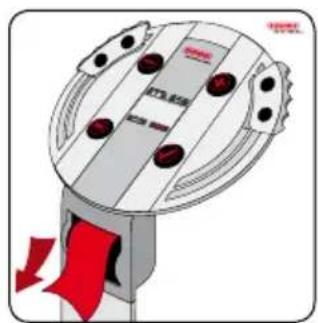
natural_image
Diagram of a mechanical device with red arrows indicating flow or movement, no readable text or symbols present.Lichaamsanalyse
natural_image
Illustration of a mechanical device with red arrows indicating motion or force direction (no text or symbols)Kroppsanalyse
natural_image
Diagram of a mechanical device with red arrows indicating flow or movement, no readable text or symbols present.PL SKRÓCONA INSTRUKCJA OBSŁUGI
Analiza ciała
natural_image
Diagram of a mechanical device with red arrows indicating flow or movement, no readable text or symbols present.PT GUIA DE INSTRUÇÕES RÁPIDAS
Análise corporal
natural_image
Diagram of a mechanical device with red arrows indicating flow or movement, no readable text or symbols present.Analiza corpului
natural_image
Diagram of a mechanical device with red arrows indicating motion or force direction (no text or symbols)Анализ телосложения
text_image
⑤ R.5 RL: 3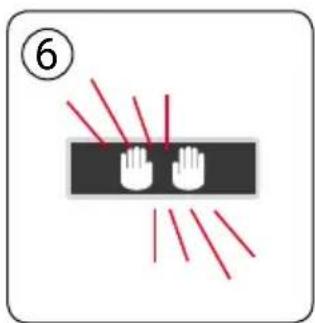
text_image
⑥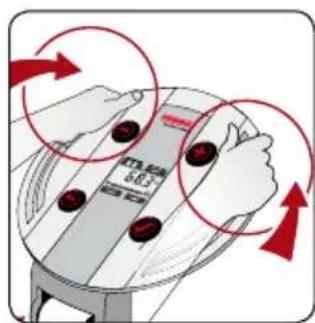
text_image
中位 60°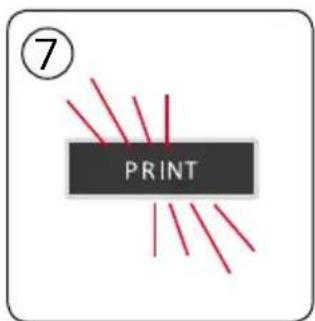
text_image
⑦ PRINT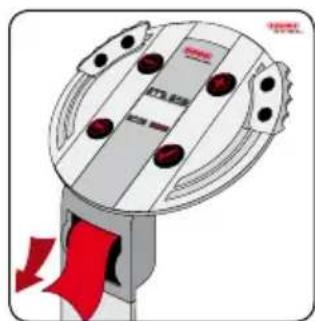
natural_image
Illustration of a mechanical device with red arrows indicating flow or movement (no text or symbols)text_image
5 TRE RL: 3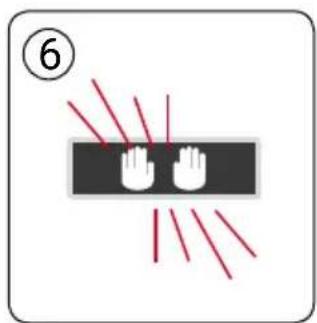
text_image
⑥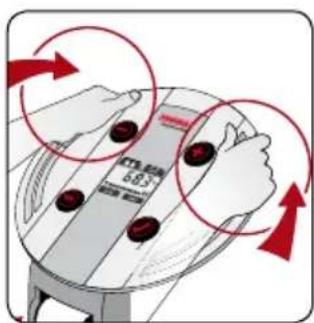
text_image
6.83 ↑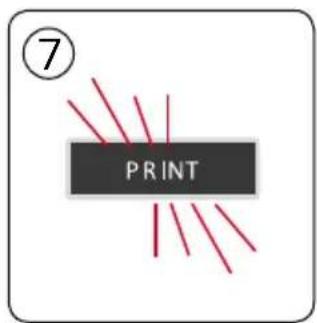
text_image
⑦ PRINT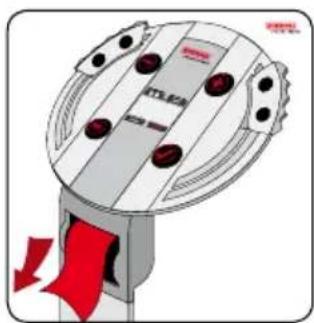
natural_image
Illustration of a mechanical device with red arrows indicating flow or movement (no text or symbols)SK STRUČNÝ NÁVOD NA OBSLUHU
text_image
⑤ R2: 3 RL: 3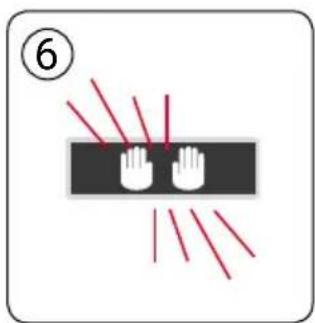
text_image
⑥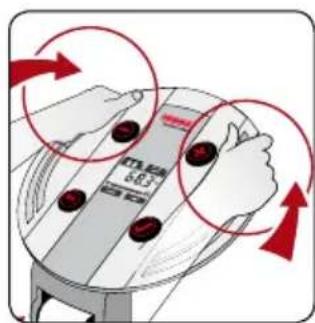
text_image
Diagram showing hand positioning of a device with red buttons and arrows indicating rotation or movement, labeled with Chinese text.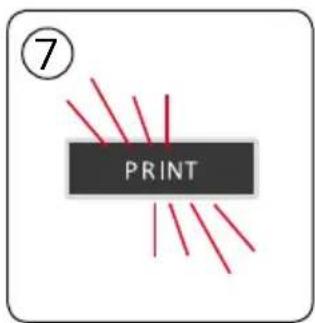
text_image
⑦ PRINT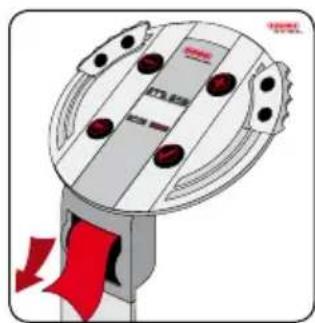
natural_image
Illustration of a mechanical device with red arrows indicating motion or force direction (no text or symbols)SL KRATKA NAVODILA ZA UPORABO
Analiza telesa
natural_image
Illustration of a mechanical device with red arrows indicating motion or force direction (no text or symbols)TR KISA KULLANIM KILAVUZU
Vücut analizi
text_image
⑤ R2: 3 R1: 3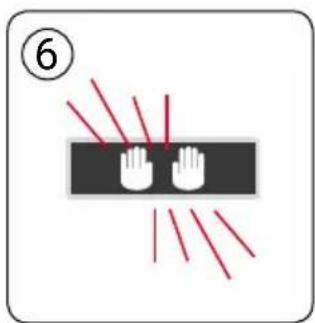
text_image
⑥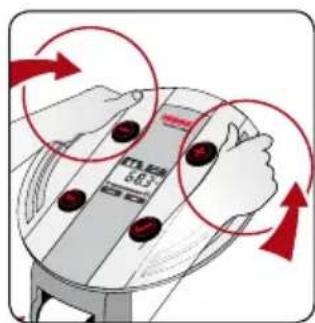
text_image
M25 601 SE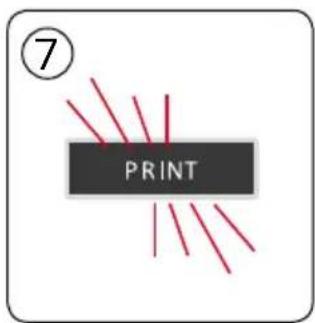
text_image
⑦ PRINT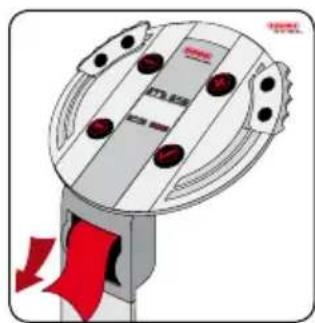
natural_image
Illustration of a mechanical device with red arrows indicating motion or force direction (no text or symbols)Soehnle Industrial Solutions GmbH
Gaildorfer Straße 6
DE-71522 Backnang
Telefon +49 (0) 71 91 / 34 53-220
Telefax +49 (0) 71 91 / 34 53-211
info@soehnle-professional.com
www.soehnle-professional.com