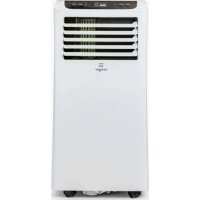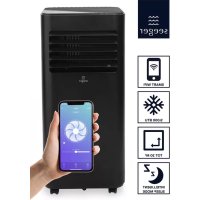
SAC9000SB - Air Conditioning SEEGER - Free user manual and instructions
Find the device manual for free SAC9000SB SEEGER in PDF.


User questions about SAC9000SB SEEGER
0 question about this device. Answer the ones you know or ask your own.
Ask a new question about this device
Download the instructions for your Air Conditioning in PDF format for free! Find your manual SAC9000SB - SEEGER and take your electronic device back in hand. On this page are published all the documents necessary for the use of your device. SAC9000SB by SEEGER.
USER MANUAL SAC9000SB SEEGER
natural_image
White portable air conditioner unit with black ventilation slots and a small logo on the side (no visible text or symbols)SAC9000S-B SAC9000HSSAO
EN
Smart mobile air conditioner
User manual 4
NL
Mobiele airconditioner Smart
The air conditioner is intended for cooling and removing moisture.
5 Read the manual carefully before the first use.
2. SAFETY
2.1 Labels in this manual
WARNING A warning means that injury is possible if the instructions are not obeyed.
CAUTION A caution means that damage to the equipment is possible.
A note gives additional information, e.g. for a procedure.
2.2 Safety features
Automatic defrost
When frost builds up on the evaporation filter, the appliance starts defrosting. The power button blinks.
Overload protection
In the event of a power loss, the overload protection switches the appliance off. The appliance switches on after 3 minutes.
2.3 General safety instructions
General
To prevent damage or malfunctions: Please take time and read the general safety instructions. This will avoid fire, explosions, electric shocks or other hazards that may result in damage to property and/or severe or fatal injuries.
The manufacturer is not liable for cases of material damage or personal injury caused by incorrect handling or non compliance with the safety instructions. In such cases, the warranty will be voided.
WARNING
This product can be used by children aged from 8 years and above and persons with reduced physical, sensory or mental capabilities or lack of experience and knowledge if they have been given supervision or instruction concerning use of the product in a safe way and understand the hazards involved. Children shall not play with the product. Cleaning and user maintenance shall not be done by children without supervision.
Do not open the refrigerant loop.
If the refrigerant leaks, immediately evacuate all persons in the room. Ventilate the room and contact the local fire department to inform them about the propane leakage. Do not enter the room until a qualified technician declares the room safe. Do not use a lighter, cigarette or other flammable item near the room.
▲Only use R-290 (propane) gas as the refrigerant.
Do not get refrigerant in your eyes, on your skin or on your clothing.
Do not put force on the appliance.
▲Always check that the mains voltage corresponds to the voltage on the rating plate.
▲ Only use original accessories from the manufacturer.
Do not spill any liquid on the appliance.
Never leave children unattended with the packaging material. The packaging material represents a danger of suffocation. Children frequently underestimate the danger. Always keep children away from the packaging material.
It is not permitted to open the product yourself or to have it opened, neither is it permitted to repair the product yourself or to have it repaired. This will void the warranties. Let any maintenance be carried out by certified maintenance personnel.
Do not block the ventilation holes.
Do not insert any objects in the ventilation holes.
Power cords should be placed so that they cannot be walked on and they cannot easily become trapped due to items resting on or against them. Pay particular attention to the power cords at plugs, sockets, and points where the cords exit the product.
▲ Disconnect the appliance from the power source during service or when not in use.
Do not operate the appliance with wet hands.
Do not leave the appliance unattended.
Do not unplug the appliance during operation.
▲ Do not operate the appliance when damaged.
CAUTION
Do not place the appliance near a heat source. This could damage the appliance.
Place the appliance on a horizontal flat surface.
Remarks
We recommend that you retain the original carton and packaging materials in case it ever becomes necessary to return your product for service. This is the only way to safely protect the product against damage in transit. If you do dispose of the carton and the packaging materials, please remember to recycle with due care to the environment.
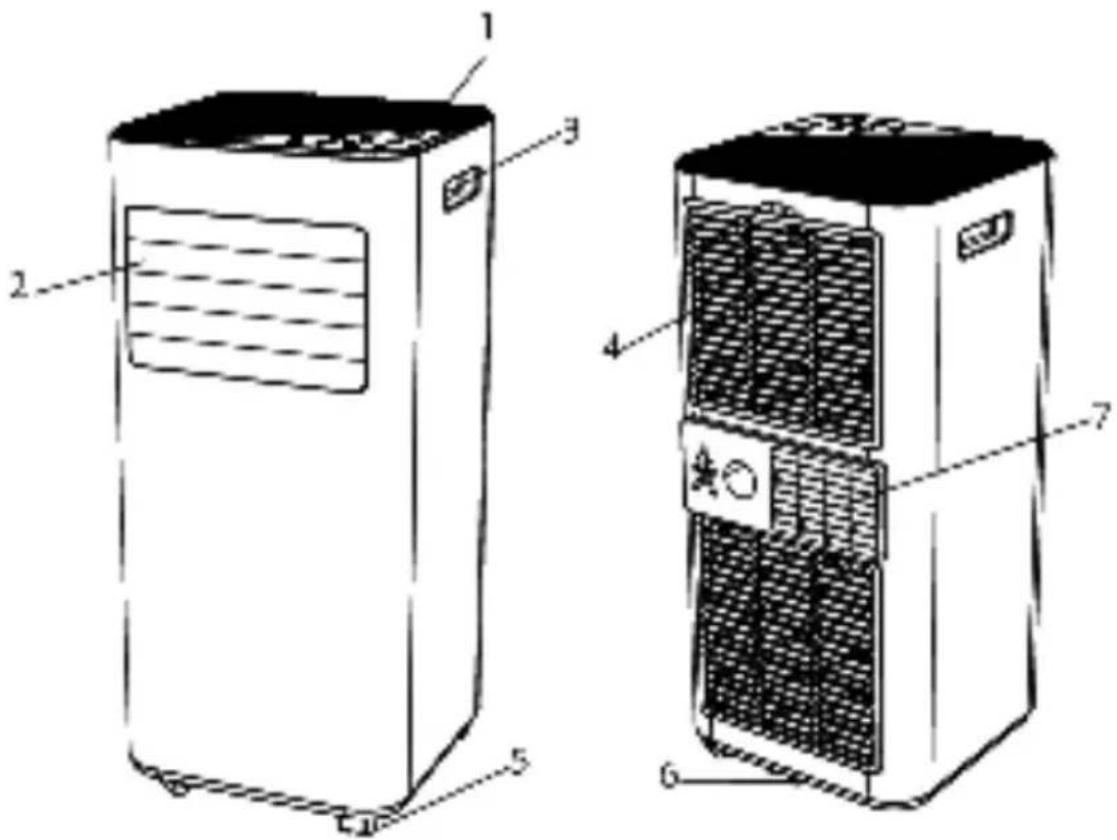
3. PRODUCT OVERVIEW
text_image
Technical diagram of a two-tiered air conditioner unit with labeled components| 1 Control Panel 4 | Air inlet with air filter | 6 | Drainage hole | |
| 2 Air outlet with adjustable louver | 5 Caster 7 | Air Exhaust | ||
| 3 Handle | ||||
Note: Appearance is for reference only. Refer to the actual product for detailed information.
4. INSTALLATION
4.1 UNPACKING
● Unpack the box and take out the device and accessories.
- Verify that the device is not damaged or scratched
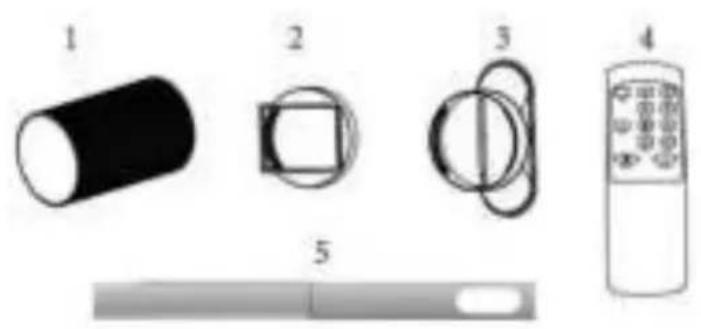
- Accessories:
■ 1. Accessories
■ 2. Pipe connection
■ 3. Window Kit Adapter
■ 4. Remote control
■ 5. Window kit
natural_image
Illustration of four different electronic components and a control panel, no text or symbols present4.2 PLACE OF INSTALLATION
- If the device has been tipped down or laid down during transport, let it sit vertically for at least 24 hours before use.
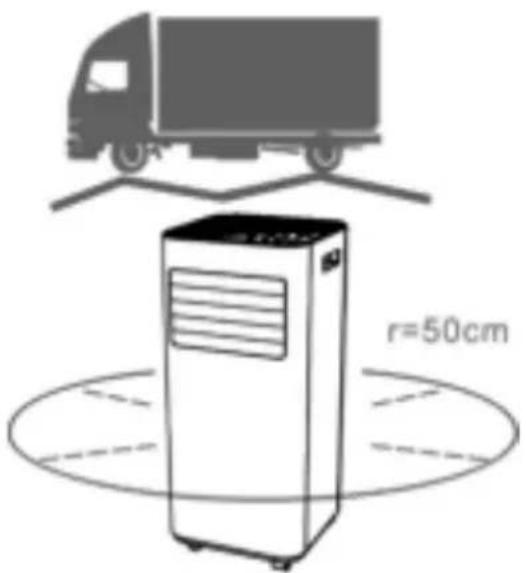
- Place the device on a solid, flat surface with at least 50 cm of free space to allow air circulation.
- Do not use the device in the vicinity of walls, curtains or other objects that may block the entry and exit of air.
- Never install the unit in the places where it will be displayed in: Heat sources such as radiators, heaters or other products that produce heat.
Direct sunlight
▶ Mechanical vibration or shock
Excessive dust
Lack of ventilation
▶ Mechanical vibration or shock
text_image
r=50cmUneven surface

ATTENTION
Install the device in rooms of at least 9 m^2 .
Do not install the device in a place where there are flammable gases.

NOTE!
The manufacturer may provide other appropriate examples or additional information on the smell of the refrigerant.
4.3 EXHAUST PIPE FIXATION
The air conditioner must be connected to the outside through a duct so that the return air can escape from the room, which contains the waste heat and moisture of the unit.
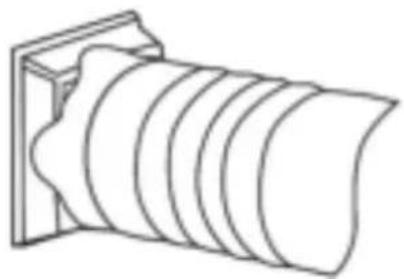
Step 1: Connect the pipe connector to the end of the return air hose.
natural_image
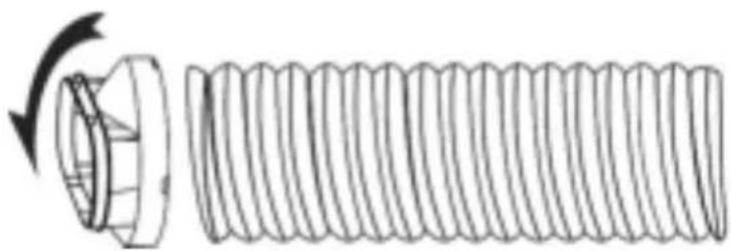
Line drawing of a cylindrical object with concentric grooves, mounted on a rectangular base (no text or symbols)Step 2: Connect the window adapter to the other end of the exhaust pipe.
natural_image
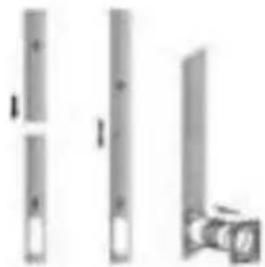
Diagram of a bolt with a flanged head and threaded shaft, showing rotational motion (no text or symbols)Step 3: Extend the adjustable window kit by the length of your window. Connect the air outlet tube to the window kit.
natural_image
Three vertical cylindrical objects with white flanges and a small camera on the right (no text or symbols visible)Step 4: Close the window so that the sealant stays in place. It is recommended to seal the space between the adapter and the sides of the window for maximum efficiency.
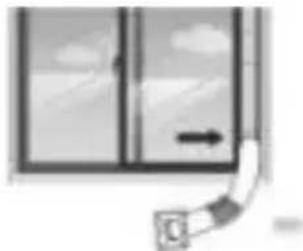
natural_image
Simple line drawing of a window with a door and arrow, no text or symbols presentStep 5: Connect the hose connector to the output of the device.
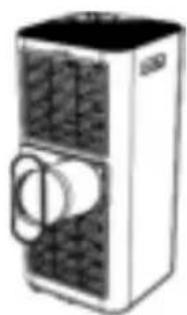
natural_image
Illustration of a portable air conditioner unit with front panel and side door (no text or symbols)Step 6: Adjust the length of the flexible exhaust pipe and avoid bending it. Make sure it is near a power outlet.
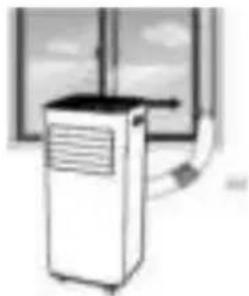
natural_image
Illustration of a portable air conditioner unit with cooling fan and ventilation duct (no text or symbols)Step 7: Adjust the air outlet grille and then turn on the device.
5. OPERATION
5.1 CONTROL PANEL AND DISPLAY
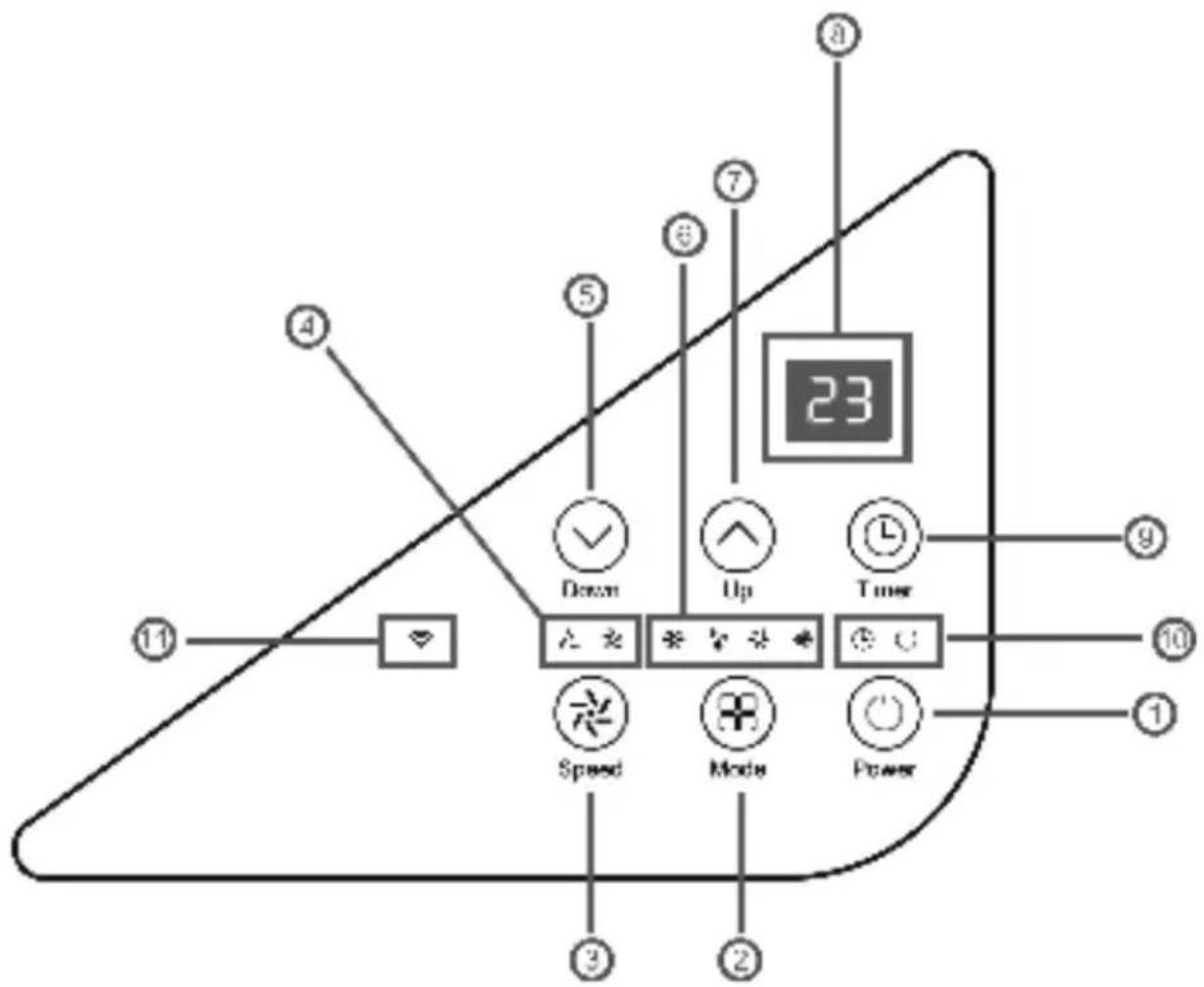
text_image
23 Down Up Timer Speed Mode Power| 1. | POWER Button ON/OFF | |
| 2. | MODE | Mode selection: Cooling, Dehumidification, Ventilation, Heating (heating only SAC9000HS). |
| 3. | SPEED Ventilation | Speed: High/Low |
| 4. | Fan speed indicator | Fan speed display |
| 5. | DOWN Lower the | temperature ( 16^ - 32^ ) |
| 6. | MODE Indicator | Display mode: cooling, dehumidification, ventilation, heating (heating only with SAC9000HS) |
| 7. | UP Increase the temperature (16° - 32°) | |
| 8. | Digital display Timer and ambient temperature display | |
| 9. | TIMER | Set the time when the device should turn on or off automatically. |
| 10. | TIMER/POWER indicator | Timer/Power Status Display |
| 11. | WIFI indicator WiFi status display | |
5.2 INFORMATION APPLICATION "Smart Life"
The "Smart Life" app is available for Android and iOS. Scan the QR code to go directly to the download. .

natural_image
Icon of a smart home with wireless signal, no text or symbols present
text_image
QR code image containing encoded data, no visible human-readable textHow to use the "Smart Life" app.
This device allows you to control the device through your home network. We recommend that you disconnect the device from the mains when you are out to prevent it from accidentally turning on while traveling.
Using the app
- Install the "Smart Life" app. Create a customer account.
- Enable the WLAN feature in your device's settings.
- Place the device at a distance of about 5m from your router.
- As while the device is turned on, the WiFi light will flash. After 3 minutes, the connection will be disconnected if there is no network configuration and the LED is off. If you need to reconnect the WLAN, press the "Timer" button for 5 seconds to start the network setup. The WLAN LED flashes again.
- When the Wi-Fi light flashes, select "Add Device" - "Large Home Appliance"" - "Portable Air
Conditioner" and follow the on-screen instructions. Check the status of the Wi-Fi indicator and select the correct one. If the WiFi indicator flashes quickly, a direct connection can be established. If the WiFi indicator flashes slowly, press "Go to connect" to connect to the WLAN called "SmartLife-XXXX".
- Once the device connects successfully, the Wi-Fi light will turn on. You can now control the device from the app. Press and hold the timer button for about 5 seconds, the device will disconnect, and the Wi-Fi light will light up.
| TROUBLESHOOTING | |
| Problem Solution | |
| Network connection timeout | 1. The WLAN LED flashes slowly: Check if you have selected the WLAN with the name "SmartLife-xxx".2. The WLAN LED flashes slowly: Verify that you have selected the WLAN with the name "SmartLife-xxx".Turn off the device, disconnect it from the power supply, and plug it back in after 10 seconds. Call the app again to establish a connection. |
| WiFi screen off | Press and hold the timer button or turn off the device, remove the plug from the power outlet and plug it back in after 10 seconds. |
| The WLAN access point disappears and the WLAN LED flashes. | Turn off the device, unplug the power cord, and plug it back in after 10 seconds. |
5.3 PARAMETERS
5.3.1 Start and Stop
→ Press POWER to turn on the device.
→ Press MODE to select the desired mode.
→ Press the POWER button to turn off the device.
5.3.2 Operating mode
The device has 5 or 4 operating modes: cooling, dehumidification, ventilation, repetition, heating.
Note: Heating mode is only applicable to SAC9000HS.
Cooling
Select the "Cool" position to reduce the temperature:
→ Press the MODE button until the "Cool" indicator comes on.
→ Press the up/down button to select the temperature displayed on the screen (16°C and 32°C)
→ Press the SPEED button until the desired ventilation speed is turned on. To adjust the direction of airflow horizontally, manually adjust the ai flap.
To adjust the direction of airflow horizontally, manually adjust the air fin. Note: The air conditioner automatically turns off when the ambient temperature is below the selected temperature.
Heating (only SAC9000HS)
⇒ Press the MODE button until the "Heating" indicator illuminates.
→ Press the up/down button to set a temperature above the ambient temperature. The fan speed can also be adjusted.
Note: For continuous operation, the drain pipe must be connected to the devise.
Ventilation
Press the MODE button until the "Fan" indicator turns on.
In ventilation mode, the ambient air is changed and not cooled.
Press the SPEED button to select the desired speed level.
Drying/Dehumidification
Press the MODE button on the control panel, the dry light will light up. Unable to select fan speed. The user must connect the pipe to the drain at the bottom of the device. In this mode, the fan speed is set to low and cannot be adjusted.
Sleep mode (this function can only be selected by the remote control).
Standby mode can be activated in cooling mode and heating mode.
- In cooling mode:
After 1 hour, the preset temperature is increased by 1^ C, after another hour by 1^ C again, etc.
- In heating mode (only SAC9000HS):
After an hour, the preset temperature is reduced by 1^ C, then again by 1^ C after
another hour. Then the temperature remains constant for 10 hours. The screen is dimmed. The fan speed is set to the lowest level for quiet operation and is not adjustable.
5.3.3 Timer adjustment (1 -24 hours):
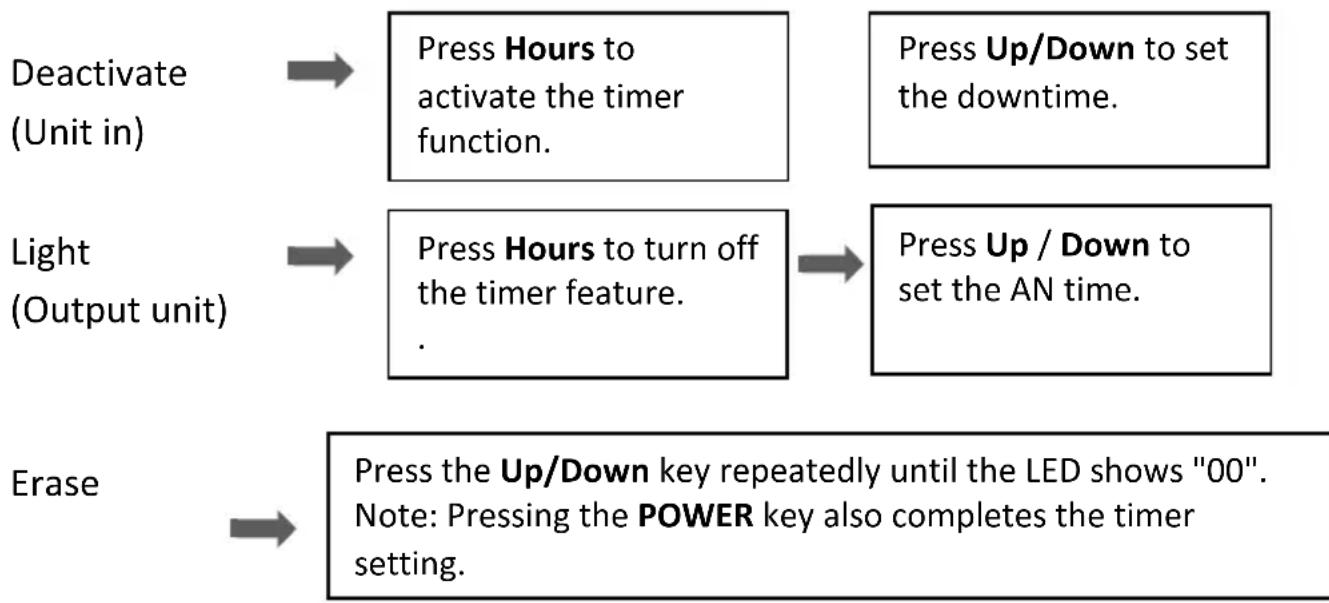
flowchart
graph TD
    A["Deactivate (Unit in)"] --> B["Press Hours to activate the timer function."]
    C["Light (Output unit)"] --> D["Press Hours to turn off the timer feature."]
    E["Erase"] --> F["Press the Up/Down key repeatedly until the LED shows "00". Note: Pressing the POWER key also completes the timer setting."]
    B --> G["Press Up/Down to set the downtime."]
    D --> H["Press Up / Down to set the AN time."]
5.3.4 Automatic defrosting
At low ambient temperature, frost can form in the evaporator during operation. The device automatically starts to thaw and the on/off light flashes. The defrosting sequence is as follows:
A. When the unit is operating in cooling or drying mode, the ambient temperature sensor detects that the temperature of the evaporator coil is below -1 °C. Once the compressor has been turned off for 10 minutes or the battery temperature has reached 7°C, the device will return to cooling mode.
B. When the unit is operating in heating or drying mode, as soon as the evaporator temperature sensor detects a temperature below 40 °C and the temperature difference between the evaporator temperature and the ambient temperature is less than 19 °C , after the compressor has been running for 20 minutes, the unit begins to thaw for 5 minutes and the operating light flashes.
5.3.5 Overload protection
In case of a power outage, to protect the compressor, there is a delay of 3 minutes until the compressor restarts.
5.4 DRAINAGE
Manuel drainage
The machine stops automatically when the water tank is full. Remove the plug from the power outlet.
Note: Move the device carefully to prevent water from flowing.
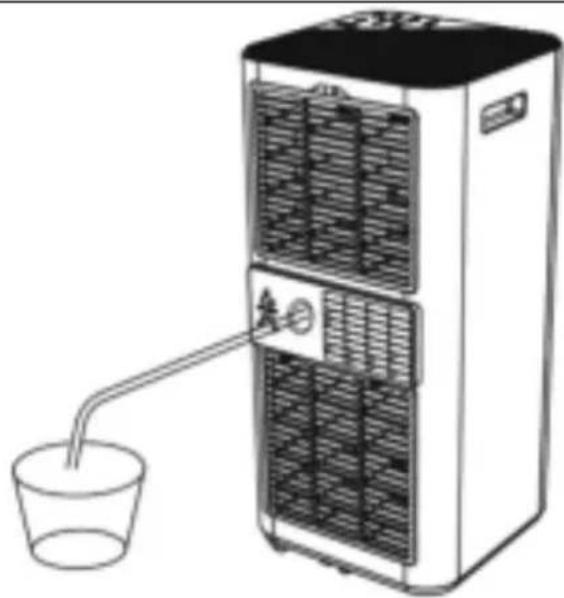
Place a water tank under the water outlet on the side of the box.
Remove the lid and the water will automatically drain into the container.
Note 1:
- Keep the drain plug in a safe place.
- The box can be tilted slightly back when draining.
- Make sure the collection tray is large enough to collect the contents.
- When the water has drained completely, put the lid and drain hatch back in place.
Continuous drainage
The self-evaporation system uses the collected water to cool the condenser banks for better performance. The condensate tank does not need to be emptied in cooling mode.
Note that it should be emptied in heating and drying mode and in case of high humidity. Condensation water evaporates into the condenser and is evacuated through the exhaust pipe. For continuous or unattended operation in drying and heating mode, connect the supplied drain hose to the unit.
- Turn off the device.
- Remove the drain plug
- Connect the drain pipe safely and tightly, making sure it is not bent and there is no obstruction.
- Place the end of the pipe over a drain or bucket and let the water flow freely from the device.
- Do not immerse the end of the pipe in water, otherwise an "airlock" could form in the pipe.
natural_image
Diagram of a water heater unit with a straw inserted into a cup (no text or symbols)Prevent water damage:
- Since the underpressure of the condensation tank is high, you need to tilt the drain pipe towards the ground. The angle of inclination should be greater than 20 degrees.
- Straighten the hose to avoid bending it.
6. CLEANING AND MAINTENANCE
6.1. CLEAN THE AIR FILTER (every two weeks)
Dust collects in the filter and obstructs the airflow. Restricted airflow reduces the efficiency of the system and if it is blocked, the unit can be damaged.
The air filter should be cleaned regularly. The air filter is removable for easy cleaning. Do not use the device without the air filter, otherwise the evaporator may become clogged.
- Press the POWER button to turn off the device and unplug it from the mains.
- Remove the filter from the device.
-
Use a vacuum cleaner to easily remove coarse dust from the filter.
-
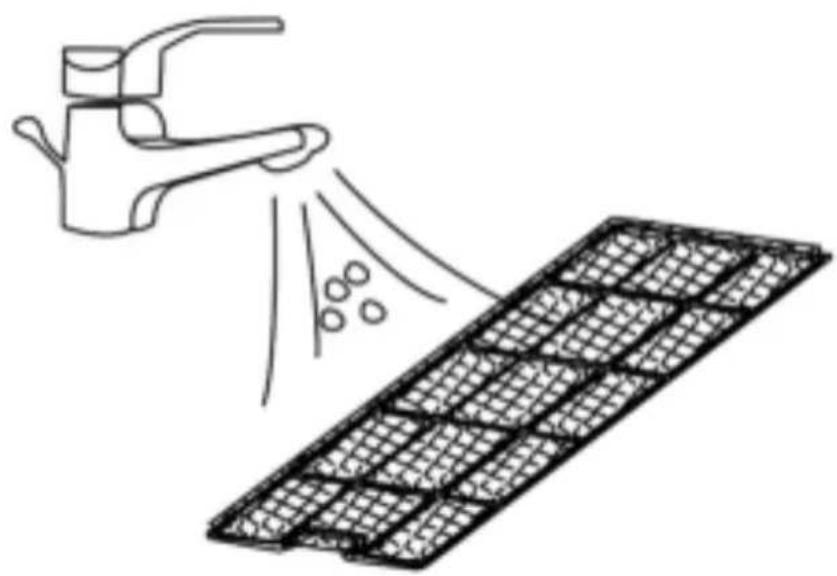
Turn the filter and rinse the air filter under running water. Let the water flow
-
through the filter in the opposite direction to the airflow. Let it dry completely outdoors before putting it back in place.
natural_image
Illustration of a hand spraying water onto a grid-patterned surface (no text or symbols)Turn off the device and remove the air filters.
Rinse the air filter under running water.
WARNING!
Do not touch the surface of the vaporizer with bare hands, risk of injury!
7. DEMONTAGE
Long-term storage: If you don't use the device for a long time, clean it and dry it completely. Store your device by following these steps:
- Remove the plug from the outlet and remove the exhaust pipe, including the window assembly.
- Remove the remaining water from the appliance and dry it in ventilation mode for half a day to prevent mold growth and protect the internal parts.
- Clean the filter and let it dry completely.
- Replace the filter.
- The device should be stored upright.
- Store the device in a well-ventilated, dry, and safe place.
8.DISPOSAL
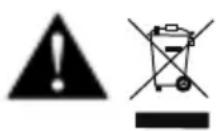
Do not dispose of the product in household waste. The product must be disposed of at the designated disposal center
Dispose of the product at designated collection points for electrical and electronic equipment. For more information, please contact your dealer or local authorities.
Refrigerants must be removed by a qualified specialist prior to disposal and disposed of in accordance with national and local regulations.
Please dispose of batteries in an environmentally friendly manner. Do not throw batteries in household waste.
Use your community's return and collection systems or contact the retailer from whom the product was purchased
- TROUBLESHOOTING
| Problem Possible cause Solution | |||
| The product does not start | ✓ Is the power supply connected correctly? | ➢Properly plug the power cord into the power outlet. | |
| ✓ Is the water level indicator activated? | ➢Empty the water tank. | ||
| ✓ Room temperature? | ➢Ambient temperature 5-35°C. | ||
| Insufficient cooling | ✓ Has the air filter been changed? | ➢Dirty air filter | |
| ✓ Insufficient ventilation? | ➢Taking care ofthe environmental distance. | ||
| ✓ Open door, window in the room? | ➢Close the window/door. | ||
| ✓ Correct mode assembly | ➢Set the desired mode | ||
| ✓ Connected/clogged exhaust air hose? | ➢Successfully connect/remove the obstruction. | ||
| Water leakage | ✓ Overflow when moving the device? | ➢Empty the water tank before transport | |
| ✓ Check if the drain pipe is bent or bent. | ➢Straighten the pipe to prevent a fall. | ||
| Unusual sounds | ✓ Leveled product? | ➢Place the product on a flat, horizontal surface. | |
| ✓ Does the product touch an object? | ➢Does the product touch an object? | ||
| ✓ Is the sound of water audible? | ➢The coolant circulates, it's a normal sound. | ||
| Error Code | E0 | ✓ Communication between the header and the billboard. | ➢Put the product to rest, unplug the power cord and plug it back in. |
| E1 | ✓ Interference with the ambient temperature sensor | ➢Ambient temperature sensor defect | |
| E2 | ✓ Defects in the temperature sensor of the ignition coil. | ➢Put the product to rest, unplug the power cord and plug it back in. | |
- TECHNICAL SPECIFICATIONS
| Specification / Model Number | SAC9000S | SAC9000S-B SAC9000HS |
| Cooling capacity 9000 BTU 9000 BTU 9000 BTU | ||
| Power supply | 220-240V/ 50 Hz | 220-240V/ 50 Hz 220-240V/ 50 Hz |
| Nominal capacity for cooling in kW 2,6 2,6 2,6 | ||
| EERrated 2,6 2,6 2,6 | ||
| Sound power ≤65 dB ≤65 dB | ≤65 dB | |
| Energy consumption per hour in kWh 1,0 | 1,0 | 1,0 |
| Energy efficiency application class | A | A |
| Nominal heating output in kW | N/A | N/A |
| COPrated | N/A | N/A |
| Energy consumption per hour in kWh per 60 minutes, for heating | N/A | N/A |
| Application Energy efficiency class, Heating | N/A | N/A |
text_image
Technical diagram of a rectangular device with labeled parts, showing internal structure and mounting points.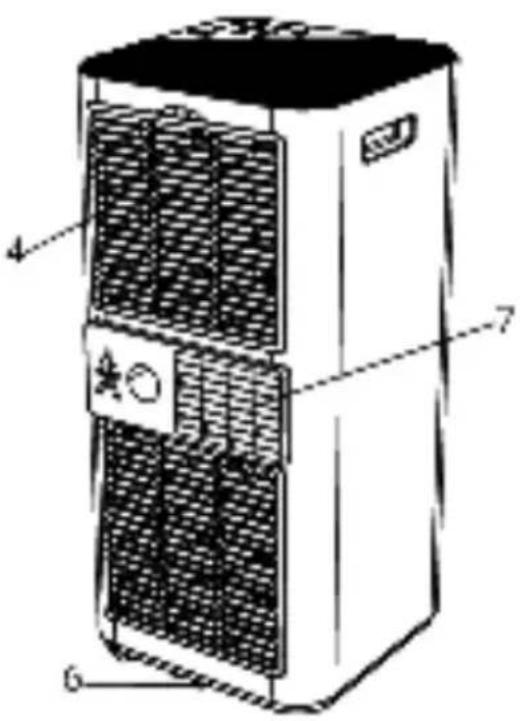
text_image
Technical diagram of a server rack with labeled components including ventilation grilles and fan basenatural_image
Illustration of four different electronic components and a control panel, no text or symbols present4.2 AUFSTELLORT
natural_image
Line drawing of a cylindrical object with concentric grooves, mounted on a rectangular base (no text or symbols)natural_image
Diagram of a bolt with a circular head and threaded shaft, showing rotational motion (no text or symbols)natural_image
Three vertical cylindrical objects with rectangular bases, one with a small circular object beside it (no text or symbols visible)natural_image
Simple line drawing of a window with a curved arrow pointing to the bottom right corner (no text or symbols)natural_image
Illustration of a portable air conditioner unit with cooling fans and a handle (no text or symbols visible)natural_image
Illustration of a portable air conditioner unit with a window view (no text or symbols)5.2 INFORMATION "Smart Life"
natural_image
Simple icon of a house with wireless signal waves, no text or symbols present
text_image
QR code image containing encoded data, no visible human-readable textDownload Smart Life App
natural_image
Diagram of a water heater unit with a cup and a side-mounted drain, connected by a pipe (no text or symbols)natural_image
Illustration of a hand spraying water onto a grid-patterned surface (no text or symbols)text_image
Technical diagram of a portable air conditioner unit with labeled parts 1, 2, 3, and 5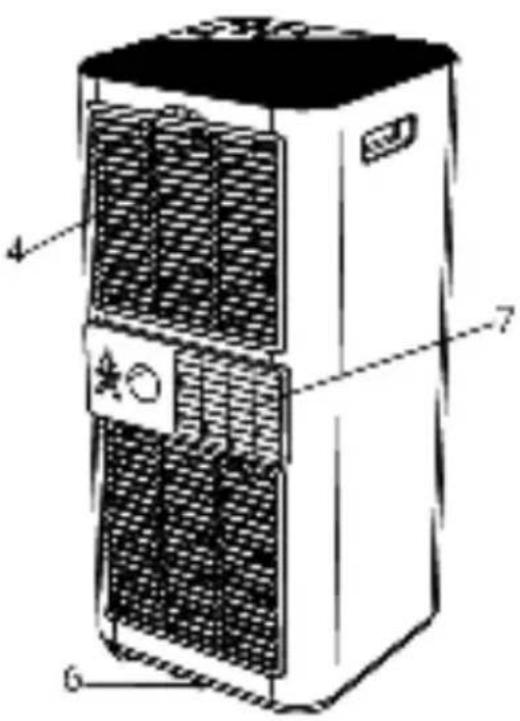
text_image
Technical diagram of a server rack with labeled components including fan, ventilation slots, and control panelnatural_image
Illustration of four different electronic components and a screen device, no text or symbols present4.2 PLAATS VAN INSTALLATIE
natural_image
Line drawing of a cylindrical object with concentric grooves, mounted on a rectangular base (no text or symbols)natural_image
Diagram of a threaded bolt with a flanged end and a curved arrow indicating rotation (no text or symbols)natural_image
Three vertical cylindrical objects with rectangular bases, one with a small inset image (no text or symbols visible)natural_image
Simple line drawing of a window with an arrow pointing to the left pan, no text or symbols present.natural_image
Illustration of a portable air conditioner unit with cooling fins and a handle (no text or symbols visible)natural_image
Illustration of a portable air conditioner unit with a curved handle, set against a window background (no text or symbols)5.2 INFORMATIE App "Smart Life"
natural_image
Simple icon of a house with wireless signal waves, no text or symbols presentDownload Smart Life App

text_image
QR code image containing encoded data, no visible human-readable textnatural_image
Diagram of a water heater unit with a cup and a side-mounted drain, no text or symbols presentVoorkom waterschade:
natural_image
Illustration of a hand spraying water onto a grid-patterned surface (no text or symbols)text_image
Technical diagram of a two-tiered air conditioner unit with labeled componentsnatural_image
Illustration of four different electronic components or devices with numbered labels (1 to 5), no text or symbols present.4.2 LIEU D'INSTALLATION
natural_image
Line drawing of a cylindrical object with concentric grooves, mounted on a rectangular base (no text or symbols)natural_image
Diagram of a bolt with a flanged head and threaded shaft, showing rotational motion (no text or symbols)natural_image
Three vertical cylindrical objects with rectangular bases, one with a small circular object beside it (no visible text or symbols)natural_image
Simple line drawing of a window with an arrow pointing to the left pan, no text or symbols present.natural_image
Illustration of a portable air conditioner unit with front panel and side door (no text or symbols visible)natural_image
Illustration of a portable air conditioner unit with a window and ventilation duct (no text or symbols)5.2 INFORMATION App "Smart Life"
natural_image
Simple icon of a house with wireless signal waves, no text or symbols presentDownload Smart Life App

text_image
QR code image containing encoded data, no visible human-readable textComment utiliser l'application "Smart Life".
natural_image
Line drawing of a server unit with a cup and a water tap, no text or symbols presentnatural_image
Illustration of a hand spraying water onto a grid-patterned surface (no text or symbols)text_image
Technical diagram of a two-tier air conditioner unit with labeled componentsnatural_image
Illustration of five different electronic components or devices, including a cylindrical, square, ring, and remote control panel (no text or symbols present)natural_image
Line drawing of a cylindrical object with concentric grooves, mounted on a rectangular base (no text or symbols)natural_image
Diagram of a bolt with a flanged head and threaded shaft, showing rotational motion (no text or symbols)natural_image
Pure electrical circuit lines without any symbolsnatural_image
Simple line drawing of a window with a curved arrow pointing to the left pan, no text or symbols present.natural_image
Illustration of a portable air conditioner unit with control panel and fan (no text or symbols)natural_image
Illustration of a portable air conditioner unit with a window view (no text or symbols)5.2 INFORMATION "Smart Life"
natural_image
Simple icon of a house with wireless signal waves, no text or symbols presentDownload Smart Life App

text_image
QR code image containing encoded data, no visible human-readable textnatural_image
Illustration of a portable air conditioner unit with a cup and a water tap, no text or symbols present.natural_image
Illustration of a hand spraying water onto a grid-patterned surface (no text or symbols)text_image
Warning sign depicting a flame symbol in a triangular frame, indicating hazard or caution.



seeger
WE ENABLE YOU TO RULE YOUR HOUSEHOLD
Elmarc B.V.