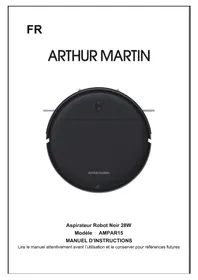
AMPAR15 - Robot vacuum ARTHUR MARTIN - Free user manual and instructions
Find the device manual for free AMPAR15 ARTHUR MARTIN in PDF.


| Product type | Robot vacuum |
| Brand | Arthur Martin |
| Model | AMPAR15 |
| Dimensions | Diameter 300 mm, Height 74 mm |
| Net weight | 2.5 kg |
| Battery type | Rechargeable lithium 2500 mAh, 14.4 V |
| Power supply | Mains adapter provided by manufacturer |
| Rated power | 28 W |
| Dustbin capacity | 200 ml |
| Charging time | About 300 minutes (5 hours) |
| Cleaning time | About 100 minutes |
| Cleaning modes | Automatic, spot, edge, zigzag |
| Automatic return to base | Yes, when battery is low |
| Mopping function | Yes, with water tank and cleaning pad |
| Package contents | Robot, charging station, remote control, adapter, water tank, dustbin, cleaning brush, 2 side brushes, 4 filters, manual |
| HEPA filter maintenance | Wash every 15-30 days, replace every 3 months |
| Sensor cleaning | Use a dry cloth for electrodes, sensors and wheels |
| Safety | Do not use on wet floors, do not vacuum flammable or burning objects |
| Warranty | 2 years |
| After-sales service | Email: sav@gmtfrance.fr |
Frequently Asked Questions - AMPAR15 ARTHUR MARTIN
User questions about AMPAR15 ARTHUR MARTIN
0 question about this device. Answer the ones you know or ask your own.
Ask a new question about this device
Download the instructions for your Robot vacuum in PDF format for free! Find your manual AMPAR15 - ARTHUR MARTIN and take your electronic device back in hand. On this page are published all the documents necessary for the use of your device. AMPAR15 by ARTHUR MARTIN.
USER MANUAL AMPAR15 ARTHUR MARTIN
MANUEL D'INSTRUCTIONS
Robot Vacuum Cleaner
Model: AMPAR15
INSTRUCTION MANUAL
Read this manual thoroughly before using and save it for future reference
Safety Regulations

Read operator's manual
Before using this product, please read the following safety instructions and follow all routine safety precautions.
Please read the instructions carefully, please keep the instructions.
Any operation inconsistent with this instruction manual may cause damage to this product.

Note:
- Only authorized technicians can disassemble this product. Users are not recommended to disassemble this product by themselves.
- This product can only use the power adapter provided by the factory. If other adapters are used, the product maybe damaged.
- Do not touch wires, sockets or body parts to roll into the product drive wheels.
- Do not use cloth curtains or body parts to roll into the product drive wheels.
- Do not place this product near cigarette butts, lighters and other smoldering fires.
- Please clean the product after charging.
- Do not bend wires excessively or place heavy objects and sharp objects on the machine.
- This product is an indoor household product.Do not use it outdoors.
- Do not sit on the product.
- Do not use this product in wet environment(e.g.bathroom).
- Before using this product, please remove all vulnerable items (e.g. glasses, lamps, etc.) on the ground as well as items (e.g. wires, paper sheets, curtains) that may entangle the side brushes and air suction passages.
- Do not put this product in a place where it is easy to fall (e.g.on desks and chairs).
- Please carefully check whether the power adapter is connected to the socket before use, otherwise the battery may be damaged.
- To prevent tripping, please inform others of the house when this product works.
- Please empty the dust box before using this product when the dust box is full.
- The temperature used for this product is 0 to 40 degrees Celsius.
- Do not use this product in high temperature environment.
- Please remove the battery from the machine before the product is scrapped.
- Please make sure that this product is not powered on when removing the battery.
- Please recycle the discarded batteries safely.
Warning:
- Use only the original rechargeable battery and charging seat specially equipped by the manufacturer. Non - rechargeable batteries are structure prohibited, please refer to "product parameters" for battery specification information.
- It is forbidden to use products in environments with open flames or fragile objects.
- It is forbidden to use products in extremely hot (above 40^ ) or extremely cold (below 0^ ).
- It is forbidden for human hair, clothes, fingers and other parts to approach the opening and operating parts of the product.
- It is forbidden to use products on wet or stagnant ground
- It is forbidden for products to absorb any articles such as stones and waste paper that may clog products.
- It is forbidden for products to absorb any inflammable substances, such as petrol, toner and toner for printers or photocopies. Prohibit the use of products in clean areas with flammable items.
- It is forbidden for products to absorb any burning articles, such as cigarettes, matches, ashes and other articles that may cause fire.
- It is forbidden to place articles at the suction opening. Do not use the product when the suction port is blocked. Clean up dust, cotton wool, hair, etc. at the suction opening to ensure smooth air circulation at the suction opening.
- Use the power cord carefully to avoid damage. It is forbidden to use the power cord to drag or pull the product and the product charging seat. It is forbidden to use the power cord as a handle. It is forbidden to clamp the power cord in the crack of the door. It is forbidden to pull the power cord at sharp corners and corners. It is forbidden for the product to run on the power cord while the power cord should be far away from the heat source.
- Do not use damaged charging seat.
- Even if the product has been severely damaged, burning of the product is prohibited, which may lead to explosion of the battery of the product.
- This appliance can be used by children aged from 8 years and above and persons with reduced physical, sensory or mental capabilities or lack of experience and knowledge if they have been given supervision or instruction concerning use of the appliance in a safe way and understand the hazards involved. Children shall not play with the appliance. Cleaning and user maintenance shall not be made by children without supervision.
- The appliance is only to be used with the power supply unit provided with the appliance.
- For the purposes of recharging the battery, only use the detachable supply unit provided with this appliance.
- The adapter must be removed from the socket-outlet before cleaning or maintaining the appliance or removing the battery.
- This appliance contains batteries that are only replaceable by skilled persons.
Table of Contents
Product Composition / Package Contents 4
Product Composition / Parts 5
Preparations 7
Using the Product / Charging the robot vacuum cleaner 8
Product Usage / Start Cleaning 9
Product Usage / Pause, Wake-up and Shutdown 10
Cleaning Mode 10
Product Usage / Install the mopping holder 11
Product Usage / Watertank 11
Parts Maintenance / Dust Box 12
Parts Maintenance / Filter Cotton 13
Parts Maintenance / Charging Electrode, Lower Visual Sensor, Driving Wheel and
Universal Wheel 13
Light indication 14
Product Specifications 14
Security Information 15
Product Composition / Package Contents
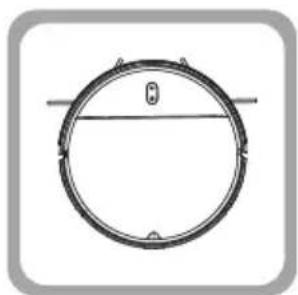
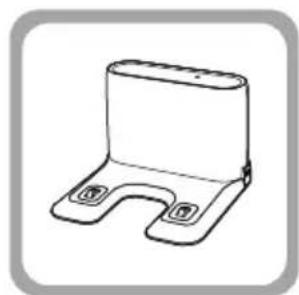
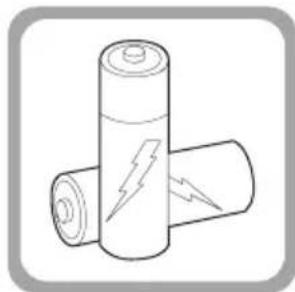
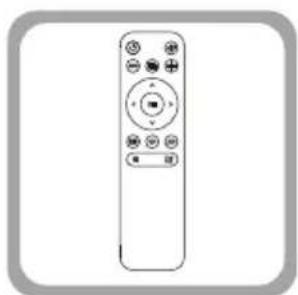
1x Robot Vacuum 1x Charging Dock 2x Battery
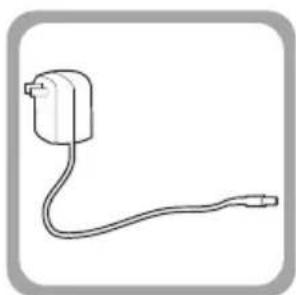
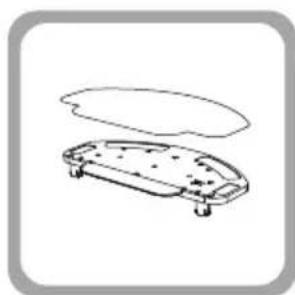
1x Remote Control 1x Adapter 1x mopping holder assembly
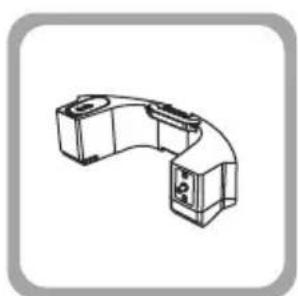
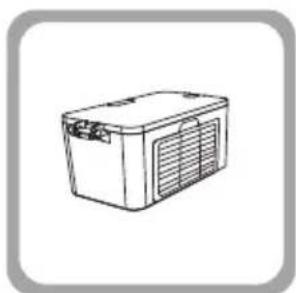
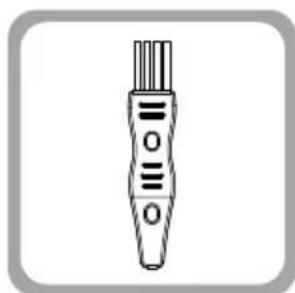
1x watertank 1x dustbin 1x Cleaning Brush
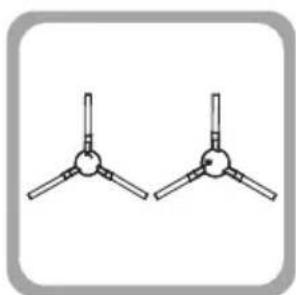
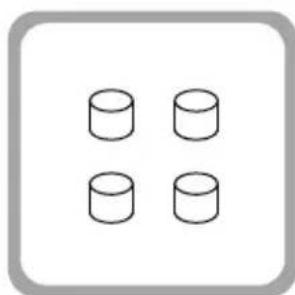
1x Instruction Manual 2x Side Brush 4xFilter Cotton
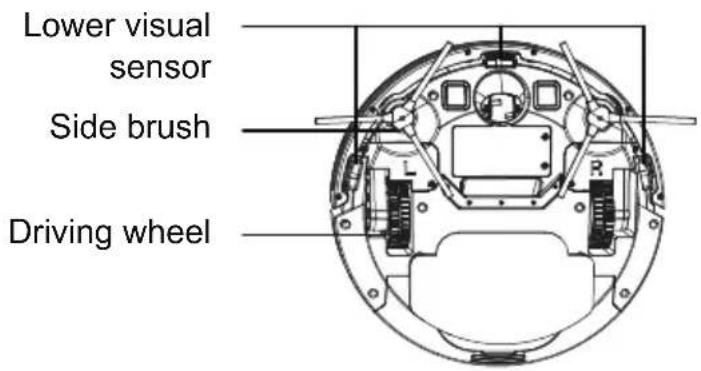
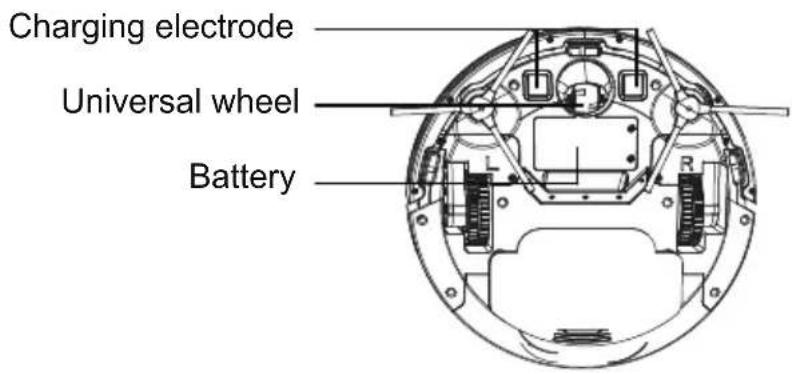
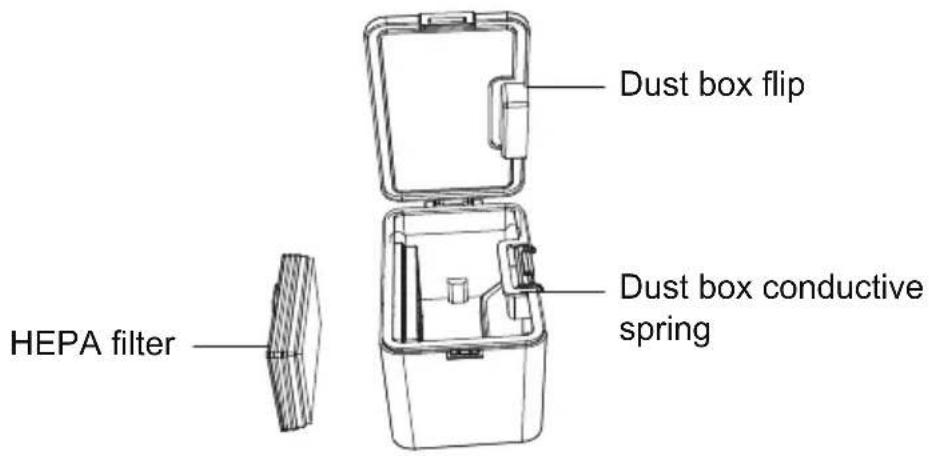
Product Composition / Parts
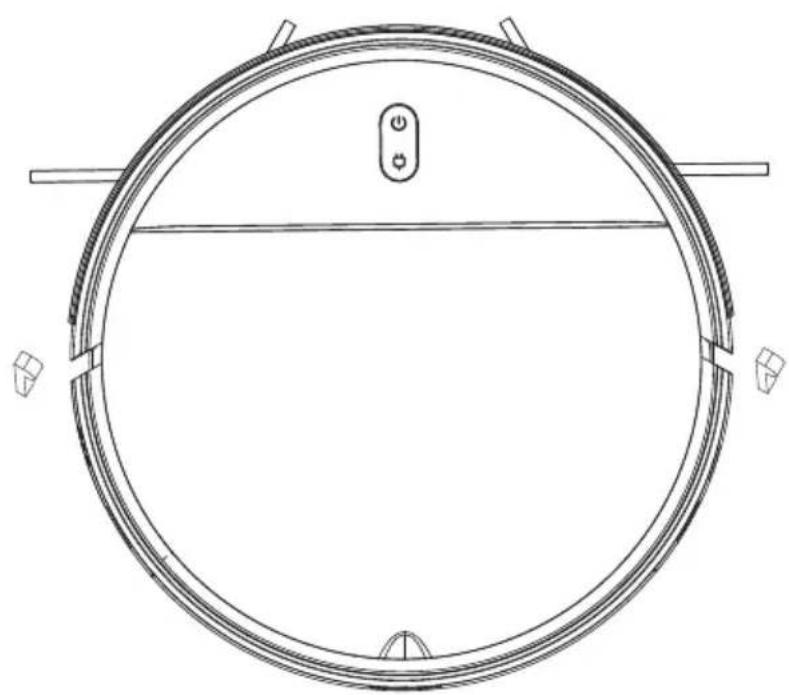
Front of the main unit
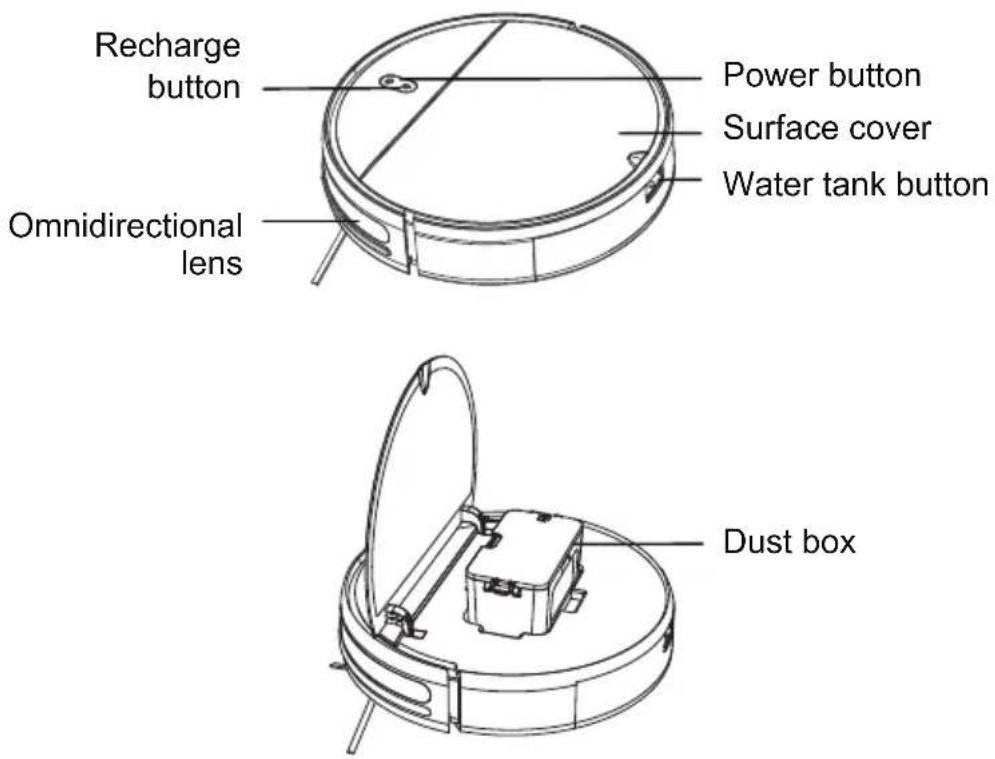
Rear of the main unit
Dust box
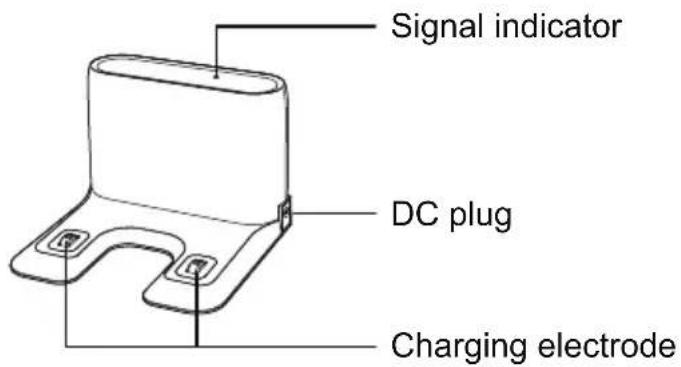
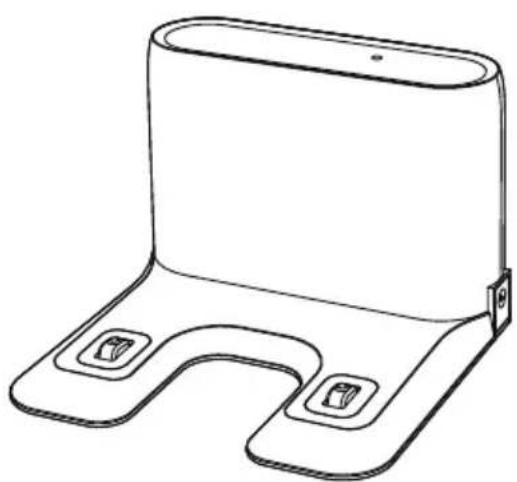
Charging pile
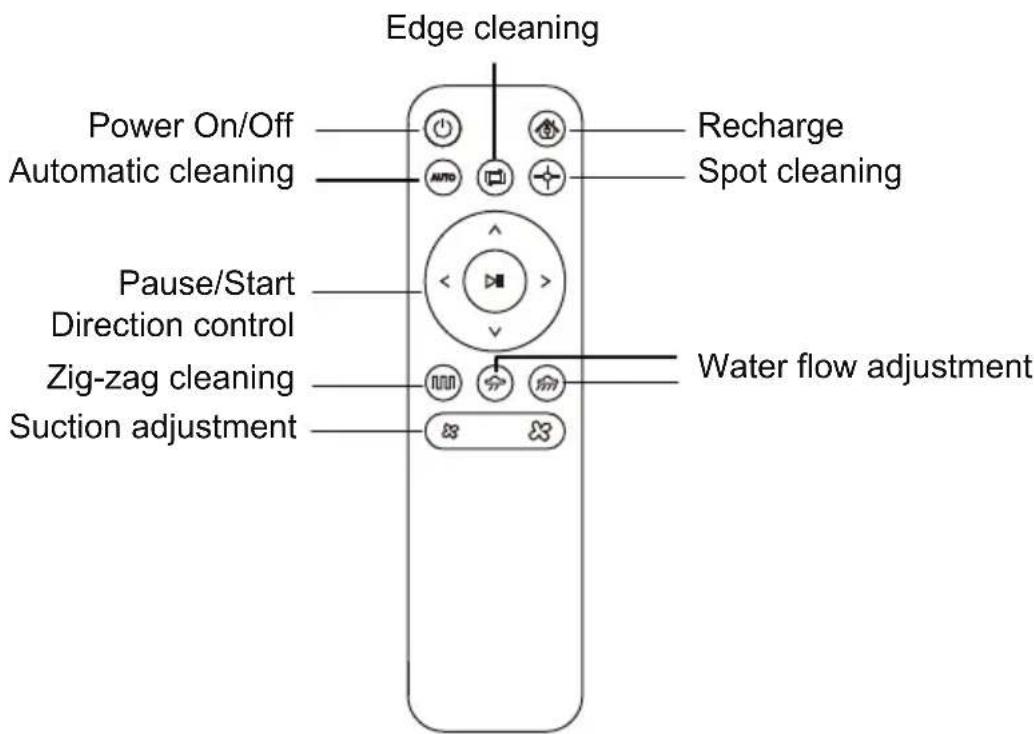
Remote control
Preparations
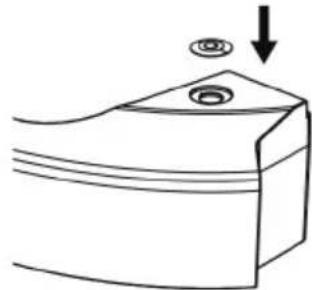
Removing protective strips
Before using the cleaner, remove protective strips from the cleaner.
Removing protective strips
Removing protective film
Using the Product / Charging the robot vacuum cleaner
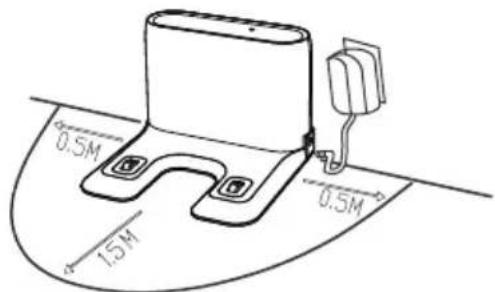
- Place the charging stand on the flat ground against the wall. Do not place any articles 0.5m on the left and right of the charging stand or 1.5m in front of the charging stand.
- Connect the charging stand to the power supply.
3.Install the left and right side brushes.

- Charging: Place the main unit on the charging stand to charge the main unit. During charging, the indicator blinks. When charging is complete, the indicator is steady on. It takes about five hours to fully charge the main unit.
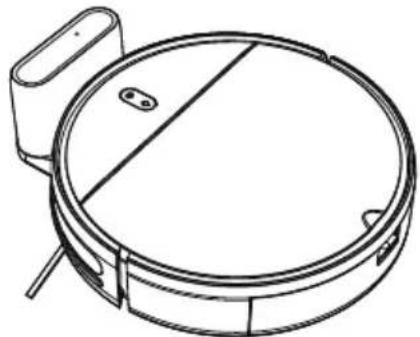
During cleaning, the main unit automatically checks its power level. If the power is insufficient, the main unit activates the mode of returning to the charging stand and automatically returns to the charging stand for charging.
Alternatively, you can press the button on the remote control to instruct the main unit to activate the mode of returning to the charging stand.
Caution:
- Do not use the charging stand in reflective environments such as the environment exposed to direct sunlight and environment with mirrors nearby. If there are reflective objects, cover the charging stand at a height of 7 cm from the bottom.
- To ensure the normal working duration of the main unit, fully charge the main unit before use. The charging time is about five hours.
- To ensure the safety of charging and prevent a damp cloth from damaging the floor,
remove the water tank before charging the main unit.
Product Usage / Start Cleaning
For different cleaning requirements, this product provides multiple cleaning modes for you to choose. You can use different cleaning modes through the main unit or remote control.
Automatic Cleaning
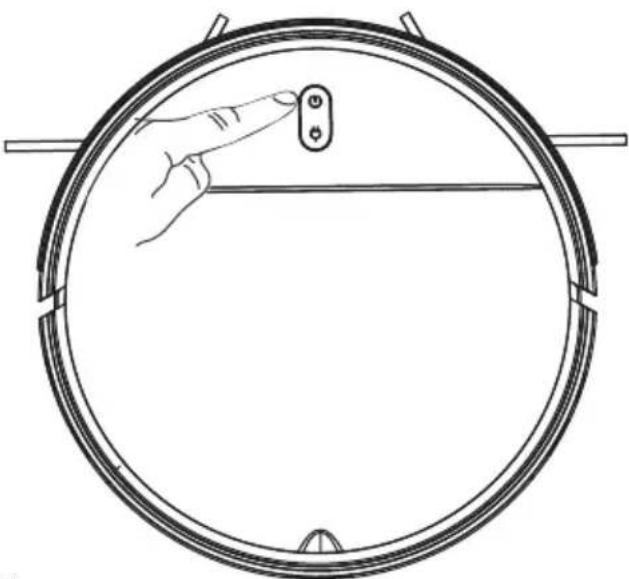
Setting method: In the power-off state, press and hold the power button. After the indicator of the main unit is on, indicating that the main unit is powered on, press the power button again.
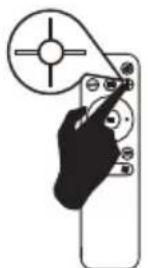
Fixed-point Cleaning
Applicable scenario: The cleaning mode is applicable to the ground environment where rubbish is concentrated. The main unit cleans the ground in a spiral path in the specified area and returns to the original point after cleaning.
Setting method: Press the key

on the remote control to enable fixed-point cleaning.
Applicable scenario: The cleaning mode is applicable to indoor corners. The main unit cleans the ground along edges of fixed objects (for example, wall) and returns to the charging standard after cleaning.
Setting method: Press the key edge.

on the remote control to enable cleaning along the
Manual Control
Applicable scenario: Manual control is applicable to cleaning under manual control.
Setting method: Press the key on the remote control to control the product in moving forward, moving backward, or making a turn.
Product Usage / Pause, Wake-up and Shutdown
Pause: When the main unit is working, press the power button on the main unit or press the pause key on the remote control to suspend the main unit.
Wake-up: After the main unit is suspended for more than 10 minutes, the main unit activates the sleep mode (the indicator of the main unit is off). Press the power button on the main unit to wake up the main unit and press the power key on the remote control to restart the main unit.
Power-off: After the main unit is suspended, press and hold the power button on the main unit. If indicator of the main unit is off, the product is powered off.
- After the main unit completes operation, you are advised not to shut down the main unit. Keep the main unit in the charging status so that it can work better in the next operation.
Cleaning Mode
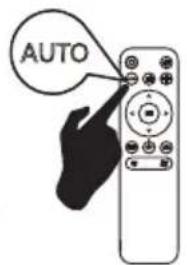
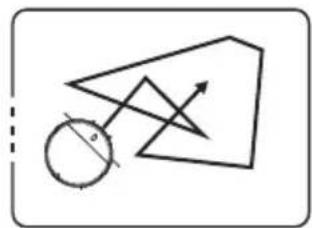
1.Random Cleaning
Robot random cleaning for 90 minutes, after the cleaning finished, it will auto back to recharging.
2.Edge Cleaning
Robot proceed edge cleaning with a distance less than 2CM to the wall.
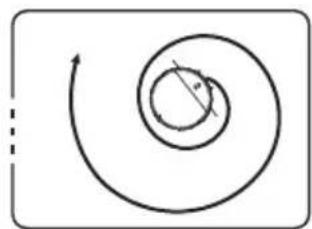
3.Spot Cleaning
Robot firstly clockwise in outer spiral cleaning method by default, after reaching the maximum radius of 0.6 meters, the inner spiral cleaning is performed, and the cleaning ends after returning to the starting position.
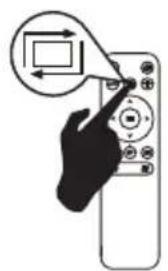
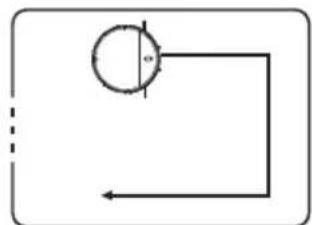
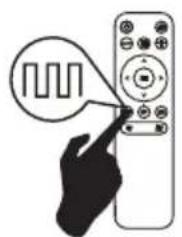
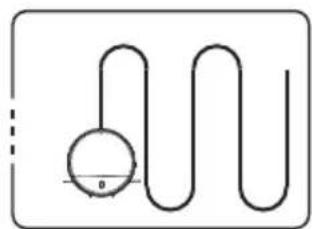
4. Zig-zag Cleaning
Under zig-zag cleaning mode, the longest cleaning distance in straight line is 5 meters.
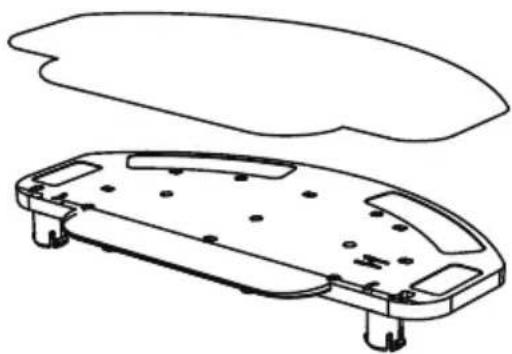
Product Usage / Install the mopping holder
A. Install the mopping cloth to the mopping holder.
B. Install the mopping holder to the robot.
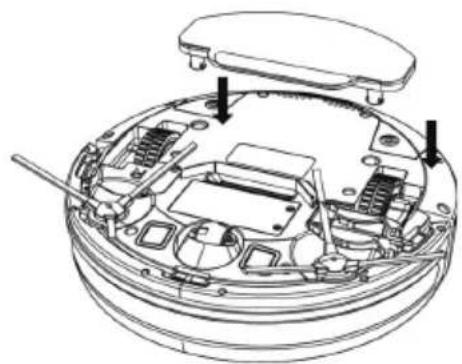
Product Usage / Watertank
- Please do not use mopping function in the carpet.
- After mopping finished, please clean the watertank and disassemble the mop cloth in time.
A.Take out the watertank. C.Flatten the rubber plug.
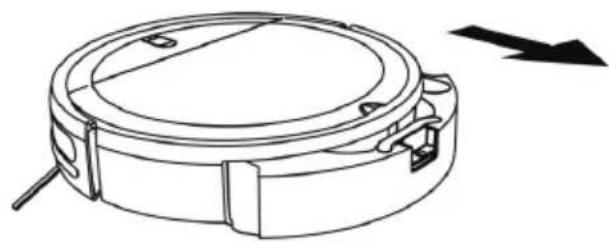
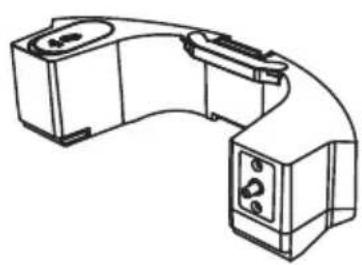
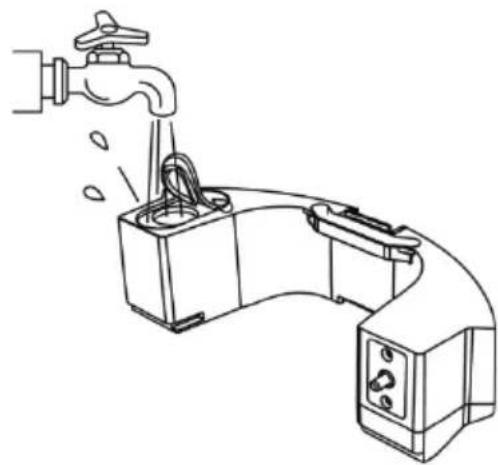
B. Open the silica gel plug and add water.
D. Install the watertank to robot.
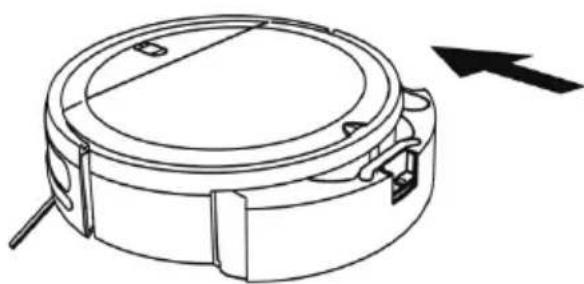
Parts Maintenance / Dust Box
A. Press the button on the dust box to remove the dust box.
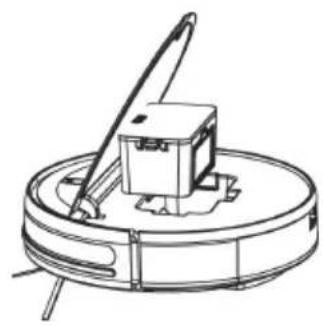
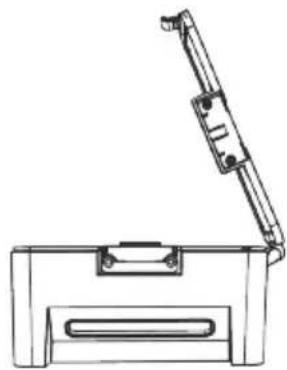
B. Open the side cover of the dust box.
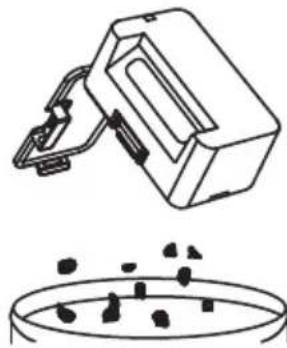
C. Dump rubbish.
D. Take out the HEPA filter.
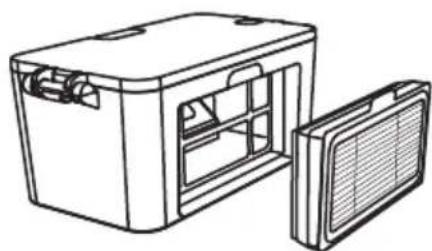
E. Tap the HEPA filter to remove dust.
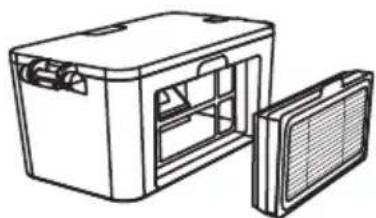
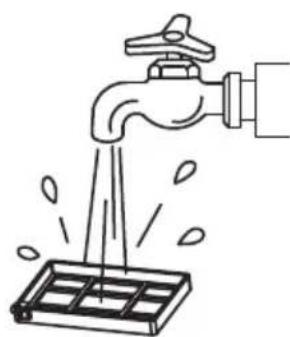
F. Wash the HEPA filter.
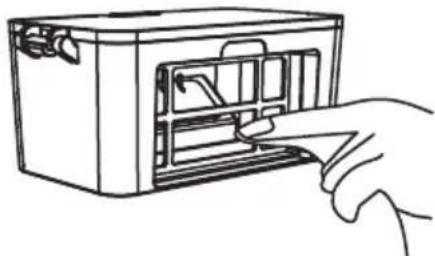
G. Clean the dust box with a cloth.
H. Dry the dust box and filter component to guarantee their service life.
Note: It is recommended that you wash the HEPA filter every 15 to 30 days. The maximum service life of the HEPA filter is three months.
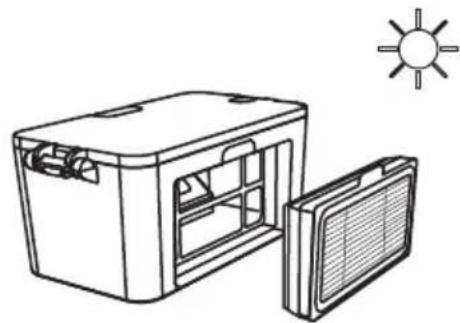
I. Put the HEPA filter back into the dust box.
Note: 1. Before installing the HEPA filter, ensure that the HEPA filter is dry.
2. Do not expose the HEPA filter to the sunlight.
J. Close the cover of the dust box and install the dust box on the main unit.
Parts Maintenance / Filter Cotton
A.Take out the outlet rubber plug . C.Change a new filter cotton.
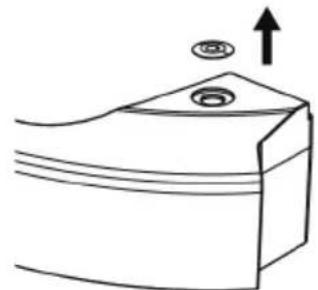
B.Take out the filter cotton from outlet rubber plug.
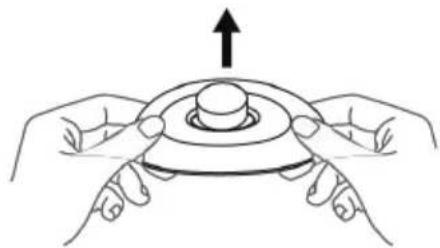
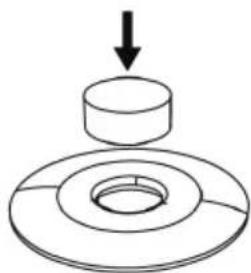
D. Install the outlet rubber plug.
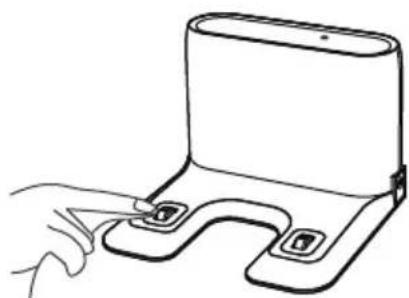
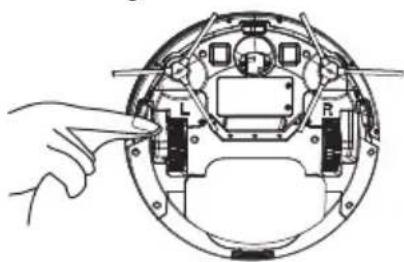
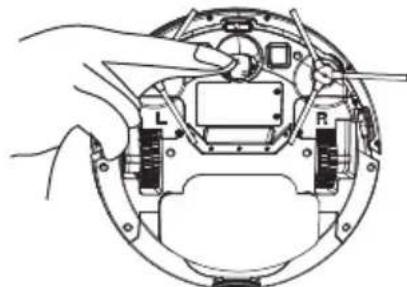
Parts Maintenance / Charging Electrode, Lower Visual Sensor, Driving Wheel and Universal Wheel
Note: The charging electrode, lower visual sensor and bumper contain sensitive electronic components. Use a dry cloth to clean the parts. Do not use a wet cloth in case water enters the parts and causes damage
Cleaning the charging electrode
Cleaning the lower visual sensor
Cleaning the driving wheel and universal wheel
- If you do not use the product for a long time, fully charge the product and then power off the product before you store the product. Charge the product every three months in case of over-discharge of the battery.
- If the battery is over-discharged or is not used for a long time, the product may not be rechargeable. Contact after-sales service personnel of the company for maintenance. Do not disassemble the product.
Light indication
Robot has two light indication, the upper is power and the under is recharging. Light has three color: red, green and yellow. Light status have lights off, lights steady on, quick blink and slow blink.
| Item Contents | Definition of light | |||
| Power | Recharging | |||
| Color | Status | Three color | Status | |
| 1 | Power on | Green | Lights steady on | |
| 2 | Off Lights off Lights off | |||
| 3 | Cleaning | Green | Lights steady on | |
| 4 | Recharging | Green | Lights steady on | Yellow |
| 5 | Low battery recharge | Green | Lights steady on | Red |
| 6 | During Charging | Green | Lights steady on | Green |
| 7 | Charging finished | Green | Lights steady on | Green |
| 8 | Abnormal warning | Red | Quick blink | |
| 9 | Standby mode | Green | Lights steady on | |
| 10 | Sleeping mode | Lights off | ||
| 11 | Low battery | Red | Quick blink | |
| 12 | Not calibrated | Red | Quick blink | Red |
| 13 | Calibrated | Green | Lights steady on | |
Product Specifications
| Category | Item | Specification |
| Diameter | 300 mm | |
| Structure | Height | 74 mm |
| Net weight | 2.5 kg | |
| Battery | Voltage | 14.4 V |
| Battery | 2500 mAh rechargeable lithium battery | |
| Cleaning parameters | Dust box capacity | 200 ml |
| Charging type | Auto charging and manual charging | |
| Cleaning mode | Auto cleaning; Spot cleaning; Edge cleaning | |
| Cleaning time | About 300 minutes | |
| Cleaning time | About 100 minutes | |
| Main unit | Rated power (W) | 28 |
| Operating voltage (V) | 14.4 |
- Due to the continuous improvement of the product, the product specifications are subject to the actual product. Our company reserves the right to update the product.
Security Information
| Component Type | Hazardous Substance | |||||
| Lead (Pb) and its compounds | Mercury (Hg) and its compounds | Cadmium (Cd) and its compounds | Hexavalent chromium (Cr(VI)) and its compounds | Polybrominated biphenyls (PBB) | Polybrominateddiphenylether (PBDE) | |
| Plastic parts | ○ ○ ○ | ○ ○ ○ | ||||
| Metal parts | ○ ○ ○ | ○ ○ | ||||
| Circuit module of the main unit | ×○○○ | ○○ | ||||
| Electronic component | ○○○ | ○○○ | ||||
| Battery○ | ○○○○ | ○ | ||||
| Power cord (Metal part) | ○○○ | ○○○ | ||||
O: It means that the content of the hazardous substance in all homogeneous materials of the part is below the limit requirement specified in the currently valid edition of EU RoHS Directive.
X: It means that the content of the hazardous substance in at least one of the homogeneous materials of the component exceeds the limit requirement specified in the currently valid edition of EU RoHS Directive. The content of the hazardous substance in the component is in the RoHS exemption list, and meet the environmental protection requirements of the EU 2015/863 RoHS Directive.
Standard compliance:
Directive 2011/65/EU and (EU) 2015/863

Warnings about battery

You must not remove (or attempt to remove) the battery incorporated in this product on your own. To replace the battery, you must contact your service provider or an independent qualified professional. These instructions have been prepared for the exclusive use of your service provider or independent qualified professional.
FOR YOUR OWN SAFETY, DO NOT ATTEMPT TO REMOVE THE BATTERY ON YOUR OWN OR DISPOSE OF IT IN FIRE. DO NOT DISASSEMBLE,
Warning
CRUSH OR PUNCTURE THE BATTERY
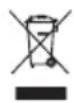
Correct disposal of batteries in this product (Applicable in countries with separate battery return systems.)
The marking on the battery, manual or packaging indicates that the battery in this product should not be disposed of with other household waste. Where marked, the chemical symbols Hg , Cd or Pb indicate that the battery contains mercury, cadmium or lead above the reference levels in EC Directive 2006/66.
The battery incorporated in this product is not user replaceable. For information on its replacement, please contact your service provider. Do not attempt to remove the battery or dispose it in a fire. Do not disassemble, crush, or puncture the battery. If you intend to discard the product, the waste collection site will take the appropriate measures for the recycling and treatment of the product, including the battery
REMOVAL OF APPLIANCES USED
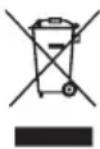
Directive 2012/19/EU on waste electrical and electronic Equipment (WEEE) requires that the appliance uses are not disposed of using the normal municipal waste. Old appliances must be collected separately in order to optimize the recovery and recycling of materials they contain and reduce the impact on human health and the environment.
The symbol of the dustbin is used on all products to remind the obligations for separate collection. Consumers should contact their local authorities or dealer regarding the steps to follow for the removal of their old appliance. If you proceed with the scrapping of old equipment, be sure to render useless what could be dangerous: disconnect the power cable flush with the device.
Danger:
Never attempt to use your appliance, if it shows signs of damage or the power cord or plug is damaged. If the power cord is defective it is important to have it replaced with the after sales service to eliminate any danger.
Only qualified and authorized persons are authorized to carry out repairs to your appliance. Any repairs not in accordance with standards could significantly increase the level of risk for the user!
Defect resulting from improper handling, degradation or attempted repairs by third parties voids the warranty on the product. This also applies in case of normal wear and accessories from the appliance.
Important!
We recommend that you keep the packaging of your device at least for the duration of the warranty. The guarantee does not apply without the original packaging.
Warranty:
Your device has two years warranty. Accessories and spare parts are only available during the 2 years of the product warranty. The warranty does not cover wear and breakage following a wrong use of the product. The customer is responsible for all returns. You remain responsible for the costs and risks associated with the product shipment; it is therefore recommended to ship the product with an acknowledgement of receipt and transport insurance in case of significant value of the product.
KEEP OUT OF REACH OF CHILDREN
Children should be supervised to ensure that they do not play with the appliance.
Service E-mail: sav@gmtfrance.fr
ARTHUR MARTIN
GMT:Global Market Technology 22 Rue de la ferme Saint Ladre 95470 SAINT WITZ