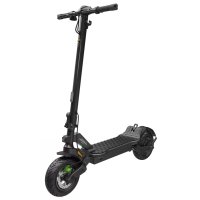
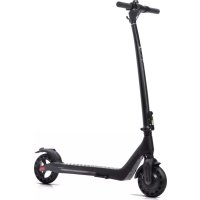
USER MANUAL ALEXT LAMBORGHINI
MOBILITY
USER MANUAL
English
Italiano
Español
Français
Deutsch
Nederlands
Polski
Čeština
Slovenčina
Ελληνικα
Slovenščina
Srpski
Български
ي ب ر ع
Türkçe
Hrvatski
Românesc
English....02
Italiano....30
Español....58
Français....86
Deutsch 114
Nederlands....142
Polski....170
Čeština.... 198
Slovenčina.... 226
Ελληνικα 254
Slovenščina.... 282
Srpski.... 310
Български 338
عربي 366
Türkçe....394
Hrvatski 422
Românesc 450
This manual refers to the following electric scooter:
AL EXT AL2
User manual
LA-MO-000001 rev. 2
Instructions translated from the original Italian
Thank you for choosing this product. For information, technical support, assistance and to consult the general terms of the warranty, contact your dealer or visit www.alemobility.com/en/support/
Contents
- Safety instructions
- Package contents and assembly
- Product overview
- Command information / Control panel
- Quick guide
- Folding and carrying
- Range and performance
- Storage, maintenance and cleaning
- App configuration
- Technical data sheet
- Troubleshooting
- Liability and general terms of warranty
1. SAFETY INSTRUCTIONS

CAUTION
IMPORTANT! Read and follow the instructions carefully before using the item. Keep this manual for future reference or new users.
Take the time to learn the basics of the procedure to avoid severe accidents that may occur in the initial months. Contact your dealer for advice on how to use the bike correctly or indications on contacting a suitable training organisation.
The company assumes no direct or indirect responsibility arising from misuse of the item, non-compliance with both the highway code and the instructions in the manual, accidents or disputes caused by non-compliance or illegal activity.
This product is to be used for recreational purposes, by one person only and without passengers, therefore it cannot be used by more than one person at a time.
Do not modify the intended use of the vehicle in any way. The item is not suitable for stunts, competitions, transporting objects, towing other vehicles or trailers.
The electric scooter must be used carefully, always respecting the rules imposed by the Highway Code of the country where it is used, in order to avoid dangerous situations and to take the utmost care of yourself and others.

CAUTION
Illustrative vehicle design requirements:
| Electric scooter model AL EXT Green AL EXT Bronze AL2 | | | |
| Product code with indicators included | LA-MO-210001 | LA-MO-220013 | LA-MO-220003 |
| LA-MO-220001 |
| LA-MO-220002 LA-MO-220004LA-MO-210002 | |
| MIN weight (Kg) 30 30 30 | | | |
| MAX weight (Kg) 120 120 120 | | | |
| MIN age * 14 14 14 | | | |
| MAX age * 65 65 65 | | | |
| MIN height (cm) 120 120 120 | | | |
| MAX height (cm) 200 200 200 | | | |
* Before using the product, check and follow local regulations regarding the minimum age of the rider, restrictions on the type of riders who can use the product and on the use of the product itself.
The A-weighted emission sound pressure level (noise) at the rider's ear is less than 70 dB(A).
Symbols identifying safety warnings
The following visual symbols are used to identify safety messages in this manual. They draw the focus of attention of the reader/user to the proper, safe use of the item.
Pay attention
Highlights the rules to follow to prevent damage to the item and/or prevent hazardous situations from arising.
Residual risks
Highlights the presence of hazards that generate residual risks to which the user must pay attention to avoid injury or material damage.
General warnings
It is important to bear in mind that when out in a public space or on the road, even when the instructions in the manual are observed down to the letter, the rider is not immune to injury caused by infractions or inappropriate actions taken towards other vehicles, obstacles or persons. Misuse of the item or non-compliance with the instructions provided in this manual may cause severe injury.
This product is an electric vehicle. The faster you ride, the longer the braking distance. Emergency braking on slippery, muddy, wet or icy roads may result in wheel spin and loss of balance. Adequate speeds and safety distances from other vehicles or pedestrians must be adhered to. Take extra care when riding on unfamiliar roads. Do not open the kickstand when using the item, risk of severe personal injury and damage to item.
On wet roads, the braking distance increases and the grip decreases compared to dry roads! Drive more carefully, keep a safe distance!
For personal safety, wear a helmet, and knee and elbow pads to protect against falls and injuries while riding the item. When allowing others to use the item, ensure that the rider wears the safety equipment and explain the operation of the vehicle. To avoid injury, do not allow other persons to use the item if they do not know how to use it. Wear shoes before using the item.
Children must not play with the electric scooter or its parts, nor should they be allowed to clean it or perform maintenance operations.
When riding, take special care to not frighten children or pedestrians. When overtaking behind them, warn them by sounding the horn and slow down using the minimum speed of 6km/h.
Instructions and warnings on rider behaviour
| Conditions | Appropriate/intended use Improper use | |
| Riders | One More than one person, with children or animals |
| Safety equipment | Helmet, knee pads, elbow pads, reflective vest | No safety equipment |
| Pre-riding check | Prior to each use, check brakes and any wear, check tyre pressure (see side of tyre for recommended value), wheel wear, throttle, indicators, lights and charge status of battery.If any unusual noises or faults are detected, do not use the item and contact your dealer or the Authorised Technical Support Department | Never checking the item prior to useUsing the item when noise or faults are present |
| Walking while pushing the item | Not accelerating Depressing the throttlePushing while walking across pedestrian crossingsIn pedestrian areas when not in pedestrian mode (6 km/h)In overcrowded areas Riding the vehicle | Riding the vehicle on pedestrian crossingsRiding the vehicle in pedestrian areas when not in pedestrian mode (6 km/h)in overcrowded areas |
| Stationary | The person riding the item must be able to easily place both feet on the ground while holding the handlebars at the correct height | Not being able to keep the item stationary and balancedSitting on the item while it is running or stationary |
| Riding under normal conditions | No objects hanging from handlebars Objects hanging from handlebars result in instability and may impede manoeuvring |
| Riding with both hands on the handlebarsNot using devices such as phones, smartwatches, music players, or headphones | One-handed or hand-free ridingUsing devices such as phones, smartwatches, music players, or headphones |
| Riding with both feet on the footrest comfortably and safely | Riding with one or more feet off the footrestIt is prohibited to place or amass weight on the rear mudguard. |
| Riding with helmet and protective equipment | Riding without helmet and protective equipment |
| Riding on easily accessible, smooth compact roads, avoiding heavily trafficked or overcrowded areas:e.g. dedicated cycle paths, smooth paved surfacesComplying with local regulations and the highway code | Riding on motorways, long-distance roadsRiding on busy roadsRiding on pavementsRiding in overcrowded areasRiding on very rough roadsRiding near: ravines, escarpments, harbours, sea, lakes or riversFailure to comply with regulations and the highway code |
| Looking ahead and watching out for obstacles, vehicles or nearby pedestrians | Becoming distracted while riding |
| Changing direction, making sure to be seen, moderating speedAnticipating the route and moderating speed while observing the highway code and those that are the most vulnerableUsing direction indicators, if included on the item | Changing direction abruptly at high speed without making sure that you have been seenBraking and cornering at the same time makes the vehicle unstableNot using direction indicators |
| Slowing down when pedestrians are presentUsing pedestrian mode in pedestrian areas (6 km/h)Warning others of your presence by using the bell | Accelerating or maintaining a constant speed when pedestrians are presentRiding without using pedestrian mode in pedestrian areas (6 km/h)Not warning others of your presence by using the bell |
| Uneven road conditions: speed bumps/steps/rough road surfaces | Riding at moderate speeds High-speed ridingBend knees slightly for better shock absorption when traversing uneven surfaces. | Accelerating over bumps or ditches, going down steps, jumping over obstacles, climbing pavements, riding harshly. |
| Behaviour: around bends, down slopes, in the presence of nearby obstacles, vehicles and pedestrians | Keeping at a safe distance Not observing safety distancesCeasing to accelerateBraking and slowing downRiding at moderate speed and braking safelyPaying attention to doors and other high obstacles | AcceleratingRiding at high speed, braking suddenlyTraversing beneath high obstacles |
| Visibility conditions | Only ride if there is enough light to ride safely. When riding in unfavourable lighting conditions (from half an hour following sunset, throughout the entire period of darkness and even during the day, if weather conditions preclude road visibility, when driving through tunnels), remember to switch on the item's lights and wear a reflective vest, belts or bands. | Riding in unfavourable lighting conditions with lights off and without using a reflective vest, belts or bands. |
| Weather conditions | Driving in optimal conditions (no rain) Driving in adverse conditions:in the rain, in case of snowfall, in the presence of ice or mud on the road, in case of strong wind and fog. |
| Parking | In designated areas without impeding movement of vehicles or pedestriansOn smooth surfaces, ensuring stability is maintainedSwitching off the item and using an anti-theft deviceUsing the kickstand provided | Everywhere, impeding movement of vehicles or pedestriansOn uneven surfaces and without ensuring stabilityLeaving the item switched on, unattended with no anti-theft device |
| Engaging in extreme sports/ acrobatics | NO YES, improper use: | Riding near: ravines, escarpments, harbours, sea, lakes or riversRiding through puddlesRacing with other vehicles |
| Subjecting the item to forceful impact | NO YES, improper use: | Jumping over object or persons, jumping off steps or from high places |
What to do after a fall:
Check that the throttle lever works properly. To do this, accelerate and decelerate several times.
Check that the brakes work properly. To do this, get off the item, push it forward and brake to ensure it responds to the controls.
Check that all vehicle components are in place and securely fastened.
Check tyre wear and pressure (see side of tyre for recommended value).
Check the wear of the brakes and cables.

DANGER
The brakes may become hot during use. Do not touch after use.
2. PACKAGE CONTENTS AND ASSEMBLY
Assembled item, the handlebar must be installed using the special screws contained in the package.
| Model Reference picture in the package Handlebar assembly | |
| AL EXT | 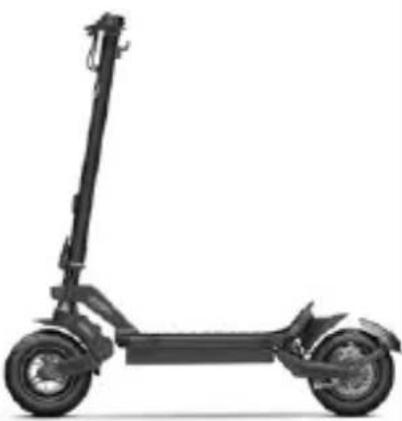 | Accessories:1x Allen spanner4x Handlebar screws1x Battery charger | 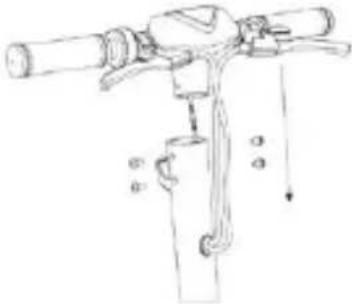 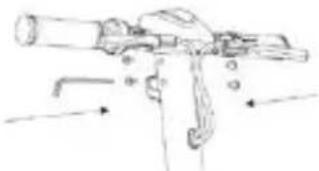 |
| AL2 | 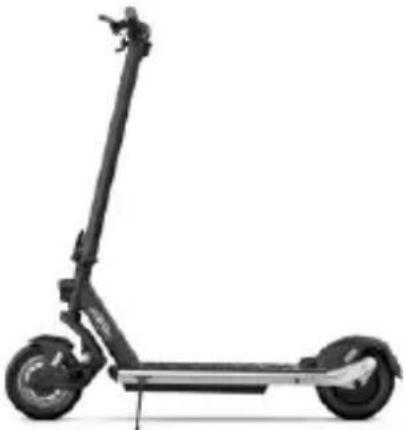 | Accessories:1x Allen key2x Handlebar screws1x Battery charger | 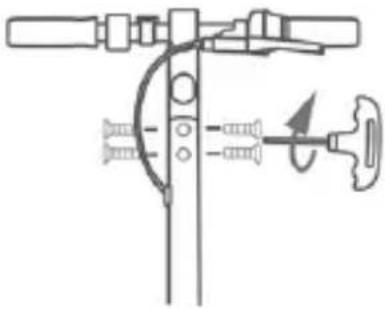 |
Method
AL EXT / AL2
• Take the item out of its packaging.
- Open the handlebar stem and secure it by closing the lever on the closing mechanism.
- Connect the display power cable to the main wiring (if necessary).
- Fit the handlebar onto the stem (do not crush the cables).
- Insert and tighten the bolts on the stem using the supplied spanner.
• Fit the stand (if necessary).
- Adjust the locking mechanism on the stem* (if necessary).
- When first used, charge the product 100%.
| Model Reference picture | * Adjusting the stem locking mechanism |
| AL EXT | 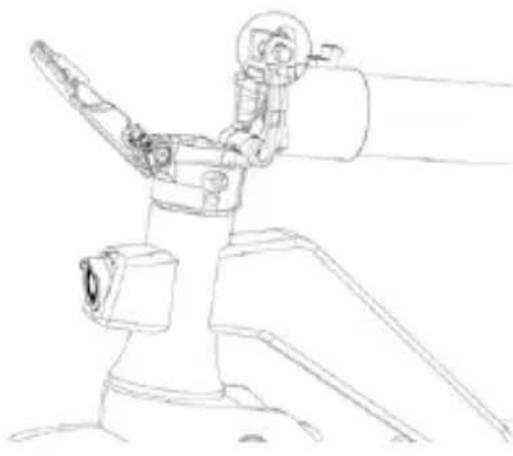 | There is a hex screw inside the mechanism.If the handlebar stem is not very stable after closing, adjust the screw in the mechanism, by tightening or loosening it as required to increase the stability of the stem. |
| AL2 | 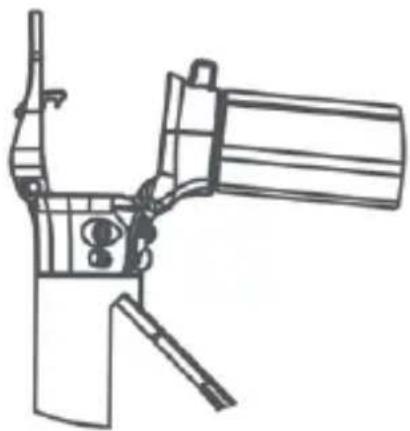 | A hexagonal screw is located inside the mechanism.If the handlebar stem is unstable after closing, adjust the screw of the mechanism by screwing or unscrewing it just enough to increase the stability of the stem. |

CAUTION
Assemble the item correctly. If, during assembly, any factory defects, unclear steps or difficulties with assembly or adjustments are encountered, do not ride the vehicle and contact your dealer or visit www.alemobility.com/en/ for technical support.
Do not use accessories and/or additional parts that are not approved by the manufacturer.
Keep children away from plastic items (including packaging materials) and small parts that may result in suffocation.
It is forbidden to modify or transform the item or any its parts in any way, as this may impair efficiency, reduce structural integrity and cause damage. If any factory defects, unusual noises or faults are encountered, do not ride the vehicle and contact your dealer or visit www.alemobility.com/en/ for technical support.
3. PRODUCT OVERVIEW
In the interest of technological development, the manufacturer reserves the right to modify the item with no prior notice and this manual will not be automatically updated.
For information and to view updates of this manual, visit www.alemobility.com/en/
AL EXT
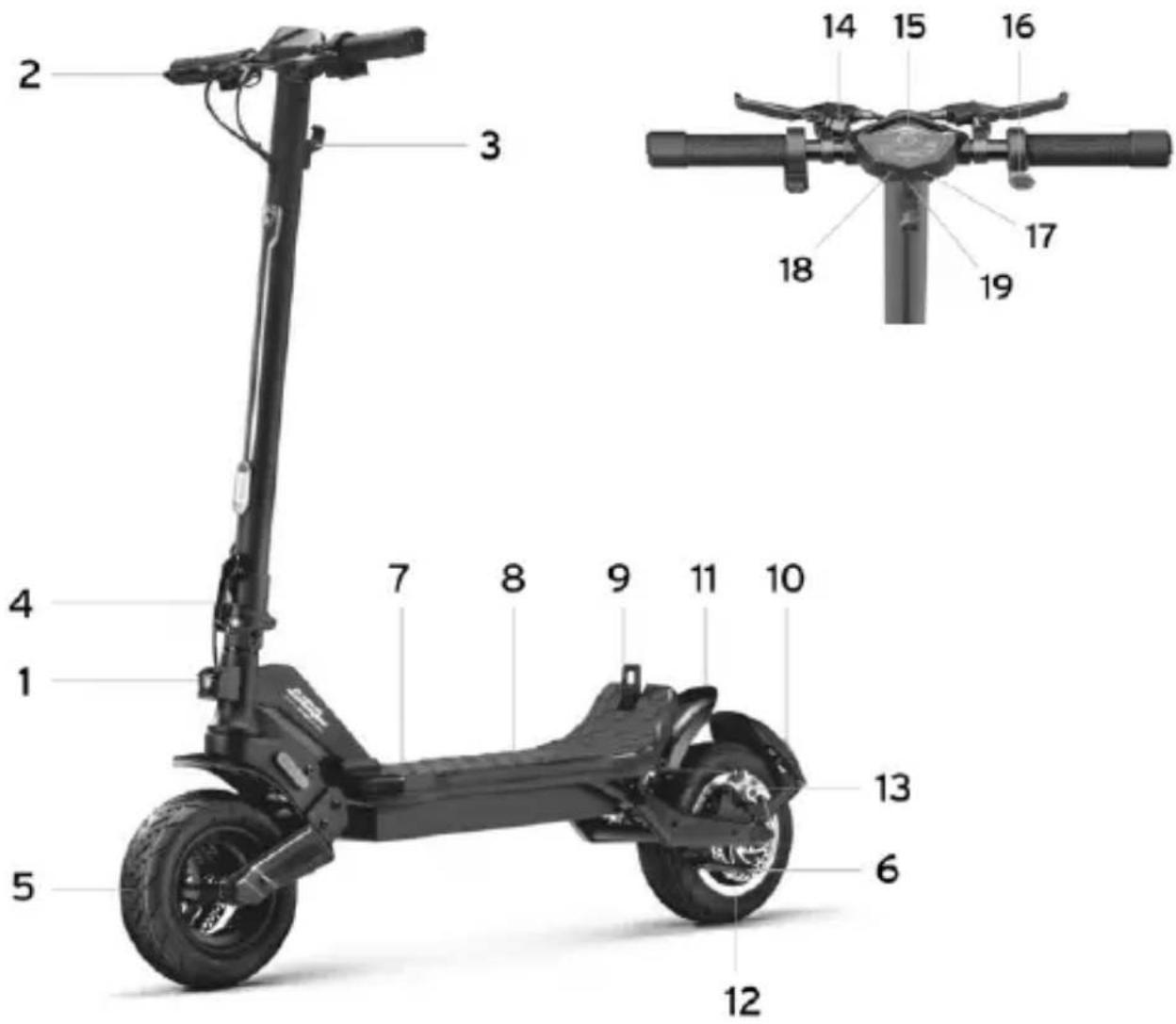
- Front headlight
- Brake lever
- Hook
- Locking mechanism
- Front wheel
- Stand
- Charging port
- Footrest
- Fastening clip
-
Rear light
-
Rear mudguard
-
Rear drive wheel
-
Brake caliper
-
Bell
-
Display
-
Throttle
-
ON/OFF button
-
Light Switch
-
USB port
AL2
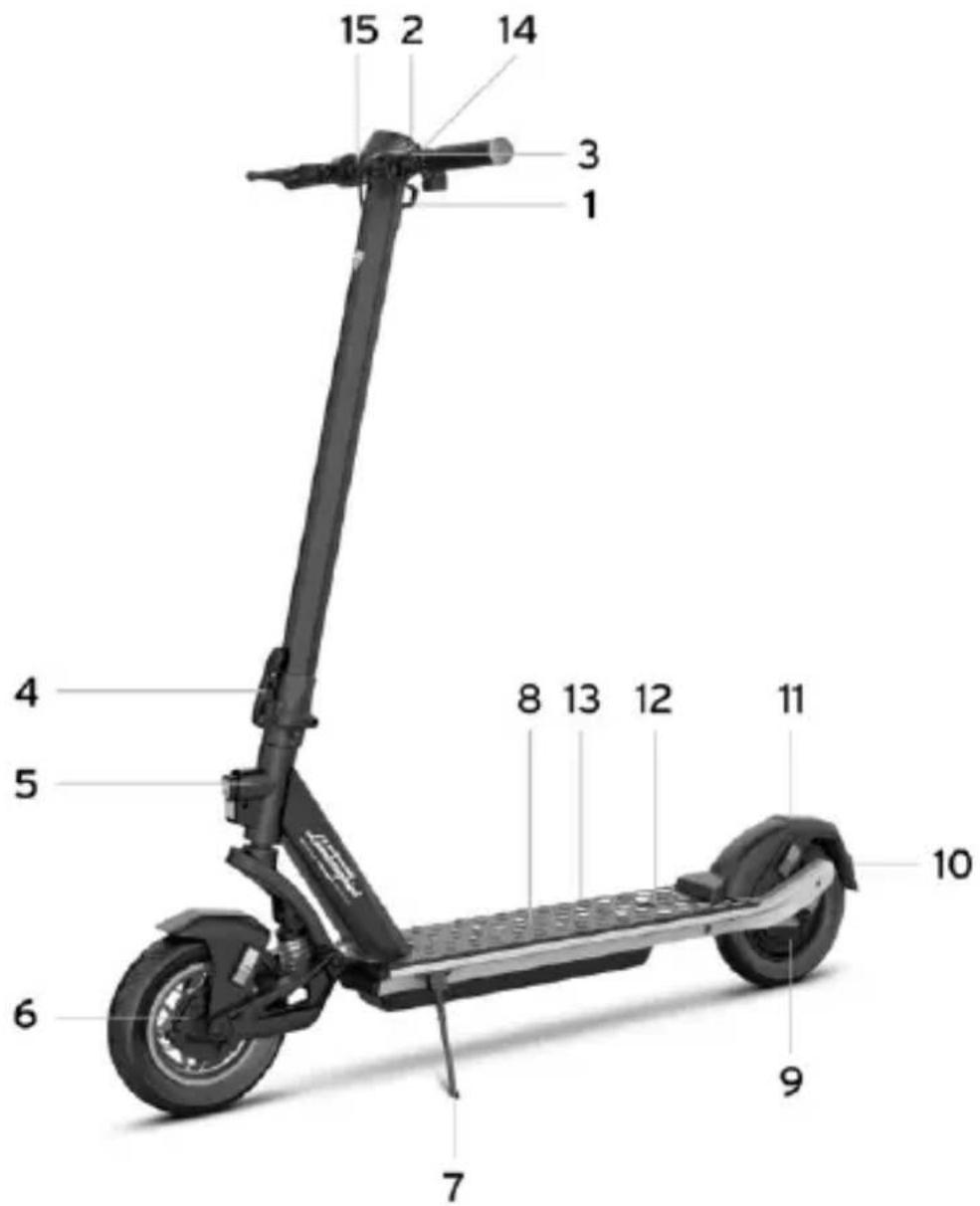
- Hook
- Bell
- Brake lever
- Locking mechanism
- Headlight
- Drum brake
- Stand
- Footrest
- Rear drive wheel
-
Headlight
-
Rear mudguard
- Fastening clip
- Charging port
- Display
- Throttle
Battery charging
Prior to using the item for the first time, charge to 100%. Ensure the item, charger, and charging port are dry.
Instructions
- Open the kickstand
- Switch off the item
| Model Reference picture INSTRUCTIONS | |
| AL EXT | 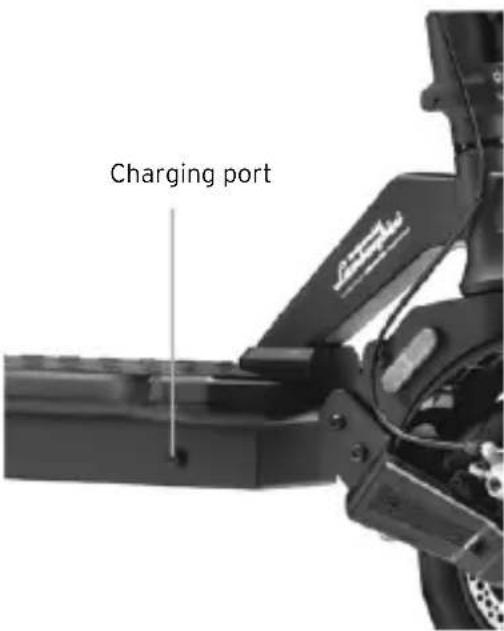 | Only use the supplied magazine.Connect the charger first to the wall socket and only then to the charging socket.Do not switch on the electric scooter while it is charging. CAUTIONThe red light on the charger will turn green when charging is complete. CAUTIONThe red light on the charger will turn green when charging is complete. |
| AL2 | 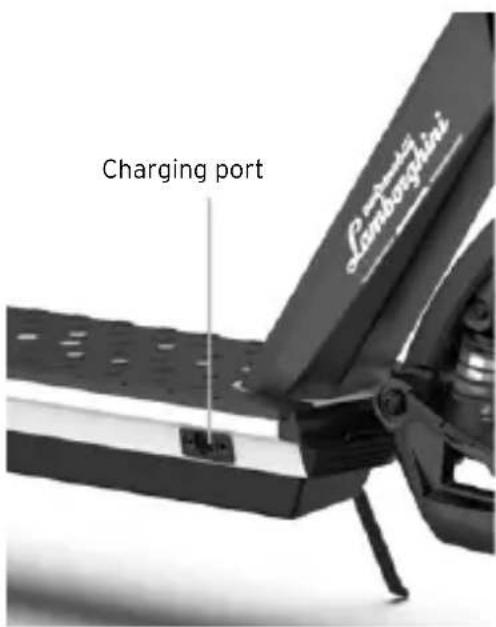 | Use only the supplied charger.Connect the charger first to the wall socket and only then to the charging socket.Do not switch on the electric scooter while it is charging. CAUTIONThe red light on the power supply will turn green when the loading operation is complete. CAUTIONThe red light on the power supply will turn green when the loading operation is complete. |
CAUTION
To recharge the item, use the battery charger supplied ONLY
| Model Product code | | Battery charger model | Output voltage Charging time |
| AL EXT | LA-MO-210001LA-MO-220002LA-MO-210002LA-MO-220013LA-MO-220001 | FCA136-546020 54.6 | V - 2A About 7 hours |
| AL2 | LA-MO-220003LA-MO-220004 | HLT-180-4201500 42 | V - 1.5A About 5 hours |
Using another type of charger may damage the scooter or entail other potential risks.
Never leave the item unsupervised while it is charging. Do not switch the product on while it is charging.
After each use, fully recharge the battery to extend its useful life. Do not recharge the item immediately after use. Allow the scooter to cool for an hour before recharging.
The item should not be charging for extended periods. Overcharging reduces battery life and poses additional potential hazards.
Allow the vehicle to discharge completely to prevent damage to the battery.
Damage caused by the battery being left uncharged for a long period is irreversible and is not covered by the limited warranty. Once the damage has occurred, the battery cannot be recharged (the battery must not be dismantled by unqualified personnel, as this could lead to electric shocks, short circuits or even major safety incidents). If the owner is away, e.g. on holiday, and the device is entrusted to a third party, leave it in a partial charge state (20-50% charge), not fully charged.
Carry out regular visual inspection of the charger and charger cables. If the battery charger cable is clearly damaged, do not use it to avoid further damage and/or risks; please contact us for a replacement.
Battery warnings
The battery consists of lithium-ion cells and chemical elements that are hazardous to health and the environment. Do not use the item if it emits odours, substances or excessive amounts of heat. Do not dispose of the item or the battery with household waste. The end user is responsible for the disposal of electrical and electronic equipment and batteries in compliance with all applicable regulations.
Avoid used, defective and/or non-original batteries of other models or brands.
Do not leave the battery near fire or heat sources. Fire and explosion hazard.
Do not open the battery or take it apart. Do not strike, throw, or puncture the battery or attach objects onto it.
Do not touch any substances leaking from the battery, as they are deemed hazardous. Do not allow children or pets to touch the battery.
Do not overcharge or short-circuit the battery. Fire and explosion hazard.
Do not immerse or expose the battery to water, rain or other liquids. Do not expose the battery to direct sunlight, excessive heat or cold (for example, do not leave the item or battery in a car in direct sunlight for extended periods of time), or environments containing explosive gases or flames.
Do not carry or store the battery with metal objects such as hairpins, necklaces, etc. Contact between metal objects and battery contacts may cause a short circuit resulting in physical injury or death.
| Model | |
| AL EXT | 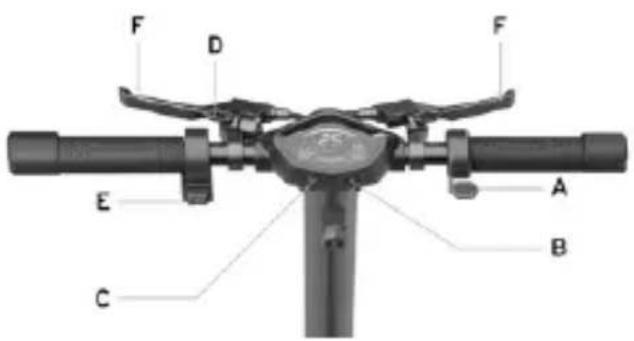 |
| A. Throttle: press down to accelerate.B. Power button: long press to switch the electric scooter on or off.Odometer ODO/TRIP: press briefly 3 times to switch from ODO to TRIP display.C. Speed modes: press briefly to change the speed level.Lights: Long press the button to switch the lights on or off. | D. Bell: press the lever once to operate it.E. Direction indicators: Press the switch to the right or left to activate and/or deactivate them.F. Brake lever: tighten the lever to brake. |
| 1. Battery level: residual state of charge.2. Autonomy: estimation of the remaining distance.3. Speed mode (LED bar):- Level 1: green colour- Level 2: orange colour- Level 3: red colour4. Bluetooth: smartphone connection available.5. Tachometer: instantaneous speed electric scooter (km/h - mph).6. Odometer ODO / TRIP: press briefly 3 times to switch from ODO to TRIP display.7. AVG speed: average speed.8. Pedestrian mode: help to push the vehicle with flashing light.9. Cruise control: speed maintenance. It is activated after holding the same speed for a few seconds.10. Lights: lighting indicator light. | 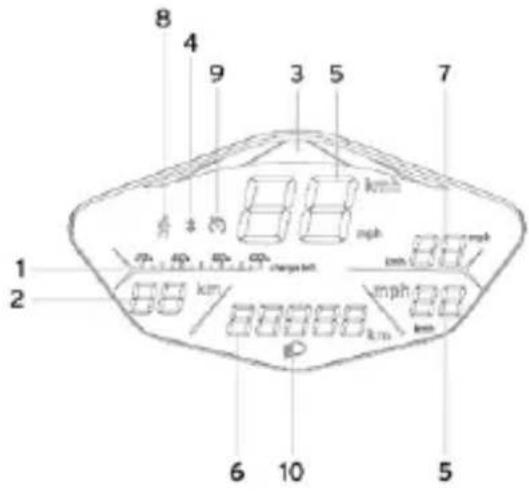 |
| AL2 | 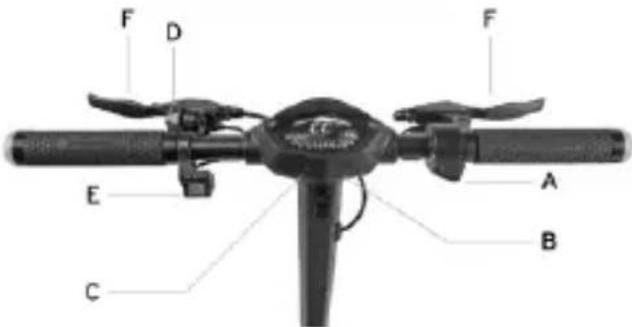 |
| A. Throttle: press down to accelerate.B. Power button: long press to switch the electric scooter on or off.Odometer ODO/TRIP: press briefly 3 times to switch from ODO to TRIP display.C. Speed modes: press briefly to change the speed level.Lights: Long press the button to switch the lights on or off. | D. Bell: press the lever once to operate it.E. Direction indicators: Press the switch to the right or left to activate and/or deactivate them.F. Brake lever: tighten the lever to brake. |
| 1. Battery level: residual state of charge.2. Tachometer: instantaneous speed of the electric scooter (km/h and mph)3. Speed modes (TACHIMETER):- Level 1: Indicated by number 1- Level 2: indicated by the number 2- Level 3: indicated by the number 3- Pedestrian: Help pushing vehicle with flashing light.4. Bluetooth: smartphone connection available.5. Odometer ODO/TRIP: total distance travelled and single session distance.6. AVG Speed: average speed.7. Cruise control: speed maintenance. It is activated after holding the same speed for a few seconds.8. Lights: lighting indicator light. | 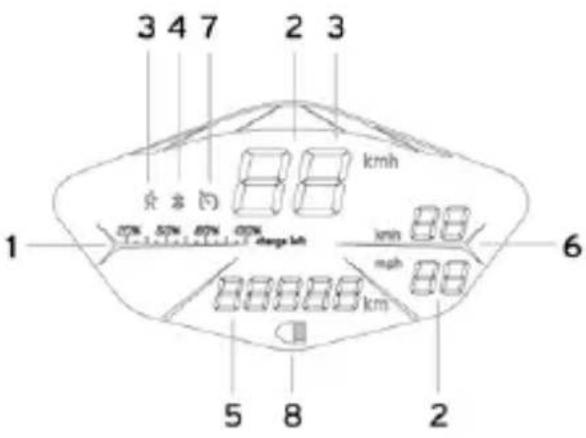 |
Direction indicators
| Model | |
| AL EXTAL2 | 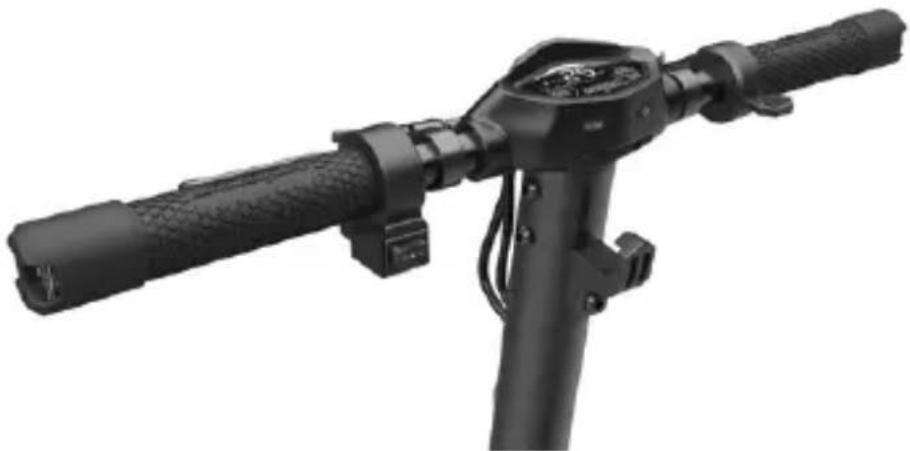 Direction indicators are positioned at the ends of the handlebars (left and right sides).The direction indicators are required to provide early warning of any change in direction while riding.Drive control:[IMAGE] Direction indicators are positioned at the ends of the handlebars (left and right sides).The direction indicators are required to provide early warning of any change in direction while riding.Drive control:[IMAGE]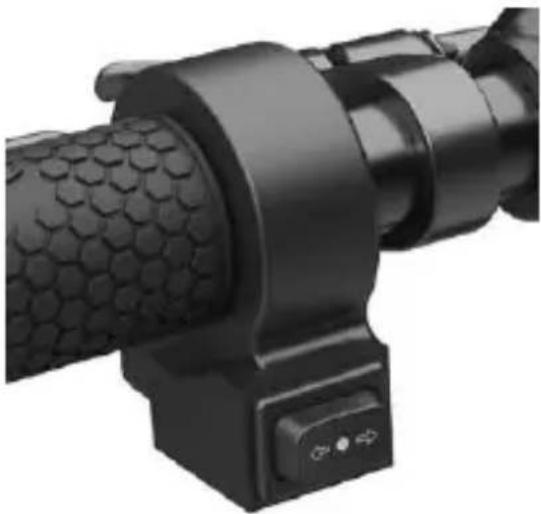 CAUTIONBefore each use of the product, check the correct operation of the direction indicators. CAUTIONBefore each use of the product, check the correct operation of the direction indicators. |
5. QUICK GUIDE
- Prior to using the item for the first time, charge to 100%.
- Check tyre pressure (see side of tyre for recommended value). If the item does not reach at least 60% of the declared kms, or the maximum speed within the first 3 months of use, it is likely that the wheels have deflated once more. In this case, restore pressure as indicated.
- Check and adjust the brakes.
- Switch on the display.
- Place the item onto a flat surface.
- Hold the handlebars firmly using both hands. Step onto the footrest with one foot and use the other to give yourself a gentle push and accelerate.

CAUTION
Zero Start Function: the throttle is activated once the forward speed exceeds 3 km/h. For safety reasons, the item is initially set up to avoid standing starts.
- When riding the item, tilt body in the riding direction during a turn and slowly turn the handlebars.
- Stop the item, release the throttle and pull the brake lever.
• To get off, first stop the vehicle. Getting off the moving electrical scooter may cause damage.
- Prior to each use, check brakes and any wear, check tyre pressure (see side of tyre for recommended value), wheel wear, throttle and charge status of battery.
Adjusting the position of the brake levers
AL EXT / AL2
Brake adjustment
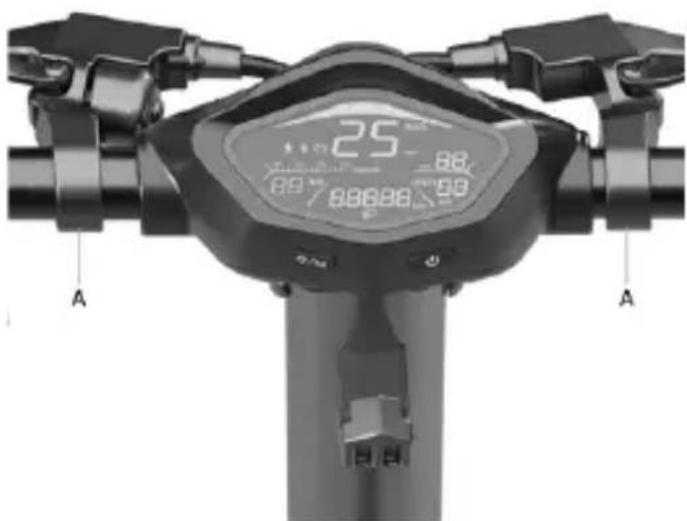
The position of the brake lever can be adjusted if required using point A.
(see figure)
Brake adjustment
AL EXT
Adjusting the brake calliper
If the brake is too tight or too loose, use the hex wrench to loosen screw (A), then adjust the brake wire (shorten the brake wire from the top end if it is too tight. If the wire is too loose, pull it from the bottom end), then tighten screw (A) again.
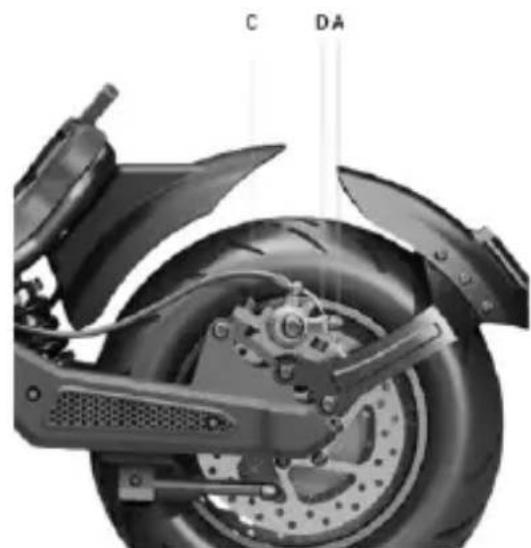
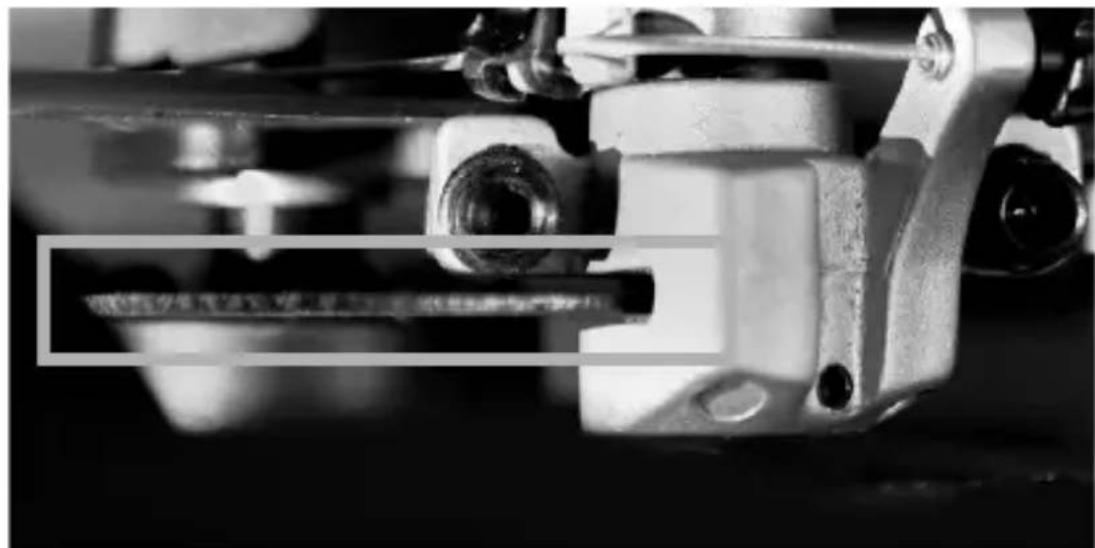
If the wire is too loose or too tight even after following the first step, it may be necessary to adjust the (fixed) brake pad by means of the wheel located on the opposite side. Use the hex wrench to move away (counter-clockwise) or closer (clockwise) the brake pad (B) (see picture). Check the correct alignment between the brake caliper and the disc. Use screws C and D to adjust the position / alignment on the disc, if necessary.
For the rear brake calliper, unscrew and remove bolts C and D, then remove the brake calliper from the disc.
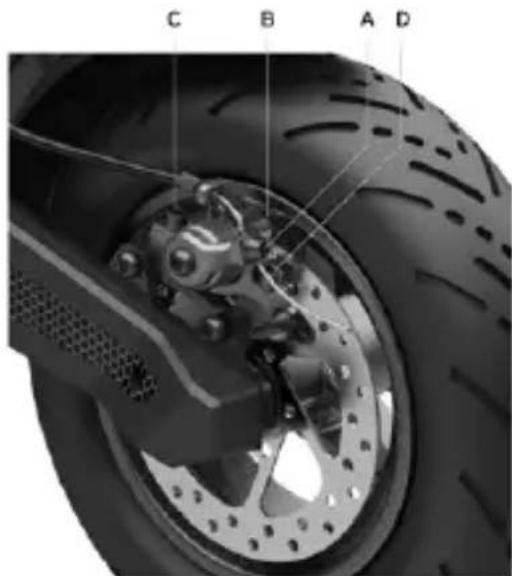
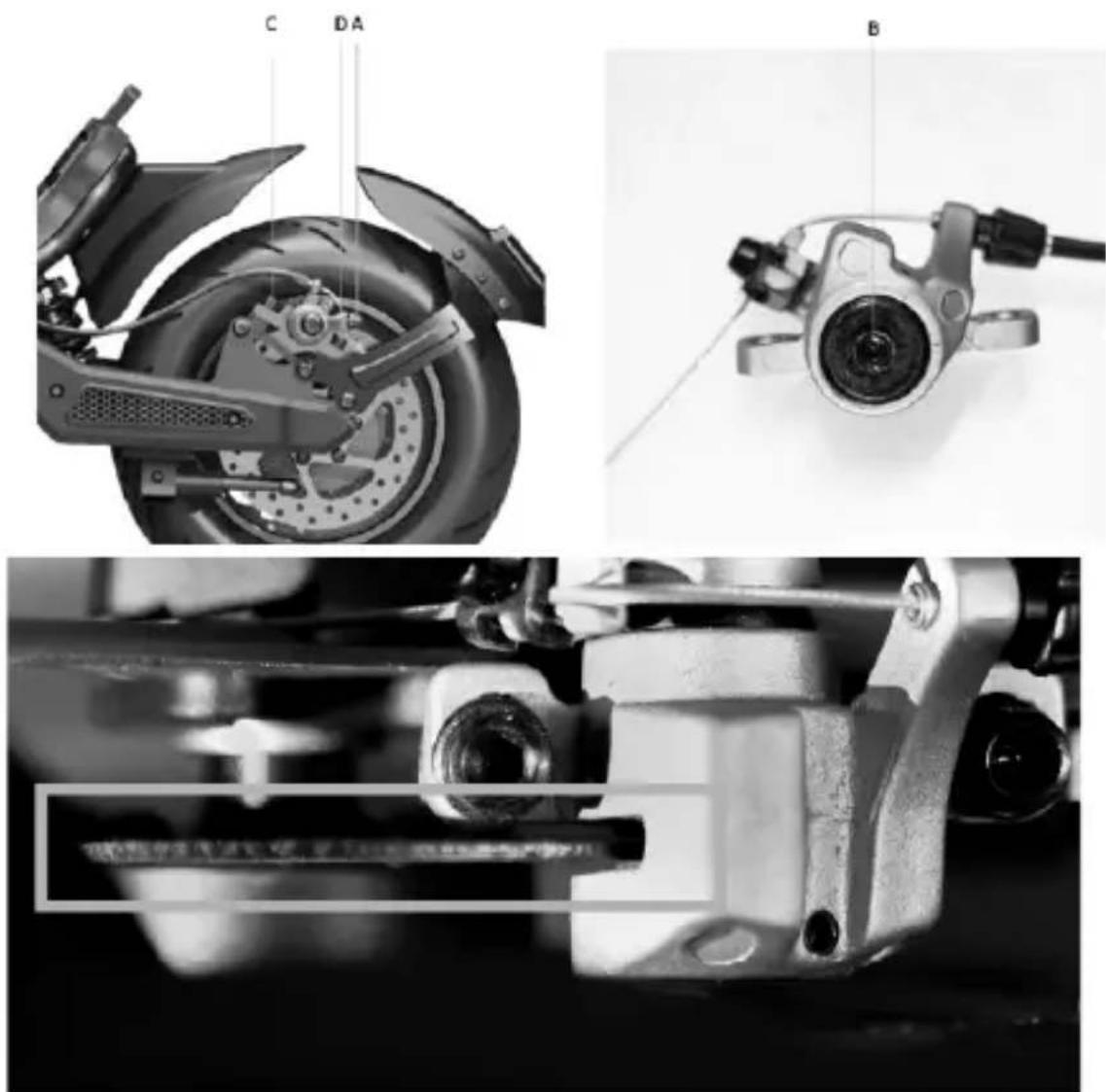
AL2
natural_image
Close-up of a black motorcycle wheel and suspension system (no text or symbols visible)
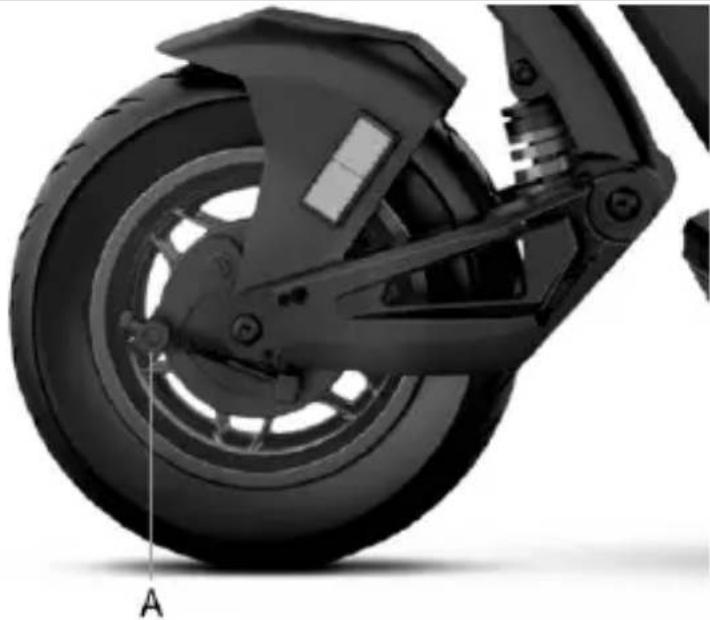
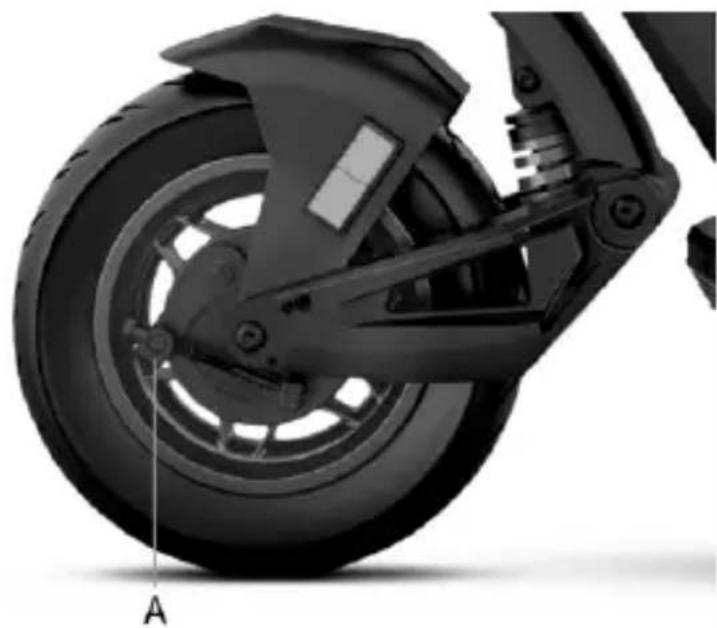
Adjusting the drum brake:
If the brake is too tight or too loose, act by loosening or tightening screw (A). If the brake lever is too soft or too hard even after following the first step, it may be necessary to repeat the operation until an optimal setting is reached.
6. FOLDING AND CARRYING
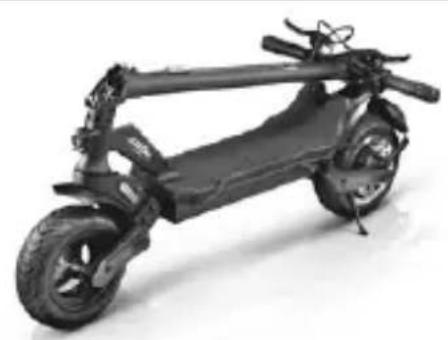
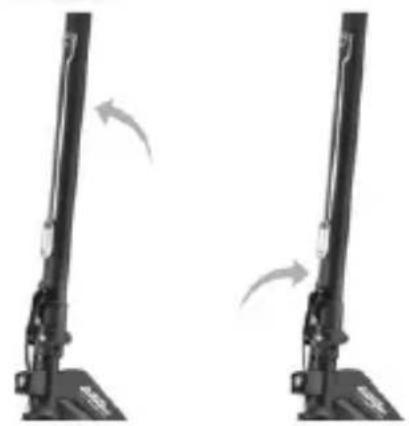
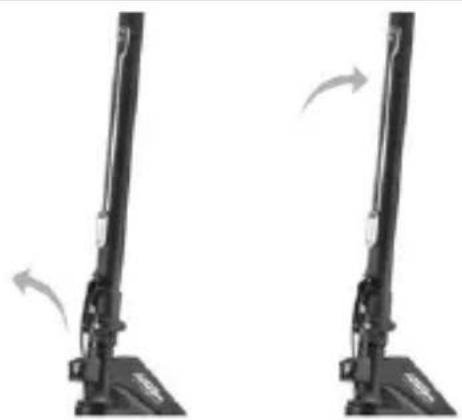
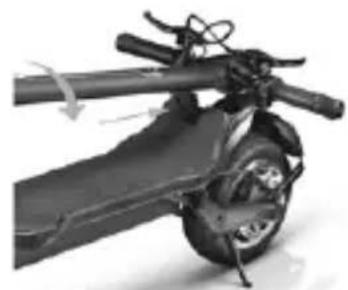
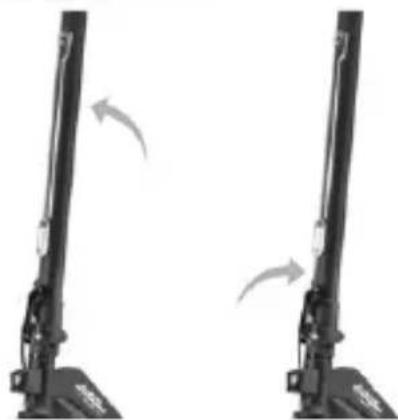
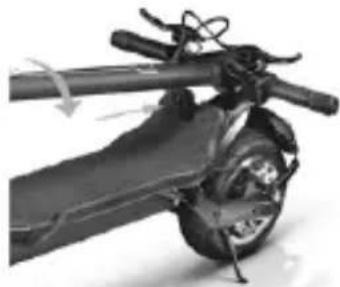
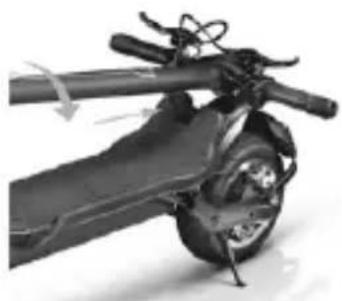
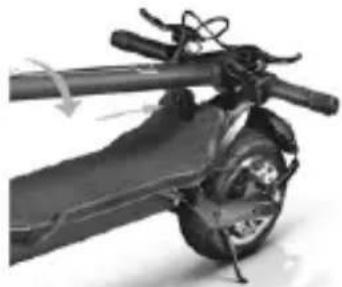
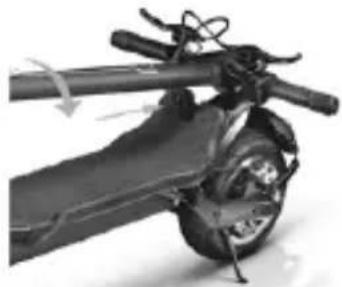
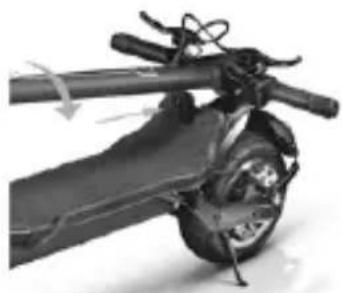
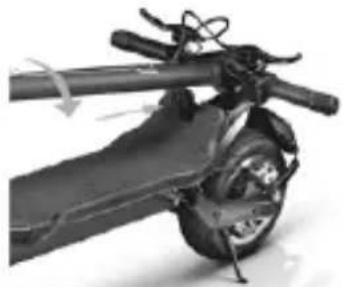
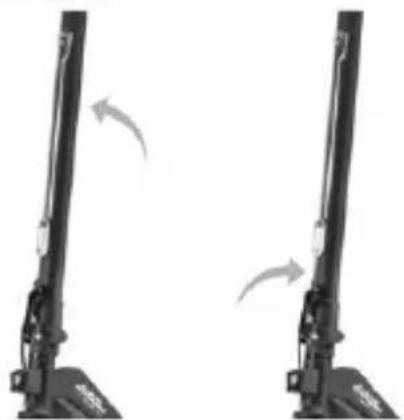
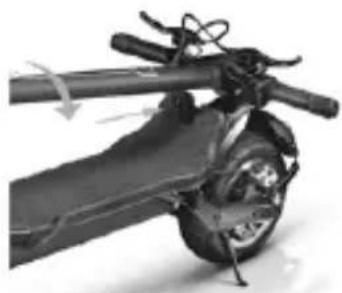
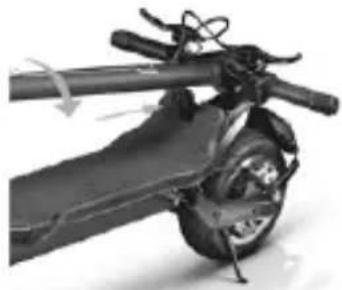
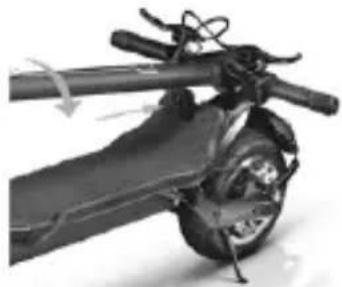
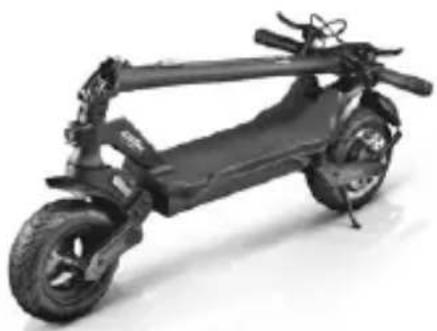
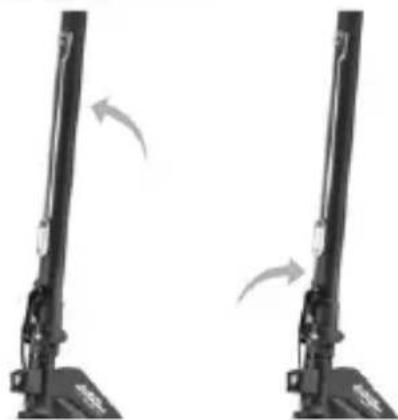
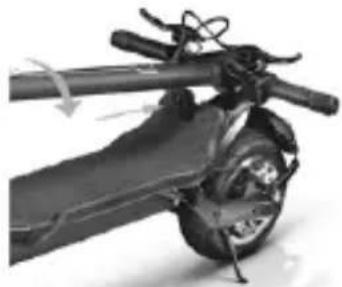
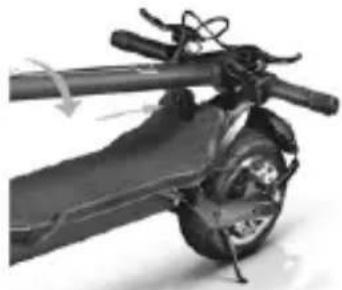
Make sure the electric scooter is turned off. Hold the handlebar stem with your hand, pull the lever, fold the stem towards the footrest and fasten it.
AL EXT
natural_image
Black electric scooter with extended wheels and front suspension (no visible text or symbols)
natural_image
Two identical black mechanical device components with curved arrows indicating motion or rotation (no text or symbols)
Opening:
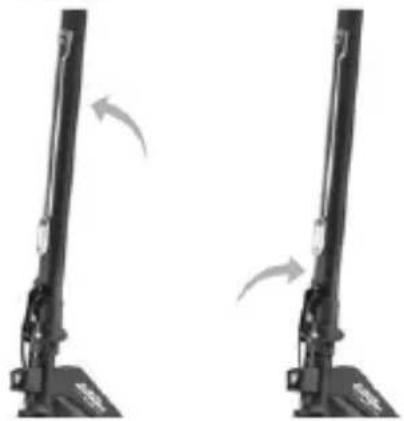
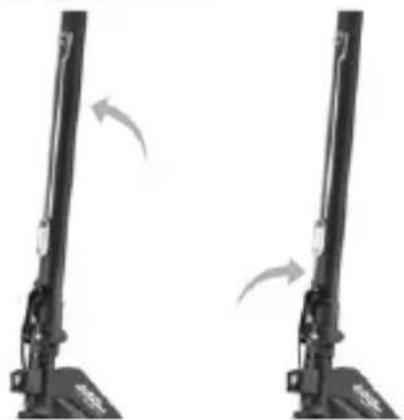
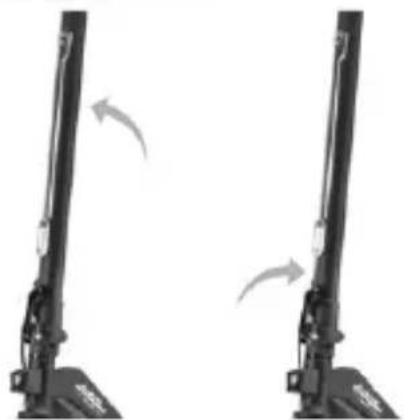
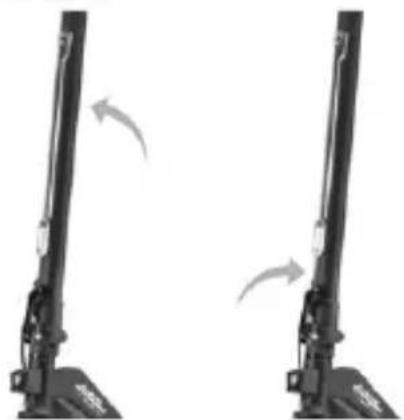
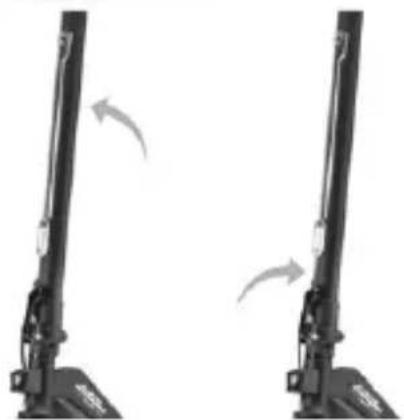
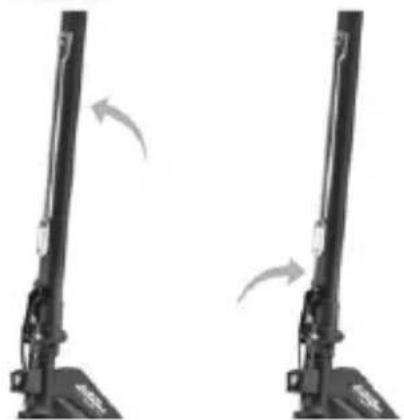
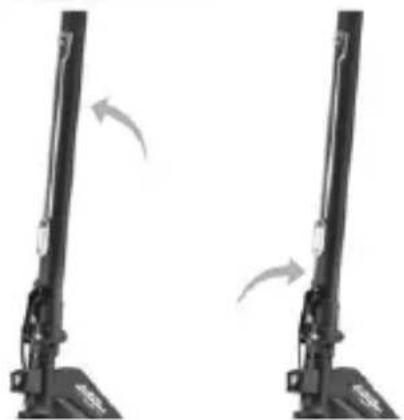
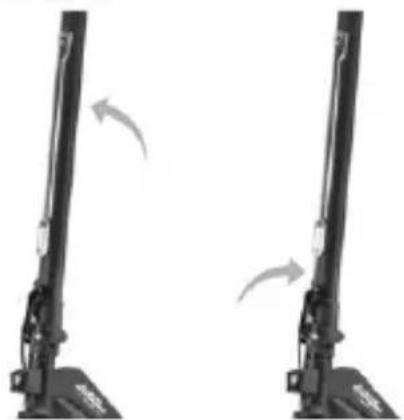
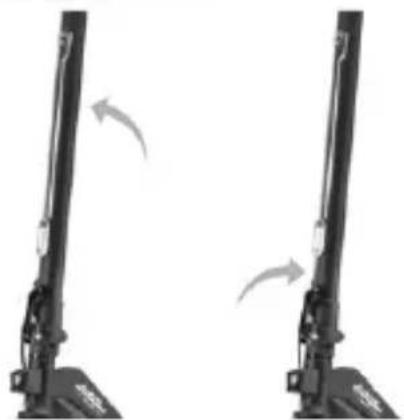
Unlocking the handlebar stem: Move the handlebar release clip outwards, raise the handlebar stem as far as it will go and lock it by pushing the lever inwards. Switch on the electric scooter.
natural_image
Two identical black vertical mechanical device diagrams with directional arrows indicating motion or movement (no text or symbols)
natural_image
Mechanical assembly diagram showing a battery-like component with rotating shaft and mounting bracket (no text or symbols)
Closing:
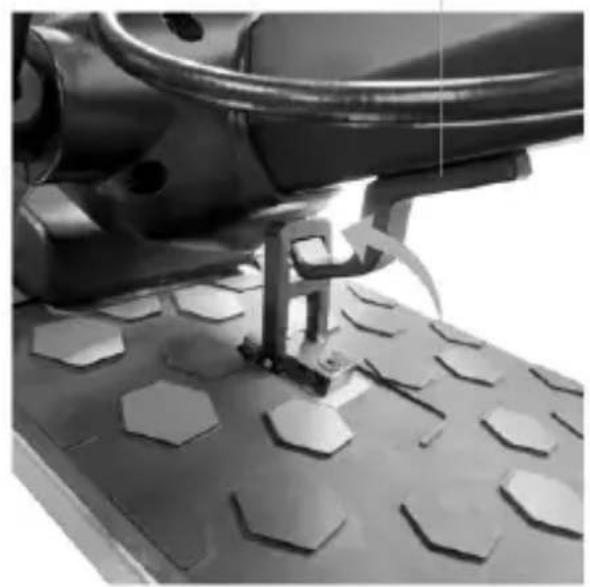
Switch off the electric scooter, pull the safety hook upwards and pull the lever outwards, bring the handlebar stem inwards, insert the clip into the hook and ensure effective locking.
AL2
Handlebar clip
natural_image
Close-up of a mechanical device with hexagonal base and tool handle (no visible text or symbols)
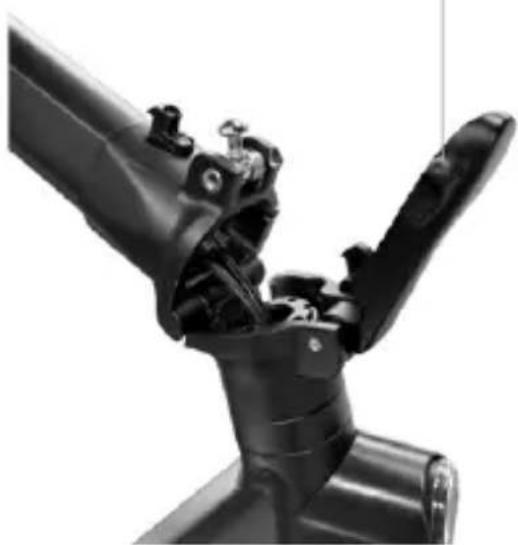
Locking mechanism lever
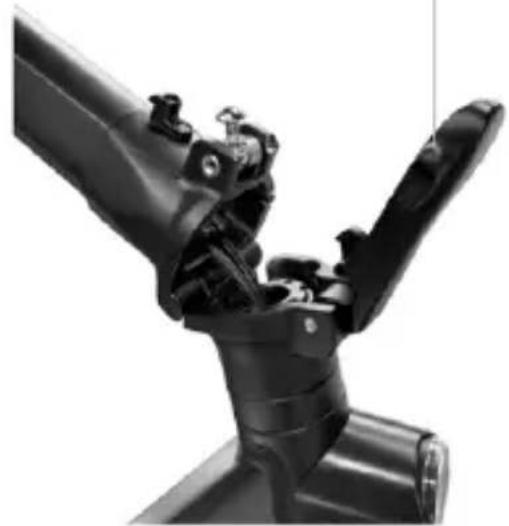
natural_image
Close-up of a black robotic arm joint (no visible text or symbols)
Opening:
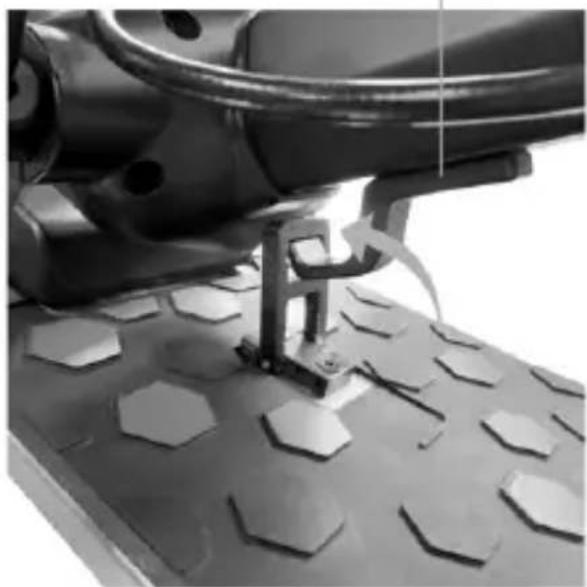
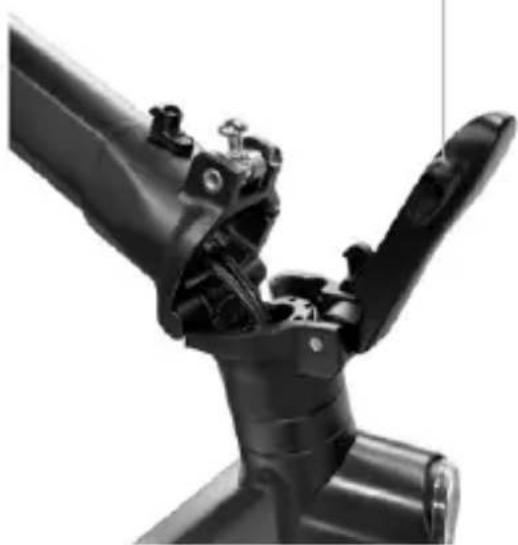
Unlock the handlebar stem from the footrest: press down on the clip to release the handlebar, raise the handlebar stem as far as it will go and lock it by pushing the lever of the locking mechanism inwards. Switch on the electric scooter.
Closing:
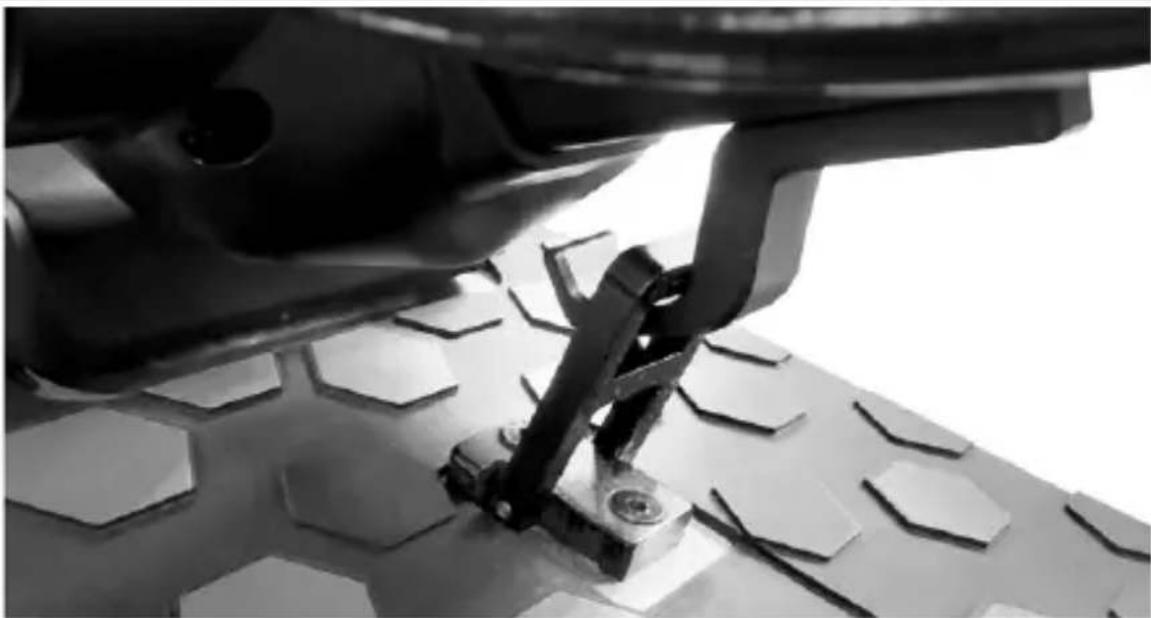
Switch off the electric scooter, unlock the locking mechanism: press the red hook and pull the lever outwards (see picture), bring the handlebar stem inwards and ensure that it is actually locked.
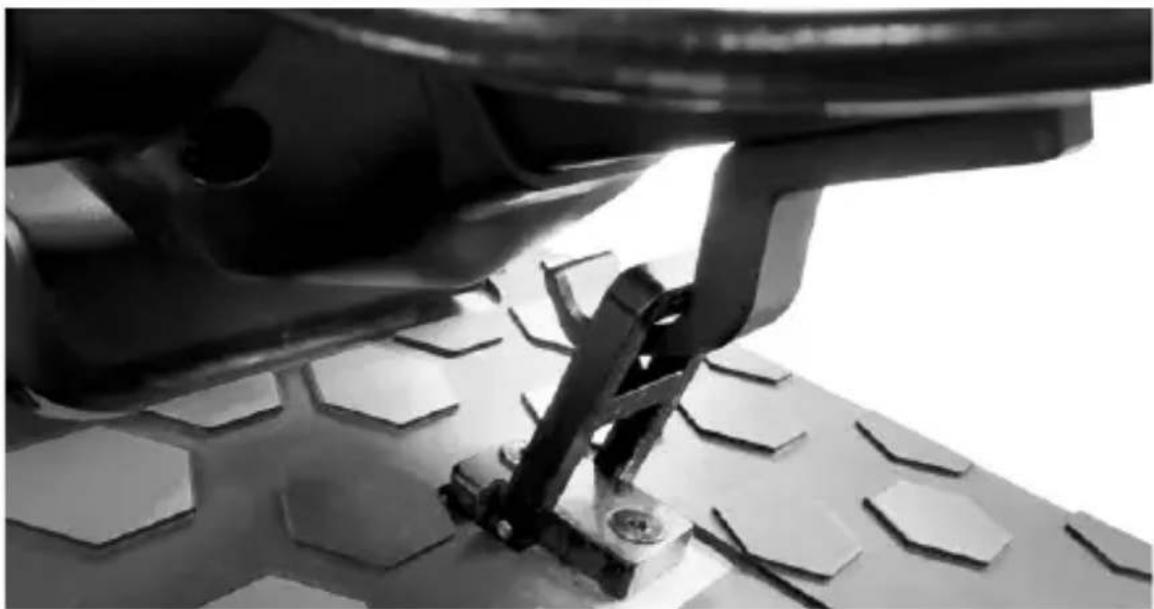
natural_image
Close-up of a mechanical assembly with a black lever mechanism pressing down on a textured surface (no visible text or symbols)
After folding, lift it by holding the handlebar stem with one or both hands.

CAUTION
Make sure to secure the item during transportation. If the item cannot be lifted, do not transport with the item raised. If dropped, the item may cause severe injury and damage.
The maximum range and performance of the vehicle depends on a number of variables:
Terrain: riding on smooth roads provides greater range and performance than riding on rough roads and climbs.
Weight of user: the greater the weight, the lower the range and performance of the vehicle.
Temperature: riding the electric scooter in very cold or hot conditions affects range and performance.
Speed and riding style: riding smoothly and at a constant speed extends the range. Continuous acceleration, deceleration and manoeuvring greatly reduce the range. A lower speed extends the range.
Maintenance: prompt recharging, proper maintenance and regular checking of tyre pressure (see reference value in section 10) increase range and ensure consistent performance over time.
The level of battery charge affects performance - the lower the level, the lower the speed, especially on climbs.
8. STORAGE, MAINTENANCE AND CLEANING
If there are stains on the body of the scooter, wipe with a damp cloth. If the stains persist, apply neutral soap, brush out with a toothbrush, then wipe with a damp cloth. If there are scratches on the plastic components, use sandpaper or other abrasive material to remove them. Do not clean the items with alcohol, petrol, paraffin or other corrosive or volatile chemical solvents to prevent severe damage. Do not wash the item using high-pressure water jets. When cleaning the scooter, make sure that it is switched off, that the charging cable is disconnected, and the rubber cap is closed, as a water leak may cause an electric shock or other serious problems. Water seeping into the battery may cause damage to internal circuits and risk of fire or explosion. Should you suspect that water may have entered the battery, stop using the battery immediately and return it to your dealer's after-sales service for checking.
When the item is not in use, store it indoors in a cool, dry place. Do not store outdoors or inside cars for extended periods of time. Excessive sunlight, overheating, and excessive cold accelerate tyre ageing and jeopardize the life of both the item and the battery. Do not expose it to rain or water or immerse it in water to wash it.
Regularly check the tightness of the bolted parts, in particular wheel axles, the folding and transportation system, the steering system, the braking system, the state of the frame, the forks and the suspension. Nuts and all other self-locking fasteners may lose their effectiveness. Periodically check and tighten these components.
Like all mechanical components, the item is subject to wear and tear. Different materials and components may react to wear or stress fatigue in a variety of ways. If the service life of a component is exceeded, it may break suddenly, resulting in injury to the rider. Any cracks, scratches or changes in colour in areas subject to high levels of stress indicate that the life of the component has been reached and must be replaced.
Check the condition of the tyres: there must be no cuts, cracks, foreign bodies, abnormal swelling, missing parts or other damage. For tyre pressure, refer to the value indicated in section 10 in this instruction manual.
Do not attempt to disassemble or repair the scooter yourself. Replacement of all electric scooter components should be carried out by an authorised technical service department. For further information, contact your dealer or visit: www.alemobility.com/en/
9. APP CONFIGURATION
Products that are equipped with Bluetooth and can be paired with the AL e-Mobility app are listed below: AL EXT, AL2.
The App allows you to control the item directly from your Smartphone.
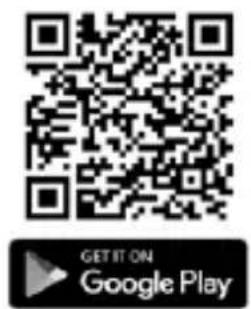
Scan the QR CODE to download and install the App. If the App is not found, search for it on your reference App store.
Open the App and follow the instructions provided.


Open the App and follow the instructions given.
The App may require various permissions required for the use and operation of the App itself.
The app version may have been updated by your app store. It is advisable to constantly check whether any updates are available for the App in order to be able to use the new features and always install the latest version of the App on your device.
Do not use your device while riding.
10. TECHNICAL DATA SHEET
General information
| AL EXT |
| Frame Steel and aluminium | |
| Sunspensions Front and rear | |
| Speed | LA-MO-210001; LA-MO-210002;LA-MO-220013Pedestrian: ≤6km/hL1: ≤15km/hL2: ≤20km/hL3: ≤25km/h (velocità max) **according to country of circulation | LA-MO-220001; LA-MO-220002Pedestrian: ≤6km/hL1: ≤10km/hL2: ≤15km/hL3: ≤20km/h(velocità max) **according to country of circulation |
| Maximum slope ** 22% | |
| Brakes Front disc brake, rear disc brake and electronic brake |
| Tyres Size: 90/65-6.5 Pressure: 50 psi / 3.5 bar |
| Maximum load 120kg | |
| Rider Check the legislation in your country |
| Operating temperature -0°C / 45°C | |
| Protection level IPX4 | |
| Charging time approximately 7 hours | |
| Autonomy** up to 40km | |
| Electrical system |
| Rated power of motor 0.50kW; 500W Brushless |
| Maximum power of motor 0.900kW; 900W |
| Display | Integrated LED |
| Battery | 48V 12.5Ah 600Wh |
| Low voltage protection 42V | |
| Current limit | 20A |
| KERS | yes |
| Lights LED front and rear | |
| Features | Bluetooth |
| Measures |
| Net weight | 30.6Kg |
| Gross weight | 38.75Kg |
* Always observe the highway code and the regulations in force in the country where the electric scooter is in use.
** Subject to variations based on the riders weight, road conditions and temperature.
AL2
| Frame Steel and aluminium | |
| Sunspensions Front and rear | |
| Speed | LA-MO-220003Pedestrian: ≤6km/hL1: ≤15km/hL2: ≤20km/hL3: ≤25km/h (max. speed) **according to country of circulation | LA-MO-220004Pedestrian: ≤6km/hL1: ≤10km/hL2: ≤15km/hL3: ≤20km/h(max. speed) **according to country of circulation |
| Maximum slope ** 16% | |
| Brakes Front drum brake, rear electric brake |
| Tyres Size: 10" X 2.125" with inner tube | Pressure: 36 psi / 2.5 bar |
| Maximum load 120kg | |
| Rider Check the legislation in your country |
| Operating temperature -0°C / +45°C | |
| Protection level IPX5 | |
| Charging time about 5 hours | |
| Autonomy** | up to 35km |
| Electrical system |
| Rated power of motor 0.35kW; 350W brushless |
| Maximum power of motor 0.55kW; 550W | |
| Display Integrated LED | |
| Battery 36V 8Ah 288Wh | |
| Low voltage protection 31+/-0.5V | |
| Current limit | 17A |
| KERS | yes |
| Lights LED front and rear | |
| Features | Bluetooth with app |
| Measures |
| Net weight | 19Kg |
| Gross weight | 22Kg |
* Always observe the highway code and the regulations in force in the country where the electric scooter is in use.
** Subject to variations based on the riders weight, road conditions and temperature.
11. TROUBLESHOOTING
Error Cause Solution
| The motor is not running | Electrical issue, error code present | Request technical assistance |
| The drive wheel does not turn | Problems with the brakesMotor is blocked | Adjust the brakes; if the problem persists, request technical assistanceCheck that the wheel is properly tightened, check that the wheel turns without starting the vehicle. If the problem persists, request technical assistance |
| The motor stops while it is running | Motor overheatingPresence of error code Request technical assistance | Stop the vehicle and wait for it to cool |
| After charging it, the item does not switch on or it switches off after a few km. | Damaged battery Request technical assistance | |
| The battery does not charge or the item does not switch on | Connection problems Request technical assistanceThe battery is not connected (models with removable battery)The battery is depleted Charge the battery to 100%Damaged battery Request technical assistanceProblems with the battery charger | Check that the power connector is connected.battery to 100%AssistanceReplace the battery charger |
AL EXT / AL2
Error code table
| Error code Definition | |
| E1 Motor connectivity fault | |
| E2 MOS fault or short-circuit motor phase |
| E3 Brake sensor malfunction | |
| E4 Electronic handlebar fault | |
| E5 Low voltage protection | |
| E6 Communication of failed instrumentation |
| E7 High voltage protection | |
| E8 / E9 Control unit/BMS fault | |
12. LIABILITY AND GENERAL TERMS OF WARRANTY
The rider assumes all liability for any injury when not wearing a helmet or other protective devices.
The driver must respect current local regulations regarding:
- The minimum age allowed for the rider
- Restrictions on the types of riders who can use the product
- All other regulatory aspects
The driver must always keep the product clean and in a perfect state of efficiency and maintenance, diligently perform the safety checks he/she is responsible for as described in the previous section, not tamper with the product in any way and keep all the maintenance documents.
M.T. Distribution shall not be liable for any damages caused and is in no way responsible for damages caused to property or persons when:
- the item is used incorrectly or in a manner that does not comply with the instructions of the user guide;
- after the purchase, the item is modified or tampered with in all or a number of its components.
In the event of product malfunction due to causes not attributable to rider misconduct and in order to consult the general terms of the warranty, contact your dealer or visit www.alemobility.com/en/
The Legal Guarantee never covers any Product faults or malfunctions caused by accidental events and/or events attributable to the Purchaser, or due to use of the Product in non-compliance with its intended use and/or with the provisions of the technical documentation attached to the Product, or due to failure to regulate mechanical parts, the natural wear of consumable materials, or due to assembly errors, lack of maintenance and/or use of said product in non-compliance with the instructions.
For example, the following are to be considered excluded from the statutory guarantee regarding products:
- damage caused by impacts, accidental falls or collisions, punctures;
- damage caused by use, exposure or storage in an unsuitable environment (e.g.: presence of rain and/or mud, exposure to moisture or excessive heat, contact with sand or other substances)
- caused by failure to adjust for road use and/or maintenance of mechanical parts, mechanical disc brakes, handlebars, tyres, etc.; incorrect installation and/or assembly of parts and/or components
- the natural wear and tear of consumable materials: mechanical disc brake (e.g. pads, callipers, disc, cables), tires, platforms, gaskets, bearings, led lights and bulbs, kickstand, knobs, mudguards, rubber parts (platform), wiring cable connectors, grilles and stickers, etc.;
- improper maintenance and/or improper use of the Product battery;
- tampering with and/or forcing parts of the Product;
- incorrect or inadequate maintenance or alteration of the Product;
- improper use of the product (e.g.: excessive load, use in competitions and/or for commercial or rental activities);
- maintenance, repairs and/or technical interventions on the product carried out by unauthorised third parties;
- damage to the products resulting from transport, if carried out by the purchaser;
- damage and/or defects resulting from the use of non-original parts.
Refer to the latest version of the warranty terms available at www.alemobility.com/en/support/
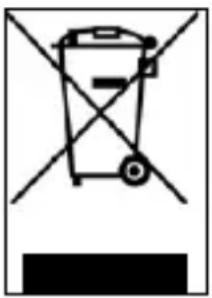
Disposal of end-of-life electrical or electronic equipment (applicable in all countries in the European Union and other European systems with a separate waste collection system)
natural_image
Simple line drawing of a trash bin with no text or symbols
This symbol on the product or packaging indicates that the product should not be considered as normal household waste, but should be taken to a facility authorised to dispose of waste from electrical and electronic equipment (WEEE).
Ensure that this product is disposed of properly to help prevent potential negative consequences to the environment and health that might otherwise be caused by improper disposal. Recycling materials will help to conserve natural resources.
For more detailed information regarding recycling and disposal of this item, contact the local waste disposal service or the point of sale where the item was purchased.
In any case, disposal must be carried out in accordance with the legislation in force in the country of purchase.
More specifically, consumers must not dispose of WEEE as municipal waste, but must dispose of this type of waste separately, in one of two possible ways:
- At municipal collection centres (also called eco-collection centres or recycling facilities), directly or through the collection services of municipal companies, where available;
- At shops selling new electrical or electronic equipment.
Here, very small items of the WEEE type (with the longest side less than 25 cm) can be left free of charge, while larger ones can be left on a 1-for-1 basis, i.e., you can leave the old item when you buy a new one having the same function.
Moreover, the 1-on-1 mode is always guaranteed when the consumer purchases a new EEE, regardless of the size of the WEEE.
In the event of unauthorised disposal of electrical or electronic equipment, the sanctions provided for by current environmental legislation may be applied (Italian legislation - check the regulations in effect in the country of use/disposal of the vehicle).
If the WEEE contains batteries or accumulators, they must be removed and subjected to specific separate collection.
Handling of spent batteries (applicable in all countries in the European Union and in other European systems with separate collection systems)
natural_image
Simple line drawing of a trash bin with no text or symbols
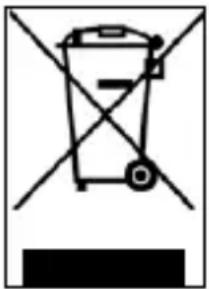
This symbol on the product or packaging indicates that the battery pack should not be treated as normal household waste. On some types of batteries, this symbol may be used in combination with a chemical symbol.
The chemical symbols for mercury (Hg) or lead (Pb) are added if the battery contains more than 0.0005% mercury or 0.004% lead.
Ensure that batteries are disposed of properly, to help prevent potential negative consequences to the environment and health that might otherwise be caused by improper disposal. Recycling materials will help to conserve natural resources. In the case of products which, for safety, performance or data protection reasons, require a fixed connection to an internal battery, this should only be replaced by qualified service personnel.
Deliver the product at the end of its service life to collection centres suitable for the disposal of electrical and electronic equipment: this ensures that the battery inside it is also treated correctly.
For more detailed information about disposal of the dead battery, contact the local waste disposal service or the shop where it was purchased.
In any case, disposal must be carried out in accordance with the legislation in force in the country of purchase.
natural_image
Close-up of a black motorcycle wheel and suspension system (no text or symbols visible)
natural_image
Black electric scooter with extended body and wheels, shown in studio setting (no text or symbols visible)
natural_image
Two identical black mechanical device components with curved arrows indicating motion or rotation (no text or symbols)
Apertura:
natural_image
Two identical black mechanical device arms with directional arrows indicating motion or rotation (no text or symbols)
natural_image
Close-up of a black electric scooter with visible suspension and wheel handle (no text or symbols)
Chiusura:
natural_image
Close-up of a sewing machine needle stitching hexagonal patterns on a metal workpiece (no text or symbols visible)
Apertura:
natural_image
Close-up of a mechanical component with visible joints and brackets (no text or symbols)
Chiusura:
natural_image
Close-up of a mechanical assembly with a black lever mechanism pressing down on a hexagonal textured surface (no text or symbols visible)
natural_image
Simple line drawing of a trash bin with no text or symbols
natural_image
Simple line drawing of a trash bin with diagonal lines crossing it, no text or symbols present.
natural_image
Close-up of a black motorcycle wheel and suspension system (no text or symbols visible)
Ajuste del freno de tambor:
natural_image
Top: Black electric scooter with extended wheels and visible suspension components; Bottom: Two side-view diagrams showing motion changes (no text or symbols)
Apertura:
natural_image
Three-panel image showing a scooter suspension mechanism: front-mounted frame, side-mounted frame, and rear-mounted body with motion arrows (no text or symbols)
Cerrar:
natural_image
Close-up of a mechanical assembly with a black lever mechanism pressing down on a hexagonal base (no visible text or symbols)
natural_image
Simple line drawing of a trash bin with no text or symbols
natural_image
Simple line drawing of a trash bin with crossed lines indicating no waste or discharge (no text or symbols)
Réglage des freins
AL EXT
natural_image
Close-up of a black motorcycle wheel and suspension system (no text or symbols visible)
natural_image
Black electric scooter with extended body and visible wheels (no text or symbols)
natural_image
Two identical mechanical device views showing a lever mechanism with curved arrows indicating motion (no text or symbols)
Ouverture:
natural_image
Two identical black mechanical device arms with directional arrows indicating motion or movement (no text or symbols)
natural_image
Close-up of a black electric scooter with visible wheel and propeller (no text or symbols)
Fermeture:
natural_image
Close-up of a robotic sewing machine on a perforated base (no visible text or symbols)
Ouverture:
natural_image
Close-up of a black mechanical component with clamping mechanism (no visible text or symbols)
Fermeture:
natural_image
Close-up of a mechanical assembly with a black lever mechanism pressing down on a textured surface (no visible text or symbols)
9. CONFIGURATION APPLI

natural_image
Simple line drawing of a trash bin with no text or symbols
natural_image
Simple line drawing of a trash bin with no text or symbols
natural_image
Close-up of a black motorcycle wheel and suspension system (no text or symbols visible)
natural_image
Two black electric scooters shown from top and side, with motion arrows indicating changes (no text or symbols visible)
Eröffnung:
natural_image
Three-panel image showing a robotic device with motion arrows, including a hand holding a scooter and a mechanical component (no text or symbols visible)
Schließen:
natural_image
Close-up of a robotic arm cutting through hexagonal perforations on a metal workpiece (no text or symbols visible)
Eröffnung:
natural_image
Close-up of a robotic arm joint with visible mechanical joints and joints (no text or symbols)
Schließen:
natural_image
Close-up of a mechanical assembly with hexagonal base and metal bracket (no visible text or symbols)
natural_image
Simple line drawing of a trash bin with no text or symbols
natural_image
Simple line drawing of a trash bin with diagonal lines crossing it, no text or symbols present.
natural_image
Close-up of a black motorcycle wheel and suspension system (no text or symbols visible)
natural_image
Two black electric scooters displayed: a full body of the scooter and two side-mounted sensors with curved arrows indicating motion (no text or symbols visible)
Opening:
natural_image
Three-step diagram showing a scooter lift with motion arrows, before and after assembly (no text or symbols)
Afsluiting:
natural_image
Close-up of a robotic sewing machine on a perforated metal tray (no visible text or symbols)
Opening:
natural_image
Close-up of a mechanical robotic arm joint (no visible text or symbols)
Afsluiting:
natural_image
Close-up of a mechanical assembly with a lever mechanism on a textured surface (no visible text or symbols)
natural_image
Simple line drawing of a trash bin with no text or symbols
natural_image
Simple line drawing of a trash bin with no text or symbols
natural_image
Close-up of a black motorcycle wheel and suspension system (no text or symbols visible)
natural_image
Black electric scooter with extended body and wheels, shown in studio setting (no visible text or symbols)
natural_image
Two identical black mechanical device components with directional arrows indicating motion or movement (no text or symbols)
Otwarcie:
natural_image
Two identical black mechanical legs with directional arrows indicating movement or rotation (no text or symbols)
natural_image
Close-up of a black electric scooter with visible suspension and wheel assembly (no text or symbols)
Zamknięcie:
natural_image
Close-up of a robotic arm cutting through hexagonal perforations on a metal workpiece (no text or symbols visible)
Otwarcie:
natural_image
Close-up of a robotic arm joint with visible mechanical components (no text or symbols)
Zamknięcie:
natural_image
Close-up of a mechanical assembly with a black lever mechanism pressing down on a hexagonal-patterned surface (no text or symbols visible)
natural_image
Simple line drawing of a trash bin with diagonal lines crossing it, no text or symbols present.
natural_image
Simple line drawing of a trash bin with no text or symbols
Nastavení brzd
AL EXT
natural_image
Close-up of a black motorcycle wheel and suspension system (no text or symbols visible)
natural_image
Black electric scooter with extended body and wheels, shown in studio setting (no visible text or symbols)
natural_image
Two identical black mechanical device components with directional arrows indicating motion or movement (no text or symbols)
Otevření:
natural_image
Two identical black mechanical legs with directional arrows indicating movement, no text or symbols present.
natural_image
Close-up of a black electric scooter with visible suspension and wheel assembly (no text or symbols)
Uzávěrka:
natural_image
Close-up of a sewing machine needle stitching hexagonal patterns on a metal workbench (no visible text or symbols)
Otevření:
natural_image
Close-up of a robotic arm joint with visible joints and blades (no text or symbols)
Uzávěrka:
natural_image
Close-up of a mechanical assembly with a black lever mechanism pressing down on a hexagonal-patterned surface (no text or symbols visible)
natural_image
Simple line drawing of a trash bin with no text or symbols
natural_image
Simple line drawing of a trash bin with no text or symbols
Nastavenie brzd
AL EXT
Nastavenie svorky brzdy
natural_image
Close-up of a black motorcycle wheel and suspension system (no text or symbols visible)
natural_image
Black electric scooter with extended body and wheels, shown in studio setting (no visible text or symbols)
natural_image
Two identical black mechanical device components with directional arrows indicating motion or movement (no text or symbols)
Otvorenie stránky:
natural_image
Two identical black mechanical legs with directional arrows indicating movement or rotation (no text or symbols)
natural_image
Close-up of a black electric scooter with visible suspension and wheel assembly (no text or symbols)
Uzávierka:
natural_image
Close-up of a sewing machine needle stitching hexagonal patterns on a textured base (no visible text or symbols)
Otvorenie stránky:
natural_image
Close-up of a robotic arm joint with visible joints and brackets (no text or symbols)
Uzávierka:
natural_image
Close-up of a mechanical assembly with hexagonal base and metal bracket (no visible text or symbols)
natural_image
Simple line drawing of a trash bin with no text or symbols
natural_image
Simple line drawing of a trash bin with no text or symbols
natural_image
Close-up of a black motorcycle wheel and suspension bracket assembly (no visible text or symbols)
natural_image
Black electric scooter with extended body and visible wheels (no text or symbols)
natural_image
Two identical black mechanical device components with curved arrows indicating motion or rotation (no text or symbols)
Ανοιγμα:
natural_image
Two identical black mechanical device arms with directional arrows indicating motion or movement (no text or symbols)
natural_image
Close-up of a black electric scooter with visible wheel and suspension components (no text or symbols)
Κλείσιμο:
natural_image
Close-up of a sewing machine needle stitching hexagonal patterns on a metal foot (no text or symbols visible)
Ανοιγμα:
natural_image
Close-up of a mechanical robotic arm joint (no visible text or symbols)
Κλείσιμο:
natural_image
Close-up of a mechanical assembly with hexagonal base and metal bracket (no visible text or symbols)
natural_image
Simple line drawing of a trash bin with no text or symbols
natural_image
Pure electrical circuit lines without any symbols
natural_image
Close-up of a black motorcycle wheel and suspension system (no text or symbols visible)
natural_image
Black electric scooter with extended body and visible wheels (no text or symbols)
natural_image
Two identical black mechanical device components with curved arrows indicating motion or rotation (no text or symbols)
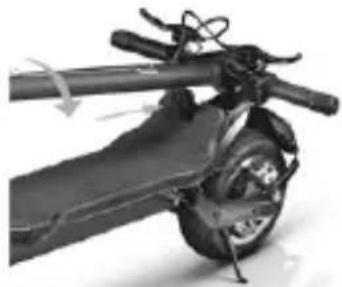
Odpiranje:
natural_image
Two identical black mechanical device legs with directional arrows indicating movement, no text or symbols present.
natural_image
Close-up of a black electric scooter with visible wheel and suspension components (no text or symbols)
Zaključek:
Izklopite električni skuter, potegnite varnostni kavelj navzgor in potegnite ročico navzven, potegnite steblo krmila navznoter, vstavite sponko v kavelj in zagotovite učinkovito zaklepanje.
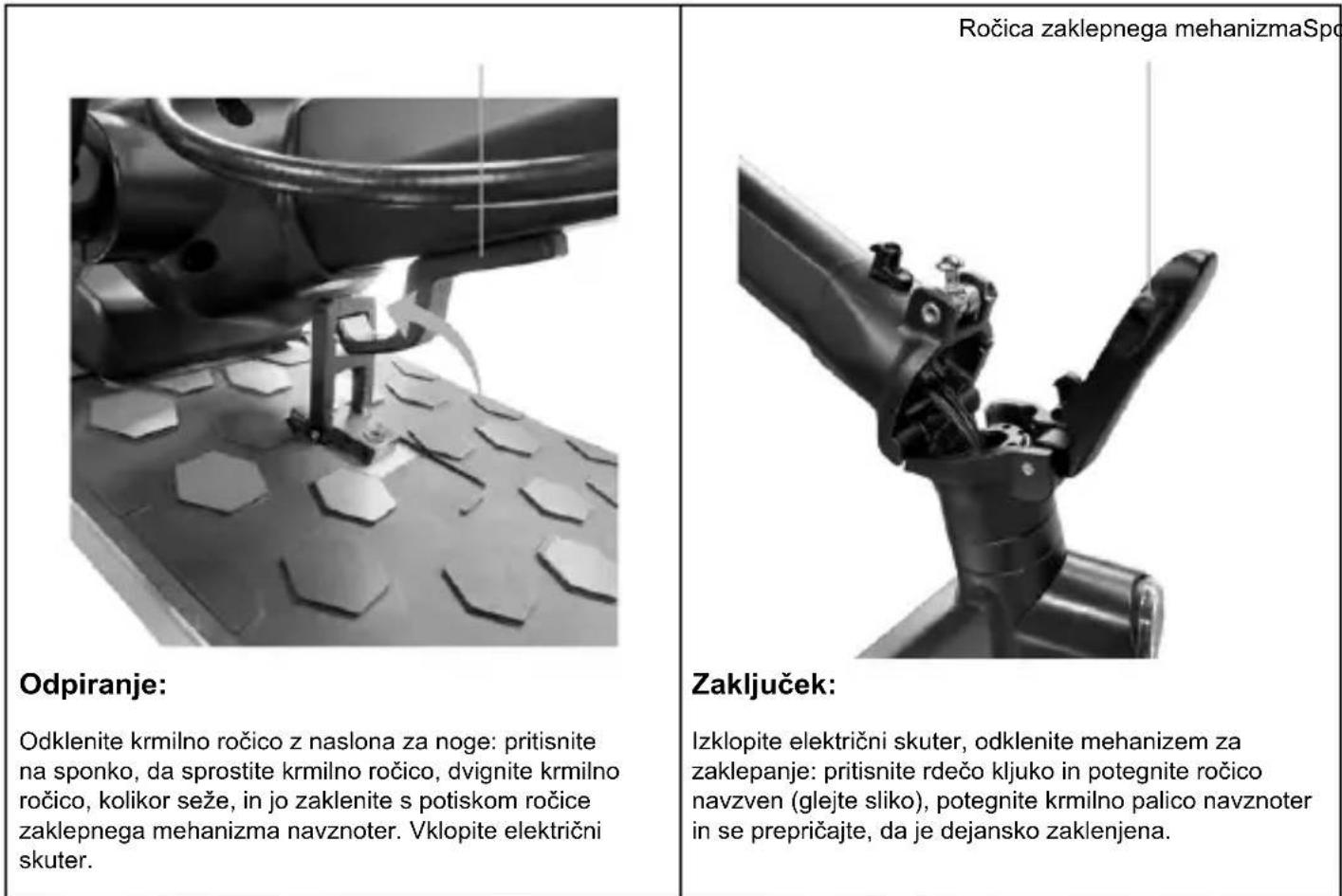
Odpiranje:
natural_image
Close-up of a mechanical assembly with a black bracket and hexagonal base, no visible text or symbols
Po tem, ko ste izdelek upognili, ga dvignite tako, da držite gred krmila z eno ali obema rokama.

POZOR
natural_image
Simple line drawing of a trash bin with no text or symbols
natural_image
Simple line drawing of a trash bin with diagonal lines crossing it, no text or symbols present.
natural_image
Close-up of a black motorcycle wheel and suspension system (no text or symbols visible)
Podešavanje doboš kočnice:
Ako je kočnica previše zategnuta ili previše labava, postupite tako što ćete olabaviti ili zategnuti zavrtanj (A). Ako je ručica kočnice previše mekana ili pretvrda čak i nakon prvog koraka, možda će biti potrebno ponoviti operaciju dok se ne postigne optimalno podešavanje.
6. SKLAPANJE I NOŠENJE
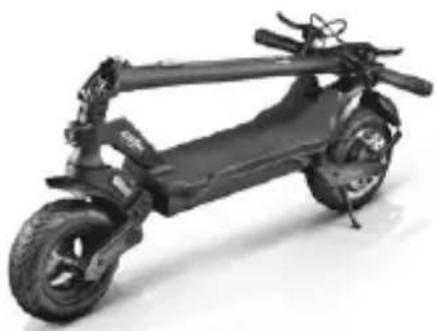
Uverite se da je električni trotinet isključen. Držite držač upravljača rukom, povucite ručicu, preklopite držač upravljača prema osloncu za noge i zakačite.
AL EXT
natural_image
Black electric scooter with extended body and wheels, shown in studio setting (no visible text or symbols)
natural_image
Two identical black mechanical device components with directional arrows indicating motion or rotation (no text or symbols)
Otvaranje:
natural_image
Two identical black mechanical legs with directional arrows indicating movement or rotation (no text or symbols)
natural_image
Close-up of a black electric scooter with visible suspension and wheel assembly (no text or symbols)
Završni:
Isključite električni skuter, povucite sigurnosnu kuku nagore i povucite ručicu ka spolja, vratite držač upravljača prema unutra, umetnite kopču u kuku i osigurajte efikasno zaključavanje.
Klip za upravljač Locking
natural_image
Close-up of a sewing machine needle stitching hexagonal patterns on a textured base (no visible text or symbols)
Otvaranje:
Otključajte držač upravljača sa oslonca za noge: pritisnite nadole kopču da biste oslobodili upravljač, podignite držač upravljača do kraja i zaključajte ga guranjem poluge mehanizma za zaključavanje ka unutra. Uključite električni skuter.
mechanism lever
natural_image
Close-up of a mechanical robotic arm joint (no visible text or symbols)
Završni:
Isključite električni skuter, otključajte mehanizam za zaključavanje: pritisnite crvenu kuku i povucite ručicu ka spolja (vidi sliku), povucite držač upravljača prema unutra i uverite se da je zaista zaključan.
natural_image
Close-up of a mechanical assembly with a black bracket and hexagonal base, no visible text or symbols
Posle sklapanja, podignite držeći držač upravljača jednom ili obema rukama.

PAŽNJA
Obavezno čvrsto držite proizvod za vreme transporta. Ako niste sigurni da li možete da držite težinu proizvoda, nemojte nastaviti transport sa podignutim proizvodom. Ako se naglo ispusti, proizvod može izazvati ozbiljne povrede i oštetiti se.
Teren: vožnja po glatkom kolovozu rezultira većom autonomijom i boljim performansama od vožnje po neravnim putevima i brdima.
Otvorite aplikaciju i pratite uputstva na usluzi referentne aplikacije.

PAŽNJA
natural_image
Simple line drawing of a trash bin with no text or symbols
Ovaj simbol na proizvodu ili na ambalaži označava da proizvod ne treba smatrati normalnim kućnim otpadom, već ga treba odnijeti na odgovarajuće sabirno mjesto za recikliranje električne i elektronske opreme (OEEO).
Pravilnim odlaganjem ovog proizvoda pomoći ćete u sprečavanju potencijalnih negativnih posledica po životnu sredinu i zdravlje ljudi koje bi inače mogle nastati usled neodgovarajućeg odlaganja. Recikliranje materijala pomaže u očuvanju prirodnih resursa.
natural_image
Simple line drawing of a trash bin with no text or symbols
Ovaj simbol na proizvodu ili ambalaži označava da se baterija ne bi trebala smatrati normalnim kućnim otpadom. Na nekim vrstama baterija simbol se može koristiti u kombinaciji sa hemijskim simbolom.
natural_image
Close-up of a black motorcycle wheel and suspension system (no text or symbols visible)
natural_image
Black electric scooter with extended body and wheels, shown in studio setting (no visible text or symbols)
natural_image
Two identical black mechanical device components with curved arrows indicating motion or rotation (no text or symbols)
Откриване на:
natural_image
Two black mechanical legs with directional arrows indicating movement or rotation (no text or symbols)
natural_image
Close-up of a black electric scooter with visible wheels and handlebars (no text or symbols)
Закриване:
natural_image
Close-up of a robotic sewing machine on a perforated metal base (no visible text or symbols)
Откриване на:
natural_image
Close-up of a mechanical assembly with exposed components and joints (no visible text or symbols)
Закриване:
natural_image
Close-up of a mechanical assembly with a black lever mechanism pressing down on a textured surface (no visible text or symbols)
natural_image
Simple line drawing of a trash bin with no text or symbols
natural_image
Simple line drawing of a trash bin with no text or symbols
natural_image
Black mechanical device with lever and grip, no visible text or symbols
وُため عَمْرِّ إِسْرَاتِ الَاتِجَاهِ عَنَدَ طَرْفِيِ المِقُود (الَجَانِبِ الَأَيْسِرِ وَالَأَيْمِنِ).
natural_image
Close-up of a black mechanical component with hexagonal texture and control knob (no visible text or symbols)
الموديل
AL EXT
AL2
5 دليل سريع.
natural_image
Mechanical component with labeled point B, showing internal components and wiring (no text or symbols beyond label)
natural_image
Close-up of mechanical components with no visible text or symbols
AL2
natural_image
Close-up of a black motorcycle wheel and suspension system (no text or symbols visible)
natural_image
Three-panel image showing a scooter suspension mechanism: front-mounted frame, side-mounted frame, and rear-mounted body with motion arrows (no text or symbols)
الغلق:
natural_image
Two black electric scooters shown from top and side, with motion arrows indicating changes (no text or symbols visible)
الفتح:
natural_image
Close-up of a mechanical assembly with a black bracket and hexagonal base, no visible text or symbols

natural_image
Symbol of a trash bin crossed with a diagonal line, no text or labels present
natural_image
Simple line drawing of a trash bin with no text or symbols
natural_image
Close-up of a black motorcycle wheel and suspension system (no text or symbols visible)
natural_image
Black electric scooter with extended body and wheels, shown in studio setting (no visible text or symbols)
natural_image
Two identical black mechanical device components with directional arrows indicating motion or movement (no text or symbols)
Açılış:
natural_image
Two identical black mechanical device legs with directional arrows indicating movement or rotation (no text or symbols)
natural_image
Close-up of a black electric scooter with visible suspension and wheel assembly (no text or symbols)
Kapanış:
natural_image
Close-up of a sewing machine needle stitching hexagonal patterns on a textured surface (no text or symbols visible)
Açılış:
natural_image
Close-up of a robotic arm joint with visible mechanical components (no text or symbols)
Kapanış:
natural_image
Close-up of a mechanical assembly with hexagonal base and metal bracket (no visible text or symbols)
natural_image
Simple line drawing of a trash bin with no text or symbols
natural_image
Simple line drawing of a trash bin with no text or symbols
Podešavanje kočnica
AL EXT
Podešavanje čeljusti kočnice
U slučaju da je kočnica prečvrsta ili prelabava, heksagonalnim ključem otpustite vijak (A), zatim podesite sajlu kočnice (skratite sajlu kočnice prema gore ako je prečvrsta). Ako je kabel previše labav, povucite ga prema dolje) i zatim ponovno zategnite vijak (A).
natural_image
Close-up of a black motorcycle wheel and suspension system (no text or symbols visible)
Podešavanje bubanj kočnice:
Ako je kočnica prečvrsta ili prelabava, otpustite ili zategnite vijak (A). Ako se poluga kočnice čini premekanom ili pretvrdom čak i nakon prvog koraka, možda će biti potrebno ponoviti postupak dok se ne postigne optimalna postavka.
6. PRESAVIJANJE I NOŠENJE
Provjerite je li električni skuter isključen. Jednom rukom držite polugu upravljača, povucite ručicu, preklopite polugu prema osloncu za noge i učvrstite.
AL EXT
natural_image
Black electric scooter with extended body and wheels, shown in studio setting (no visible text or symbols)
natural_image
Two identical black mechanical device components with curved arrows indicating motion or rotation (no text or symbols)
Otvaranje:
natural_image
Two identical black mechanical device arms with directional arrows indicating motion or rotation (no text or symbols)
natural_image
Close-up of a black electric scooter with visible suspension and wheel assembly (no text or symbols)
Zatvaranje:
natural_image
Close-up of a sewing machine needle stitching hexagonal metal components on a textured base (no visible text or symbols)
Otvaranje:
Otključavanje osovine upravljača od oslonca za noge: pritisnite kopču kako biste otpustili upravljač, podignite osovinu upravljača do graničnika i zaključajte je guranjem poluge mehanizma za zaključavanje prema unutra. Uključite električni skuter.
natural_image
Close-up of a mechanical robotic arm joint (no visible text or symbols)
Zatvaranje:
natural_image
Close-up of a mechanical assembly with a black lever mechanism pressing down on a hexagonal textured surface (no visible text or symbols)
Otvorite aplikaciju i slijedite upute na referentnoj usluzi aplikacije.

POZORNOST
Aplikacija može zahtijevati različita dopuštenja potrebna za rabljenje i funkcionalnost same aplikacije.
natural_image
Simple line drawing of a trash bin with no text or symbols
natural_image
Simple line drawing of a trash bin with no text or symbols
Ovaj simbol na proizvodu ili pakiranju pokazuje da se pakiranje ne treba tretirati kao normalni kućni otpad. Na nekim vrstama baterija ovaj se simbol može koristiti u kombinaciji s kemijskim simbolom.
natural_image
Close-up of a black motorcycle wheel and suspension system (no text or symbols visible)
Ajustarea frânei cu tambur:
natural_image
Black electric scooter with extended body and wheels, shown in studio setting (no visible text or symbols)
natural_image
Two identical black mechanical device components with directional arrows indicating motion or movement (no text or symbols)
Deschidere:
natural_image
Two identical black mechanical legs with directional arrows indicating movement or rotation (no text or symbols)
natural_image
Close-up of a black electric scooter with visible wheel and suspension components (no text or symbols)
Închidere:
natural_image
Close-up of a sewing machine needle stitching hexagonal patterns on a metal workpiece (no visible text or symbols)
Deschidere:
natural_image
Close-up of a mechanical assembly with clamping components (no visible text or symbols)
Închidere:
natural_image
Close-up of a mechanical assembly with hexagonal base and metal bracket (no visible text or symbols)
natural_image
Simple line drawing of a trash bin with crossed lines indicating no waste or discharge (no text or symbols)
natural_image
Simple line drawing of a trash bin with no text or symbols
according to the EC Machinery Directive 2006/42/EC, Annex II 1.A.
PLATUM by M.T. Distribution S.R.L
Address: Via Bargellino 10 c/d, 40012 Calderara di Reno (BO), Italy
This declaration of conformity is issued under the sole responsibility of the Manufacturer
Product Brand: Automobili Lamborghini
Product Model: ALext
Description of product: Electric Scooter
Serial identification number(s) : ALFM0XXX0XXXXX
The object of the declaration described above fulfils all the relevant provisions of the following Directives:
2006/42/EC Machinery Directive
2014/53/EU Radio Equipment Directive on the harmonization of the laws of the Member States relating to the making available on the market of radio equipment.
2011/65/EU RoHS on the restriction of the use of certain hazardous substances in electrical and electronic equipment
Applicable harmonized standard(s):
EN 300 328 V2.2.2
EN 301 489-1 V1.9.2
EN 62479:2010
EN 62368-1:2014 + AC:2015
EN IEC 63000:2018
Other standard or technical specifications applied
EN 17128:2020
ETSI EN 301 489-17 V3.2.4
Manufacturer: CXM Jiangsu Technology Co., Ltd.
Address: No.1 Building, Biangu Road, Biancang Town, Tinghu, Yancheng, Jiangsu, China
Date: 02/06/2022
PLATUM.COM
HEADQUARTERS: VIA BARGELLINO 10 C/D - 40012 CALDERARA DI RENO (BO)
SALES OFFICE: VIA PARACELSO 24, PALAZZO CASSIOPEA 2 - 20864 AGRATE BRIANZA (MB)
MARCHIO REGISTRATO DI M.T. DISTRIBUTION SRL P. IVA 04177060375 CF 01119840377 REA BO-236546
Authorized Representative in the EU:
MT DISTRIBUTION S.R.L
Via Bargellino 10, 40012, Calderara di Reno (BO), Italy
Technical file available from EU headquarter
Declaration Place: Bologna, Italy
Authorized person - First name and surname: Position: CEO
Alessandro Summa
NOTE:
This declaration of conformity is only applicable to Electric Scooter sold in countries that follow the CE marking directives.
PLATUM.COM
HEADQUARTERS: VIA BARGELLINO 10 C/D - 40012 CALDERARA DI RENO (BO)
SALES OFFICE: VIA PARACELSO 24, PALAZZO CASSIOPEA 2 - 20864 AGRATE BRIANZA (MB)
MARCHIO REGISTRATO DI M.T. DISTRIBUTION SRL P. IVA 04177060375 CF 01119840377 REA BO-236546
according to the EC Machinery Directive 2006/42/EC, Annex II 1.A.
PLATUM by M.T. Distribution S.R.L
Address: Via Bargellino 10 c/d, 40012 Calderara di Reno (BO), Italy
This declaration of conformity is issued under the sole responsibility of the Manufacturer
Product Brand: Automobili Lamborghini
Product Model: AL2
Description of product: Electric Scooter
Serial identification number(s) : ALMN0XXX0XXXXX
The object of the declaration described above fulfils all the relevant provisions of the following Directives:
2006/42/EC Machinery Directive
2014/53/EU Radio Equipment Directive on the harmonization of the laws of the Member States relating to the making available on the market of radio equipment.
2011/65/EU RoHS on the restriction of the use of certain hazardous substances in electrical and electronic equipment
Applicable harmonized standard(s):
EN 300 328 V2.2.2
EN 301 489-1 V1.9.2
EN 62479:2010
EN 62368-1:2014 + AC:2015
EN IEC 63000:2018
Other standard or technical specifications applied
EN 17128:2020
ETSI EN 301 489-17 V3.2.4
Manufacturer: SICHUAN AEE AVIATION TECHNOLOGY CO., LTD.
Address: Room 812, enterprise service center, No.17, section 3, west section of Changjiang North Road, Linggang Economic Development Zone, Yibin City, SICHUAN, P.R.C
Date: 01/03/2023
PLATUM.COM
HEADQUARTERS: VIA BARGELLINO 10 C/D - 40012 CALDERARA DI RENO (BO)
SALES OFFICE: VIA PARACELSO 24, PALAZZO CASSIOPEA 2 - 20864 AGRATE BRIANZA (MB)
MARCHIO REGISTRATO DI M.T. DISTRIBUTION SRL P. IVA 04177060375 CF 01119840377 REA BO-236546
Authorized Representative in the EU:
MT DISTRIBUTION S.R.L
Via Bargellino 10, 40012, Calderara di Reno (BO), Italy
Technical file available from EU headquarter
Declaration Place: Bologna, Italy
Authorized person - First name and surname:
Position: CEO
Alessandro Summa
NOTE:
This declaration of conformity is only applicable to Electric Scooter sold in countries that follow the CE marking directives.
PLATUM.COM
HEADQUARTERS: VIA BARGELLINO 10 C/D - 40012 CALDERARA DI RENO (BO)
SALES OFFICE: VIA PARACELSO 24, PALAZZO CASSIOPEA 2 - 20864 AGRATE BRIANZA (MB)
MARCHIO REGISTRATO DI M.T. DISTRIBUTION SRL P. IVA 04177060375 CF 01119840377 REA BO-236546
automobili Lamborghini

PLATUM
Shaping urban e-mobility
Imported and distributed by
M.T. Distribution Srl
via Bargellino 10 c/d, 40012,
The "Automobili Lamborghini" and "Automobili Lamborghini Bull and Shield" trademarks, copyrights, designs and models are used under license from Automobili Lamborghini S.p.A, Italy.