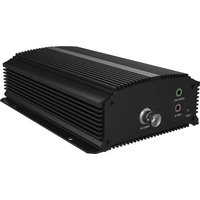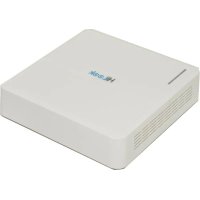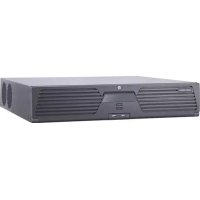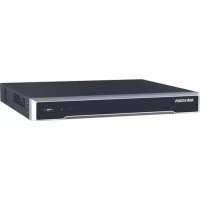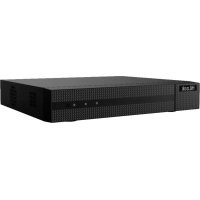
DVR208GM1 - VCR Hikvision - Free user manual and instructions
Find the device manual for free DVR208GM1 Hikvision in PDF.



| Product Type | VCR (Digital Video Recorder) |
| Brand | Hikvision |
| Model | DVR208GM1 |
| Category | DVR Recorder |
| Power Supply | Mains via adapter, grounded outlet required |
| Input Voltage | Safety Extra-Low Voltage (SELV) limited per IEC60950-1 |
| Main Functions | Video recording, activation via browser/SADP/client, support for network cameras, Hik-Connect connection |
| Security | Administrator password required for activation; ground before connection; protection against cyber attacks |
| Maintenance and Cleaning | Disconnect power before cleaning; do not expose to liquids; do not block ventilation openings |
| Usage Conditions | Indoor use only, well-ventilated and dust-free environment |
| Internal Battery | Button cell; risk of explosion if replaced by incorrect type |
| Regulatory Compliance | CE (directives 2014/30/EU, 2014/35/EU, 2011/65/EU); WEEE and battery compliant |
| Operating Temperature | 45°C to 55°C (high temperature possible with voltage drop) |
| Repairability | Intervention by qualified personnel only; contact a repair center in case of malfunction |
Frequently Asked Questions - DVR208GM1 Hikvision
User questions about DVR208GM1 Hikvision
0 question about this device. Answer the ones you know or ask your own.
Ask a new question about this device
Download the instructions for your VCR in PDF format for free! Find your manual DVR208GM1 - Hikvision and take your electronic device back in hand. On this page are published all the documents necessary for the use of your device. DVR208GM1 by Hikvision.
USER MANUAL DVR208GM1 Hikvision
© 2020 Hangzhou Hikvision Digital Technology Co., Ltd. All rights reserved.
Trademarks Acknowledgement
HiLck and other Hikvision's trademarks and logos are the properties of Hikvision in various jurisdictions. Other trademarks and logos mentioned below are the properties of their respective owners.
HOMI: The terms HDMI and HDMI High-Definition Multimedia Interface, and the HDMI Logo are trademarks or registered trademarks of HDMI Licensing Administrator, Inc. in the United States and other countries.
Legal Disclaimer
TO THE MAXIMUM EXTENT PERMITTED BY APPLICABLE LAW, THIS MANUAL AND THE PRODUCT DESCRIBED, WITH ITS HARDWARE, SOFTWARE AND FIRMWARE, ARE PROVIDED "AS IS" AND "WITH ALL FAULTS AND ERRORS". HIKVISION MAKES NO WARRANTYES, EXPRESS OR IMPLIED, INCLUDING WITHOUT LIMITATION, MERCHANTABILITY, SATISFACTORY QUALITY, OR FITNESS FOR A PARTICULAR PURPOSE. THE USE OF THE PRODUCT BY YOU IS AT YOUR OWN RISK. IN NO EVENT WILL HIKVISION BE LIABLE TO YOU FOR ANY SPECIAL, CONSEQUENTIAL, INCIDENTAL, OR INDIRECT DAMAGES, INCLUDING, AMONG OTHERS, DAMAGES FOR LOSS OF BUSINESS PROFITS, BUSINESS INTERRUsION, OR LOSS OF DATA, CORRUPTION OF SYSTEMS, OR LOSS OF DOCUMENTATION, WHETHER BASED ON BREACH OF CONTRACT, TORT (INCLUDING NEGLIGENCE), PRODUCT LIABILITY, OR OTHERWISE, IN CONNECTION WITH THE USE OF THE PRODUCT, EVEN IF HIKVISION HAS BEEN ADVISED OF THE POSSIBILITY OF SUCH DAMAGES OR LOSS.
YOU ACKNOWLEDGE THAT THE NATURE OF THE INTERNET PROVIDES FOR INHERENT SECURITY RISKS, AND HIKVISION SHALL NOT TAKE ANY RESPONSIBILITIES FOR ABNORMAL OPERATION, PRIVACY LEAKAGE OR OTHER DAMAGES RESULTING FROM CYBER-ATTACK, HECTOR ATTACK, VIRUS INFECTION, OR OTHER INTERNET SECURITY RISKS; HOWEVER, HIKVISION WILL PROVIDE TIMELY TECHNICAL SUPPORT IF REQUIRED.
YOU AGREE TO USE THIS PRODUCT IN COMPLIANCE WITH ALL APPLICABLE LAWS, AND YOU ARE SOLELY RESPONSIBLE FOR ENSURING THAT YOUR USE CONFORMS TO THE APPLICABLE LAW. ESPECIALLY, YOU ARE RESPONSIBLE, FOR USING THIS PRODUCT IN A MANNER THAT DOES NOT INFRINGE ON THE RIGHTS OF THIRD PARTIES, INCLUDING WITHOUT LIMITATION, RIGHTS OF PUBLICITY, INTELLECTUAL PROPERTY RIGHTS, OR DATA PROTECTION AND OTHER PRIVACY RIGHTS. YOU SHALL NOT USE THIS PRODUCT FOR ANY PROHIBITED END-USES, INCLUDING THE DEVELOPMENT OR PRODUCTION OF WEAPONS OF MASS DESTRUCTION, THE DEVELOPMENT OR PRODUCTION OF CHEMICAL OR BIOLOGICAL WEAPONS, ANY ACTIVITIES IN THE CONTEXT RELATED TO ANY NUCLEAR EXPLOSIVE OR UNSAFE NUCLEAR FUEL-CYCLE, OR IN SUPPORT OF HUMAN RIGHTS ABUSES.
IN THE EVENT OF ANY CONFLICTS BETWEEN THIS MANUAL AND THE APPLICABLE LAW, THE LATER PREVAILS.
Regulatory Information
FCC Information
Please take attention that changes or modification not expressly approved by the party responsible for compliance could void the user's authority to operate the equipment.
FCC compliance: This equipment has been tested and found to comply with the limits for a Class A digital device, pursuant to part 15 of the FCC Rules. These limits are designed to provide reasonable protection against harmful interference when the equipment is operated in a commercial environment. This equipment generates, uses, and can radiate radio frequency energy and, if not installed and used in accordance with the instruction manual, may cause harmful interference to radio communications. Operation of this equipment in a residential area is likely to cause harmful interference in which case the user will be required to correct the interference at his own expense.
FCC Conditions
This device complies with part 15 of the FCC Rules. Operation is subject to the following two conditions:
- This device may not cause harmful interference.
- This device must accept any interference received, including interference that may cause undesired operation.
EU Conformity Statement
This product and - if applicable - the supplied accessories too are marked with "CE" and comply therefore with the applicable harmonized European standards listed under the EMC Directive 2014/30/EU, the LVD Directive 2014/35/EU, the RoHS Directive 2011/65/EU.
2012/19/EU (WEEE directive): Products marked with this symbol cannot be disposed of as unsorted municipal waste in the European Union. For proper recycling, return this product to your local supplier upon the purchase of equivalent new equipment, or dispose of it at designated collection points. For more information see: www-recyclethis.info
Industry Canada ICES-003 Compliance
This device meets the CAN ICES-3 (A)/NMB-3(A) standards requirements.
Conformité Industrie Canada ICES-003
-
Proper configuration of all passwords and other security settings is the responsibility of the installer and/or end-user.
-
Firmly connect the plug to the power socket. Do not connect several devices to one power adapter. Power off the device before connecting and disconnecting accessories and peripherals.
-
Shock hazard! Disconnect all power sources before maintenance.
-
The equipment must be connected to an earthed mains socket-outlet.
-
The socket-outlet shall be installed near the equipment and shall be easily accessible.
-
indicates hazardous live and the external wiring connected to the terminals requires installation by an instructed person.
-
Never place the equipment in an unstable location. The equipment may fall, causing serious personal injury or death.
-
Input voltage should meet the SELV (Safety Extra Low Voltage) and the LPS (Limited Power Source) according to the IEC60950-1.
-
High touch current! Connect to earth before connecting to the power supply.
-
If smoke, odor or noise rise from the device, turn off the power at once and unplug the power cable, and then please contact the service center.
-
Use the device in conjunction with an UPS, and use factory recommended HDD if possible.
-
This product contains a coin/button cell battery. If the battery is swallowed, it can cause severe internal burns in just 2 hours and can lead to death.
-
This equipment is not suitable for use in locations where children are likely to be present.
-
CAUTION: Risk of explosion if the battery is replaced by an incorrect type.
-
Improper replacement of the battery with an incorrect type may defeat a safeguard (for example, in the case of some lithium battery types).
-
Do not dispose of the battery into fire or a hot oven, or mechanically crush or cut the battery, which may result in an explosion.
-
Do not leave the battery in an extremely high temperature surrounding environment, which may result in an explosion or the leakage of flammable liquid or gas.
-
Do not subject the battery to extremely low air pressure, which may result in an explosion or the leakage of flammable liquid or gas.
-
Dispose of used batteries according to the instructions
-
Keep body parts away from fan blades and motors. Disconnect the power source during servicing.
Preventive and Cautionary Tips
Before connecting and operating your device, please be advised of the following tips:
-
The device is designed for indoor use only. Install it in a well-ventilated, dust-free environment without liquids.
-
Ensure recorder is properly secured to a rack or shelf. Major shocks or jolts to the recorder as a result of dropping it may cause damage to the sensitive electronics within the recorder.
-
The equipment shall not be exposed to dripping or splashing and that no objects filled with liquids shall be placed on the equipment, such as vases.
- No naked flame sources, such as lighted candles, should be placed on the equipment.
- The ventilation should not be impeded by covering the ventilation openings with items, such as newspapers, table-cloths, curtains, etc. The openings shall never be blocked by placing the equipment on a bed, sofa, rug or other similar surface.
- For certain models, ensure correct wiring of the terminals for connection to an AC mains supply.
- For certain models, the equipment has been designed, when required, modified for connection to an IT power distribution system.
- Use only power supplies listed in the user manual or user instruction.
- The USB port of the equipment is used for connecting to a mouse, keyboard, USB flash drive, or Wi-Fi dongle only. The electric current of the connected equipment cannot exceed 0.1 A.
- Under high working temperature (45 °C (113 °F) to 55 °C (131 °F)), the power supply of some power adaptors may decrease.
Power Supply Instructions
Use only power supplies listed in the user instructions.
| NVR Models | Standard | Power Supply Models | Manufacturer |
| NVR-104H-D | Europe | MSA-C1500IC12.0-18P-DE | MOSO Power Supply Technology Co., Ltd |
| NVR-108H-D | ADS-26FSG-12 12018EPG | Shenzhen HONOR Electronic Co., Ltd | |
| NVR-104MH-D | KL-AD3060VA | Xiamen Keli Electronics Co., Ltd | |
| NVR-108MH-D | KPD-018-VI | Channel Well Technology Co., Ltd | |
| NVR-104MH-C | British | ADS-25FSG-12 12018GPB | Shenzhen HONOR Electronic Co., Ltd |
| NVR-108MH-C | MSA-C1500IC12.0-18P-GB | MOSO Power Supply Technology Co., Ltd | |
| NVR-116MH-C | ADS-26FSG-12 12018EPB | Shenzhen HONOR Electronic Co., Ltd | |
| NVR-104MH-C(B) | America | MSA-C1500IC12.0-18P-US | MOSO Power Supply Technology Co., Ltd |
| NVR-108MH-C | TS-A018-120015AD | SHENZHEN TRANSIN TECHNOLOGY CO.,LTD | |
| NVR-116MH-C | KL-AD3060VA | XIAMEN KELI ELECTRONICS CO.,LTD | |
| NVR-104MH-C(B) | ADS-26FSG-12 12018EPCU | Shenzhen HONOR Electronic Co., Ltd | |
| Korea | KPC-024F | CHANNEL WELL TECHNOLOGY CO.,LTD. | |
| ADS-26FSG-1212018EPK | Shenzhen HONOR Electronic Co., Ltd | ||
| NVR-104H-D/4P | Universal | MSP-Z1360IC48.0-65W | MOSO Power Supply Technology Co., Ltd |
| NVR-104MH-D/4P | MSA-Z1040IS48.0-65W-Q | MOSO Power Supply Technology Co., Ltd | |
| NVR-104-B/4P | MSA-Z1360IS48.0-65W-Q | MOSO Power Supply Technology Co., Ltd | |
| NVR-104B/B/4P/M | ADS-50HF-48-1 48050E | Shenzhen HONOR Electronic Co., Ltd | |
| NVR-104MH-C/4P | ADS-65HI-48-148065E | Shenzhen HONOR Electronic Co., Ltd | |
| NVR-104MH-C/4P(M) | KPL-065S-II | CHANNEL WELL TECHNOLOGY CO.,LTD | |
| ADS-65DIB-48-1 48065E | Shenzhen HONOR Electronic Co., Ltd | ||
| MS-Z1360R480-065C0-Q | MOSO Power Supply Technology Co.,Ltd | ||
| HKA06548014-7Y | SHENZHEN HUNTKEY ELECTRIC CO LTD | ||
| S065-1A480136B3 | MASS POWER ELECTRONIC LIMITED | ||
| NVR-108H-D/8P | 2AAL090R | CHANNEL WELL TECHNOLOGY CO.,LTD | |
| NVR-108MH-D/8P | ADS-96HLA-48-1 48090E | Shenzhen HONOR Electronic Co., Ltd | |
| NVR-108-B/8P | HKA09048019-027 | SHENZHEN HUNTKEY ELECTRIC CO LTD | |
| NVR-108-B/8P/M | S090NQ4800188 | MASS POWER ELECTRONIC LIMITED | |
| NVR-108MH-C/8P | |||
| NVR-108MH-C/8P(B) |
| DVR Models | Standard | Power Supply Models | Manufacturer |
| DVR-104G-F1 | British | MSA-C1500IC12.0-18P-GB | MOSO Technology Co., Ltd. |
| DVR-108G-F1 | ADS-26FSG-12 12018EPB | Shenzhen Honor Electronic Co., Ltd. | |
| DVR-108G-F1/N | Europe | MSA-C1500IC12.0-18P-DE | MOSO Technology Co., Ltd. |
| ADS-26FSG-12 12018EPG | Shenzhen Honor Electronic Co., Ltd. | ||
| Australia | MSA-C1500IC12.0-18P-AU | MOSO Technology Co., Ltd. |
Note:
- The power supplies list above is for EU countries only.
The power supplies list is subject to change without prior notice.

HDD Installation
Startup
Proper startup is crucial to expand the life of NVR/DVR.
Step 1 Plug power supply into an electrical outlet.
Step 2 Press the power button (certain models may have power button on the front or rear panel).
The device begins to start.
Activate Your Device
No operation is allowed before activation. For the first-time access, it requires to set an admin password for device activation. You can also activate the device via web browser, SADP or client software.
Step 1 Enter the same password in Create New Password and Confirm New Password.
Step 2 Optionally, set reserved email, Hik-Connect, security questions, or export GUI for password resetting in the future.
Step 3 Set the password to activate the network camera(s) connected to the device.
Step 4 Click OK to save the password and activate the device.
François
Informations legales
Hikvision 88888888: g800g800g800g800g800g800g800g800g800g800g800g800g800g800g800g800g800g800g800g800g800g800g800g800g800g800
HOMI : HDMI 5G HDMI High-Definition Multimedia Interface (gocgocgocgocgocgoc
0088888888) 0000000000HDMI 888888888
HDMI Licensing Administrator, Inc. 40000000000000000000000000000000000000000000000000000
p003:8:8ep 8ooos
08888888 88888888 88888888 8888888 888888 88
HIKVISION 300: 300 HIKVISION q8:800000000000000000000000000000000000000
000000000000000000000000000000000000000000000000
0000000000000000000000000000000000000000000
00000000000000000000000000000000000000000000000
HIKVISION CO
HIKVISION 00
088g:3600:00S
025:08:08:08:08:08:08:08:08:08:08:08:08:08:08:08:08:08:08:08:08:08:08:08:08:08:08:08:08:08:08:08:08:08:08