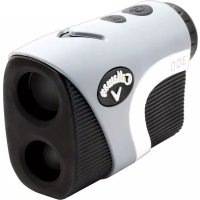
C70112 - Rangefinder Callaway - Free user manual and instructions
Find the device manual for free C70112 Callaway in PDF.

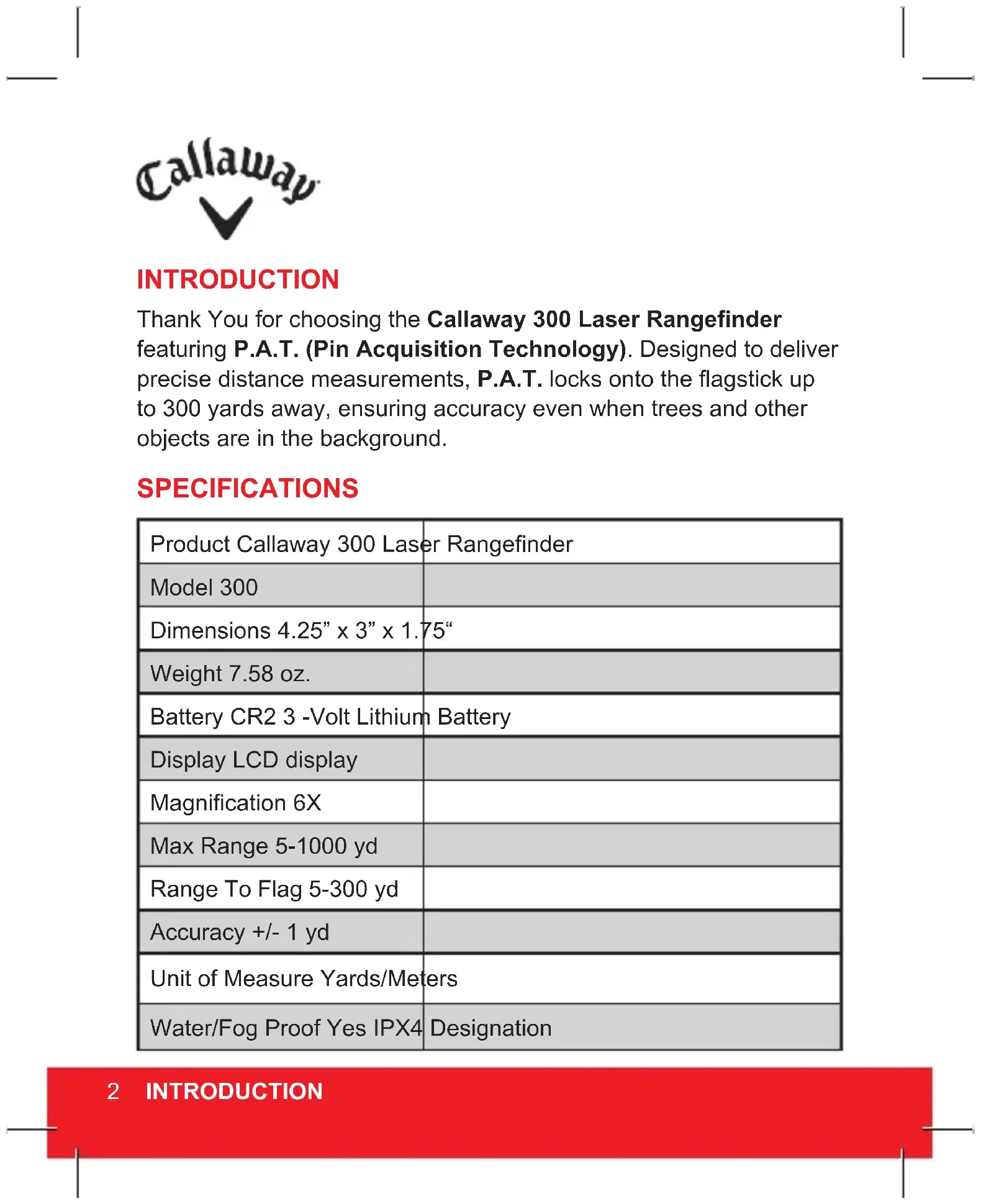


| Product Type | Laser Rangefinder |
| Brand | Callaway |
| Model | 300 (C70112) |
| Dimensions | 4.25 x 3 x 1.75 inches (108 x 76 x 44 mm) |
| Weight | 7.58 oz (215 g) |
| Power | CR2 3V lithium battery (included) |
| Display | LCD screen |
| Magnification | 6x |
| Maximum Range (objects) | 5 - 1000 yards (5 - 914 m) |
| Flag Range | 5 - 300 yards (5 - 274 m) |
| Accuracy | ± 1 yard (± 0.9 m) |
| Measurement Units | Yards or meters (switchable) |
| Water Resistance | IPX4 (splash proof) |
| Measurement Modes | Standard, P.A.T. (Pin Acquisition Technology), Scan |
| Battery Life (low battery indicator) | Approximately 200 measurements before full discharge |
| Power On/Off | Press power button; auto-off after 5 seconds of inactivity |
| Diopter Adjustment | Rotate eyepiece for focus |
| Included Accessories | Battery, carrying case, cleaning cloth, strap |
| Warranty | 1 year against manufacturing defects |
| Warning | Do not look directly at the sun, do not aim at eyes, do not disassemble, do not immerse, do not expose to extreme temperatures (<50°F / >110°F) |
Frequently Asked Questions - C70112 Callaway
User questions about C70112 Callaway
0 question about this device. Answer the ones you know or ask your own.
Ask a new question about this device
Download the instructions for your Rangefinder in PDF format for free! Find your manual C70112 - Callaway and take your electronic device back in hand. On this page are published all the documents necessary for the use of your device. C70112 by Callaway.
USER MANUAL C70112 Callaway
natural_image
Close-up of a Callamgg 300 handheld device with black and white casing (no visible text or symbols on body)300 LASER RANGEFINDER

text_image
CallawayINTRODUCTION
Thank You for choosing the Callaway 300 Laser Rangefinder featuring P.A.T. (Pin Acquisition Technology). Designed to deliver precise distance measurements, P.A.T. locks onto the flagstick up to 300 yards away, ensuring accuracy even when trees and other objects are in the background.
SPECIFICATIONS
| Product Callaway 300 Laser Rangefinder | |
| Model 300 | |
| Dimensions 4.25" x 3" x 1.75" | |
| Weight 7.58 oz. | |
| Battery CR2 3 -Volt Lithium Battery | |
| Display LCD display | |
| Magnification 6X | |
| Max Range 5-1000 yd | |
| Range To Flag 5-300 yd | |
| Accuracy +/- 1 yd | |
| Unit of Measure Yards/Meters | |
| Water/Fog Proof Yes IPX4 | Designation |
2 INTRODUCTION
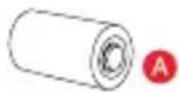
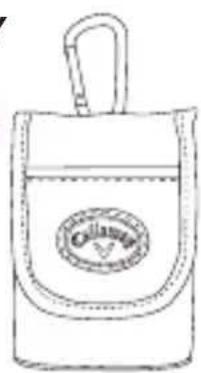
INCLUDES
A. CR2 - 3VOLT LITHIUM BATTERY
B. Carry Case
C. Cleaning Cloth
D. Lance Strap
B
natural_image
Line drawing of a bag with a handle and a circular logo on the front (no text or symbols)
natural_image
Diagram showing a textured rectangular object and a curved cable with labeled points C and D (no text or symbols present)BATTERY INSTALLATION
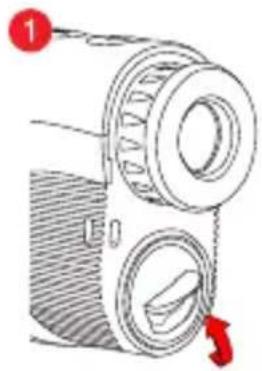
The Callaway 300 uses a replaceable CR2 3-volt lithium battery. To install, remove the battery cap located below the Eye Piece. Insert battery negative end first (flat end) and close battery cap.
- Lift hatch tab.
- Turn counterclockwise to open.
- Insert battery into chamber (negative end first).
- Replace battery cap and tighten by turning clockwise.
natural_image
Diagram of a vintage camera with two lenses and a red directional arrow indicating rotation (no text or symbols)
text_image
2
natural_image
Diagram of a mechanical device with three parts, showing a cylindrical component being cut by red arrows (no text or symbols present)NOTE: If the Low Battery Icon is present on LCD display, there are approximately 200 ranges left until the battery is completely drained. The Low Battery Icon will flash if the battery life is very low. In this case, the battery needs to be replaced before next use.
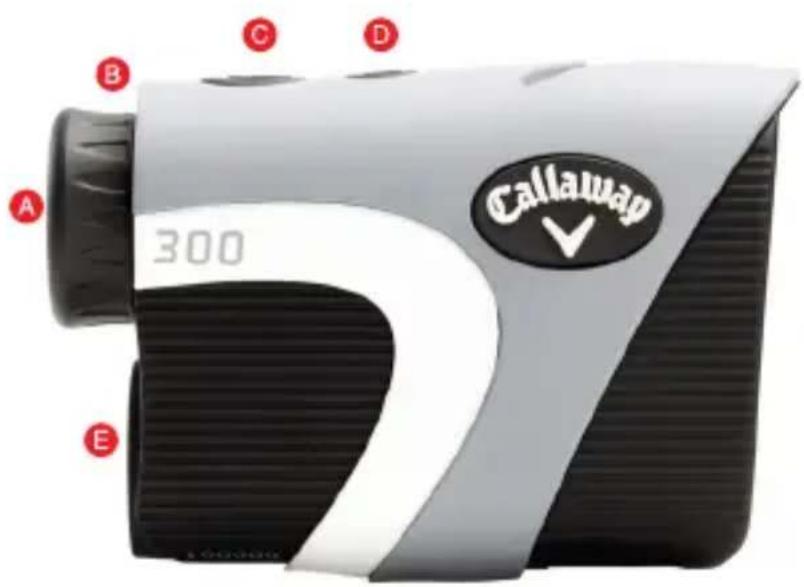
RANGEFINDER DIAGRAM
A. Eye Piece
B. Diopter Adjustment
C. Power Button
D. Mode Button
E. Battery Door
text_image
Callaway 300 A B C D ELCD DISPLAY

text_image
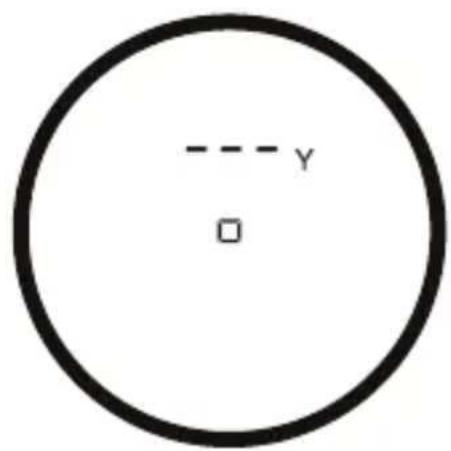
A B 164y D E C F FA. ☐ Zero-In Aiming Square
B. [☐] Laser Indicator Box
C. P.A.T. Mode Indicator
D. 164_y Distance
E. Y/M Unit of Measure
F. Low Battery
4 HOW TO USE
HOW TO USE
text_image
y □- While looking through the Eye Piece, PRESS and RELEASE the Power Button. The rangefinder is now powered on.

natural_image
Mechanical diagram showing a rotating bearing with red curved arrows indicating rotational motion (no text or symbols)- To focus/increase clarity, use the Diopter Adjustment by turning the Eye Piece.

text_image
164y □- Continue looking through the Eye Piece, aim the Zero-In Aiming Square at your intended target and PRESS the Power Button. The laser will fire and the Laser Indicator Box will appear around the Zero-In Aiming Square. The measurement will be displayed at the top of the LCD display.
MEASUREMENT MODES
- Standard - Standard Mode is recommended when measuring distances to larger objects. (Fig. A)
- P.A.T. (Pin Acquisition Technology) - P.A.T. Mode is best used when measuring the distance to a flagstick or smaller objects. To toggle between Standard and P.A.T Mode, PRESS the Mode Button (M). When P.A.T. Mode is activated, the flagstick icon will appear on the left side of the LCD display. (Fig. B)

text_image
A -- y □
text_image
B y □- Scanning - To measure distances to multiple targets in succession, HOLD Power Button. The Laser Indicator Box will flash and the laser will continuously fire. Measurements will change as you scan the landscape and change targets.
NOTE: While scanning in P.A.T. Mode, the measurement will only change when a shorter distance is measured. This is useful when measuring the distance to a flagstick when there are trees or other objects in the background.
- Unit of Measure - To change the unit of measure from Yards to Meters, PRESS Power Button to power on, then HOLD Mode Button (M). The unit of measure is indicated by a "Y" or "M" shown directly to the right of the distance displayed.
6 HOW TO USE
OPERATIONAL NOTES
- The maximum measurement range is 5-1000 yards to objects and 5-300 yards to a flagstick with +/- 1 yard accuracy.
NOTE: Maximum range can depend on several factors, including target characteristics and environmental conditions. For instance, longer maximum distances may be obtained to targets that are large in size, brightly colored, or have a reflective finish. Ranging capability can also be affected by the angle to the target and lighting conditions. - Auto Shutoff - To conserve battery life, the device will automatically power off when idle for more than 5 seconds.
- Weather Conditions - Heavy rain and thick fog can potentially limit the maximum range of the device.
- Waterproof - The device is waterproof to IPX4 designation (It is protected against rain and splashing water).
MAINTENANCE
- To clean, use only a soft, clean cloth to prevent scratches.
- Do not submerge in liquid or apply any cleaning products.
- Do not store in extremely hot/cold temperatures (<50°F -> >110°F).
- Store in carrying case when not in use.
TROUBLESHOOTING
Rangefinder is consistently providing inaccurate measurements.
- Make sure the device is set to the desired unit of measure (Yards or Meters).
- Weak battery signal can affect the accuracy of the device. If the Low Battery Indicator is present on the LCD display, replace the battery.
- Make sure there isn't anything obstructing your view such as leaves, branches, your finger, etc.
When looking through the Eye Piece, the view is blurry.
- Use the Diopter Adjustment by turning the Eye Piece to focus/increase clarity.
- Make sure there isn't anything obstructing your view such as leaves, branches, your finger, etc.
- Use a soft, clean cloth to clean lens.
When should the battery be replaced?
- If the Low Battery Indicator is present on the LCD display.
- If the rangefinder is consistently providing inaccurate measurements.
- If the LCD display is not present when PRESSING the Power Button.
What type of battery does the rangefinder use?
• CR2 3-Volt Lithium Battery.
8 TROUBLESHOOTING
TROUBLESHOOTING (CONTINUED)
When should P.A.T. Mode be used?
- When measuring the distance to smaller targets such as a flagstick.
- When scanning the landscape to measure distances to a smaller target such as a flagstick and there are trees or other objects in the background.
If you have any other questions or concerns, please call 1-888-606-4634 or go to www.callawaydmd.com.
WARRANTY POLICY
This product is warranted to be free from defects for up to (1) year from the original purchase date. IZZO Golf cannot refund your purchase unless purchased directly from IZZO Golf. IZZO Golf will replace or repair any unit that is determined defective under normal use within the warranty period. Please call Customer Service at 888-606-4634 to request a Return Authorization. All defective products must be returned to:
IZZO Golf
Attn: Returns Dept.
1635 Commons Parkway
Macedon, NY 14502
Please include a note with your Name, Address, Phone # and the Return Authorization #. Your replacement will be shipped once we diagnose the returned unit.
WARNING
- NEVER look directly into the sun or intense light when using the laser rangefinder.
• DO NOT aim/point laser rangefinder at another person. - DO NOT aim/point laser rangefinder at anyone's eyes or face.
• DO NOT attempt to disassemble the laser rangefinder.
• DO NOT submerge in any liquid. - DO NOT store the laser rangefinder in extreme hot/cold temperatures (<50°F - >110°F).

text_image
FC CE FDA
text_image
IZZO GOLF,INC. Tel: 800-456-2129 CLASS 1 LASER PRODUCT THIS PRODUCT COMPLIES WITH CFR 21. 1040. 10© 2015 CALLAWAY GOLF COMPANY. Callaway Golf and the Chevron device are trademarks of Callaway Golf Company. IZZO Golf is an official licensee of Callaway Golf Company.
text_image
Callaway 300 Callaway300 TÉLÉMÈTRE LASER

text_image
CallawayINTRODUCTION
natural_image
Line drawings of four different items: a bag with a logo, a textured card, a strap, and a cable (no text or symbols)INSTALLATION DE LA PILE
natural_image
Diagram of a mechanical device with two circular components and a red arrow indicating rotation (no text or symbols)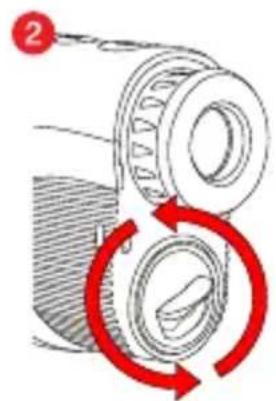
text_image
2
text_image
Diagram showing a mechanical device with labeled parts and directional arrows indicating movement or assembly.natural_image
Mechanical diagram showing a rotating bearing with red curved arrows indicating rotational motion (no text or symbols)text_image
Callaway 300 CallawayTELÉMETRO LÁSER 300
text_image
CallawayINTRODUCCIÓN
natural_image
Diagram of a vintage camera with two reels and a handle, no text or symbols present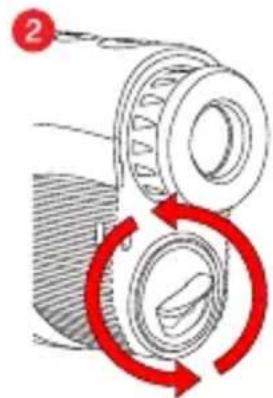
text_image
Diagram showing mechanical assembly with labeled component '2' and red circular arrows indicating rotation or cycle.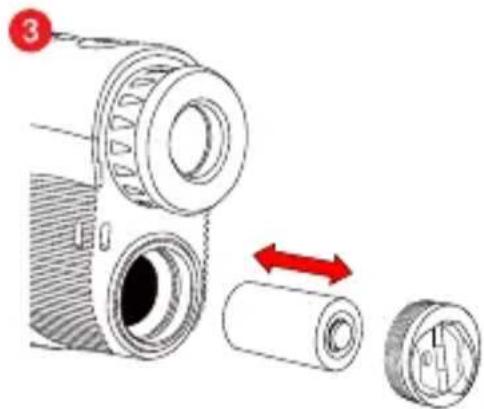
natural_image
Diagram of a mechanical device with three parts, showing a cylindrical component being folded into a housing (no text or symbols present)natural_image
Mechanical diagram showing a rotating bearing with red curved arrows indicating rotational motion (no text or symbols)text_image
Callaway 300300 LASERENTFERNUNGSMESSER

text_image
CallawayEINLEITUNG
natural_image
Line drawings of four different items: a bag with a label, a textured surface, and a strap (no text or symbols present)BATTERIEEINBAU
natural_image
Diagram of a mechanical device with two circular components and a red arrow indicating direction (no text or symbols)
natural_image
Diagram of a mechanical bearing assembly with red circular arrows indicating rotational motion (no text or symbols)
natural_image
Diagram of a mechanical device with cylindrical components and directional arrows indicating motion (no text or symbols)natural_image
Mechanical diagram showing a rotating bearing with red curved arrows indicating rotational motion (no text or symbols)natural_image
Solid red rectangular shape with two vertical black lines at the bottom (no text or symbols)Callaway
© 2015 CALLAWAY GOLF COMPANY. Callaway Golf and the Chevron device are trademarks of Callaway Golf Company. IZZO Golf is an official licensee of Callaway Golf Company.