EV025 - Kitchen scales Emos - Free user manual and instructions
Find the device manual for free EV025 Emos in PDF.



| Product type | Digital kitchen scale |
| Brand | Emos |
| Model | EV025 |
| Display | LCD 60 × 30 mm |
| Maximum capacity | 5 kg |
| Resolution | 1 g |
| Measurement units | g, oz, lb, kg, ml (water and milk) |
| Functions | Simple weighing, TARE function (progressive weighing), auto-off (2 min) or manual |
| Power supply | 2 AAA 1.5 V batteries (not included) |
| Display indications | OL (overload), Lo (low battery), UnSt (unstable support) |
| Material | Plastic |
| Dimensions (approx.) | 20 × 15 × 3 cm |
| Weight (approx.) | 300 g |
| Maintenance | Clean with a damp cloth; do not immerse; avoid chemicals |
| Safety | Household use only; avoid shocks and electromagnetic fields; do not open |
| Spare parts | Batteries (replaceable) |
| Warranty | Valid except unauthorized intervention on circuits |
Frequently Asked Questions - EV025 Emos
User questions about EV025 Emos
0 question about this device. Answer the ones you know or ask your own.
Ask a new question about this device
Download the instructions for your Kitchen scales in PDF format for free! Find your manual EV025 - Emos and take your electronic device back in hand. On this page are published all the documents necessary for the use of your device. EV025 by Emos.
USER MANUAL EV025 Emos
Read these instructions carefully before first use of the product.
Specifications
LCD display: 60 × 30 mm
Maximum weight: up to 5 kg (2 g - 5 kg), measurement resolution: 1 g
Unit of measure: g, oz, lb, kg, ml
TARE function
Automatic and manual switch-off
Overload indication/low battery indication
Power supply: 2× 1.5 V AAA batteries (not included)
Description of the scale:
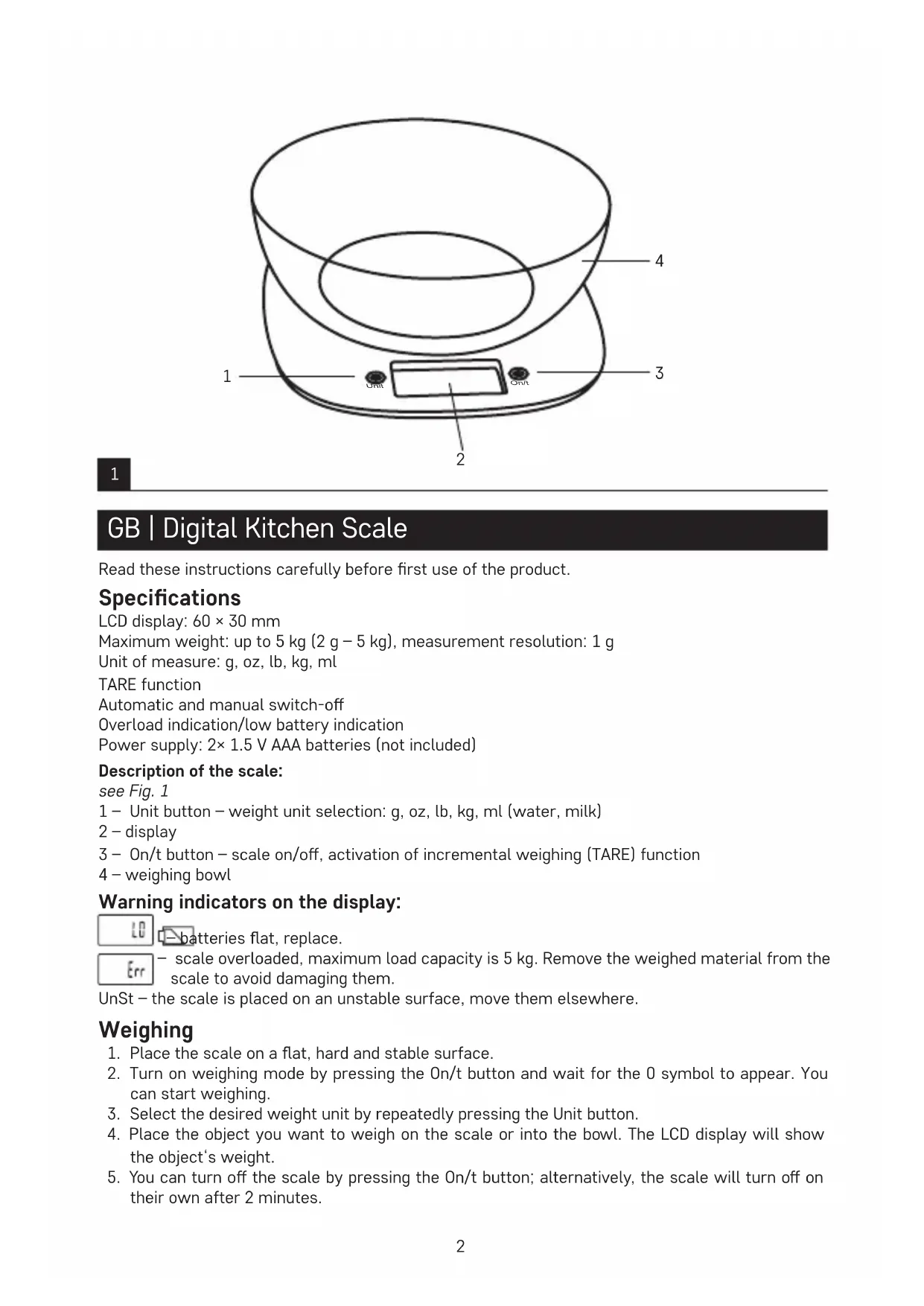
see Fig. 1
1 - Unit button - weight unit selection: g, oz, lb, kg, ml (water, milk)
2 - display
3 - On/t button - scale on/off, activation of incremental weighing (TARE) function
4 - weighing bowl
Warning indicators on the display:


atteries flat, replace.

- scale overloaded, maximum load capacity is 5 kg. Remove the weighed material from the scale to avoid damaging them.
UnSt - the scale is placed on an unstable surface, move them elsewhere.
Weighing
-
Place the scale on a flat, hard and stable surface.
-
Turn on weighing mode by pressing the On/t button and wait for the 0 symbol to appear. You can start weighing.
-
Select the desired weight unit by repeatedly pressing the Unit button.
-
Place the object you want to weigh on the scale or into the bowl. The LCD display will show the object's weight.
-
You can turn off the scale by pressing the On/t button; alternatively, the scale will turn off on their own after 2 minutes.
TARE Function (Incremental Weighing)
The TARE function is used to weigh doses that are gradually added to those already on the scale.
- Place the first dose on the scale and the display will show its weight.
- Before adding another dose, press the On/t button. The TARE icon will flash on the screen and the value on the display will reset. Now you can add another dose. You can do this repeatedly.
Changing Batteries
- Open the battery compartment on the bottom side of the scale.
- Remove the depleted batteries.
- Insert new 2× 1.5 V AAA batteries. Make sure you observe the correct polarity. Use alkaline batteries only. Do not use rechargeable batteries.
- Close the cover.
Cleaning and Maintenance
- Clean the scale using a moist cloth and make sure that water does not enter the interior of the scale. Do not use chemical detergents or detergents with abrasive effect. Do not submerse the scale in water!
- All plastic components must be cleaned immediately after coming into contact with greasy substances such as spice, vinegar or seasoning. Prevent staining the scale with acidic citrus juice!
- Always keep the scale in horizontal position.
Safety Instructions
- The scale is intended for weighing food for domestic use only.
- Do not tamper with the internal electric circuits of the product – doing so may damage the product and will automatically void the warranty.
- The scale should be placed on a flat, hard and stable surface (not on a carpet, etc.) away from devices producing electromagnetic fields to avoid interference.
- Protect the scale from shocks and vibration and do not drop them on the floor.
- Only use the scale in accordance with the instructions provided in this manual. In case of failure, the product should only be repaired by a qualified professional.
- This device is not intended for use by persons (including children) whose physical, sensory or mental disability or lack of experience and expertise prevents safe use, unless they are supervised or instructed in the use of the appliance by a person responsible for their safety. Children must always be supervised and must never play with the device.
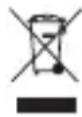
Do not dispose with domestic waste. Use special collection points for sorted waste. Contact local authorities for information about collection points. If the electronic devices would be disposed on landfill, dangerous substances may reach groundwater and subsequently food
chain, where it could affect human health.