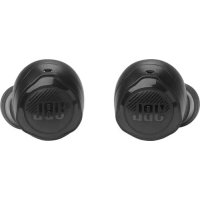
Quantum Air TWS - Headphones JBL - Free user manual and instructions
Find the device manual for free Quantum Air TWS JBL in PDF.


| Product Type | True Wireless Stereo Headset |
| Brand | JBL |
| Model | Quantum TWS Air |
| Connectivity | Bluetooth 5.x (estimated) and 2.4 GHz Radio via USB dongle |
| Speaker | 6.8 mm Dynamic |
| Weight (earphones) | 4.4 g per earphone |
| Weight (charging case) | 35.4 g |
| Weight (USB dongle) | 2.6 g |
| Power supply | 5 V (via USB-C) |
| Battery (earphones) | Lithium-ion (estimated) |
| Battery (case) | Lithium-ion (estimated) |
| Battery life (2.4 GHz conversation) | Up to 4 hours |
| Key features | Ambient Aware, TalkThru, touch controls, source switching |
| Compatibility | PC, PlayStation, Nintendo Switch, Mac |
| Software setup | JBL QuantumENGINE (Windows 10/11) |
| Max operating temperature | 45 °C |
| Care and cleaning | Clean with a soft, dry cloth. Do not use chemical products. |
| Safety | Compliance with RF exposure standards (head SAR: 0.39 W/kg for earphones, 0.71 W/kg for dongle) |
| Box contents | Earphones, charging case, wireless USB dongle, USB cable, silicone ear tips, documentation |
| Warranty | Refer to the included warranty card |
Frequently Asked Questions - Quantum Air TWS JBL
User questions about Quantum Air TWS JBL
0 question about this device. Answer the ones you know or ask your own.
Ask a new question about this device
Download the instructions for your Headphones in PDF format for free! Find your manual Quantum Air TWS - JBL and take your electronic device back in hand. On this page are published all the documents necessary for the use of your device. Quantum Air TWS by JBL.
USER MANUAL Quantum Air TWS JBL
text_image
JBL QUANTUMTWS AIR QUICK START GUIDE JBL HARMAN
JBL HEADPHONES APP
ON YOUR MOBILE PHONE, DOWNLOAD THE JBL HEADPHONES APP FROM APPLE APP STORE OR ON GOOGLE PLAY TO GET EVEN MORE CONTROL AND PERSONALIZATION OF YOUR LISTENING EXPERIENCE.
JBL QuantumENGINE
ON YOUR PC, DOWNLOAD JBL QUANTUMENGINE FROM JBLQUANTUM.COM/ENGINE TO GAIN FULL ACCESS TO FEATURES ON YOUR JBL QUANTUM HEADSETS.
SOFTWARE REQUIREMENTS
PLATFORM: WINDOWS 10 (64 BIT ONLY) / WINDOWS 11
500 MB OF FREE HARD DRIVE SPACE FOR INSTALLATION
*ALWAYS USE THE LATEST VERSION OF WINDOWS 10 (64 BIT) OR WINDOWS 11 FOR THE MOST OPTIMAL EXPERIENCE ON JBL QUANTUMENGINE
natural_image
Line drawing of a UBI-style box with a circular logo on top (no text or symbols)CHARGING CASE
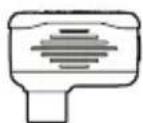
USB WIRELESS DONGLE
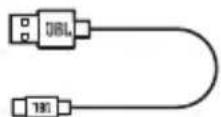
USB CHARGING CABLE


S/M/L
SILICONE EAR TIPS
QSG | WARRANTY CARD |
WARNING CARD

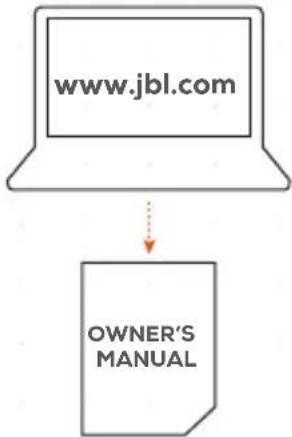
flowchart
graph TD
    A["www.jbl.com"] --> B["OWNER'S MANUAL"]
002 REQUIREMENTS

JBL QuantumENGINE SOFTWARE REQUIREMENTS
PLATFORM: WINDOWS 10 (64 BIT ONLY) / WINDOWS 11
500 MB OF FREE HARD DRIVE SPACE FOR INSTALLATION
SYSTEM COMPATIBILITY
PC | PLAYSTATION™ | NINTENDO SWITCH™ | MAC
| CONNECTIVITY PC | PS4/PS5 NINTENDO SWITCHTM MAC | |||
| 2.4GHz Wireless Stereo | Ster QuantumSURROUNDTM | |||
| Bluetooth Stereo Not Compatible Not Compatible Stereo | ||||
003 HOW TO WEAR
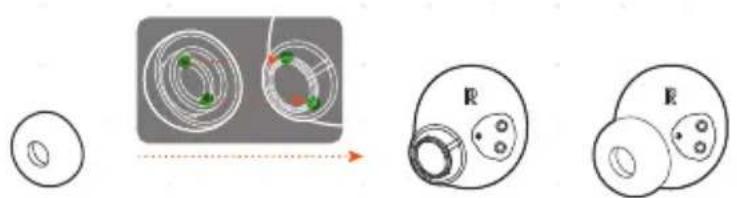
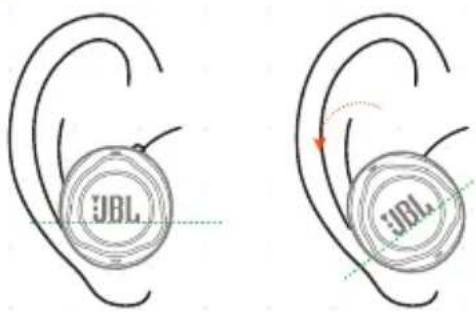
01 TRY DIFFERENT SIZES FOR A PERFECT FIT AND AUDIO PERFORMANCE.
text_image
Diagram illustrating a mechanical or optical setup with labeled components and directional arrows, showing circular components and a cross-section.02
text_image
JBL JBL
004 FIRST TIME USE


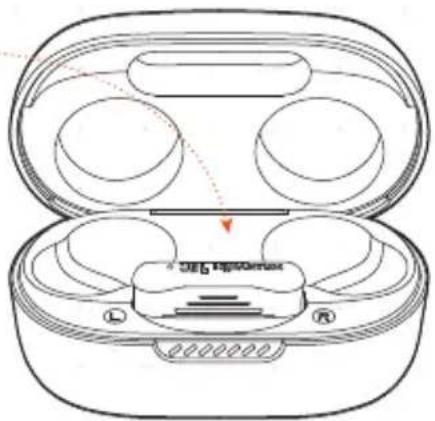
natural_image
Line drawing of an open wireless earbuds with three circular cutouts and a central display case (no text or symbols)005 POWER ON & CONNECT VIA 2.4GHz

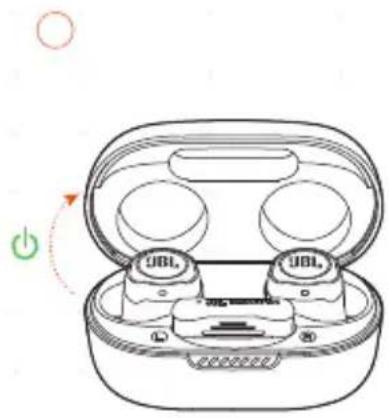
text_image
Diagram of a wireless earbuds with labeled buttons and a power button, showing open casing and battery casing layout.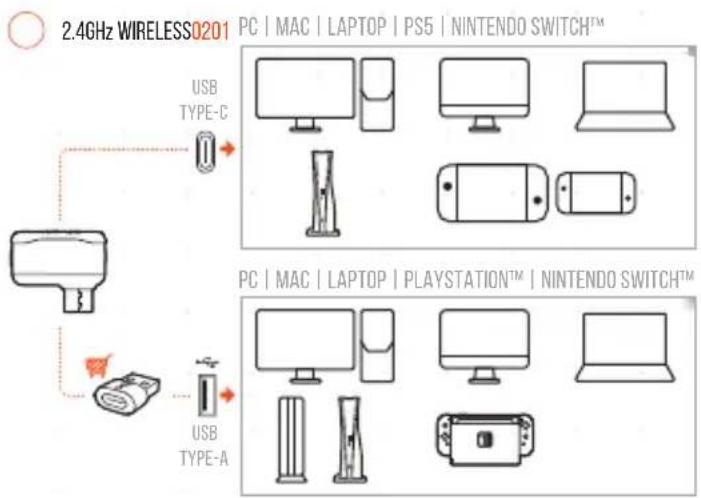
text_image
2.4GHz WIRELESS0201 PC | MAC | LAPTOP | PS5 | NINTENDO SWITCH™ USB TYPE-C PC | MAC | LAPTOP | PLAYSTATION™ | NINTENDO SWITCH™ USB TYPE-A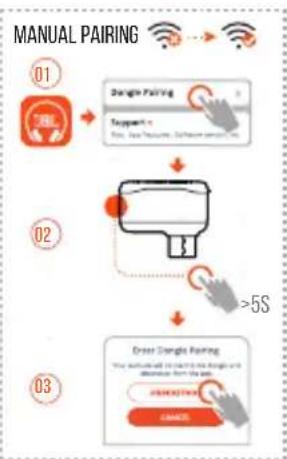
flowchart
graph TD
    A["01: 76L"] --> B["2ndling Pairing"]
    B --> C[">=5S"]
    C --> D["02: 4.5V, 3.5V, 2.5V, 1.5V"]
    D --> E["03: 4.5V, 3.5V, 2.5V, 1.5V"]
    E --> F["Output: 1.5V, 3.5V, 2.5V, 1.5V"]
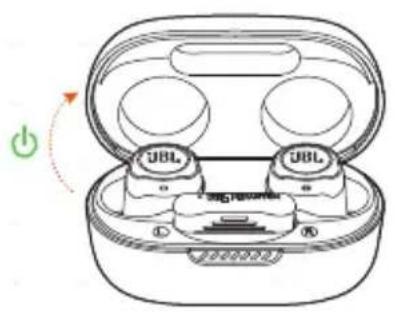
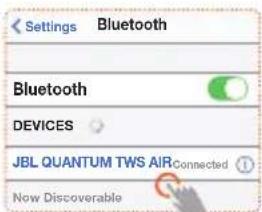
006 POWER ON & CONNECT VIA BLUETOOTH

natural_image
Diagram of a wireless earbuds with two UBL-branded charging case, showing power switch and battery (no text or symbols)
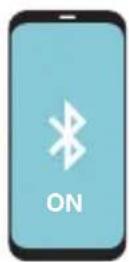
OTHERS
- ANDROID™ 6.0+
text_image
Settings Bluetooth Bluetooth DEVICES JBL QUANTUM TWS AIRConnected Now DiscoverableCHOOSE "JBL QUANTUM TWS AIR" TO CONNECT
Fast Pair • now
JBL QUANTUM TWS AIR
Tap to pair. Device will be tied Your Google Account


Fast Pair
007 FIRST TIME SETUP ON PC

7A CONNECT THE EARBUDS TO YOUR PC VIA 2.4GHz USB WIRELESS CONNECTION.
7B GO TO "SOUND SETTINGS" -> "SOUND CONTROL PANEL".
7C UNDER "PLAYBACK" HIGHLIGHT "JBL QUANTUM TWS AIR" AND SELECT "SET DEFAULT" -> "DEFAULT DEVICE".
7D UNDER "RECORDING" HIGHLIGHT "JBL QUANTUM TWS AIR" AND SELECT "SET DEFAULT" -> "DEFAULT DEVICE".
7E FOLLOW THE ONSCREEN INSTRUCTIONS TO PERSONALIZE YOUR SOUND SETTINGS.
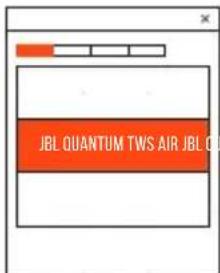
text_image
JBL QUANTUM TWS AIR JBL CU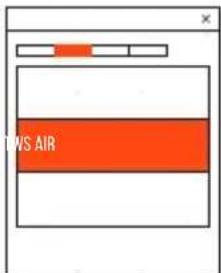
text_image
DNS AIR

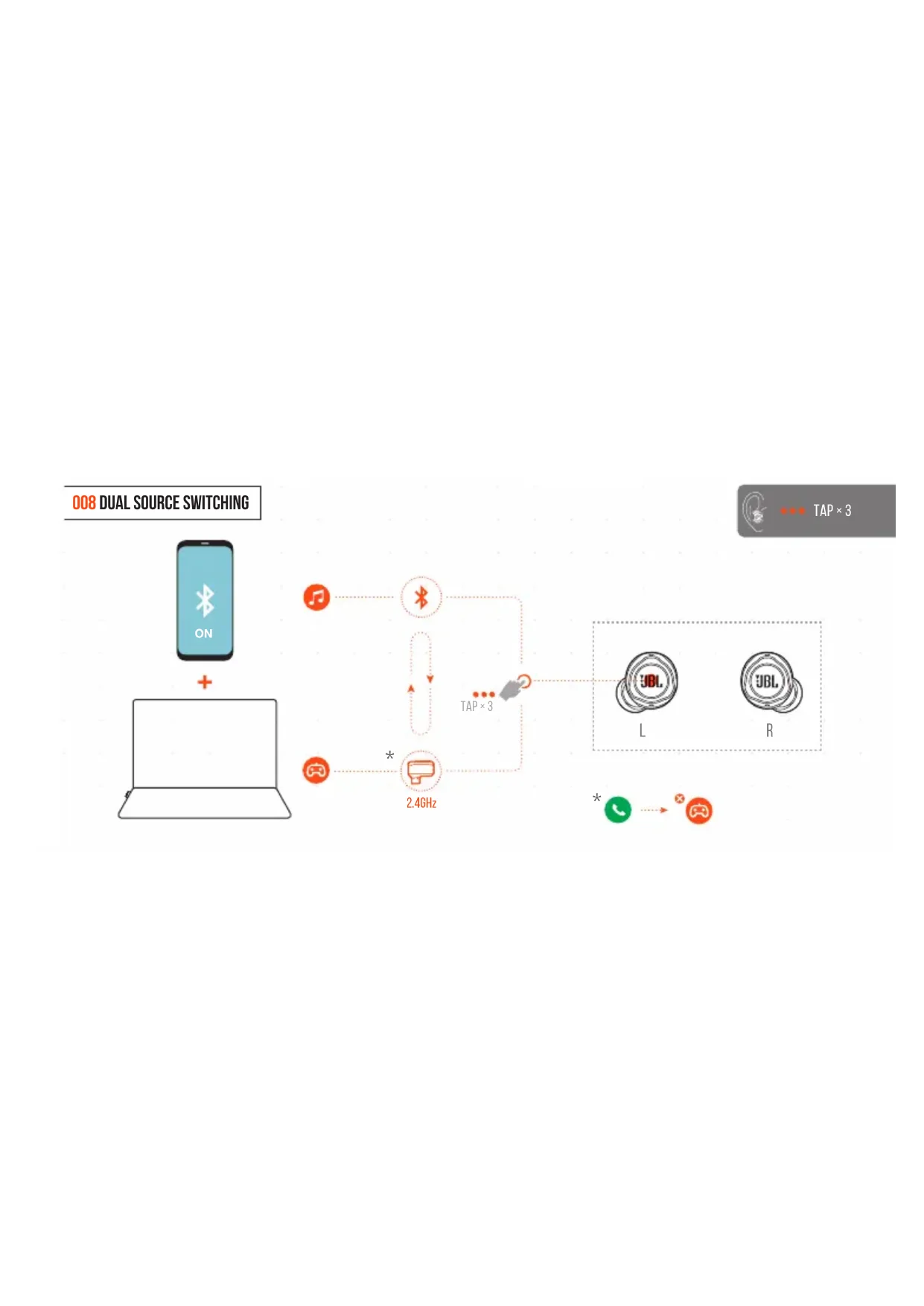
008 DUAL SOURCE SWITCHING
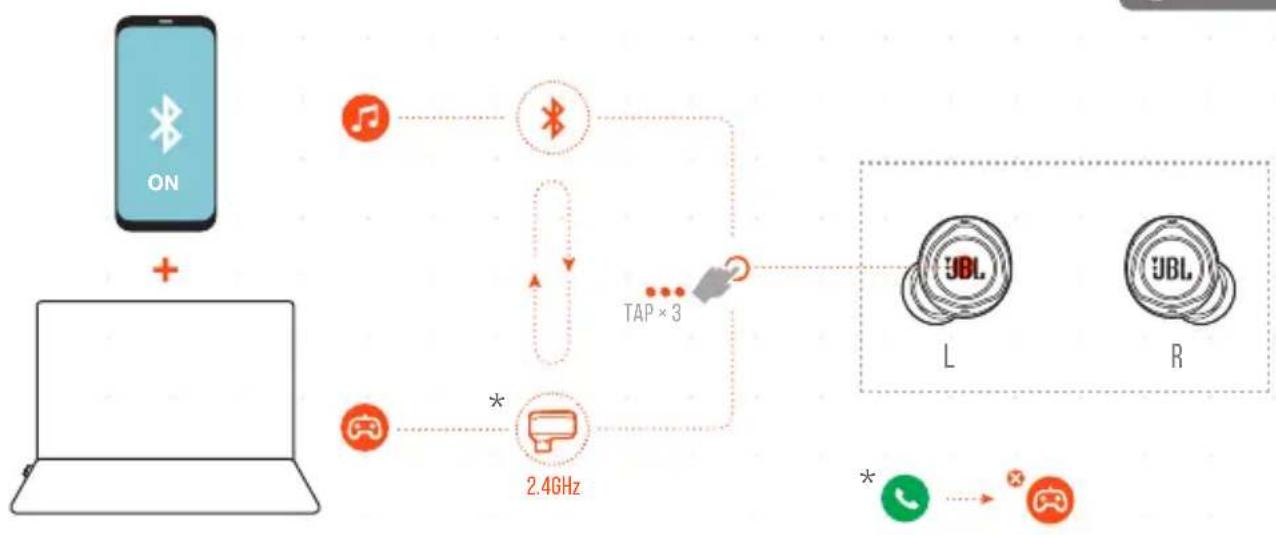
flowchart
graph TD
    A["手机"] -->|+| B["Laptop"]
    B --> C["手机图标"]
    C --> D["2.4GHz"]
    D --> E["TAP×3"]
    E --> F["手机图标"]
    F --> G["L"]
    F --> H["R"]
    G --> I["手机图标"]
    H --> J["手机图标"]
    style A fill:#f9f,stroke:#333
    style B fill:#ccf,stroke:#333
    style C fill:#cfc,stroke:#333
    style D fill:#fcc,stroke:#333
    style E fill:#ffc,stroke:#333
    style F fill:#cff,stroke:#333
    style G fill:#ffc,stroke:#333
    style H fill:#ffc,stroke:#333
    style I fill:#cfc,stroke:#333
    style J fill:#cfc,stroke:#333

TAP×3
009 CONTROLS [2.4GHz



TAP × 1 TAP × 2 HOLD (2)
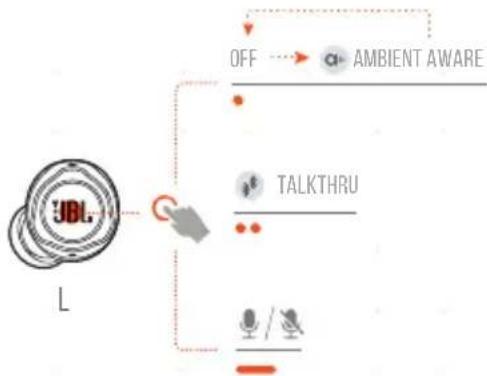
flowchart
graph TD
    A["UBL"] --> B["AND"]
    B --> C["OFF"]
    C --> D["AMBIENT AWARE"]
    B --> E["TALKTHRU"]
    E --> F["Microphones"]
    F --> G["Feedback Loop"]
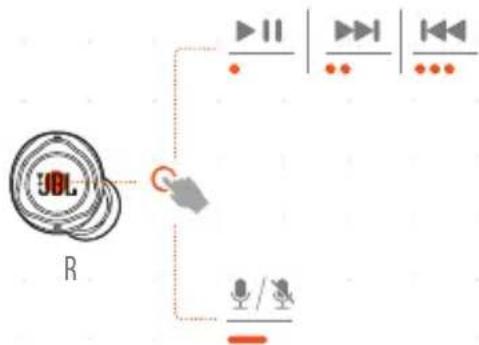
flowchart
graph TD
    A["UDL"] --> B["R"]
    B --> C["+"]
    C --> D["Output 1"]
    C --> E["Output 2"]
    C --> F["Output 3"]
* ENABLE ADVANCE CONTROLS BY CONNECTING YOUR JBL QUANTUM TWS AIR TO JBL HEADPHONES APP

010 CONTROLS [ \* ]
![JBL Quantum Air TWS - CONTROLS [ \* ] - 1](/content/2026/04/621818/images/16584b9a4aef3ca55ce22680b6ea1d98f0db7c182523cad59e5d98f02ccfd59b.jpg)
-
TAP×1
-
TAP×2
• •
TAP × 3
-
HOLD (2s)
![JBL Quantum Air TWS - CONTROLS [ \* ] - 2](/content/2026/04/621818/images/af7606d3f1fa2433edfc8e89bb488e908d20445558d09d93ad164f18537f796a.jpg)
flowchart
graph TD
    A["JBL"] --> B["OFF*"]
    A --> C["TALKTHRU*"]
    A --> D["/OTHERS"]
    B --> E["AMBIENT AWARE*"]
    C --> F["/OTHERS"]
![JBL Quantum Air TWS - CONTROLS [ \* ] - 3](/content/2026/04/621818/images/92cd75e30ac816f2f203b488cbb38df1d28e41de03153ca4abd9c4af611e4e2e.jpg)
flowchart
graph TD
    A["JDL"] --> B["Q"]
    B --> C["▶ II"]
    B --> D["▶"]
    B --> E["▶"]
    B --> F["▶"]
    B --> G["..."]
    B --> H["..."]
    B --> I["+/c"]
    B --> J["+/c"]
    B --> K["..."]
    B --> L["BIXBY/SIRI®/OTHERSBIXBY/SIRI"]
* ENABLE ADVANCE CONTROLS BY CONNECTING YOUR JBL QUANTUM TWS AIR TO JBL HEADPHONES APP
![JBL Quantum Air TWS - CONTROLS [ \* ] - 4](/content/2026/04/621818/images/11f8470568795d96cdbd0fb551a55d0b949b89e76fd71289a1e82a05247c2074.jpg)
011 SIDETONE

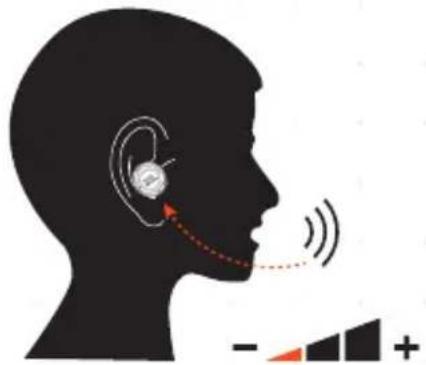
text_image
Diagram illustrating ear behavior with labeled directional arrows and a waveform graph below
text_image
JBL QUANTUM TWS AIR Software Update Available Sidetone Low Mid High012 POWER OFF
①
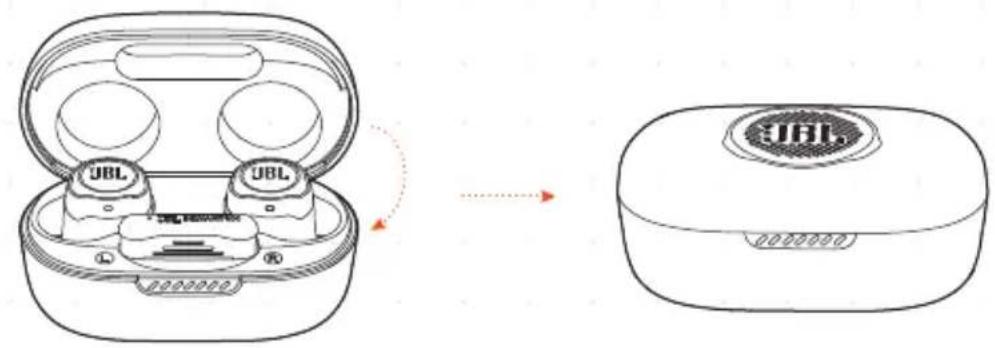
text_image
JBL JBL JBL 0000000013 MANUAL SETUP
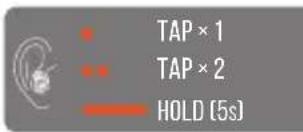
text_image
TAP × 1 TAP × 2 HOLD (5s)FACTORY RESETCONNECT TO A NEW BLUETOOTH DEVICE
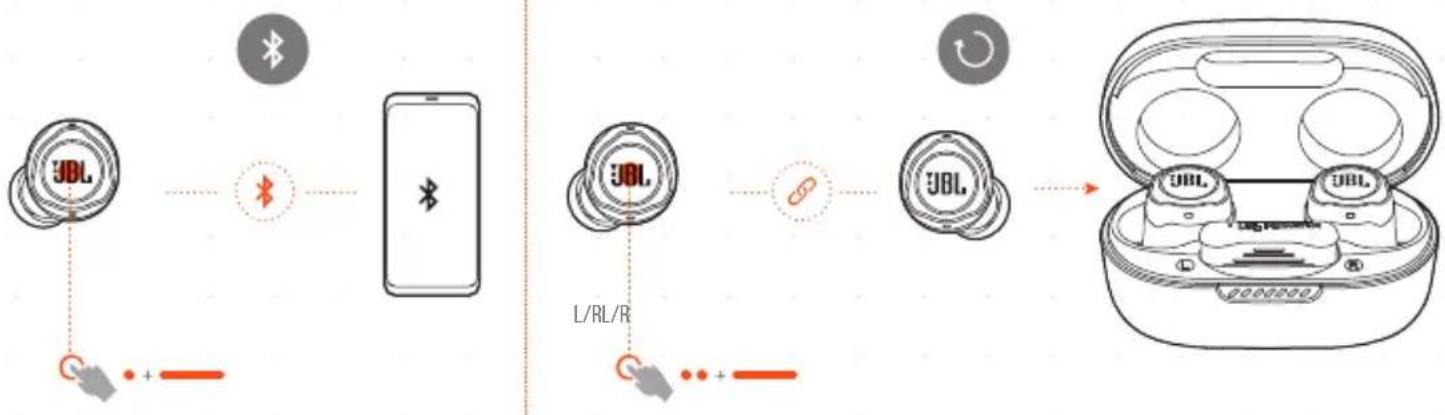
flowchart
graph LR
    A["JBL"] -->|Wireless Signal| B["Bluetooth"]
    B --> C["Smartphone"]
    D["L/RL/R"] --> E["Switch"]
    E --> F["Device with USB logo"]
    G["Switch"] --> H["User Interface"]
    H --> I["Product"]
014 DO MORE WITH THE APP
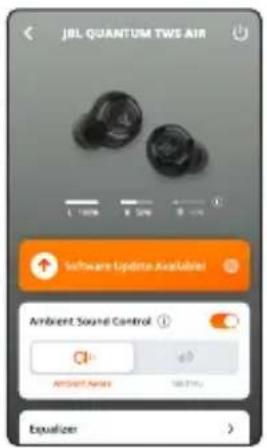
text_image
JBL QUANTUM TWS AIR 1.00% 2.00% Software Update Available Ambient Sound Control AMOUNT NAME 148.57% Equalizer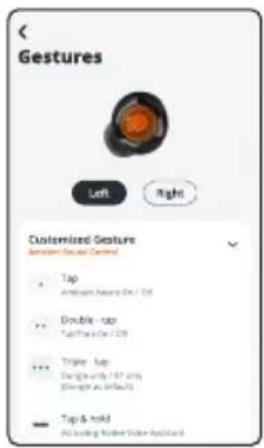
text_image
< Gestures Left Right Customized Feature Gestures Group Control Tap Ambient, Jansus On / Off Double - tap Tap/Thru On / Off Triple - Tap Ding at 100% off (Shading as Infine) Top & hold All loading Number Value Awardard
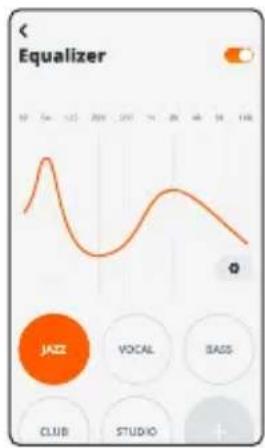
line
| Time | Value | |------|-------| | 17 | 0 | | 5 | 100 | | 12 | 80 | | 20 | 60 | | 27 | 70 | | 34 | 90 | | 41 | 80 | | 48 | 70 | | 55 | 60 | | 62 | 50 | | 69 | 40 | | 76 | 30 | | 83 | 20 | | 90 | 10 | | 97 | 5 | | 104 | 0 |015 CHARGING
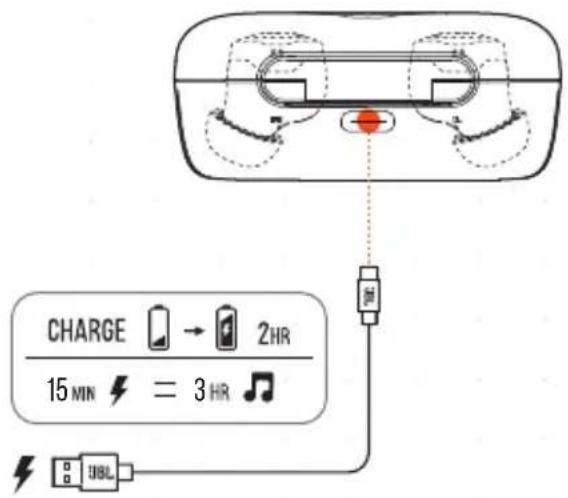
text_image
CHARGE → 2HR 15 MIN = 3 HR ♪ UBL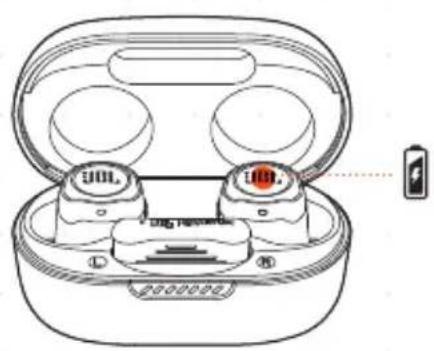
natural_image
Line drawing of a smart earbuds with two buttons and a battery, no text or symbols present
016 LED BEHAVIORS



BT CONNECTING


BT CONNECTED


BT NOT CONNECTED
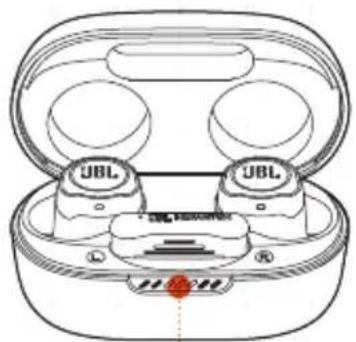
natural_image
Line drawing of a wireless earbuds with two UBL (User Batch) buttons and a red indicator lights on the front panel (no text or symbols on the device itself)


LOW BATTERY


CHARGING


FULLY CHARGED
017 TECH SPEC
Model: QUANTUM TWS AIR
Driver size: 6.8 mm/0.268" Dynamic Driver
Power supply: 5V 1A
-
Earbud: 4.4 g per pc (8.8 g combined)/
0.0097 lbs per pc (0.0194 lbs combined)
Dongle: 2.6 g / 0.0057 lbs
Charging case: 35.4 g / 0.078 lbs
Earbud battery type:
Lithium-ion polymer (50 mAh/3.85 V)
Charging case battery type: Lithium-ion polymer (330 mAh/3.7 V)
Charging time: 2 hrs from empty
Music playtime with BT on: Up to 8 hrs
Music playtime with 2.4GHz on: Up to 5 hrs
Talk time with BT on: Up to 4 hrs
Talk time with 2.4GHz on: Up to 4 hrs
Frequency response: 20 Hz - 20 kHz
Impedance: 16 ohm
Sensitivity:
98 dB SPL@1 kHz
Maximum SPL: 94 dB SPL
Microphone sensitivity:
-38 dBV/Pa@1 kHz
Bluetooth version:
5.2
Bluetooth profile version: A2DP V1.4, AVRCP V1.6.2, HFP V1.8
Bluetooth transmitter frequency range: 2.4 GHz - 2.4835 GHz
Bluetooth transmitter power:
<9 dBm (EIRP)
Bluetooth transmitter modulation:
GFSK, π/4-DQPSK, 8-DPSK
2.4GHz Wireless transmitter frequency range: 2.4 GHz - 2.4835 GHz
2.4GHz Wireless transmitter power:
<10 dBm (EIRP)
2.4GHz Wireless transmitter modulation:
GFSK, π/4-DQPSK
Maximum operation temperature:
45°C

FR
001 CONTENU DE LA BOÎTE
Bluetooth-sendemodulation: GFSK, π/4-DQPSK, 8-DPSK
A2DP V1.4, AVRCP V1.6.2, HFP V1.8
2,4 GHz - 2,4835 GHz
<9 dBm (EIRP)
GFSK, π/4-DQPSK, 8-DPSK
2,4 GHz - 2,4835 GHz
<10 dBm (EIRP)
GFSK, π/4-DQPSK
45°C
FI
001 PAKKAUKSEN SISÄLTÖ
JBL Quantum TWS Air
-> "Sound Control Panel" (Äänen
hallintapaneeli).; 7C Kohdassa
"Playback" (Toisto) korosta "JBL
Quantum TWS Air" ja valitse "Set
7D Kohdassa "Recording" (Tallennus)
korosta "JBL Quantum TWS Air"
ja valitse "Set Default" (Aseta
A2DP V1.4, AVRCP V1.6.2, HFP V1.8
2,4 GHz - 2,4835 GHz
<9 dBm (EIRP)
GFSK, π/4-DQPSK, 8-DPSK
2,4 GHz - 2,4835 GHz
<10 dBm (EIRP)
GFSK, n/4-DQPSK
45°C
IT
A2DP V1.4, AVRCP V1.6.2, HFP V1.8
"Recording" (Opnemen) "JBL Quantum
TWS Air" markeren en selecteer
"Set Default" (Standaard instellen)
-> "Default Device" (Standaard
Bixby/Siri®/Others (Bixby/Siri®)/
Anderen)
Maximum SPL: 94 dB SPL
AV; Ambient Aware; Talkthru; Tapp | Hold
010 KONTROLLER
Bixby/Siri®/Andre
001 DETTA FINNS I LÅDAN
0.0097 lbs (一副0.0194 lbs)
适配器:2.6g/0.0057lbs
充电盒:35.4g/0.078lbs
耳机电池类型:锂离子聚合物(50mAh/3.85V)
充电盒电池类型:锂离子聚合物(330mAh/3.7V)
充电时间:2小时(从空电量到充满)
开启蓝牙时的音乐播
放时间:长达8小时
开启2.4GHz时的音乐播
放时间:长达5小时
开启蓝牙时的通话时间:长达4小时
0.0097 lbs (兩隻 0.0194 lbs)
2.6 g/0.0057 lbs
35.4 g/0.078 lbs
鋰離子聚合物(50mAh/3.85V)
鋰離子聚合物(330mAh/3.7V)
從無電量到充滿需2個小時
在藍牙開啟時的音樂播放
時間:
在2.4GHz開啟時的音樂播放
時間:
在藍牙開啟時的談話時間:
在2.4GHz開啟時的談話時間:
頻率回應:
阻抗:
敏感度:
最大 SPL:
麥克風靈敏度:
蓝牙版本
藍牙設定檔版本:
藍牙發射機頻率範圍:
藍牙發射機功率:
藍牙發射機調變:
2.4GHz無線發射機頻率範圍:
2.4 GHz 無線發射機功率:
2.4 GHz 無線發射機調變:
最大操作温度:
長達8個小時
長達5個小時
長達4個小時
長達4個小時
20 Hz - 20 kHz
16 欧姆
98 dB SPL@1 kHz
94 dB SPL
-38 dBV/Pa@1 kHz
5.2
A2DP V1.4\~AVRCP V1.6.2\~HFP V1.8
2.4 GHz - 2.4835 GHz
<9 dBm (EIRP)
GFSKTNY4-DQPSK、8-DPSK
2.4 GHz - 2.4835 GHz
<10 dBm (EIRP)
GFSKπ/4-DQPSK
450
ID
001 ISI KOTAK
JBL Quantum TWS Air earbud; casing pengisi daya; dongle nirkabel USB; kabel pengisi daya USB; Ear Tip Silikon; QSG | Kartu Garansi | Kartu Peringatan
002 PERSYARATAN
JBL QuantumENGINE
Persyaratan Perangkat Lunak; Platform: Windows 10 (64 bit saja)/Windows 11; 500 MB ruang bebas di hard drive untuk penginstalan; Kompatibilitas sistem; PC | PlayStation™ | Nintendo Switch™ | MAC; Connectivity | PC | PS4/PSS | Nintendo Switch™ | MAC; Nirkabel 2,4GHz | Stereo | Bluetooth | Tidak Kompatibel
003 CARA PEMAKAIAN
한쪽 4.4g(양쪽 8.8g)/한쪽 0.0097lbs(양쪽 0.0194lbs)
범위:2.4GHz\~2.4835GHz
2.4GHz무선송신기출력: <10dBm(EIRP)
2.4GHz무선송신기변조: GFSK,π/4-DQPSK
최대 작동 온도:45
MM
荔 clover | clover clover
Window 4p: 10 (64 bit
(###) / Windows 11
ජීජීජි ප්රාවාන්
๑๐๐๕: ๑๕๔๐๐๐๐ 500 MBi
contents of contents of contents of contents of contents
PC | MAC | Congo Congo |
PlayStation™ | Nintendo
Switch™ ΜΩΩΩΩΩ
ลู้ตัวผองวิธุ์ธี
006 Bluetooth Forests Air
A2DP V1.4, AVRCP V1.6.2, HFP V1.8
2.4835-جیچا هر نز 2.4
QUANTUM-T(M.S.AHR) "Sound Settings"
حجم المُذّل:
Windows 10: Manufacturer Controls
A2DP V1.4, AVRCP V1.6.2, HFP V1.8
GHz 2.4835 - GHz 2.4
(EIRP) dBm 9>
GFSK, π/4-DQPSK, 8-DPSK
GHz 2.4835 - GHz 2.4
(EIRP) dBm 10>
GFSK, π/4-DQPSK
45°C
The SAR limit of Canada (C) is 1.6 W/kg averaged over one gram of tissue. Device types: (IC: 6132A-JBLQTWSAIR) has also been tested against this SAR limit. According to this standard, the highest SAR value reported during product certification for head use is 0.39W/Kg.
The device was tested for typical bodily operations where the product was kept 0 mm from the head. To maintain compliance with IC RF exposure requirements, use accessories that maintain a separation distance of 0mm between the users' head and the back of the headset. The use of belt clips, holsters and similar accessories shall not contain metal parts in its assembly. Use of accessories that do not meet these requirements may not comply with IC RF exposure requirements and should be avoided.
IC RF Exposure Information and Statement for USB Wireless Dongle
The SAR limit of Canada (C) is 1.6 W/kg averaged over one gram of tissue. Device types: (IC: 6132A-QTWSAIRM) has also been tested against this SAR limit. According to this standard, the highest SAR value reported during product certification for head use is 0.71W/Kg.
Head operation
The device was subjected to a typical head manipulation test. In order to comply with RF exposure requirements, a minimum separation distance of 0cm must be maintained between the user-s ear and the product (including the antenna). Head exposure that do not meet these requirements may not meet RF exposure requirements and should be avoided. Use only the supplied or approved antenna.
IC: 6132A-JBLQTWSAIR
Body operation
The device was tested for typical bodily operations where the product was kept with 5 mm distance attaching away from the body. Non-compliance with the above restrictions may result in violation of IC RF exposure guidelines. Use only the supplied or approved antenna.
IC: 6132A-QTWSAIRM
Informations ET ÉNONCÉS SUR L'EXPOSITION RF DE L'IC.
DO NOT ATTEMPT TO OPEN, SERVICE, OR DISASSEMBLE THE BATTERY | DO NOT SHORT CIRCUIT | MAY EXPLODE IF DISPOSED OF IN FIRE | RISK OF EXPLOSION IF BATTERY IS REPLACED BY AN INCORRECT TYPE | DISPOSE OR RECYCLE USED BATTERIES ACCORDING TO THE INSTRUCTIONS
The Bluetooth ^® word mark and logos are registered trademarks owned by Bluetooth SIG, Inc. and any use of such marks by HARMAN International Industries, Incorporated is under license. Other trademarks and trade names are those of their respective owners.
Product specifications and app screens are subject to change without notice.
HP_JBL QUANTUM TWS AIR_QSG_GLOBAL_SOP_V6