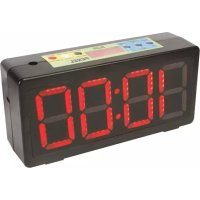
Perel WC200 - Alarm clock radio

WC200 - Alarm clock radio Perel - Free user manual and instructions

Find the device manual for free WC200 Perel in PDF.

English EN Download 💬 AI Question 10 questions ⚙️ Specs
📄

Document temporarily unavailable

The manual is currently being transferred to our new server. It will be accessible again in a few hours. Thank you for your patience.

Pick your language and provide your email: we'll send you a specifically translated version.
Product type Radio alarm clock
Brand Perel
Model WC200
Dimensions 327 x 156 x 93 mm
Weight (without battery) 1125 g
Power supply Lead-acid battery 6 V, 4.5 Ah (not included) or AC/DC adapter
Display 12/24 hours
Main functions Clock, stopwatch (99:59 min), countdown timer, interval timer with alarm
Battery life Approximately 4 hours after 20 hours of charging
Cleaning and maintenance Damp cloth, no harsh chemicals
Use Indoor use only
Safety Can be used by children aged 8 and above under supervision; class 2
Warranty 24 months for consumers (EU)
Manufacturer Velleman SA
Website www.perel.eu

Frequently Asked Questions - WC200 Perel

How to set the time on the WC200?
Press CLOCK/TIMER and select CLOCK. Press TIMER SET/INTERVAL SET then GO/STOP to stop. Use 12HR/24HR/RESET to choose the format, then HOURS/MINUTES or MINUTES/SECONDS to adjust. Press GO/STOP to confirm.
How to use the stopwatch?
Press GO/STOP and select STOP. Press TIMER SET/INTERVAL SET then TIMER SET. Set the time with HOURS/MINUTES or MINUTES/SECONDS. Press GO/STOP and select GO to start. The stopwatch counts up to 99:59 then resets to zero.
How to set the countdown timer?
Press GO/STOP and select STOP. Press TIMER SET/INTERVAL SET then TIMER SET. Enter the time with HOURS/MINUTES or MINUTES/SECONDS. Press GO/STOP and select GO to start. A beep sounds at 00:00. To reset, press 12HR/24HR/RESET.
How to set the alarm (interval timer)?
Press CLOCK/TIMER and select TIMER. Press TIMER SET/INTERVAL SET and choose INTERVAL SET. Stop with GO/STOP, set the desired time. If you want a 15-second pause between cycles, press 12HR/24HR/RESET. Start with GO/STOP select GO. You will hear 3 beeps before each new cycle.
What type of battery to use and how to replace it?
Use a lead-acid battery 6 V, 4.5 Ah (Velleman reference DAS6-4.5). Connect the red wire to the red terminal and black to black, then plug in the mains adapter to charge for 20 h. Battery life is approximately 4 h. Replace only with an identical model.
Can I use the device without battery?
Yes, the clock can operate only with an AC/DC adapter. It also charges the battery if installed.
How to clean the WC200?
Unplug the device and clean it with a damp cloth. Do not use harsh chemicals, solvents, or strong detergents.
What to do if the display is defective or the device does not turn on?
First check the battery and adapter connections. Make sure the battery is charged. If the problem persists, contact your dealer or consult the warranty.
How to completely reset the clock?
To reset the stopwatch or countdown timer, use the 12HR/24HR/RESET button. For a general reset, disconnect the battery and adapter for a few minutes.
What is the warranty period?
The warranty for consumer products is 24 months from the date of purchase, in accordance with Velleman's general terms. It covers manufacturing and material defects.

User questions about WC200 Perel

0 question about this device. Answer the ones you know or ask your own.

Ask a new question about this device

The email remains private: it is only used to notify you if someone responds to your question.

No questions yet. Be the first to ask one.

Download the instructions for your Alarm clock radio in PDF format for free! Find your manual WC200 - Perel and take your electronic device back in hand. On this page are published all the documents necessary for the use of your device. WC200 by Perel.
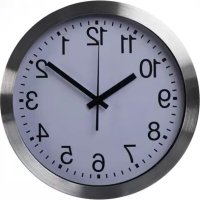
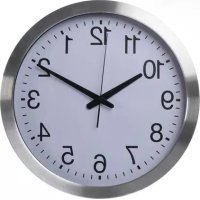
USER MANUAL WC200 Perel

Manual assistant
Powered by Anthropic
Waiting for your message
Product information

Brand : Perel

Model : WC200

Category : Alarm clock radio