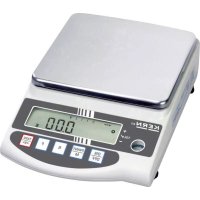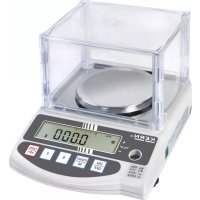
PES 150001M - Kitchen scales Kern - Free user manual and instructions
Find the device manual for free PES 150001M Kern in PDF.
User questions about PES 150001M Kern
0 question about this device. Answer the ones you know or ask your own.
Ask a new question about this device
Download the instructions for your Kitchen scales in PDF format for free! Find your manual PES 150001M - Kern and take your electronic device back in hand. On this page are published all the documents necessary for the use of your device. PES 150001M by Kern.
USER MANUAL PES 150001M Kern
Further language versions you will find online under www.kern-sohn.com/manuals
5.1 Pay attention to the instructions in the Operation Manual .......................... 16
7 Unpacking, Installation and Commissioning ........................ 17
13.1 Selection of weighing function with tolerance range .............................. 44
17.1 Adjustment with internal weight................................................. 66
English 1 Technical data KERN
Stabilization time 3 s Recommended adjustment weight, not added (Category) 500 g (E2) 2 kg (F1) 2 kg (E2); 2 kg (E2) Warm-up time 4 h 2 h 4 h Weighing units g, kg, ct Smallest part weight at piece counting 1 mg (under lab conditions*) 10 mg (under lab conditions*) 10 mg (under lab conditions*) 10 mg (under normal conditions**) 100 mg (under normal conditions**) 100 mg (under normal conditions**) Reference quantities at piece counting 5, 10, 30, 100 Weighing plate, stainless steel 140 x 120 mm 200 x 200 mm 200 x 200 mm Dimensions of housing (W x D x H) [mm] 220 x 333 x 93 Net weight
Interfaces RS-232, Digital I/O Degree of pollution
Weighing range (max)
0,2 g 0,4 g Stabilization time 3 s Recommended adjustment weight, not added (Category) 5 kg (E2) 10 kg (F1); 5 kg (F1) 20 kg (F1); 10 kg (F1) Warm-up time 4 h 2 h 2 h Weighing units g, kg, ct Smallest part weight at piece counting 10 mg (under lab conditions*) 100 mg (under lab conditions*) 500 mg (under lab conditions*) 100 mg (under normal conditions**) 1 g (under normal conditions**) 5 g (under normal conditions**) Reference quantities at piece counting 5, 10, 30, 100 Weighing plate, stainless steel 200 x 200 mm 200 x 200 mm 250 x 220 mm Dimensions of housing (W x D x H) [mm] 220 x 333 x 93 220 x 333 x 93 260 x 330 x 113 Net weight
Interfaces RS-232, Digital I/O Degree of pollution
Stabilization time 3 s Verification value (e)
Minimum weight (min)
Recommended adjustment weight, not added (Category) internal Warm-up time 4 h 2 h 4 h Weighing units g, kg, ct Smallest part weight at piece counting 1 mg (under lab conditions*) 10 mg (under lab conditions*) 10 mg (under lab conditions*) 10 mg (under normal conditions**) 100 mg (under normal conditions**) 100 mg (under normal conditions**) Reference quantities at piece counting 5, 10, 30, 100 Weighing plate, stainless steel 140 x 120 mm 200 x 200 mm 200 x 200 mm Dimensions of housing (W x D x H) [mm] 220 x 333 x 93 Net weight 4,4 kg 7 kg 7 kg Permissible ambient condition 10 °C to + 30 °C Humidity of air 80 % Mains adapter input voltage AC 100-240 V; 0.6 A; 50/60Hz Balance input voltage 12 V
Interfaces RS-232, Digital I/O Degree of pollution
- * Smallest part weight at piece counting - under lab conditions: ➢ There exist perfect environment conditions for high-resolving countings ➢ The counted parts have no variance ** Smallest part weight at piece counting - under normal conditions: ➢ There are unsteady ambient conditions (draft, vibrations) ➢ The counted parts are varying 2 Declaration of conformity The current EC/EU Conformity declaration can be found online in: www.kern-sohn.com/ce8 TPES-B_TPEJ-B-BA-def-2319 English 3 Appliance overview
Wind shield (only models with 620 g)
Closing cover for underfloor weighing device
Button Name Function in Operating mode Function in Menu
[ON/OFF] ➢ Turn on/off
[PRINT] ➢ Transmit weighing data via interface ➢ Cancel setting
[CAL] ➢ Start adjustment or adjustment test
[S] ➢ Adding (when function was enabled; press key shortly) ➢ Open limit value setting (when weighing with tolerance range has been activated; press key longtime) ➢ Open interval setting (when interval output was enabled, press key longtime) ➢ Take over setting and close menu
[F] ➢ Change display (press key shortly) ➢ Call-up menu (press key longtime) ➢ Navigation key ➔ / Go to next menu level
[TARE/ZERO] ➢ Taring and zeroing ➢ Navigation key / Setting downwards
- Navigation key / Setting upwards
- Navigation key / Setting downwards
- Navigation key ➔ / Go to next menu level
STAND BY Illuminated green, if the balance is operated with mains voltage, but being switched off.
SLEEP Illuminated red, when the balance is in sleep mode.
Enter next character
Increase character by 1
Decrease character by 1
Enter next character
Select/delete last character
No. Display Designation Description
"Tolerance range weighing" indicator Shows in which tolerance range the weighing result can be found
Asterisk Indicates that weight value can be added
Indicator "Process" Indicates that the balance is processing data
Indicator Appears in some functions
Bar graph display Indicates how much the weighing plate is loaded with respect to the maximum weighing range Shows in which tolerance range the weighing result can be found
CAL Indicator “Adjustment” Is shown during the adjustment or the adjustment test
Indicator “Time“ Is shown during the date and time entry Flashes during the interval output
Display net weight value Shown when the tare weight has been subtracted
"Total" indicator Shown when the total sum is displayed
Indicator Appears in some functions
Pcs “Piece counting” indicator Shown when piece counting has been enabled
„Percent Weighing“ Indicator Is shown when percent weighing has been enabled
Indicator for different weighing units Shows different weighing units in different functions
The balance purchased by you is intended to define the weighing value of weighed goods. It is intended to be used as a “non-automatic balance”, i.e. the material to be weighed is manually and carefully placed in the centre of the weighing pan. As soon as a stable weighing value is reached, the weighing value can be read.
- Our balances are non-automatic balances, not provided for the use in dynamic weighing processes. However, the balances can also be used for dynamic weighing processes after verifying their individual operative range, and here especially the accuracy requirements of the application.
- Do not leave permanent load on the weighing pan. This can damage the measuring mechanism.
- Impacts and overloading exceeding the stated maximum load (max) of the balance, minus a possibly existing tare load, must be strictly avoided. The balance could be damaged.
- Never operate the balance in explosive environment. The serial version is not explosion protected.
- The structure of the balance may not be modified. This may lead to incorrect weighing results, safety-related faults and destruction of the balance.
- The balance may only be used according to the described conditions. Other areas of use must be released by KERN in writing.
Warranty claims shall be voided in case:
- Our conditions in the operation manual are ignored
- The appliance is used beyond the described uses
- The appliance is modified or opened
- Mechanical damage or damage by media, liquids, natural wear and tear
- The appliance is improperly set up or incorrectly electrically connected
- The measuring system is overloaded
4.4 Monitoring of Test Resources
Within the scope of quality assurance the metrological properties of the balance and of an existing test weight must be checked at regular intervals. The responsible user must define a suitable interval as well as type and scope of this test. Information is available on KERN’s home page (www.kern-sohn.com) with regard to the monitoring of balance test substances and the test weights required for this. In KERN’s accredited DKD calibration laboratory test weights and balances may be calibrated (return to the national standard) fast and at moderate cost.16 TPES-B_TPEJ-B-BA-def-2319 English 5 Basic Safety Precautions
5.1 Pay attention to the instructions in the Operation Manual
Carefully read this operation manual before setup and commissioning, even if you are already familiar with KERN balances.
5.2 Personnel training
The appliance may only be operated and maintained by trained staff. 6 Transport and storage
6.1 Testing upon acceptance
When receiving the appliance, please check packaging immediately, and the appliance itself when unpacking for possible visible damage.
Keep all parts of the original packaging for a possibly required return. Only use original packaging for returning. Prior to dispatch disconnect all cables and remove loose/mobile parts. Reattach possibly supplied transport securing devices. Secure all parts such as the wind shield, weighing pan, power unit etc. against shifting and damage.TPES-B_TPEJ-B-BA-def-2319 17 English 7 Unpacking, Installation and Commissioning
7.1 Installation Site, Location of Use
The balances are designed in a way that reliable weighing results are achieved in common conditions of use. You will work accurately and fast, if you select the right location for your balance. On the installation site observe the following:
- Place the balance on a firm, level surface.
- Avoid extreme heat as well as temperature fluctuation e.g. caused by installing next to a radiator or in the direct sunlight.
- Protect the balance against direct draughts due to open windows and doors.
- Avoid jarring during weighing.
- Protect the balance against high humidity, vapours and dust.
- Do not expose the appliance to heavy moisture over a longer time period. Non-permitted condensation (condensation of air humidity on the appliance) may occur if a cold appliance is taken to a considerably warmer environment. In this case, acclimatize the disconnected appliance for ca. 2 hours at room temperature.
- Avoid static charge of weighed goods and weighing container.
- Do not operate in areas with hazard of explosive material or in potentially explosive atmospheres due to materials such as gasses, steams, mists or dusts.
- Keep away chemicals (such as liquids or gasses), which could attack and damage the balance inside or from outside.
- In the event of the occurrence of electromagnetic fields, static charges (e.g., when weighing / counting plastic parts) and unstable power supply, large display deviations (incorrect weighing results, as well as damage to the scale) are possible. Change location or remove source of interference.18 TPES-B_TPEJ-B-BA-def-2319 English
7.2 Unpacking and check
Remove the appliance and the accessories from the package, set aside the packaging material and install the appliance on the working place. Check if all parts of the scope of delivery are present and free of damage. Scope of delivery: Content Models up to 620 g Models from 1200 g to 15 kg Models with 31 kg
3. Weighing plate support
already pre-installed
7.3 Assembling, Installation and Levelling
The correct implantation site is important for the accuracy of the weighing results of high-resolving precision balances (see chap. 7.1).
7.3.1 Implantation of the balance
1. Place the weighing plate support of the balance (in PES 31000-1M the
weighing plate support is pre-installed)
2. Fix the weighing plate support with the screw
3. Put the weighing plate on the weighing plate support
4. Level balance with foot screws until the air bubble of the water balance is in
the prescribed circle
Check levelling regularly
5. Connect the mains adapter (Installation of the mains adapter: see chap.
1. Plug the long side parts from above onto the short side parts. Ensure that
the sides point upwards with their flat guidance.
7.4 Mains connection
Select the country-specific mains plug and insert it into the mains adapter.
Check, whether the voltage acceptance on the scales is set correctly. The balance may only be connected to the power supply, when the data on the balance (sticker) and the local mains voltage are identical. Only use KERN original mains adapters. Using other makes requires consent by KERN.
Important: ➢ Prior to start-up check the mains cable for damages. ➢ Ensure that the mains adapter does not come into contact with liquids. ➢ The mains plug must be accessible at any time.
1. Place the country-specific power plug at a slight angle in the recess of the
mains adapter so that the spring points in the direction of the locking arrow of the mains adapter.
2. Push the locking mechanism of the power plug downwards and press the
power plug into the recess of the mains adapter. Then release the lock (make sure that the power plug is engaged).
Side view of the power plug (simplified):
Connect the balance to the power supply
Switch-on the balance by pressing the [ON/OFF]- button
7.5 Initial Commissioning
In order to obtain exact weighing results with the electronic balances, your balance must have reached the operating temperature (see warm-up time chap.1). For this warm-up time the balance must be connected to the power supply (mains connection). The accuracy of the balance depends on the local acceleration of gravity. Strictly observe hints in chapter Adjustment.
7.6 Connection of peripheral appliances
Before connecting or disconnecting the auxiliary equipment (printer, PC) to the data interface, the balance must be disconnected from mains without fail! With your balance, only use accessories and peripheral devices by KERN, as they are ideally tuned to your balance.
Press and hold the [F]- key for about 2 seconds.
If you continue keeping the [F] key pressed after the appearance of <Func>, the balance will change into another mode. In this case press the [PRINT] key to interrupt the action.
The balance menu consists of several levels. The first level consists of the main menus. According to the setting you will have access to more menu levels. You will find a summary of the setting options in the individual chapters. First menu level Settings Chapter
Selection of a weighing application
Weighing with tolerance range
Sensibility (Stability)
Display speed (Stability)
Communication settings
Adjustment functions
Weighing unit B (only for simply weighing)24 TPES-B_TPEJ-B-BA-def-2319 English First menu level Settings Chapter
Edition of the time stamp
Press [F]- key and [TARE/ZERO] key simultaneously for about 2 seconds.
When <Func2> appears, release the keys
The settings < 2. o.M.P. > and < 4. M.E.H. > are only available for the weighing system PES.
First menu level Settings Chapter
Setting the measuring inaccuracy of the external adjustment weight
Takeover the set measuring inaccuracy of the external adjustment weight
8.3 Navigation in the menu
[F] Open menu (press and hold for about 2 seconds) Next menu level (press shortly)
Setting selection upwards
Select setting downwards
[TARE/ZERO] Switch through setting selection
The software version appears on the display. After disconnection from mains the weighing system PEJ performs an internal adjustment. Wait until the weight display appears
The display shows zero The balance is now ready for weighing
Touch slightly the weighing plate to check whether the displayed weighing value in the display is changing
- After switching on, the balance always starts with the last weighing application that was used before switching off.
- The weighing system PEJ carries out an internal adjustment when having been disconnected from mains before switching-onTPES-B_TPEJ-B-BA-def-2319 27 English
When the balance is switched-on, press the [ON/OFF] key
Unload weighing plate
The balance performs zeroing The display shows the value <0.0 g> and the zero indication <0>.
The tare weight of any balance container can be tared at the touch of a button, so that the net weight of the weighed goods is displayed during subsequent weighing operations.
When after pressing the [TARE/ZERO] key <Net> appears on the display, taring has been carried out instead of zeroing. For more information on taring, see chapter 9.3.
If a tare weight is used, the maximum weighing range for weighed goods is reduced by the value of the tare weight.28 TPES-B_TPEJ-B-BA-def-2319 English
Place an empty weighing container on the weighing plate
The weight of the weighing container is shown
Fill the weighing container with the weighed goods
Read the net weight of the weighed good
- When the balance is unloaded the saved taring value is displayed with negative sign.
- To clear the stored tare value, unload the weighing plate and press the [TARE/ZERO] key.
- The taring process can be repeated any number of times. The limit is reached when the whole weighing range is exhausted.TPES-B_TPEJ-B-BA-def-2319 29 English
9.4 Selection of a weighing application
Press and hold the [F] key for about 2 seconds.
Use the keys [] and [] (or [TARE/ZERO] key) to select the desired weighing application
Press the [S] key to confirm the selection and to exit the menu
If you use a weighing container, it should tared before weighing (see chap. 9.3)
Select weighing application <1. SEt 1> (selection see chap. 9.4)
Place weighing goods on the weighing plate or into the weighing container
Read the weighing result30 TPES-B_TPEJ-B-BA-def-2319 English Further displays: Press the [F] key to switch the display on the balance. The display depends on the active weighing application and the enabled auxiliary functions. Display sequence Display Display on balance
Total weight (unit A) Σ (if totalizing function has been enabled)
9.6 Underfloor weighing
Objects unsuitable for placing on the weighing scale due to size or shape may be weighed with the help of the flush-mounted platform. Proceed as follows: Switch off the balance Open the closing cover in the balance’s bottom. Place the balance over an opening. Screw-in the hook completely. Hook-on the material to be weighed and carry out weighing.
- Always make sure that all attached objects are stable enough to keep safely the desired weighing goods (danger of breaking).
- Never suspend loads that exceed the stated maximum load (max) (danger of breaking) Always ensure that there are no persons, animals or objects that might be damaged underneath the load.
NOTICE After completing the underfloor weighing the opening on the bottom of the balance must always be closed (dust protection).
Models from 1200 g to 15 kg The hook for the underfloor weighing is available as optional accessoryTPES-B_TPEJ-B-BA-def-2319 31 English 10 Piece counting The piece counting application allows you to count several pieces placed on the weighing plate. Before the balance is able to count pieces, it must know the average piece weight, the so-called reference. For this purpose a certain number of the pieces to count must be put on the plate. The balance determines the total weight and divides it by the number of pieces, the so-called reference quantity. Counting is then carried out on the basis of the calculated average piece weight. As a rule: The higher the reference quantity the higher the counting exactness.
Select weighing application <1. SEt 2> (selection see chap. 9.4)
Press and hold the [F] key for about 2 seconds.
The reference quantity is shown and flashes (in this example: <on 10>) Use the keys [] and [] (or [TARE/ZERO] key) to select the desired reference quantity
Place the number of parts on the weighing plate or in the weighing container according to the entered reference quantity Press the [F] key to save the weight value of the reference quantity
The reference quantity on the display starts flashing Put more reference pieces (quantity must be twice of the reference quantity selected at the beginning → Example: Selected = 10 items, additional reference pieces = 20 items or less) The stability display appears and an acoustic signal sounds when the weight value of the reference pieces has been stored Press the [F] key to finish weighing the reference quantity
An acoustic signal sounds and <End.> is displayed
The display changes into the piece counting mode
Place more weighing goods on the weighing plate or into the weighing container
- <Sub>: Number of extra samples is too large. Decrease the sample.
- <L-Err>: The average piece weight is smaller than the smallest piece weight
Further displays: Press the [F] key to switch the display on the balance. The display depends on the active weighing application and the enabled auxiliary functions. Display sequence Display Display on balance
Total piece quantiy (Pcs) Pcs, Σ (if totalizing function has been enabled)
Average piece weight (unit A) Pcs
Total net weight (unit A) Net (if tared)34 TPES-B_TPEJ-B-BA-def-2319 English 11 Percent weighing The application Percent weighing allows to check the weight of a sample in percent, referred to a reference weight. The reference weight can be recorded in two ways:
- Actual value setting method: Weighing the reference weight
- Numeric entering of the reference weight
- If you use a weighing container, it should be tared before setting the reference quantity (see chap. 9.3)
- The readability of the balance automatically adjusts to the reference weight: Readability in % Weight range of the reference weight
Model Minimum load for percent weighing
Select weighing mode <1. SEt 3> (selection see chap. 9.4)
Display changes to <P. SEt> Release [F] key
Place reference weight on the weighing plate or into the weighing container Press [F] key
An acoustic signal sounds and <End.> is displayed
Remove reference weight Place the samples on the weighing plate or into the weighing container and read the percentage36 TPES-B_TPEJ-B-BA-def-2319 English Numerical input of reference weight:
An acoustic signal sounds and <End.> is displayed
Put the weighing goods on the weighing plate
Percentage based on the reference weight is displayed
Further displays: Press the [F] key to switch the display on the balance. The display depends on the active weighing application and the enabled auxiliary functions. Display sequence Display Display on balance
Total percentage (%) %, Σ (if totalizing function has been enabled)
Net weight value (unit A) Net (if tared)TPES-B_TPEJ-B-BA-def-2319 37 English 12 Density determination When measuring the density of solids, the solid is first weighed in air and then in an auxiliary liquid whose density is known. From the weight difference results the buoyancy from where the software calculates the density. As auxiliary liquid mostly distilled water or ethanol are used, densitiy tables see chap.
The following steps must be followed to measure the density:
1. Prepare the measuring equipment
2. Select weighing application for density determination
4. Set water temperature or specific density
5. Weigh sample by underfloorweighing
6. Correction of residual errors due to immersion basket
- After completing the underfloor weighing the opening on the bottom of the balance must always be closed (dust protection).
- The immersion basket must not come into contact with the container
1. Prepare the measuring equipment
- The hook for the underfloor weighing is available as optional accessory
- Information on this can be found on our homepage: www.kern-sohn.com Container for water or liquid Water or liquid Stable underground for the balance Immersion basket Attach the immersion basket to the underfloor weighing fixture38 TPES-B_TPEJ-B-BA-def-2319 English
2. Select weighing application for density determination
Select weighing application <1. SEt 5> (selection see chap. 9.4)
Navigate to <11. MEd.> and select medium (Navigation in menu: see chap. 8.3)
No water (Other medium)
Press the [S] key to save settings
4. Set water temperature or specific density
Press and hold the [TARE/ZERO] key.
When 0 (water) is selected:
Display changes to <d t> and flashes Release the [TARE/ZERO] key.
Press the [TARE/ZERO] key to set the water temperature.
- The water temperature must be between 0.0 °C and 99.9 °C
- The specific density must be between 0.0001 and 9.9999TPES-B_TPEJ-B-BA-def-2319 39 English
Press the [S] key to save the entry.
When selecting 1 (No water):
Display changes to <d> and flashes Release the [TARE/ZERO] key.
Press the [TARE/ZERO] key to set the specific density.
Press the [S] key to save the entry.
5. Weigh sample by underfloorweighing
Attach empty immersion basket to hooks for underfloor weighing.
Press the [TARE/ZERO] key to tare the balance.
Place sample in the immersion basket (In this step the sample can also be placed on the weighing plate)
6. Correction of residual errors due to immersion basket
Place container with water or other liquid under the balance Immerse empty immersion basket in the water or liquid
Press [TARE/ZERO] key to tare the balance and correct residual errors of the weighing container
7. Measuring the sample
Place sample in the immersion basket Immerse the immersion basket with sample placed upon completely in the water or liquid.
Press the [S] key when the stable weight value is displayed.
Read off the specific density result
Press the [S] key to return to the weight value display. However, you cannot return to the density display. To do this, you must retake the measurement.TPES-B_TPEJ-B-BA-def-2319 41 English
12.1 Density Table for liquids
12.2 Data output of the specific density to a printer
- Further settings can only be made after the weighing application Density measurement has been activated (see chap. 12).
- You need a compatible printer to access these functions. Information on this can be found on our homepage: www.kern-sohn.com
Selecting the data for output:
In the menu navigate to <12.dod.> and select setting (Navigation in the menu: see chap. 8.3)
Edit specific density
Show all data (Measured density, Weight value, Current water temperature / Specific density)
Navigate to <13.Ao.> in the menu and select setting (Navigate in the menu: see chap. 8.3)
Automatic output enabled (output after every concluded density measurement)TPES-B_TPEJ-B-BA-def-2319 43 English 13 Weighing with tolerance range Setting a tolerance range allows you to quickly check whether a weight value is within certain limits. Either you can determinate one tolerance value only (minimum value as lower limit) or a tolerance range (several limits).
- Weighing with tolerance range is available for the following applications: Weighing, percent weighing, piece counting
Weight values can be evaluated in two ways when weighing with a tolerance range:
- Evaluation of absolute values o The evaluation is based on the permissible maximum and / or minimum value specified.
- Evaluation with difference values o The evaluation is based on a specified reference value and the permissible difference values. Example: A sample may weigh a minimum of 900.0 g and a maximum of 1200.0 g. The table below shows which values must be specified for the respective differentiation methods. Distinguishing method Reference value Lower tolerance limit Upper tolerance limit Absolute values
The following steps are needed to use weighing in the tolerance range:
1. Select function (see chap. 13.1)
2. Set differentiation condition (see chap. 13.2)
3. Set differentiation range (see chap. 13.3)
4. Set the number of tolerance limits (see chapter 13.4)
5. Set differentiation method (see chap. 13.5)
6. Activate / deactivate acoustic signal (see chapter 13.6)
7. Set the display of the results presentation (see chap. )
13.1 Selection of weighing function with tolerance range
13.2 Set distinction condition
The distinction condition defines whether the evaluation of weight values is performed only if there are stable weight values or continuously (in case of fluctuating / non-stable weighing values). The continuous assessment of weight values enables you to follow in real time on the display during dynamic weighing processes (e.g. when filling a container) whether your sample is within the tolerance limits.
13.3 Setting the distinction range
The differentiation range determines the weight value from which the scale starts to evaluate this value. If the entire range is set, the balance starts at 0 g. If 5d is set, the evaluation for the weighing systems is carried out according to the following table: Model Minimum weight for assessment to 620 g 0,005 g from 2200 g to 6200 g 0,05 g from 15 kg to 31 kg 0,5 g
In the menu navigate to <22. Li.> and select Distinction Area (Navigation in the menu: see chap. 8.3)
In the menu navigate to <21. Co.> and select distinction condition (Navigation in the menu: see chap. 8.3)
13.4 Set the number of tolerance limits
In the menu navigate to <23. Pi.> and select the number of tolerance limits (navigation in the menu: see chap. 8.3)
2 limits (rank 1 and rank 3) *
Upper tolerance limit exceeded
Lower tolerance limit not reached ** at <23. Pi.> = 3 or 4: Rank 5 (limit 4)
Rank 4 < measured value Rank 4 (limit 3)
Rank 3 ≤ Measured value < Rank 4 Rank 3 TOL ✓ Rank 2 ≤ Measured value < Rank 3 Rank 2 (limit 2)
Rank 1 ≤ Measured value < Rank 2 Rank 1 (limit 1)
Measured value < Rank 1
13.5 Set distinction method
In the menu navigate to <24. tP.> and select the distinction method (navigation in the menu: see chap. 8.3)
13.6 Set acoustic signal
Signal for rank 1 or “ - “
Signal for rank 2 or “ TOL ✓ “
Signal for rank 3 or “ + “
Signal for rank 5 Select desired setting
Acoustic signal deactivated
Acoustic signal activated
13.7 Set tolerance display
Whether a measured weight value is within certain limits is indicated on the display by an arrow on the left side (see table below or chap. 13.4).
Evaluation of the weight value Set tolerance ranges 1 Limit from 2 limits Upper tolerance limit exceeded
Lower tolerance limit not reached
-TPES-B_TPEJ-B-BA-def-2319 47 English The evaluation of the weight value can also be shown on the bar graph display.
Evaluation of the weight value Bar graph display Upper tolerance limit exceeded
Lower tolerance limit not reached
Set the display for tolerance range weighing:
In the menu navigate to <2A. LG.> and select the distinction method (navigation in the menu: see chap. 8.3)
Bargraph (only for 2 limit values)
In the menu navigate to <2b. r.o.c.> and select the distinction method (navigation in the menu: see chap. 8.3)
Continuous data output
- Tolerance values can only be saved when the balance is in the measurement mode display
- Set the balance to zero (see chap. 9.2) or tare (see chapter 9.3) the balance before saving tolerance values.
When the balance is in the measuring mode, hold down the [S] key for about 2 seconds.
When <L. SEt> or <L1 SEt> is displayed, release the [S] key
Last stored value for the lower tolerance limit is appears on the display and flashes (in this example: Weight value)TPES-B_TPEJ-B-BA-def-2319 49 English
Place the reference sample for the tolerance limit on the weighing plate
Press the [F] key to save the reference value.
An acoustic signal sounds and the value of the reference sample is displayed briefly (in this example: Weight value)
Remove reference sample
If the number of tolerance limits is more than 1: The display shows <H. SEt> (or <L2 SEt> … <L4 SEt>)
The last value stored for the tolerance limit is shown and flashes on the display
Place the reference sample for the tolerance limit on the weighing plate
Press the [F] key to save the reference value.
An acoustic signal sounds and the value of the reference sample is displayed briefly (in this example: Weight value)
When the balance is in the measuring mode, hold down the [S] key for about 2 seconds.
When <L. SEt> or <L1 SEt> is displayed, release the [S] key
Last stored value for the lower tolerance limit is appears on the display and flashes (in this example: Weight value)
An acoustic signal sounds and the entered value is displayed briefly (in this example: Weight value)
If the number of tolerance limits is more than 1: The display shows <H. SEt> (or <L2 SEt> … <L4 SEt>)
The last value stored for the tolerance limit is shown and flashes on the display Enter tolerance limits as described aboveTPES-B_TPEJ-B-BA-def-2319 51 English
When the balance is in the measuring mode, hold down the [S] key for about 2 seconds.
Last reference value stored for the target weight appears and flashes on the display
Place reference sample (target weight) on the weighing plate
An acoustic signal sounds and the value of the reference sample is displayed briefly
Remove reference sample
Last difference to reference sample flashes on the display
Place the reference sample for the tolerance limit on the weighing plate
Press the [F] key to save the reference value.
An acoustic signal sounds and the difference of the reference sample is displayed briefly
Remove reference sample
If the number of tolerance limits is more than 1: The display shows <H. SEt> (or <L2 SEt> … <L4 SEt>)
Place the reference sample for the tolerance limit on the weighing plate
Press the [F] key to save the reference value.
An acoustic signal sounds and the difference of the reference sample is displayed briefly
Remove reference sample
When the balance is in the measuring mode, hold down the [S] key for about 2 seconds.
Last reference value stored for the target weight appears and flashes on the display
An acoustic signal sounds and the entered value is displayed briefly (in this example: Weight value)
Last difference to reference sample flashes on the display Enter difference of the target weight as described above
If the number of tolerance limits is more than 1: The display shows <H. SEt> (or <L2 SEt> … <L4 SEt>)
Last difference to reference sample flashes on the display Enter difference of the target weight as described above
13.10 Weighing the samples
Put the weighing goods on the weighing plate
Evaluation of the value is shown on the displayTPES-B_TPEJ-B-BA-def-2319 55 English 14 Totalization The Totalizing application allows you to weigh different samples and to totalize the weight values. This function can be used for various applications, such as weighing individual batches to determine total stock.
- Totalizing is available for the following applications: Weighing, percent weighing, piece counting
- <2. SEL 0> is the default setting (function deactivated). Totalizing can be done in two ways:
- Totalizing individual weight values by replacing the sample on the weighing plate: TOTAL-Adding (see chapter 14.2.1)
- Totalizing of single weighings without exchanging the samples on the weighing plate (balance tares automatically after totalizing): NET-Adding (see chapter
The display shows <2C. Ad.M> Use the keys [] and [] (or [TARE/ZERO] key) to select the desired reference quantity
TOTAL-Adding: Totalizing individual weighings by replacing the sample on the weighing plate
NET-Adding: Totalize individual weighings without replacing the samples on the weighing plate (balance tares automatically after totalizing)
Press the [S] key to save settings and return to measuring mode.56 TPES-B_TPEJ-B-BA-def-2319 English
The error message <t-Err> appears if you have not placed the samples correctly (More information: see chap. 21.1)
Set the balance to <2C. Ad.M 1> (see chap. 14) Place the first sample on the weighing plate and wait until the display shows an asterisk <*>.
Weight value is stored An acoustic signal sounds and <Σ> is briefly displayed together with the weight total
Remove sample from weighing plate (balance performs automatic zeroing) Wait until the balance shows <0>.
Place new sample on weighing plate and repeat stepsTPES-B_TPEJ-B-BA-def-2319 57 English
Set balance to <2C.Ad.M 2> (see chap. 14) Place the first sample on the weighing plate and wait until the display shows an asterisk <*>.
Weight value is stored An acoustic signal sounds and <Σ> is briefly displayed together with the weight total
Wait until the balance shows <0>. Place another sample on the weighing plate and repeat steps
- With the balance in measuring mode, press the [F] key repeatedly until the display shows <Σ> .
- Press and hold the [F] key for about 2 seconds until <Func> is displayed.
- Navigation in menu see chap. 8.3
Small weight variations (e.g. due to particles on the weighing plate) can be automatically tared by zero tracking.
Navigate to <3. A.0> in the menu and select the setting.
15.2 Stability settings
The stability settings influence the evaluation of weight fluctuations on the weighing plate and to what extent the weight value is displayed as a stable value.
In the menu navigate to <4. Sd.> and select sensitivity.
Strong sensitivity (quiet environment)
Weak sensitiy (busy environment)
15.2.2 Display speed
The display speed allows you to adjust the balance to the environmental conditions. The display speed affects the stability display of the balance.
In the menu navigate to <5. rE.> and select Display speed.
Fast (quiet environment)
Slow (busy environment)
15.3 Bar graph display
The balance's bar graph display shows how much the weighing plate is loaded with respect to its weighing range.
Navigate to <8. b.G.> in the menu and select display setting
If the automatic sleep function is activated, the balance will automatically switch off the display if it has not been used after a period of 3 minutes.
- Sleep mode of the balance is not enabled, o when the menu of the balance is open o when there are weighing goods on the weighing plate and the value is instable.
- Exit the sleep mode when touching the weighing plate or pressing a key
- During sleep mode, data can de edited
When sleep mode is activated:
The balance display turns off after 3 minutes SLEEP LED glowing
In the menu navigate to <9. A.S.> and select the setting.
15.5 Setting the weighing units
Two weighing units (A and B) can be set on the balance. During weighing, the display can be switched between these two units by pressing the [F] key.
- Unit A can be used for all weighing applications.
- Unit B can be used for simple weighing only
Disabled (setting only available for unit B).
15.6.2 Setting time and date
Press and hold the [F] key for about 5 seconds.
In the menu navigate to <F. dAtE> and select the setting.
Enter time: The display changes to <tIME> and then to the clock-time display (24-hours format) Use the [TARE/ZERO] key to set the seconds to 00 and round them up or down to the next minute
Press the [S] key to reach to the time setting (using the [F] key you can directly reach to the date setting)
Press the [S] key to save the time.
Press the [S] key to reach to the date setting (using the [F] key you can skip the setting and return to weighing mode)
Press the [S] key to save settings and return to weighing mode62 TPES-B_TPEJ-B-BA-def-2319 English
15.7 Automatic switch-on function
If the automatic power-on function is enabled, the balance will switch on automatically when it is connected to the mains. Users then no longer need to press the [ON/OFF] key. This function e.g. cannot be used, when the balance is used connected to other appliances.
In the menu navigate to <L. d.St.> and select setting
- Press [F] key and [TARE/ZERO] key simultaneously for about 2 seconds until <Func2> appears
- Navigation in menu see chap. 8.3
16.1 Balance identification number
Your balance can be distinguished from other balances by assigning a balance identification number (ID). The identification number is edited on the adjustment record.
A maximum of 6 characters can be assigned for that ID
The balance’s ID is displayed on the balance.
Press the [S] key An acoustic signal sounds and the balance returns into weighing mode
16.2 Measurement incertainty of the external adjustment weight
The measurement incertainty indicates the deviation of the display from the external adjustment weight. By entering the measuring incertainty, this deviation from the adjustment or the adjustment test can be taken into account with an external adjustment weight. By that way a more exact adjustment can be possible. Measurement incertainty = Displayed weight - Nominal value
In the enhanced menu navigate to <2. o.M.P.> and select the setting
Enter measurement incertainty
The last value stored for the measurement incertainty is shown in mg and flashes
- These functions are only available for the PES weighing system.
- If more than one adjustment weight is used, the deviations must be totalized and entered as total measurement incertainty
<0 mg> is displayed and flashes Enter measurement incertainty in mg (numeric input: see chap. 3.3.1)
Press the [S] key An acoustic signal sounds and the measurement incertainty is displayed briefly. The balance returns to weighing mode
16.2.2 Take over measurement deviation
In the enhanced menu navigate to <4. M.E.H.> and select the setting
Take over the measurement incertainty from the adjustment or the adjustment test with external adjustment weight66 TPES-B_TPEJ-B-BA-def-2319 English 17 Adjustment As the acceleration value due to gravity is not the same at every location on earth, each balance must be coordinated - in compliance with the underlying physical weighing principle - to the existing acceleration due to gravity at its place of location (only if the balance has not already been adjusted to the location in the factory). This adjustment process must be carried out for the first commissioning, after each change of location as well as in case of fluctuating environment temperature. To receive accurate measuring values it is also recommended to adjust the balance periodically in weighing operation.
- Observe stable environmental conditions. A warm up time (see
chapter 1) is required for stabilization.
- Ensure that there are no objects on the weighing plate.
- Avoid vibration and air draught.
- Always carry out adjustment with the standard weighing plate in place.
- The adjustment record is printed if an optional printer is connected and the GLP function has been activated.
17.1 Adjustment with internal weight
- This function is only available for the following weighing system: PEJ
- Cancel the process by pressing the [PRINT] key
Unload weighing plate
The balance returns to weighing mode
When the balance returns to the weighing mode, the internal adjustment is finished
17.2 Adjustment test with internal weight
- This function is only available for the following weighing system: PEJ
- Cancel the process by pressing the [PRINT] key
Unload weighing plate
The balance returns to weighing mode
Press the [CAL] key to start internal adjustment test.
The difference value between the adjustment weight and the actual weight value is shown (measuring incertainty) Press any key to return to the weighing mode.
17.3 Adjustment with external weight
- This function is not available for the following weighing systems:
Unload weighing plate
The balance returns to weighing mode
Press the [CAL] key to start the external adjustment.
The balance performs an automatic zero setting Various messages are shown on the display one after another: <CAL EXt> → <on 0> (when <PuSH F> appears, press [F] key)
Place the adjustment weight centrally on the weighing plate.
Various messages are shown on the display one after another: <buSy> → <End> The balance returns to weighing mode Unload weighing plate
17.4 Adjustment test with external weight
- Cancel the process by pressing the [PRINT] key
Unload weighing plate
The balance returns to weighing mode
Press the [CAL] key to start internal adjustment test.
The balance performs an automatic zero setting
Place the adjustment weight centrally on the weighing plate.
The difference value between the adjustment weight and the actual weight value is shown (measuring incertainty) Press any key to return to the weighing mode.
17.5 Adjustment record
Enable / disable edition of the weighing log: Enable/disable adjustment record / adjustment test log: Log output after adjustment or adjustment test:
Navigate to <E. GLP> in the menu and select the setting.
In the menu select <E. GLP 1> Navigate to <E1. out> in the menu and select the setting.
Enabled (output after every adjustment / adjustment test)
After adjustment or adjustment test <buSy> appears on the balance The display disappears as soon as the data output has finishedTPES-B_TPEJ-B-BA-def-2319 71 English 18 Verification General: According to EU directive 2014/23/EU balances must be officially verified if they are used as follows (legally controlled area):
- For commercial transactions if the price of goods is determined by weighing.
- For the production of medicines in pharmacies as well as for analyses in the medical and pharmaceutical laboratory.
- For official purposes
- For manufacturing final packages In cases of doubt, please contact your local trade in standard. Balances in the legally controlled area (-> verified balances) must keep the error limits in the verification validity period - normally they are the double of the verification error limits. When this verification validity period expires, a re-verification must be carried out. Should be necessary an adjustment of the balance to keep the verification error limits to satisfy the reverification requirements, this is not deemed a warranty case. Verification notes: An EU type approval exists for balances described in their technical data as verifiable. If the balance is used where obligation to verify exists as described above, it must be verified and re-verified at regular intervals. Re-verification of a balance is carried out according to the respective national regulations. The validity for verification of balances in Germany is e.g. 2 years. The legal regulation of the country where the balance is used must be observed!
Verification of the balance is invalid without the seal. The seal marks attached on balances with type approval point out that the balance may only be opened and serviced by trained and authorised specialist staff. If the seal mark is destroyed, verification looses its validity. Please observe all national laws and legal regulations. In Germany a re- verification will be necessary.72 TPES-B_TPEJ-B-BA-def-2319 English 19 Interfaces The balance can communicate with external peripherals using the interface. Data can be sent to a printer, PC or control displays. In the same way, control commands and data inputs may occur via the connected devices (such as PC, keyboard, barcode reader).
19.1 RS-232C interface for data input and output
The balance is equipped as per standard with an RS232C interface to connect a peripheral device (e.g. printer or computer).
RXD Input Receive data
TXD Output Edit data
DTR Output HIGH (when scale is switched on)
As per standard the balance is equipped with a DIN8P-interface. This duplicates the data output of the RS232C-interface.
TXD Output Edit data
The tare subtraction can be performed by an external device by connecting a contact or a transistor switch between pin 1 (EXT. TARE) and pin 5 (GND). A switch-on time of at least 400 ms must be observed (open-circuit voltage: 15 V when the scale is switched off, leakage current: 20 mA, when it is switched on).
- These data formats are only available for the PES weighing system.
19.3.1 Data composition
- 6-digit data format Consisting of 14 characters, including the end characters (CR= 0DH, LF= 0AH)*.
- 7-digit data format Consisting of 15 characters, including the end characters (CR= 0DH, LF= 0AH)
Presign: P1 = 1 character
2BH Data is 0 or positive
2EH Decimal point (position not fixed)
20H Space before numeric data If numeric data does not contain a decimal point, a space is output at the least significant digit and no decimal point is output
2FH Separator character inserted to the left of the non-verification-relevant digit *Sp = space Units: U1, U2 = 2 characters: To indicate the unit of the numerical data
Code (U1) Code (U2) Significance Symbol
*Sp = space76 TPES-B_TPEJ-B-BA-def-2319 English Result evaluation for weighing with tolerance range: S1 = 1 character
4CH Below lower tolerance limit (LOW / -)
64H Gross *Sp = space Status of data: S2 = 1 character
These data formats are only available for the PES weighing system.
19.4.1 Data composition
Consists of 14 characters, including the end characters (CR= 0DH, LF= 0AH) *.
- End characters: CR = paragraph, LF = line
19.4.2 Data description
Presign: P1 = 1 character
2BH Data is 0 or positive
2DH Data is negative
2EH Decimal point (position not fixed)
20H Space before numeric data If numeric data does not contain a decimal point, a space is output at the least significant digit and no decimal point is output
2FH Separator character inserted to the left of the non-verification-relevant digit *Sp = space78 TPES-B_TPEJ-B-BA-def-2319 English Units: U1, U2, U3 = 3 characters: To indicate the unit of the numerical data
Code (U1) Code (U2) Code (U3) Significance Symbol
These data formats are only available for the PES weighing system.
19.5.1 Data composition
Consists of 14 characters, including the end characters (CR= 0DH, LF= 0AH) *.
- End characters: CR = paragraph, LF = line
19.5.2 Data description
Status: S1, S2, S3 = 3 characters
53H 20H 53H Data are stable
53H 20H 44H Data are instable
2DH Negative data 0 – 9 30H – 39H Numbers 0 to 9
2EH Decimal point (position not fixed)
20H Space before numeric data If numeric data does not contain a decimal point, a space is output at the least significant digit and no decimal point is output
2FH Separator character inserted to the left of the non-verification-relevant digit *Sp = space80 TPES-B_TPEJ-B-BA-def-2319 English Units: U1, U2, U3 = 3 characters, variable length: To indicate the unit of the numerical data
Code (U1) Code (U2) Code (U3) Significance Symbol
- 26-digit data format Consists of 26 characters, including the end characters (CR= 0DH, LF= 0AH) *.
- End characters: CR = paragraph, LF = line
19.6.2 Data description
Status: S1 = 1 character
2AH Data are instable
Result evaluation for weighing with tolerance range: C1 = 1 character
4CH Below lower tolerance limit (LOW / -)
2DH Negative data 0 – 9 30H – 39H Numbers 0 to 9 0 also used for zero padding
2EH Decimal point (position not fixed)
5BH Number between brackets „ [ “ and “ ] “ marks the non-relevant digit for verification
20H Space before numeric data If numeric data does not contain a decimal point, a space is output at the least significant digit and no decimal point is output *Sp = spaceTPES-B_TPEJ-B-BA-def-2319 83 English Units: U1, U2 = 2 characters
Code (U1) Code (U2) Significance Symbol
- Pay attention to upper and lower case letters when entering data
- Wait for the balance to respond between two entries
Code (C1) Code (C2) Significance
4FH 33H Press [PRINT] key for one-time output
4FH 34H Automatic output when weighing plate is loaded again and value is stable
4FH 35H One-time output whenever value is stable (no output for unstable values)
4FH 36H Continuous output for unstable values (interruption of output when value is stable → stable value is output once)
4FH 37H Press [PRINT] key for one-time output at stable values (no output at unstable values)
4FH 39H One-time output at stable value
4FH 42H Output in any preadjusted time interval when value is stable (interruption of the output at instable values) *Sp = spaceTPES-B_TPEJ-B-BA-def-2319 85 English Response: A00: Input successful E01: Input Error E02: Error at the time interval setting E04: Taring or zeroing cannot be carried out (range exceeded, weight error, ...)
- Commands O8 and O9 are used to request data.
- After entering O8 or O9, the scale returns O0.
- Commands O0 to O7 are executed after activation until the scale is turned off. The output settings are reset to factory settings when the balance is switched on again.
- The commands OA and OB start the interval ouput. If they are entered again, the interval output will be finished.
- The weighing function that can be activated by entering a mode depends on the weighing application currently in use on the balance (see mode table).
- Mode 3 can only be activated when the totalizing function has been activated.
- If no unit B has been defined, mode 4 activates simple weighing
Code (C1) Code (C2) Significance
Mode Simple weighing Piece counting Percent weighing Density determination
Gross weight value (unit A) Piece counting Percent weighing Error
Total sum Weight Total sum Quantity Total sum percent Error
Code (C1) Code (C2) Significance
Adjustment / Adjustment test:
The commands C1 to C4 do not function when <7. CA. 0> is set.
Code (C1) Code (C2) Significance
43H 31H Perform internal semi-automatic adjustment
43H 32H Perform internal adjustment test
43H 33H Perform adjustment with external weight
43H 34H Perform adjustment test with external weight
Response: A00 Input successful E01 Input Error E02 Function has been disabled E03 Cancelled E04 Incorrect execution
Example for input of a 2nd limit (2nd limit = 120 g): Input: LB,120.0 Example for entering a time for interval output (output every 12 hours, 34 minutes, and 56 seconds): Input: IA,12,34,56 (delimitation by commas).TPES-B_TPEJ-B-BA-def-2319 87 English
Be careful not to enter any weighing units (e.g. g).
49H 41H Set interval output Time interval-input: hh,mm,ss (hh = hours, mm = minutes, ss = seconds → separated by commas)
Consists of 5 characters, including the end characters (CR= 0DH, LF= 0AH) *.
- End characters: CR = paragraph, LF = line Commands:
41H 30H 30H Normal answer
39H Incorrect answer
19.8.2 ACK/NAK Format
Consists of one character (without end characters).
Code (A1) Significance ACK 06H Normal answer NAK 15H Incorrect answer
Settings on the balance can be changed via the menu by pressing the [F] key.
For navigation in the menu see chapter 8.3
The settings 1, 2, 3, 41 and 42 are only available for the weighing system PES.
Navigate to <6. I.F.> in the menu and select data format
The communication settings can only be made after the interface having been activated (see chap. 19.9.1).
Set output condition:
Navigate to <61.oc.> in the menu and select the desired setting.
One-time output when [PRINT] key is pressed
Automatic output (One-time output when the value is stable. The next output for another sample occurs when the reading is stabilised to less than or equal to zero by unloading, zero adjustment or tare subtraction).
One-time output whenever value is stable (no output for unstable values)
Continuous output for unstable values (interruption of output when value is stable stable value is output once)
Press [PRINT] key for one-time output at stable values (no output at unstable values)
Output in any preadjusted time interval → see chap. 19.9.3
Output in any preadjusted time interval when value is stable (interruption of the output at instable values) → see chap. 19.9.3TPES-B_TPEJ-B-BA-def-2319 91 English Set baud rate: Set parity:
Parity can only be set if the interface is set to 2 or 3 (see chapter 19.9.1).
Set the data length:
The data length can only be set if the interface has been set to 3 (see
Navigate to <62.bL.> in the menu and select the desired setting.
Navigate to <63.PA.> in the menu and select the desired setting
In the menu navigate to <64.dL.> and select the desired setting
In the menu navigate to <65.St.> and select the desired setting
Navigate to <61.oc.> in the menu and select the desired setting.
Output in any preadjusted time interval when value is stable (interruption of the output at instable values)
Press and hold the [S] key for about 5 seconds.
Press the [S] key to save the output interval. An acoustic signal sounds and the balance returns into weighing mode
Navigate to <66.nu.> in the menu and select the desired setting
Fill with blank line (20H)
In the menu navigate to <67.rS.> and select the desired setting
The balance returns to weighing mode The clock symbol appears on the display to indicate the interval output
Press and hold the [PRINT] key.
<HEad> is displayed Head line is issued Weighing data are issued according to the settings of the data output (see chap.
When the data output is finished, keep the [PRINT] key pressed
<Foot> is displayed Foot line is edited
19.10.2 Edition of the time stamp
In the menu navigate to <G. t.o.> and select the setting.
Enabled (time stamp issued with the weighing data)TPES-B_TPEJ-B-BA-def-2319 95 English 20 Servicing, maintenance, disposal
Do not use aggressive cleaning agents (solvents or similar) - just use a cloth moistened with mild soapy water. Ensure that no liquid penetrates into the appliance. Polish with a dry soft cloth. Loose residue sample/powder can be removed carefully with a brush or manual vacuum cleaner. Spilled weighing goods must be removed immediately. Clean stainless-steel parts with a soft cloth soaked in a cleaning agent suitable for stainless steel. Do not use cleaning agents that contain caustic soda, acetic acid, hydrochloric acid, sulphuric acid or citric acid on stainless steel parts. Do not use metal brushes or cleaning sponges of steel wool, as this causes superficial corrosion.
20.2 Servicing, maintenance
The appliance may only be opened by qualified service technicians authorised by KERN. Before opening, disconnect from power supply.
Disposal of packaging and appliance must be carried out by operator according to valid national or regional law of the location where the appliance is used.
Before any maintenance, cleaning and repair work disconnect the appliance from the operating voltage.96 TPES-B_TPEJ-B-BA-def-2319 English 21 Instant help for troubleshooting In case of an error in the program process, briefly turn off the balance and disconnect from power supply. The weighing process must then be restarted from the beginning. Fault Possible cause The weight display does not glow
- The balance is not switched on
- The mains supply connection has been interrupted (mains cable not plugged in/faulty).
- Power supply interrupted. The displayed weight is permanently changing
- Draught/air movement
- Table/floor vibrations
- Weighing plate has contact with other objects
- Electromagnetic fields / static charging (choose different location/switch off interfering device if possible) The weighing result is obviously wrong
- The display of the balance is not at zero
- Adjustment is no longer correct
- The balance is on an uneven surface
- Great fluctuations in temperature
- Electromagnetic fields / static charging (choose different location/switch off interfering device if possible) The weighing result is wrong after the adjustment
- Adjustment was not carried out under stable ambient conditions.
- Differences in weight between the adjustment weight and the weight used for testing The display does not change when the M symbol flashes
- Draught/air movement
- Table/floor vibrations
- Weighing plate has contact with other objects
- Electromagnetic fields / static charging (choose different location/switch off interfering device if possible)
- Maximum weighing range exceeded
- Split sample and weigh individually
- Negative load is below the minimum weighing range
- Weighing plate or weighing plate carrier incorrectly adjusted
- Check whether the balance is touching other objects
- Weight value of the sample when setting the reference weight in piece counting mode is too low
- Use samples / reference weights with higher weight value (lowest piece weight, minimum load)
- The [S] key was pressed, although <*> has not been displayed
- Observe the totalizing procedure according to the Operating instructions
- The weight value of the adjustment weight is less than 50 % of the weighing capacity.
- The external adjustment weight is less than 95 % of the weighing range when calibrating the internal adjustment weight
- Use a adjustment weight with a weight value as close as possible to the weighing capacity.
- Error > 1.0 % at adjustment test with external weight
- Weighing plate is loaded during the internal adjustment
- Unload the weighing plate and repeat the internal adjustment
- Error > 1.0 % at the internal adjustment
- Perform internal adjustment again
- The input value for the measurement incertainty of the external adjustment weight at <2. o.M.P.> exceeds the maximum setting range of +/- 100 mg
- Use adjustment weights with poor deviation
- Faulty end of the internal adjustment
Code (C1) Code (C2) Acception
EasyManual