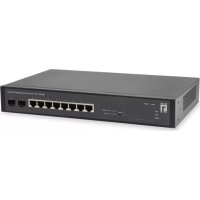
GEL1051 - Smart Home LEVELONE - Free user manual and instructions
Find the device manual for free GEL1051 LEVELONE in PDF.



| Product Type | Gigabit Ethernet Switch |
| Brand | LevelOne |
| Model | GEL1051 |
| Category | Smart Home |
| Dimensions (approx.) | 200 x 130 x 35 mm |
| Weight (approx.) | 0.5 kg |
| Power Supply | AC 100-240 V, 50/60 Hz |
| Power Consumption | Max. 10 W |
| Number of Ports | 5 RJ-45 Gigabit Ethernet ports |
| Operating Temperature | 0 °C to 50 °C |
| Operating Humidity | 10% to 90% (non-condensing) |
| Mounting | Desktop or 19-inch rack mount (L-brackets included) |
| LED Indicators | Power, link/activity per port |
| Management | Via Web interface (default IP address 192.168.1.1) |
| Package Contents | Main unit, power cord, quick start guide, CD-ROM, mounting brackets |
| Maintenance and Cleaning | Disconnect before cleaning, use a dry cloth, do not use abrasive products |
| Safety | Avoid direct sunlight, keep away from heat sources, install in a dry place |
| Spare Parts and Repairability | Contact local dealer for accessories; no user-serviceable parts |
| Standards | CE compliant, EN55032, EN55024, EN61000 |
Frequently Asked Questions - GEL1051 LEVELONE
User questions about GEL1051 LEVELONE
0 question about this device. Answer the ones you know or ask your own.
Ask a new question about this device
Download the instructions for your Smart Home in PDF format for free! Find your manual GEL1051 - LEVELONE and take your electronic device back in hand. On this page are published all the documents necessary for the use of your device. GEL1051 by LEVELONE.
USER MANUAL GEL1051 LEVELONE
This Quick Installation Guide only describes the most basic situations and settings. All detailed information is described in the user manual.
English
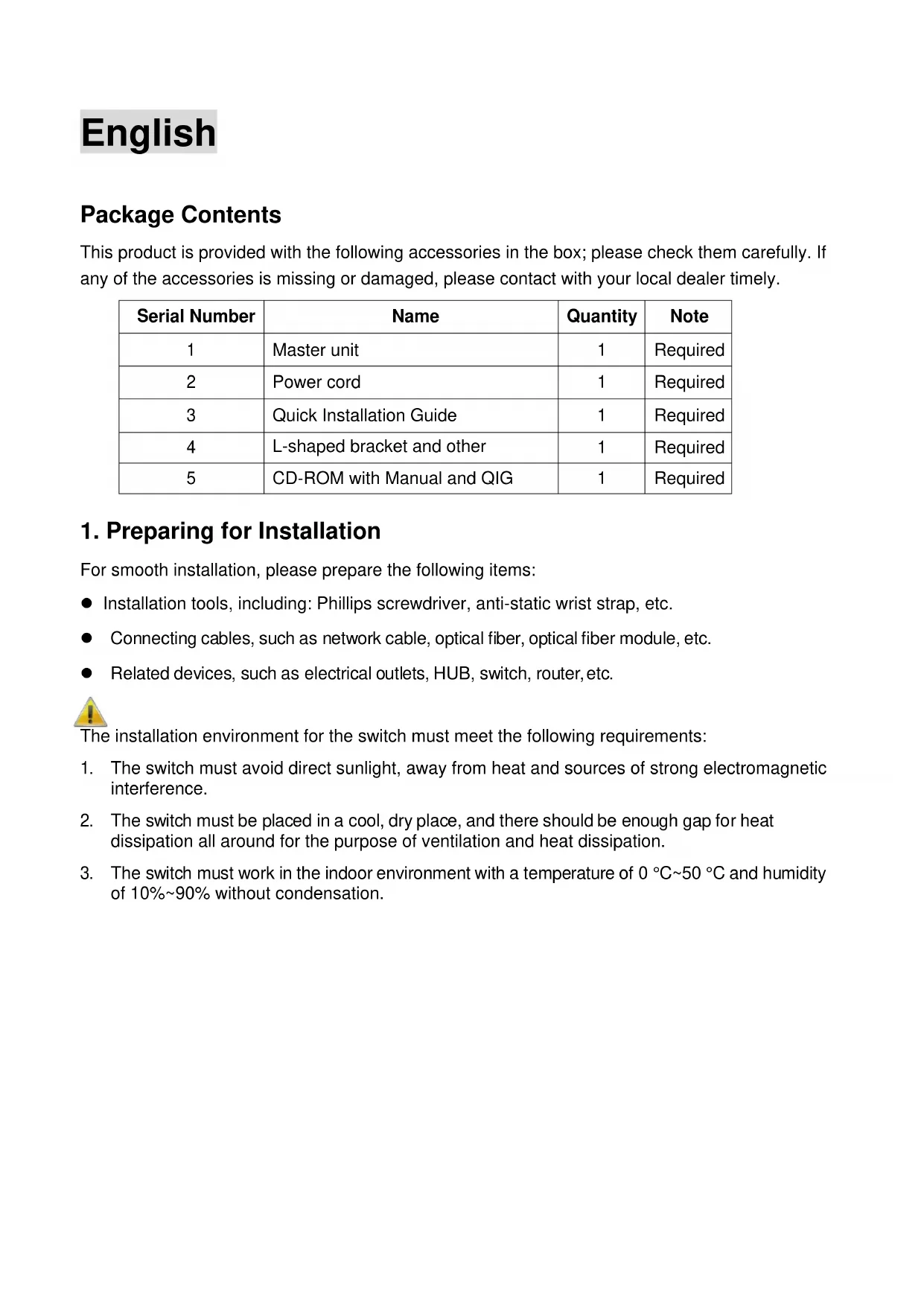
Package Contents
This product is provided with the following accessories in the box; please check them carefully. If any of the accessories is missing or damaged, please contact with your local dealer timely.
| Serial Number | Name | Quantity | Note |
| 1 | Master unit | 1 | Required |
| 2 | Power cord | 1 | Required |
| 3 | Quick Installation Guide | 1 | Required |
| 4 | L-shaped bracket and other | 1 | Required |
| 5 | CD-ROM with Manual and QIG | 1 | Required |
1. Preparing for Installation
For smooth installation, please prepare the following items:
- Installation tools, including: Phillips screwdriver, anti-static wrist strap, etc.
- Connecting cables, such as network cable, optical fiber, optical fiber module, etc.
- Related devices, such as electrical outlets, HUB, switch, router, etc.

The installation environment for the switch must meet the following requirements:
- The switch must avoid direct sunlight, away from heat and sources of strong electromagnetic interference.
- The switch must be placed in a cool, dry place, and there should be enough gap for heat dissipation all around for the purpose of ventilation and heat dissipation.
- The switch must work in the indoor environment with a temperature of 0°C 50°C and humidity of 10% 90% without condensation.
2. Equipment Installation
■ Installing the Switch in a Rack
Install the switch on a 19-inch standard rack, and the installation steps are as follows:
- Check the grounding and stability of the rack;
- Install the two L-shaped brackets in the accessories on both sides of the switch panel, and fix them with the screws in the accessories:
- Place the switch in the appropriate location of the rack, and support it using a tray;
- Secure the L-shaped brackets on the guide slots fixed at both ends of the rack, to ensure that the switch can be mounted on the rack in astable, horizontal manner:
- Use a power cord to connect the switch power connector with the powersocket.

■ Installing the Switch on a Desktop
Install the switch on a desktop, and the installation steps are as follows:
- Place the switch with its bottom up on a sufficiently large, stable and properly-grounded working table;
- Remove the adhesive protective paper from the foot pad, and stick the 4 pads in the 4 round slots at the bottom of the casing respectively;
- Flip over the switch, and place it on the working table stably:
- Use a power cord to connect the switch power connector with the power socket.


- The switch uses 100-240V, 50/60Hz AC, and make sure that both power supply and grounding are normal before power on.
- After power on, please check the switch's power indicator (Power) is on, and if so, it indicates that the power supply is connected properly.
- Do not place heavy objects on the top of the switch.
3. Logging on to the equipment

- Connect the RJ-45 interface cable of a switch with a computer using a network cable.
- Set the TCP/IP properties of the computer, see the Appendix: Setting up your computer.
- Logging on to the equipment: Open a browser and type 192.168.1.1 in the address bar, and then press Enter; in the pop-up login interface, enter the factory logon username "admin", password "admin" and click OK.


Appendix: Setting up your computer
Windows
- Click Start → Control Panel → Network and Internet → Network and Sharing Center → Change adapter settings, right click Local connection and select Properties;
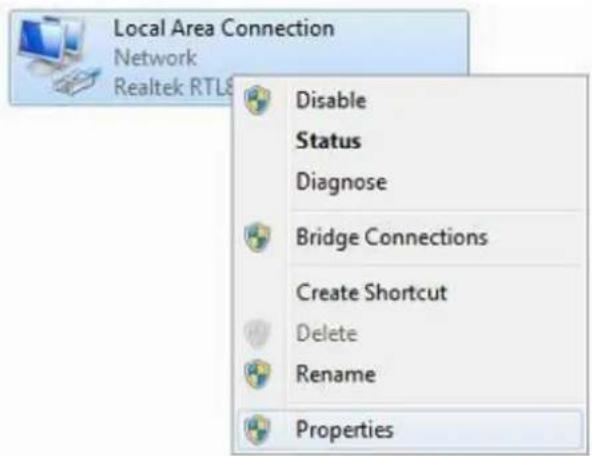
2. Double click Internet Protocol 4 (TCP/IPv4);
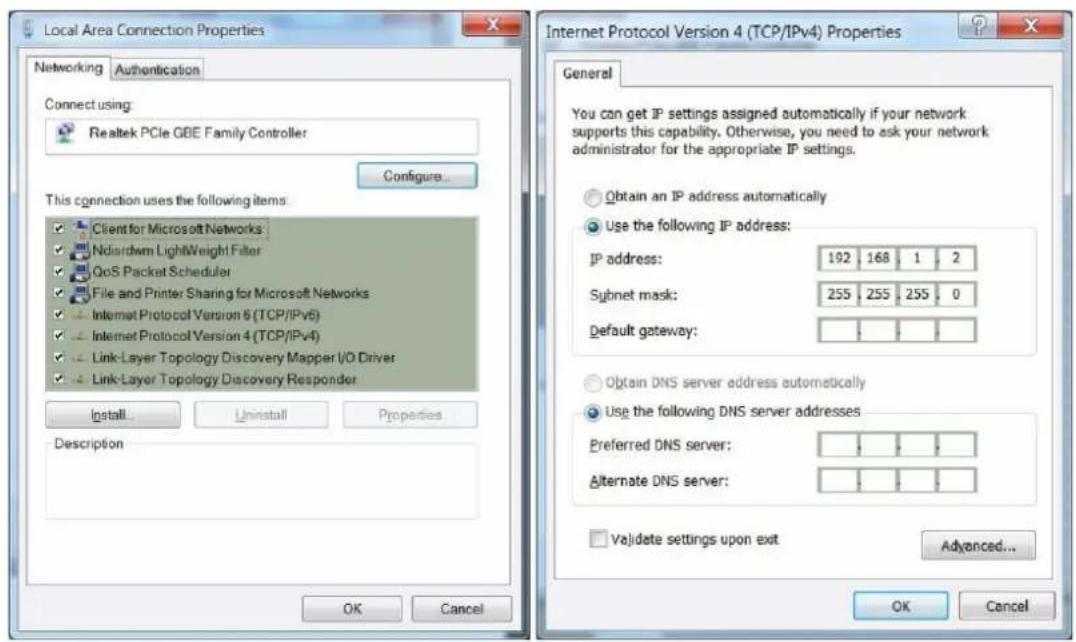
- Set the computer's IP address: The computer's IP address should be any one of the following free IP addresses 192.168.1.2 ~ 192.168.1.254, and then click OK, to return to the previous page, click OK.
Deutsch
Lieferumfang
| Amanda(Shu-Wen) Chen |
| Name (Full Name) |
| 2018/04/10 |
| Date |

CE
Declaration of Conformity
We, the undersigned, Digital Data Communications GmbH
Address Hohe StraBe 1, 44139 Dortmund, Germany
Certify and declare under our sole responsibility that the following apparatus
Type Ethernet switch
BrandnameLevelOne
Product GEP-1051/GEL-1051
Conforms with the essential requirements of the EMC Directive
2014/30/EC, based on the following specifications applied:
EU harmonised standards
EN55032:2015 Class A
EN 61000-3-2: 2014 Class A
EN 61000-3-3:2013
EN 55024:2010+A1:2015
and therefore complies with the essential requirements and provisions of the EMC Directive.

The symbol confirms that this product conforms to the above named standards and regulations.
| Amanda(Shu-Wen) Chen |
| Name (Full Name) |
| 2018/04/10 |
| Date |

CE
| Amanda(Shu-Wen) Chen |
| Name (Full Name) |
| 2018/04/10 |
| Date |

CE
| Amanda(Shu-Wen) Chen |
| Name (Full Name) |
| 2018/04/10 |
| Date |



- ENGLISH
- PACKAGE CONTENTS
- PREPARING FOR INSTALLATION
- EQUIPMENT INSTALLATION
- INSTALLING THE SWITCH IN A RACK
- INSTALLING THE SWITCH ON A DESKTOP
- LOGGING ON TO THE EQUIPMENT
- APPENDIX: SETTING UP YOUR COMPUTER
- WINDOWS
- DOUBLE CLICK INTERNET PROTOCOL 4 (TCP/IPV4)
- DEUTSCH
- LIEFERUMFANG
- CE
- DECLARATION OF CONFORMITY
Brand : LEVELONE
Model : GEL1051
Category : Smart Home