Disco Block 410 - Karaoke system N-Gear - Free user manual and instructions
Find the device manual for free Disco Block 410 N-Gear in PDF.



| Product type | Karaoke system |
| Brand | N-Gear |
| Model | Disco Block 410 |
| Dimensions (L x W x H) | 183 x 183 x 265 mm |
| Net weight | 1,400 g |
| Power supply | Micro USB 5V / 1A (charging) |
| Battery type | Lithium-ion, 1500 mAh |
| Battery life | 2 hours at maximum volume, 6 hours at low volume |
| Charging time | Approximately 3 hours |
| Bluetooth version | 5.1 |
| Peak power (PMPO) | 30 W |
| RMS power | 3 W |
| Frequency response | 60 Hz – 18 kHz |
| Connectivity | Bluetooth, AUX 3.5 mm input, USB (MP3 up to 64 GB), Micro SD/TF (MP3 up to 64 GB), microphone input 6.35 mm |
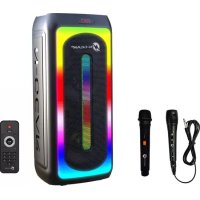
| Main functions | MP3 player, karaoke with wired microphone, 4" speaker with RGB LED lighting, LED RGB disco ball, tweeter |
| Package contents | Disco Block 410 speaker, wired microphone, AUX cable, Micro USB cable |
| Care and cleaning | Clean with a dry cloth only |
| Safety instructions | Do not open the housing, do not expose to water or heat sources, unplug during storms |
| Warranty and repairability | No user-serviceable parts – entrust all repairs to a qualified professional |
Frequently Asked Questions - Disco Block 410 N-Gear
User questions about Disco Block 410 N-Gear
0 question about this device. Answer the ones you know or ask your own.
Ask a new question about this device
Download the instructions for your Karaoke system in PDF format for free! Find your manual Disco Block 410 - N-Gear and take your electronic device back in hand. On this page are published all the documents necessary for the use of your device. Disco Block 410 by N-Gear.
USER MANUAL Disco Block 410 N-Gear
natural_image
Abstract black and white geometric logo with a lightning bolt inside a circle (no text or symbols)N-GEAR®
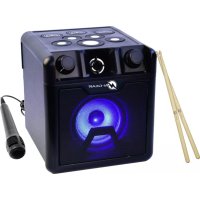
N-Gear Disco Block 410
natural_image
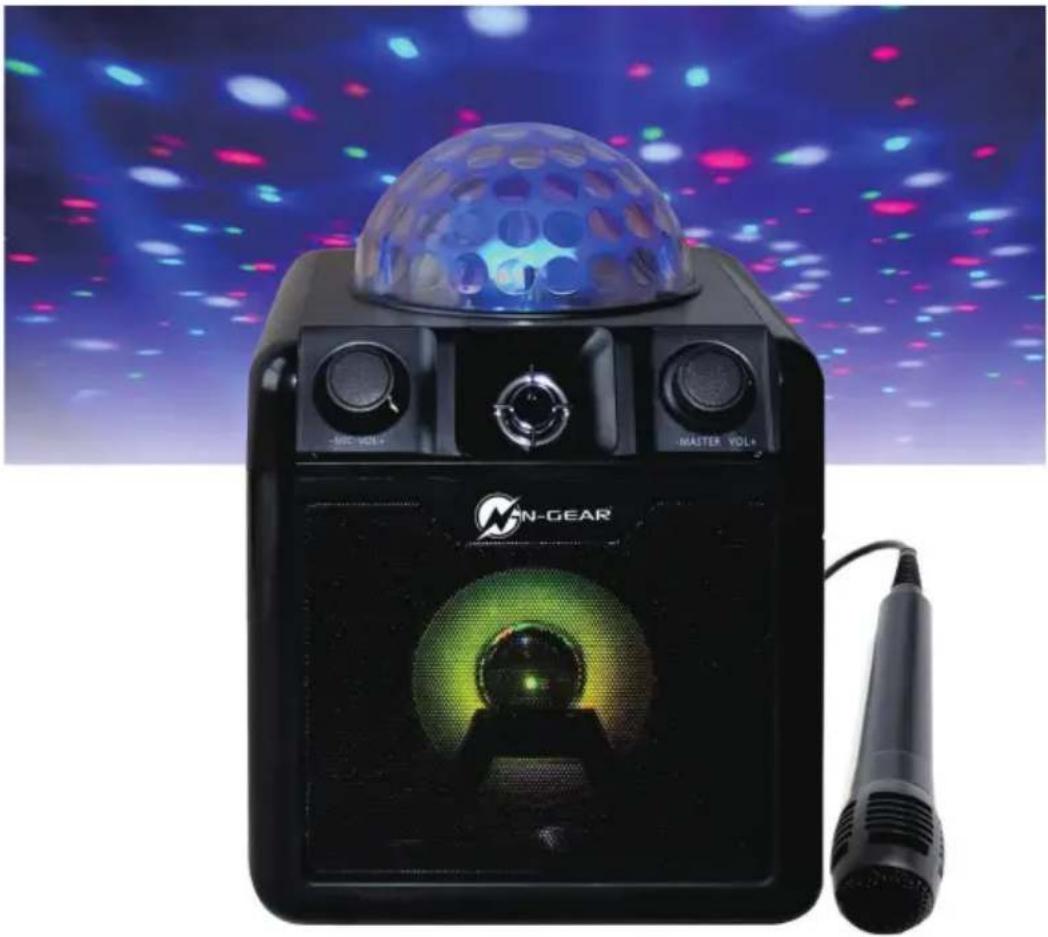
Black N-GEAR audio workstation with a spherical pod and green laser head, set against a colorful LED light background (no text or symbols visible on the device itself)User Manual - Manuel d'utilisation - Handleiding
Benutzerhandbuch - Manual de usuario -Manuale utente
English
What's in the box
1 x N-Gear DiscoBlock 410
1 x Wired Microphone
1 x AUX Cable
1 x USB Cable
This product meets the essential requirements of Directive 2014/53/EU.
https:www.n-gear.eu/doc
PLEASE READ THIS USER MANUAL COMPLETELY BEFORE OPERATING THIS UNIT AND RETAIN BOOKLET FOR FUTURE REFERENCE.
WARNING
WARNING TO REDUCE THE RISK OF FIRE OR SHOCK, DO NOT EXPOSE THIS PRODUCT TO RAIN OR MOISTURE
CAUTION
RISK OF ELECTRIC SHOCK DO NOT OPEN

CAUTION: TO REDUCE THE RISK OF FIRE OR SHOCK, DO NOT REMOVE COVER OR BACK NO USER-SERVICEABLE PARTS INSIDE. REFER SERVICING TO QUALIFIED PERSONNEL
IMPORTANT SAFETY INSTRUCTIONS
-
Read these instructions.
-
Keep these instructions. Need all warnings.
-
Follow all instructions.
-
Do not use this apparatus near water.
-
Clean only with dry cloth.
-
Do not block any ventilation openings.
-
Install in accordance with the manufacturer's instructions.
-
Do not install near any heat sources such as radiators, heat registers, stoves, or other apparatus (including amplifiers) that produce heat.
-
Do not defeat the safety of the polarized of the polarized or grounding-type plug. A polarized plug has two blades with one wider than the other. A grounding type plug has two blades and a third grounding prong. The wide blade or the third prong are provided for your safety. If the provided plug does not fit into your outlet, consult an electrician for replacement of the obsolete outlet.
-
Protect the power cord from being walked on or pinched particularly at plugs, convenience receptacles, and the point where they exit from the apparatus.
-
Only use attachments/accessories specified by the manufactures
-
Use only with the cart, stand, tripod, bracket, or table specified by the manufacture, or sold with the apparatus. When a cart is used, use caution when moving the cart/apparatus combination to avoid injury from tip-over. Portable Cart Warning
-
Unplug this apparatus during lightning storms or when unused for long periods of time.
-
Refer all servicing to qualified service personnel. Servicing is required when the apparatus has been damaged in any way such as power-supply cord or plug is damaged, liquid has been spilled or objects have fallen into the apparatus, the apparatus has been exposed to rain or moisture does not operate normally, or has been dropped.
-
The apparatus shall not be exposed to dripping or splashing and no objects filled with liquids, such as vases, shall be placed on the apparatus.
-
The battery shall not be exposed to excessive heat such as sunshine, fire or the like.
- The MAINS plugs used as the disconnect device, which shall remain readily operable

The lightning flash with arrowhead symbol inside an equilateral triangle is intended to alert User of the presence of un- insulated "hazardous voltage" within the product's enclosure, which may be of sufficient magnitude to induce a risk of electric shock to persons.

The exclamation mark inside an equilateral triangle is intended to alert user of the presence of the important operating and maintenance (servicing) instructions in the literature accom panying the product.
NOTES:
Please do not attempt to open the back cover or power adapter as opening or removing the covers may expose you to dangerous voltage or other hazards, and it will also cause the restricted servicing to be disabled: There are no user servicing components inside.
NOTES.
This digital apparatus does not exceed the Class B limits for r emissions from digital apparatus as set out in the Radio Interference Regulations of Industry Canada. These limits are designed to provide reasonable protection against harmful interference in a residential installation.
NOTES
1 Reorient or relocate the receiving antenna.
Increase the separation between the equipment and the receiver.
Connect the equipment into an outlet on a circuit different from that to which the receiver is connected.
Consult the dealer or an experienced radio/TV technician for as sistance.

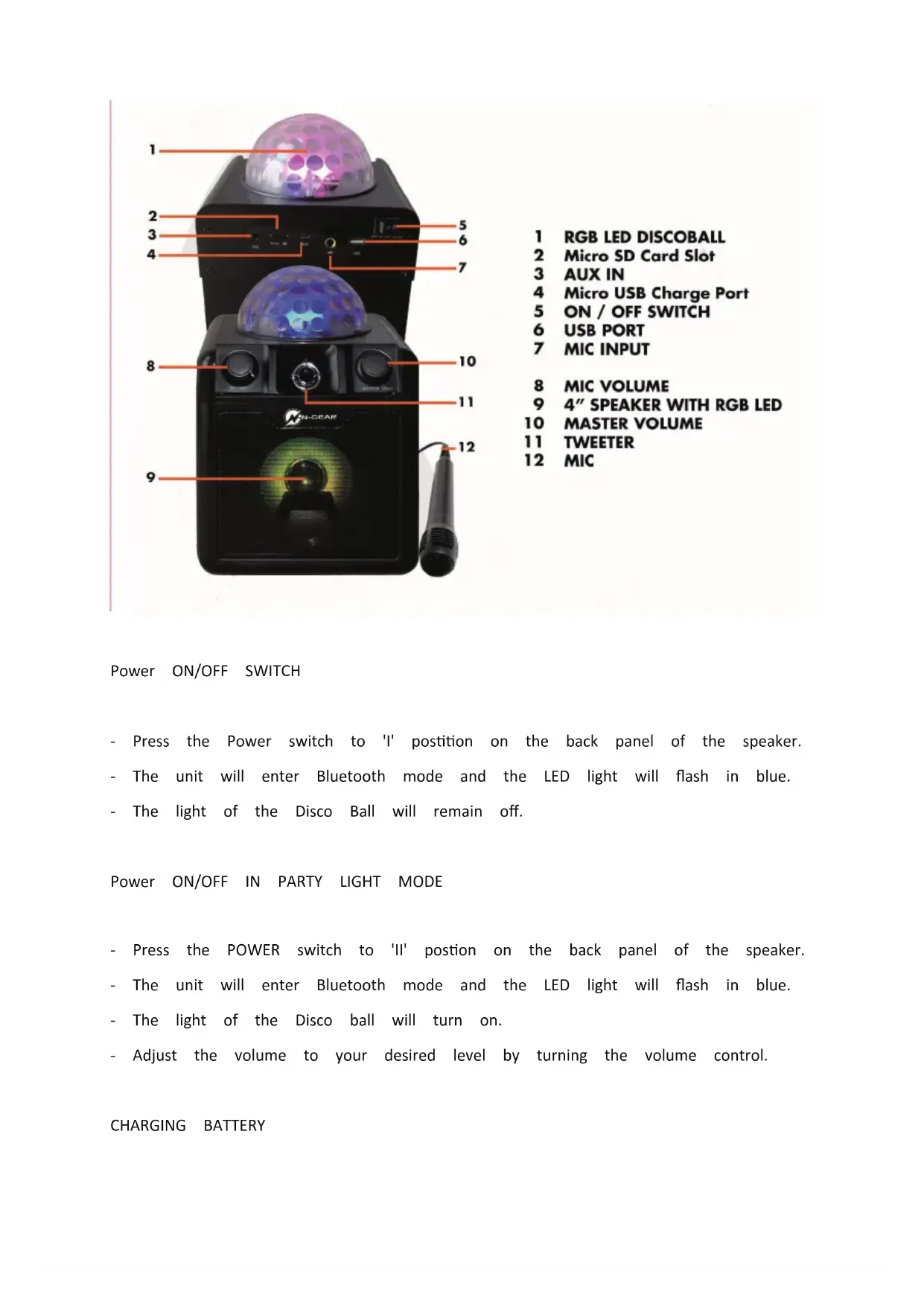
1 RGB LED DISCOBALL
2 Micro SD Card Slot
3 AUX IN
4 Micro USB Charge Port
5 ON / OFF SWITCH
6 USB PORT
7 MIC INPUT
8 MIC VOLUME
9 4" SPEAKER WITH RGB LED
10 MASTER VOLUME
11 TWEETER
12 MIC
Power ON/OFF SWITCH
- Press the Power switch to 'I' position on the back panel of the speaker.
- The unit will enter Bluetooth mode and the LED light will flash in blue.
- The light of the Disco Ball will remain off.
Power ON/OFF IN PARTY LIGHT MODE
- Press the POWER switch to 'II' position on the back panel of the speaker.
- The unit will enter Bluetooth mode and the LED light will flash in blue.
- The light of the Disco ball will turn on.
- Adjust the volume to your desired level by turning the volume control.
CHARGING BATTERY
- By connecting the Micro USB Charging cable (included) to the back of the unit and Adaptr (not included) to an AC Power outlet.
- Charging time is about 5-6 hours in Power Off mode.
- In Charging mode, the back panel will show a red light indicator and when charging the light will turn off.
BLUETOOTH CONNECTION
- Place the unit and your Bluetooth device no more than 10m apart.
- When powering on the unit, it goes into Bluetooth mode by default.
- Make sure the Bluetooth function on your device is switched on.
- Set your device to search for the Bluetooth Pairing name N-Gear Disco Block 410.
- Once selected your device will indicate as "connected" and you will hear a sound pr
CONNECT VIA AUX
- Plug in the 3.5mm audio cable into the AUX input at the back panel of the speak
- You can connect to any audio device that has a 3.5mm audio output jack and can audio from this device.
CONNECT A MICROPHONE
- Plug your microphone (6.3mm plug) into the MIC input at the back panel of the sp
- Adjust the microphone volume on front of the speaker to your desired sound level.
LISTENING FROM USB DRIVE / MICRO SD
- Insert your USB stick or Micro SD Card at the back panel of the speaker.
- Your speaker will automatically playback music from your selected device USB or Micro Specifications
Peak Power 30W
Power input MicroUSB USB 5V,1A
Peak Power PMPO 30W
RMS Power 3W
Frequency Response 60Hz-18KHz
Woofer size +impedance 4
S/N Ratio ≥72dB
Battery type Li-ion
Battery capacity 1500 mAh
Battery Playing Time (Max vol.) 2 hours
Battery Playing Time (50% vol.) 3 hours
Battery Playing Time (Low vol.) 6 hours
Battery Charging Time 3 hours
Battery weight 35gr
Bluetooth Version 5.1
Bluetooth frequency 2400-2483.5MHz
USB MP3 64GB
MicroSD/TF MP3 64GB
Dimensions: 183 x 183 x 265 mm
Net Weight 1400gr
The undersigned, Neeskens International declares that the radio equipment of the Block D 410 type complies with the 2014/53/EU directive. The complete text is available at www

When this crossed-out wheeled bin symbol is attached to a product it means that the covered by the European Directive 2012/19/EU. Please inform yourself about the local sep collection system for electrical and electronic products. Please act according to your local do not dispose of your old products with your normal household waste. Correct disposal product helps to prevent potential negative consequences for the environment and human
This product complies with the requirements of the Europe
Made in China
Manufactured for N-Gear
N-Gear Office
Salland 9
1948RE Beverwijk
The Netherlands
www.n-gear.eu
FRANÇAIS
https:www.n-gear.eu/doc
VEUILLEZ LIRE ATTENTIVEMENT CE MANUEL AVANT D'UTILISER CETTE UNITÉ ET CONSERVEZ LIVRET POUR RÉFÉRENCE ULTÉRIEURE.
AVERTISSEMENT

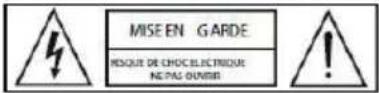
ATTENTION POUR REDUIRE LE RISQUE D'INCENDIE OU D'ELECTROCLITION, NE RETIRIZ PAS LE COUMERCLE OU L'ARRÊRE AUCONE PIECE REPARABLE PARL UTILISATEUR. CONTACTER UN SERVICE AU PERSONNE: QUALIFIE
INSTRUCTIONS IMPORTANTE DE SECURITE
https:www.n-gear.eu/doc
LEES DEZE GEBRUIKERSHANDLEIDING VOLLEDIG VOORDAT U DEZE GEBRUIKT EN HOUD DEZE HANDLEIDING VOOR TOEKOOMSTIGE NASLAG OP.
WAARSCHUWING
WAARSCHUWING:OM HET RISICO OP BRAND OF SCHOK TE VERMINDEREN, DIT PRODUCT NIET BLOOTSTELLEN AAN RE GEN OF VOCH

VOORZICHTI GHEID
RISICO VAN ELECTRISCHE SCHOOL MET OPEN DOEM

VOORZICHTIG:OM HET RISICO OF BRAND OF SCHOKEN TE VERMINDEREN, VERMUIDER DE DEKKIN G OF DE ACHTERKANT NIET. G'INNEER DOOR G'EBRUKERS ONDERHOUDEN ONDERDELEN. RAADPLEE G SERVICE AAN G EIKWALIFICEERD PERSONEEL

9 4" SPEAKER WITH RGB LED
10 MASTER VOLUME
11 TWEETER
12 MIC
AAN / UIT-SCHAKELAAR
https:www.n-gear.eu/doc
9 4" SPEAKER WITH RGB LED
10 MASTER VOLUME
11 TWEETER
12 MIC
EIN / AUS-SCHALTER
https://www.n-gear.eu/doc
POR FAVOR, LEA ESTAS INSTRUCCIONES ANTES DE UTILIZAR ESTE USO,Y CONSERVE ESTE M PARA EL FUTURO.
ADVERTENCIA
ADVERTENCIA: PARA REDUCIR EL RIESGO DE INCENDIO O DESCARGAS ELECTRICAS, NO EXPONGA ESTE PRODUCTO A LA LILVIA N.I.A LA HUMEDAD

PRECAUCIÓN: PARA REDUCIR EL RIESGO DE INCENDIO O DESCAR GAS ELECTRICAS, NO RETIRE LA CUBIERTA O LA PARTE POSTERIOR. NO HAY PIEZAS QUE PUEDAN SER REPARADAS POR EL USUARIO DENTRO. REFERIR SERVICIO ALPERSONAL CUALIFICADO
9 4" SPEAKER WITH RGB LED
10 MASTER VOLUME
11 TWEETER
12 MIC
INTERRUPTOR DE ENCENDIDO / APAGADO
https://www.n-gear.eu/doc
9 4" SPEAKER WITH RGB LED
10 MASTER VOLUME
11 TWEETER
12 MIC
INTERRUTTORE ON / OFF
- N-GEAR®
- N-Gear Disco Block 410
- English
- WARNING
- IMPORTANT SAFETY INSTRUCTIONS
- NOTES:
- NOTES.
- NOTES
- Power ON/OFF SWITCH
- Power ON/OFF IN PARTY LIGHT MODE
- CHARGING BATTERY
- BLUETOOTH CONNECTION
- CONNECT VIA AUX
- CONNECT A MICROPHONE
- FRANÇAIS
- AVERTISSEMENT
- INSTRUCTIONS IMPORTANTE DE SECURITE
- WAARSCHUWING
- AAN / UIT-SCHAKELAAR
- EIN / AUS-SCHALTER
- ADVERTENCIA
- INTERRUPTOR DE ENCENDIDO / APAGADO
- INTERRUTTORE ON / OFF
Brand : N-Gear
Model : Disco Block 410
Category : Karaoke system