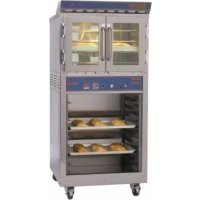
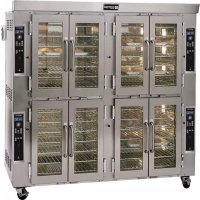
Doyon CA6XG - Oven

CA6XG - Oven Doyon - Free user manual and instructions

Find the device manual for free CA6XG Doyon in PDF.

English EN Download 💬 AI Question 10 questions ⚙️ Specs
📄

Document temporarily unavailable

The manual is currently being transferred to our new server. It will be accessible again in a few hours. Thank you for your patience.

View the manual : Français FR English EN
Pick your language and provide your email: we'll send you a specifically translated version.
Product type Gas convection oven
Brand Doyon
Model CA6XG
Gas type Natural gas or propane (per nameplate)
Thermal power 78,500 BTU per oven section
Power supply 120 V single phase
Convection system Jet Air for uniform baking
Control Programmable ECM-1 (manual and programmable, up to 99 recipes, 10 steps each)
Temperature range 50 to 500 °F (10 to 260 °C)
Timer Electronic with countdown and audible alarm
Steam generation Single or pulsed injection
Fan speed High or low, selectable
Fan delay 30 seconds (gas) or 5 minutes (electric)
Rotating rack Optional, with stop-in-position button
Food probe Optional (ELT530+ELT531), cooking control in programmable mode
Overheat alarm Indicator light and buzzer in case of excessive temperature in the control compartment
Monthly maintenance Lubricate tapered roller bearing with high temperature grease DUPONT GPL227FG
Interior cleaning Recommended product: Dirt Buster III (NEB201)
Wall protection Oven silicone protector (EXS400)
Glass cleaning Oven glass cleaner (EXC300)
Exterior cleaning Stainless steel cleaner (NES201)
Spare parts Full list in the manual (pages B-1 to B-7)
Warranty 1 year parts and labor (F.O.B. Linière, Quebec)

Frequently Asked Questions - CA6XG Doyon

How to set the oven temperature?
Press the Temperature button for 3 seconds. Use the up/down arrows to adjust the value. The new setpoint is automatically saved after 3 seconds.
How to use the cooking timer?
Set the desired time using the buttons under the display. The green display shows the set time, the red shows the countdown. Press the home button to start. At the end, a buzzer sounds; press again to stop.
How to inject steam?
Select the desired steam mode (single or pulsed injection) via the switch. Steam is only activated if the oven temperature is ≥ 300 °F (149 °C). In manual mode, press the Steam button for single injection.
What to do if the overheat alarm triggers?
Check that the cooling fan's ventilation duct is not blocked and that the fan is working. If the problem persists, contact a qualified technician.
How to maintain the tapered roller bearing?
Grease it monthly using the grease gun located on top of the oven. Two strokes of the handle are sufficient. Use only high temperature grease DUPONT GPL227FG.
How to clean the inside of the oven?
Use a mild detergent and water, or the foaming product Dirt Buster III (NEB201). After cleaning, apply a silicone protector (EXS400) to prevent food from sticking.
What to do if the oven does not heat?
Check that the thermostat is set to a sufficient temperature. Make sure the manual gas valve is open. If the motors are running but no heat, set the thermostat to OFF, wait 10 seconds, then set it back to the desired temperature. If the burner does not light after three attempts, call a technician.
How to program a recipe?
Select the recipe number (1-99) then press and hold the Program button for 3 seconds. Use the parameter buttons (Temperature, Timer, Steam, etc.) to set each step. Finish by holding the Program button for 3 seconds to exit.
The rotating rack is not working. What to check?
Make sure the rack is enabled in the low-level programming. Check that the rack button is pressed and that the rack motor is not overloaded. Refer to the electrical diagram in the rear control box.
How to change the display language?
Set the oven to STOP mode. Press and hold the Stop button for 5 seconds, then use the up/down arrows to select the language (FRANCAIS, ENGLISH or ESPANOL).

User questions about CA6XG Doyon

0 question about this device. Answer the ones you know or ask your own.

Ask a new question about this device

The email remains private: it is only used to notify you if someone responds to your question.

No questions yet. Be the first to ask one.

Download the instructions for your Oven in PDF format for free! Find your manual CA6XG - Doyon and take your electronic device back in hand. On this page are published all the documents necessary for the use of your device. CA6XG by Doyon.
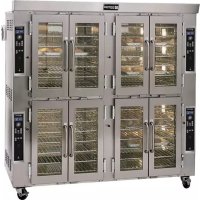
USER MANUAL CA6XG Doyon

Manual assistant
Powered by Anthropic
Waiting for your message
Product information

Brand : Doyon

Model : CA6XG

Category : Oven