COMM1 - Food Dehydrator Excalibur - Free user manual and instructions
Find the device manual for free COMM1 Excalibur in PDF.



| Product Type | Commercial Food Dehydrator |
| Brand | Excalibur |
| Model | COMM1 |
| Power Supply | 120/208-240 V, 60 Hz, single phase, 40 A (dedicated circuit) |
| Dehydration Technology | Hyperwave™ Thermal Cycling |
| Control | Digital control with touch screen, time/temperature profile programming |
| Switches | On/Off, fan (high/low), heat (on/off) |
| Number of Programmable Cycles | Up to 2 cycles (first and second) |
| Temperature Range | Variable per programming (e.g., 140°F to 150°F displayed) |
| Capacity | Designed for commercial use, large capacity |
| Material | Stainless steel (estimated) |
| Weight | Approximately 30 kg (estimated) |
| Dimensions | Approximately 50 × 50 × 50 cm (estimated) |
| Limited Warranty | 1 year for the unit, 90 days for spare parts |
| Technical Service | Contact Excalibur customer service at 1 877 368-2797 |
| Maintenance | Clean trays after use, follow instruction manual |
| Safety | Minimum safe temperature for meats: 71-74 °C before dehydration |
| Repairability | Spare parts available from manufacturer, repair by qualified personnel required |
Frequently Asked Questions - COMM1 Excalibur
User questions about COMM1 Excalibur
0 question about this device. Answer the ones you know or ask your own.
Ask a new question about this device
Download the instructions for your Food Dehydrator in PDF format for free! Find your manual COMM1 - Excalibur and take your electronic device back in hand. On this page are published all the documents necessary for the use of your device. COMM1 by Excalibur.
USER MANUAL COMM1 Excalibur
natural_image
Stacks of colorful fruit and berries arranged on a metal rack, no visible text or symbols
1 ZONE COMMERCIAL DEHYDRATOR DÉSHYDRATEUR COMMERCIAL À UNE ZONE DESHIDRATADOR COMERCIAL DE 1 ZONA
USER MANUAL MODE D'EMPLOI MANUAL DEL USUARIO
Excalibur AMERICA'S BEST DEHYDRATOR
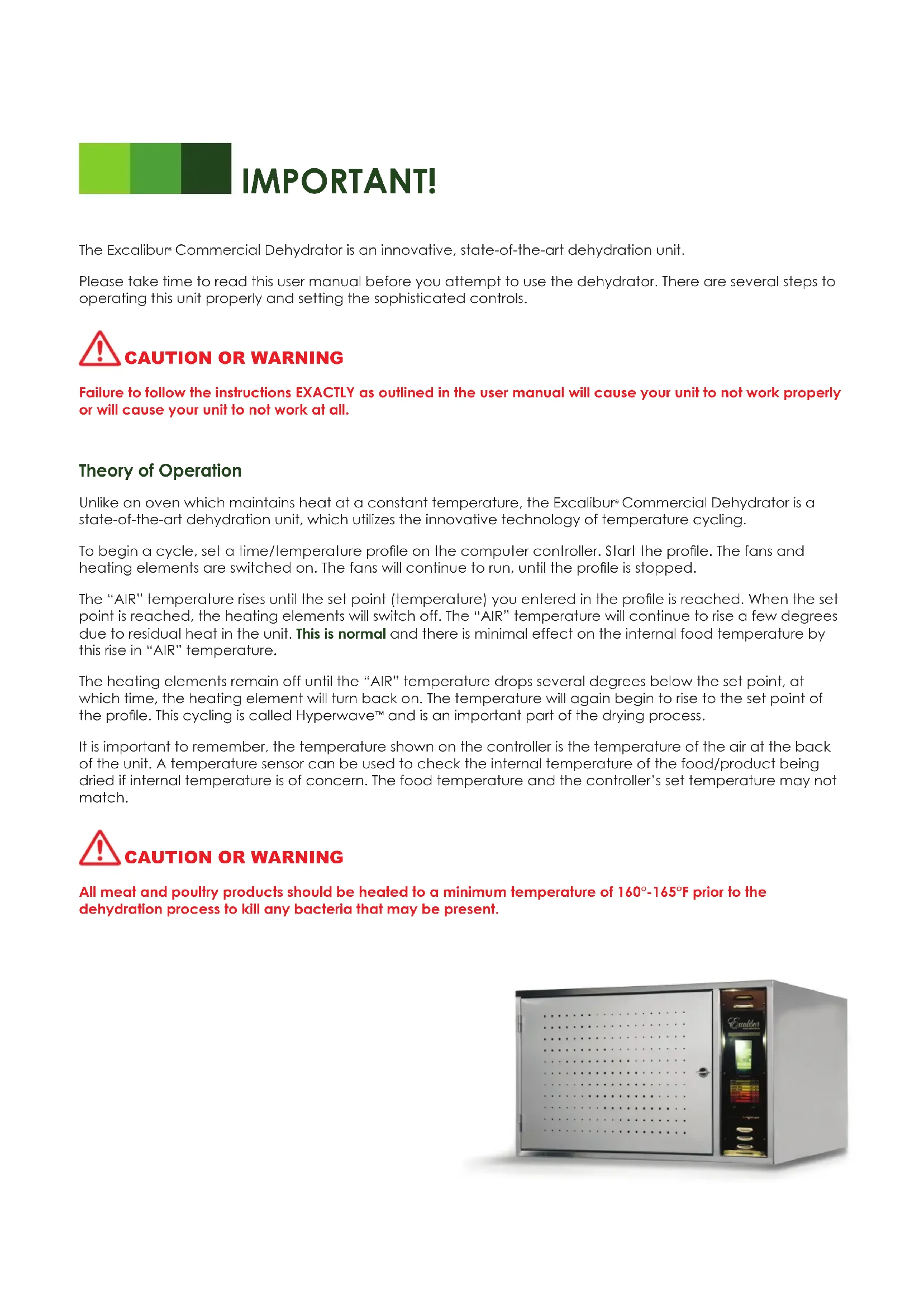
The Excalibur® Commercial Dehydrator is an innovative, state-of-the-art dehydration unit.
Please take time to read this user manual before you attempt to use the dehydrator. There are several steps to operating this unit properly and setting the sophisticated controls.

CAUTION OR WARNING
Failure to follow the instructions EXACTLY as outlined in the user manual will cause your unit to not work properly or will cause your unit to not work at all.
Theory of Operation
Unlike an oven which maintains heat at a constant temperature, the Excalibur ^® Commercial Dehydrator is a state-of-the-art dehydration unit, which utilizes the innovative technology of temperature cycling.
To begin a cycle, set a time/temperature profile on the computer controller. Start the profile. The fans and heating elements are switched on. The fans will continue to run, until the profile is stopped.
The “AIR” temperature rises until the set point (temperature) you entered in the profile is reached. When the set point is reached, the heating elements will switch off. The “AIR” temperature will continue to rise a few degrees due to residual heat in the unit. This is normal and there is minimal effect on the internal food temperature by this rise in “AIR” temperature.
The heating elements remain off until the "AIR" temperature drops several degrees below the set point, at which time, the heating element will turn back on. The temperature will again begin to rise to the set point of the profile. This cycling is called Hyperwave™ and is an important part of the drying process.
It is important to remember, the temperature shown on the controller is the temperature of the air at the back of the unit. A temperature sensor can be used to check the internal temperature of the food/product being dried if internal temperature is of concern. The food temperature and the controller's set temperature may not match.

CAUTION OR WARNING
All meat and poultry products should be heated to a minimum temperature of 160^-165^ F prior to the dehydration process to kill any bacteria that may be present.
natural_image
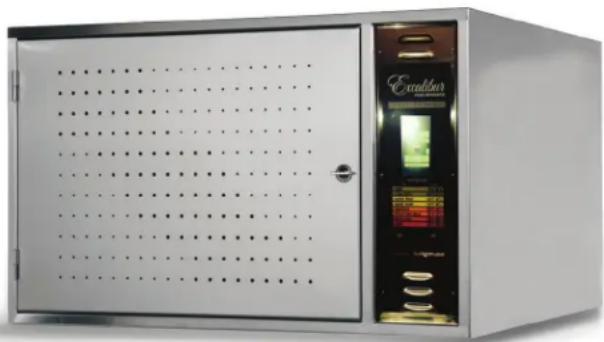
Exterior view of a stainless steel laboratory oven with perforated door and control panel (no visible text or symbols)WARRANTY INFORMATION
COMMERCIAL DEHYDRATORS
1 Year Limited Warranty
Excalibur® Products warrants to the ORIGINAL RETAIL PURCHASER of this product that if it is purchased through an AUTHORIZED Excalibur® RETAILER, or Directly from the Factory, and operated in accordance with the printed instruction accompanying it, then for a period of one (1) year from the date of purchase, the product shall be free from defects in material and workmanship.
The Excalibur® Digital Controller is backed by a one (1) year warranty to the first purchaser for use, providing that the units have not been misapplied. This warranty does not apply to damage resulting from transportation, alteration, misuse or abuse.
Products sold through online auctions, by unauthorized dealers or discount retailers are not eligible for warranty services from Excalibur ^3 . To obtain warranty service, an original or copy of the sales receipt from the original authorized retailer is required.
THEREFORE, YOU SHOULD RETAIN YOUR SALES SLIP OR INVOICE.
If your commercial Dehydrator needs warranty service, please contact our Technical Support Department. In most cases, technical problems can be corrected over the phone. Technical Support Contact: Tel. 916-381-4254; Fax 916-381-4256.
Terms and Limitations
The company will repair (or at its discretion, replace) the defective parts free of charge if in the judgement of the company, it has been proved to be defective as to seller's labor and material, within the warranty period.
New or rebuilt replacements for factory defective parts will be supplied for ninety (90) days from date of purchase. This warranty does not cover the cost of installing the parts. Replacement parts are warranted for the remaining period of the original warranty.
Limitations
The warranty is void if the product is used for any purpose other than which it is designed and has not been subjected to abuse, negligence, accident, alteration, or failure to follow operating instructions or the product has been exposed to abnormal or extreme conditions. The product must not have been previously altered, repaired, or serviced by anyone other than factory service personnel. The serial number must not have been altered or removed. The product must not have been subjected to accident in transit or while in the customer's possession, misused, or operated contrary to the instructions contained in the instructions manual. This includes failure caused by neglect of reasonable and necessary maintenance, improper line voltage and acts of God. This warranty is not transferable.
Except to the extent prohibited by applicable law, no other warranties whether expressed or implied, including warranty merchantability and fitness for a particular purpose shall apply to this product. Under no circumstances shall Excalibur® Products be liable for consequential damaged sustained in connection with said product and Excalibur® Products neither assumes nor authorizes any representative or other person to assume for it any obligation or liability other than such as it expressly set forth herein. Any applicable implied warranties are also limited to ninety-day period of the limited warranty.
This warranty is subject to the Laws of the State of California and covers only the product and its specific parts, not the food or other products processed in it.

1) Unpack the dehydrator by cutting the steel bands and removing the cardboard, tape and foam padding. 2) Have a qualified electrician connect your dehydrator to your electrical system.
Note: Electrical requirements are the following:
120/208- 240V, 60Hz Single Phase 4 Wire, 40 Amp Dedicated Branch Circuit. You can have the electrician wire the unit to 40 amp 4 prong drier pigtail plug or the unit may be hard wired. 220- 240V, 50Hz/60Hz Single Phase 3 Wire, 40 Amp Dedicated Branch Circuit.
3) Program your drying profile into the controller exactly as described in the provided quick start procedure. 4) Direct all questions or problems to the Excalibur Commercial Service Department at 1.877.368.2797.
The unit is equipped with a computer controller.
The front panel has three switches:
1) Power Switch: Turns on power to the unit.
2) Fan Switch: Provides a high or low fan speed option.
3) Heat Switch: Provides the option of turning off the inner heating element for more accuracy when using lower temperatures.
Programming
Programming the controller is a systematic procedure. The illustrated programming procedures on the proceeding pages are designed to direct the programmer to the next screen once a step is completed.
If, at any time, the step(s) listed in the programming instructions do not coincide with the illustrated display screen(s), return to the Main Menu Screen by pressing the "X" on the Home Page Screen. Or, for further assistance, call Technical Service: 1.877.368.2797.
Note: Temperature and time values listed in the illustrated programming procedures on the proceeding pages are for display purposes only. The values may or may not match the values listed on the actual controller.
Programming the Controller
Step 1: Load product into zone
Step 2: Turn Power Switch to the ON position (after several seconds the Main Menu Screen appears).

MAIN MENU SCREEN
Step 3: Program the zone by pressing one of the OFF buttons
from the Main Menu Screen
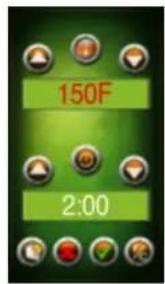
Press up or down icon on the Home Page Screen to set time and temperature.
Press check mark icon when finished.

natural_image
Green background with eight circular icons arranged in rows (no text or symbols)HOME PAGE SCREEN

Step 4: Running the Program
There are two choices:

or


Press the Licon to Begin running a "Single Cycle" time and temperature. The screen will return to the Main Menu to display the program.
OR
To add a "Second Cycle" time and temperature:

Press the L plus Icon to program a "Second Cycle" time and temperature. Repeat the programming procedures outlined in Step 3.

Press the Licon when finished programming the "Second Cycle".
The program is now running a "First and Second Cycle" time and temperature.
NOTE:
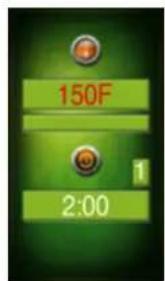
When a "Second Cycle" time and temperature is running, a "1" appears in the furthest box to the right. The "1" indicates that the program is running in its first cycle. When the first cycle is complete, the number will change from "1" to "2".
When a Single-Cycle time and temperature is running, the box will display an "S". If a program is not entered, the box will display an "*".

ADD/START SCREEN



Step 5: Stop running or cancel a current cycle (example)
From the Main Menu screen, press the

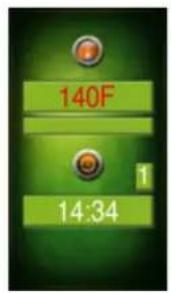
Choose the stop icon to cancel the current cycle.
Note: If no choice is made within 5 seconds, the screen will revert to the Main Menu with no changes.

Saving and Naming a Program
Step 1: Follow Steps 3-4 in the previous programming procedures
After all cycle times and temperatures are set,
press the diskette icon from the Start Screen.


Step 2: Type the name of your profile on the keyboard screen.
Press the check mark icon when profile is complete.
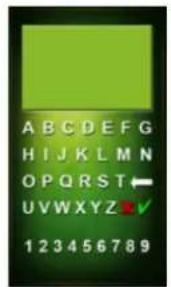
Press the file ic

The profile named will be saved on the screen as indicated by the arrow. Use the arrow icons to select your programmed profile.
To initiate the selected profile, and begin running the
program, press the check on.
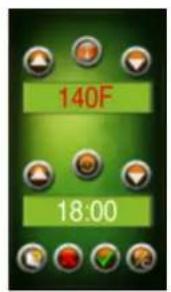
To delete a profile, press the



IMPORTANT!
natural_image
Exterior view of a stainless steel industrial oven with control panel and display (no visible text or symbols)RENSEIGNEMENTS SUR LA GARANTIE
natural_image
Green background with a row of circular icons and horizontal green bars (no text or symbols)ÉCRAN DE LA PAGE D'ACCUEIL
FONCTIONNEMENT DE L'APPAREIL
natural_image
Exterior view of a stainless steel laboratory oven with perforated door and control panel (no visible text or symbols)natural_image
Green background with a grid of circular icons and horizontal green bars (no text or symbols)natural_image
Exterior view of a stainless steel laboratory oven with perforated door and digital display (no visible text or symbols)Excalibur® AMERICA'S BEST DEHYDRATOR
8250 Ferguson Ave., Sacramento, CA 95828 | ExcaliburDehydrator.com Technical Services / Services techniques / Servicios técnicos: 1.877.368.2797 Sales / Ventes / Ventas: 1.800.875.4254