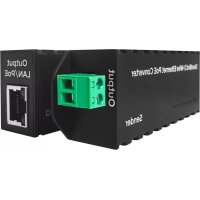
A1071 - Intercom DoorBird - Free user manual and instructions
Find the device manual for free A1071 DoorBird in PDF.


| Product type | 2-wire PoE Ethernet Converter (Transmitter and Receiver) |
| Brand and model | DoorBird A1071 |
| Dimensions (H x W x D) | 33 x 25 x 88 mm |
| Weight | 140 g |
| Power supply | PoE IEEE 802.3 af/at (PoE switch or injector required, not included) |
| Maximum power consumption | Up to 30 W (PoE+) |
| Maximum range (2-wire cable) | 80 meters (262 feet) with unshielded two-wire cable |
| Transmission speed | Up to 60 Mbit/s |
| Latency | ~0.01 ms |
| Connectors | 1x RJ45 (Ethernet/PoE) and 2x screw terminals (for 2-wire cable) on each unit |
| Operating temperature | -25 °C to 55 °C |
| Operating humidity | 10 to 85% RH (non-condensing) |
| Protection rating | IP50 (not waterproof, indoor use or suitable enclosure) |
| PoE standards | IEEE 802.3 af/at Mode A (pairs 1/2+, 3/6-) |
| Required accessories | 2 network cables Cat.5 or higher, PoE switch or injector IEEE 802.3 af/at (e.g., DoorBird Gigabit PoE Injector) |
| Compatibility | All DoorBird IP intercoms and cameras |
| Maintenance and cleaning | Clean with a clean, dry cloth. Do not use chemicals or aerosol cleaners. |
| Safety | Installation by a qualified specialist. Do not open the device. Disconnect power before any intervention. Comply with standards EN 60065, EN 60950, EN 62368. |
| Spare parts and repairability | Use exclusively accessories and spare parts supplied or recommended by Bird Home Automation GmbH. Do not attempt to repair yourself. |
| Warranty | Visit www.doorbird.com/warranty |
| General information | Device intended to extend network and PoE connection via a two-wire cable. For residential use only. DHCP compatible. Data encryption similar to that of online banks. |
Frequently Asked Questions - A1071 DoorBird
User questions about A1071 DoorBird
0 question about this device. Answer the ones you know or ask your own.
Ask a new question about this device
Download the instructions for your Intercom in PDF format for free! Find your manual A1071 - DoorBird and take your electronic device back in hand. On this page are published all the documents necessary for the use of your device. A1071 by DoorBird.
USER MANUAL A1071 DoorBird
Read these instructions carefully before starting to use any components. Keep the manual so you can refer to it at a later date if required. If you hand over the device to other persons for use, please hand over the operating manual as well. You can always find the most up-to-date version of the installation manual on www.doorbird.com/support
To make things easier we use the term "Sender" for the product "2-Wire Ethernet PoE Converter Sender" and "Receiver" for the product "2-Wire Ethernet PoE Converter Receiver".
Liability
Every care has been taken in the preparation of this document.
Please inform Bird Home Automation GmbH of any inaccuracies or omissions. Bird Home Automation GmbH cannot be held responsible for any technical or typographical errors and reserves the right to make changes to the product and manuals without prior notice. Bird Home Automation GmbH makes no warranty of any kind with regard to the content of this document, including, but not limited to, the implied warranties of merchantability and fitness for a particular purpose. Bird Home Automation GmbH shall neither be liable nor responsible for incidental or consequential damages in connection with the furnishing, performance or use of this material. This product is only to be used for its intended purpose.
Equipment Modifications
This equipment must be installed and used in strict accordance with the instructions given in the user documentation. This equipment contains no components that require service by the user. Unauthorized equipment changes or modifications will invalidate all applicable regulatory certifications and approvals.
Symbols used
Danger: Indicates a hazardous situation which, if not avoided, will result in death or serious injury.

Warning: Indicates a hazardous situation which, if not avoided, could result in death or serious injury.
Caution: Indicates a hazardous situation which, if not avoided, could result in minor or moderate injury.

Notice: Indicates a situation which, if not avoided, could result in damage to property.

Important: Indicates significant information which is essential for the product to function correctly.

Note: Indicates useful information which helps in getting the most out of the product.
Hazard information
WARNING
- Mounting, installation and servicing work on electrical devices may only be performed by a qualified electrician. Failure to observe this regulation could result in the risk of serious damage to health or fatal injury due to electric shocks.
• Devices with 110-240 V connection: The device may only be connected to an easily accessible power socket outlet. The mains adapter must be pulled out if a hazard occurs. - For power supply, only use the original plug-in mains adapter delivered with the device or a recommended PoE-Switch/PoE-Injector as specified in this manual.
- Because of electrostatic charging, direct contact with the circuit board can result in destruction of the device. Direct contact with the circuit board must therefore be avoided at any time.
- Observe the EN 60065 resp. EN 60950 resp. EN 62368 standard.
- Do not use the device if there are signs of damage to the housing, control elements or connecting sockets, for example, or if it demonstrates a malfunction. If you have any doubts, please have the device checked by an authorized expert.
- Do not open the device. This voids the warranty of the device. The device does not contain any parts that can be maintained by the user. In the event of an error, please have the device checked by an authorized expert.
- For safety, approval and licensing reasons (CE/FCC/IC etc.), unauthorized change and/or modification of the device is not permitted.
• The device is not a toy; do not allow children to play with it. Do not
leave packaging material lying around. Plastic films/bags, pieces of polystyrene, etc. can be dangerous in the hands of a child.
• Always lay cables in such a way that they do not become a risk to people and domestic animals.
- Voltage is applied to parts within the equipment. Do not touch any parts that are not associated with the installation, wiring, or connection. Electric shock could result.
- On devices which are not marked as weather-proof: Keep the device away from water or any other liquid.
- Do not install or make any wire terminations while power supply is plugged in. It can cause eletric shock or damage to the device.
- Before turning on power, make sure wires are not crossed or shorted. If not, fire or eletric shock could result.
- High voltage may be present internally. Do not open the device. Electric shock could result.
- The device is not of explosion-proof. Do not install or use near gases or flammable materials. Fire or explosion could result.
- Do not install two power supplies in parallel to a single input. Fire or damage to the device could result. Be sure to connect a single power supply to the device.
- Do not connect any terminal on the device to an AC power line. Fire or electric shock could result.
- Keep AC cord from being marred or crushed. If the AC cord is fractured, fire or electric shock could result.
- Do not plug or unplug with wet hands. Electric shock could result.
- Do not put any metal or flammable material into the device. Fire, electric shock, or device trouble could result.
- Existing wiring may contain high voltage AC electricity. Damage to the device or electric shock could result. Wiring and installation must be done by a qualified eletrician.
- When mounting the device on a wall or ceiling, install the device in a convenient location, but not where it could be jarred or bumped. Injury could result.
- On devices with ground terminals, connect to an earth ground. Otherwise fire or malfunction could result.
- On devices with plastic or real glass, do not put high pressure on the glass. If fractured, injury could result.
- On devices with LCD, if LCD is punctured, do not allow contact with the liquid crystal inside. Injury could result. If necessary, gargle your mouth and clean your eyes or skin with clear water for at least 15 minutes and consult your doctor.
- Do not put anything on the device or cover the device with cloth, silicone, glue, coating, separate covering etc. Fire or device issues could result.
- Do not install the device in any of the following locations. Fire, electric shock, or device trouble could result.
- Places under direct sunlight or places near heating equipment that varies in temperature.
- Places subject to dust, oil, chemicals, hydrogen sulfide (hot spring).
- Places subject to moisture and humidity extremes, such as bathrooms, cellars, greenhouses, etc.
- Places where the temperature is very low, such as inside a refrigerated area or in front of an air conditioner.
- Places subject to steam or smoke (e.g. near heating or cooking surfaces).
- Where noise generating devices such as dimmer switches or inverter electrical appliances are closeby.
- Locations subject to frequent vibration or impact.
- On devices with intercom, be sure to perform a call test with low audio volume on both intercom devices. A sudden call etc. may arrive causing for example damage to your ear.
- If the device does not operate properly, unplug the power supply.
- All devices which are not marked as weather-proof are designed for indoor use only. Do not use outdoor.
- On devices which are marked weather-proof: Do not spray with high-pressure water. Device issues could result.
- We do not assume any liability for damage to property or personal injury caused by improper use or the failure to observe the
-
hazard information. In such cases, any claim under warranty ceases. For consequential damages, we assume no liability!
-
The device shall be used in compliance with local laws and regulations.
- Store the device in a dry and ventilated environment.
- Avoid exposing the device to shocks or heavy pressure.
- Do not install the device on unstable brackets, surfaces or walls. Make sure the material is strong enough to support the weight of the device.
- Use only applicable tools when installing the device. Using excessive force with tools could cause damage to the device.
- Do not use chemicals, caustic agents, or aerosol cleaners.
- Use a clean dry cloth for cleaning.
- Use only accessories that comply with technical specification of the device. These can be provided by Bird Home Automation GmbH.
- Use only spare parts provided by or recommended by Bird Home Automation GmbH.
- Do not attempt to repair the device by yourself. Contact Bird Home Automation GmbH for service matters.
- Keep the device more than 1 m (3.3') away from microwave, radio, TV, wireless router and any other wireless devices.
- On devices with intercom or built-in speaker or built-in microphone or signal transmission functions, keep the wires more than 30 cm (12") away from AC 100-240 V wiring. AC induced noise and/or device malfunction could result.
• Install the device in an area that will be accessible for future inspections, repairs and maintenance. - If the device is used close to a cellular phone, the device may malfunction.
• The device can be damaged if dropped. Handle with care.
• The device turns inoperative during power failure. - On devices with intercom or built-in speaker or built-in microphone, in areas where cellular or Radio / TV broadcasting station antennas are closeby, the device may be affected by radio frequency interference.
- On devices with LCD screen, it must be noted in advance that the LCD panel, though manufactured with very high precision techniques, inevitably will have a very small portion of its picture elements always lit or not lit at all. This is not considered a device malfunction.
- On devices with intercom, due to the environmental sound around
the device, it may hinder smooth communication, but this is not a malfunction.
- On devices with Username/Password, the Username/Password to access the device is the customer's responsibility. Make sure to use a password that cannot be easily guessed by a third party. We recommend that you change the Password on a regular basis.
- We will, under no circumstances, be liable for damage that occurs due to failures in power supply, network equipment or terminal devices; failures due to Internet providers and cellular network providers; failures such as disconnected lines and other losses in communication, which makes it impossible to provide this service as well as in any way delay this service due to any other causes outside of our responsibility; or if an error or missing data occurs during transmission.
Transportation

When transporting the device, use the original packaging or equivalent to prevent damage to the device.
Warranty Information
For information about the device warranty, see www.doorbird.com/warranty
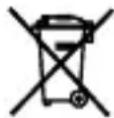
Information on disposal for users of waste electrical & electronic equipment (private household)
This symbol on the products and/or accompanying documents means that used electrical and electronic products should not be mixed with general household waste. For proper treatment, recovery and recycling, please take these products to designated collection points, where they will be accepted an a free of charge basis. Alternatively, in some countries you may be able to return your products to your local retailer upon the purchase of an equivalent new product. Disposing of this product correctly will help to save valuable resources and prevent any potential negative effects on human health and the environment which could otherwise arise from inappropriate waste handling. Please contact your local authority for further details of your nearest designated collection point. Penalties may be applicable for incorrect disposal of this waste, in accordance with national legislation.
Information on disposal in other countries outside the European Union
This symbol is only valid in the European Union. If you wish to discard this product, please contact your local authorities or dealer and ask for the correct method of disposal.
COMPONENTS
natural_image
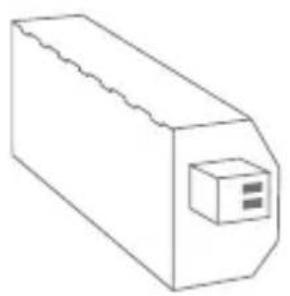
Simple line drawing of a rectangular electronic component with a small internal component (no text or symbols)1x Sender 1x Receiver
natural_image
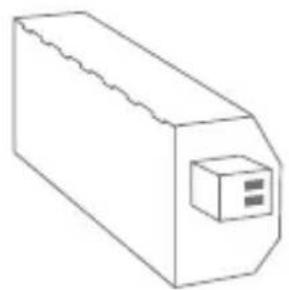
Simple line drawing of a rectangular electronic component with a small square button on one end (no text or symbols)
with Digital Passport
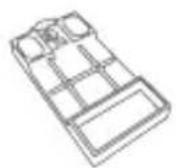
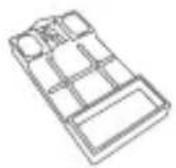
1x DIN-Rail adapter1x Quickstart guide
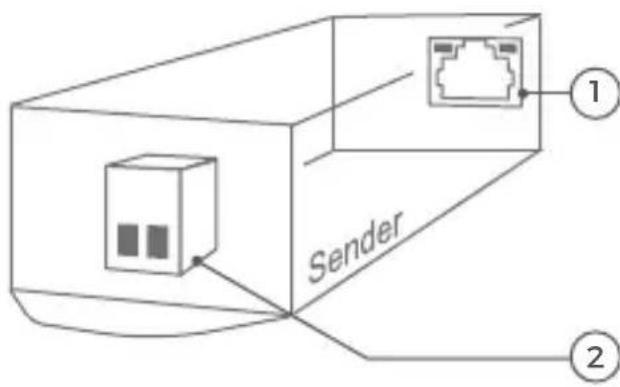
Sender
① Input LAN/PoE
RJ45 jack (with Diagnostic-LEDs) to connect a standard Network cable Cat.5 or better, coming from the Internet Router and PoE-Switch / PoE-Injector.
② Output
To connect a 2-wire cable, going to the Receiver.
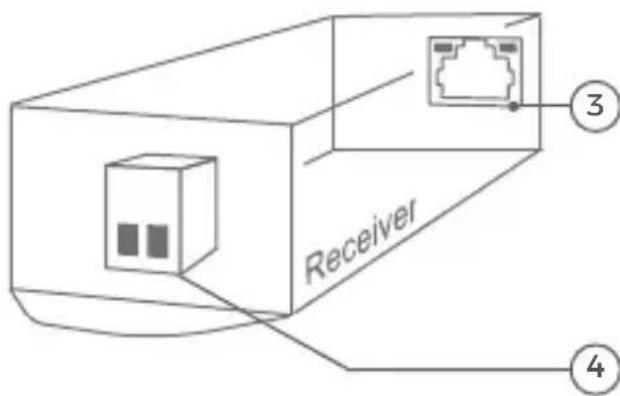
Receiver
3 Output LAN/PoE
RJ45 jack (with Diagnostic-LEDs) to connect a standard Network cable Cat.5 or better, going to the device to supply with PoE and network data.
4 Input
To connect the 2-wire cable, coming from the Sender.
VIDEOS
Need help with the installation? Be sure to watch our installation videos which can be found on http://www.doorbird.com/support.
Each individual step of the installation is clearly documented in the videos.
INSTALLATION
All steps below should be carried out carefully by a competent adult, taking into consideration any applicable safety regulations. Should you have any questions, please contact us or a competent specialist directly. Please ensure that all wires used for the installation are undamaged along their entire length and approved for this type of use.
Network speed and network components
Please ensure that the upload speed of your Internet connection is at least 0.5 Mbps. You can also carry out a speed test at any time via the DoorBird App. The user experience is only as good as your network speed, network
stability and quality of your network components, such as your Internet router and WiFi access points or WiFi repeaters. Please also make sure that your network components are not older than two years, have been manufactured by a well-known manufacturer, and have the latest firmware installed.
Should these requirements not be fulfilled, it may happen, for example that the performance of audio and video is poor or push notifications are delayed or do not arrive on your smartphone or tablet at all.
Requirements:
High-speed Internet (via landline): DSL, cable or optical fibre
Network: 802.11 b/g/n 2.4 GHz or Ethernet, with DHCP
STEP 1: SWITCHING OFF POWER
Switch off the power to all wires leading to the assembly location, i.e. the door station, door chime, electric door opener, power supply unit, PoE-Switch/PoE-Injector etc..
STEP 2: DETERMINING THE ASSEMBLY LOCATION
The Sender and Receiver are IP50 certified (not water-proof). Please make sure to put them into an appropriate housing if you want to use them outdoors.
flowchart
graph LR
    A["PoE + Ethernet data"] --> B["Receiver"]
    B --> C["Sender"]
    C --> D["Port 1"]
    C --> E["Port 2"]
    D --> F["Router"]
    E --> G["Router"]
    style A fill:#f9f,stroke:#333
    style B fill:#ccf,stroke:#333
    style C fill:#cfc,stroke:#333
    style D fill:#fcc,stroke:#333
    style E fill:#cff,stroke:#333
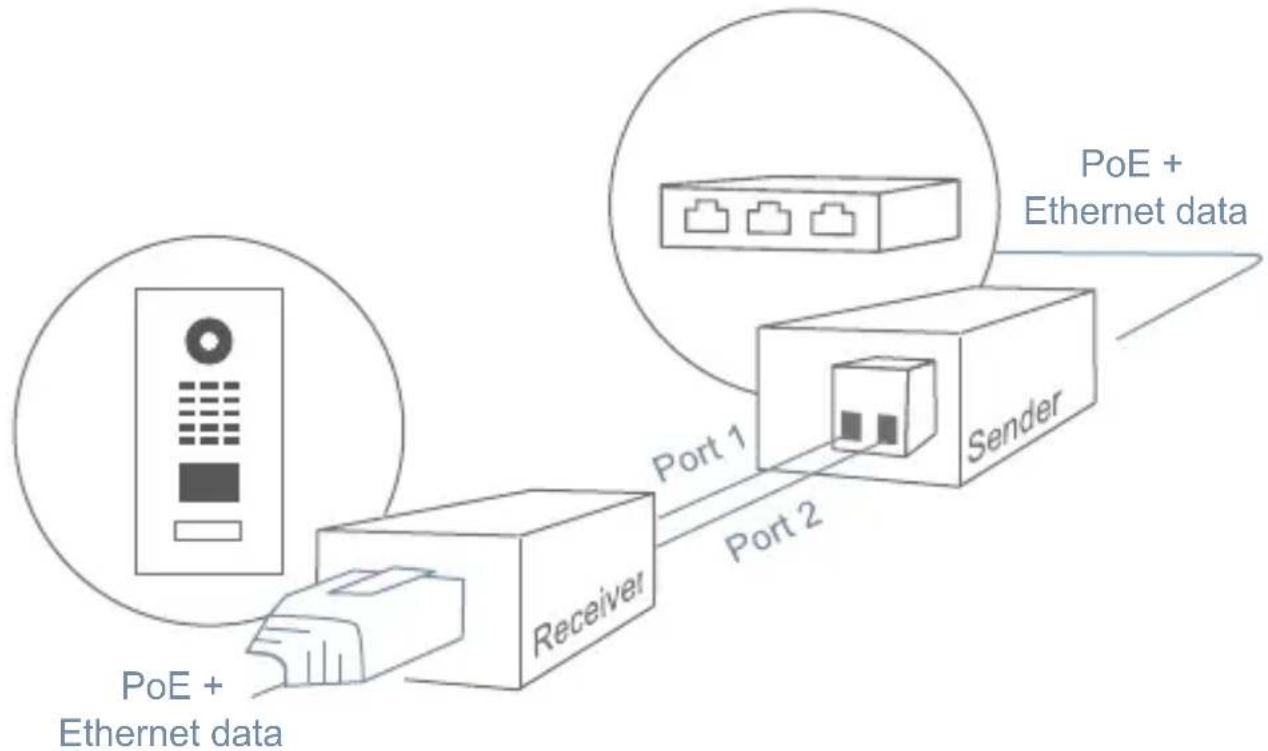
The 2-wire cable between the Sender and Receiver are limited to maximum length of 80 meters/262 feet.
Attention: When using unshielded wires (e.g. simple bell wire) between sender and receiver, make sure that there are no other current-carrying wires (or other 2-wire Ethernet PoE converters) near the 2-wire cable. Electricity generates an electromagnetic field that significantly interferes with the transmission between sender and receiver, resulting in unstable transmission of network data.
STEP 3: SENDER INSTALLATION
Place the Sender at he end of your network cable (coming from your Internet Router followed by a PoE-Switch / PoE-Injector) and your 2-wire cable begins. Connect the network cable to the RJ45 jack of the Sender and the 2-wire cable to the Port "1" and "2" of the Sender. Please take care of the polarity of the 2-wire cable ("1" and "2").
A PoE-Switch (e.g. D-Link DGS-1008P) or PoE-Injector (e.g. DoorBird Gigabit PoE Injector) in accordance with the PoE standard IEEE 802.3af Mode A (network cable wires 1, 2, 3 and 6) must be used to power the Sender. You can find further information about PoE here: http://www.doorbird.com/poe
A Cat.5 network cable with RJ45 plug or better must be used to connect to the "LAN/PoE" jack of the Sender.
STEP 4: RECEIVER INSTALLATION
Place the Receiver at the end of your 2-wire cable ends. Connect the 2-wire cable coming from the Sender to the Port "1" and "2" of the Receiver. Please take care of the polarity of the 2-wire cable ("1" and "2"). The port "1" of the Sender must be connected to the port "1" of the Receiver and the port "2" of the Sender must be connected to the port "2" of the Receiver.
Now connect a network cable to the RJ45 jack of the Receiver. A Cat.5 network cable with RJ45 plug or better must be used to connect to the "LAN/PoE" jack of the Receiver.
Connect the spare end of the network cable connected to the Receiver to the device you would like to establish a PoE and network data connection with, e.g. a DoorBird IP Video Door Station or IP Camera.
STEP 5: ACTIVATING THE DEVICES
Switch on the power leading to the assembly location again. Make sure to switch on power of the PoE-Switch / PoE-Injector you have connected to the Sender.
The Diagnostic-LEDs of RJ45 jack of the Sender and Receiver should be blinking and thus signaling an established power- (PoE) and network connection. Please check the polarity of the 2-wire cable between the Sender and Receiver and check also your PoE-Switch / PoE-Injector if the Diagnostic- LEDs are not blinking.
DIAGNOSTIC-LEDS
You can check if the Sender and Receiver are properly connected by checking the Diagnostic-LEDs. The Diagnostic-LEDs of RJ45 jack of the Sender and Receiver should be blinking and thus signaling an established power- (PoE) and network connection.
TECHNICAL SPECIFICATIONS
Dimensions:
33 x 25 x 88 mm (H x W x D) 1,30 x 0,98 x 3,46 in (H x W x D)
Power supply:
PoE-Switch or PoE-Injector (IEEE 802.3 af/at), not included
Operating conditions:
-25 to 55°C / -13 to 131°F Humidity 10 to 85 % RH (non condensing)
Speed:
Up to 60 mbit/s at maximum transmission range
Latency:
\~ 0.01 ms
Connectors:
1x RJ45, 2x screw terminals
PoE:
PoE 802.3 af/at Mode-A and PoE +, up to 30 W
Data line pair:
1/2 (+), 3/6 (-)
Range:
80 meters / 262 feet with unshielded two-wire cable. When using unshielded wires (e.g. simple bell wire) between sender and receiver, make sure that there are no other current-carrying wires (or other 2-wire Ethernet PoE converters) near the 2-wire cable. Electricity generates an electromagnetic field that significantly interferes with
the transmission between sender and receiver, resulting in unstable transmission of network data.
Required accessories:
2 x Network cable, IEEE 802.3 af/ at PoE Switch or PoE Injector, e.g. DoorBird Gigabit PoE Injector, D-Link DGS-1008P or TPLink TL-PoE150S
Compatible with all DoorBird IP Video Door Stations.
Approvals:
CE, FCC, UL, RoHS, IP50
Weather-proof:
No
Weight:
140 g
Errors and omissions excepted.
LEGAL NOTES
General remarks
- DoorBird is a registered trademark of Bird Home Automation GmbH.
- Apple, the Apple logo, Mac, Mac OS, Macintosh, iPad, Multi-Touch, iOS, iPhone and iPod touch are trademarks of Apple Inc.
- Google, Android and Google Play are trademarks of Google, Inc.
- The Bluetooth® word mark and logos are registered trademarks of Bluetooth SIG, Inc.
- All other company and product names may be trademarks of the respective companies with which they are associated.
- We reserve the right to make changes to our products in the interests of technical advancement. The products shown may also look different from the products supplied based on ongoing enhancement.
- Reproducing or using texts, illustrations and photos from this instruction manual in any media – even if only in the form of excerpts – shall only be permitted with our express written consent.
- The design of this manual is subject to copyright protection. We do not accept any liability for any errors or any erroneous content or printing errors (even in the case of technical specifications or within graphics and technical sketches).
- Our products are in compliance with all technical guidelines, electrical and telecommunications regulations applicable in Germany, the EU and the USA.
- Our products and also the components contained therein (ICs, software, etc.) may only be used for civilian non-military purposes.
Data privacy and data security
- For maximum security, the device uses the same encryption technologies as are used in online banking. For your security, no port forwarding or DynDNS is used either.
- The data centre location for remote access over the Internet by means of an App is obligatory in the EU if the determined Internet IP-Address location of the device is within the EU. The data centre is operated in line with the most stringent security standards.
- Video, audio and any other surveillance methods can be regulated by laws that vary from country to country. Check the laws in your local region before installing and using
this device for surveillance purposes.
If the device is a door-, indoor station or camera:
- In many countries video and voice signal may only be transmitted once a visitor has rung the bell (data privacy, configurable in the App).
- Please carry out the mounting in such a way that the detection range of the camera limits the device exclusively to the immediate entrance area.
- The device may come with a visitor history and motion sensor. You can activate/deactivate this function if required.
If necessary, indicate the presence of the device in a suitable place and in a suitable form.
Please observe any relevant country-specific statutory regulations concerning the use of surveillance components and surveillance cameras applicable at the installation site.
Check with the property owner and your house community if you are allowed to install and use this product. Bird Home Automation GmbH cannot be held responsible for any miss-use or miss-configuration of this product, including the unauthorized opening of a door.
Bird Home Automation cannot be held responsible for damages caused by improper existing installations or improper installation.
Software and operating system's updates (so-called "firmware updates") are generally automatically installed on the products of Bird Home Automation GmbH via Internet, if technically possible. Automatic firmware updates keep the products' software up to date so that they always work reliably, safely and efficiently. Through further development, features can be added, extended or slightly changed. Major changes or limitations to existing features will generally occur if Bird Home Automation GmbH deems it necessary (e.g. for data protection, data security or stability reasons, or to keep them up to date). When a firmware update is available, Bird Home Automation GmbH's servers generally automatically distribute it to all compatible products connected to the Internet or Bird Home Automation GmbH's servers. This process is gradual and can take several weeks. As soon as a product receives a firmware update, the system will be installed and will restart by itself. Installed firmware updates cannot be undone. Since the products and software of Bird Home Automation GmbH are not explicitly customerspecific products, a customer cannot deny an automatic update if the product is connected to the Internet or to the Bird Home Automation GmbH's server.
Publisher
It is possible that these manual still contains typographical errors or printing errors. The information in this manual will be checked regularly and corrections will be made in the next version. We accept no liability for errors of a technical or printing nature and their consequences.
natural_image
Simple line drawing of a rectangular electronic component with a small internal component (no text or symbols)natural_image
Simple line drawing of a rectangular electronic component with a small square button on one end (no text or symbols)
3 Output LAN/PoE
SCHRITT 1: STROM ABSCHALTEN
CE, FCC, UL, RoHS, IP50
Wetterfest:
Nein
Gewicht:
140 g
MANUEL D'INSTALLATION
natural_image
Simple line drawing of a rectangular electronic component with a small internal component (no text or symbols)natural_image
Simple line drawing of a rectangular electronic component with a small square button on one end (no text or symbols)
Sortie LAN/PoE
Conditions requises :
CE, FCC, UL, RoHS, IP50

- Liability
- Equipment Modifications
- Symbols used
- Hazard information
- WARNING
- Transportation
- Warranty Information
- Information on disposal for users of waste electrical & electronic equipment (private household)
- Information on disposal in other countries outside the European Union
- COMPONENTS
- Sender
- Receiver
- VIDEOS
- INSTALLATION
- Network speed and network components
- STEP 1: SWITCHING OFF POWER
- STEP 2: DETERMINING THE ASSEMBLY LOCATION
- STEP 3: SENDER INSTALLATION
- STEP 4: RECEIVER INSTALLATION
- STEP 5: ACTIVATING THE DEVICES
- DIAGNOSTIC-LEDS
- TECHNICAL SPECIFICATIONS
- Dimensions:
- Power supply:
- Operating conditions:
- Speed:
- Latency:
- Connectors:
- PoE:
- Data line pair:
- Range:
- Required accessories:
- Approvals:
- Weather-proof:
- Weight:
- LEGAL NOTES
- General remarks
- Data privacy and data security
- Publisher
- SCHRITT 1: STROM ABSCHALTEN
- Wetterfest:
- Gewicht:
- MANUEL D'INSTALLATION
- Conditions requises :
Brand : DoorBird
Model : A1071
Category : Intercom