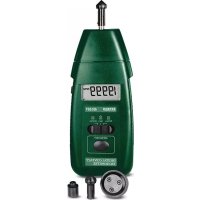
461891 - Odometer Extech - Free user manual and instructions
Find the device manual for free 461891 Extech in PDF.


| Product Type | Digital Odometer |
| Brand | Extech |
| Model | 461891 |
| Dimensions | 120 x 70 x 30 mm |
| Weight | 200 g with batteries |
| Power Supply | 2 AAA 1.5 V batteries |
| Display | 6-digit LCD display, 10 mm height |
| Main Functions | Pulse counting, totalization, reset, rate display |
| Measurement Range | 0 to 999999 pulses |
| Max Input Frequency | 10 kHz |
| Accuracy | ±0.1% of reading |
| Sensor Input | Dry contact (NPN/PNP) or TTL 5 V |
| Memory | Non-volatile (retains count when powered off) |
| Operating Temperature | 0 °C to 50 °C |
| Operating Humidity | Max 80% RH non-condensing |
| Maintenance and Cleaning | Clean with a soft, dry cloth. Do not use solvents. |
| Safety | CE compliant, indoor use, IP40 rating |
| Warranty | 1 year (parts and labor) |
| Certification | ISO 9001, NIST traceable (calibration available) |
| Spare Parts and Repairability | Contact Extech support; repairable, user-replaceable battery |
| General Information | Manufactured by FLIR Systems, Inc. Support: support@extech.com |
Frequently Asked Questions - 461891 Extech
User questions about 461891 Extech
0 question about this device. Answer the ones you know or ask your own.
Ask a new question about this device
Download the instructions for your Odometer in PDF format for free! Find your manual 461891 - Extech and take your electronic device back in hand. On this page are published all the documents necessary for the use of your device. 461891 by Extech.
USER MANUAL 461891 Extech
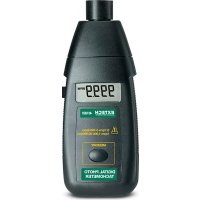
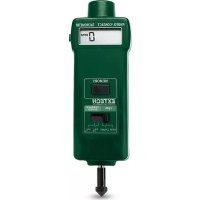
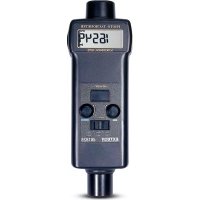
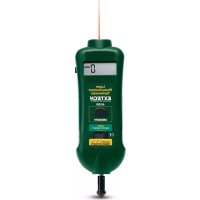
Congratulations on your purchase of Extech's Digital Tachometer, model 461891. This meter is shipped fully tested and calibrated and, with proper use, will provide years of reliable service.
Features
● Measures from 0.5 to 19999 rpm
- Min/Max Memory Recall
- Cone, funnel, surface attachments included
- Quartz crystal time base
Specifications
General Specifications
| Circuit Custom one-chip LSI microprocessor circuit | |
| Time base | Quartz crystal |
| Display | 5-digit multi function LCD display |
| Measurements | Rotation Speed 0.5 to 19,999 rpmSurface Speed 0.2 to 6560 ft/min.0.05 to 1999.9 m/min |
| Memory | Last and Max/Min readings |
| Sampling Time | 1 second |
| Operating Temperature/RH | 32 °F to 122 °F (0 °C to 50 °C) / <80% RH |
| Power Supply | 4 x 1.5V AA batteries |
| Power Consumption | Approx. 10 mA |
| Weight | 0.62 lb (280 g) including batteries |
| Dimensions | 8.2 x 2.8 x1.5" (208 x 72 x 37 mm) |
| Accessories | Cone rpm adaptor, funnel rpm adaptor, surface speed test wheel, and carrying case |
Range Specifications
| Range Resolution | Accuracy | ||
| rpm | 0.5 to 19,999 rpm | 0.1 rpm (0.5 to 999.9 rpm)1 rpm (over 1000 rpm) | ± (0.05% rdg +1d)@23± 5°C |
| ft/min | 0.2 to 6560 ft/min | 0.1 ft/min (0.2 to 999.9 ft/min)1 ft/min (over 1000 ft/min) | ± (1% rdg + 1 digit) |
| m/min | 0.05 to 1999.9 m/min | 0.01 m/min (0.05 to 99.99 m/min)0.1 m/min (over 100 m/min) |
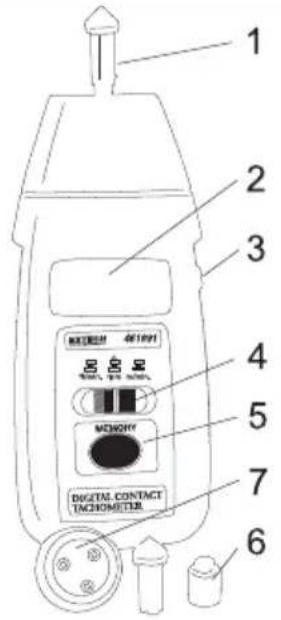
1 Shaft with cone adapter attached
2 LCD display
3 Measure button
4 Function select switch
5 Memory button
6 Cup attachment
7 Surface wheel attachment
Operation
RPM Measurement
a) Slide the Function Switch to the "RPM" position.
b) Install the appropriate RPM Adapter on the Shaft
c) Press the Measure button while lightly pressing the RPM adapter against the central opening of a rotating shaft in proper alignment. Release the Measure button when the display stabilizes (about 1 to 2 seconds).
Surface Speed Measurement
a) Slide the Function Switch to "ft/min" or "m/min"
b) Attach the Surface Speed Wheel to the Shaft
c) Press the Measure button and hold the surface speed wheel against the device being measured. Release the Measure button when the display stabilizes.
Memory Recall
The last value and last max and min values obtained before releasing the Measure button are automatically stored by the meter. These memorized values can be displayed by pressing the Memory button as described below:
a) Press once and hold - the last value is displayed followed by the "LA" icon
b) Press again and hold - the maximum value is displayed followed by the "UP"I con
c) Press again and hold - the minimum value is displayed followed by the "dn" icon
Battery Replacement:
When the low battery indication appears ("LO" on the display), slide the battery cover off of the rear of the instrument, replace batteries with four 1.5V AA batteries and replace the cover. Remove the batteries if the instrument will not be used for a long period of time.
Cleaning: Use only a dry cloth to clean the plastic case.
Accessories:
Part # 461990 Kit contains: Qty. of 2 each: cone, wheel, and cup; Qty. 1 shaft
Warranty
FLIR Systems, Inc. warrants this Extech Instruments brand device to be free of defects in parts and workmanship for one year from date of shipment (a six month limited warranty applies to sensors and cables). If it should become necessary to return the instrument for service during or beyond the warranty period, contact the Customer Service Department for authorization. Visit the website www.extech.com for contact information. A Return Authorization (RA) number must be issued before any product is returned. The sender is responsible for shipping charges, freight, insurance and proper packaging to prevent damage in transit. This warranty does not apply to defects resulting from action of the user such as misuse, improper wiring, operation outside of specification, improper maintenance or repair, or unauthorized modification. FLIR Systems, Inc. specifically disclaims any implied warranties or merchantability or fitness for a specific purpose and will not be liable for any direct, indirect, incidental or consequential damages. FLIR's total liability is limited to repair or replacement of the product. The warranty set forth above is inclusive and no other warranty, whether written or oral, is expressed or implied.
Calibration, Repair, and Customer Care Services
FLIR Systems, Inc. offers repair and calibration services for the Extech Instruments products we sell. NIST certification for most products is also provided. Call the Customer Service Department for information on calibration services available for this product. Annual calibrations should be performed to verify meter performance and accuracy. Technical support and general customer service is also provided, refer to the contact information provided below.
Support Lines: U.S. (877) 439-8324; International: +1 (603) 324-7800
Technical Support: Option 3; E-mail: support@extech.com
Repair & Returns: Option 4; E-mail: repair@extech.com
Product specifications are subject to change without notice
Please visit our website for the most up-to-date information
www.extech.com
FLIR Commercial Systems, Inc., 9 Townsend West, Nashua, NH 03063 USA
ISO 9001 Certified
Copyright © 2013-2015 FLIR Systems, Inc.
All rights reserved including the right of reproduction in whole or in part in any form
www.extech.com
Garantie
Copyright © 2013-2015 FLIR Systems, Inc.
Copyright © 2013-2015 FLIR Systems, Inc.