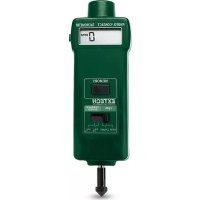
461895 - Odometer Extech - Free user manual and instructions
Find the device manual for free 461895 Extech in PDF.


| Product type | Digital odometer |
| Brand | Extech |
| Model | 461895 |
| Category | Odometer |
| Dimensions | 190 x 55 x 35 mm |
| Weight | 200 g (with batteries) |
| Power supply | 2 x AAA 1.5 V batteries |
| Battery life | About 50 hours of continuous use |
| Units of measurement | Meters (m), feet (ft), inches (in) |
| Accuracy | ±0.5% of reading |
| Measuring range | 0.1 m to 99999.9 m |
| Resolution | 0.1 m |
| Display | 7-segment backlit LCD screen |
| Functions | Single distance measurement, cumulative measurement, measurement memory, pause, auto shut-off |
| Memory | Up to 20 stored measurements |
| Warranty | 1 year (sensors and cables: 6 months) |
| Maintenance | Clean with a soft, dry cloth. Do not use solvents. |
| Cleaning | Wipe the device with a slightly damp cloth. Avoid moisture. |
| Safety | Do not expose to violent shocks, excessive humidity or extreme temperatures. |
| Spare parts | Batteries (AAA type), measuring wheel (optional) |
| Repairability | Repair possible via Extech after-sales service or authorized centers. |
| General information | The Extech 461895 odometer is a wheel distance measuring instrument, ideal for construction, surveying and topography professionals. |
Frequently Asked Questions - 461895 Extech
User questions about 461895 Extech
0 question about this device. Answer the ones you know or ask your own.
Ask a new question about this device
Download the instructions for your Odometer in PDF format for free! Find your manual 461895 - Extech and take your electronic device back in hand. On this page are published all the documents necessary for the use of your device. 461895 by Extech.
USER MANUAL 461895 Extech
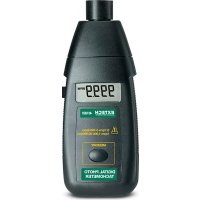
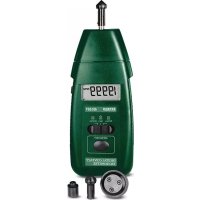
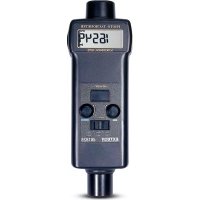
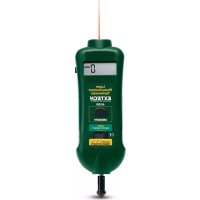
Congratulations on your purchase of the Extech Combination Contact/Photo Tachometer, Model 461895. The combination tachometer is a patented design providing contact and non-contact RPM measurements. In addition, linear surface speeds can be measured in ft/min or m/min. Careful use of this device will provide years of reliable operation.
General Specifications
| Circuit Custom one-chip | LSI microprocessor circuit |
| Time base Quartz crystal | |
| Display 5 digit LCD display | |
| Measurements Photo Tachometer - 5 to 99,999 rpmContact Tachometer - 0.5 to 19,999 rpmSurface Speed - 0.2 to 6,560 ft/minSurface Speed - 0.05 to 1999.9 m/min | |
| Memory Saves LAST, MAX, and MIN readings | |
| Sampling Time Photo Tachometer - 1 sec. (over 60 rpm)Contact Tachometer - 1 sec. (over 6 rpm) | |
| Detecting Distance -Photo Tachometer | 2 to 6" (50 to 150 mm) depending on ambient light |
| Operating Temperature 32 °F to 122 °F (0 °C to 50 °C) | |
| Power Supply Four 1.5 V | AA batteries |
| Weight 0.66 lbs / 300g (including battery) | |
| Size 8.5 x 2.6 x1.5" (215 x 65 x 38mm) | |
| Accessories | Reflective tape (23"), cone and funnel rpm adaptor, surface speed wheel, and carrying case |
Electrical Specifications
| Range Accuracy | Resolution | (% rdg) | |
| Photo Tachometer | 5 to 99,999 rpm | 0.1 rpm (0.5 to 999.9 rpm)1 rpm (over 1000 rpm) | ±(0.05% + 1d) |
| Contact Tachometer | 0.05 to 19,999 rpm | 0.1 rpm (0.5 to 999.9 rpm)1 rpm (over 1000 rpm) | |
| Surface Speed | 0.2 to 6560 ft/min | 0.1 ft/min (0.1 to 999.9 ft/min)1 ft/min (over 1000 ft/min) | ± (1% rdg + 1d) |
| Surface Speed | 0.05 to 1999.9 m/min | 0.01 m/min (0.05 to 99.99 m/min)0.1 m/min (over 100 m/min) |
- Reflective tape – In the non-contact mode of operation, place a small square piece of tape on the object under test.
- Sensor light source – In the non-contact mode, direct the light beam toward the reflective tape while the device under test is moving.
- Monitor indication – In the non-contact mode, the monitor switches on each time the reflective tape breaks the light beam.
- Measurement Display – Indicates the measurement result.
- Memory button – Press to recall the stored LAST, MAX & MIN readings.
- Function Switch – Select Tachometer or Linear Surface Speed mode.
- Rotating shaft – In the contact mode of operation, carefully touch the shaft to the moving object.
- Measure button – Press to initiate a measurement.
- 1' Battery compartment on rear
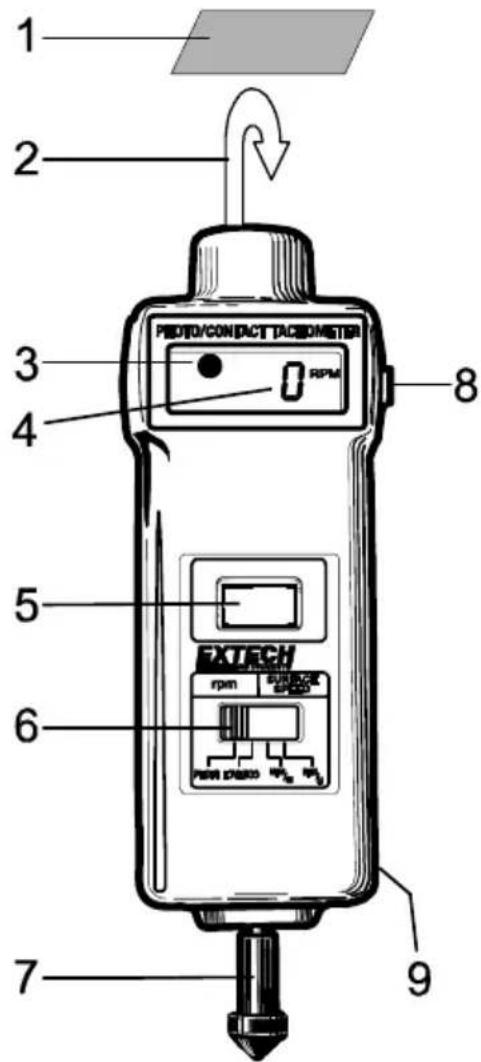
Photo Tachometer
- Slide the Function Switch to the "rpm PHOTO" position.
- Apply a 0.5" (12mm) square piece of reflective tape to the object being measured.
- Press the Measure button and align the visible light beam with the object being measured. Check that the Monitor Indicator switches on (upper left-hand corner of LCD) when the reflective tape passes through the light beam. Release the Measure button once the display stabilizes (approx. 2 seconds). For best results, hold the meter's light source 6 -12 inches from the object being measured. For best results, minimize the ambient light as much as possible.
- If the RPM measurement is less than 50, apply additional squares of reflective tape (equidistant). Divide the reading shown on the display by the number of reflective squares to get the actual RPM.
NOTE: Bright ambient light may interfere with the reflected light beam. Shading the target area may be necessary in some cases.
CAUTION: Rotating objects can be dangerous. Use extreme care when holding the meter near any such object.
Contact Tachometer
- Slide the Function Switch to the "rpm CONTACT" position.
- Press the Measure button while lightly pressing the rotating ring against the center opening of a rotating shaft. Release the Measure button once the display has stabilized (approx. 2 seconds).
CAUTION: Rotating objects can be dangerous. Use extreme care when holding the meter near a rotating object.
Surface Speed Measurement
- Slide the Function Switch to "SURFACE SPEED ft/min" or "m/min".
- Attach the Surface Speed Wheel to the meter shaft.
- Press the Measure button and hold the surface speed wheel against the device being measured (a conveyor belt, for example).
- Release the Measure button once the display has stabilized (approx. 2 seconds).
CAUTION: Moving belts and other moving objects can be dangerous. Use extreme care when taking measurements.
Memory Recall
When measuring, the LAST, MAX and MIN readings are automatically stored before the Measure button is released. Recall the values by pressing the Memory button.
- Press once and hold - the last value is displayed followed by "LA"
- Press again and hold - the maximum value is displayed followed by "UP"
- Press again and hold - the minimum value is displayed followed by "dn"
Battery Replacement
The low battery indication (LO) appears when the batteries need to be replaced.
To replace the batteries:
- Open the rear battery compartment by removing the screw that secures it.
- Replace the four 1.5V AA batteries.
- Replace the battery cover.
FLIR Systems, Inc. warrants this Extech Instruments brand device to be free of defects in parts and workmanship for one year from date of shipment (a six month limited warranty applies to sensors and cables). If it should become necessary to return the instrument for service during or beyond the warranty period, contact the Customer Service Department for authorization. Visit the website www.extech.com for contact information. A Return Authorization (RA) number must be issued before any product is returned. The sender is responsible for shipping charges, freight, insurance and proper packaging to prevent damage in transit. This warranty does not apply to defects resulting from action of the user such as misuse, improper wiring, operation outside of specification, improper maintenance or repair, or unauthorized modification. FLIR Systems, Inc. specifically disclaims any implied warranties or merchantability or fitness for a specific purpose and will not be liable for any direct, indirect, incidental or consequential damages. FLIR's total liability is limited to repair or replacement of the product. The warranty set forth above is inclusive and no other warranty, whether written or oral, is expressed or implied.
Calibration, Repair, and Customer Care Services
FLIR Systems, Inc. offers repair and calibration services for the Extech Instruments products we sell. NIST certification for most products is also provided. Call the Customer Service Department for information on calibration services available for this product. Annual calibrations should be performed to verify meter performance and accuracy. Technical support and general customer service is also provided, refer to the contact information provided below.
Support Lines: U.S. (877) 439-8324; International: +1 (603) 324-7800
Technical Support: Option 3; E-mail: support@extech.com
Repair & Returns: Option 4; E-mail: repair@extech.com
Product specifications are subject to change without notice
Please visit our website for the most up-to-date information
www.extech.com
FLIR Commercial Systems, Inc., 9 Townsend West, Nashua, NH 03063 USA
ISO 9001 Certified
Copyright © 2013 FLIR Systems, Inc.
All rights reserved including the right of reproduction in whole or in part in any form
www.extech.com
Copyright © 2013 FLIR Systems, Inc.
Copyright © 2013 FLIR Systems, Inc.