Amt 20 Extern Motor - Range hood EICO - Free user manual and instructions
Find the device manual for free Amt 20 Extern Motor EICO in PDF.



| Product type | Extractor hood with external motor |
| Brand | Eico |
| Model | Amt 20 Extern Motor |
| Power supply | 220-230 V ~ 50 Hz |
| Maximum external motor power | 640 W |
| Exhaust duct diameter | 150 mm |
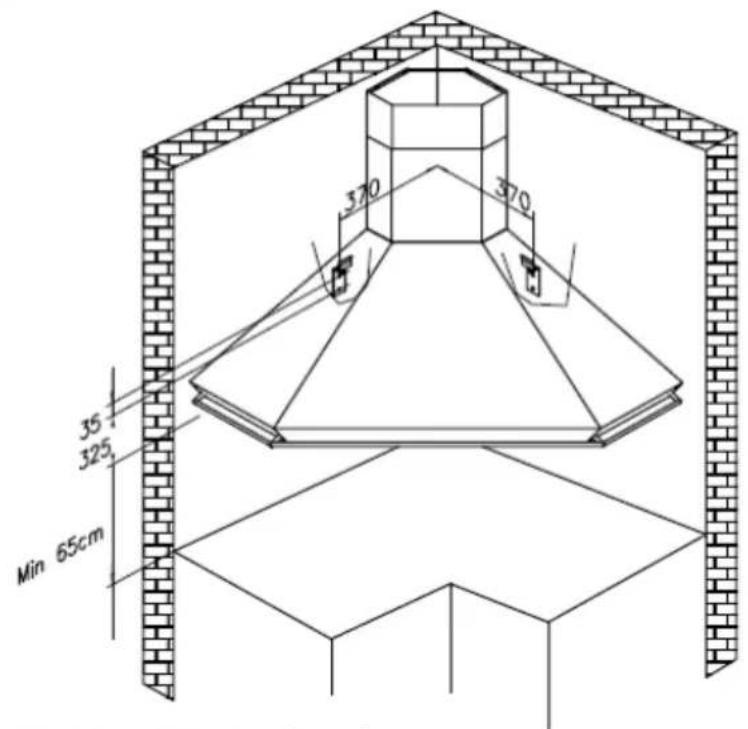
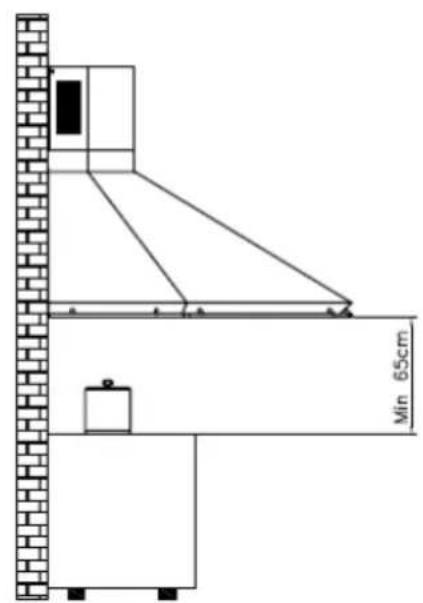
| Minimum distance from hob | 65 cm |
| Control type | Push buttons, Soft Touch, Digital or Remote control depending on version |
| Motor speeds | 4 speeds (including intensive) |
| Lighting | Halogen 12V (G4 or GU4) or LED depending on version |
| Metal filters | Washable every 2-3 months |
| Charcoal filters | Recommended for recirculation, periodic replacement (every 4 months) or washable (Long Life) |
| Timer function | Automatic shut-off after 10 minutes |
| Filter maintenance alarm | Yes, after 100 hours of operation |
| Country of origin | Italy (EICO brand) |
| Installation type | Wall-mounted, extraction or recirculation |
Frequently Asked Questions - Amt 20 Extern Motor EICO
User questions about Amt 20 Extern Motor EICO
0 question about this device. Answer the ones you know or ask your own.
Ask a new question about this device
Download the instructions for your Range hood in PDF format for free! Find your manual Amt 20 Extern Motor - EICO and take your electronic device back in hand. On this page are published all the documents necessary for the use of your device. Amt 20 Extern Motor by EICO.
USER MANUAL Amt 20 Extern Motor EICO
INSTRUCTIONS FOR USING, MAINTAINING AND INSTALLING THE HOOD
ATTENTION: The hood must only be installed by a qualified technician.
The company accepts no liability if it is installed by an unauthorised person.
Please read these instructions carefully before beginning the installation. Conserve this handbook together with the hood
WARNINGS
This appliance can be used by children aged from 8 years and above and persons with reduced physical, sensory or mental capabilities, or lack of experience and knowledge if they have been given supervision or instruction concerning use of the appliance in a safe way and understand the hazards involved.
Children shall not play with the appliance. Cleaning and user maintenance shall not be made by children without supervision.
Before cleaning or performing any periodic or urgent maintenance to the hood, ensure the power is turned off by removing the plug from the socket and turning the main switch to 0 (off).
Do not connect the hood to any piping used for combustion appliances, such as burners, boilers or fireplaces.
Check that the main power supply corresponds to the voltage required by the hood, which is given on the silver label stuck inside the hood. Ensure that the electric system is correctly earthed and that the earth discharge works correctly.
When cooking do not use any materials that could form high or unusual flames. Oil that has been used twice and fats are very dangerous and could easily catch fire. Do not prepare flambè dishes under the hood.
Once the specialized technician has completed the installation of the hood equipped with a remote motor, all the leads, connectors, ground connections and the remote motor must not be accessible to the user. Only the installer is granted access by removing the screwed on panels.
Respect local legislation and regulations issued by the relative authorities regarding the exhaust air when the suction is operating. Failure to respect and perform all the maintenance and cleaning operations described in this handbook could cause a fire hazard.
ATTENTION: Accessible parts may become hot when the hood is used with cooking appliances
INSTALLATION
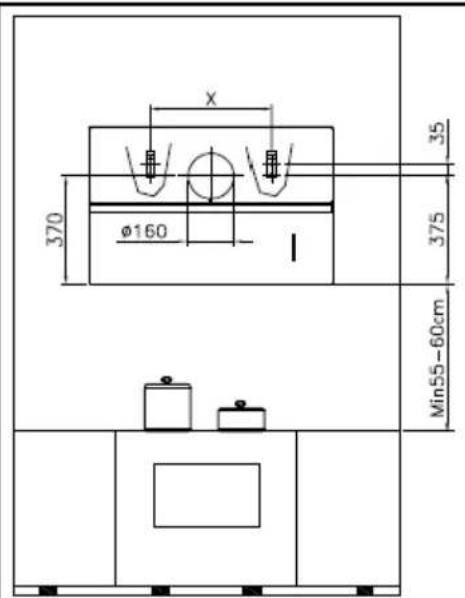
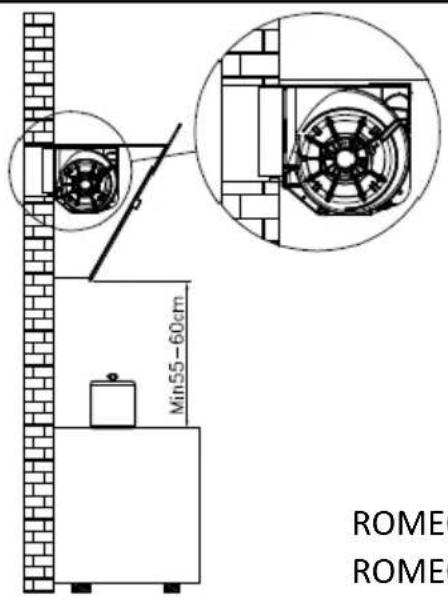
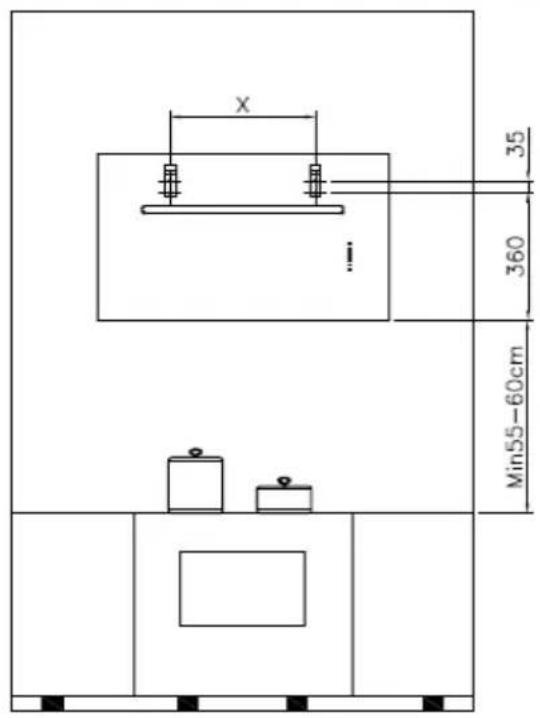
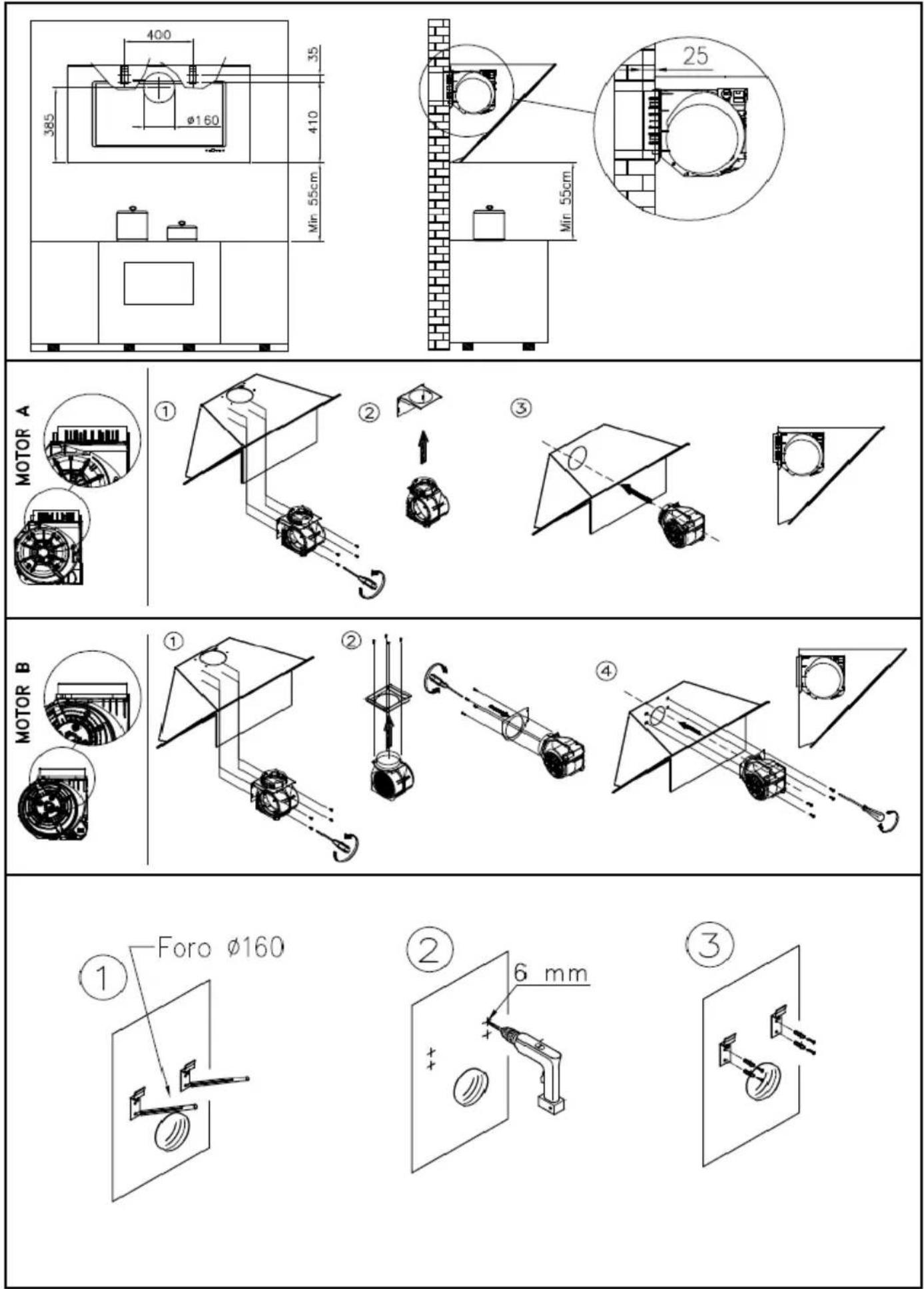
The minimum safety distance between the bottom of the hood and the top of the cooking hob must be 65 cm., smaller distances must be previously authorised by the manufacturer. (see installation drawings)
The hood can be used for both filtering and suction.
When the filtering function is operating, i.e. with air recycle, carbon filters must be used (refer to the paragraph on CARBON FILTERS).
When the suction function is operating, i.e. exhausting the filtered air on the outside, a suitable compensation system must be used according to current standards in force. The diameter of the fume exhaust pipe must be the same or greater than the diameter of the hood pipe union.
There must be sufficient ventilation in the room where the hood is installed, to allow the simultaneous use of other appliances that use gas or other fuel.
Hoods equipped for remote motors
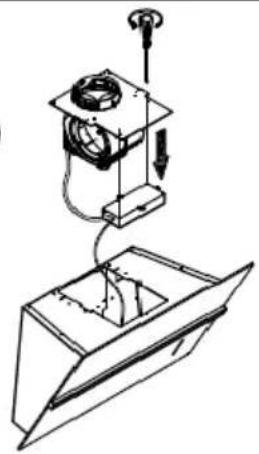
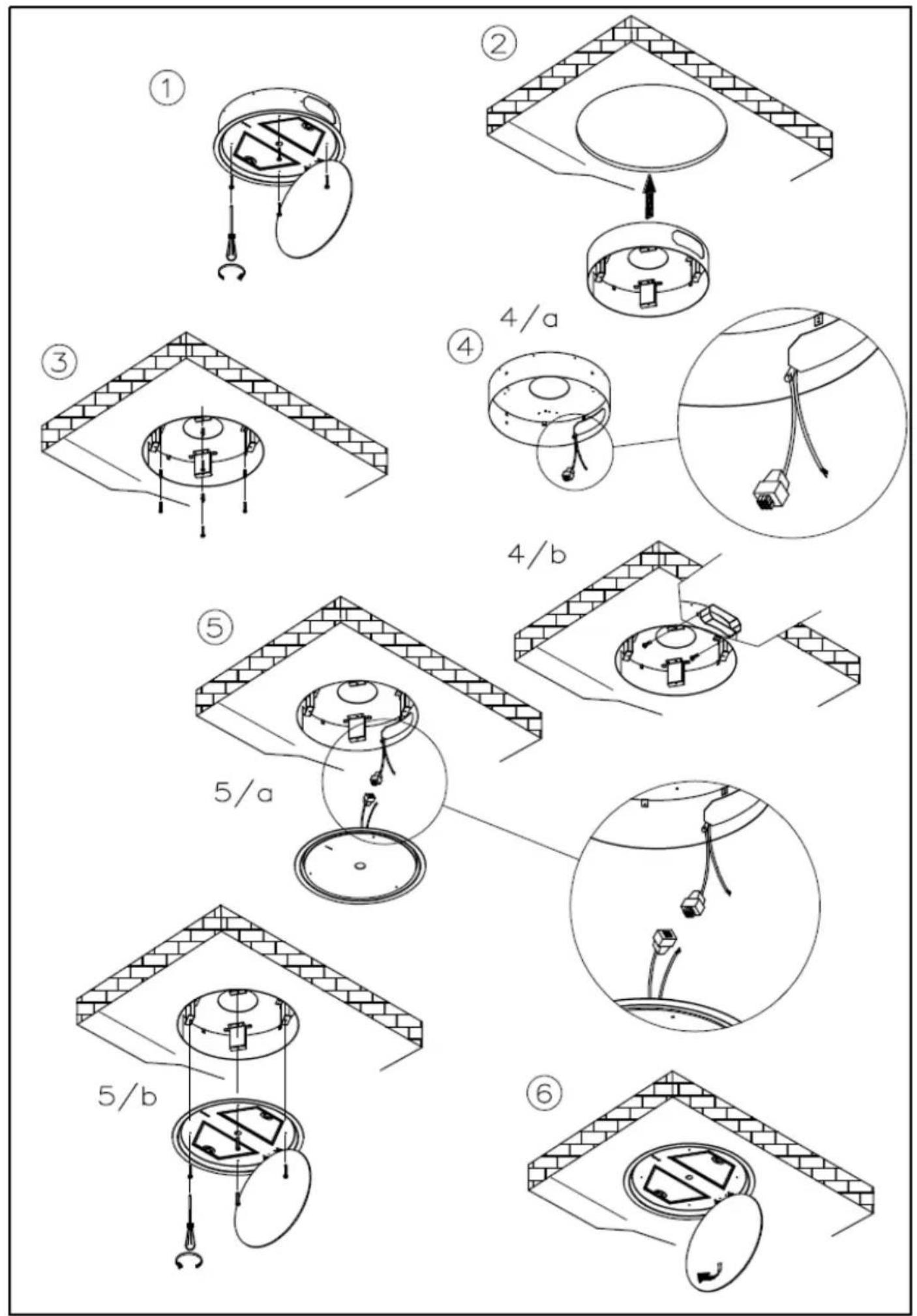
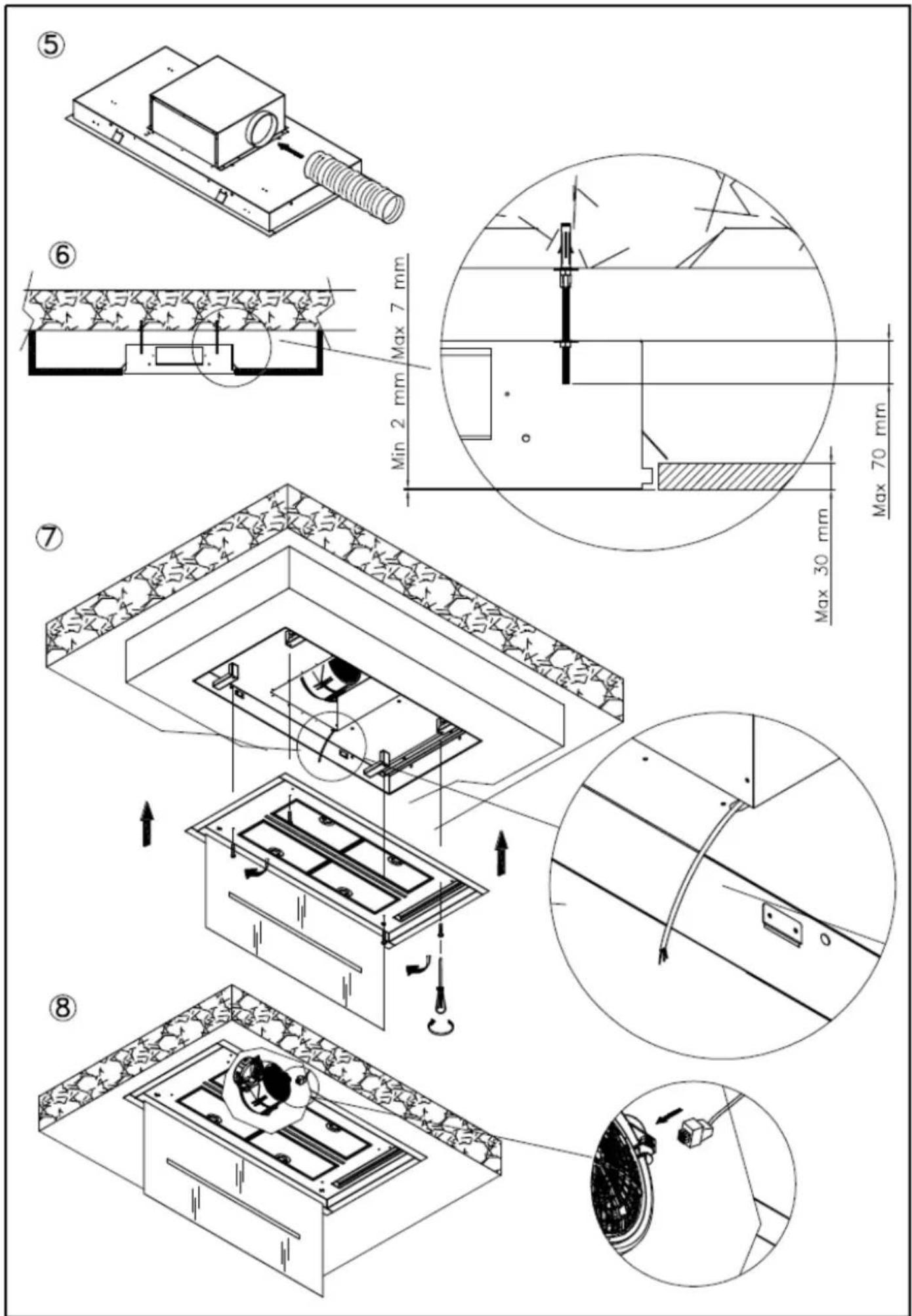
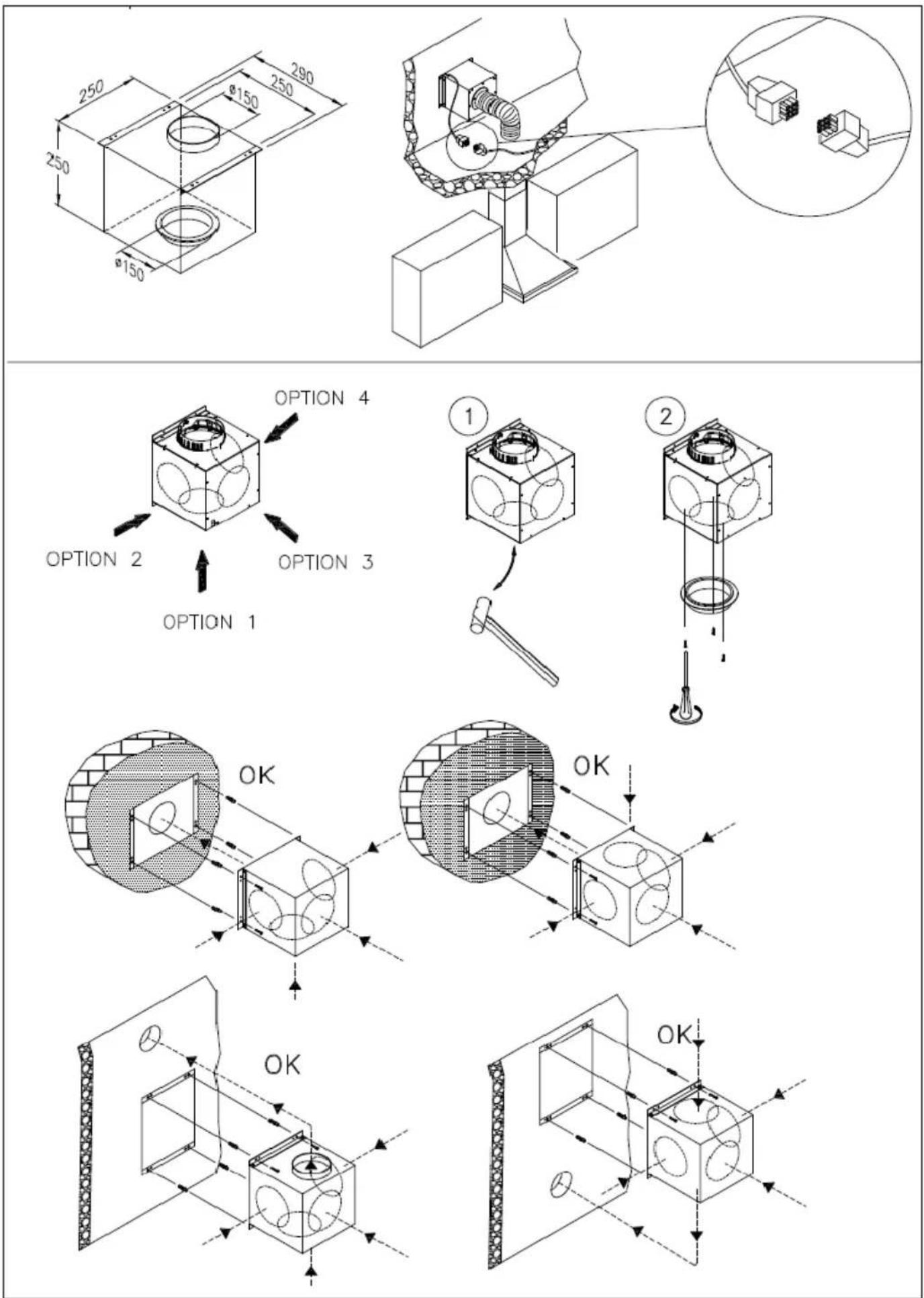
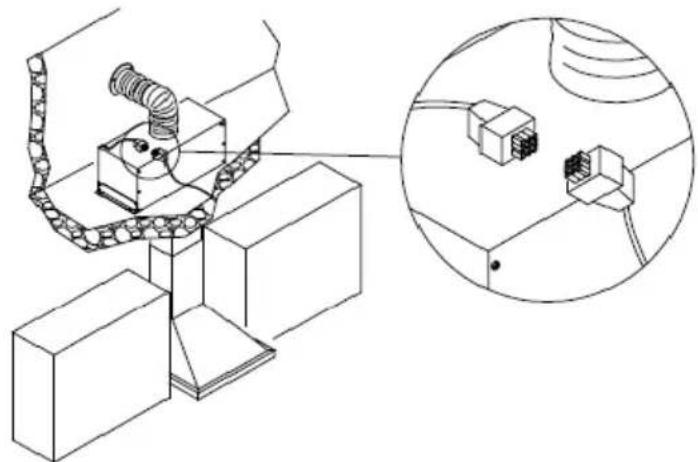
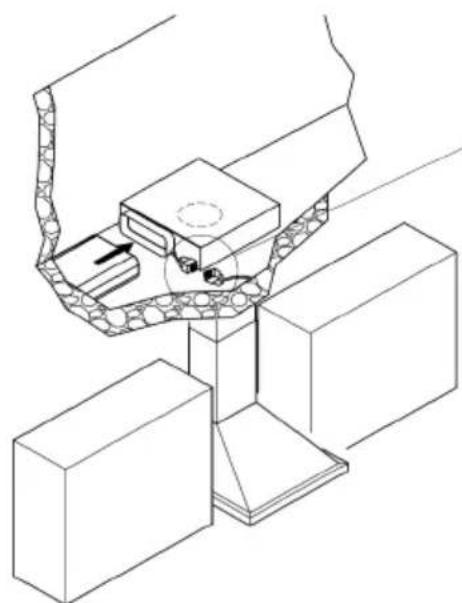
The hoods equipped for remote motors have a specific connector for the remote motor lead connection. The connector is situated inside the hood. Pass the remote motor lead into the hood through the aperture in the hood itself (usually near the fume exit hole) and join the two connectors. Refer to the figures in the remote motor instruction book when performing this operation.
Hoods without motor (Art.*0***) must only be installed and connected with extraction units with a max. output of 640W, as supplied and indicated by the manufacturer.
Once the specialized technician has completed the installation of the hood equipped with a remote motor, all the leads, connectors, ground connections and the remote motor must not be accessible to the user. Only the installer is granted access by removing the screwed on panels.
ASSEMBLY INSTRUCTIONS
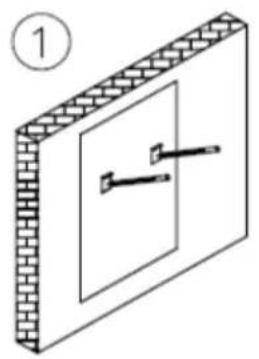
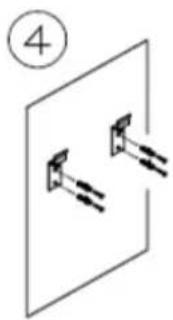
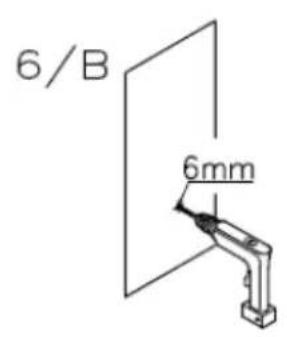
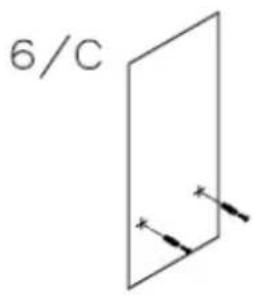
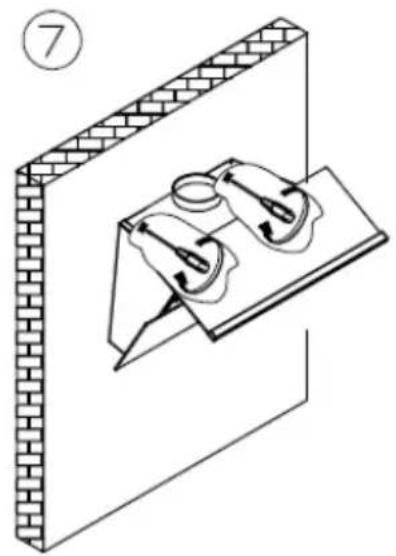
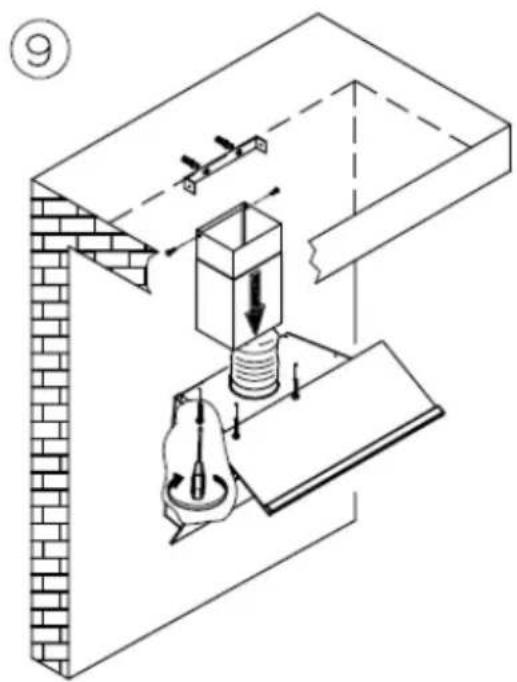
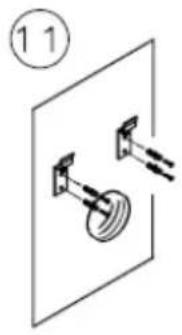
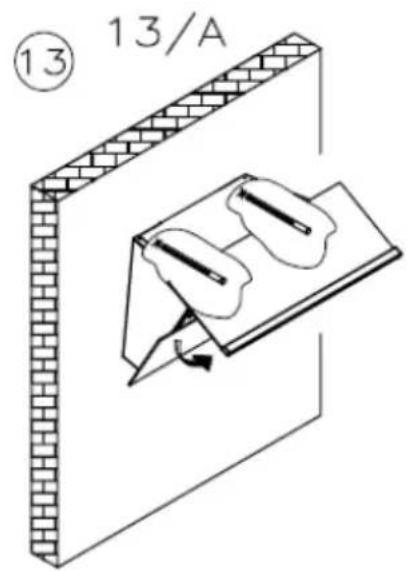
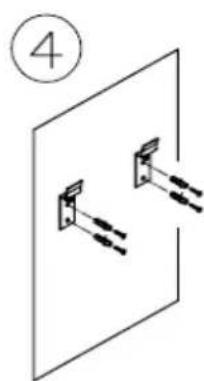
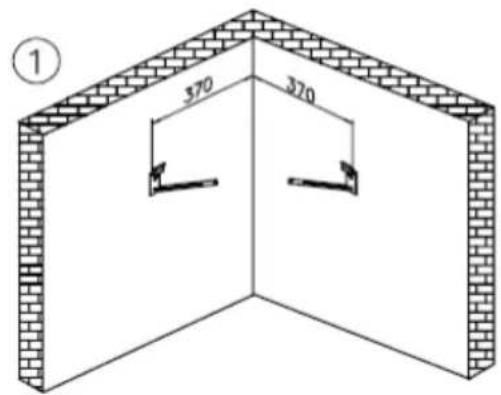
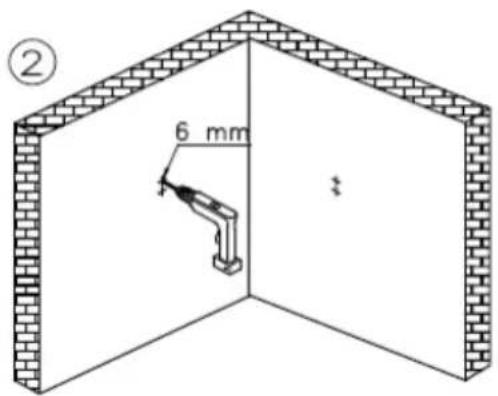
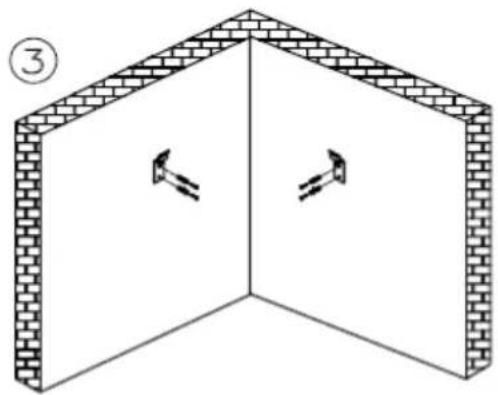
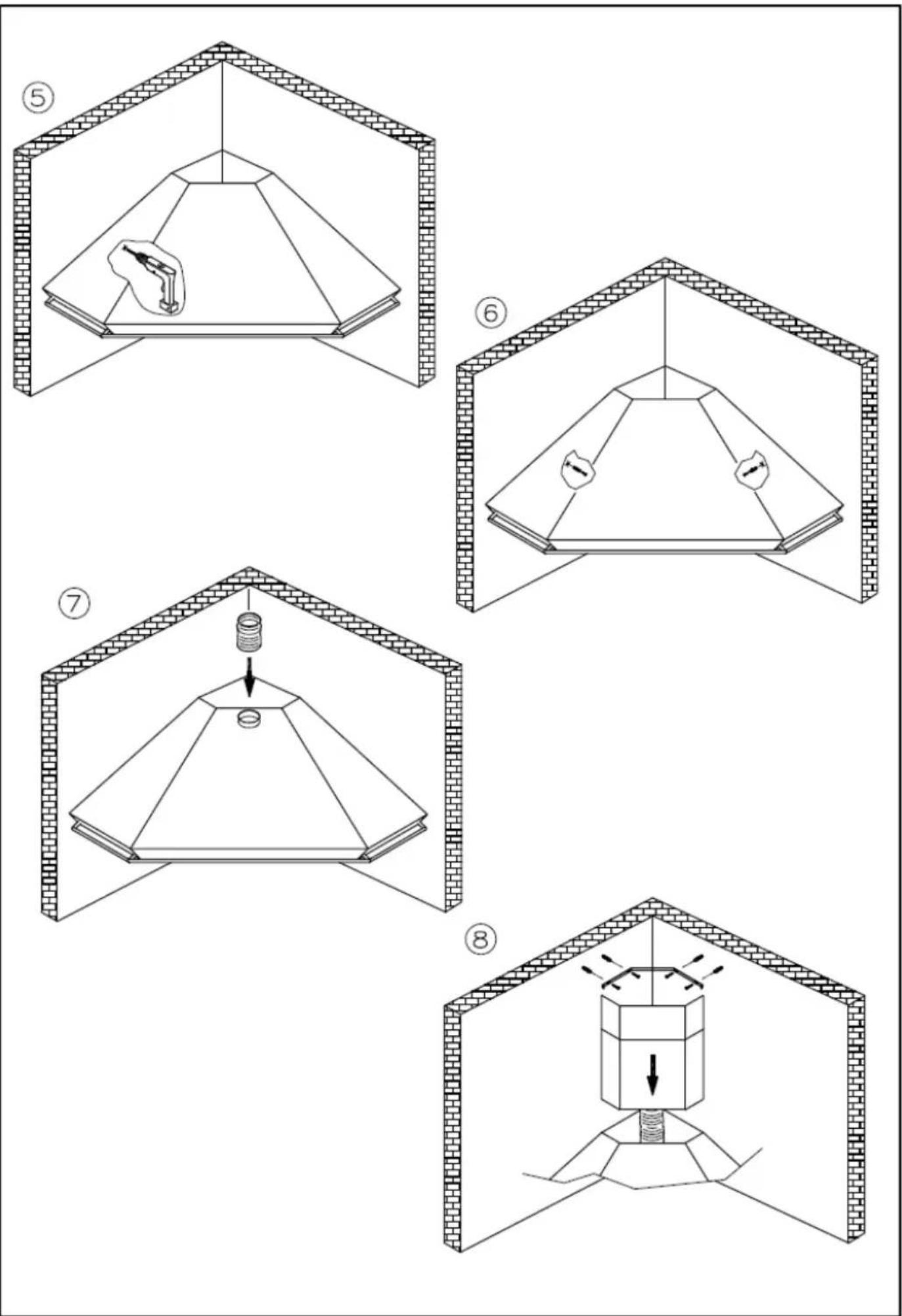
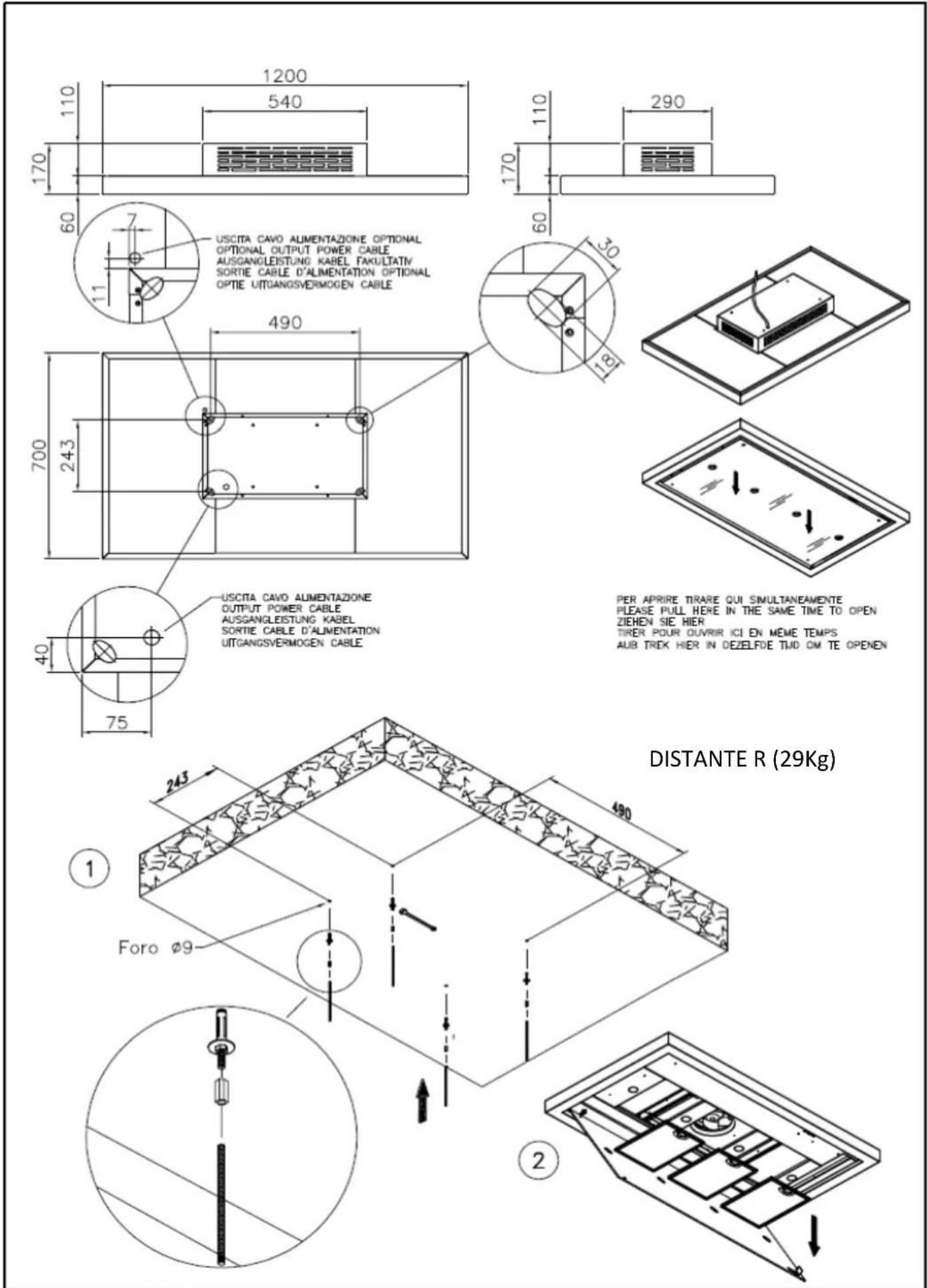
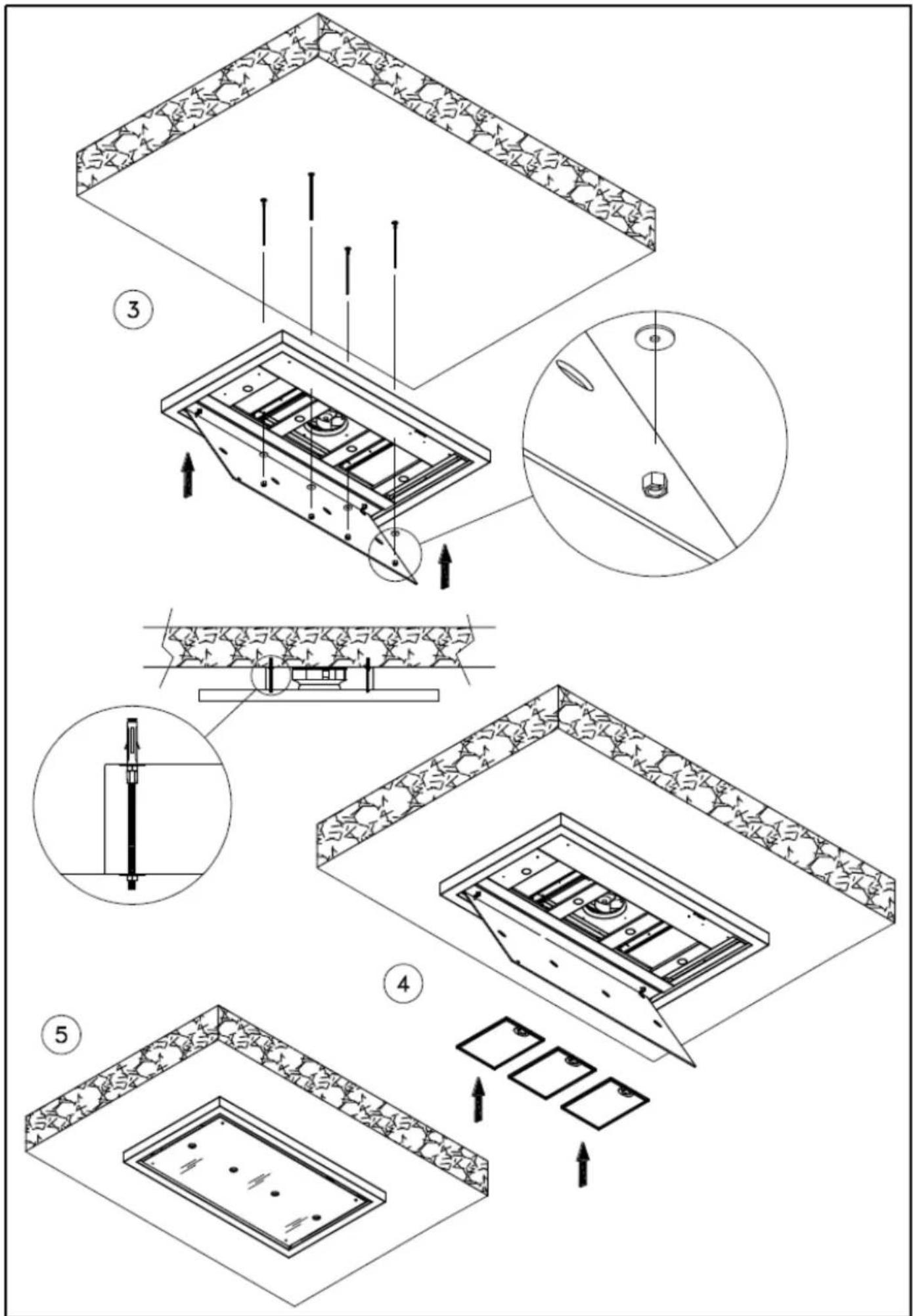
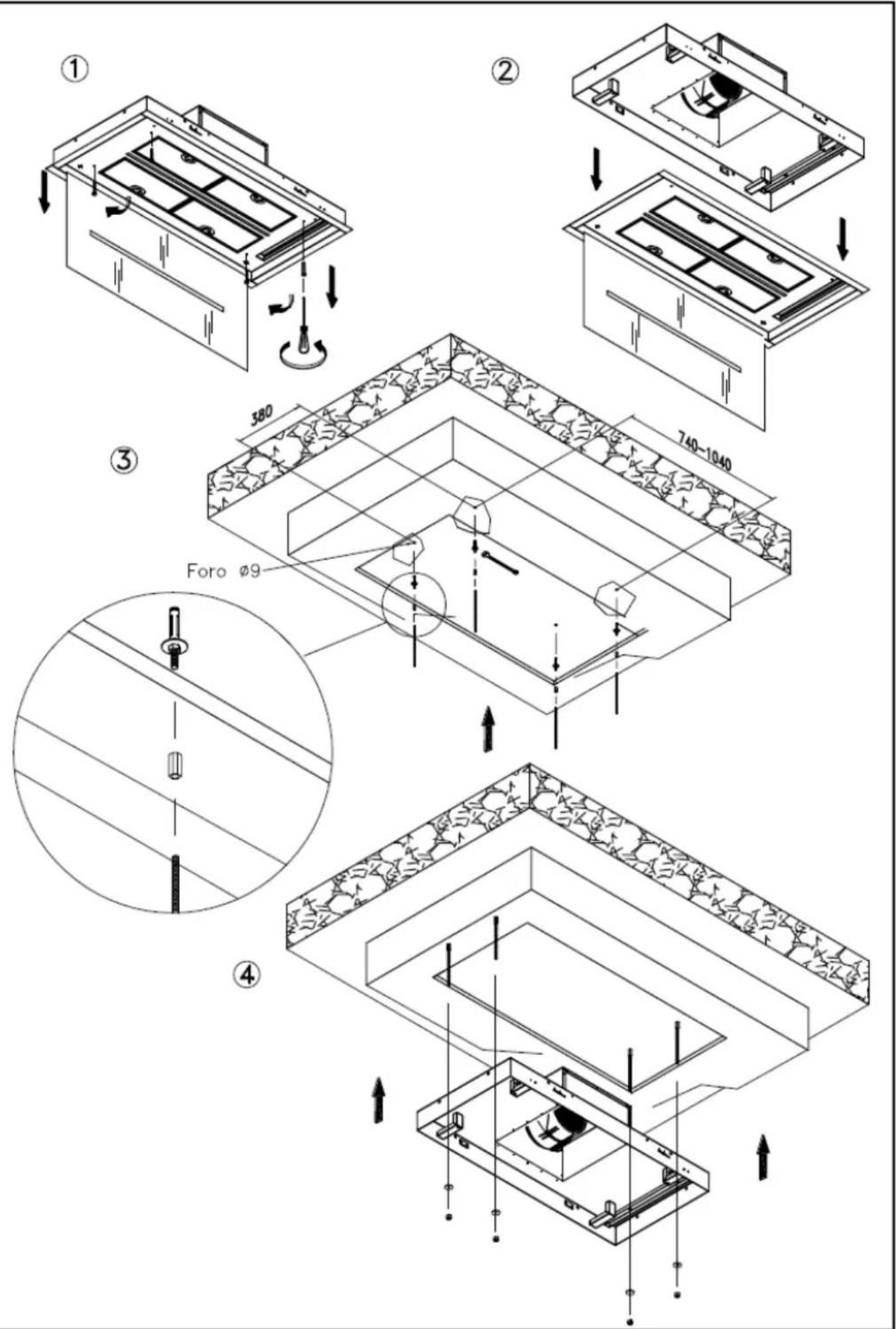
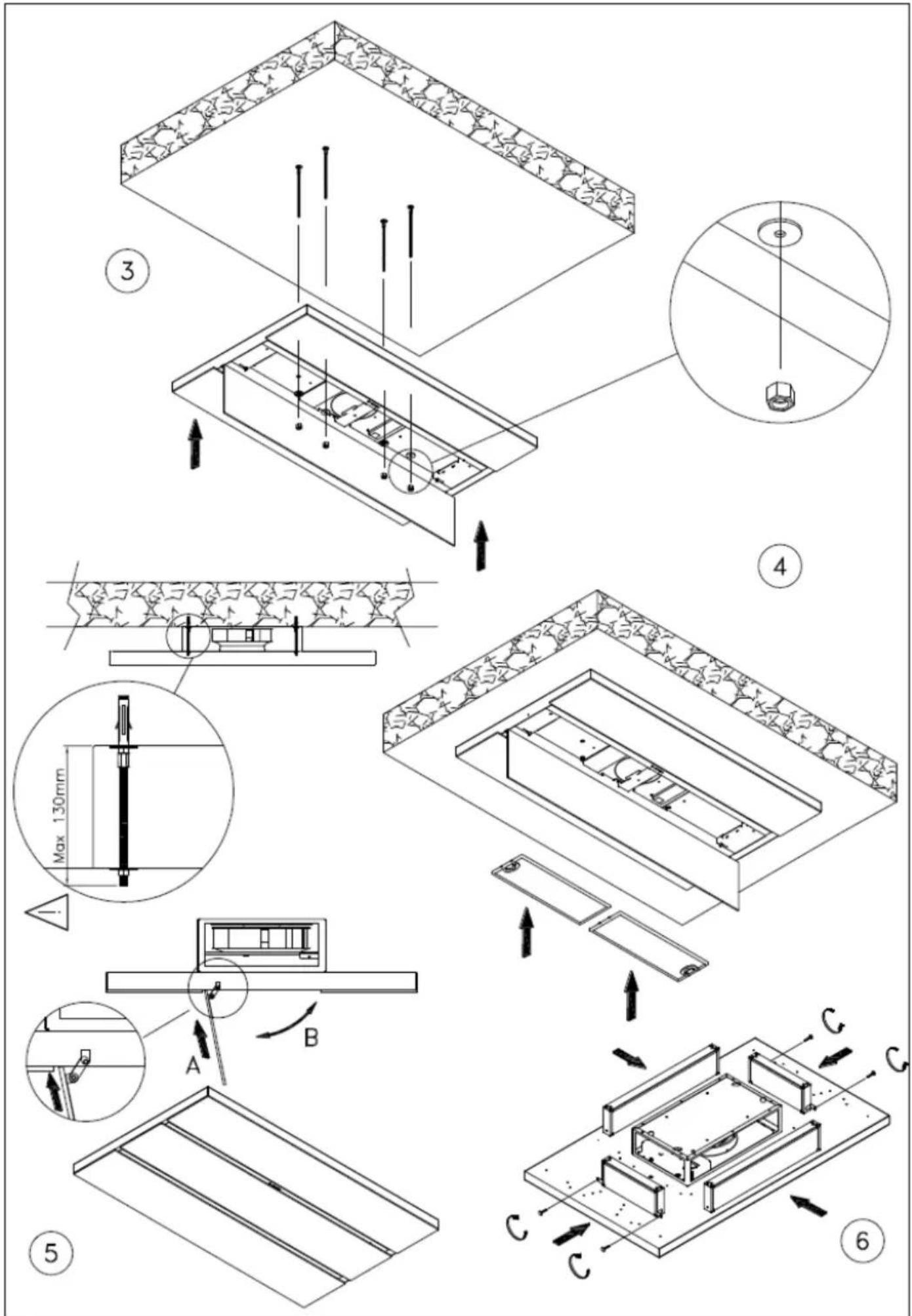
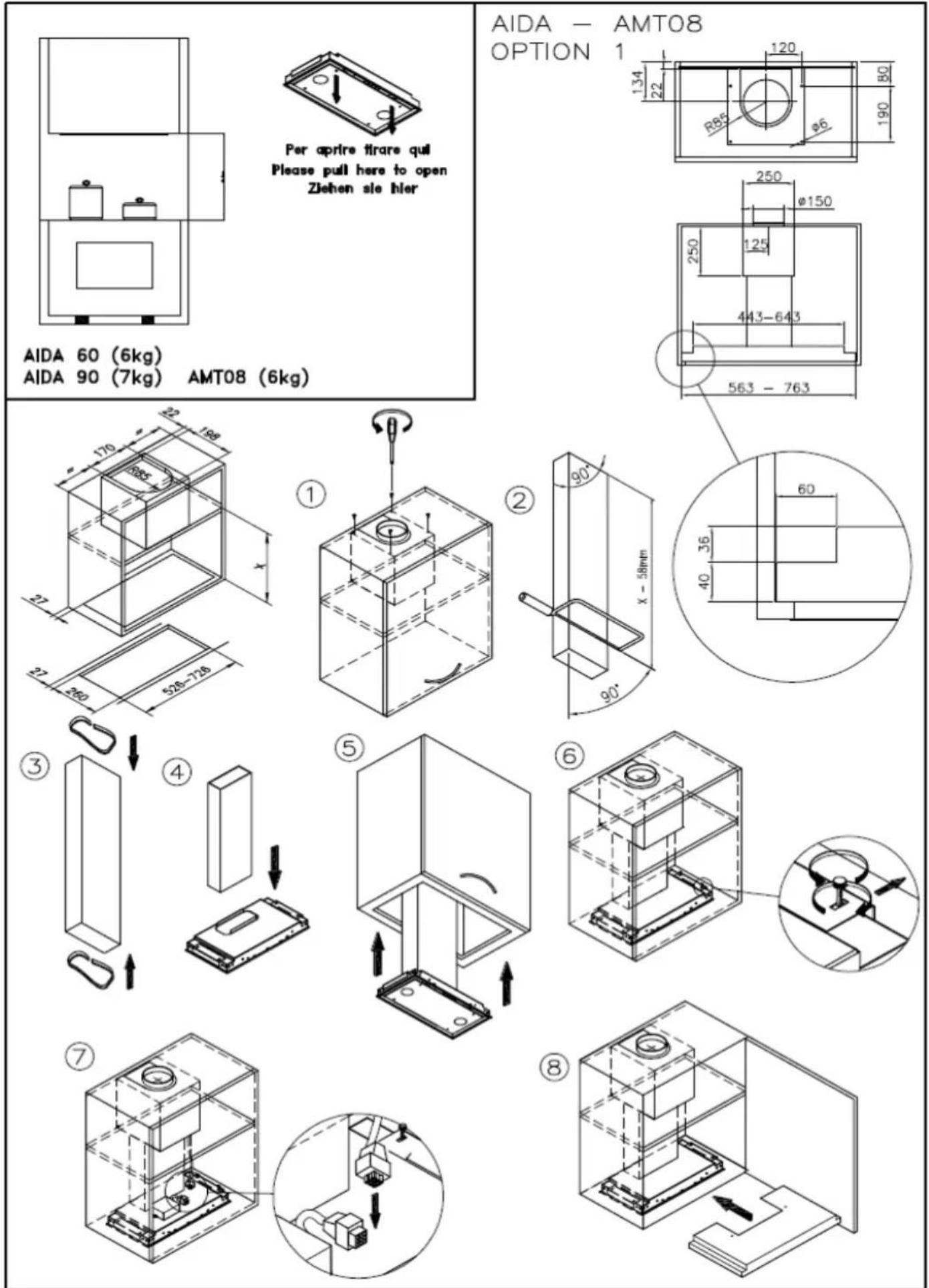
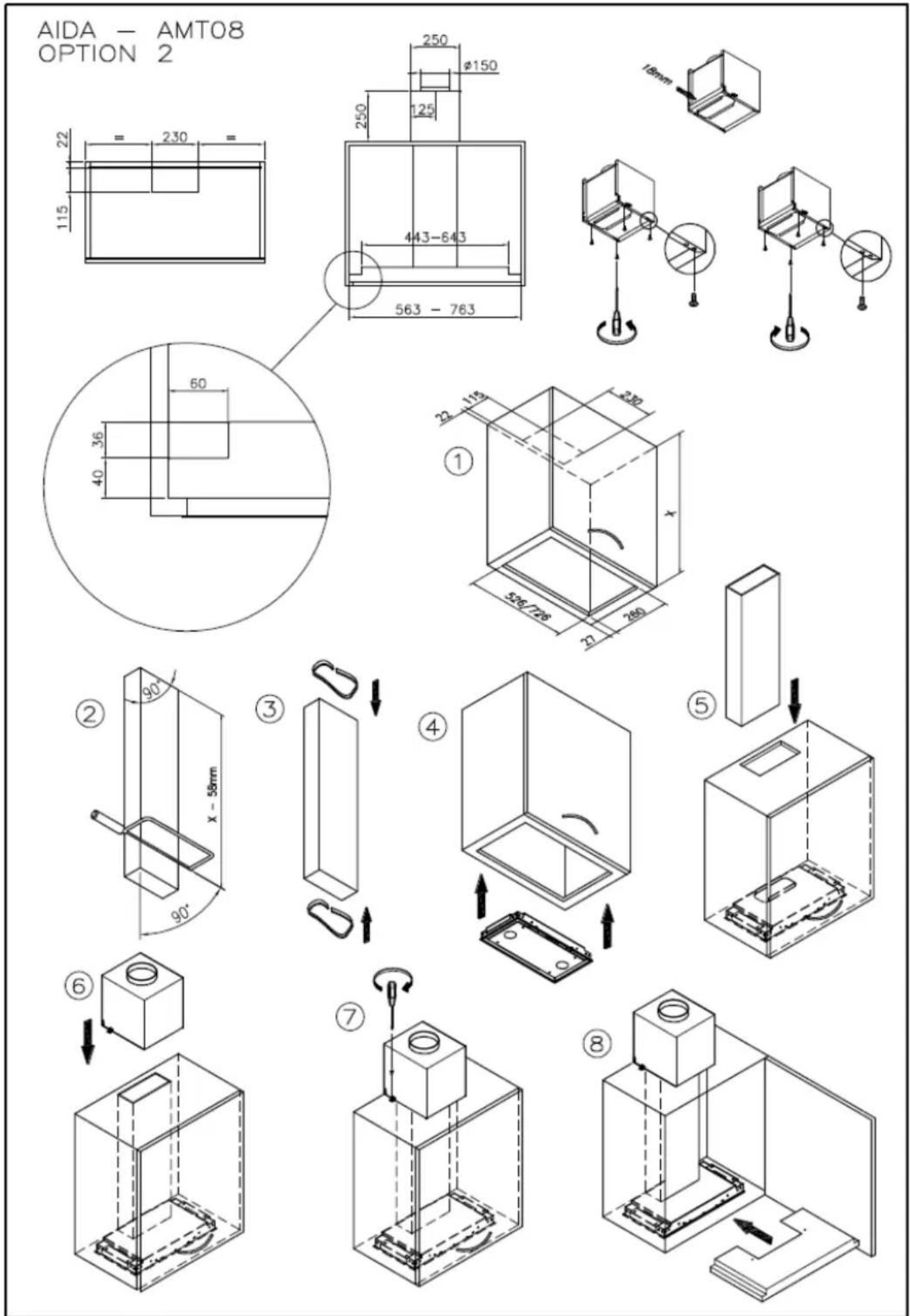
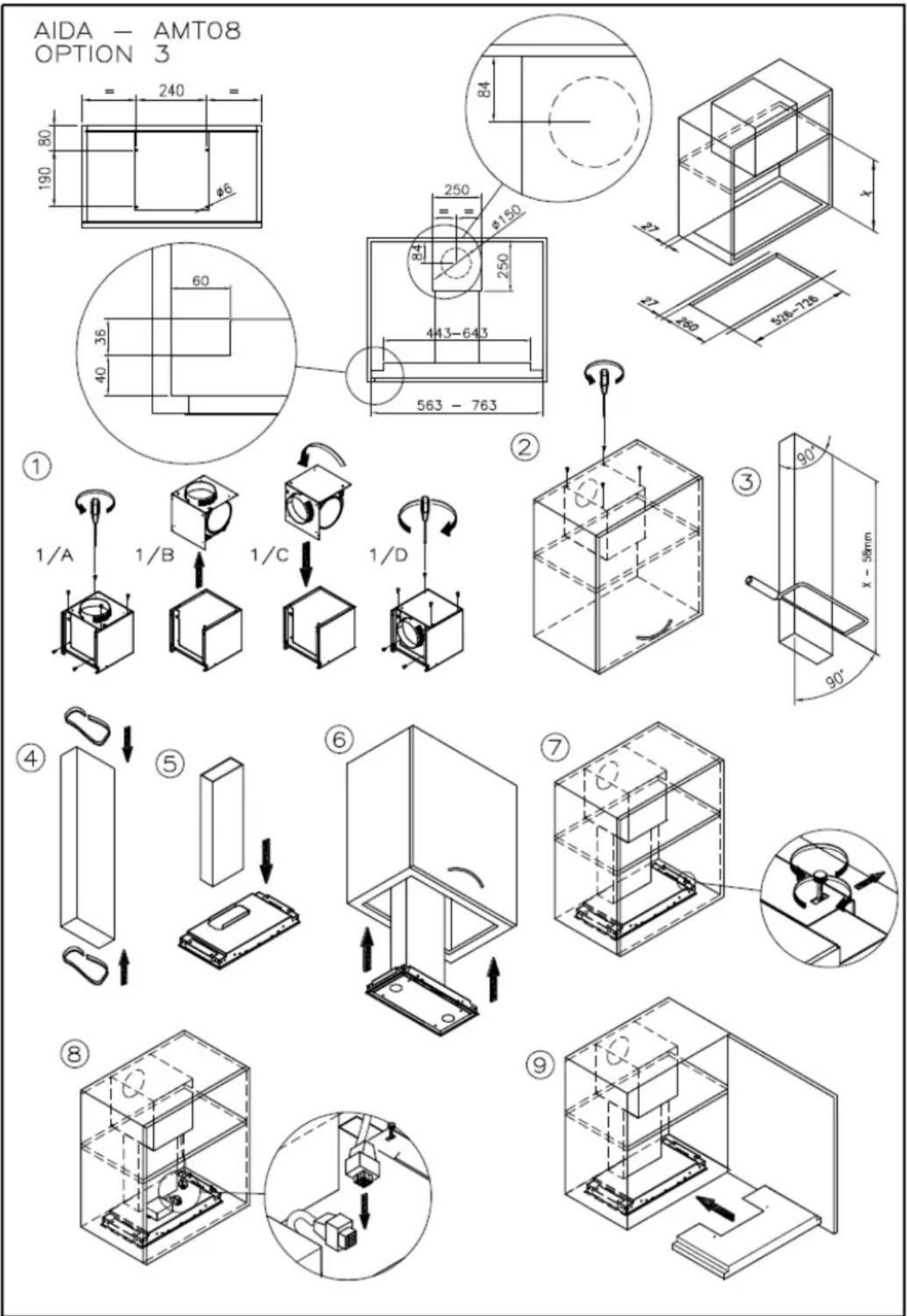
Attention: Before proceeding with the installation, make sure that the screws and the anchors already supplied, are suitable for the type of wall the hood must be fixed to.
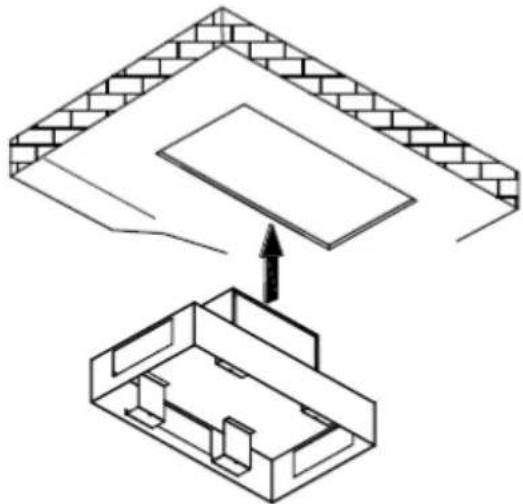
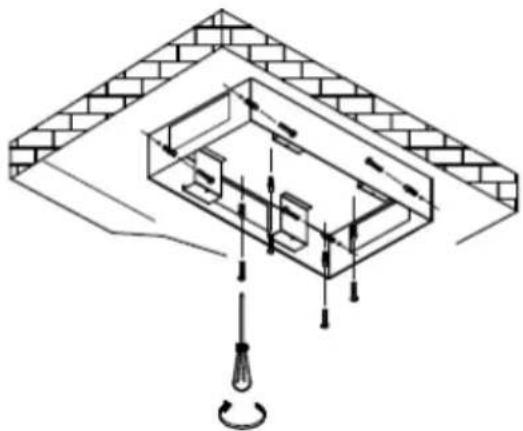
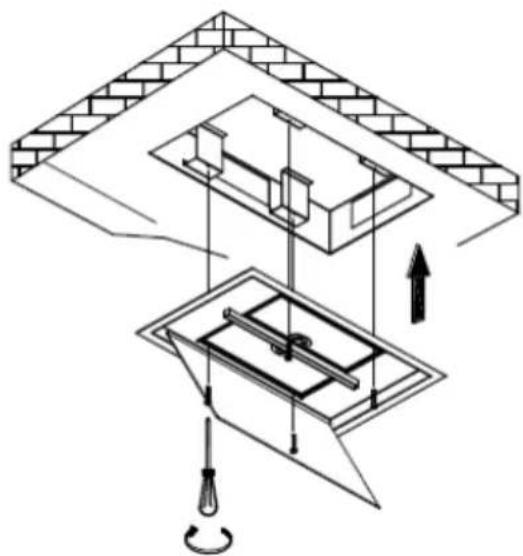
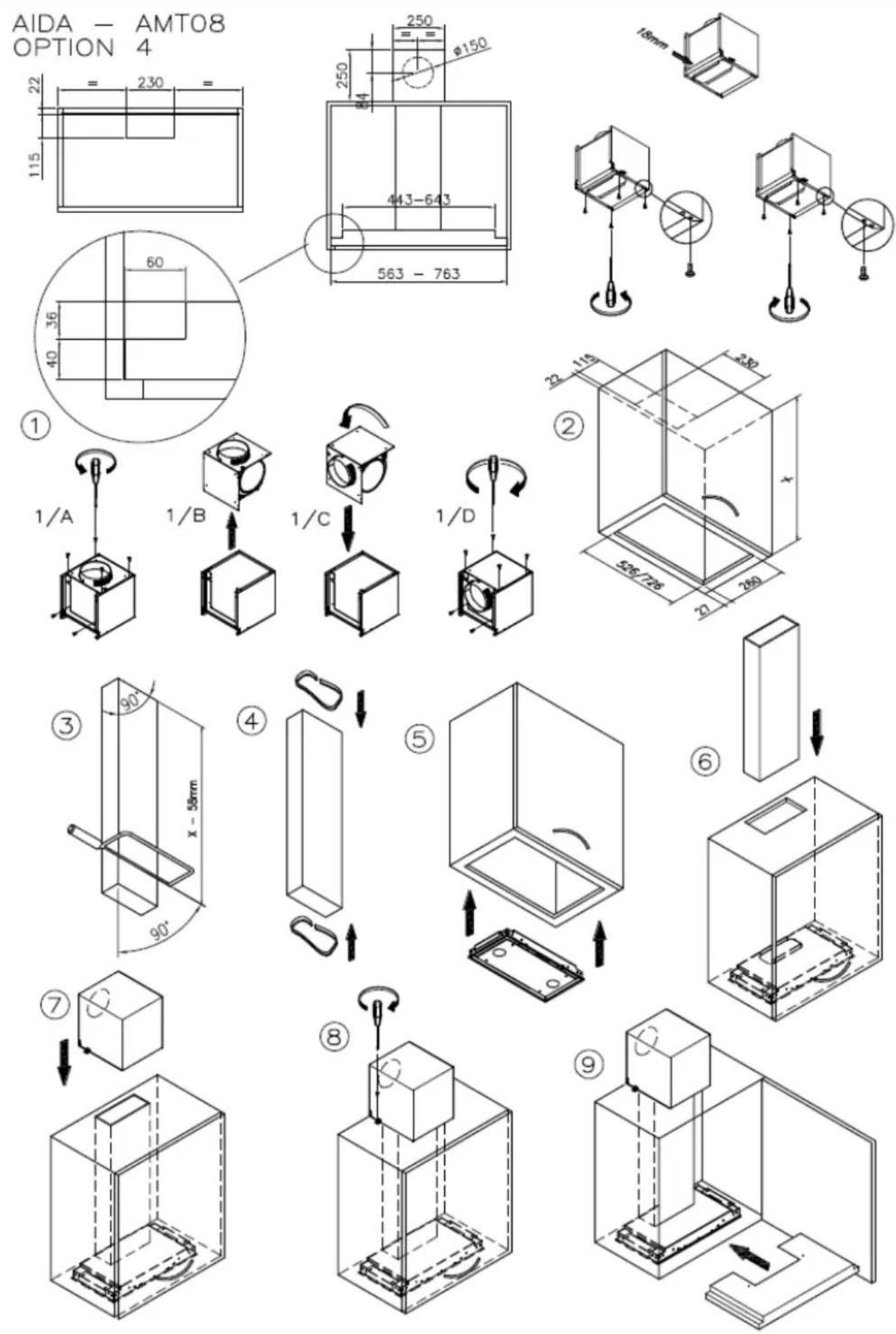
To assemble the hood use the accessories that are supplied and follow the instructions given in the enclosed handbook.
ELECTRIC WIRING
The electric wiring must be performed by a specialised electrician fully respecting current standards and legislation in force. Check that the power supply corresponds to the voltage requested by the hood, which is given on the silver label stuck inside the hood. Ensure that the wiring system conforms to current standards and the earth discharge works efficiently. Pay special attention to the hood power cable, ensure that it does not pass through any holes without a cable clamp. For direct connection to the electrical mains is necessary to provide a device that ensures disconnection from the electrical mains, with an opening distance of the contacts that allows the complete disconnection under the conditions of overvoltage category III, in accordance with the rules of installation.
The plug or omnipolar switch must be accessible when the unit is installed
If the power cord is damaged, it must be replaced by a special cord or assembly available from the manufacturer or its service agent. The cable used must be of type H05VV-F 3 x 0.75 mm2 minimum cross-section.
The manufacturer declines all responsibility if the current accident prevention standards in force are not respected, which are needed for the wiring system to operate correctly
CONTROLS
KEYBOARD CONTROLS (Fig. 1)
There are four buttons on the keyboard control version:
One for turning the lights on and off.
One for turning the motor on at 1st speed and for turning it off.
One for turning it on at 2nd speed.
One for turning it on at 3rd speed.
SOFT TOUCH CONTROL (Fig. 2)
There are four soft touch buttons on this version and a variable colour led (green min. speed, red max. speed).
One button for turning the lights on and off.
One button for turning on at 2nd speed and for turning the motor off.
N.B. If this button is kept depressed for more than three seconds, the automatic function is activated to turn the hood
off function after 10 minutes, the led flashes slowly.
Two buttons + and - for increasing and reducing the motor speed. At the 4th motor speed (intense) the led flashes quickly and after 5 minutes the 2nd speed is automatically set.
DIGITAL CONTROLS \ TOUCH CONTROLS (Fig. 3)
In this version there are five soft touch buttons and a display
One button for turning the lights on and off.
One button for turning on at 2nd speed and for turning the motor off.
Two buttons + and - for increasing and decreasing the motor speed. At the 4th motor speed (intense) the number on the display flashes and after 5 minutes the 2nd speed is automatically set.
A TIMER button for turning the motor off after 10 minutes. When the timer is activated, the number on the display flashes.
Special functions:
After 100 hours use, a D or a letter A will start flashing on the DISPLAY to remind the user to clean the metal filters. After washing the metal filters, reset the hour meter by pressing the TIMER button for more than three seconds with the hood turned off. When the hour meter has been reset a dash appears on the display, with the hood turned off.
RADIO- CONTROL (Fig. 4)
The button ON/OFF on the hood turn on simultaneously lights and the motor at the second speed or it turns off everything. After 100 working hours of the suction motor the red led will start to flash indicating the need to wash metals filters. To cancel the filters alarm, when the suction motor is switched off, you must press button ON/OFF long enough.
Radio control:
At the first use it is necessary to start remote control learning. With the hood turned off, keep button "ON/OFF" (DISTANTE - CEILING STRIPE) or button "+" (AIDA) for 3-8 sec. The remote control learning is indicated with the flashing alarm filters led. If within one minute arrive a valid remote control code (sent by pressing any button of the remote control) the led will be on continuously for 3 seconds and then it will turn off, indicating the proper learning. Control buttons:
One button for turning the lights on and off.
One button for turning on at 2nd speed and for turning the motor off.
Two buttons + and - for increasing and decreasing the motor speed. At the 4th motor speed (intense) the led flashes and after 5 minutes the 2nd speed is automatically set.
A TIMER button for turning the motor off after 10 minutes.
USE AND MAINTENANCE
Before beginning any sort of cleaning or maintenance work, turn power off to the hood by turning the main switch to 0 (OFF).
Changing the light bulbs
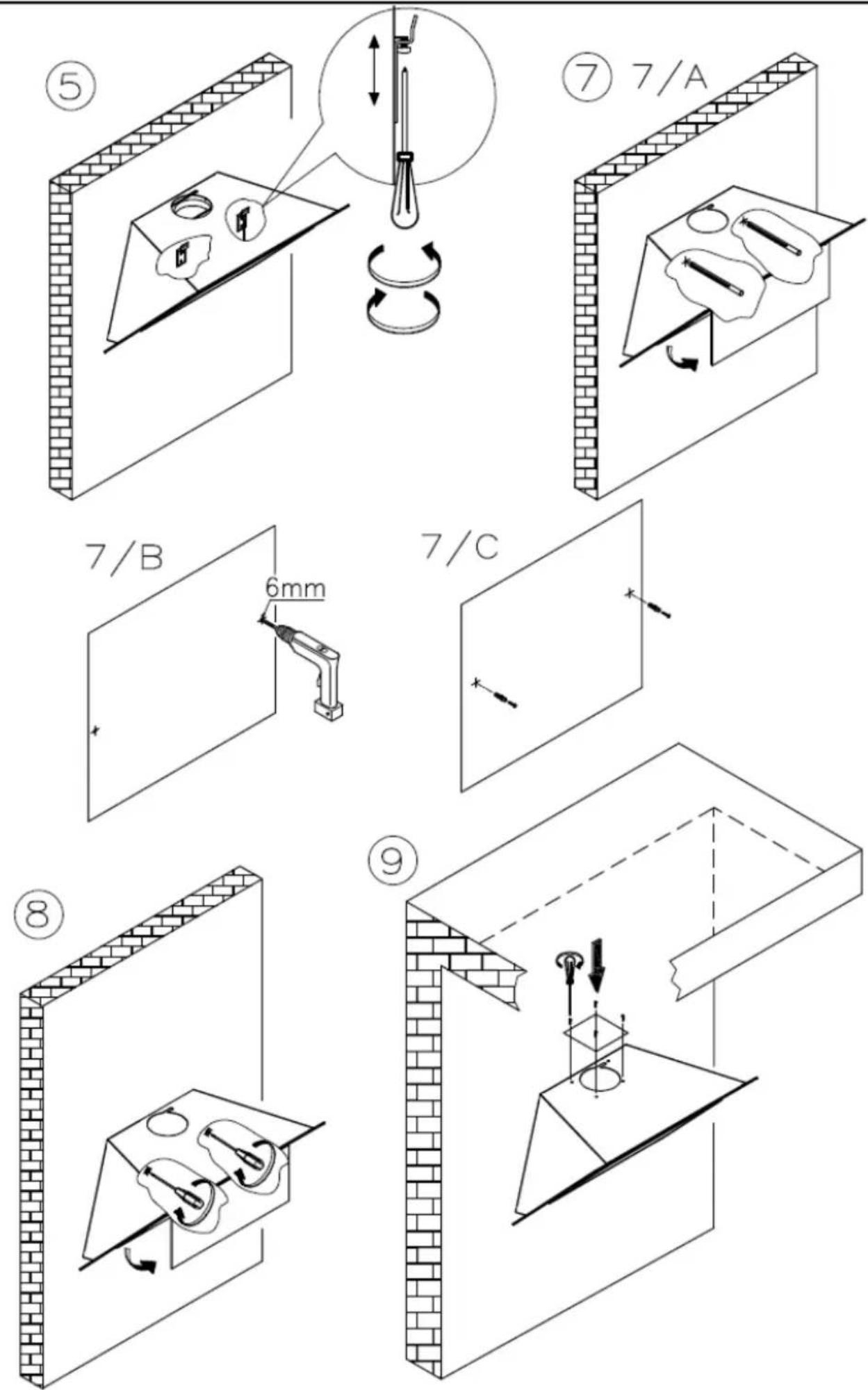
12V halogen G4 attachment: Use a screwdriver to unscrew the glass support ring (Fig. 5). Remove the glass and change the light bulb with another identical. Replace the protective glass and screw back the ring. The light bulbs can be purchased in any electrical supply shop.
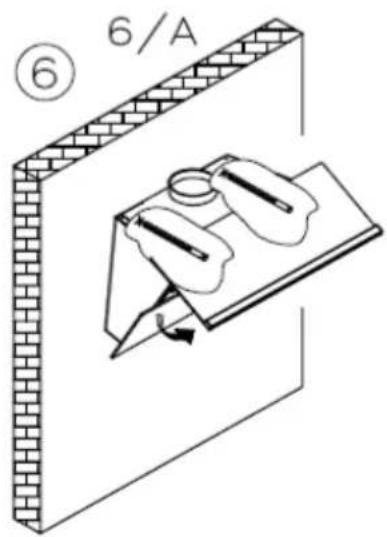
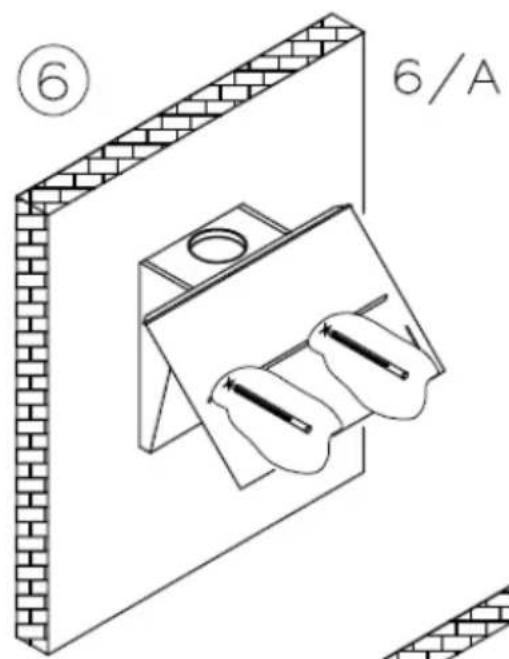
Dichroic lamp G4 attachment: Use a screwdriver to remove and change the dichroic lamp with another identical (Fig. 6).
LED spotlight replacement should only be carried out by qualified technicians using only original spare parts.
Cleaning the metal filters:
The metal filters fitted in the hood should be washed every 2-3 months, depending on how much the hood is used, using hot water and a liquid detergent that is not too aggressive.
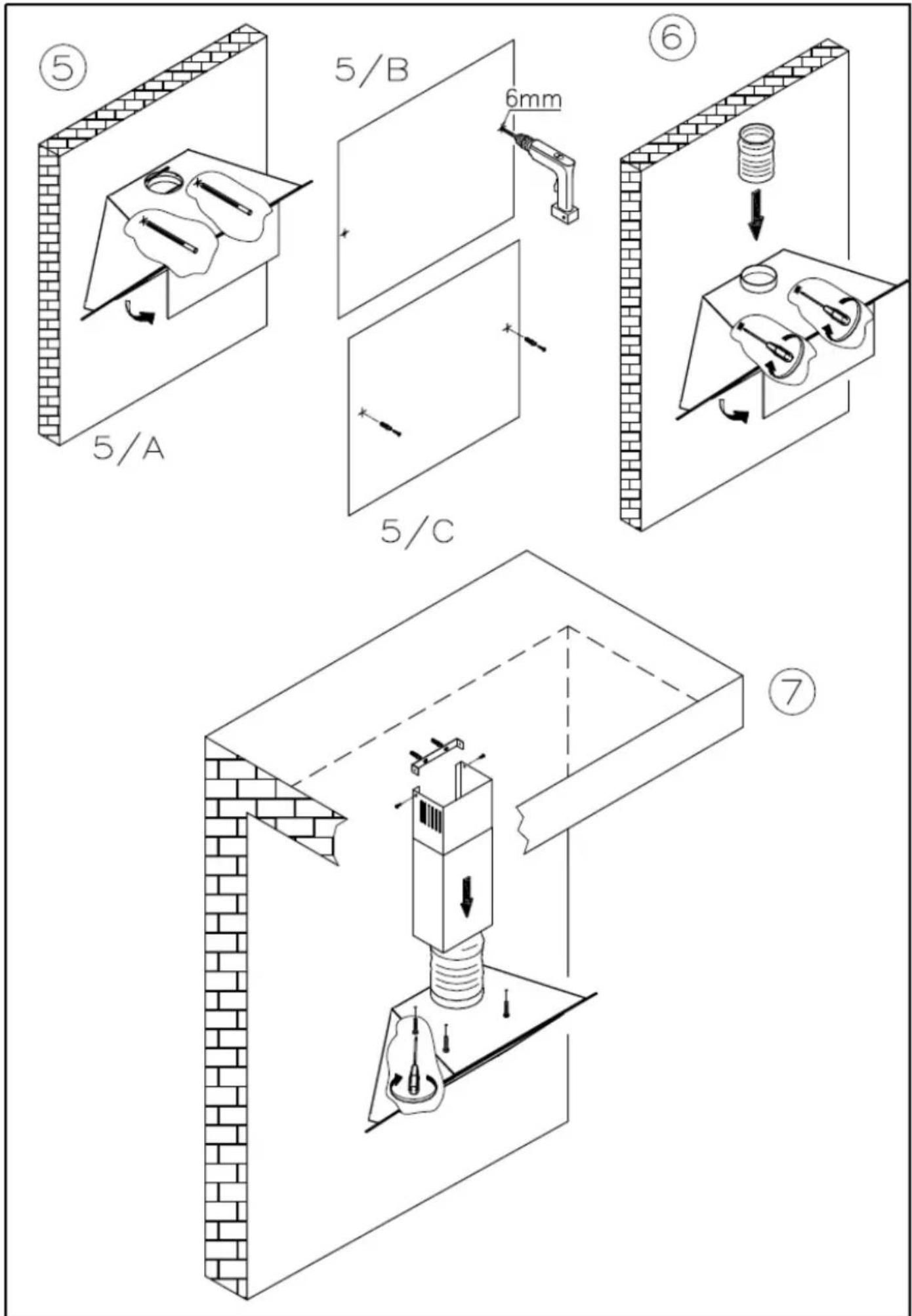
The metal filters can be removed by the special handle, unhooking the front part of the filter and pulling it downwards (Fig. 7)
Carbon filters
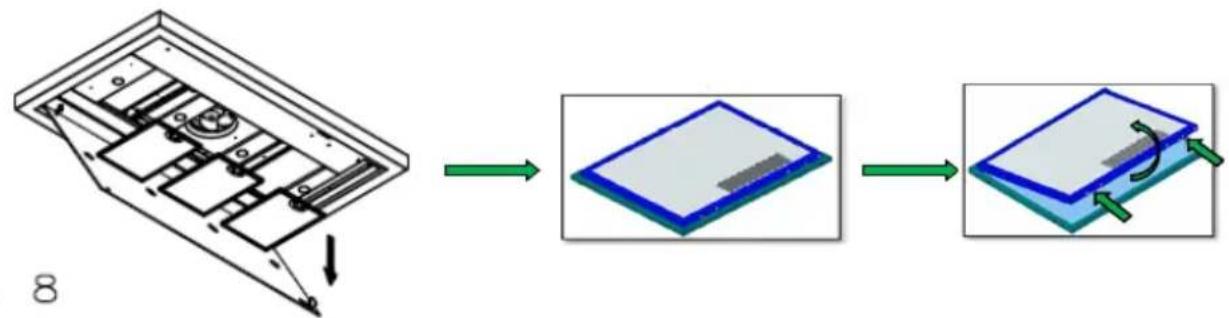
If the hood is used with an internal recycle filtering system, then active carbon filters must be used. The active carbon in the filters traps the cooking smells. To remove and change the filters, refer to fig. 8.
POLYESTER carbon filters cannot be reused or washed and must be periodically changed (every 4 months if the hood is used for 2 hours every day). Saturate filters could be a fire hazard.
Depending on the hood model, the carbon filters are round or rectangular.
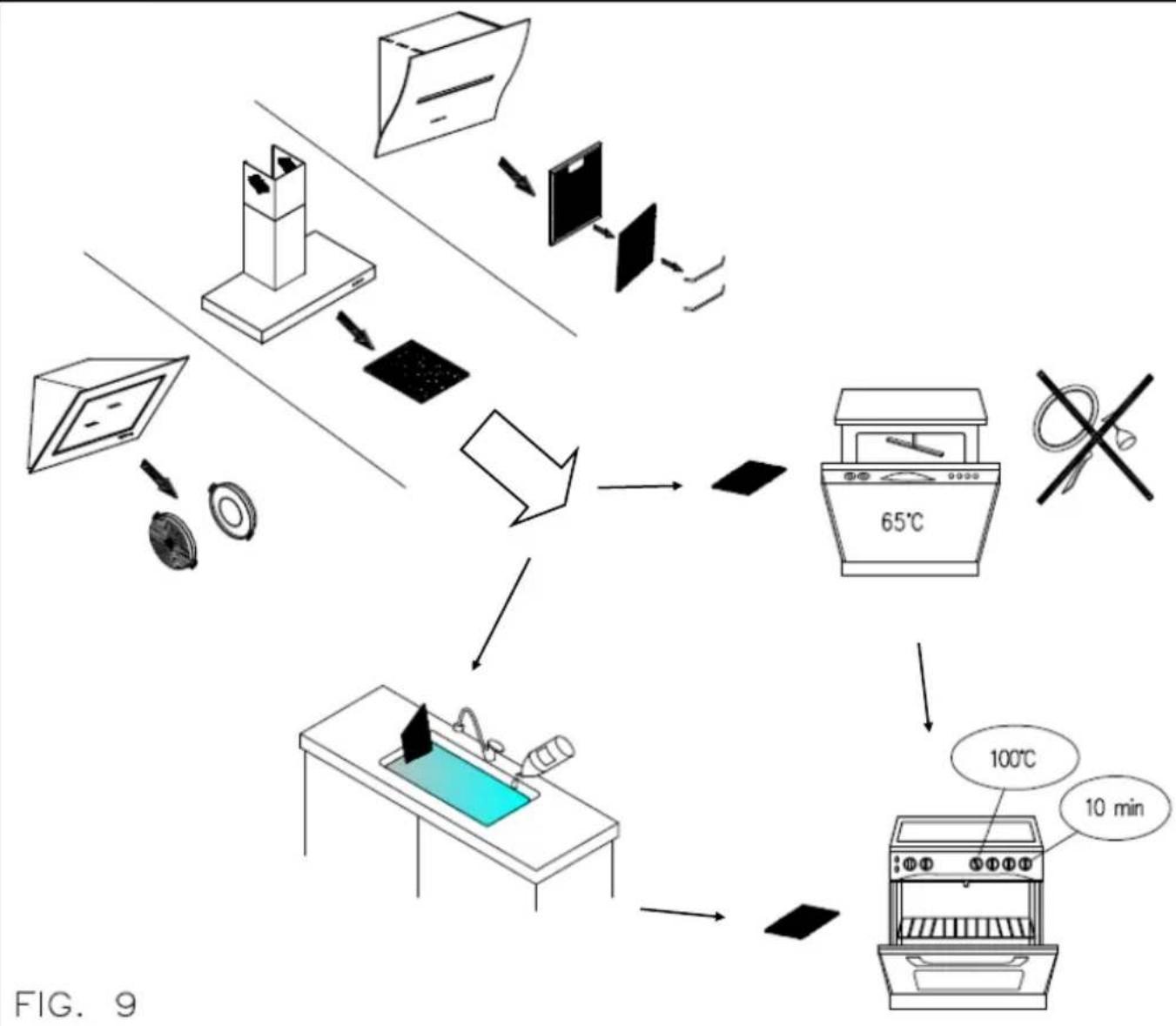
LONG LIFE carbon filter can be cleaned and reactivated. The filter should be cleaned every other month if used normally. The filter is best cleaned in a dishwasher at the highest temperature using normal washer detergent. The filter should be washed on its own to prevent particles of food from fastening in it and then causing an unpleasant smell later on. To reactivate the carbon the filter should be dried in the oven. Chose upper/ lower heat and maximum 100°
C and try the filter for 10 minutes. The filter must be changed when it no longer absorbs the cooking smells sufficiently. (fig.9)
Cleaning the hood
The surfaces of the hood should be cleaned frequently, to avoid the risk of having to remove built up and encrusted deposits and stains.
For the painted or copper plated hoods just use a soft cloth with warm water and a neutral detergent. Do not pour the detergent directly onto the hood or use powdery or abrasive products
For the stainless steel hood, use special products and cloths for satin finish stainless steel (not abrasive, corrosive detergents or detergents containing chloride), ensuring to clean in the same direction as the satin finish.
Do not use aggressive products, chemical solvents or derivatives of oil distillates that could leave oily traces which could cause oxidation and polymerisation.
Murano-Manta-Merak-Dubhe: when you use oil to cook the oil will run to the lowest part of the hood, and this edge should be cleaned more often than normally.
The manufacturer accepts no responsibility for damage to the surface of the hood due to failure to respect these instructions.
BEDIENUNGS-, WARTUNGS- UND INSTALLATIONSHANDBUCH ABZUGSHAUBE
natural_image
Isometric view of a rectangular metal tray with internal grid pattern (no text or symbols)MOD. DISTANTE R
flowchart
graph LR
    A["Device with internal components"] --> B["Step 1: Transformation"]
    B --> C["Layered Structure with blue and gray layers"]
    C --> D["Step 2: Transformation"]
    D --> E["Layered Structure with green arrows indicating rotation"]
flowchart
graph TD
    A["Household with monitor"] --> B["Computer with fan"]
    B --> C["Computer with monitor"]
    C --> D["Computer with fan"]
    D --> E["Computer with fan"]
    E --> F["Computer with fan"]
    F --> G["65°C Oven"]
    G --> H["100°C Oven"]
    H --> I["10 min Oven"]
    style A fill:#f9f,stroke:#333
    style B fill:#ccf,stroke:#333
    style C fill:#cfc,stroke:#333
    style D fill:#fcc,stroke:#333
    style E fill:#cff,stroke:#333
    style F fill:#ffc,stroke:#333
    style G fill:#cfc,stroke:#333
    style H fill:#fcc,stroke:#333
    style I fill:#ffc,stroke:#333
ROMEO
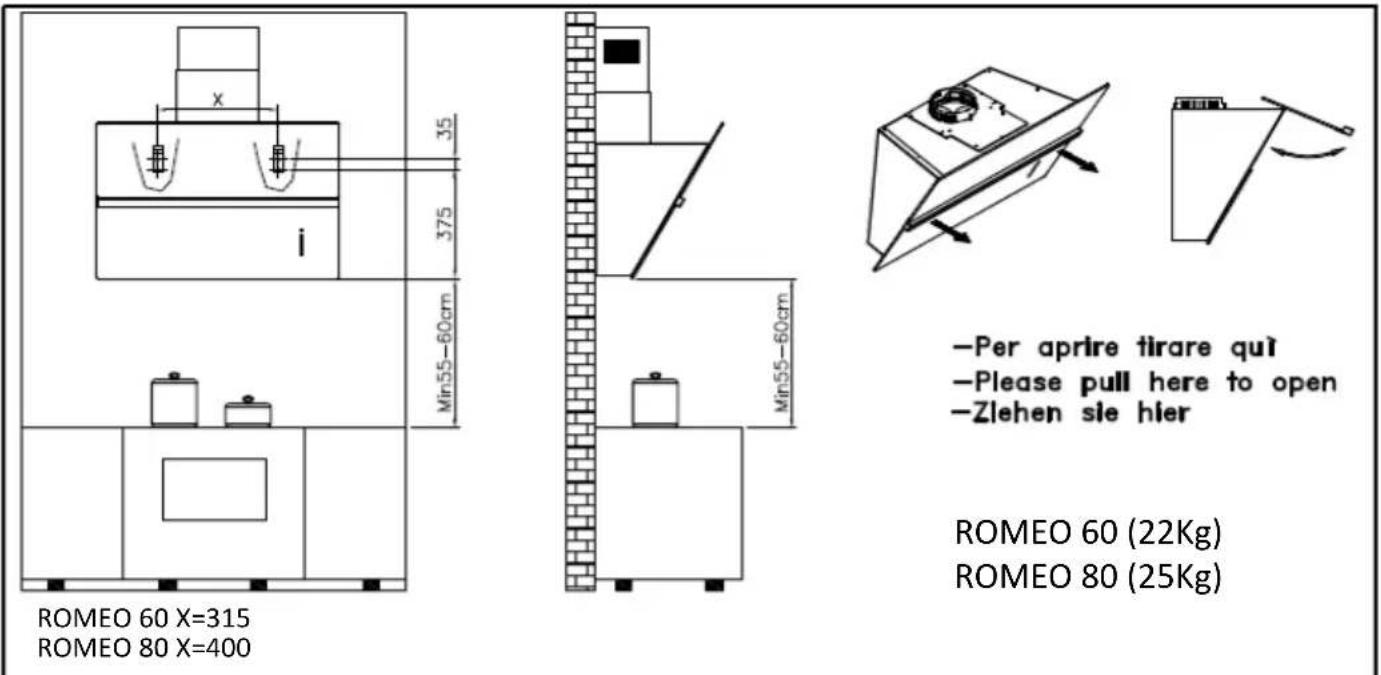
ROMEO 60 X=315
ROMEO 80 X=400
-Per aprire tirare quì
-Please pull here to open
-Zlehen sie hier
ROMEO 60 (22Kg)
ROMEO 80 (25Kg)
natural_image
Isometric diagram of a brick wall with a panel and two hanging weights, labeled with number 1 (no text or symbols on the diagram itself)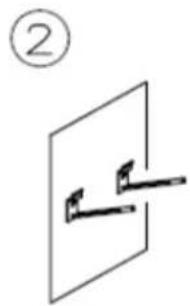
natural_image
Simple line drawing of a mechanical component or bracket with two protrusions, no text or symbols present.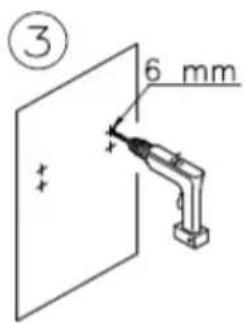
natural_image
Simple line drawing of two wall-mounted sensors mounted on a panel, with no text or symbols present.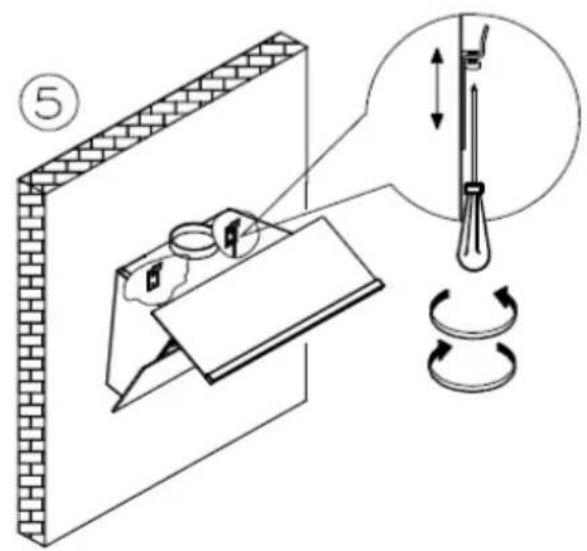
natural_image
Isometric line drawing of a mechanical assembly with two components mounted on a base plate (no text or symbols)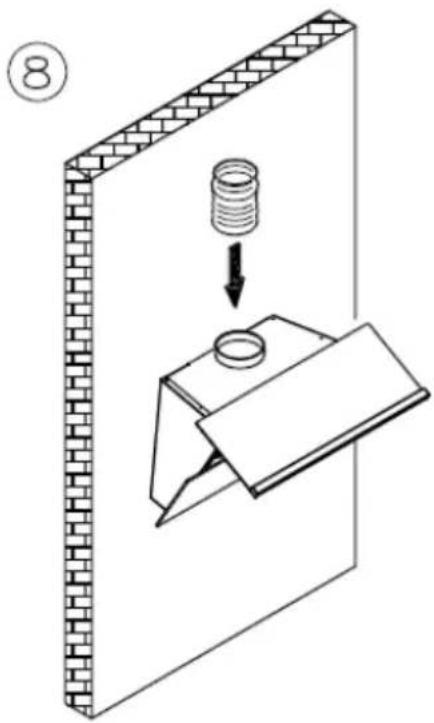
ROMEO
ROMEO 60 X=315
ROMEO 80 X=400
ROMEO 60 (22Kg)
ROMEO 80 (25Kg)
natural_image
Two abstract geometric diagrams showing folded paper or panels with directional arrows, no text or symbols present.natural_image
Technical line drawing of a mechanical component with two upward arrows indicating force or direction (no text or symbols)②
natural_image
Technical line drawing of a mechanical device with no visible text or symbols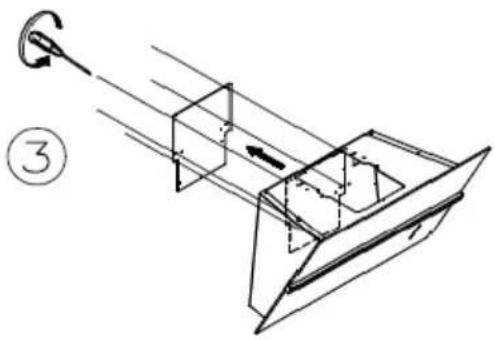
natural_image
Technical line drawing of a mechanical assembly with a hook and internal components (no text or symbols)④
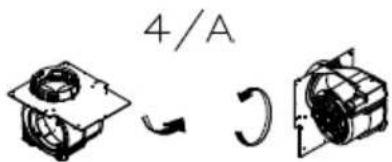
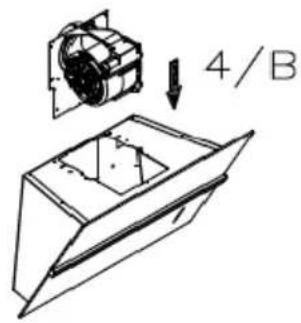
natural_image
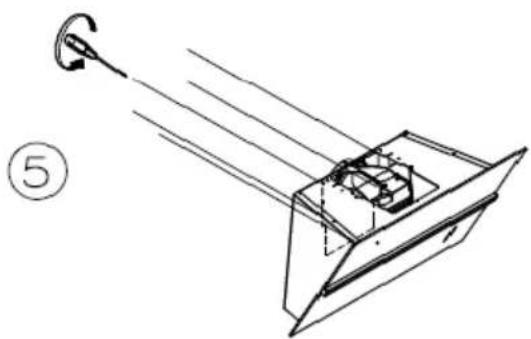
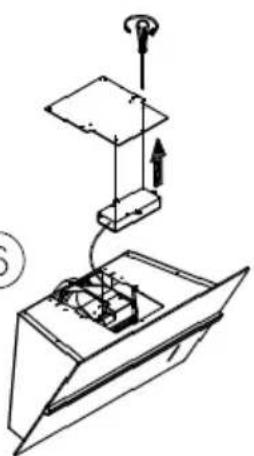
Diagram of a mechanical or optical setup with light rays and a component, labeled with number 5 (no text or symbols on the diagram itself)⑥
natural_image
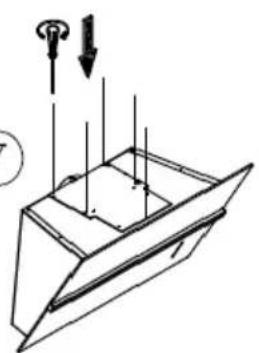
Technical line drawing of a mechanical assembly with no visible text or symbols⑦
natural_image
Technical line drawing of a mechanical component with arrows indicating force or direction (no text or symbols)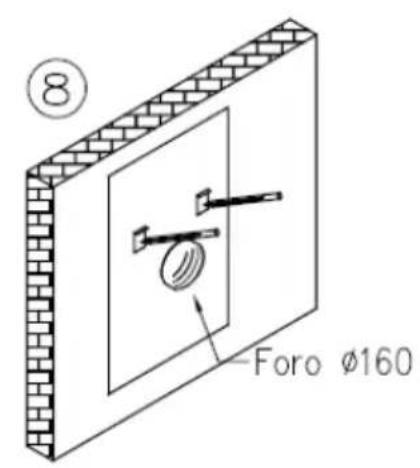
natural_image
Simple line drawing of a mechanical lever system with a circular component and two supports (no text or symbols)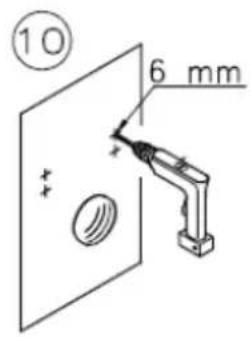
natural_image
Diagram of two wall-mounted fixtures mounted on a panel, with no visible text or symbols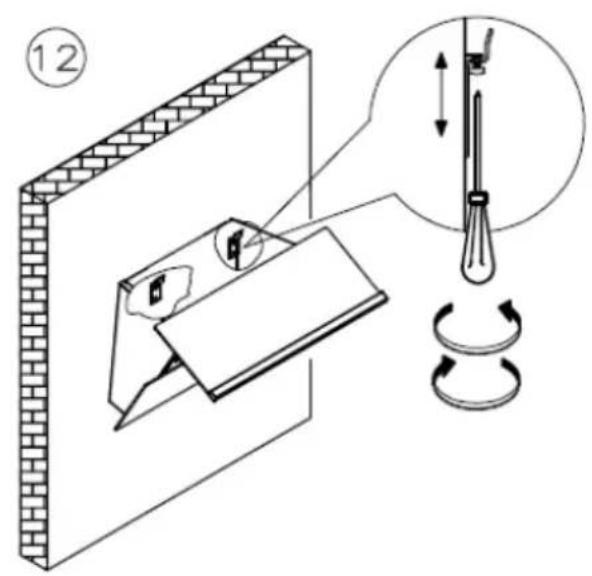
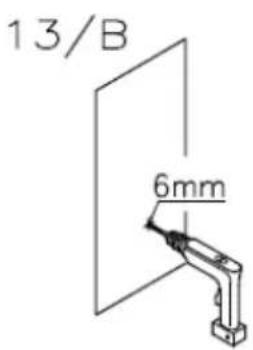
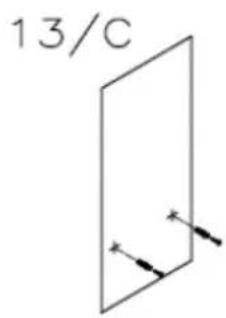
chemical
Simple chemical structure diagram labeled 13/C with two arrows indicating direction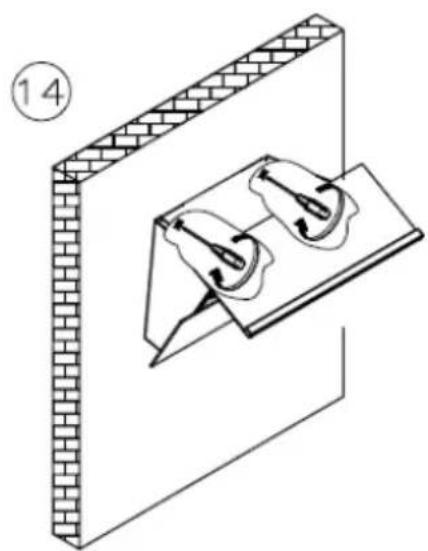
natural_image
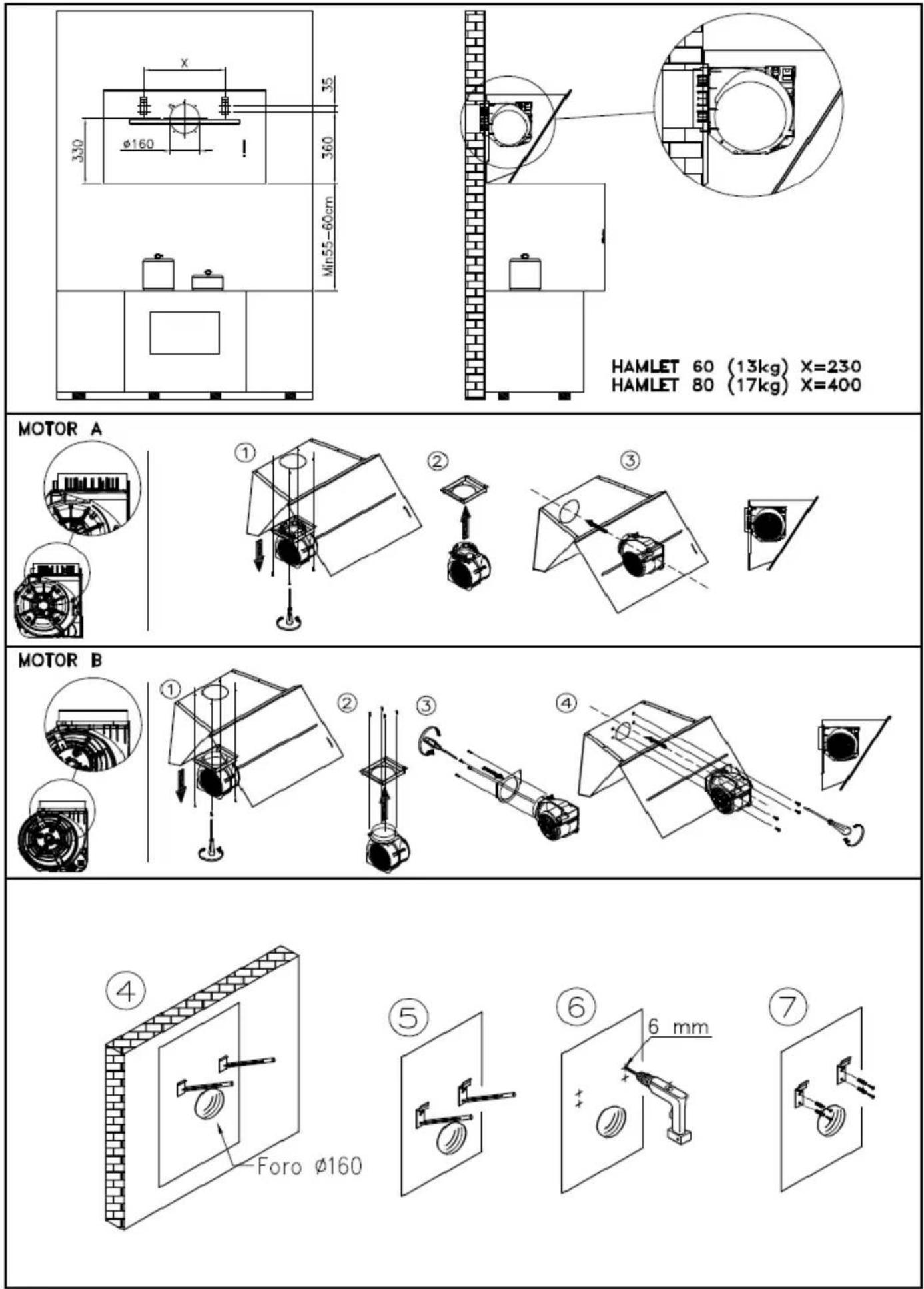
Isometric diagram of a brick wall with two mechanical components mounted on a base plate (no text or symbols)HAMLET
natural_image
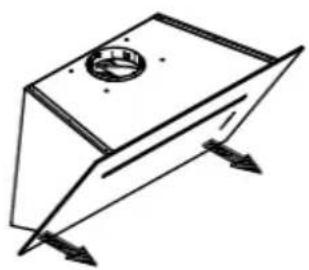
Pure 3D geometric diagram of a rectangular prism with internal circular feature and directional arrows (no text or symbols)Per aprire tirare qui simultaneamente Please pull here in the same time to open Ziehen sie hier
HAMLET 60 (13kg) X=230 HAMLET 80 (17kg) X=400
natural_image
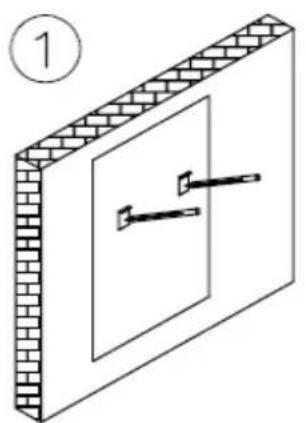
Isometric diagram of a brick wall with two tools mounted on a panel, no text or symbols present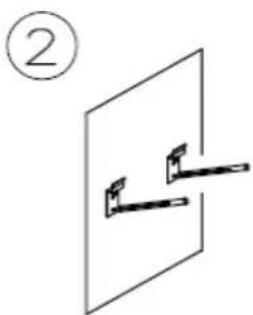
natural_image
Simple line drawing of a mechanical lever or bracket mounted on a flat surface, labeled with circled number 2 (no text or symbols on the diagram itself)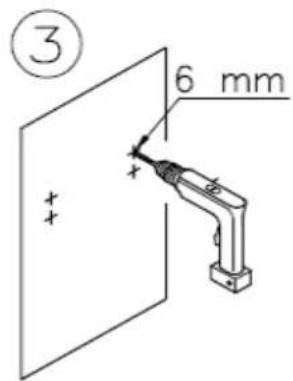
natural_image
Simple line drawing of two wall-mounted sensors with wires, no text or symbols present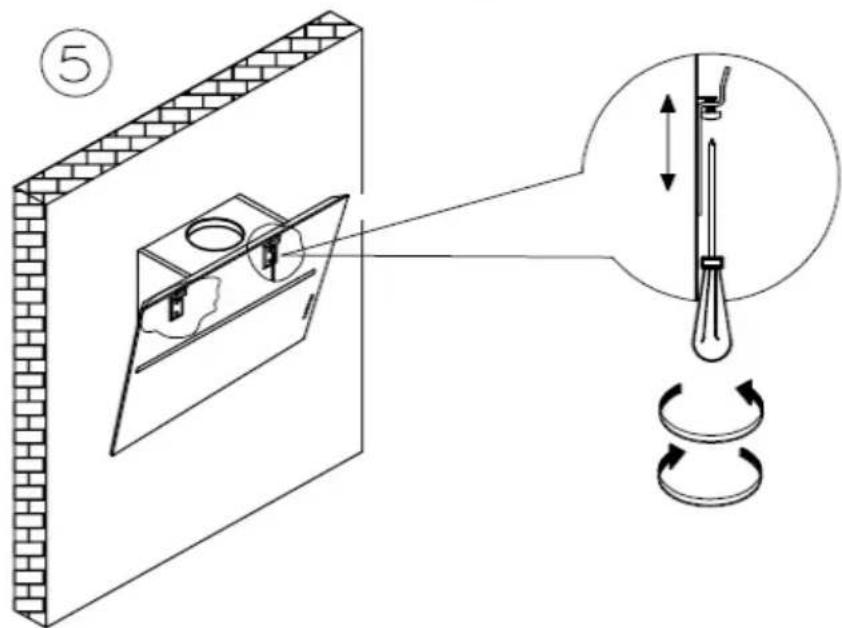
⑦
natural_image
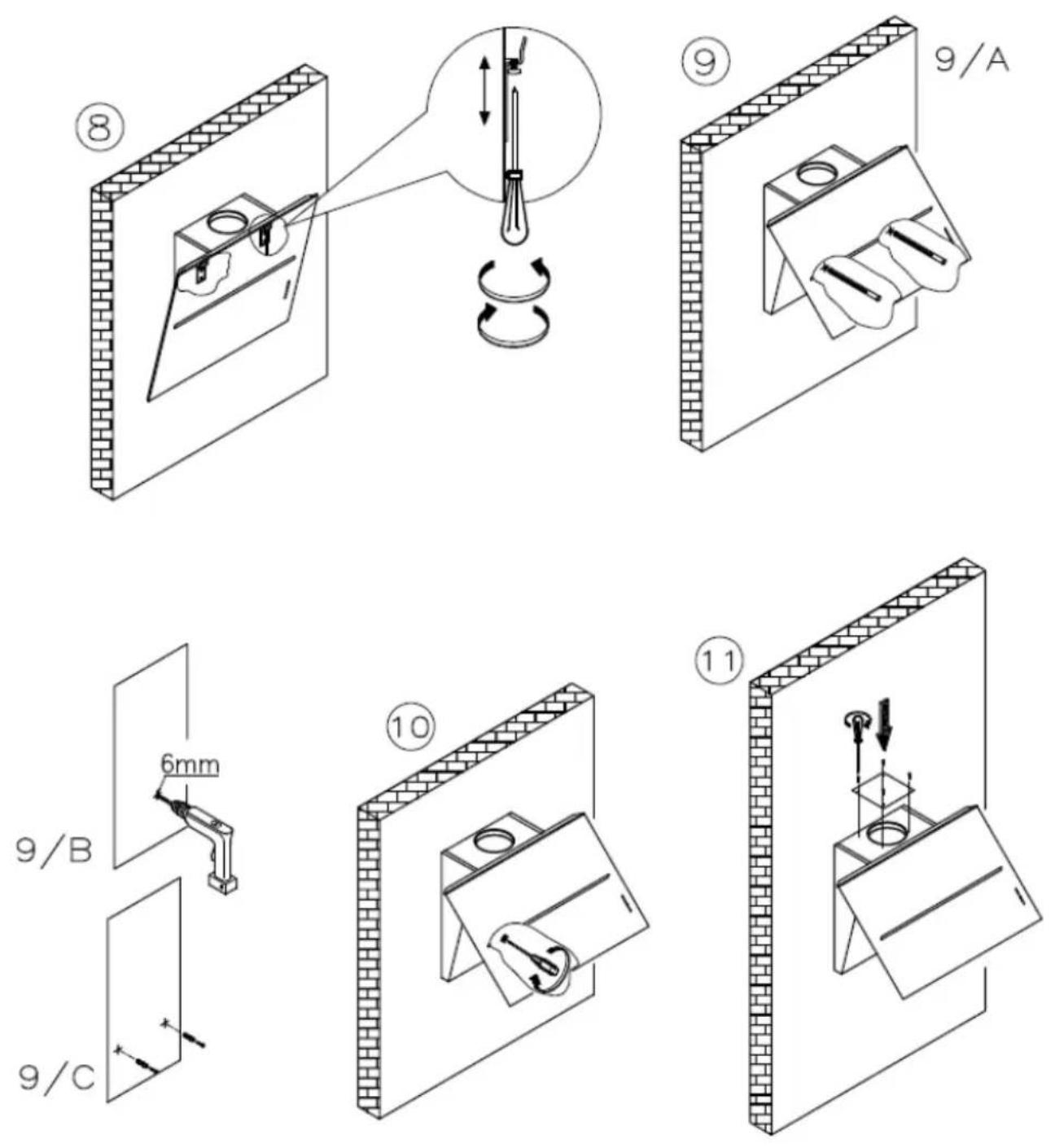
Isometric line drawing of a mechanical assembly with a bracket and housing (no text or symbols)8
natural_image
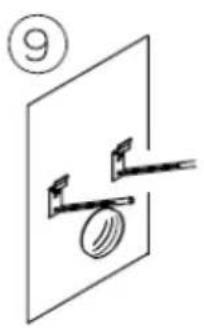
Diagram showing a mechanical assembly with a spring-loaded component and a base plate, no text or symbols present.⑨
natural_image
Technical line drawing of a mechanical assembly with a spring-loaded component and supporting beams (no text or symbols)HAMLET
MURANO
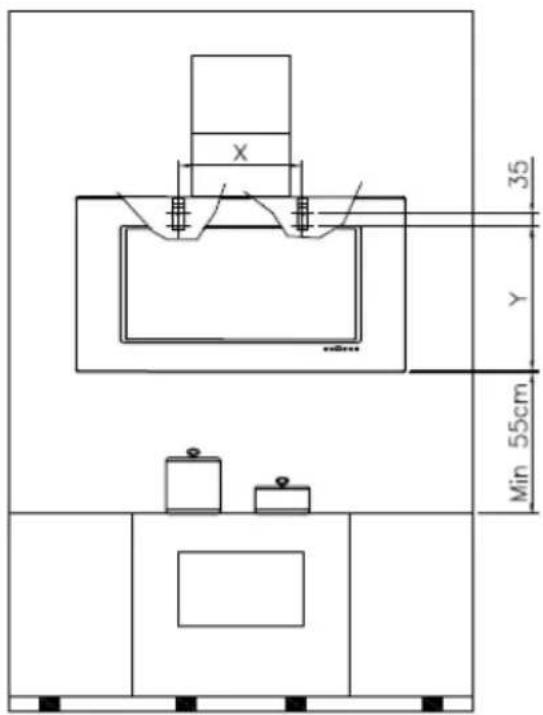
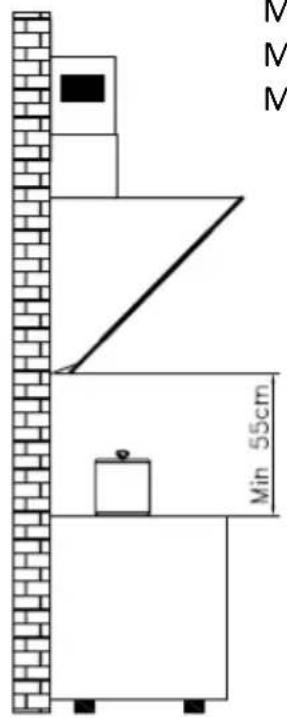
MURANO90 (31Kg) X=400 Y=410
MURANO 120 (38Kg) X=700 Y=410
MURANO 60 (19Kg) X=260 Y=360
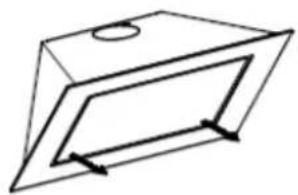
natural_image
Pure geometric diagram of a 3D rectangular prism with internal lines and arrows, no text or symbols present.Please pull here to open
Ziehen sie hier
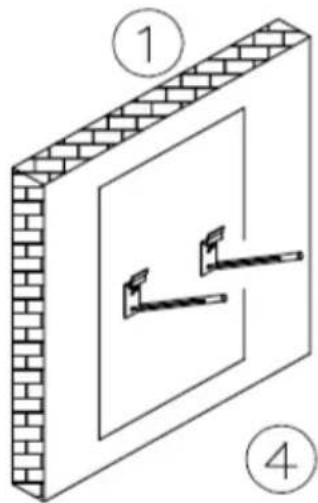
natural_image
Diagram of a brick wall with two clamps and a panel, labeled 1 and 4 (no text or symbols on the diagram itself)②
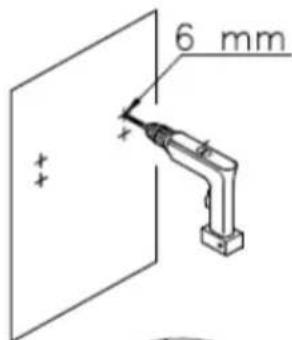
③
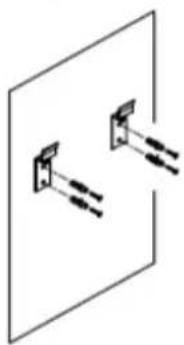
natural_image
Simple line drawing of two wall-mounted sensors mounted on a panel (no text or symbols)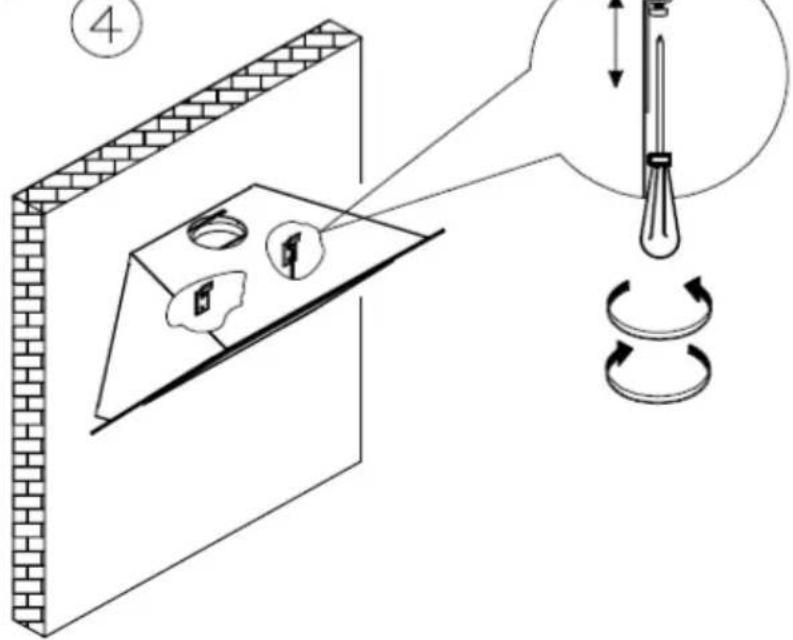
MURANO 90 USCITA POSTERIORE/BACK EXIT
OPERA ANGOLARE
OPERA ANGOLARE (22kg)
natural_image
Diagram of a 3D room corner with brick walls and two directional arrows indicating movement or force (no text or symbols)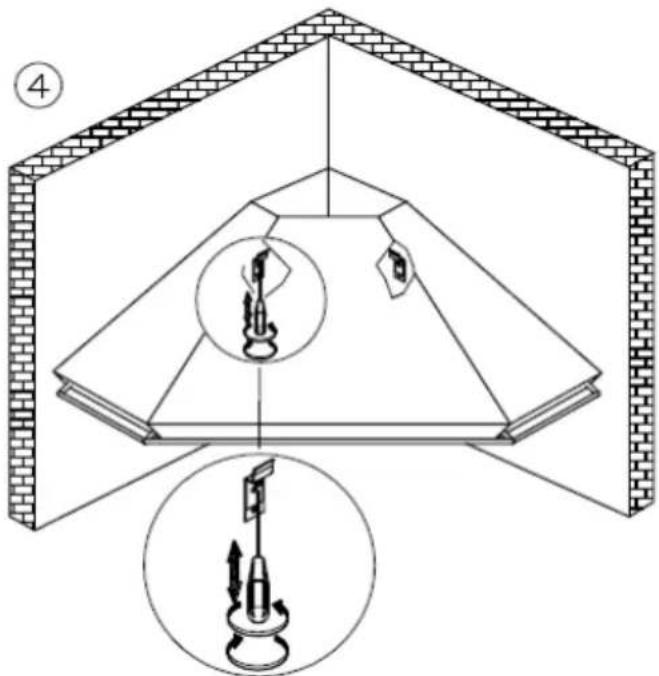
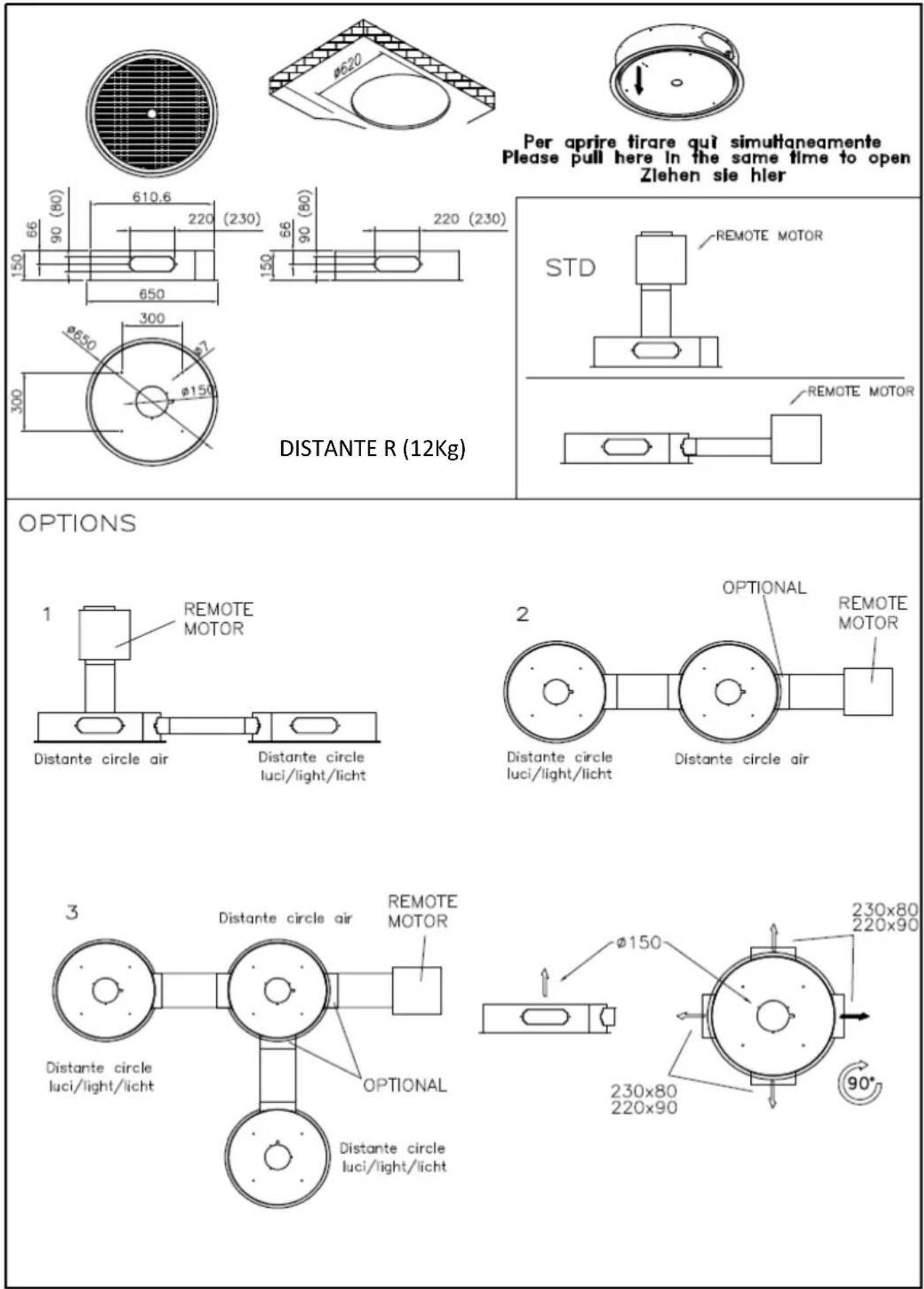
DISTANTE R
DISTANTE CIRCLE
DISTANTE 75/45
natural_image
Isometric line drawing of a rectangular frame with internal lines and two downward arrows indicating direction (no text or symbols)Please pull here in the same time to open
Ziehen sie hier
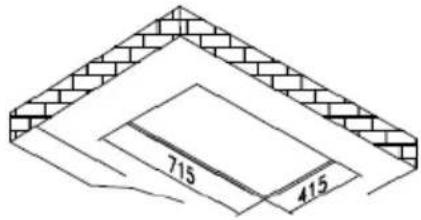
OPTION 1
①
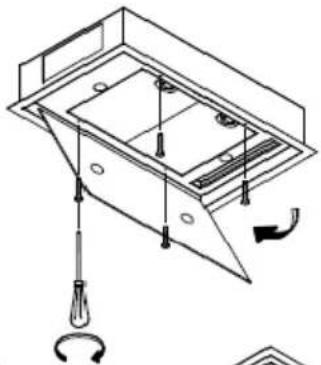
natural_image
Technical line drawing of a mechanical assembly with no visible text or symbols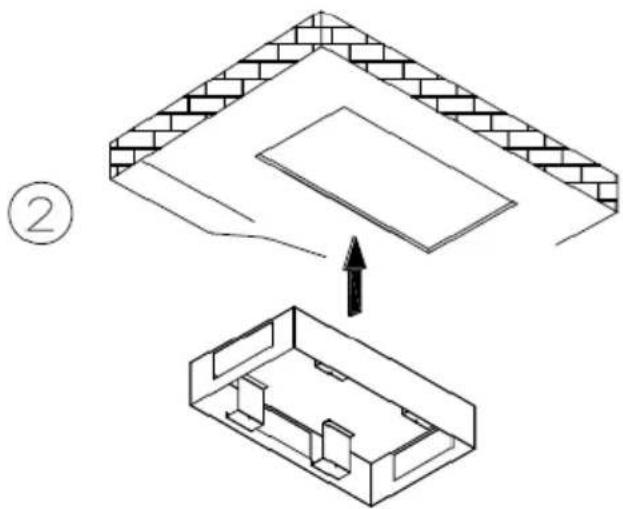
natural_image
Isometric line drawing of a rectangular enclosure with internal compartments and a curved arrow indicating rotation (no text or symbols)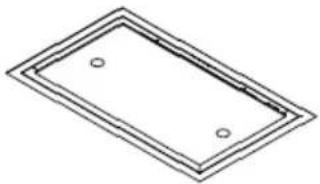
natural_image
Pure geometric diagram of a rectangular frame with two circular holes, no text or symbols present.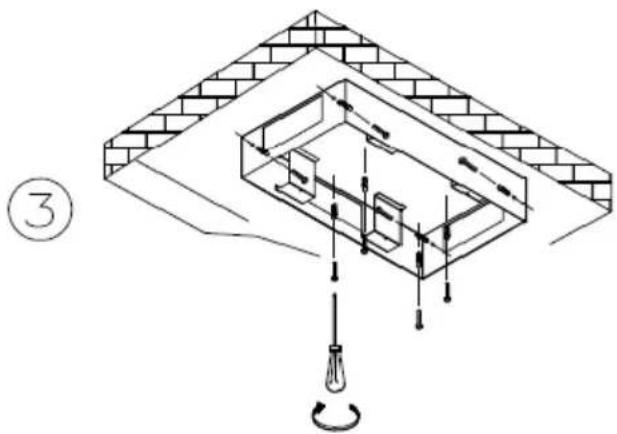
natural_image
Isometric line drawing of a brick wall structure with internal components and a screwdriver, no text or symbols present④
natural_image
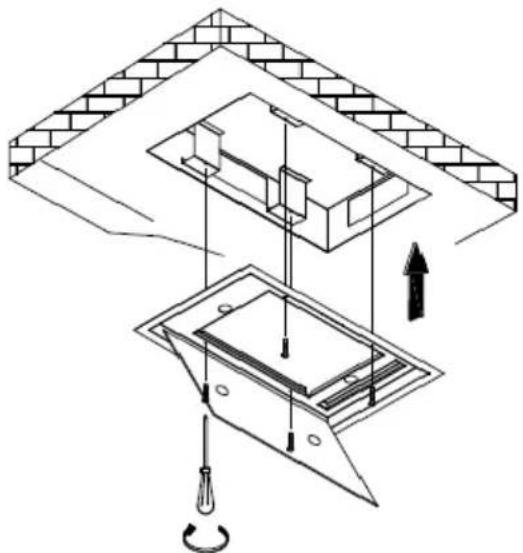
Architectural diagram showing structural components with arrows indicating direction (no text or labels)OPTION 2
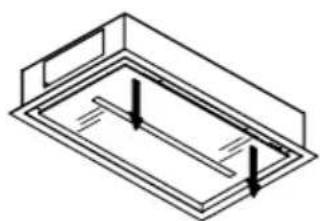
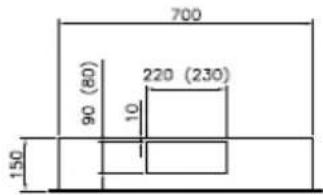
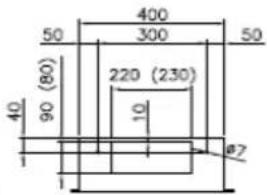
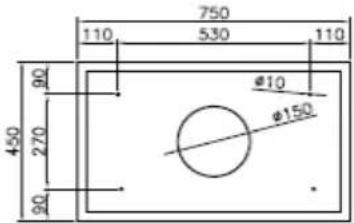
CEILING STRIPE 75/45 SM
CEILING STRIPE 75/45 SM (17Kg)
natural_image
Isometric line drawing of a rectangular frame with internal parallel lines and two vertical arrows indicating direction (no text or symbols)Per aprire tirare qui simultaneamente
Please pull here in the same time to open
Zlehen sie hier
Pull ici pour ouvrir
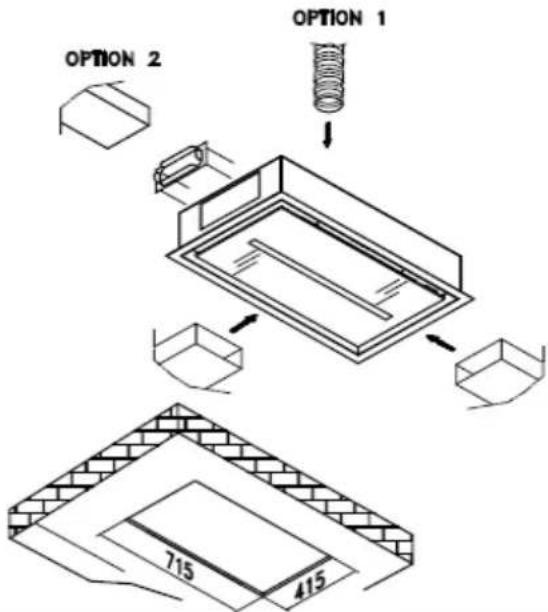
OPTION 1
①
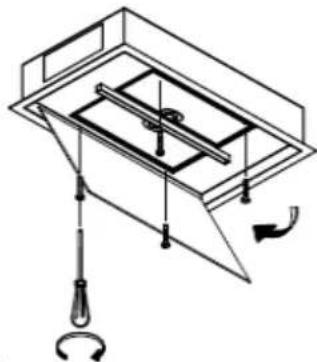
natural_image
Technical line drawing of a mechanical assembly with no visible text or symbols②
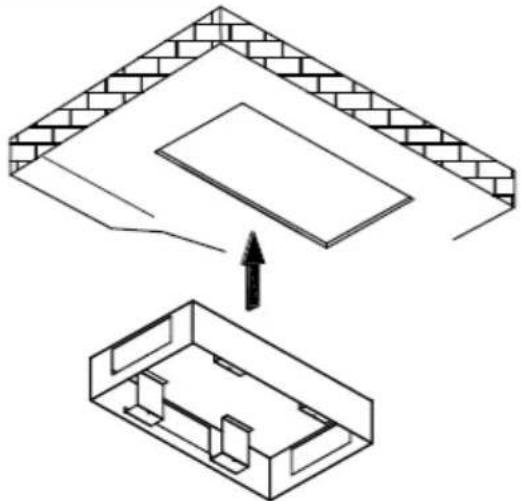
natural_image
Isometric diagram showing a brick wall section being lifted into a smaller rectangular housing (no text or symbols)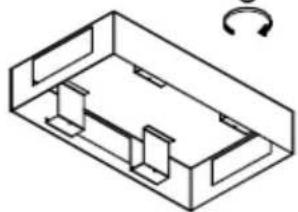
natural_image
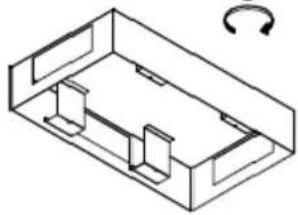
Isometric line drawing of a rectangular housing with internal compartments and a curved arrow indicating rotation (no text or symbols)③

natural_image
Technical line drawing of a mechanical assembly with brick wall and internal components, showing a circular component at the base (no text or symbols)④
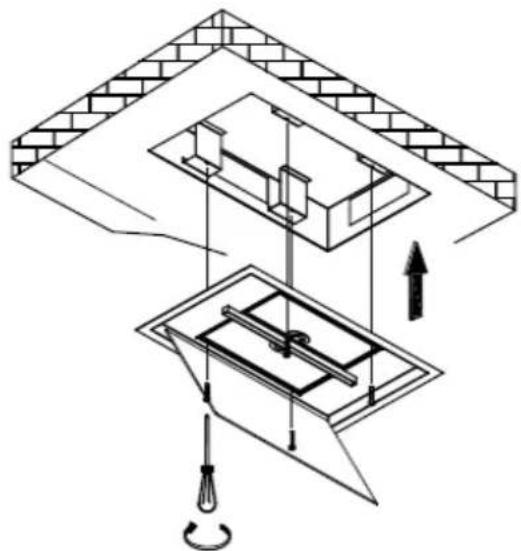
natural_image
Technical diagram of a mechanical assembly with no visible text or symbols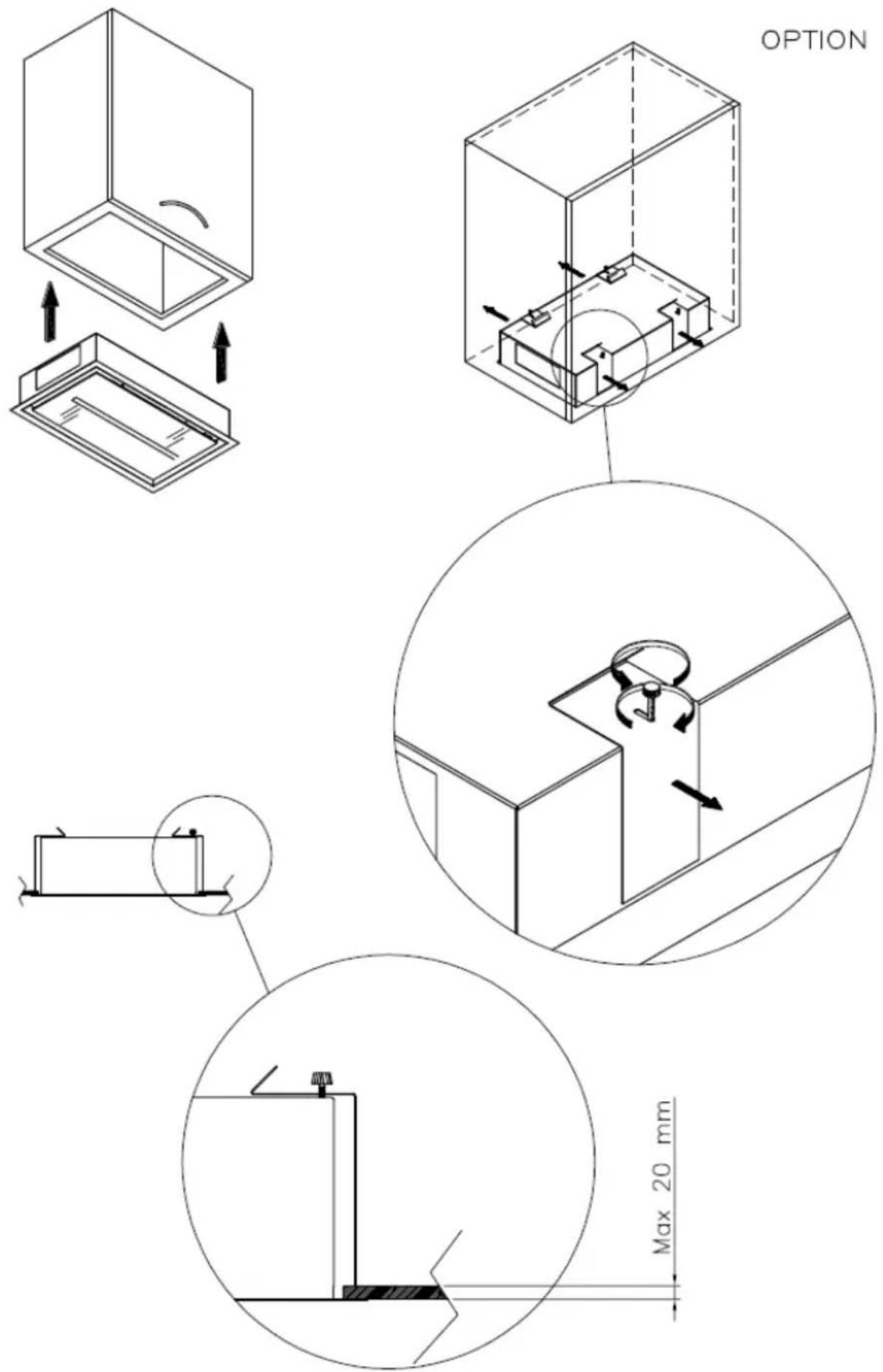
CEILING STRIPE 75/45
CEILING STRIPE 75/45 (21Kg)
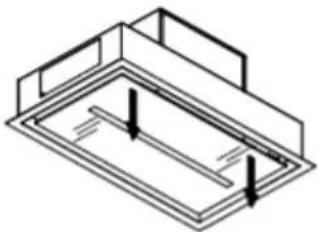
natural_image
Isometric line drawing of a rectangular frame with two vertical arrows indicating direction (no text or symbols)Per aprire tirare qui simultaneamente
Please pull here in the same time to open
Ziehen sie hier
Pull ici pour ouvrir
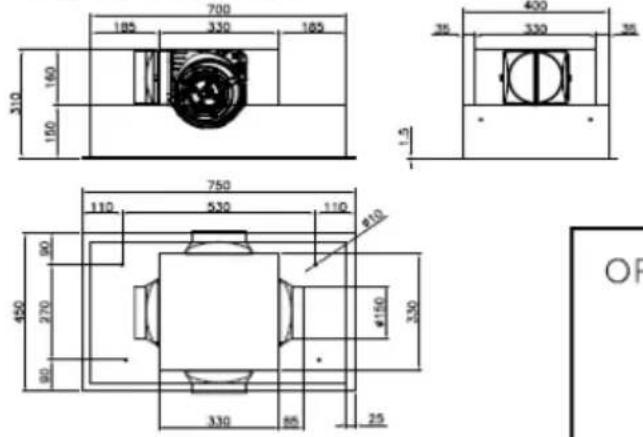
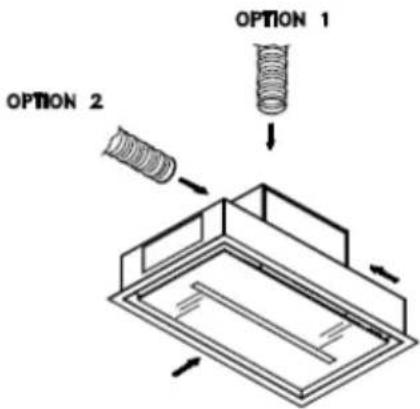
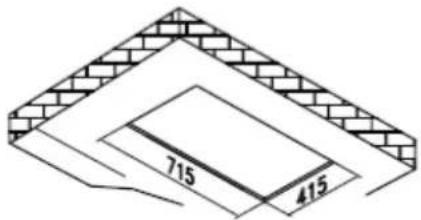
OPTION 1
①
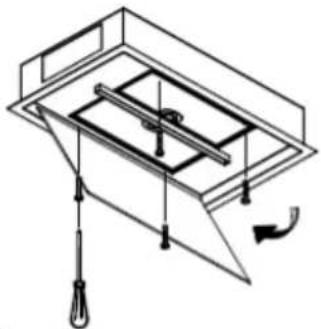
natural_image
Technical line drawing of a mechanical assembly with no visible text or symbols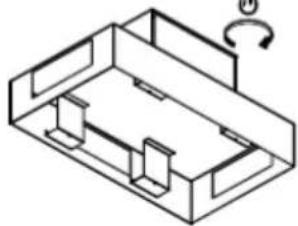
natural_image
Isometric line drawing of a mechanical housing or enclosure with internal components and a curved arrow indicating rotation (no text or symbols)②
natural_image
Isometric diagram showing a ceiling structure with an arrow pointing to a lower floor plan (no text or symbols)③
natural_image
Isometric line drawing of a structural assembly with brick walls and a bulb, no text or symbols present④
natural_image
Technical diagram of a mechanical assembly with no visible text or symbols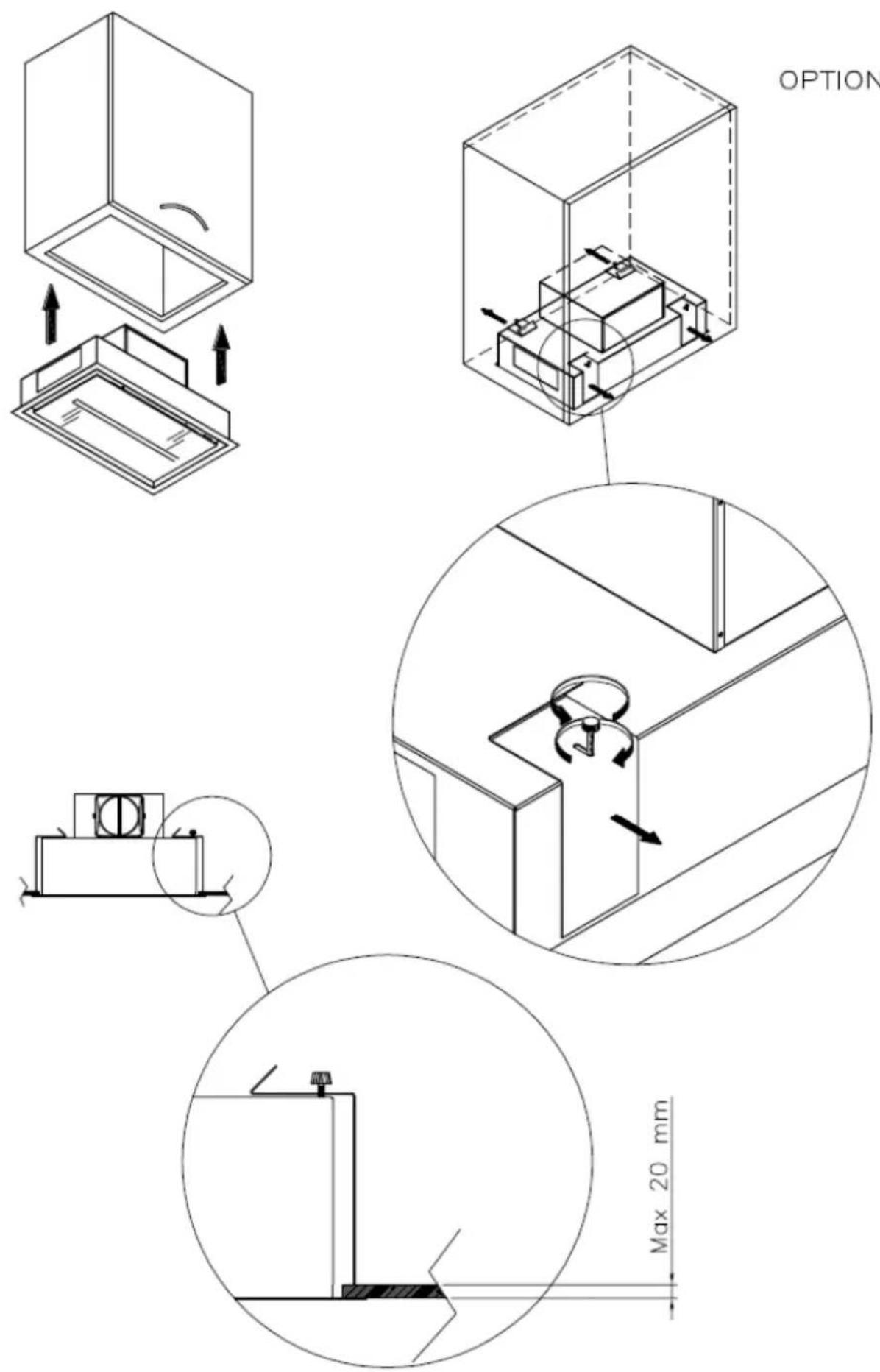
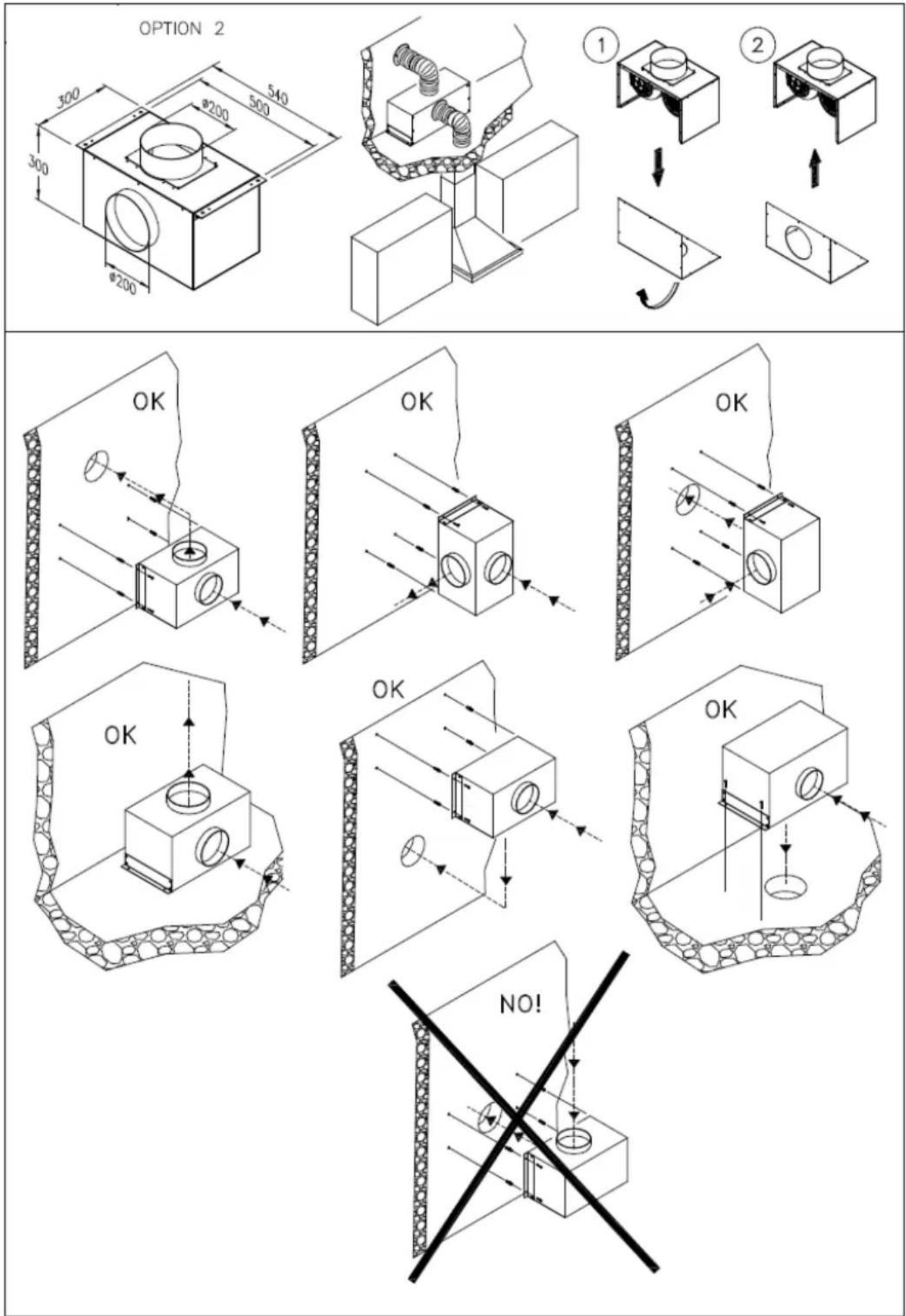
OPTION 2
DISTANTE 90 - DISTANTE 120 - CEILING STRIPE 90 - CEILING STRIPE 120
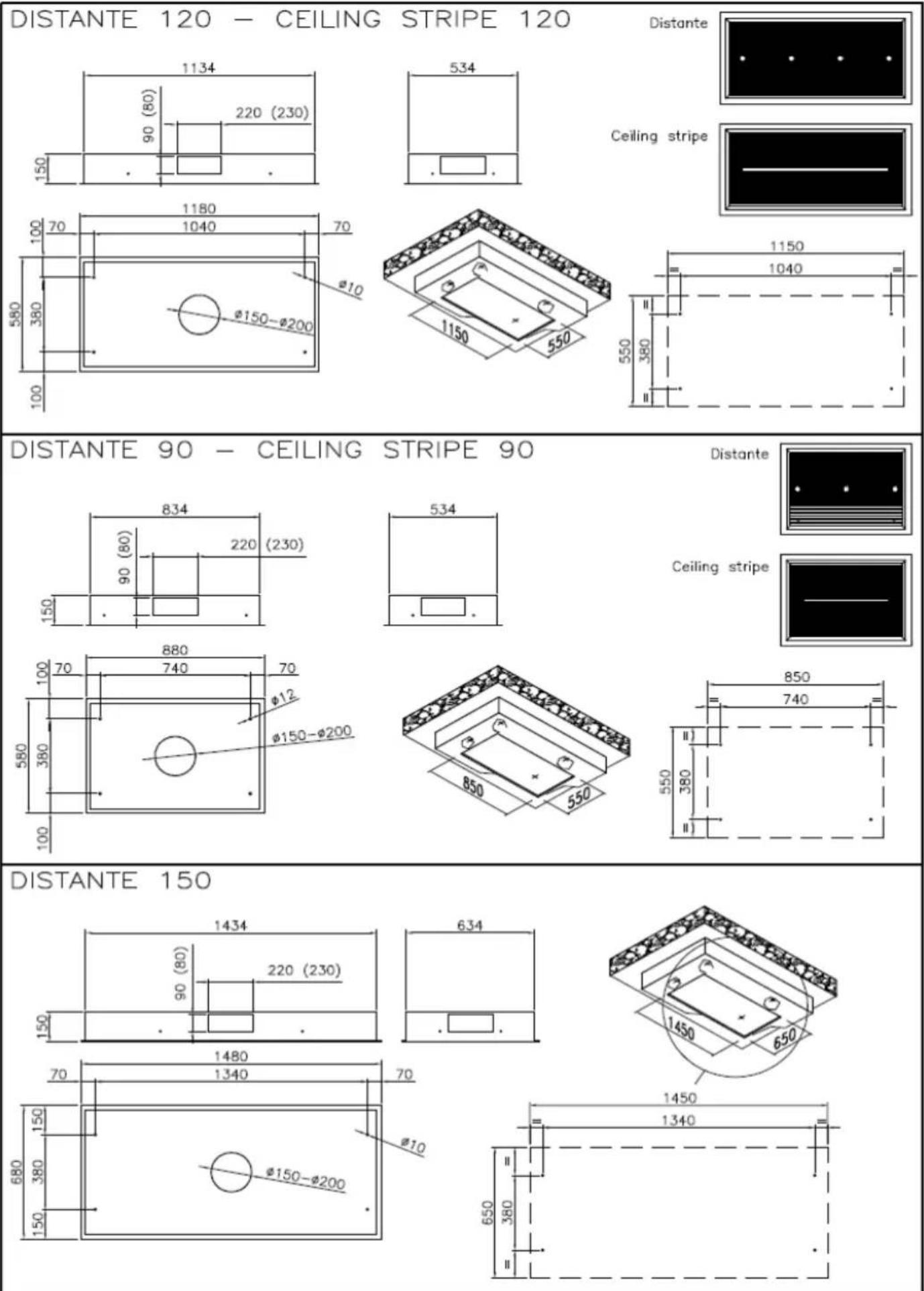
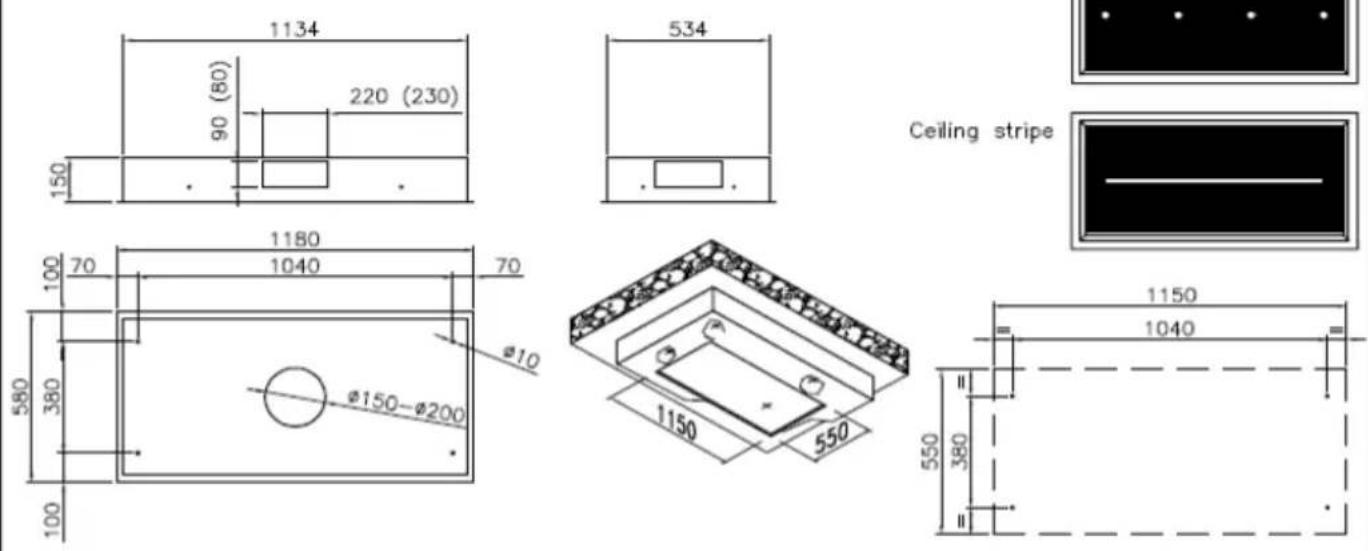
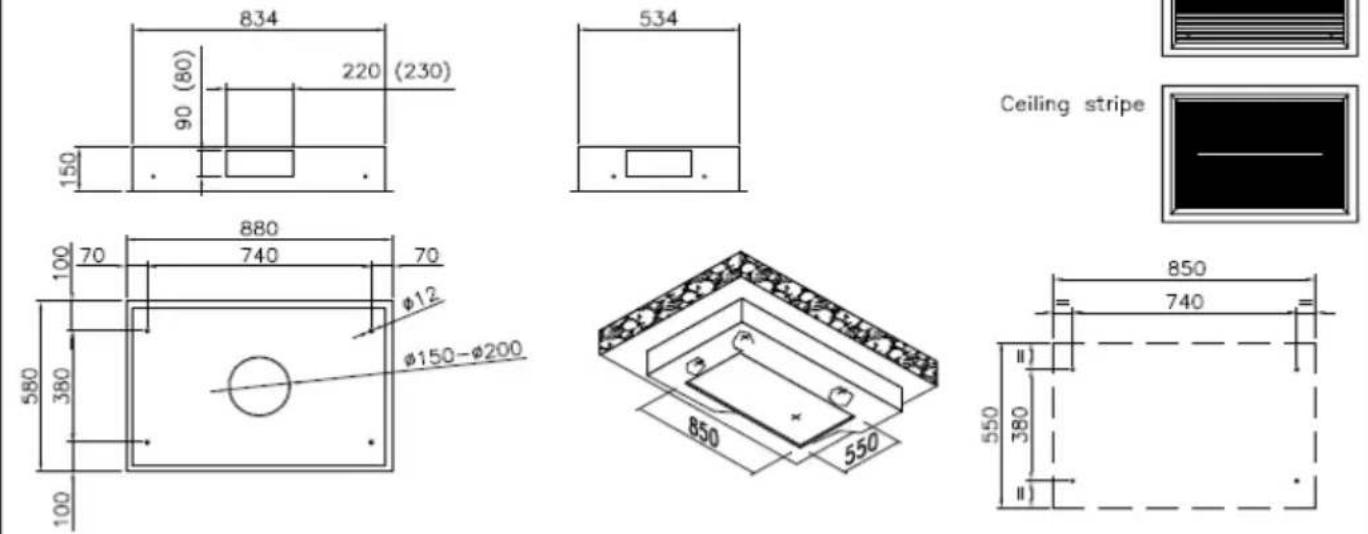
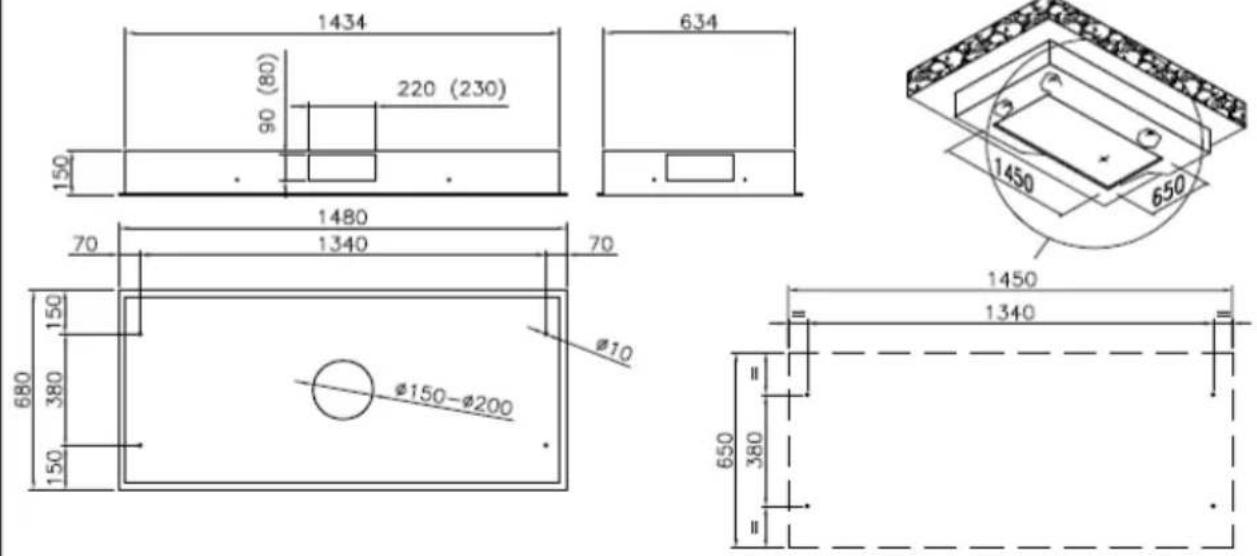
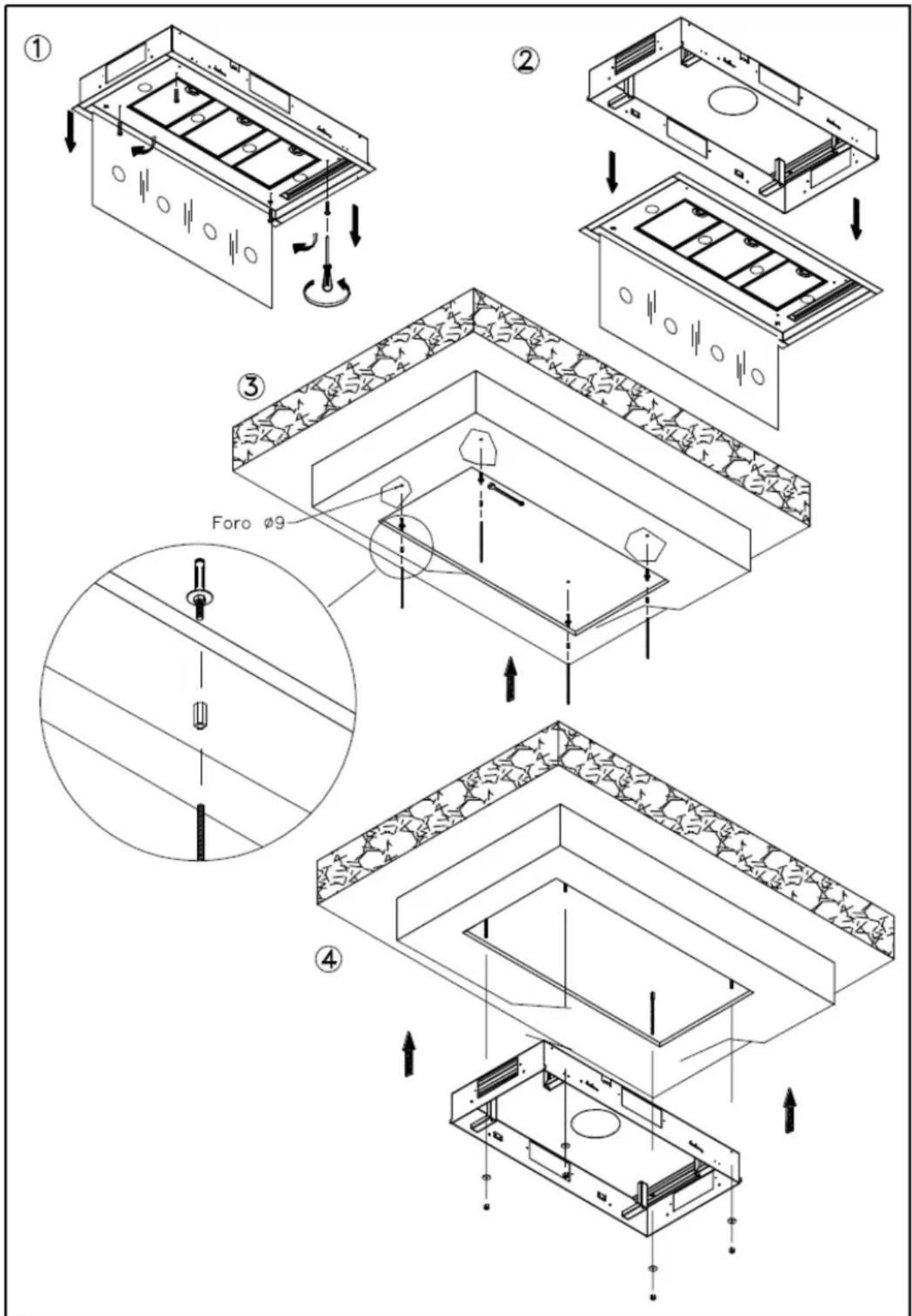
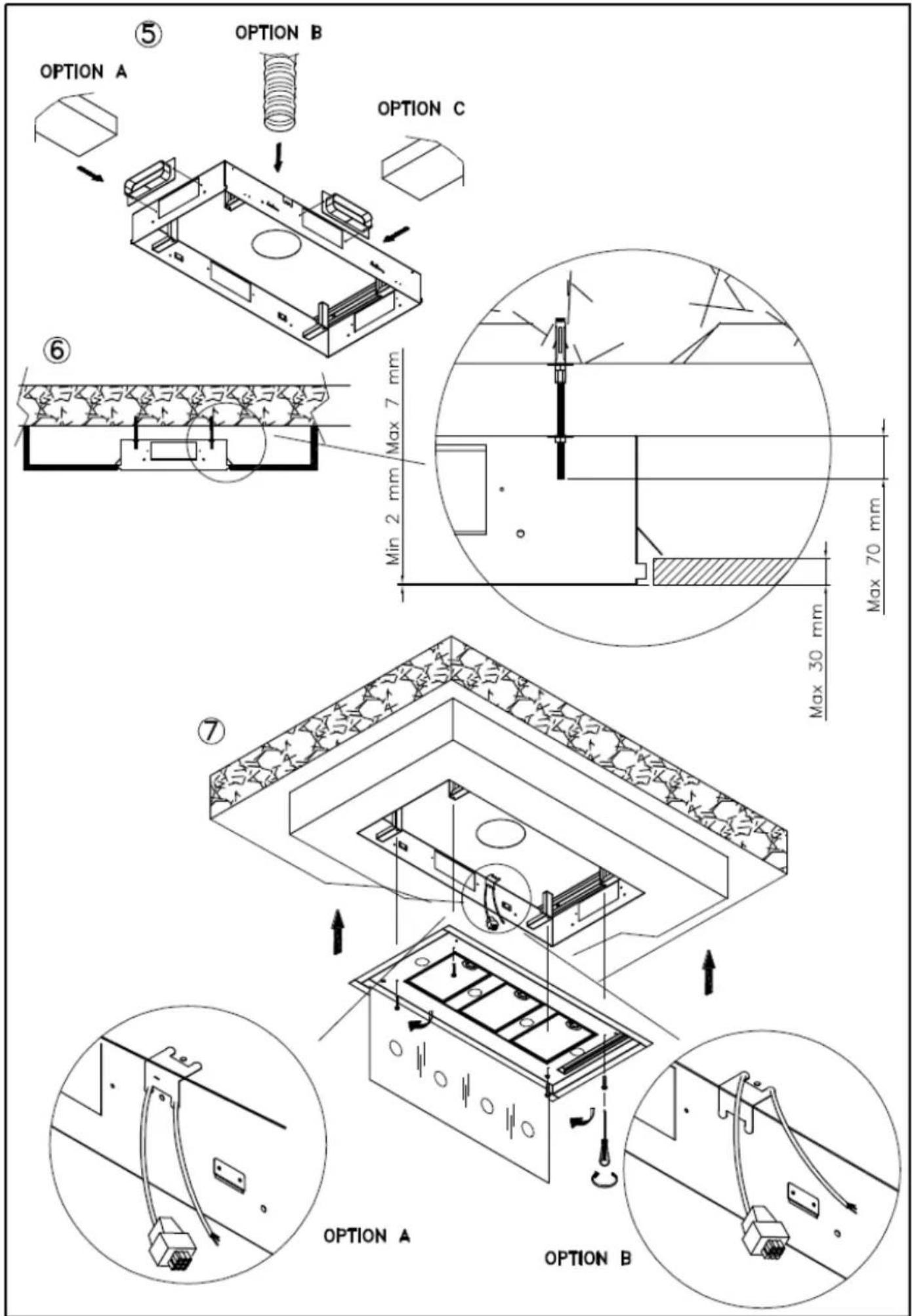
CEILING STRIPE 90 - 120
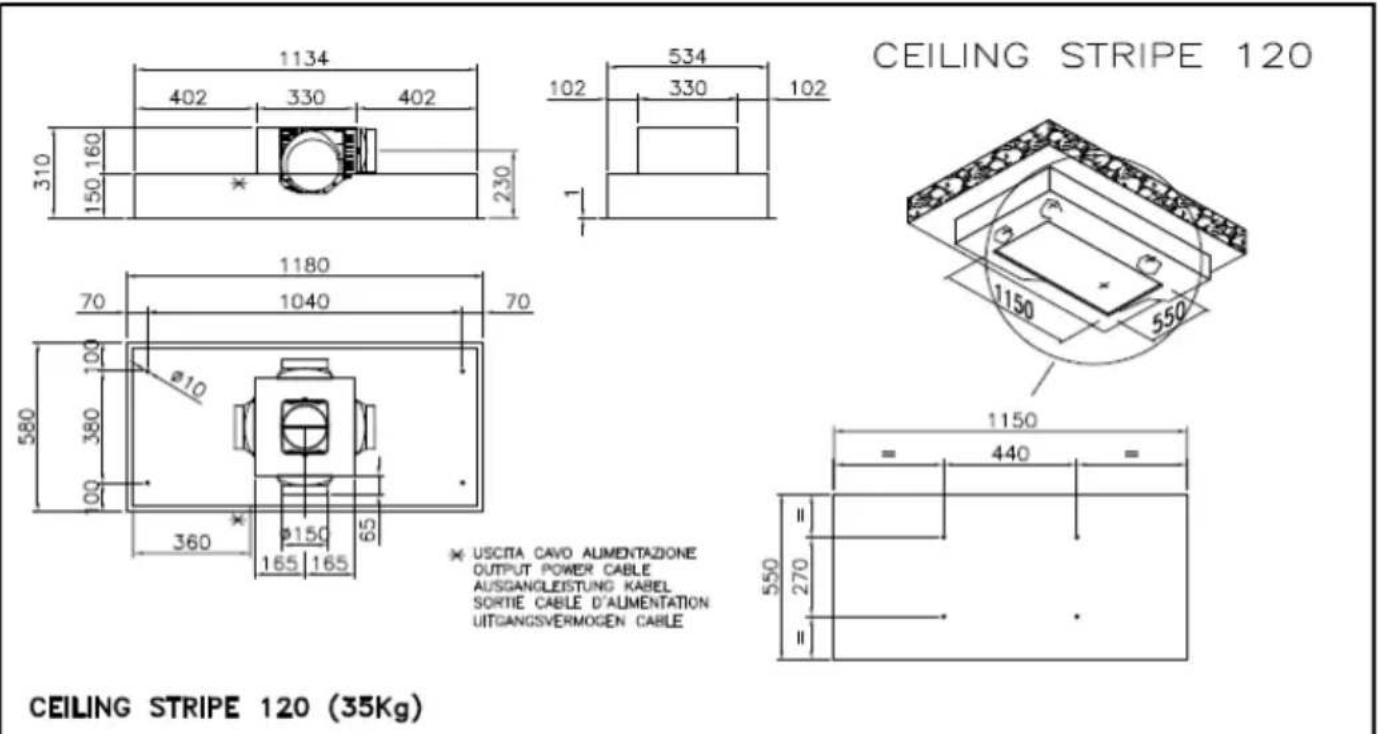
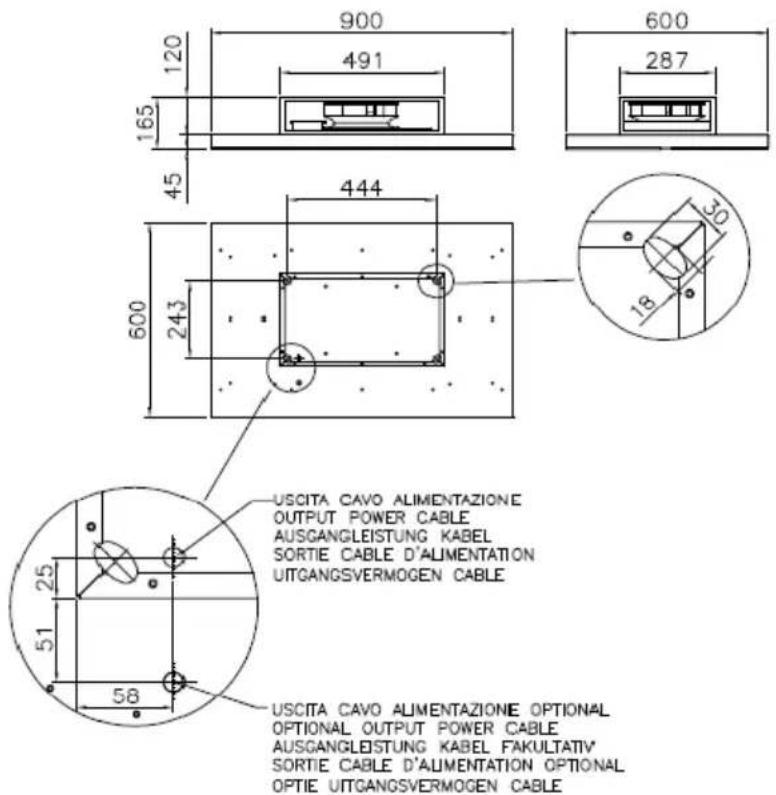
* USCITA CAVO ALIMENTAZIONE OUTPUT POWER CABLE AUSGANGLEISTUNG KABEL SORTIE CABLE D'ALIMENTATION UITGANGSVERMOGEN CABLE
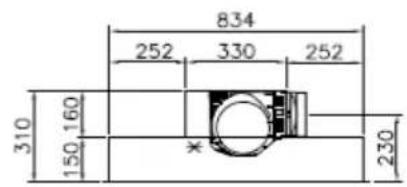
CEILING STRIPE 90
* USCITA CAVO ALIMENTAZIONE OUTPUT POWER CABLE AUSGANGLEISTUNG KABEL SORTIE CABLE D'ALIMENTATION UITGANGSVERMOGEN CABLE
CEILING STRIPE 90 (24kg)
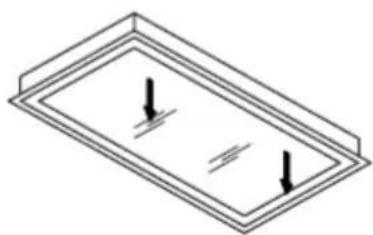
natural_image
Isometric diagram of a rectangular frame with two downward-pointing arrows indicating force or pressure (no text or symbols)Per aprire tirare qui simultaneamente Please pull here in the same time to open Ziehen sle hier
CEILING STRIPE R 90
CEILING STRIPE R 90 (26Kg)
natural_image
Isometric line drawing of a rectangular frame mounted on a flat base, with no text or symbols present.
natural_image
Isometric diagram of a rectangular plate with internal vertical lines and downward arrows indicating flow or force (no text or symbols)PER APRIRE TIRARE QUI SIMULTANEAMENTE PLEASE PULL HERE IN THE SAME TIME TO OPEN ZIEHEN SIE HIER TIRER POUR OUVRIR ICI EN MÈME TEMPS AUB TREK HIER IN DEZELFDE TIJD OM TE OPENEN

CEILING STRIPE R 120
CEILING STRIPE R 120 (34Kg)
AIDA
AMT09
natural_image
Technical line drawing of a mechanical component with arrows indicating force or movement (no text or symbols)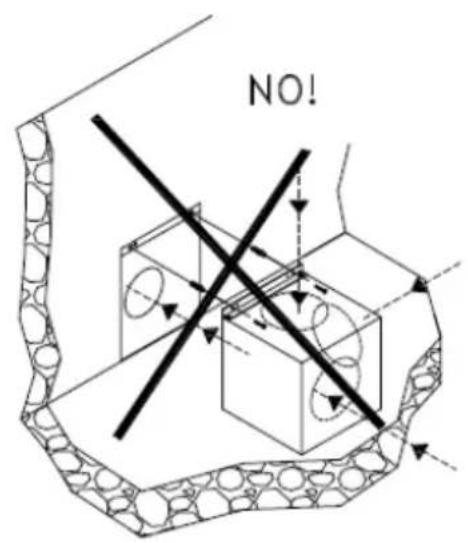
AMT10
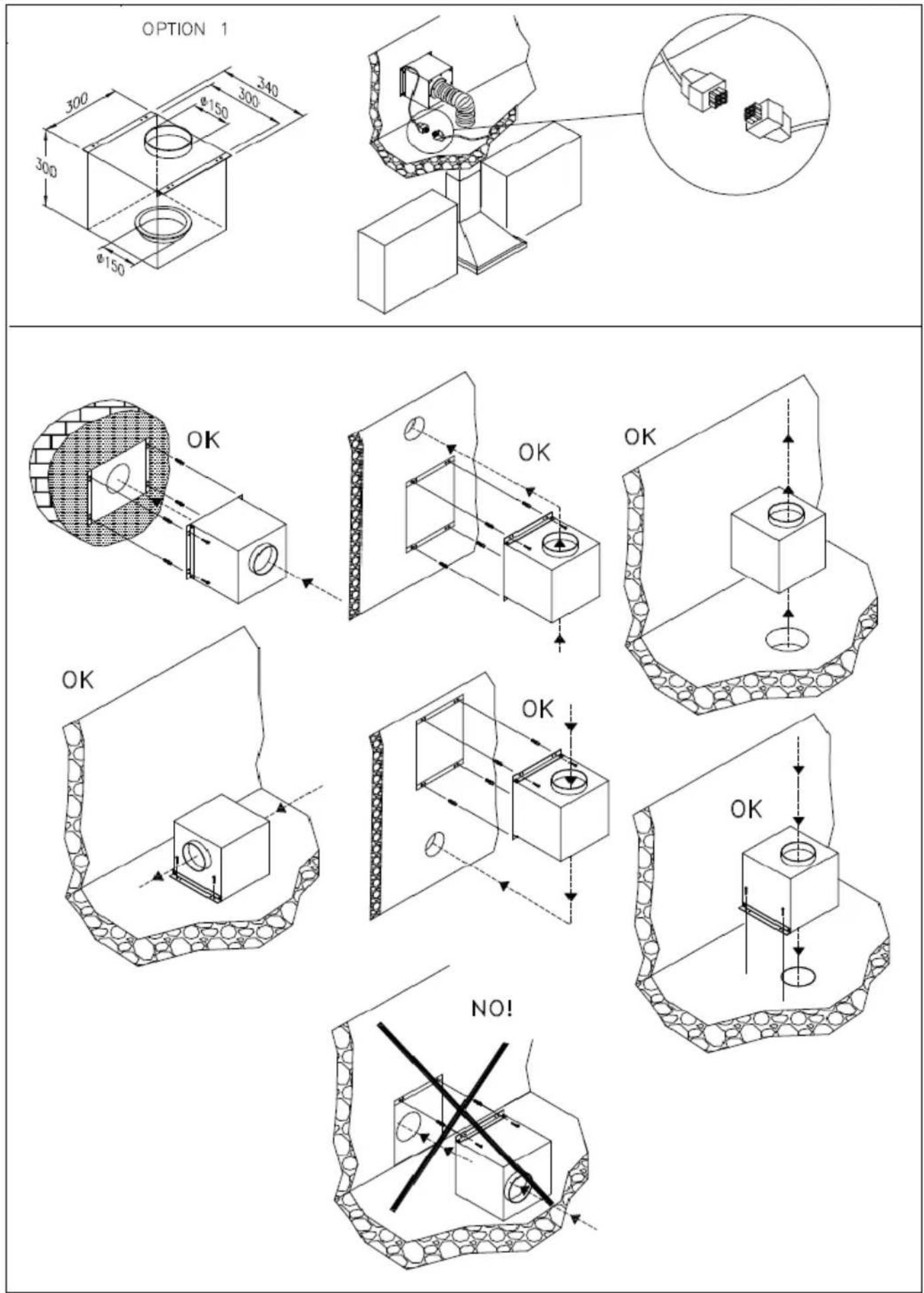
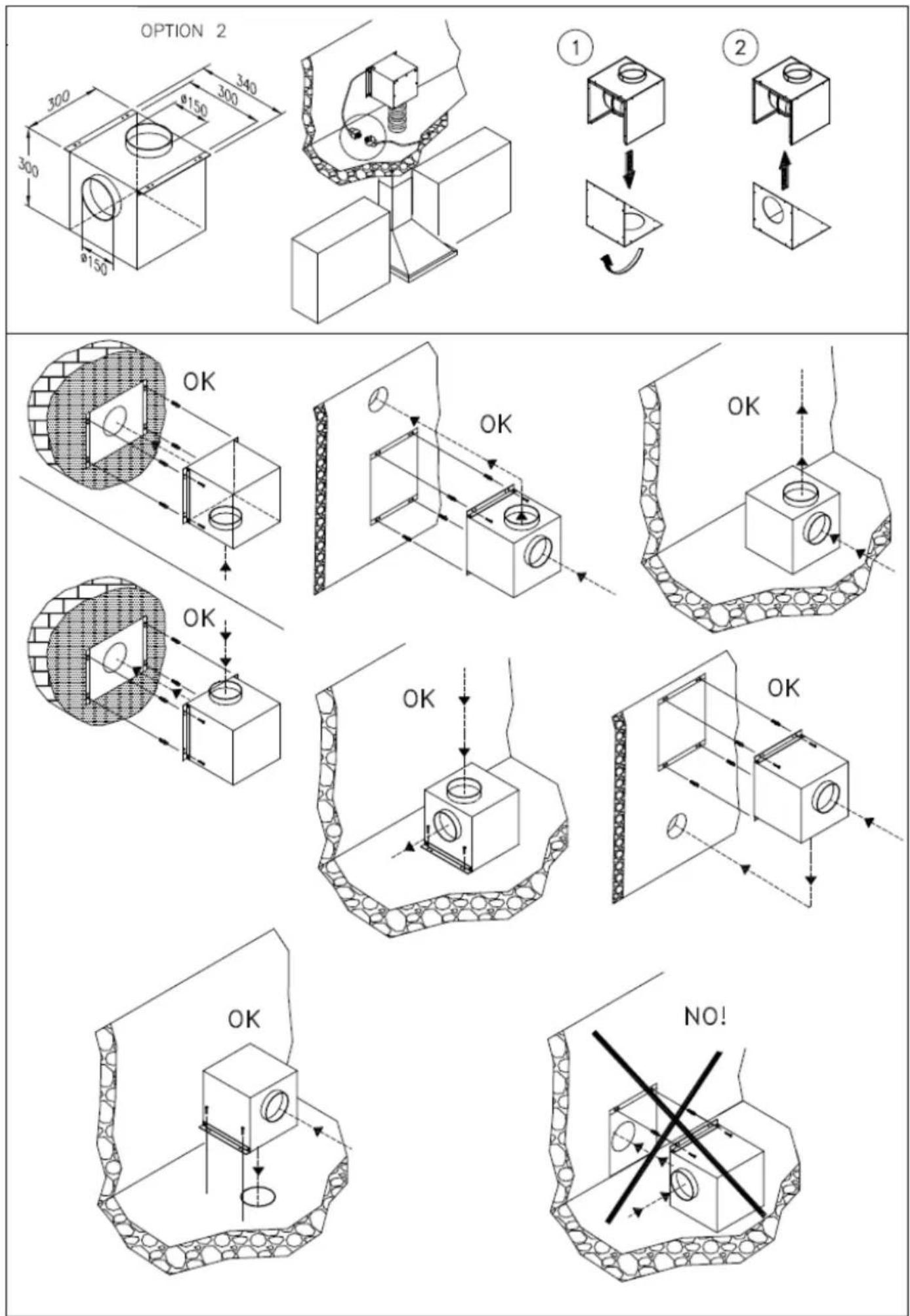
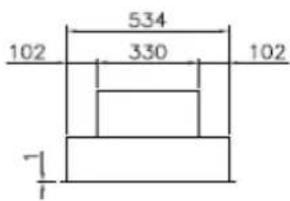
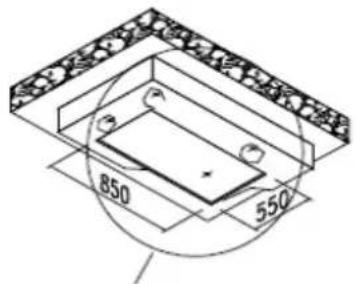
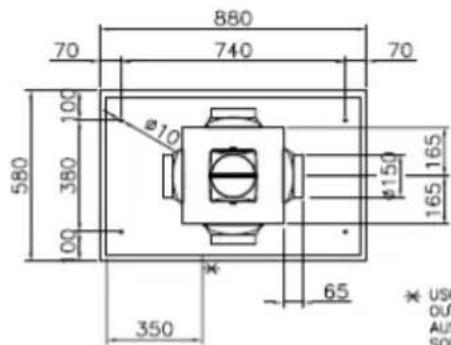
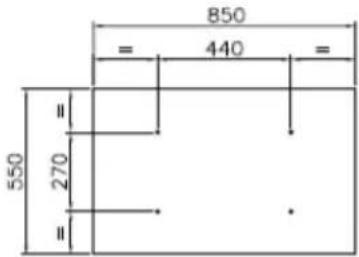
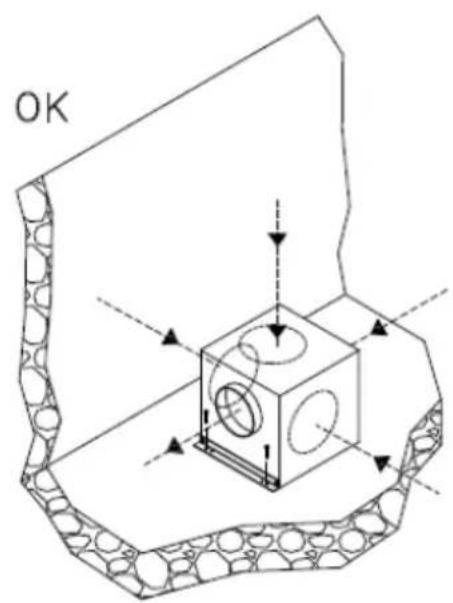
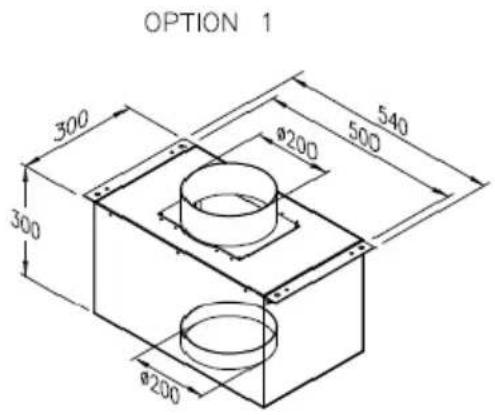
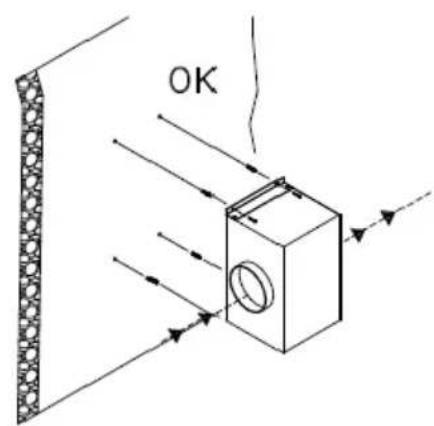
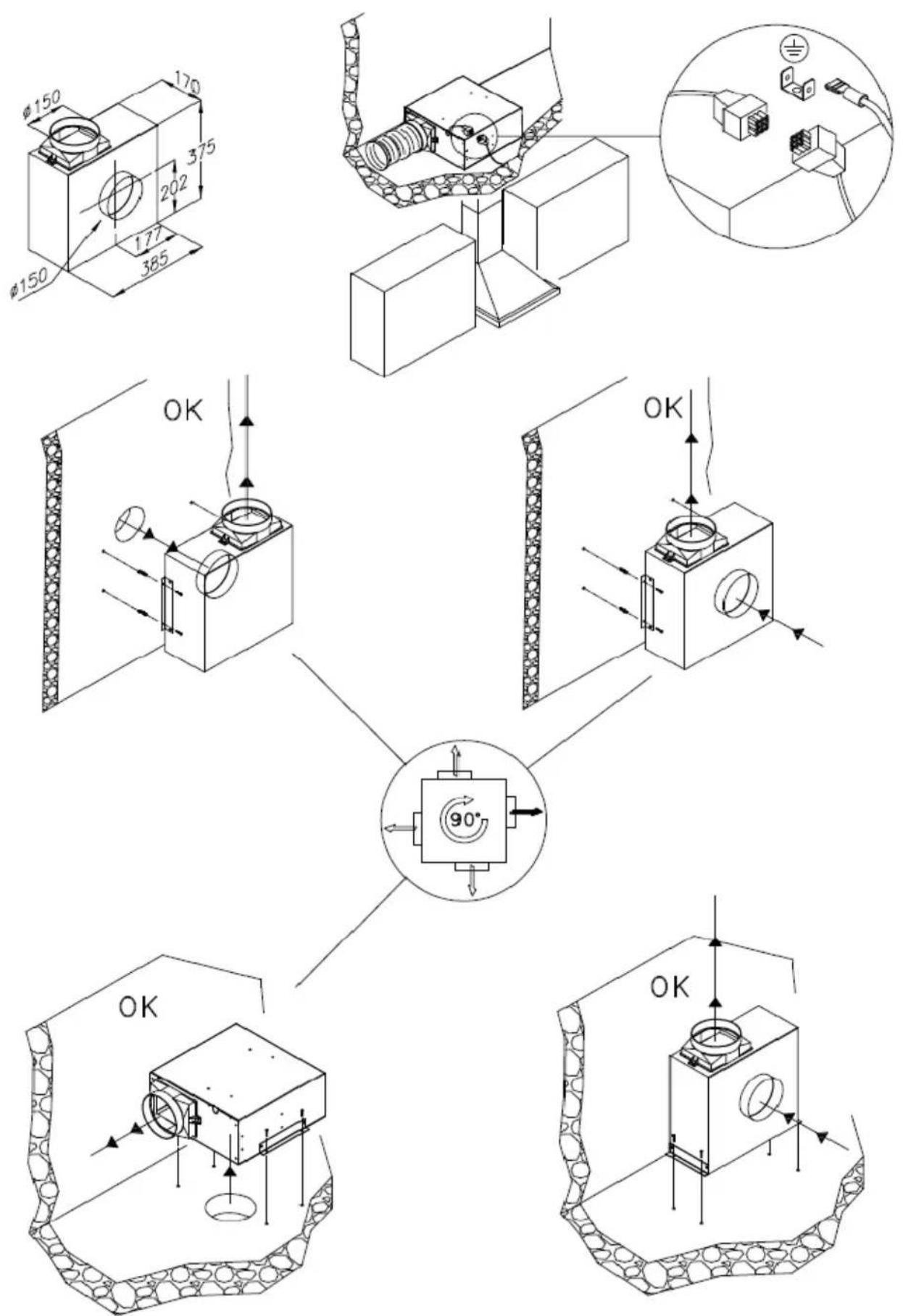
AMT20
natural_image
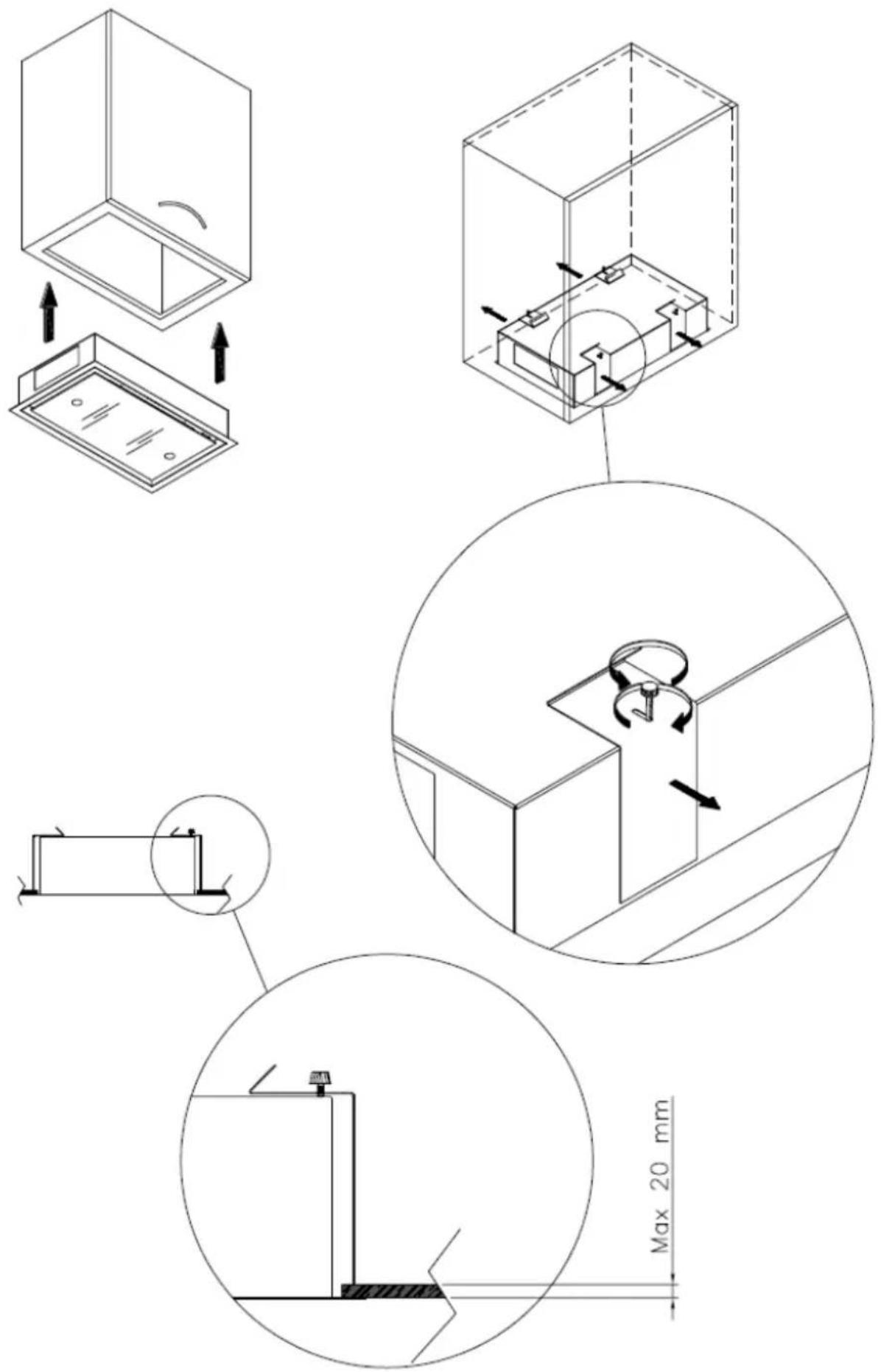
Technical line drawing of a mechanical assembly with a magnified inset showing internal components (no text or symbols)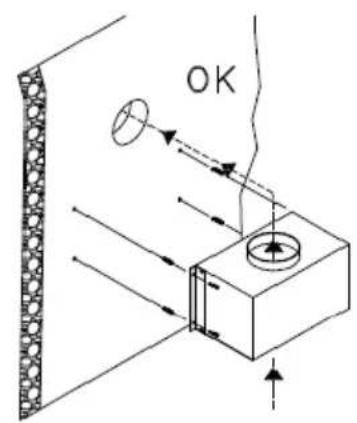
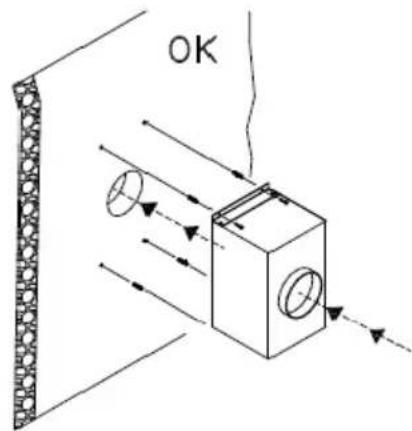
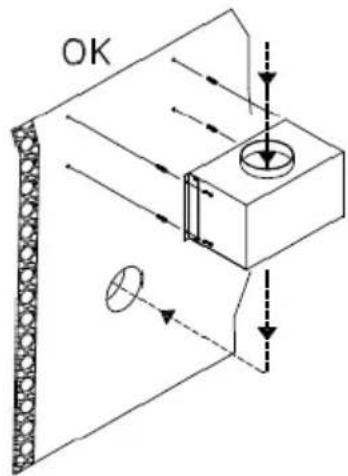
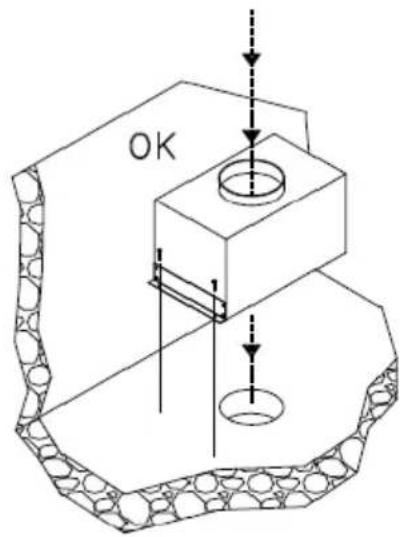
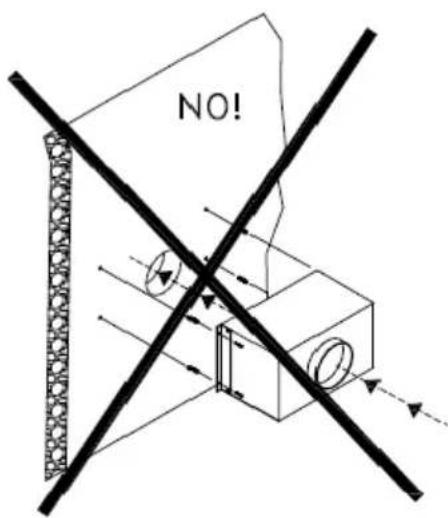
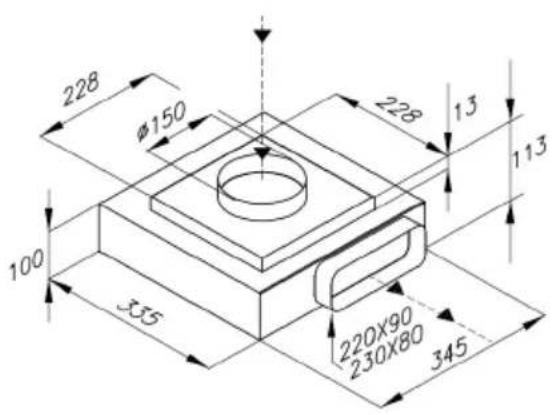
AMT13
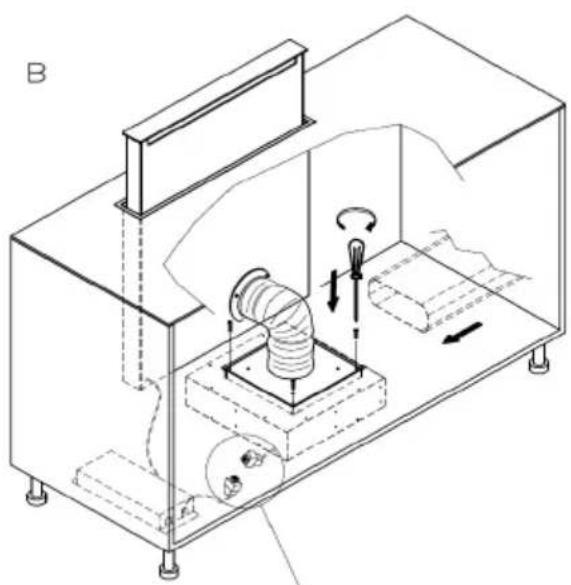
PLINTH EXSTERN MOTOR 1000
ES. 1

natural_image
Technical line drawing of a mechanical device with internal components and directional arrows (no text or symbols)ES. 2
natural_image
Technical line drawing of a mechanical assembly with no visible text or symbols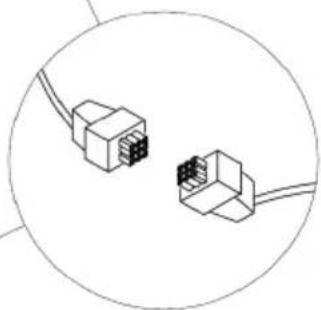
natural_image
Diagram of two Ethernet connectors with visible pinout (no text or symbols)NOTE:
NOTE:
INDICE - INDEX:
ROMEO.... pg.39
HAMLET.... pg.43
MURANO.... pg.47
OPERA ANGOLARE.... pg.51
DISTANTE R.... pg.53
DISTANTE CIRCLE.... pg.55
DISTANTE 75/45.... pg.57
CEILING STRIPE 75/45....pg.59
DISTANTE 90, DISTANTE 120, CEILING STRIPE 90 SM, CEILING STRIPE 120 SM....pg.63
CEILING STRIPE 90 - 120.... pg.66
CEILING STRIPE R 90.... pg.69
CEILING STRIPE R 120.... pg.71
AIDA.... pg.73
AMT09.... pg.77
AMT10.... pg.79
AMT20.... pg.81
AMT13.... pg.83
PLINTH EXSTERN MOTOR 1000.... pg.84
eico
EICO AS
Östergade 118
9700 Brønderslev



- INSTRUCTIONS FOR USING, MAINTAINING AND INSTALLING THE HOOD
- WARNINGS
- INSTALLATION
- Hoods equipped for remote motors
- ASSEMBLY INSTRUCTIONS
- ELECTRIC WIRING
- CONTROLS
- KEYBOARD CONTROLS (Fig. 1)
- SOFT TOUCH CONTROL (Fig. 2)
- DIGITAL CONTROLS \ TOUCH CONTROLS (Fig. 3)
- RADIO- CONTROL (Fig. 4)
- USE AND MAINTENANCE
- Changing the light bulbs
- Cleaning the metal filters:
- Carbon filters
- Cleaning the hood
- BEDIENUNGS-, WARTUNGS- UND INSTALLATIONSHANDBUCH ABZUGSHAUBE
- HAMLET
- MURANO
- OPERA ANGOLARE
- DISTANTE 75/45
- CEILING STRIPE 75/45 SM
- CEILING STRIPE 75/45
- CEILING STRIPE R 90
- CEILING STRIPE R 120
- AMT20
- NOTE:
- INDICE - INDEX:
- eico
Brand : EICO
Model : Amt 20 Extern Motor
Category : Range hood