KPCG100 - Coffee machine KITCHENAID - Free user manual and instructions
Find the device manual for free KPCG100 KITCHENAID in PDF.



| Product type | Burr coffee grinder |
| Brand | KitchenAid |
| Model | KPCG100 |
| Line | Pro Line |
| Power supply | 120 V, 60 Hz, AC |
| Required plug | 3-prong grounded |
| Hopper capacity | 200 g (7 oz) |
| Number of grind settings | 15 (half-steps from 1 to 8) |
| Burr type | Stainless steel flat burrs |
| Burr diameter | 5.7 cm (2 1/4 in) |
| Rotation speed | Low speed (built-in speed reducer) |
| Housing material | Die-cast metal |
| Hopper and container material | Glass hopper and container, plastic lid |
| Container and hopper maintenance | Dishwasher safe (top rack) |
| Burr cleaning | Using provided brush; do not immerse |
| Safety | Auto shut-off, do not immerse housing |
| Included accessories | Cleaning brush, cord wrap |
| Replacement parts available | Replacement burr set (contact KitchenAid) |
| Warranty | 2-year limited (household) |
| Country of origin | Not specified |
Frequently Asked Questions - KPCG100 KITCHENAID
User questions about KPCG100 KITCHENAID
0 question about this device. Answer the ones you know or ask your own.
Ask a new question about this device
Download the instructions for your Coffee machine in PDF format for free! Find your manual KPCG100 - KITCHENAID and take your electronic device back in hand. On this page are published all the documents necessary for the use of your device. KPCG100 by KITCHENAID.
USER MANUAL KPCG100 KITCHENAID
INSTRUCTIONS AND RECIPES
MOULINÀCAFE AMEULES
INSTRUCTIONS ET RECETTES
MOLINO DE CAFÉ
Always keep a copy of the sales receipt showing the date of purchase of your Burr Coffee Mill. Proof of purchase will assure you of in-warranty service.
Before you use your Burr Coffee Mill, please fill out and mail your product registration card packed with the unit. This card will enable us to contact you in the unlikely event of a product safety notification and assist us in complying with the provisions of the Consumer Product Safety Act. This card does not verify your warranty.
Please complete the following for your personal records:
Model Number
Serial Number
Date Purchased
Store Name and Location
PREUVE D'ACHAT ET ENREGISTREMENT DU PRODUIT
Proof of Purchase & Product Registration. Inside Front Cover Burr Coffee Mill Safety 2
Important Safeguards 3
Electrical Requirements 4
FEATURES And operation
Burr Coffee Mill Features 5
Using the Burr Coffee Mill 7
Before First Use
7
Grind Setting Table 8
Adjusting the Cutting Burrs 9
Adjusting for Maximum Grind Fineness 9
Adjusting to Provide Coarser Grinds 10
Burr Coffee Mill Tips 11
How the Grind Affects Flavor 12
CARE And CLEANing
Cleaning the Motor Housing & Hoppers 13
Cleaning the Cutting Burrs 13
Adjusting the Cutting Burrs for Wear 15
Replacing the Cutting Burrs 15
Troubleshooting 16
WARRANTY And SERVICE InFoRmAtIon
KitchenAid PRO LINE™ Burr Coffee Mill Warranty. 17
Hassle-Free Replacement Warranty - 50 United States and District of Columbia 18
Hassle-Free Replacement Warranty - Canada 18
How to Arrange for Warranty Service in Puerto Rico 18
How to Arrange for Service after the Warranty Expires - All Locations 19
How to Arrange for Service Outside these Locations 19
How to Order Accessories and Replacement Parts 20
Your safety and the safety of others are very important.
We have provided many important safety messages in this manual and on your appliance. Always read and obey all safety messages.

This is the safety alert symbol.
This symbol alerts you to potential hazards that can kill or hurt you and others.
All safety messages will follow the safety alert symbol and either the word "DANGER" or "WARNING." These words mean:
DANGER
You can be killed or seriously injured if you don't immediately follow instructions.
WARNING
You can be killed or seriously injured if you don't follow instructions.
All safety messages will tell you what the potential hazard is, tell you how to reduce the chance of injury, and tell you what can happen if the instructions are not followed.
IMPORTANT SAFEGUARDS
When using electrical appliances, basic safety precautions should always be followed, to reduce the risk of fire, electric shock, and/or injury to persons including the following:
- Read all instructions.
- To protect against the risk of electric shock, do not put the Burr Coffee Mill in water or other liquids.
- Close supervision is necessary when any appliance is used by or near children.
- Unplug the Burr Coffee Mill from the outlet when not in use, before putting on or taking off parts, and before cleaning.
- Avoid contacting moving parts.
- Do not operate any appliance with a damaged cord or plug, or after the appliance malfunctions or is dropped or damaged in any manner. Return the appliance to the nearest authorized service facility for examination, repair, or electrical or mechanical adjustment.
- The use of attachments not recommended or sold by KitchenAid may cause fire, electric shock, or injury.
- Do not use outdoors.
- Do not let cord hang over edge of table or counter, or touch hot surfaces.
- Check the bean hopper for the presence of foreign objects before using.
- This product is UL Listed for household and commercial use.
- This product is cUL Listed for household and commercial use in Canada.
SAVE THESE INSTRUCTIONS
ELECTRICAL REQUIREMENTS
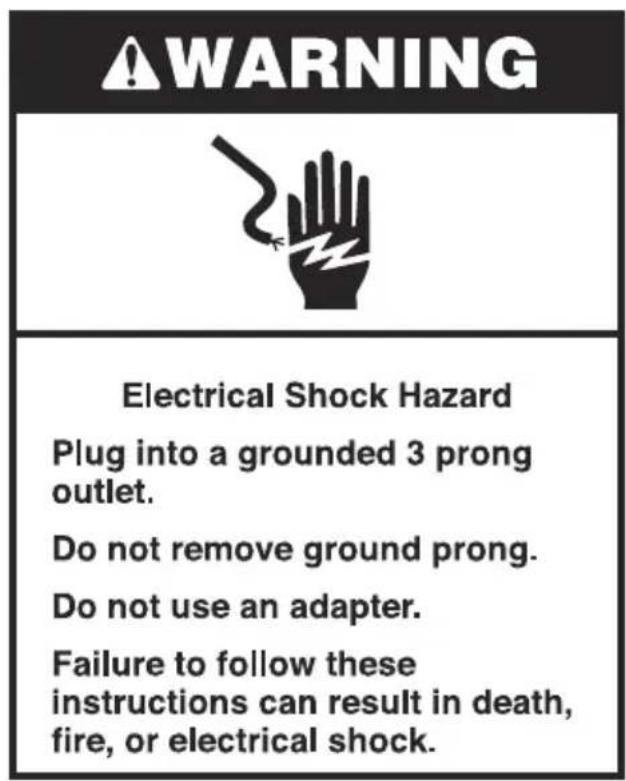
WARNING

Electrical Shock Hazard
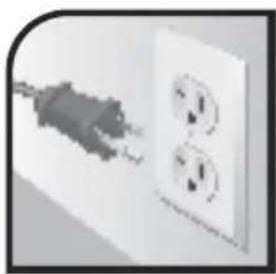
Plug into a grounded 3 prong outlet.
Do not remove ground prong.
Do not use an adapter.
Failure to follow these instructions can result in death, fire, or electrical shock.
Volts: 120 V.A.C.
Hertz: 60 Hz
Note: This Burr
Coffee Mill has a 3 prong grounded plug. To reduce the risk
of electrical shock, this plug will fit in an outlet only one way. If the plug does not fit in the outlet, contact a qualified electrician. Do not modify the plug in any way.
A short power-supply cord is provided to reduce the risk resulting from becoming entangled in or tripping over a longer cord. Extension cords are available and may be used.
If an extension cord is used:
- The marked electrical rating of the extension cord should be at least as great as the electrical rating of the appliance.
The extension cord should be a grounding-type 3 wire cord.
The cord should be arranged so it will not drape over the countertop or tabletop where it can be pulled on by children or tripped over.
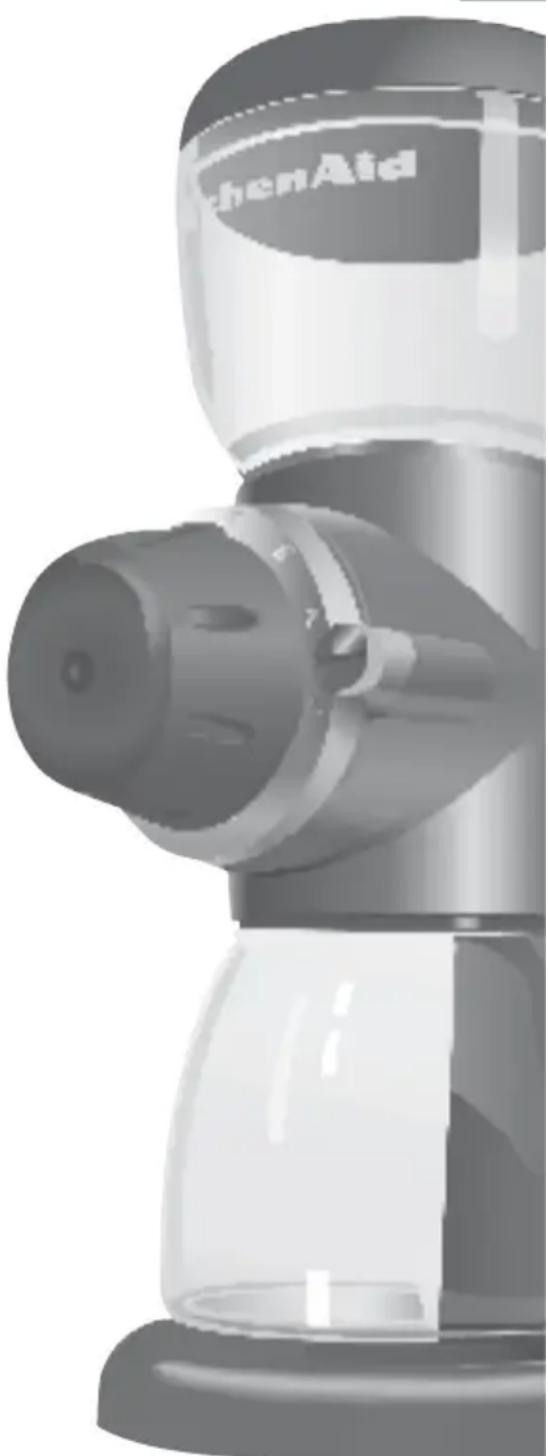
Motor Housing
Die-cast metal housing is stable, durable, and easy to clean.
Bean Hopper
7 oz. (200 g) capacity bean hopper unscrews from the motor housing for simple cleaning. Press-fit hopper lid makes for quick and easy filling. Hopper and lid are dishwasher-safe (top rack only).
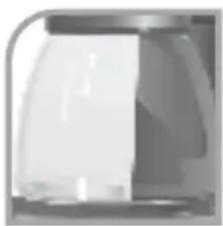
Coffee Bin
Coffee bin is glass to minimize the static "cling" of coffee grinds. Bin is dishwasher-safe (top rack only).
Bin Platform
Platform pad seats the coffee bin under the grinding spout.
Bin Seal Plate
Plate helps position the coffee bin under the grinding spout and prevents coffee grinds from escaping.
Grind Control Dial
Large, easy-to-use dial selects one of 15 grind levels in half-step increments from 1 to 8.
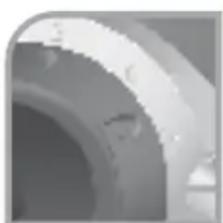
Grind Level Ring
Metal ring displays grind levels 1 (coarse) through 8 (fine).
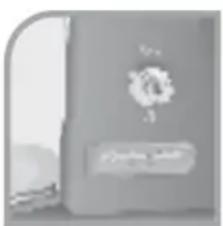
On/Off Switch
Switch "On" to grind, "Off" to stop.
Continued...
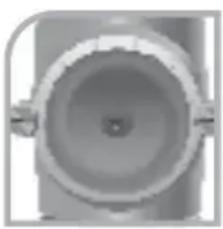
Faceplate Assembly & Screws
Assembly includes the grind control dial and grind level ring. Two faceplate screws attach the faceplate assembly to the motor housing. Loosen the screws and remove the faceplate assembly to access the burrs. When reassembling the faceplate, the two screws must be tightened simultaneously to allow the faceplate to sit flush with the Burr Coffee Mill.
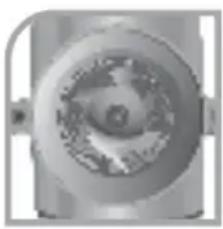
Precision Stainless Steel Cutting Burrs
Large 2^1/4 -inch (5.7 cm) diameter flat cutting burrs provide long life and superb grind consistency. Burrs can be adjusted to compensate for wear, or calibrated to meet stringent Specialty Coffee Association of America guidelines for espresso and French Press grinds.
Low-RPM Operation
A special DC motor and gear reduction system slows the rotation of the cutting burrs, minimizing the frictional heating of the grinds and preserving coffee flavor and aroma. The low rpm operation also reduces the static charge – and “cling” – of coffee grinds.
Power Cord with Tie
Round cord has no grind-trapping seams; the tie can be used to bundle any excess.
One-Piece Metal Base with No-Slip Rubber Feet
Metal base provides a stable platform for the mill. Rubber feet dampen noise and vibration, and help protect the countertop.
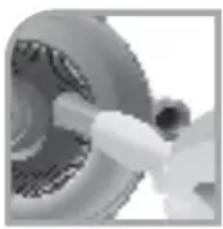
Burr Cleaning Brush
Dense bristles sweep grinds from the cutting burrs quickly and easily.
Before using the Burr Coffee Mill, wipe the motor housing and cord with a clean damp cloth. Wash the bean hopper, hopper lid, and coffee bin in hot soapy water, then rinse and dry. The bean hopper, hopper lid, and coffee bin can also be washed in the top rack of a dishwasher.
Operating the Burr Coffee Mill
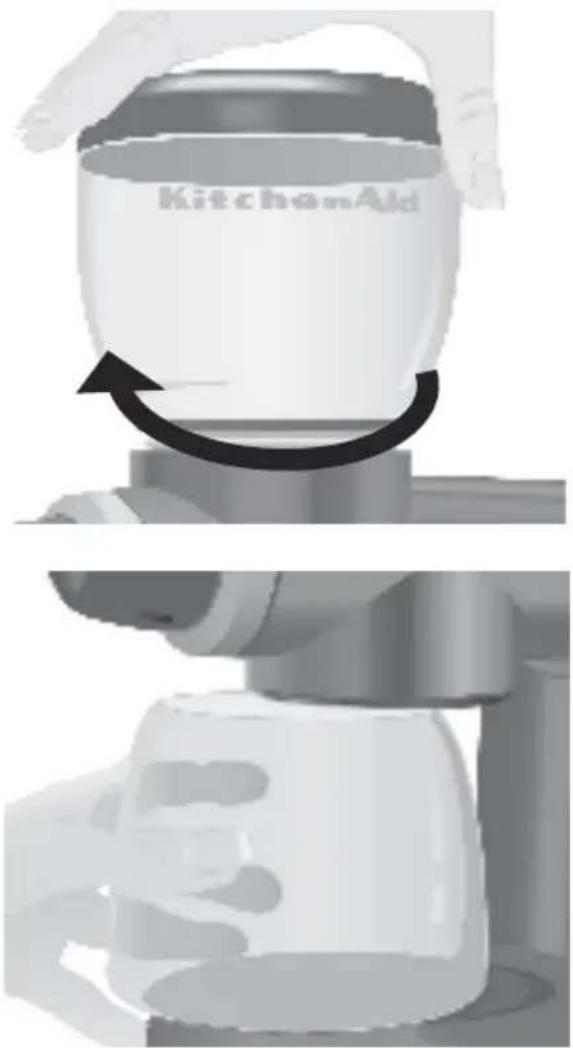
- Make certain the Burr Coffee Mill is unplugged. Attach the bean hopper to the top of the motor housing by turning the hopper clockwise until snug.
- Slide the coffee bin onto the bin platform; the bin seal plate on the motor housing will compress slightly to accommodate the bin. Make certain the bin is centered in the middle of the bin platform.
- Fill the bean hopper to the level desired. At maximum, the hopper holds 7 oz. (200 g) of beans.
NOTE: This product is intended to grind whole coffee beans only.
- Place the hopper lid onto the hopper.
-
Plug into a grounded 3 prong outlet. The tie provided on the power cord can be used to bundle any excess cord.
-
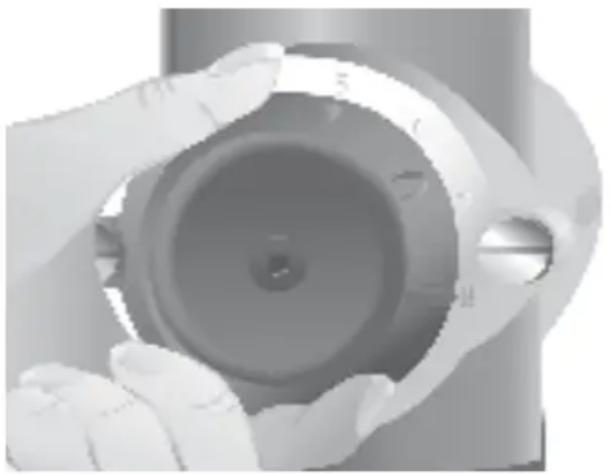
Select the grind by turning the grind control dial to the desired setting on the grind level ring. See the grind setting table below to match the grind level to your brewing process. With use, you'll be able to refine the settings to match your own tastes.
NOTE: Because partially ground coffee beans may remain between the burrs after the Burr Coffee Mill is turned off, selecting a finer grind may be easier when the Burr Coffee Mill is running.
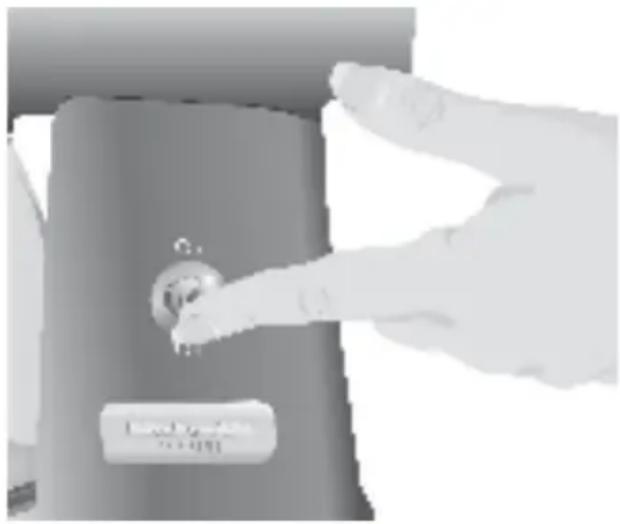
- To grind coffee, flip the On/Off Switch to the "On" position.
- When the desired amount of coffee has been ground, flip the On/Off Switch to the "Off" position, remove the coffee container, and scoop out the ground coffee.
Grind Setting Table
| Setting | Grind For | Average Grind Size produced by the Burr Coffee Mill before adjustment | |
| 8 Fine Espresso 325 microns | |||
| 5 Medium Automatic Drip | 750 microns | ||
| 1 Coarse French Press 1250 microns | |||
From the factory, the KitchenAid® PRO LINE™ Burr Coffee Mill will provide grinds suitable for almost all types of brewing. If you're an espresso or French Press aficionado, however, you may wish to adjust the cutting burrs to provide optimum performance for your style of brewing. With adjustment, the Burr Coffee Mill will easily meet stringent Specialty Coffee Association of America grind-size specifications for espresso (250 micron grind size) or French Press brewing (1500 micron grind size).
Adjusting for Maximum Grind Fineness
Adjusting the mill to provide maximum fineness will slightly decrease the grind sizes throughout the grinding range. (To adjust the mill to provide coarser grinds, see page 10.)
- Empty the bean hopper, then run the mill a few seconds to clear any remaining beans from the machine.
- Turn the grind control dial to level "8".
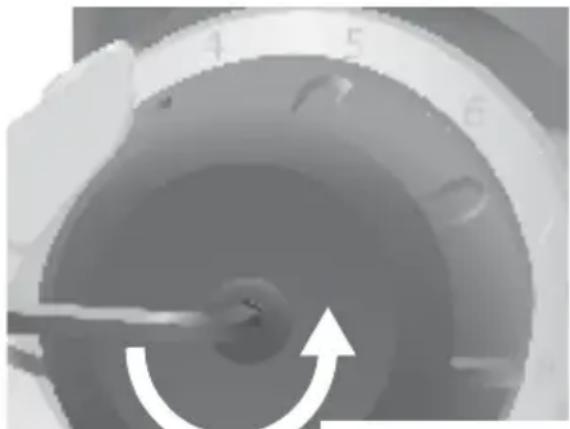
- Using a 132 -inch (4 mm) allen wrench or hex-head screwdriver, remove the screw located in the front of the grind control dial by turning it counterclockwise. Hold the grind control dial so that it does not rotate as the screw is removed. Once the screw is free, remove the grind control dial.
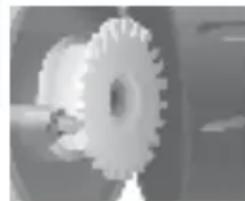
The white grind control gear should be visible once the grind control dial is removed.
4. Turn on the mill by flipping the On/Off Switch to the "On" position.
- Rotate the grind control gear clockwise one "click" or detent at a time until you hear the burrs touching one another - when they touch, the burrs will make a distinct "rubbing" or grating sound.
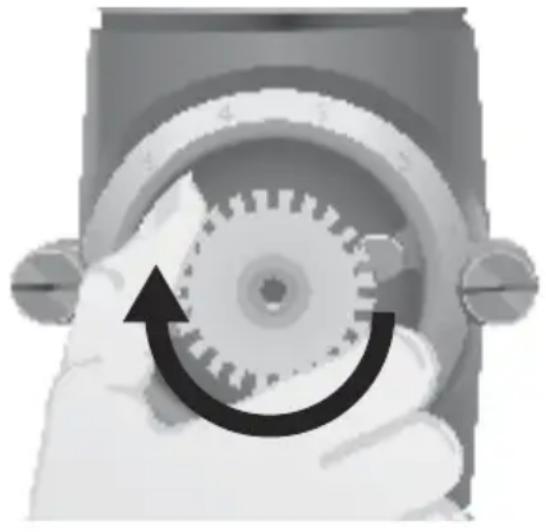
- When the burrs are touching, turn the grind control gear counter-clockwise one "click" or detent. The grating or "rubbing" sound will stop. Turn off the mill by flipping the On/Off Switch to the "Off" position. The mill is now calibrated to provide maximum fineness.
- Re-attach the grind control dial, making certain the dial indicator points to grind level "8".
NOTE: If the Burr Coffee Mill produces a grating or "rubbing" sound during use, the burrs have been improperly adjusted. To avoid damage to the burrs, readjust the burrs immediately.
Adjusting to Provide Coarser Grinds
When the Burr Coffee Mill is adjusted to provide coarser grinds, grind sizes will increase throughout the grinding range and the finest level may become too coarse for espresso. (To re-calibrate the Burr Coffee Mill for maximum grind fineness, see page 9.)
- Turn the grind control dial to level "1".
- Using a 132 -inch (4 mm) allen wrench or hex-head screwdriver, remove the screw located in the front of the grind control dial by turning it counter-clockwise. Once the screw is free, remove the grind control dial. The white grind control gear should be visible once the dial is removed.
- Rotate the grind control gear counterclockwise one "click" or detent at a time until the "clicking" sound diminishes and the gear offers little resistance to being turned.
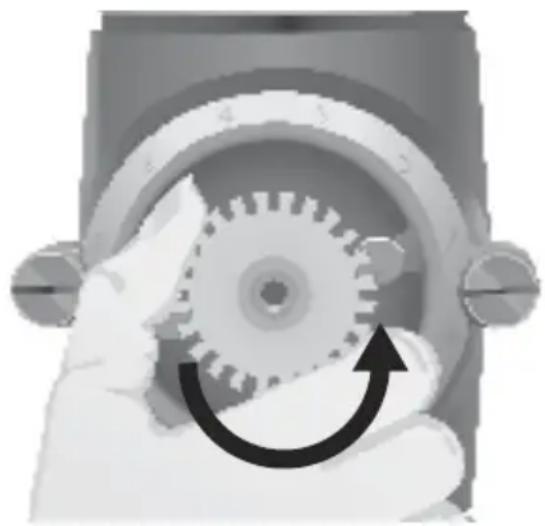
- Re-attach the grind control dial, making certain the dial indicator points to level "1".
- Select the correct grind for the brew process you are using. Fifteen grind levels are available in half-step increments from 1 to 8. Level 8 produces a very fine grind perfect for espresso, 4 12 to 6 are medium grinds appropriate for automatic drip coffee makers, and 1 is a coarse grind suited to French Press brewing. Experiment - your tastes may be better served by using a slightly finer or coarser grind.
- For standard drip-process coffee, a good starting point is to use 1 oz. (28 g) of coffee for every 4 cups
(17 oz. [500 ml]) of brew water as measured with a carafe (a carafe "cup" is about 4^1/4 oz. [125 mm]). Finer grinds usually require less coffee, but using too fine a grind will result in bitter flavor – see "How the Grind Affects Flavor" on page 12.
- If you prefer substantially weaker-than-average coffee, it's best to brew using a normal amount of ground coffee and then dilute the result with hot water. Doing this will maximize flavor and minimize bitterness.
- Ground coffee loses flavor and aroma very quickly. For the best results, grind only as much as you intend to immediately use.
- To retain freshness, coffee beans should be stored in an airtight container and kept in a cool, dark place. It is not recommended that you store beans in the mill's bean hopper for a prolonged period.
- Clean the coffee bin and cutting burrs frequently.
- Grinding flavored coffee beans will impart an off-taste to any other coffee that is ground in the mill. If you enjoy flavored coffee, it's best to add flavored syrups or creamers to your coffee after brewing or dedicate another mill for grinding flavored beans only.
Note: The burrs will require more frequent cleaning when grinding flavored, or very oily coffee beans. The Burr Coffee Mill is intended for grinding whole coffee beans only. Do not grind other food items.
HOW THE GRIND AFFECTS FLAVOR
The flavor of coffee depends on a variety of factors, including the quality, freshness, and roast of the beans, the purity of the brew water, the cleanliness of the brewing equipment, and the brewing temperature. The fineness and consistency of the grind is also critical.
Coffee that is ground too fine for a particular brewing process – using a fine espresso grind in a drip coffee maker, for example – will result in the brew water over-extracting the oils and aromatic compounds in the coffee, yielding a brew that is extremely pungent and bitter. Conversely, coffee that is too coarsely ground for a particular process will result in the under-extraction of the oils and essences, resulting in a very thin and weak flavor. If the correct grind is used, adding more coffee simply makes a brew stronger without making it excessively bitter.
The consistency of the grind is also an important factor in the flavor of coffee – and absolutely critical when making great espresso. If the grounds are uniform, equal amounts of soluble compounds will be extracted from each. If the grounds vary in size, some will be over-extracted and some will be under-extracted, leading to extremely poor quality. It's not surprising that a precision grind is mandatory for good espresso, which is brewed with near-boiling water under 9 bars (130 lbs. [59 kg]) of pressure.
Coffee grind quality is directly related to the type of grinder used. High speed grinders with small burr sets are usually not able to produce the fineness or consistency required for the best espresso. They also excessively heat the beans while grinding, resulting in lost flavor and aroma.
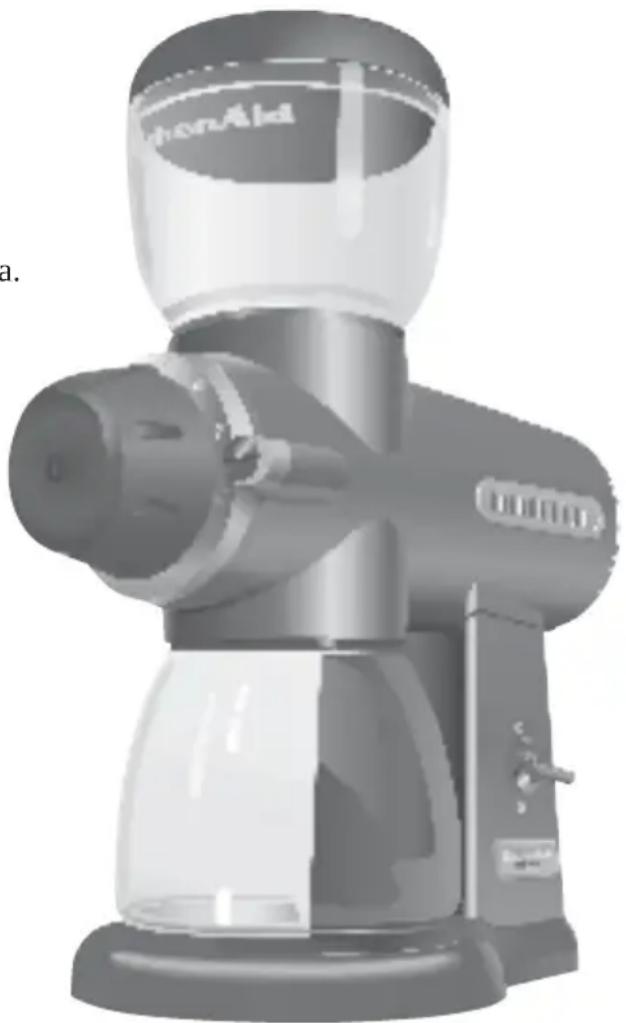
The KitchenAid® PRO LINE™ Burr Coffee
Mill uses a pair of large, commercial-style, flat cutting burrs to grind coffee with precision. Frictional heating is minimized with a gear reduction system that slows burr rotation, and uniformity is enhanced with a helical-gear that transports beans to the burrs at a controlled rate. The result is a superb grind that makes your coffee and espresso the best it can be.
Cleaning the Motor Housing and Hoppers
- Make sure the Burr Coffee Mill is switched off and unplugged before cleaning.
- Do not immerse the motor housing in water.
- To avoid damage to the Burr Coffee Mill, do not immerse the cutting burrs, burr-shaft assembly, or face-plate assembly in water. Keep them dry at all times.
- To avoid damaging the finish, do not use abrasive cleansers or scouring pads.
- Wipe the motor housing and cord with a clean damp cloth. Dry with a soft cloth.
- Wash the coffee bin, bean hopper, and hopper lid in hot soapy water, then rinse and dry.
- The bean hopper, hopper lid, and coffee bin can also be washed in the top rack of a dishwasher.
Cleaning the Cutting Burrs
If the mill is used frequently, the cutting burrs need to be cleaned every few weeks for best performance. Cleaning enables the burrs to achieve the finest, most consistent grinds possible – which is especially important when grinding coffee for espresso.
Foreign objects - like pebbles or twigs - sometimes find their way into whole bean coffee. These objects may cause the mill to jam. If this happens, follow the burr-cleaning procedure to remove the foreign material.
-
Make sure the mill is switched off and unplugged. Remove the coffee bin and bean hopper from the mill.
-
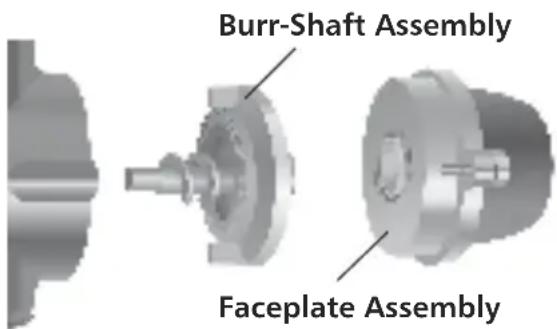
Using a flat-head screwdriver, turn the two faceplate screws counter-clockwise until the faceplate assembly is free. (The faceplate screws have retaining clips that prevent them from being removed from the faceplate assembly.)
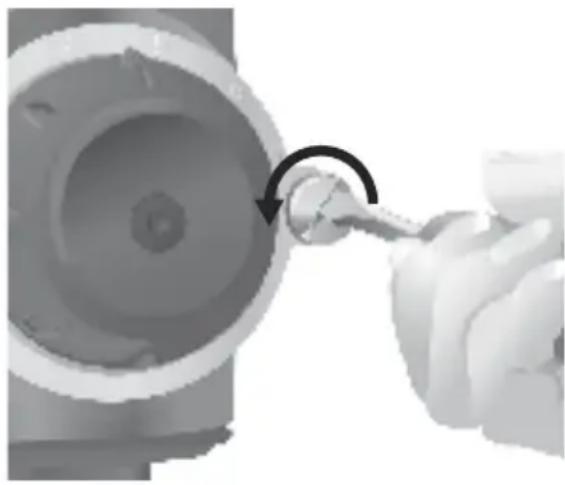
- Slowly slide the faceplate assembly away from the motor housing. A separate burr-shaft assembly on the inside of the motor housing will usually slide out with the faceplate assembly. Place a hand under the burr-shaft assembly to keep it from falling as the faceplate assembly is removed. If the burr-shaft assembly does not slide out with the face-plate assembly, tap to loosen and grasp the center shaft of the burr-shaft assembly and remove it from the housing.
Continued...
CARE AND CLEANING
- Using the burr-cleaning brush, clean the burr mounted on the burr-shaft assembly and the burr mounted within the motor housing.
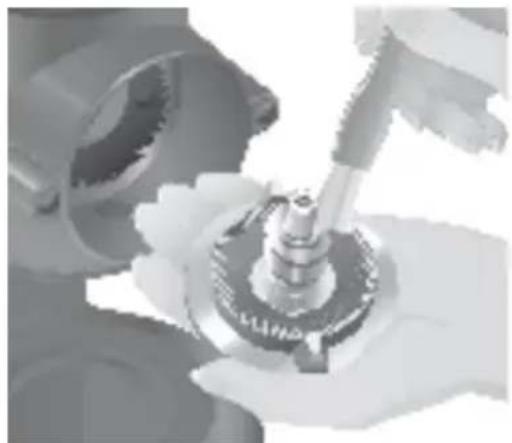
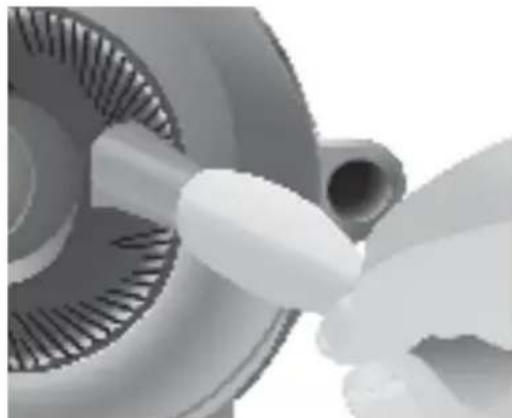
Note: To avoid damage to the Burr Coffee Mill, do not wash the burrs or burr-shaft assembly in water. Keep them dry at all times.
- After cleaning, tilt the Burr Coffee Mill backward so the front of the motor housing faces upward.
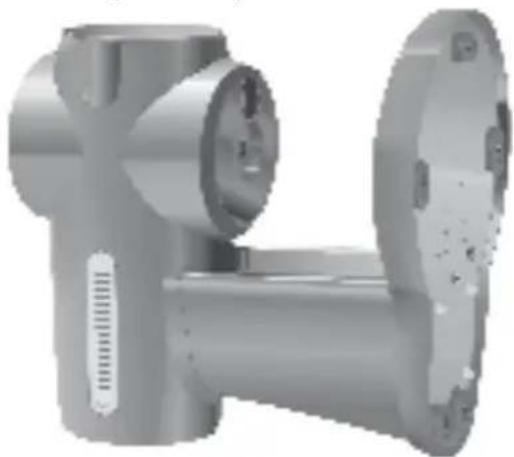
- With the corkscrew-shaped auger shaft facing into the motor housing, insert the burr-shaft assembly into the mill. Keep the burr-shaft assembly level, so the tip of the auger shaft will line up with the small socket in the motor housing.
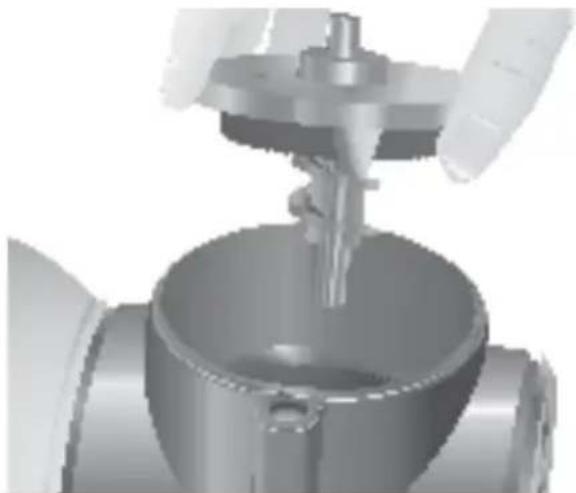
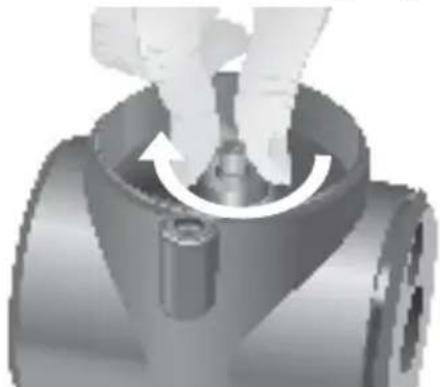
- Once the burr-shaft assembly is in the motor housing, rotate the assembly until it falls into place. When correctly positioned, the burr-shaft assembly cannot be rotated, and pushing on the burr-shaft will make it spring back.
- Place the faceplate assembly onto the motor housing. Make sure the numbers on grind level ring are positioned across the top of the assembly. Using your fingers, tighten the faceplate screws by turning them clockwise. The two screws must be tightened simultaneously to allow the faceplate to sit flush with the unit.
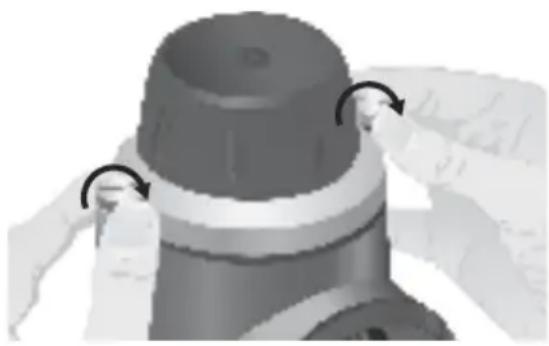
- After the faceplate screws have been finger-tightened, use a flat-head screwdriver to tighten them until snug.
- Place the Burr Coffee Mill upright. It is now ready for use.
Adjusting the Cutting Burrs For Wear
The cutting burrs are made of high-quality stainless steel for exceptional longevity. After prolonged use, however, the burrs might require adjustment to compensate for wear. If your grinds - especially espresso - are not as fine as they used to be, an adjustment may need to be made.
See "Adjusting the Cutting Burrs" on page 9 for information on adjusting the burrs to provide maximum grind fineness.
Replacing the Cutting Burrs
If the cutting burrs are damaged, or have reached the end of their life (usually after grinding 600-800 lbs [270-360 kg] of coffee), they can be replaced easily. Contact KitchenAid at 1-800-541-6390 to order a set of replacement burrs.
To Replace the Burrs:
- Remove the faceplate and burr-shaft assemblies. For instructions, see "Cleaning the Cutting Burrs" steps 1, 2, and 3 on page 13.
- With a Phillips screwdriver, remove the burr from the burr-shaft assembly by turning the two burr-mounting screws counter-clockwise until free.
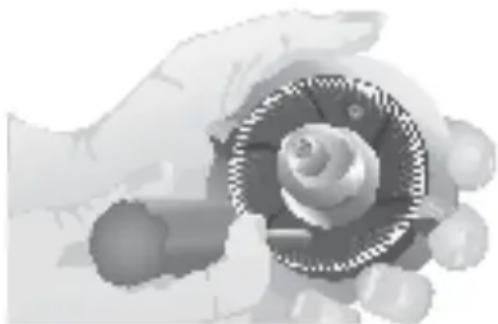
- Remove the burr from the motor housing by turning the two burrmounting screws counter-clockwise until free.
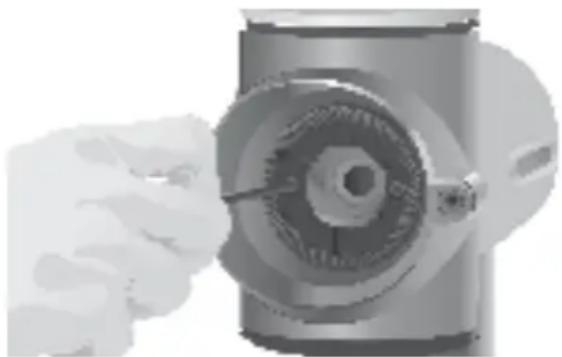
- Attach the replacement burrs to the burr-shaft assembly and motor housing using the burr-mounting screws. Make certain the cutting surfaces of the burrs face outward, and the burrmounting screws are tight.
- Insert the burr-shaft assembly into the motor housing and attach the faceplate assembly. For instructions, see "Cleaning the Cutting Burrs" steps 5 - 10 on pages 14 and 15.
TROUBLESHOOTING
- If the mill daes wateuswitbleed switched on:
WARNING

Electrical Shock Hazard
Plug into a grounded 3 prong outlet.
Do not remove ground prong.
Do not use an adapter.
Failure to follow these instructions can result in death, fire, or electrical shock.
Check to see if the mill is plugged into a grounded 3 prong outlet. If it is, unplug the mill, then plug it into the same outlet again. If the mill still does not work, check the fuse or circuit breaker on the electrical circuit the mill is connected to and make sure the circuit is closed. If the mill does not run after taking these steps, a foreign object may be jamming the cutting burrs. See "Cleaning the Cutting Burrs" on page 13 for more information.
on, but coffee does not grind:
The cutting burrs require cleaning or are worn. See "Cleaning the Cutting Burrs" on page 13 or "Replacing the Cutting Burrs" on page 15 for more information.
If the mill is operating normally, but stops abruptly:
Immediately turn off the mill. A foreign object, such as a pebble or twig, may have jammed the cutting burrs. See "Cleaning the Cutting Burrs" on page 13 for more information.
- If the grind is too coarse, or the mill isn't producing an acceptable range of grinds:
See "Adjusting the Cutting Burrs" on page 9 or "Replacing the Cutting Burrs" on page 15 for more information.
If the problem cannot be fixed with the steps above, see the KitchenAid Warranty and Service sections on pages 17-19.*
| Length of Warranty: Kit | KitchenAid Will Pay For: | KitchenAid Will Not Pay For: |
| 50 United States, the District of Columbia, Canada, and Puerto Rico: Two-year limited warranty for household use from date of purchase. | 50 United States, the District of Columbia and Canada: Hassle-free replacement of your Burr Coffee Mill. See the following page for details on how to arrange for replacement.ORIn Puerto Rico: The replacement parts and repair labor costs to correct defects in materials and workmanship. Service must be provided by an Authorized KitchenAid Service Center. To arrange for service, follow the instructions on page 19. | A. Repairs when Burr Coffee Mill is used in other than normal single family home use.B. Damage resulting from accident, alteration, misuse or abuse or use with products not approved by KitchenAid.C. Replacement parts or repair labor costs for Burr Coffee Mill when operated outside the country of purchase. |
DISCLAIMER OF IMPLIED WARRANTY; LIMITATION OF REMEDIES IMPLIED WARRANTY, INCLUDING TO THE EXTENT APPLICABLE WARRANTY OF MERCHANTABILITY OR FITNESS FOR A PARTICULAR PURPOSE, ARE EXCLUDING TO THE EXTENT LEGALLY PERMISSIBLE. ANY IMPLIED WARRANTY THAT MAY BE IMPOSED BY LAW ARE LIMITED TO ONE YEAR, OR THE SHORTEST PERIOD ALLOWED BY LAW. SOME STATES AND PROVINCES DO NOT ALLOW LIMITATIONS OR EXCLUSIONS ON HOW LONG AN IMPLIED WARRANTY OF MERCHANTABILITY OR FITNESS LASTS, SO THE ABOVE LIMITATIONS OR EXCLUSIONS MAY NOT APPLY TO YOU.
IF THIS PRODUCT FAILS TO WORK AS WARRANTED, CUSTOMER'S SOLE AND EXCLUSIVE REMEDY SHALL BE REPAIR OR REPLACEMENT ACCORDING TO THE TERMS OF THIS LIMITED WARRANTY. KITCHENAID AND KITCHENAID CANADA DO NOT ASSUME ANY RESPONSIBILITY FOR INCIDENTAL OR CONSEQUENTIAL DAMAGES. This warranty gives you specific legal rights and you may also have other rights which vary from state to state or province to province.
HASSLE-FREE REPLACEMENT WARRANTY - 50 UNITED STATES AND DISTRICT OF COLUMBIA
We're so confident the quality of our products meets the exacting standards of KitchenAid that, if your KitchenAid® PRO LINE™ Series Burr Coffee Mill should fail within the first two years of ownership, KitchenAid will arrange to deliver an identical or comparable replacement to your door free of charge and arrange to have your original Burr Coffee Mill returned to us. Your replacement unit will also be covered by our two year limited warranty. Please follow these instructions to receive this quality service.
If your Burr Coffee Mill should fail within the first two years of ownership, simply call our toll-free Customer Satisfaction Center at 1-800-541-6390 Monday through Friday, 8 a.m. to 8 p.m. (Eastern Time), or Saturday, 10 a.m. to 5 p.m. Give the consultant your complete shipping address. (No P.O. Box numbers, please.)
When you receive your replacement Burr Coffee Mill, use the carton and packing materials to pack up your original Burr Coffee Mill. In the carton, include your name and address on a sheet of paper along with a copy of the proof of purchase (register receipt, credit card slip, etc.).
HASSLE-FREE REPLACEMENT WARRANTY - CANADA
We're so confident the quality of our products meets the exacting standards of the KitchenAid brand that, if your Burr Coffee Mill should fail within the first two years of ownership, KitchenAid Canada will replace your Burr Coffee Mill with an identical or comparable replacement. Your replacement unit will also be covered by our two year limited warranty. Please follow these instructions to receive this quality service.
If your Burr Coffee Mill should fail within the first two years of ownership, take the Burr Coffee Mill or ship collect to an Authorized KitchenAid Service Centre. In the carton include your name and complete shipping address along with a copy of the proof of purchase (register receipt, credit card slip, etc.). Your replacement Burr Coffee Mill will be returned prepaid and insured. If you are unable to obtain satisfactory service in this manner call our toll-free Customer Interaction Centre at 1-800-807-6777. Or write to us at: Customer Interaction Centre, KitchenAid Canada, 1901 Minnesota Court, Mississauga, ON L5N 3A7
HOW TO ARRANGE FOR WARRANTY SERVICE IN PUERTO RICO
Your Burr Coffee Mill is covered by a two-year limited warranty from the date of purchase. KitchenAid will pay for replacement parts and labor costs to correct defects in materials and workmanship. Service must be provided by an Authorized KitchenAid Service Center. Take the Burr Coffee Mill or ship prepaid and insured to an Authorized KitchenAid Service Center. Your repaired Burr Coffee Mill will be returned prepaid and insured. If you are unable to obtain satisfactory service in this manner, call toll-free 1-800-541-6390 to learn the location of a Service Center near you.
HOW TO ARRANGE FORSERVICE AFTER THE WARRANTYEXPIRES - ALL LOCATIONS
Before calling for service, please review the Troubleshooting section on page 16.
For service information in the 50 United States, District of Columbia, and
Puerto Rico, call toll-free 1-800-541-6390. Or write to: Customer Satisfaction Center, KitchenAid Portable Appliances, P.O. Box 218, St. Joseph, MI 49085-0218. Or contact an Authorized Service Center near you.
For service information in Canada, call toll-free 1-800-807-6777. Or write to: Customer Interaction Centre, KitchenAid Canada, 1901 Minnesota Court, Mississauga, ON L5N 3A7
HOW TO ARRANGE FOR SERVICE OUTSIDE THESE LOCATIONS
Consult your local KitchenAid dealer or the store where you purchased the KitchenAid® PRO LINE™ Series Burr Coffee Mill for information on how to obtain service.
For service information in Mexico, call toll-free 01-800-024-17-17 (JV Distribuciones) or 01-800-902-31-00 (Industrias Birtman).
HOW TO ORDER ACCESSORIES AND REPLACEMENT PARTS
To order accessories or replacement parts for your Burr Coffee Mill in the 50 United States, District of Columbia, and Puerto Rico, call toll-free
1-800-541-6390 Monday through Friday, 8 a.m. to 8 p.m. (Eastern Time), or Saturday, 10 a.m. to 5 p.m. Or write to: Customer Satisfaction Center, KitchenAid Portable Appliances, P.O. Box 218, St. Joseph, MI 49085-0218.
To order accessories or replacement parts for your Burr Coffee Mill in Canada, call toll-free 1-800-807-6777. Or write to: Customer Interaction Centre, KitchenAid Canada, 1901 Minnesota Court, Mississauga, ON L5N 3A7
To order accessories or replacement parts for your Burr Coffee Mill in Mexico, call toll-free 01-800-024-17-17 (JV Distribuciones) or 01-800-902-31-00 (Industrias Birtman).
TABLE DES MATIÈRES
InTRodUCTION
Preuve d'achat et

- MOULINÀCAFE AMEULES
- MOLINO DE CAFÉ
- PREUVE D'ACHAT ET ENREGISTREMENT DU PRODUIT
- FEATURES And operation
- CARE And CLEANing
- WARRANTY And SERVICE InFoRmAtIon
- Your safety and the safety of others are very important.
- DANGER
- WARNING
- IMPORTANT SAFEGUARDS
- ELECTRICAL REQUIREMENTS
- Electrical Shock Hazard
- Motor Housing
- Bean Hopper
- Coffee Bin
- Bin Platform
- Bin Seal Plate
- Grind Control Dial
- Grind Level Ring
- On/Off Switch
- Faceplate Assembly & Screws
- Precision Stainless Steel Cutting Burrs
- Low-RPM Operation
- Power Cord with Tie
- One-Piece Metal Base with No-Slip Rubber Feet
- Burr Cleaning Brush
- Operating the Burr Coffee Mill
- Adjusting for Maximum Grind Fineness
- Adjusting to Provide Coarser Grinds
- HOW THE GRIND AFFECTS FLAVOR
- Cleaning the Motor Housing and Hoppers
- Cleaning the Cutting Burrs
- Adjusting the Cutting Burrs For Wear
- Replacing the Cutting Burrs
- To Replace the Burrs:
- TROUBLESHOOTING
- on, but coffee does not grind:
- If the mill is operating normally, but stops abruptly:
- - If the grind is too coarse, or the mill isn't producing an acceptable range of grinds:
- HASSLE-FREE REPLACEMENT WARRANTY - 50 UNITED STATES AND DISTRICT OF COLUMBIA
- HASSLE-FREE REPLACEMENT WARRANTY - CANADA
- HOW TO ARRANGE FOR WARRANTY SERVICE IN PUERTO RICO
- HOW TO ARRANGE FORSERVICE AFTER THE WARRANTYEXPIRES - ALL LOCATIONS
- HOW TO ARRANGE FOR SERVICE OUTSIDE THESE LOCATIONS
- HOW TO ORDER ACCESSORIES AND REPLACEMENT PARTS
- TABLE DES MATIÈRES
- InTRodUCTION
Brand : KITCHENAID
Model : KPCG100
Category : Coffee machine