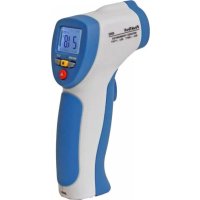
4965 - Weather Station PeakTech - Free user manual and instructions
Find the device manual for free 4965 PeakTech in PDF.



| Product type | Non-contact infrared thermometer with laser pointer |
| Brand | PeakTech |
| Model | 4965 |
| Measurement range | -50 °C to 380 °C (-58 °F to 716 °F) |
| Resolution | 0.1 °C / 0.1 °F |
| Accuracy | ±2.0 % of reading ±2 °C (from -20 °C to 200 °C); ±5 °C (from -50 °C to -20 °C) |
| Emissivity | Fixed, 0.95 |
| Spectral sensitivity | 6 to 14 μm |
| Distance to spot ratio (D:S) | 12:1 |
| Aiming laser | Class 2, output < 1 mW, wavelength 630-670 nm |
| Display | 3½ digit LCD with backlight |
| Temperature units | °C / °F selectable |
| Functions | Data-Hold, MIN/MAX values, auto power-off (7 s) |
| Power supply | 9 V battery (type 6LR61) |
| Dimensions (L × H × W) | 45 × 160 × 82 mm |
| Weight | 180 g (without battery) |
| Operating temperature | 0 °C to 50 °C / 32 °F to 122 °F |
| Operating humidity | 10 % to 90 % RH |
| Cleaning | Lint-free damp cloth; avoid liquid entering the interior |
| Laser safety | Do not point the beam at eyes or reflective surfaces; avoid explosive atmospheres |
| Repairability | Service only by qualified technician; user must not open |
| Included accessories | 9 V battery, user manual |
Frequently Asked Questions - 4965 PeakTech
User questions about 4965 PeakTech
0 question about this device. Answer the ones you know or ask your own.
Ask a new question about this device
Download the instructions for your Weather Station in PDF format for free! Find your manual 4965 - PeakTech and take your electronic device back in hand. On this page are published all the documents necessary for the use of your device. 4965 by PeakTech.
USER MANUAL 4965 PeakTech
text_image
SCAN HOLD USB MAX-HOM AND DATA AT E = 0.00 °C °F SET ALARM HIGH LOW TYPE-Xtext_image
Distance(D) to Spot Size (5) 300 600 1200 Laser Beam 16mm inch Sensor Beam D:S=12:11 In = 2.5 cm 6 In = 15 cm
2 In = 5 cm 12 In = 30 cm
4 In = 10 cm 24 In = 60 cm
Bitte beachten!
This product complies with the requirements of the following directives of the European Union for CE conformity: 2014/30/EU (electromagnetic compatibility), 2011/65/EU (RoHS).
We herewith confirm that this product meets the essential protection standards, which are given in directions of council for adaptation of the administration regulations for UK of
Electromagnetic Compatibility Regulations 2016 and the Electrical Equipment (safety) regulations 2016.

Damages resulting from failure to observe the following safety precautions are exempt from any legal claims whatever.
* Do not subject the equipment to direct sunlight, extreme temperatures, extreme humidity or dampness
* Use extreme caution when the laser beam is turned ON
* Do not let the beam enter your eye, another person's eye or the eye of an animal
* Be careful not to let the beam on a reflective surface strike your eye
* Do not allow the laser light beam impinge on any gas which can explode
* Do not let the beam of any body
* Do not operate the equipment near strong magnetic fields (motors, transformers etc.)
* Do not subject the equipment to shocks or strong vibrations
* Keep hot soldering iron or guns away from the equipment
* Allow the equipment to stabilise at room temperature before taking up measurement (important for exact measurement)
* Do not modify the equipment in any way
* Opening the equipment and service- and repair work must only be performed by qualified service personnel
* Measuring instruments don't belong to children hands!
Cleaning the cabinet
Clean only with a damp soft cloth and a commercially available mild household cleanser. Ensure that no water gets inside the equipment to prevent possible shorts and damage to the equipment.
1.1. Laser classification
This device emits a visible laser beam of the Laser class 2 in accordance with EN 60825-1:2014, which emerges at the top of the unit. Use this device only in accordance with the relevant national standards.
- The device should only be handled with extreme caution, and avoid physical contact with the laser. (Laser emission)
- Never point the laser at people or animals and never look directly into the laser beam, since it can cause serious eye damage.
- Avoid the use of lasers at eye level and possible reflections off reflective surfaces such as glass and polished metal.
- Never aim the laser to gaseous substances or gas reservoirs. (Explosion hazard)
- Any use must be performed by qualified personnel only in compliance with the relevant national regulations.
2. Features
This infrared-thermometer meets ANSI S1.4 and IEC 651 Type 2 standards.
IR-thermometer with laser in latest technology enables fast, easy and accurate readings for surface temperature measurements. With built in laser pointer for non-contact infrared temperature measurements of hot or moving objects from a save distance or difficult measuring points.
* Precise non-contact measurements
* Switchable C/F temperature units
* Auto power off
* Automatic data-hold
* Backlight LCD Display
* Laser target pointer
* Auto-ranging
* MIN/MAX-measurements
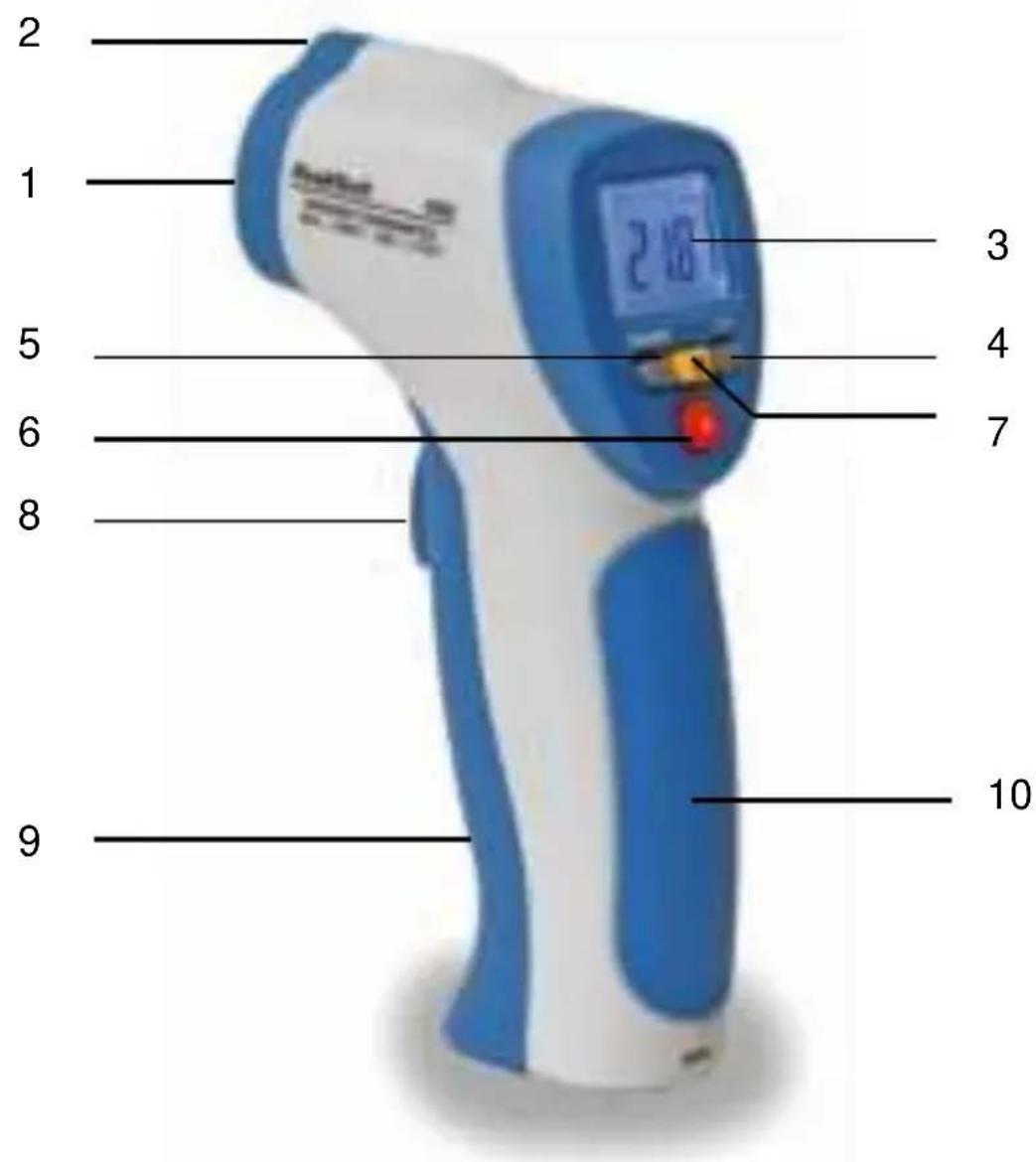
3. Front Panel description
text_image
2 1 5 6 8 9 3 4 7 10- Infrarot-Sensor
- Laser pointer beam
- LCD-Display 4. °C/°F select key
- MIN/MAX select key 6. Laser key
- Backlight select key 8. ON/HOLD key
- Battery Cover 10. Handle grip
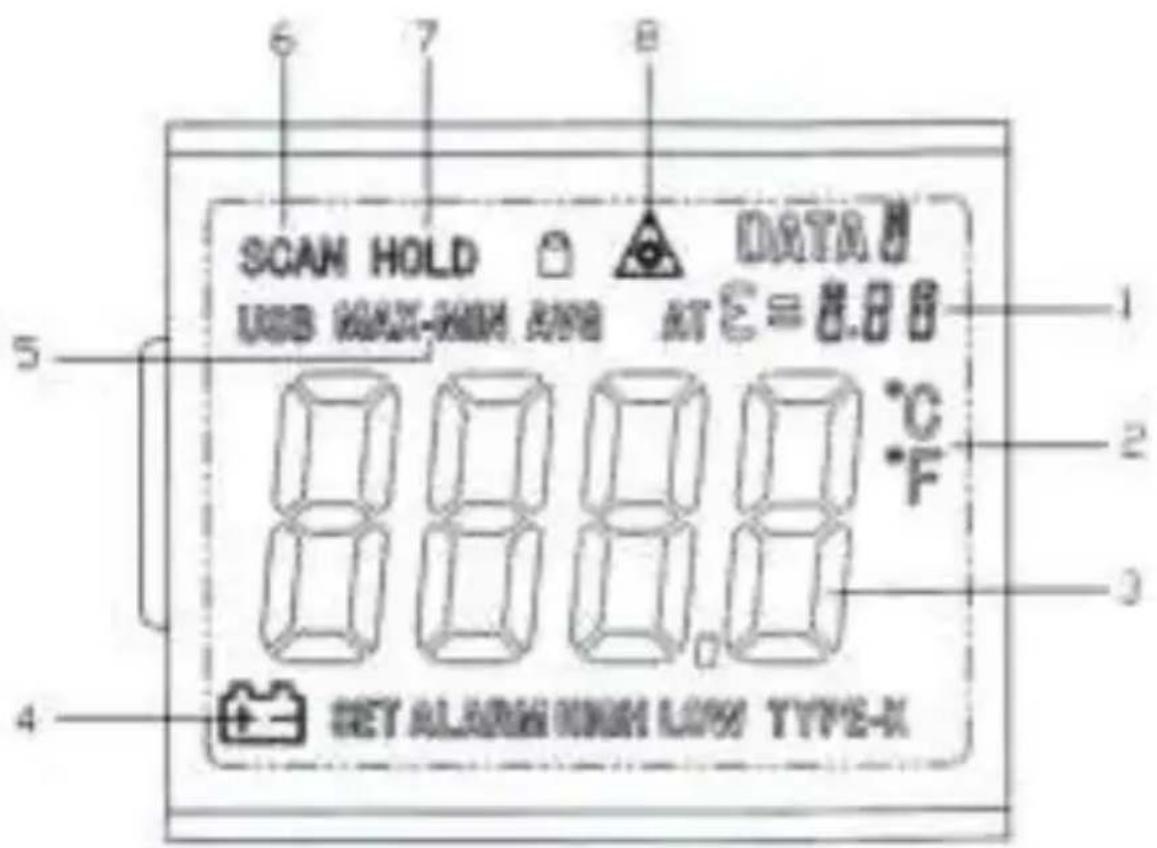
3.1 Indicator
text_image
SCAN HOLD USB MAX-HON AND DATA AT E = 8.88 5 4 SET ALARM HIGH LOW TYPE-X 1 2 3 4 6 7 8- Fixed emissivity (0,95) scan Symbol
- Temperatur °C (Celsius) / Temperatur °F (Fahrenheit)
- Digital read out
- LOW battery indicator
- MAX/MIN readout
- Measuring indication
- Data Hold
- Laser Point
4. Measurement Considerations
Holding the meter by its handle, point the IR sensor toward the object whose temperature is to be measured.
The meter automatically compensates for temperature deviations from ambient temperature. Keep in mind that it will take up to 30 minutes to adjust to wide ambient temperature changes. When low temperatures are to be measured followed by high temperature measurements some time (several minutes) is required after the low (and before the high) temperature measurements are made.
This is a result of the cooling process which must take place for the IR sensor.
5. Non-Contact IR Measurement Operation
5.1. Power ON/OFF
-
Press the ON/HOLD (8.) key to take a reading. Read the measured temperature on the LCD.
-
The meter powers OFF automatically approximately 7 seconds after the ON/HOLD key is released
5.2. Selecting Temperature Units (°C/°F)
- Select temperature units (degrees °C or °F) by first pressing the ON/HOLD (8.) key and then pressing the °C or °F key. The unit will be seen on the LCD
5.3. Data Hold
This meter automatically holds the last temperature reading on the LCD for 7 seconds after the ON/HOLD (8.) key is released.
No extra key presses are necessary to freeze the displayed reading.
5.4. MIN/MAX- Function
- To activate the minimum value holding function, or the maximum-hold function, press ON/HOLD - button.
- MIN/MAX - key until the desired setting appears in the display.
- ON/HOLD - press to display a reading.
5.5. Backlite LCD
Select backlite by first pressing the ON/HOLD (8.) key and then pressing the BACKLITE (6.) key. Press the backlight key again to turn the backlight OFF.
5.6. Laser Pointer
- To turn the laser pointer ON, press the LASER (7.) key after pressing the ON/HOLD (8.) key.
- Press the Laser key again to turn the laser OFF.
5.7 Description of the Laser Pointer
text_image
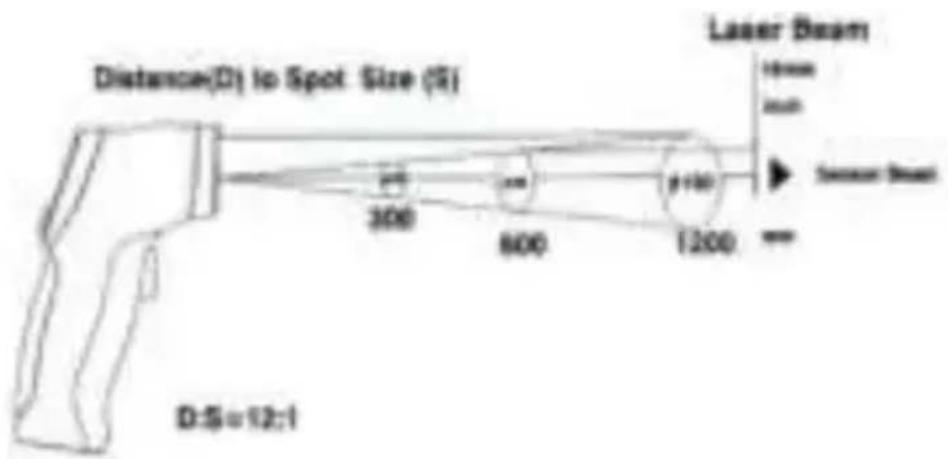
Distance(D) to Spot Size (S) 300 800 1200 Laser Beam 16mm 1mm Sensor Beam D:S=12:1D = Distance (avoid exposure-laser radiation is emitted from this aperture) approx. 12:1
S = diameter of the spot center
So if the measurement object is e.g. 120cm away, the measurement surface will have a diameter of 10cm.
Inch to Centimeter:
1 In = 2,5 cm 6 In = 15 cm
2 ln = 5 cm 12 ln = 30 cm
4 In = 10 cm 24 In = 60 cm
Please note !
The laser is only a guide line and is placed 16 mm above the Infrared-Sensor.
6. Technical Specifications
| Display | 31⁄2-digit, LCD-Display with backlight |
| Range | -50°C... 380°C (-58°F...716°F) |
| Sample rate | approx. 2,5 x/Sec. |
| Power off | automatic shutoff after 7 seconds |
| Resolution | 0,1°C/F |
| Emissivity setting | 0,95 (fixed) |
| Spectral response | 6 ... 14 μm |
| Laser product | class 2, Output < 1mW, Wave length: 630 - 670 nm |
| Distance Factor D/S (distance/spot) | 12 : 1 |
| Operating temperature | 0 ... 50 °C / 32 ... 122 °F |
| Operating humidity | 10% - 90% |
| Power Supply | 9 V battery |
| Dimensions (WxHxD) | 45 x 160 x 82 mm |
| Weight | 180 g |
6.1. Specifications Infrared-Thermometer
| Range | Resolution | Accuracy | |
| -50.0°C to 200°C | -50°C ... -20°C | 0,1°C | ± 5°C |
| -20°C ... +200°C | ±2,0% rdg. ± 2°C | ||
| 201°C to 380°C | |||
| Range | Resolution | Accuracy | |
| -58.0°F to 200°F | -58°F ... -4°F | 0,1°F | ± 9°F |
| -4°F ... +200°F | ±2,0% rdg. ± 4°F | ||
| 201°F to 716°F | |||
Note: Accuracy is given at 18^ C to 28^ C ( 64^ F to 82^ F), less than 80% R. H.
Emissivity: 0,95 fixed value
Field of view: Make sure, that the target is larger than the unit's spot size. The smaller the target, the closer you should be to it. When accuracy is critical, make sure, that the target is at least twice as large as the spot size.
7. How it Works
Infrared thermometers measure the surface temperature of an object. The unit's optics sense emitted, reflected and transmitted energy, which is collected and focused onto a detector. The unit's electronics translate the information into a temperature reading hich is displayed on the unit. In units with a laser, the laser is used for aiming purposes only.
7.1. Field of View
Make sure that the target is larger than the unit's spot size. The smaller the target, the closer you should be to it. When accuracy is critical, make sure the target is at least twice as large as the spot size.
7.2. Distance & Spot Size
As the distance (D) from the object increases, the spot size (S) of the area measured by the unit becomes larger. See Fig. 2
7.3. Locating a hot Spot
To find a hot spot aim the thermometer outside the area of interest, then scan across with an up and down motion until you locate hot spot.
Reminders
- Not recommended for use in measuring shiny or polished metal surface (stainless steel, aloy, etc.) See emissivity.
- The unit cannot measure through transparent surfaces such as glass. It will measure the surface temperature of the glass instead.
- Steam, dust, smoke, etc. can prevent accurate measurement by obstructing the unit's optics.
7.4 Emissivity
Most (90 % of typical applications) organic materials and painted or oxidised surfaces have an emissivity of 0,95 (pre-set in the unit). Inaccurate readings will result from measuring shiny or polished metal surfaces. To compensate, cove the surface to be measured with masking tape or flat black paint. Allow time for the tape to reach the same temperature as the material underneath it. Measure the temperature of the tape or painted surface.
7.5 Emissivity Values
| Substance | Thermal emissivity | Substance | Thermal emissivity |
| Asphalt | 0,90 to 0,98 | Cloth (black) | 0,98 |
| Concrete | 0,94 | Human skin | 0,98 |
| Cement | 0,96 | Lather | 0,75 to 0,80 |
| Sand | 0,90 | Charcoal (powder) | 0,96 |
| Earth | 0,92 to 0,96 | Lacquer | 0,80 to 0,95 |
| Water | 0,92 to 0,96 | Lacquer (matt) | 0,97 |
| Ice | 0,96 to 0,98 | Rubber (black) | 0,94 |
| Snow | 0,83 | Plastic | 0,85 to 0,95 |
| Glass | 0,90 to 0,95 | Timber | 0,90 |
| Ceramic | 0,90 to 0,94 | Paper | 0,70 to 0,94 |
| Marble | 0,94 | Chromium oxides | 0,81 |
| Plaster | 0,80 to 0,90 | Copper oxides | 0,78 |
| Mortar | 0,89 to 0,91 | Iron oxides | 0,78 to 0,82 |
| Brick | 0,93 to 0,96 | Textiles | 0,90 |
8. Battery Replacement
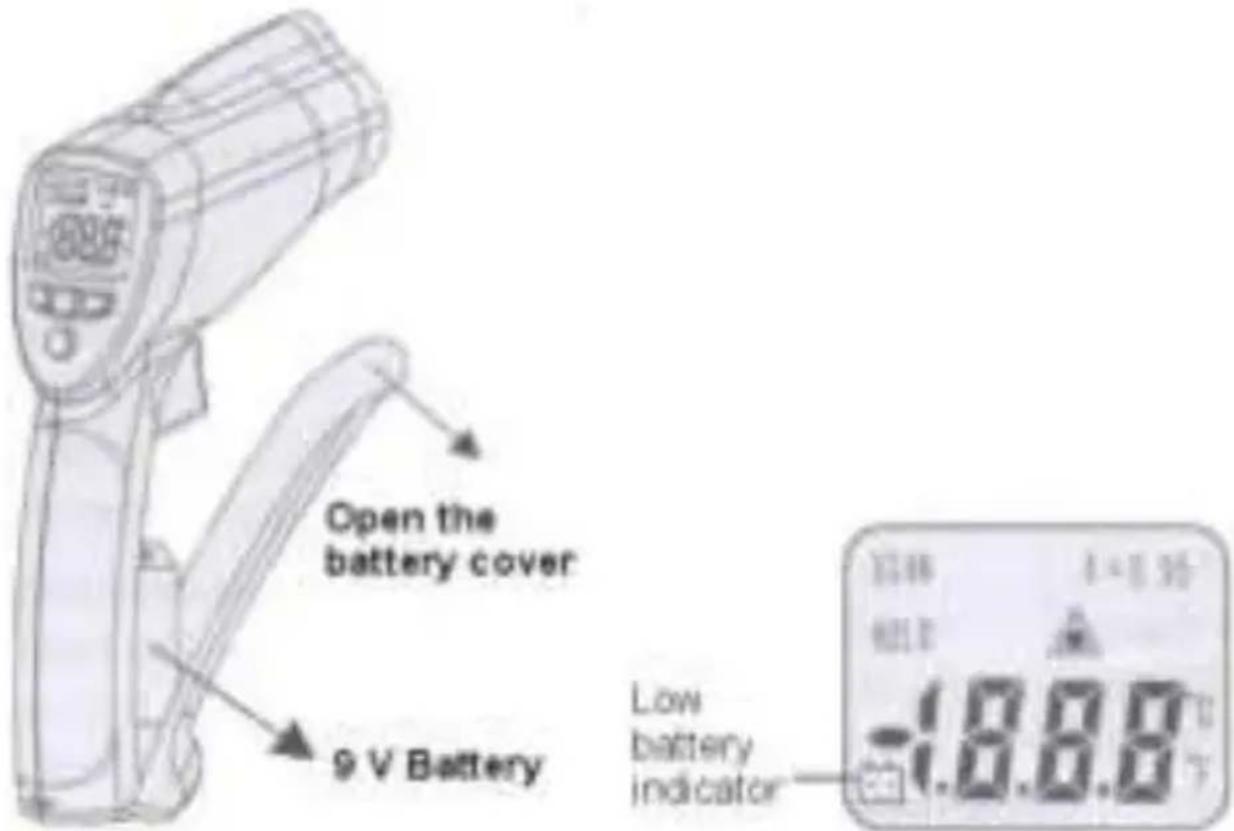
A Bat Symbol in the display is the indication that the battery voltage has fallen into the critical region (6,5 to 7,5 V). Reliable readings can be obtained for several hours after the first appearance of the low battery indication.
Open the battery compartment (see picture below) and remove the battery, then install a new battery and replace the cover.
ATTENTION!
Batteries, which are used up dispose duly. Used up batteries are hazardous and must be given in the for this supposed collective container.
text_image
Open the battery cover 9 V Battery Low battery indicator -1.8.8.0°CNotification about the Battery Regulation
The delivery of many devices includes batteries, which for example serve to operate the remote control. There also could be batteries or accumulators built into the device itself. In connection with the sale of these batteries or accumulators, we are obliged under the Battery Regulations to notify our customers of the following:
Please dispose of old batteries at a council collection point or return them to a local shop at no cost. The disposal in domestic refuse is strictly forbidden according to the Battery Regulations. You can return used batteries obtained from us at no charge at the address on the last side in this manual or by posting with sufficient stamps.
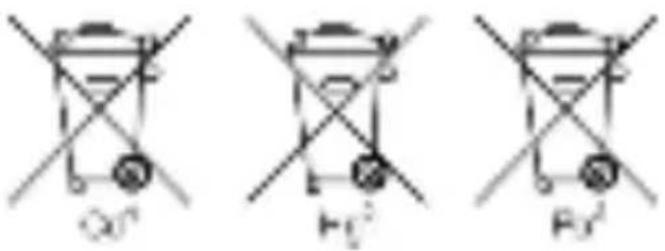
Contaminated batteries shall be marked with a symbol consisting of a crossed-out refuse bin and the chemical symbol (Cd, Hg or Pb) of the heavy metal which is responsible for the classification as pollutant:
text_image
Q0' F12' F3'- "Cd" means cadmium.
- "Hg" means mercury.
- "Pb" stands for lead.
All rights, also for translation, reprinting and copy of this manual or parts are reserved.
Reproduction of all kinds (photocopy, microfilm or other) only by written permission of the publisher.
This manual considers the latest technical knowing. Technical alterations reserved.
We herewith confirm, that the units are calibrated by the factory according to the specifications as per the technical specifications. We recommend to calibrate the unit again, after 1 year.
text_image
SCAN HOLD USB WAIT-HOW KNE DATA AT E = 0.8 B °C °F SET ALARM WITH LOW TYPE-Xtext_image
Distance(D) to Spot Size (S) Laser Beam 10mm inch Sensor Beam 300 600 1200 D:S=12:12 In = 5 cm 12 In = 30 cm
4 In = 10 cm 24 In = 60 cm
© PeakTech® 08/2021 MP/EHR