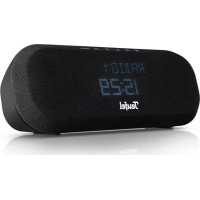
Radio One - Radio Teufel - Free user manual and instructions
Find the device manual for free Radio One Teufel in PDF.



| Product type | Radio alarm clock |
| Brand | Teufel |
| Model | Radio One |
| Dimensions (approx.) | 200 x 120 x 150 mm |
| Weight (approx.) | 1 kg |
| Power supply | Mains (AC adapter) |
| Audio power | 10 W |
| Radio bands | FM, DAB+ |
| Bluetooth | Yes, version 4.2 |
| Main functions | FM/DAB+ radio, Bluetooth streaming, alarm, sleep timer, 10 presets |
| Display | Backlit LCD screen |
| Care and cleaning | Clean with a soft, dry cloth. Do not use abrasive products. |
| Safety | Do not expose to moisture or heat sources. Unplug before cleaning. |
| Spare parts and repairability | Replacement rubber feet included. For repairs, contact Teufel customer service. |
| General information | Manual available in several languages at notice-facile.com |
Frequently Asked Questions - Radio One Teufel
User questions about Radio One Teufel
0 question about this device. Answer the ones you know or ask your own.
Ask a new question about this device
Download the instructions for your Radio in PDF format for free! Find your manual Radio One - Teufel and take your electronic device back in hand. On this page are published all the documents necessary for the use of your device. Radio One by Teufel.
USER MANUAL Radio One Teufel
Download the latest version of the manual on the product page teufelaudio.com/radio-one.
RADIO ONE
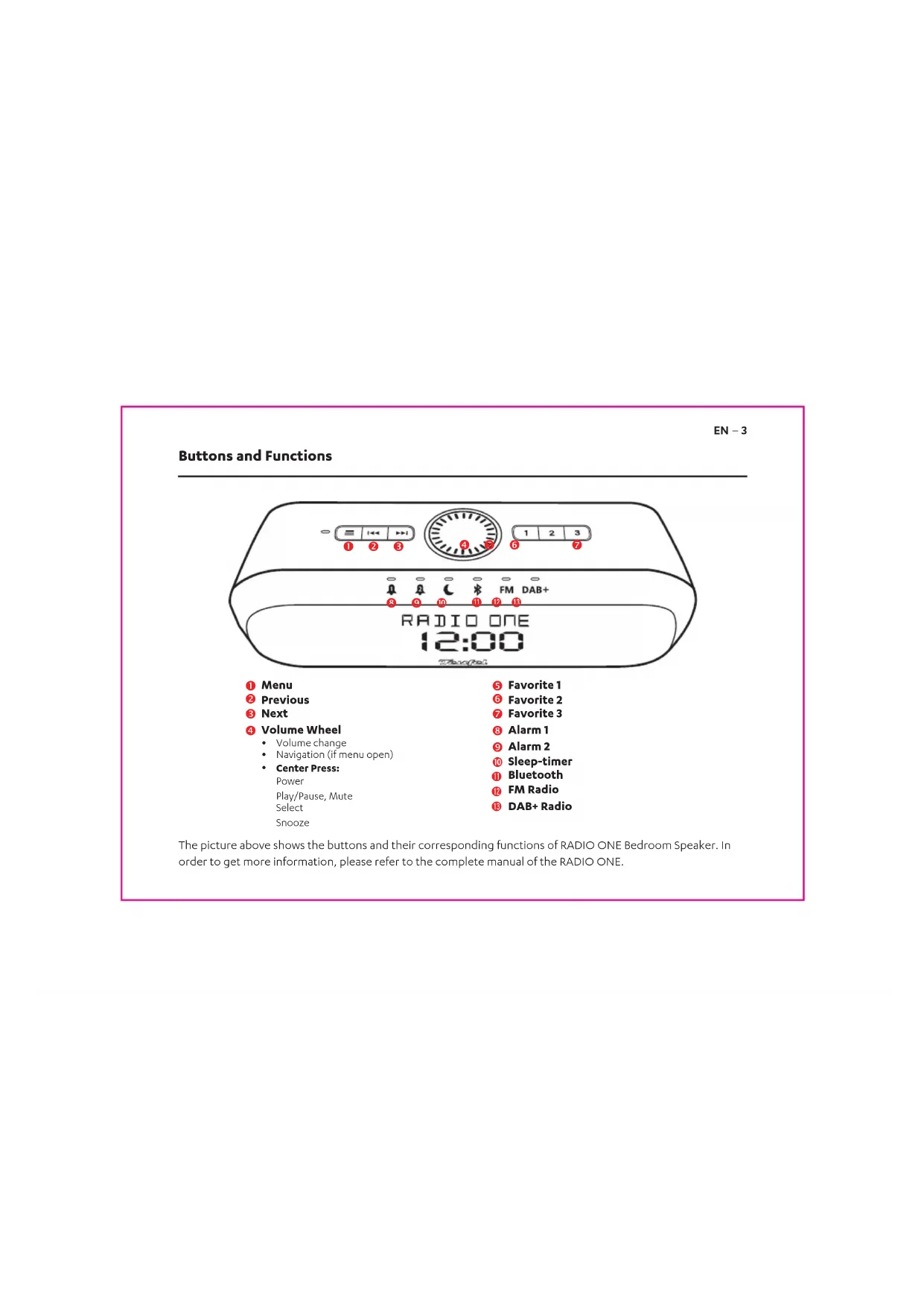
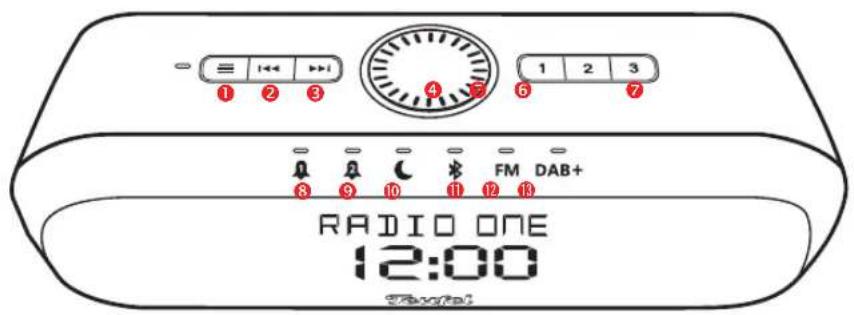
Buttons and Functions
EN-3
text_image
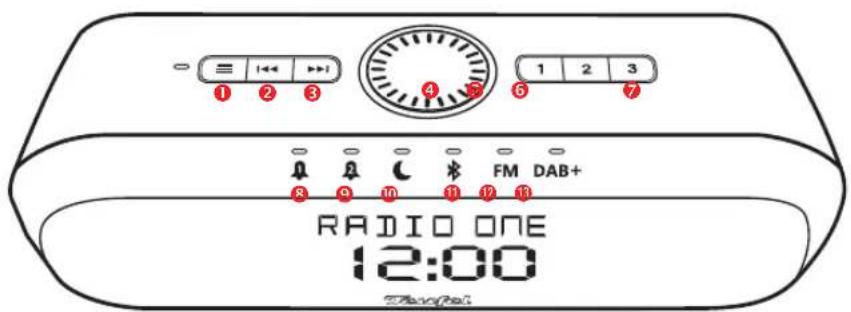
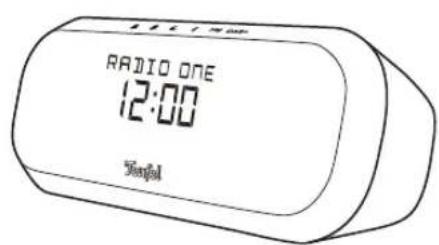
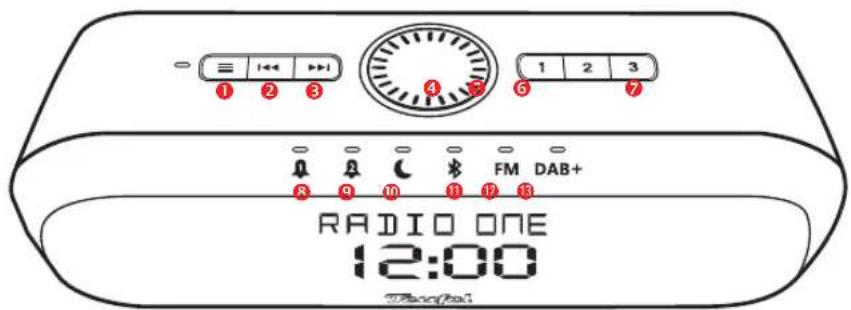
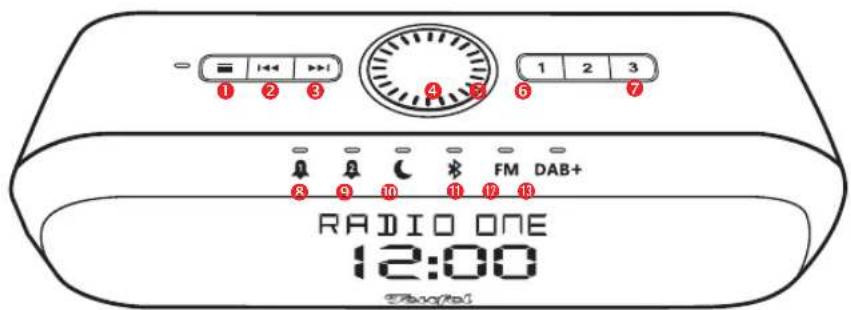
1 2 3 4 5 6 7 1 2 3 FM DAB+ 8 9 10 11 12 13 RADIO ONE 12:00 Thaofai① Menu
② Previous
3 Next
4 Volume Wheel
• Volume change
• Navigation (if menu open)
- Center Press:
Power
Play/Pause, Mute
Select
Snooze
5 Favorite 1
6 Favorite 2
7 Favorite 3
8 Alarm 1
9 Alarm 2
10 Sleep-timer
Bluetooth
12 FM Radio
13 DAB+ Radio
The picture above shows the buttons and their corresponding functions of RADIO ONE Bedroom Speaker. In order to get more information, please refer to the complete manual of the RADIO ONE.
EN-4
Initial Use
First Use
Please press on the center of the volume wheel for power on and complete the initial setup.
Note:
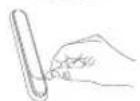
There is a clear protective film on the rubber feet, please remove it before use unit. There are 2pcs more rubber feet, for replacement in package.
Radio
Press the FM or DAB+ button to listen to a radio station.
You can save your favorite radio station by pressing a favorite button for 2 seconds.
For optimal DAB+/FM reception, please extend the antenna cable on the bottom side of your RADIO ONE.



Evening
Please press the alarm button 🔊 for 2 seconds to set your alarm for the next morning.
Press the sleep-timer button ⬆ to fall asleep while audio is played back. The speaker will automatically fade out and turn off after the timing is reached.
Morning
When the alarm is sounding, press the corresponding alarm button 🔊 🔒 to turn off the alarm.
Press or turn the volume wheel to activate snooze. The alarm will repeat after the timing is reached.
EN-5
Pairing and Play
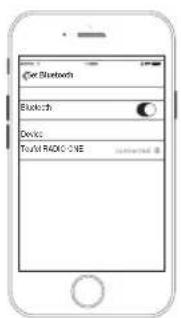
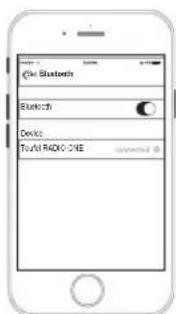
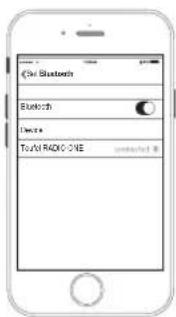
- Press the Bluetooth button for 2 seconds. The Display shows "PAIRING" and Pairing Sound is played.
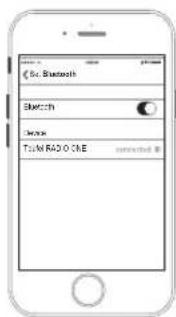
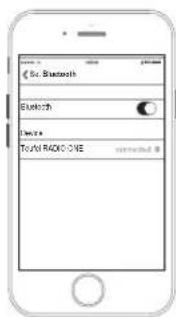
- Activate Bluetooth on your playback device and open the bluetooth settings.
- Select your Teufel RADIO ONE from the device list. Once your playback devices is connected, the Teufel RADIO ONE indicates "OK" on the display and plays the "connected" sound.
- Start the playback by using your source device or using the appropriate buttons on the Teufel RADIO ONE.
text_image
RADIO ONE 12:00 Tianfu(( )
text_image
Get Bluetooth Blackish Devices Total RADIO ONEDE-6
text_image
RADIO ONE 12:00 Total((*)
text_image
C:\la\Bluetooth Sketch TLMASO.CHE corrected.Lecture/Pause, Silence
Sélection
Report
⑤ Favoris 1
6 Favoris 2
7 Favoris 3
8 Alarme 1
9 Alarme 2
⑩ Minuteur de sommeil
Bluetooth
12 Radio FM
13 Radio DAB+
text_image
RADIO ONE 12:00 Total((*)
text_image
Scan Bluetooth Bluetooth Send Total RADIO ONE SendES-12
Botones y funciones
text_image
- ≡ |←← |→| ① ② ③ 4 5 6 7 1 2 3 FM DAB+ RADIO ONE 12:00 Thaqfaitext_image
RADIO ONE 12:00 Topd((*)
text_image
Ch/ Bluetooth Bluetooth Device: TX/RADIO ONENL - 18
Knoppen en functies
text_image
1 2 3 4 5 6 7 1 2 3 FM DAB+ RADIO ONE 12:00 Davateltext_image
FULL CNTN RADIO ONE 12:00 Signal(( )
text_image
Di Stabeths Stabeth Tou/ RADIO ONEPrzyciski i funkcje
PL-21
text_image
- 1 2 3 4 5 6 7 - 3 9 10 FM DAB+ 12 13 RADIO ONE 12:00 Digitaltext_image
© Bluetooth Bluetooth Device Total RADIO ONETeufel
10787 Berlin (Germany)
www.teufelaudio.com
www.teufel.de
www.teufel.ch
www.teufelaudio.at
www.teufelaudio.nl
www.teufelaudio.be
www.teufelaudio.fr
www.teufelaudio.pl
www.teufelaudio.it
www.teufelaudio.es
Telefon:
www.teufelaudio.com/service
The following radio frequency bands and radio transmitting
| Radio network | Frequency bands | Transmission power in mW/dBm |
| Bluetooth® 2.4 | 2.4835 GHz 2.5/4 | |

The Research (work) work and Analysis
Bluetooth S/O, Inc. and any use by Latzered or Ierel is licensed. © All trademarks are the property of their properties owned.

that this project is done.
He null text of the EU declaration of conformity can be found at these Internet addresses.
www.cdcq.com
eswain riechal na nucile kestimc-a cormity
Teufel RADIO ONE_QSG_V2.2.1 BT