DUMSS20WT - Alarm system NEDIS - Free user manual and instructions
Find the device manual for free DUMSS20WT NEDIS in PDF.



User questions about DUMSS20WT NEDIS
0 question about this device. Answer the ones you know or ask your own.
Ask a new question about this device
Download the instructions for your Alarm system in PDF format for free! Find your manual DUMSS20WT - NEDIS and take your electronic device back in hand. On this page are published all the documents necessary for the use of your device. DUMSS20WT by NEDIS.
USER MANUAL DUMSS20WT NEDIS
MANUAL DE USO (p. 17)
MANUAL (p. 20)
HASZNÁLATI ÚTMUTATÓ (o. 23)
KÄYTTÖOHJE (s. 26)
natural_image
White rectangular device with a red circular lens, resembling a medical or industrial sensor (no text or symbols visible)
natural_image
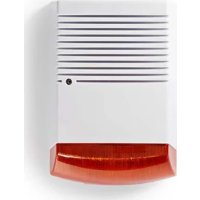
Close-up of a white and orange electronic device with horizontal lines, no visible text or symbols.Dummy Alarm Flashlight
Introduction:
Professional looking dummy alarm siren with a deterring effect. Made of plastic housing and fitted with a continuously flashing LED indicator.
• We recommend that you read this manual before installing/using the camera system.
- Keep this manual in a safe place for future reference.
Packaging content:
• Dummy alarm flashlight
- Security sticker
- Manual
Technical specifications:
- Housing: plastic
• IP protection: IP44 (splash- & dust proof)
• Battery: 3x AA 1.5 V (not included)
• Dimensions DUMSS10WT: 204 x 114 x 60 mm
• Dimensions DUMSS20WT: 280 x 198 x 98 mm
• Weight DUMSS10WT: 206 g
• Weight DUMSS20WT: 706 g
User instructions:
Placing the batteries DUMSS10WT
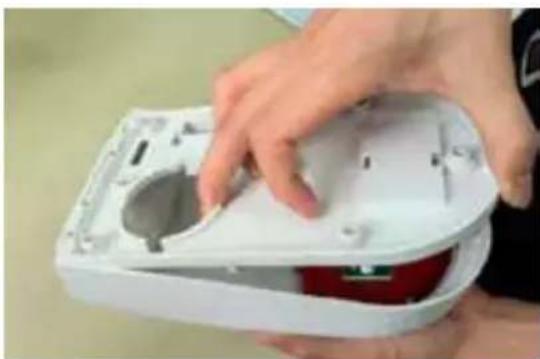
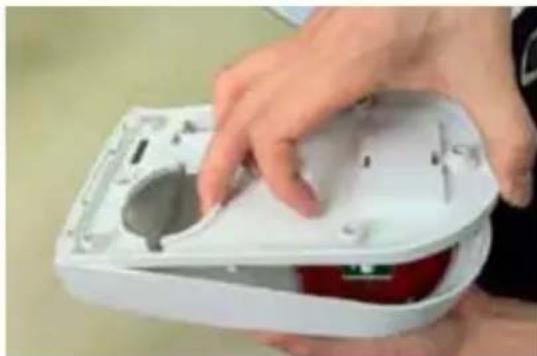
- Remove the screw at the bottom of the housing using a screwdriver.

natural_image
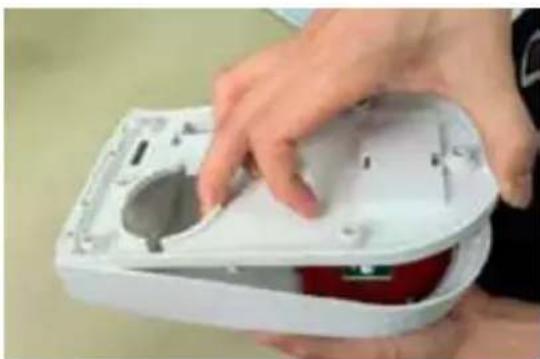
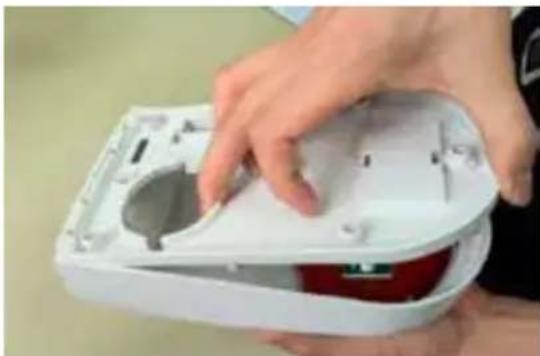
Close-up of hands using a power tool to apply red liquid onto a white electronic device (no text or symbols visible)- Open the housing.
natural_image
Close-up of hands installing or adjusting a white plastic electronic device with a circular component (no visible text or symbols)nedis
- Place 3x AA 1.5 V batteries in the battery compartment, matching the polarity markings (+ and -) to activate the flashing LED. Close the housing and replace the screw after placing the batteries.

natural_image
Close-up of hands installing a small electronic component with wires and components, next to a white electronic device (no visible text or symbols)Placing the batteries DUMSS20WT
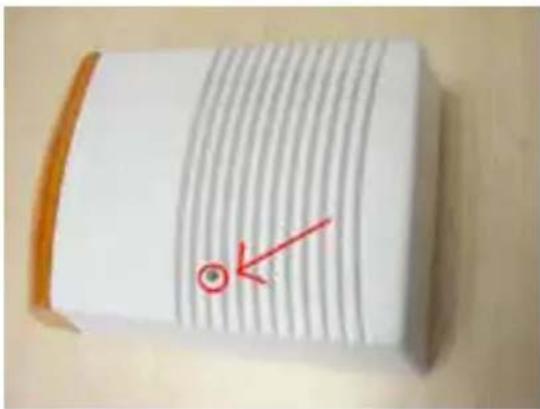
- Remove the screw marked in the image, using a screwdriver.
text_image
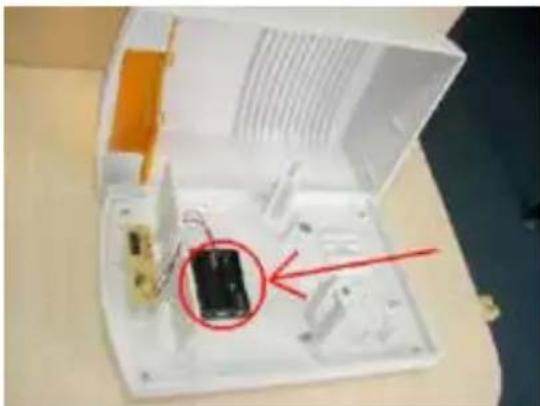
Close-up of a striped paper with a red arrow pointing to a circular mark and a green circle, likely indicating a measurement or annotation.- Open the housing. Place 3x AA 1.5 V batteries in the battery compartment, matching the polarity markings (+ and -) to activate the flashing LED. Close the housing and replace the screw after placing the batteries.
natural_image
Interior view of an open electronic device casing with a small black component and red annotation arrow (no readable text or symbols)Maintenance:
Clean the housing with a dry or damp cloth.
Do not use cleaning solvents or abrasives.
Warranty:
Any changes and/or modifications to the product will void the warranty. We cannot accept any liability for damage caused by incorrect use of this product.
Disclaimer:
Designs and specifications are subject to change without notice. All logos, brands and product names are trademarks or registered trademarks of their respective holders and are hereby recognized as such.
Disposal:

- This product is designated for separate collection at an appropriate collection point.
Do not dispose of this product with household waste. - For more information, contact the retailer or the local authority responsible for waste management.
This product has been manufactured and supplied in compliance with all relevant regulations and directives, valid for all member states of the European Union. It also complies to all applicable specifications and regulations in the country of sales.
Formal documentation is available upon request. This includes, but is not limited to: Declaration of Conformity (and product identity), Material Safety Data Sheet, product test report.
Please contact our customer service desk for support:
via website: http://www.nedis.com/en-us/contact/contact-form.htm
via e-mail: service@nedis.com
via telephone: +31 (0)73-5991055 (during office hours)
NEDIS B.V., De Tweeling 28, 5215 MC 's-Hertogenbosch, THE NETHERLANDS
Einführung:
natural_image
Close-up of hands holding a small white object with a red spherical object, being pointed at by a tool (no visible text or symbols)natural_image
Close-up of hands installing or adjusting a white electronic device casing with a red internal component (no visible text or symbols)natural_image
Close-up of hands assembling a small electronic device with wires and components, next to a white plastic container (no visible text or symbols)text_image
Close-up of a striped paper with a red arrow pointing to a circular mark and a small circle, likely indicating a measurement or annotation.natural_image
Open electronic device casing with a small circuit board and red arrow pointing to it (no visible text or symbols)Wartung:
natural_image
Close-up of hands using a pipette to apply red liquid into a white container (no text or symbols visible)- Ouvrez le boîtier.

natural_image
Close-up of hands installing or adjusting a white electronic device casing with a red component (no visible text or symbols)nedis
natural_image
Close-up of hands assembling a small electronic device with wires and components, next to a red spherical object (no visible text or symbols)Installation des piles DUMSS20WT
text_image
Close-up of a striped paper with a red arrow pointing to a circular mark and a small circle, likely indicating a measurement or annotation.natural_image
Open electronic device casing with visible internal components and a red arrow pointing to a component (no text or symbols)Entretien :
natural_image
Close-up of hands using a pipette to apply red liquid into a white container (no text or symbols visible)- Open de behuizing.

natural_image
Close-up of hands installing or adjusting a white electronic device casing with a red component (no visible text or symbols)nedis
natural_image
Close-up of hands assembling a small electronic device with wires and components (no visible text or symbols)De batterijen installeren DUMSS20WT
text_image
Close-up of a striped paper with a red arrow pointing to a circular mark and a small circle, likely indicating a measurement or annotation.natural_image
Open electronic device casing with visible internal components and a red arrow pointing to a component (no text or symbols)Onderhoud:
natural_image
Close-up of hands using a pipette to apply red liquid into a white container (no text or symbols visible)natural_image
Close-up of hands installing or adjusting a white electronic device casing with a red component (no visible text or symbols)nedis
natural_image
Close-up of hands assembling a small electronic device with wires and components (no visible text or symbols)text_image
Close-up of a striped paper with a red arrow pointing to a circular mark and a small circle, likely indicating a measurement or annotation.natural_image
Open electronic device casing with visible circuitry and a red arrow pointing to a component (no text or symbols)Manutenzione:
natural_image
Close-up of hands using a tool to apply red liquid into a white container (no text or symbols visible)- Abra la carcasa.

natural_image
Close-up of hands installing or adjusting a white plastic housing with a red component (no visible text or symbols)nedis
natural_image
Close-up of hands assembling a small electronic device with wires and components (no visible text or symbols)text_image
Close-up of a striped paper with a red arrow pointing to a circular mark and a small circle, likely indicating a measurement or annotation.natural_image
Open electronic device casing with a small circuit board and red arrow pointing to it (no visible text or symbols)Mantenimiento:
Colocar as baterias no dispositivo DUMSS10WT
natural_image
Close-up of hands using a tool to apply red liquid into a white container (no text or symbols visible)- Abra a estrutura.
natural_image
Close-up of hands installing or adjusting a white plastic housing with a red component (no visible text or symbols)nedis
natural_image
Close-up of hands assembling a small electronic device with wires and components (no visible text or symbols)Colocar as baterias no dispositivo DUMSS20WT
text_image
Close-up of a striped paper with a red arrow pointing to a circular mark and a small circle, likely indicating a measurement or annotation.natural_image
Open electronic device casing with a small circuit board and red arrow pointing to it (no visible text or symbols)Manutenção:
natural_image
Close-up of hands holding a small white container with red liquid, being pointed at by a pen (no text or symbols visible)- Nyissa ki a házat.
natural_image
Close-up of hands installing or adjusting a white electronic device casing with a red component (no visible text or symbols)nedis
natural_image
Close-up of hands assembling a small electronic device with wires and components (no visible text or symbols)text_image
Close-up of a striped paper with a red arrow pointing to a circular mark and a small circle, likely indicating a measurement or annotation.natural_image
Open electronic device casing with visible circuitry and a red arrow pointing to a component (no text or symbols)Karbantartás:
natural_image
Close-up of hands using a tool to apply red liquid into a white container (no text or symbols visible)- Avaa kotelo.
natural_image
Close-up of hands installing or adjusting a white plastic housing with a red component (no visible text or symbols)nedis
natural_image
Close-up of hands assembling a small electronic device with wires and components (no visible text or symbols)Aseta paristot DUMSS20WT-laitteeseen
text_image
Close-up of a striped paper with a red arrow pointing to a circular mark and a small circle, likely indicating a measurement or annotation.natural_image
Open electronic device casing with visible circuitry and a red arrow pointing to a component (no text or symbols)Huolto:
natural_image
Close-up of hands using a tool to apply red liquid into a white container (no text or symbols visible)- Öppna höljet.
natural_image
Close-up of hands installing or adjusting a white plastic housing with a red component (no visible text or symbols)nedis
natural_image
Close-up of hands assembling a small electronic device with wires and components (no visible text or symbols)text_image
Close-up of a striped paper with a red arrow pointing to a circular mark and a small circle, likely indicating a measurement or annotation.natural_image
Open electronic device casing with visible circuitry and a red arrow pointing to a component (no text or symbols)Underhåll:
natural_image
Close-up of hands using a tool to apply red liquid into a white container (no text or symbols visible)- Otevřete kryt.

natural_image
Close-up of hands holding a white plastic enclosure with a red internal component (no visible text or symbols)nedis
natural_image
Close-up of hands assembling a small electronic device with wires and components (no visible text or symbols)text_image
Close-up of a striped paper with a red arrow pointing to a circular mark and a small circle, likely indicating a measurement or annotation.natural_image
Open electronic device casing with visible circuitry and a red arrow pointing to a component (no text or symbols)Údržba:
natural_image
Close-up of hands using a pipette to apply red liquid into a white container (no text or symbols visible)- Deschideți carcasa.

natural_image
Close-up of hands installing or adjusting a white electronic device casing with a red component (no visible text or symbols)natural_image
Close-up of hands assembling a small electronic device with wires and components (no visible text or symbols)text_image
Close-up of a white sheet with diagonal striped lines and a red arrow pointing to a circular mark, likely indicating a measurement or annotation.natural_image
Interior view of an open electronic device with a red circle highlighting a black component, no visible text or symbols.Întreținere:
natural_image
Close-up of hands holding a small white container with red liquid, being pointed at by a tool (no visible text or symbols)natural_image
Close-up of hands installing or adjusting a white electronic device casing with a red component (no visible text or symbols)nedis
natural_image
Close-up of hands assembling a small electronic device with wires and components (no visible text or symbols)text_image
Close-up of a striped paper with a red arrow pointing to a circular mark and a small circle, likely indicating a measurement or annotation.natural_image
Open electronic device casing with visible circuitry and a red arrow pointing to a component (no text or symbols)Συντήρηση:
natural_image
Close-up of hands using a tool to apply red liquid into a white container (no text or symbols visible)- Åbn kabinettet.

natural_image
Close-up of hands installing or adjusting a white plastic housing with a red component (no visible text or symbols)nedis
natural_image
Close-up of hands assembling a small electronic device with wires and components, next to a white plastic container (no visible text or symbols)text_image
Close-up of a textured paper with a red arrow pointing to a circular mark and horizontal lines, possibly indicating a measurement or annotation.natural_image
Open electronic device casing with visible circuitry and a red arrow pointing to a component (no text or symbols)Vedligeholdelse:
Sette inn batteriene DUMSS10WT
natural_image
Close-up of hands using a tool to apply red liquid into a white container (no text or symbols visible)- Åpne omslaget.
natural_image
Close-up of hands installing or adjusting a white plastic housing with a red component (no visible text or symbols)nedis
natural_image
Close-up of hands assembling a small electronic device with wires and components (no visible text or symbols)Sette inn batteriene DUMSS20WT
text_image
Close-up of a striped paper with a red arrow pointing to a circular mark and a small circle, likely indicating a measurement or annotation.natural_image
Open electronic device casing with visible internal components and a red arrow pointing to a component (no text or symbols)Vedlikehold:
natural_image
Close-up of hands holding a small white object with a red spherical container, being pointed at by a tool (no visible text or symbols)- Otworzyć obudowę.

natural_image
Close-up of hands holding a white plastic electronic device with a circular opening and red internal components (no visible text or symbols)nedis
natural_image
Close-up of hands assembling a small electronic device with wires and components (no visible text or symbols)text_image
Close-up of a striped paper with a red arrow pointing to a circular mark and a small circle, likely indicating a measurement or annotation.natural_image
Open electronic device casing with a small circuit board and red arrow pointing to it (no visible text or symbols)Konserwacja:
natural_image
Close-up of hands using a screwdriver to apply red liquid onto a white container (no text or symbols visible)nedis
- Откройте корпус.
natural_image
Close-up of hands holding a white plastic device with a circular opening and red internal components (no visible text or symbols)natural_image
Close-up of hands installing a battery component into an electronic device with wiring and circuit board (no visible text or symbols)text_image
Close-up of a striped paper with a red arrow pointing to a circular mark and a green circle, likely indicating a measurement or annotation.natural_image
Open electronic device with a red circle highlighting a black component, no visible text or symbolsnatural_image
Close-up of hands using a tool to apply red liquid into a white container (no text or symbols visible)- Gövdeyi açın.