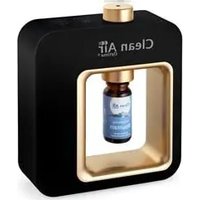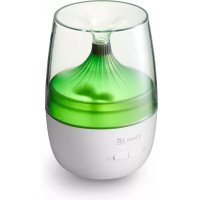
AD301 - Aroma diffuser Clean Air Optima - Free user manual and instructions
Find the device manual for free AD301 Clean Air Optima in PDF.


User questions about AD301 Clean Air Optima
0 question about this device. Answer the ones you know or ask your own.
Ask a new question about this device
Download the instructions for your Aroma diffuser in PDF format for free! Find your manual AD301 - Clean Air Optima and take your electronic device back in hand. On this page are published all the documents necessary for the use of your device. AD301 by Clean Air Optima.
USER MANUAL AD301 Clean Air Optima
Clean Air Optima Aroma Diffuser Ambiente AD-301
User manual
Gebrauchsanweisung
Gebruiksaanwijzing
Mode d'emploi
Manual del usuario
natural_image
White Free Air air conditioner unit with control buttons (no visible text or symbols on body)Read these instructions carefully before you start using the Aroma Diffuser and keep the manual for later usage.
Clean Air Optima®
AD-301 Parts / Main unit
English
Thank you for purchasing the Clean Air Optima Aroma Diffuser Ambiente AD-301.
We wish you many years of healthy indoor Air combined with Aromatherapy with this efficient and effective product.
Ensure that all safety precautions are followed when using this electrical appliance for the proper operation of the device. These instructions describe the safety precautions to be observed during operation. They are meant to prevent injuries and to avoid damaging the device.
Description of the device
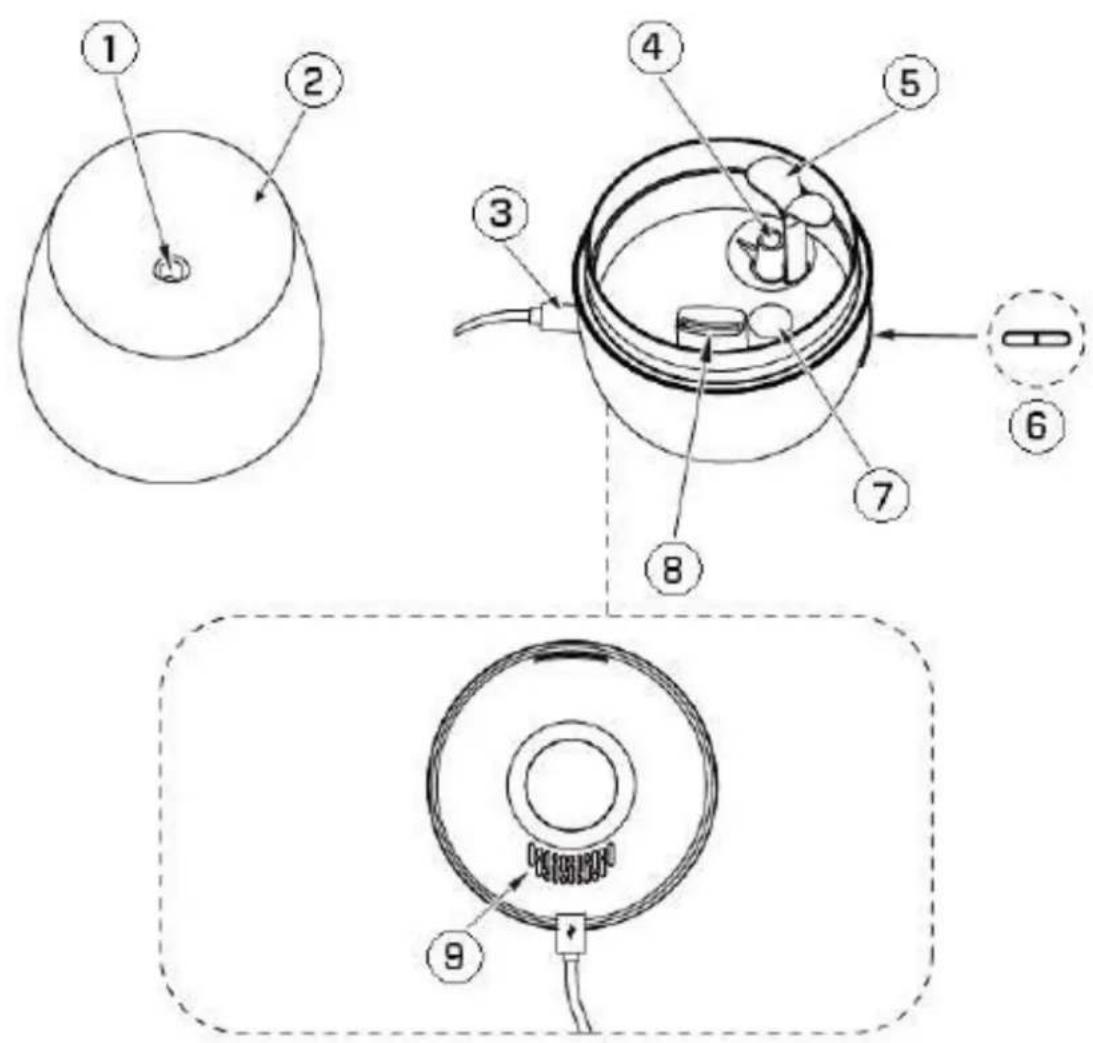
The device consists of the following main components:
- Outlet micro-fine and flavored mist
- Cover
- USB Cable
- Water supply to membrane Passage micro-fine and flavored mist
- Splash Board
- On/Off Switch
- Water Sensor
- Air Outlet
- Air Inlet on bottom of diffuser
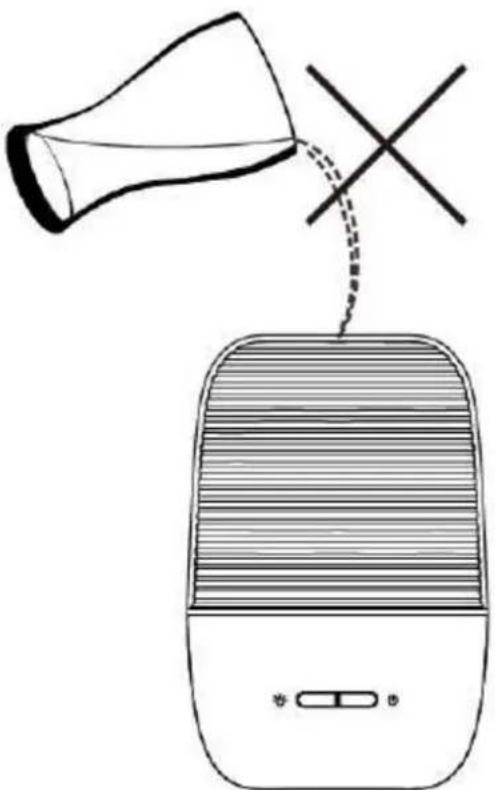
Warning
Do not pour water on the mist outlet directly, or it will damage the product.
natural_image
Simple line drawing of a speaker emitting sound waves from a funnel (no text or symbols)Clean Air Optima®
Safety warnings
Take the following steps to minimize the risk of personal injury caused by for example electric shocks or fire.
- Only for indoor use.
- Pull the plug when you do not use the device or when you clean internal or external parts
- Use, maintain and clean the device as described in this manual.
- Do not use the device when there is visible damage on the electrical cord or on the device itself. Do not repair the device yourself in case of damage. Never pull the device by its cord. If the power cord is damaged, then it must be replaced by an authorized service person to prevent electric shock or fire.
- Do not use the device in rooms where inflammable liquids or gases are stored, close to heat sources or in particularly humid rooms like the bathroom.
- Do not insert strange objects into the device.
- Touch the device only with dry hands.
- Essential oil from aromatherapy can cause stains and if splashes occur, they should be dried immediately with a cleaning cloth.
- Do not spray the mist directly onto the furniture, clothes, walls, etc.
- Do not place the device in direct sunlight, and avoid using it nearby an air-conditioner, ventilator or under high temperature, and avoid using the device nearby an electric appliance such as a TV or sound equipment.
- Do not move while using.
- This product must be placed out of the reach of children to ensure that they do not play with it.
- The appliance is not intended to be used by children or persons with reduced physical, sensory or mental capabilities, unless they are supervised by a person responsible for their safety.
How To Use
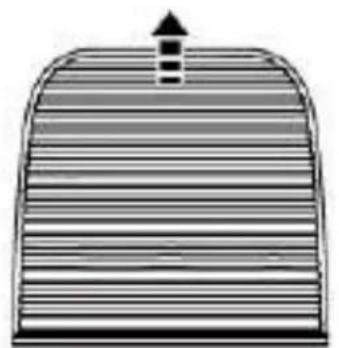
1. Open the cover
natural_image
Diagram of a dome-shaped structure with horizontal striped layers and an upward arrow, no text or symbols present.Remove the cover
natural_image
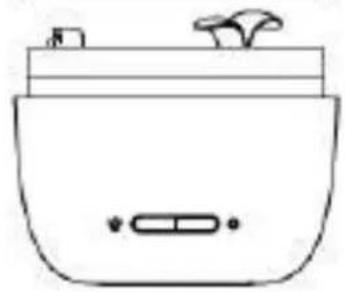
Simple line drawing of a kitchen appliance with a lid and side button (no text or symbols)2. Add water and essential oils
natural_image
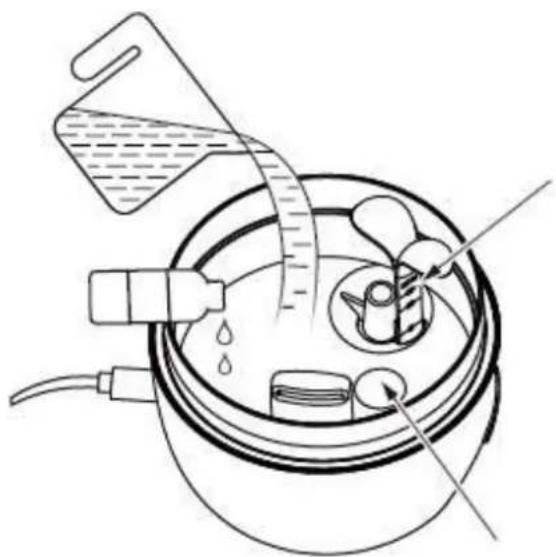
Diagram of a laboratory apparatus with a container, tubing, and a funnel pouring liquid into it (no text or labels)Maximum water level
Water Sensor
Clean Air Optima®
- Use soft tap water. The water line shall cover the water sensor and should remain below the Max water level line.
- Drop a few drops of essential oil into the water. (See the table below).
Note: Please do not remove the Splash Board when adding water, to avoid that the amount of water exceeds the MAX level.
| Space Volume Drops suggestion Duration | |||
| 10m2-20m2 50ml 1-4 drops 0.5h-1h | |||
| 10m2-40m2 100ml 3-6 drops 1h-2h | |||
| 10m2-60m2 130ml 4-8 drops 2h-3h | |||
3. Connect to power supply
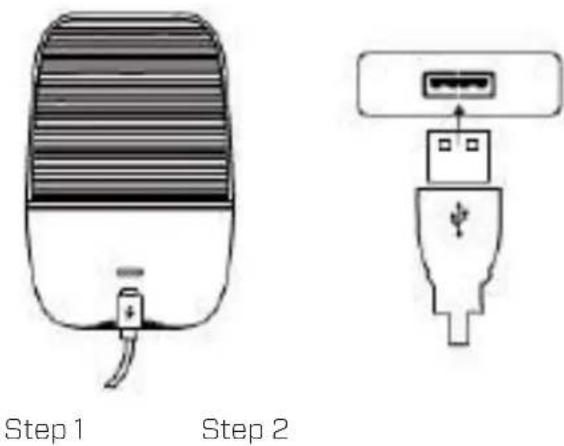
- Connect USB cord with any USB power source. (Please make sure the power supply is 5V —— 1A).
- When the power is connected, the device flashes yellow once to indicate the power is connected. The device is on standby now.
4. Mist function and light
natural_image
Simple line drawing of a device with horizontal stripes and a small connector at the base (no text or symbols)
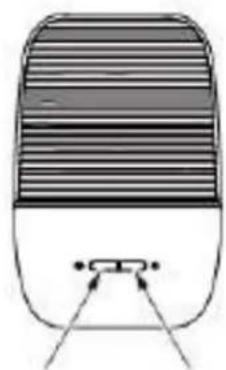
Light button

Spray button
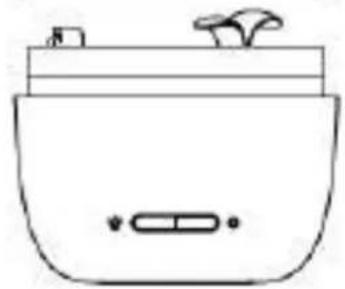
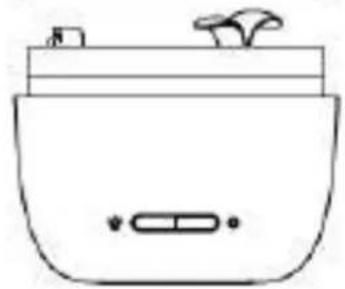
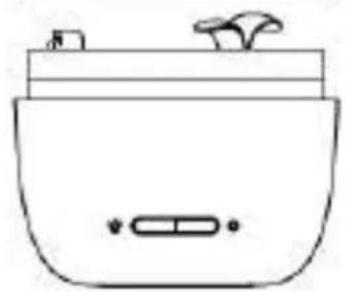
- Press the on/off button once, the continuous mist mode will be switched on.
- Press the on/off button again, the device will switch to the intermittent mist mode. Press one more time, the device will return to the standby mode.
- Press the light button, the yellow light is on. Press again, the device will alternate between seven colours. Press one more time, the present colour is frozen. Press again to switch off the light.
Note: When the water runs out (water level lower than the water sensor), the evaporation will stop. The device flashes red five times to indicate that the water level is too low. The device will switch to standby mode.
Attention
- The device must use the correct power supply.
- Do not pour water on the mist outlet directly, or it will damage the product.
- The mist plume can differ per device, which is normal because it depends on various factors such as type of water, humidity, temperature and air flow.
- If water shortage occurs while the device is switched on, the device will light up red five times. In that case, the device cannot spray mist but the light function will continue to work.
- Do not use corrosive liquids, otherwise it will damage the device.
- When using or changing to a different essential oil, please make sure to follow the instructions in the "maintenance" section.
Accidentally leaking
If the device is accidentally knocked over or dropped while using, please proceed as follows:
- Switch off and pull the power cord out of the device.
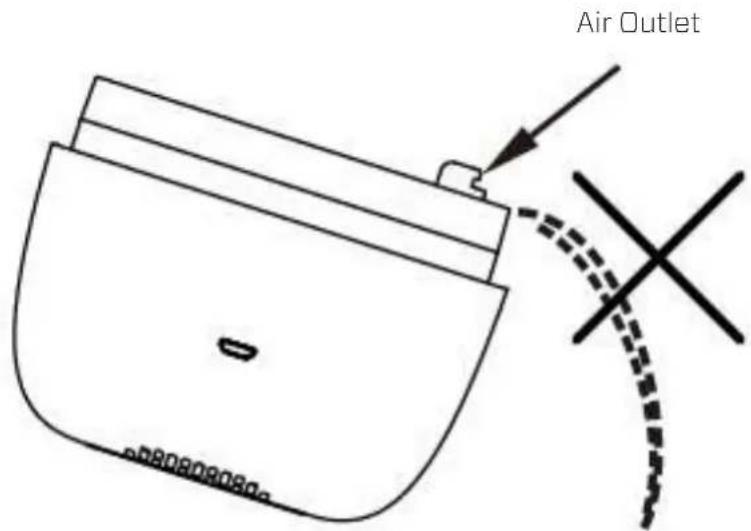
- Empty the remaining water. (Do NOT pour out from the mist outlet side, to avoid water getting in the circuit board, see picture below).
text_image
Air OutletClean Air Optima®
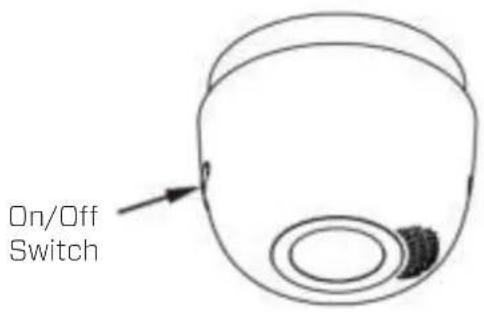
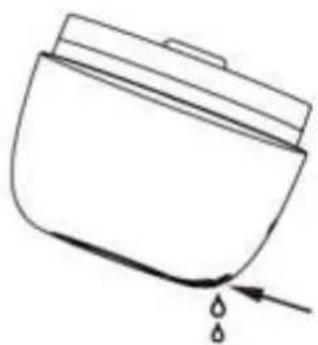
- Topple the device and drain the water from the air inlet.
text_image
On/Off SwitchStep 1
Step 2
natural_image
Simple line drawing of a container with liquid and a drop arrow (no text or symbols)Air inlet water
drainir
- Put the product in a dry place and let it air dry for 24 hours.
Maintenance
Clean the product in the following way after 5 to 6 times or 3 to 5 days of use:
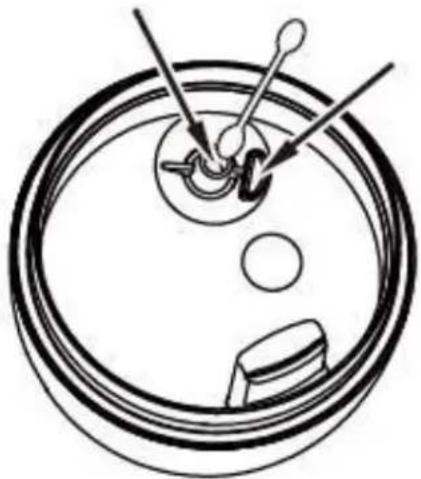
Outlet micro-fine and flavored mist
Splash board hole
natural_image
Diagram of a mechanical component with gears and shafts, no text or symbols present- Switch off and unplug the power cord, remove the cover.
- Pour all water out of the water tank and clean it.
- Cleaning the atomizer plate: Use a cotton stick to clean the surface of the atomizer plate with diluted neutral detergent, then rinse with clean water.
- Cleaning the splash board hole and the mist outlet: pull out the splash board.
Use a cotton stick to clean the surface and the holes with diluted neutral detergent, then rinse with clean water. - Use soft cloth to clean the surface of the product, do not use a medical diluent, phenethyl alcohol and so on, otherwise it will discolor the device.
- If you are not going to use the device for a long time: unplug the power cord, empty the water tank, clean the device as described, dry it thoroughly and store it in a dry place.
Troubleshooting
The following is a troubling shooting guide to help you solve any issues that you may have using the Clean Air Optima Aroma Diffuser Ambiente AD-301.
Device does not switch on
- Does the USB cable and the power supply body connect correctly?
Solution: make sure that the USB cable get through with power supply body. To verify it, pull out the USB cable, and re-plug it again.
- Check if the water level is above the minimum water level.
Solution: add more water. The water level should remain below the Max water level line, otherwise it will cause irregular mist.
- Is there any dirt on the ultrasonic atomizer plate?
Power is on (yellow light flashed once) but no mist
Solution: clean the atomizer plate. (see point 3. of the "Maintenance section").
- Check the Mist outlet to see whether it is blocked.
Solution: clean the inside part of the mist outlet with a cotton stick (See point 4. of the "Maintenance" section).
- Check if there is dust in the air-inlet.
Solution: clean the air-inlet. The airflow will decrease considerably if there is too much dust in the air-inlet, meaning there is insufficient pressure to blow out the mist.
WARNING!
If the above recommended solutions do not work, please contact Clean Air Optima technical support at the telephone number for your region. Do not attempt to disassemble, reassemble or repair the device as this may void the warranty.
Specifications
| Model | AD-301 | Ask your retailer or your municipality |
| Rated voltage | USB Adapter 220V - 240VOutput: 5V 1A | for updated information regarding the disposal of the packaging and of the device. |
| Rated power | 5W | |
| Capacity | 130ml - mist output 20ml/h | |
| Sound level | <25 dB(A) | |
| Dimensions | 106 x 106 x 160mm | |
| Weight | 282g | |
| Colour | White | |
| Complies with | ||
| EU regulations | CE / WEEE / RoHS |
Clean Air Optima®
Service
Warranty Certificate for the Clean Air Optima Aroma Diffuser Ambiente AD-301
Date of purchase: ....
Customers name: ....
Address:
Telephone:
Email:
Seller's name: ....
Address: ....
- Please fill in completely this Warranty Certificate. Send it with the invoice and the unit, postage pre-paid and using the original packing box, to your distributor. Make sure to include the appropriate return postage for the package.
- Please enclose a short description of the damage, fault or malfunction, and the circumstances under which these problems arose.
The Clean Air Optima Aroma Diffuser Ambiente AD-301 is subjected to strict testing procedures before leaving the factory. If within two years from the date of purchase the product does not perform according to the specifications, because of factory defects, the purchaser is entitled to free repairs or replacement of parts upon presentation of this warranty (provided that the malfunction or damage to the device and/or parts occurred under normal operating conditions). What is covered: All parts defective in material and workmanship. For how long: two years from purchase date. What we will do: Repair or replace any defective parts.
Other Conditions
The provisions of this warranty are in lieu of any other written warranty whether express or implied, written or oral, including any warranty of merchantability or fitness for a particular purpose. The manufacturer's maximum liability shall not exceed the actual purchase price paid by you for the product. In no event shall the manufacturer be liable for special, incidental, consequential, or indirect damages. This warranty does not cover a defect that has resulted from improper or unreasonable use or maintenance, faulty assembly, accident, natural catastrophes, improper packing, or unauthorized tampering, alteration, or modification as determined solely by us. This warranty is void if the label bearing the serial number has been removed or defaced.
Thank you for reading!

Share your feedback about the Clean Air Optima Aroma Diffuser Ambiente AD-301 on: www.cleanairoptima.com

For frequently asked questions about the AD-301 go to: www.cleanairoptima.com and search for the AD-301.

Download PDF instruction manual on: www.leanairoptima.com/info/manuals

Watch all Clean Air Optima Product video's on:
www.youtube.com
Clean Air Optima International B.V. | David Ricardostraat 9-7 / 9-9 | 7559 SH Hengelo (ov) The Netherlands | Phone: +31 (0) 74 - 2670145
Clean Air Optima Germany GmbH | Enschedestraße 14 | 48529 Nordhorn | Germany Phone: +49 (0) 5921 879-121
E-mail: info@cleanairoptima.com
Internet: www.cleanairoptima.com
©
©
Clean Air Optima®
Verwendung
natural_image
Diagram of a curved structure with horizontal lines and an upward arrow, no text or symbols presentnatural_image
Simple line drawing of a kitchen appliance with a lid and side button (no text or symbols)natural_image
Diagram of a laboratory apparatus with a container, tubing, and a funnel pouring liquid into it (no text or labels)natural_image
Simple line drawing of a handheld device with a curved handle and striped top (no text or symbols)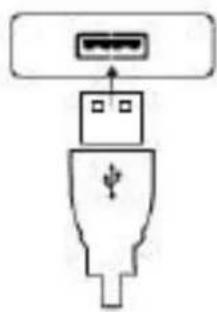
natural_image
Diagram of a USB port connector with an internal socket and connector (no text or symbols)Schritt 1 Schritt 2
natural_image
Simple line drawing of a cylindrical device with horizontal ridges and a small connector at the base (no text or symbols)natural_image
Top-down schematic of a mechanical component with gears and shafts (no text or symbols)natural_image
Symbol of a trash bin with crossed lines indicating no waste, and a solid black rectangle below (no text or labels)Service
natural_image
Simple line drawing of a hairdryer emitting a sound wave into a speaker (no text or symbols)Clean Air Optima®
natural_image
Diagram of a curved structure with horizontal lines and an upward arrow, no text or symbols presentnatural_image
Simple line drawing of a kitchen appliance with a lid and side button (no text or symbols)natural_image
Diagram of a laboratory apparatus with a container, tubing, and a funnel pouring liquid into it (no text or labels)Maximaal
waterniveau
Watersensor
Clean Air Optima®
natural_image
Simple line drawing of a portable air conditioner with a handle and ventilation grille (no text or symbols)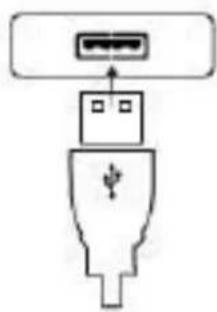
natural_image
Diagram of a USB port connector with ports and a plug symbol (no text or labels)Stap 1 Stap 2
natural_image
Simple line drawing of a device with horizontal stripes and a small connector at the base (no text or symbols)
Lichtknop Spuitkn

natural_image
Simple line drawing of a container with liquid and a drop arrow (no text or symbols)natural_image
Diagram of a mechanical component with gears and shafts, no text or symbols presentSpatplaatgat
natural_image
Symbol of a trash bin with no text or labels, crossed by diagonal lines and a solid black rectangle below (no text or symbols present)Clean Air Optima®
Service
natural_image
Simple line drawing of a speaker emitting sound waves from a funnel (no text or symbols)natural_image
Diagram of a curved structure with horizontal lines and an upward arrow, no text or symbols presentRetirez le couvercle
natural_image
Simple line drawing of a kitchen appliance with a lid and side button (no text or symbols)natural_image
Diagram of a laboratory apparatus with a container, tubing, and a funnel pouring liquid into it (no text or labels)natural_image
Diagram showing two types of electronic devices: a striped device with a power plug and a connected plug with ports (no text or symbols present)Étape 1 Étape 2
natural_image
Simple line drawing of a device with horizontal stripes and a small connector at the base (no text or symbols)natural_image
Simple line drawing of a container with liquid and a drop arrow (no text or symbols)Étape 2
natural_image
Diagram of a mechanical component with gears and shafts, no text or symbols presentnatural_image
Line drawing of a portable air conditioner with a funnel pouring liquid into a speaker (no text or symbols)Clean Air Optima®
natural_image
Diagram of a curved structure with horizontal lines and an upward arrow, no text or symbols presentQuite la tapa

natural_image
Simple line drawing of a kitchen appliance with a lid and side button (no text or symbols)natural_image
Diagram of a laboratory apparatus with a container, tubing, and a funnel pouring liquid into it (no text or labels)natural_image
Simple line drawing of a portable air conditioner with a handle and ventilation grille (no text or symbols)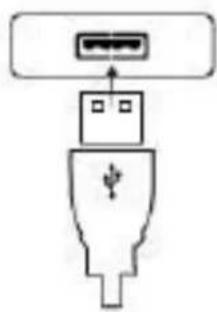
natural_image
Diagram of a USB port connector with ports and a plug symbol (no text or labels)Paso 1 Paso 2
natural_image
Simple line drawing of a device with horizontal stripes and a small connector at the base (no text or symbols)natural_image
Diagram of a mechanical component with gears and shafts, no text or symbols presentnatural_image
Simple line drawing of a trash bin with crossed lines indicating no waste or restriction (no text or symbols)Clean Air Optima®
Servicio
natural_image
Line drawing of a portable air conditioner with a funnel pouring liquid into a speaker (no text or symbols)natural_image
Diagram of a curved structure with horizontal lines and an upward arrow, no text or symbols presentSejměte kryt
natural_image
Simple line drawing of a kitchen appliance with a lid and side button (no text or symbols)natural_image
Diagram of a laboratory apparatus with a container, tubing, and a funnel pouring liquid into it (no text or labels)natural_image
Diagram showing two types of electronic devices: a striped device with a plug and a connected plug with ports (no text or symbols present)Krok 1 Krok 2
natural_image
Simple line drawing of a device with horizontal stripes and a small connector at the base (no text or symbols)natural_image
Simple line drawing of a container with an arrow pointing to it and a dashed line indicating a curved path (no text or symbols)natural_image
Simple line drawing of a container with liquid and a drop arrow (no text or symbols)natural_image
Diagram of a mechanical component with gears and shafts, no text or symbols presentnatural_image
Symbol of a trash bin with crossed lines indicating no waste, and a solid black rectangle below (no text or labels)Servis
Záruční list pro difuzor Clean Air Optima Aroma Diffuser Ambiente AD-301
natural_image
Simple line drawing of a speaker emitting sound waves from a megaphone (no text or symbols)Clean Air Optima®
natural_image
Diagram of a curved structure with horizontal lines and an upward arrow, no text or symbols presentScoateți capacul
natural_image
Simple line drawing of a kitchen appliance with a lid and side button (no text or symbols)natural_image
Diagram of a laboratory apparatus with a container, tubing, and a funnel pouring liquid into it (no text or labels)natural_image
Diagram showing two types of electronic devices: a striped device with a plug and a connected plug with ports (no text or symbols present)Pasul 1 Pasul 2