Cascada CHDW6000D - Humidifier Pingi - Free user manual and instructions
Find the device manual for free Cascada CHDW6000D Pingi in PDF.



User questions about Cascada CHDW6000D Pingi
0 question about this device. Answer the ones you know or ask your own.
Ask a new question about this device
Download the instructions for your Humidifier in PDF format for free! Find your manual Cascada CHDW6000D - Pingi and take your electronic device back in hand. On this page are published all the documents necessary for the use of your device. Cascada CHDW6000D by Pingi.
USER MANUAL Cascada CHDW6000D Pingi
natural_image
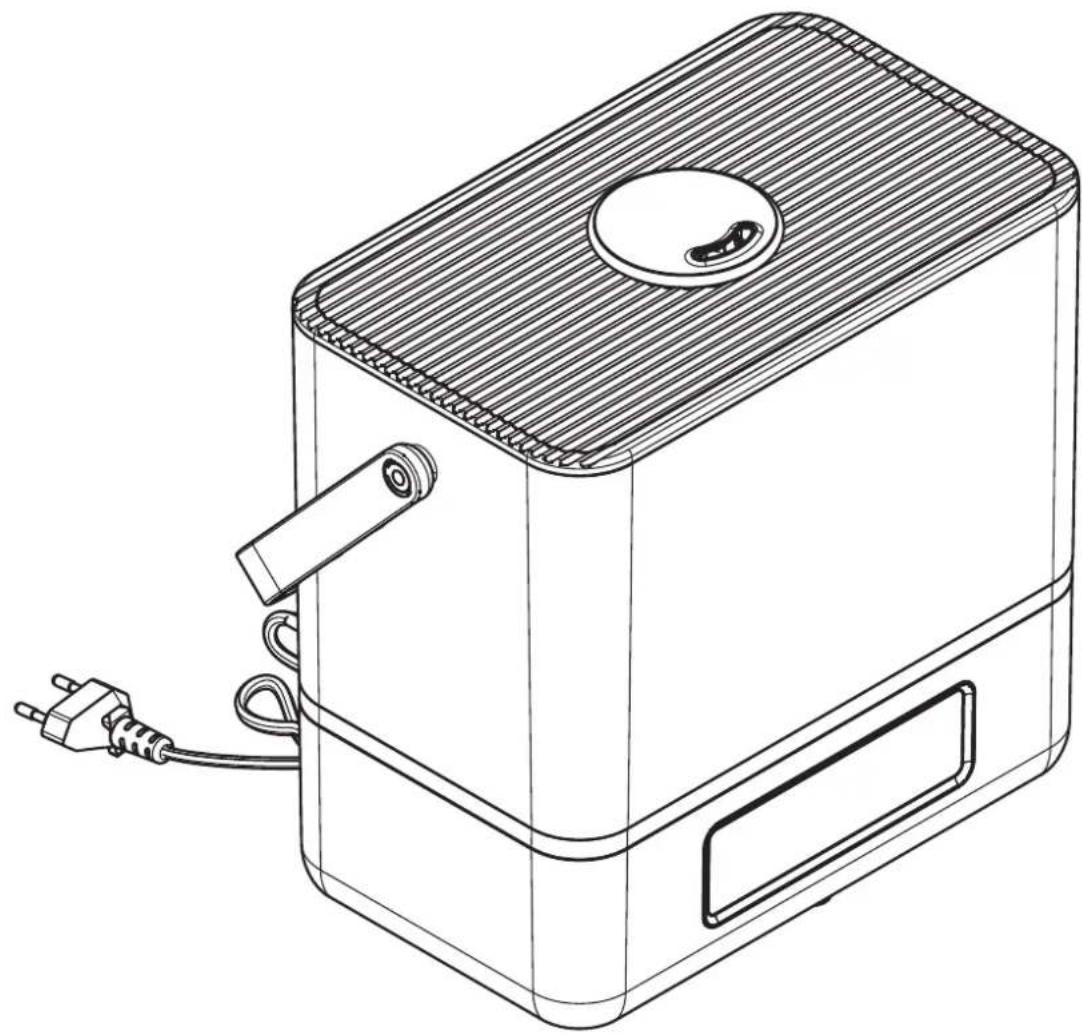
Line drawing of a rectangular device with a lid, cable, and power plug (no text or symbols)natural_image
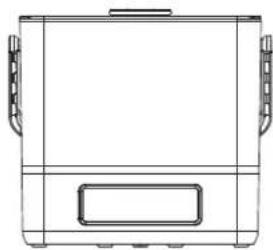
Line drawing of a rectangular container with side handles and a rectangular lid (no text or symbols)natural_image
Technical line drawing of a mechanical component or enclosure with no visible text or symbolsnatural_image
Technical line drawing of two mechanical components with no visible text or symbolsnatural_image
Line drawing of a rectangular device with a circular top and side slots, connected to a plug (no text or symbols)SAFETY - GENERAL
- This appliance should be used as described within the instructions for use that accompany it.
- For indoor, domestic use only.
- This appliance can be used by children aged 8 years and above, and persons with reduced physical, sensory or mental capabilities or lack of experience and knowledge, if they have been given supervision or instruction concerning the use of the appliance in a safe way, and understand the hazards involved.
- Keep the appliance out of reach of small children. Children should not play with the appliance or its accessories. Cleaning and user maintenance operations should not be performed by children unless they are older than 8 years and under supervision.
• This appliance contains small parts which may cause choking.
• Children of less than 3 years should be kept away unless continuously supervised. - CAUTION - The plastic bags and packaging used to wrap this appliance may be dangerous. To avoid the risk of suffocation, keep these bags out of reach of babies and children. These bags are not toys.
- Ensure that all packaging materials and any promotional labels or stickers are removed from the appliance before the first use.
SAFETY-PLACEMENT
- Place the device away from other objects in an open space with good airflow. Allow sufficient ventilation. Make sure that no objects block the air vents.
- ATTENTION - Do not place the appliance on moisture-sensitive objects or surfaces (i.e. electrical appliances, wooden furniture, carpet) during operation, while filling the tank or when performing routine maintenance. Water may leak out or precipitate and cause permanent damage or stains.
SAFETY - OPERATION
- Always inspect the appliance before use for noticeable signs of damage. Do not use if it has been damaged or has been dropped. In the event of damage, or if the appliance develops a fault, contact a qualified electrician.
- Make sure your electricity supply matches the voltage shown on the appliance label.
- Unplug the appliance from the mains electricity when not in use and before cleaning. To unplug, pull the power plug from the mains socket.
- To protect against fire, electric shock or personal injury, do not immerse cord or device in water or other liquids.
- Always ensure that your hands are dry before removing the power plug from the mains socket. Never pull the plug out of the mains socket by its lead.
- To avoid injury or possible fire, do not cover the appliance when in use.
- Do not connect this appliance to an external timer or remote-control system.
- An extension cable may be used with caution. The electrical rating of the cable should be at least as high as that of the device. Do not allow the cable to hang over the edge of the worktop, or touch any hot surfaces.
- Empty the tank and base when the appliance is not in use. Only operate the device with fresh, clean water.
natural_image
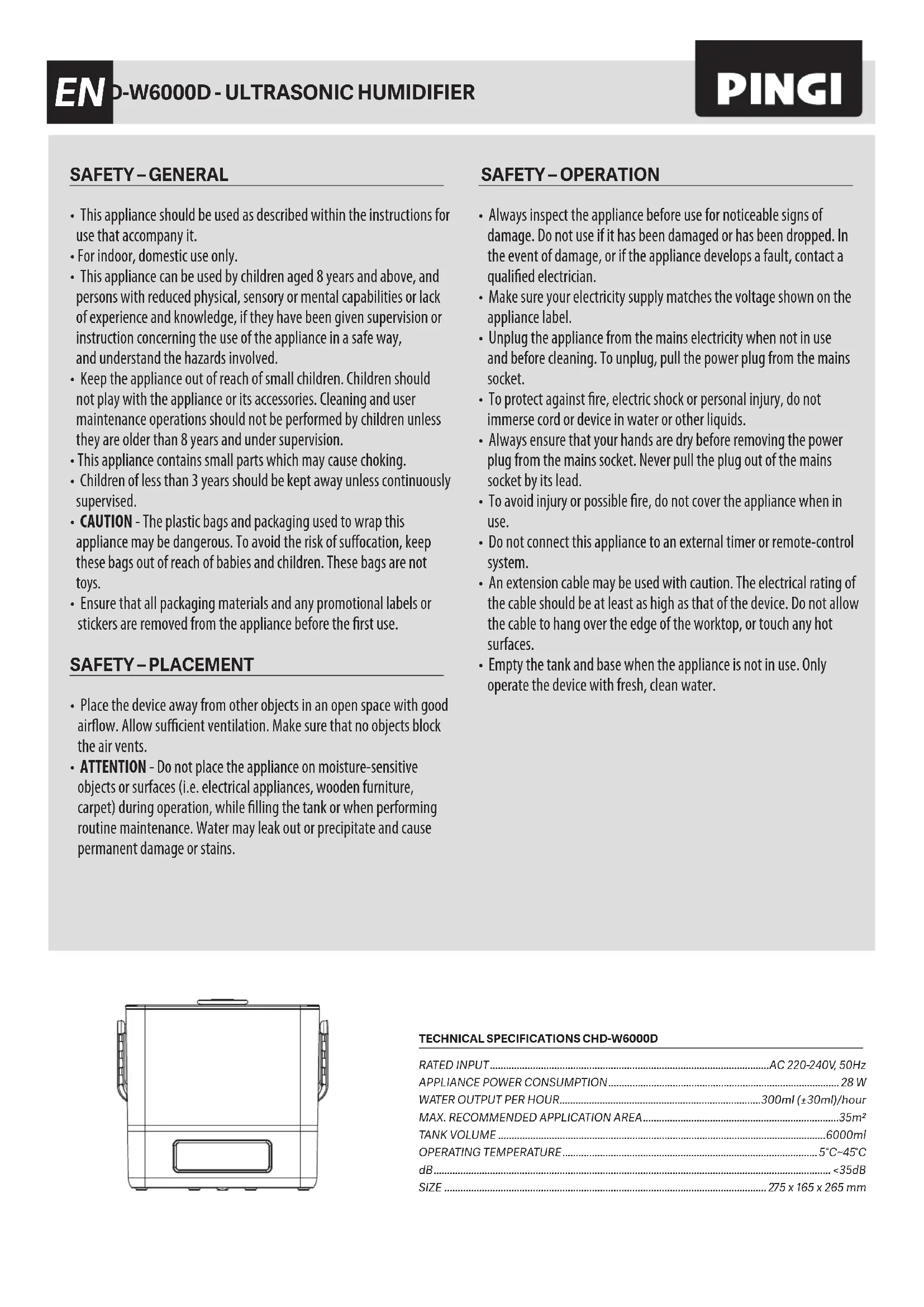
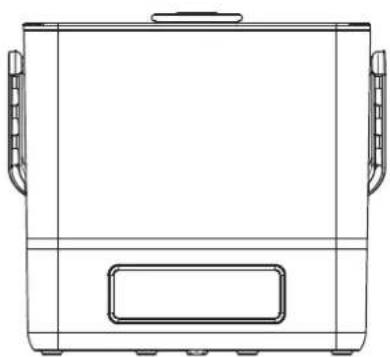
Technical line drawing of a rectangular container with side handles and a rectangular vent (no text or symbols)TECHNICAL SPECIFICATIONS CHD-W6000D
| RATED INPUT | AC 220-240V, 50Hz |
| APPLIANCE POWER CONSUMPTION | 28 W |
| WATER OUTPUT PER HOUR | 300ml (±30ml)/hour |
| MAX. RECOMMENDED APPLICATION AREA | 35 m^2 |
| TANK VOLUME | 6000ml |
| OPERATING TEMPERATURE | 5°C~45°C |
| dB | <35dB |
| SIZE | 275 x 165 x 265 mm |
BOX CONTENT
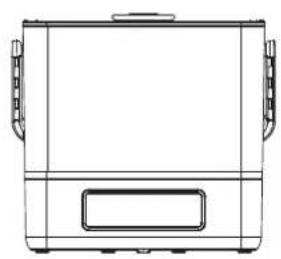
natural_image
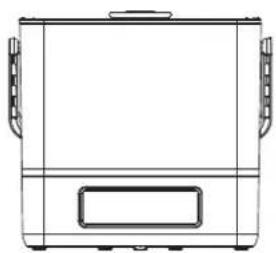
Line drawing of a rectangular container with side handles and a rectangular slot (no text or symbols)HUMIDIFIER CHD-W6000D
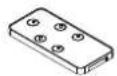
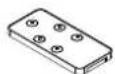
REMOTE CONTROL
INSTRUCTION
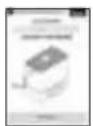
MANUAL
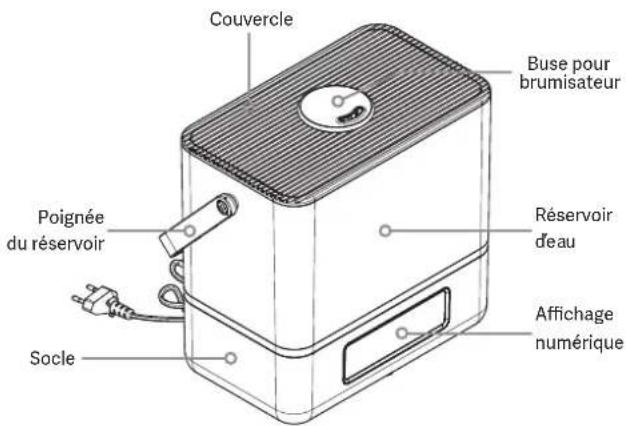
PARTS
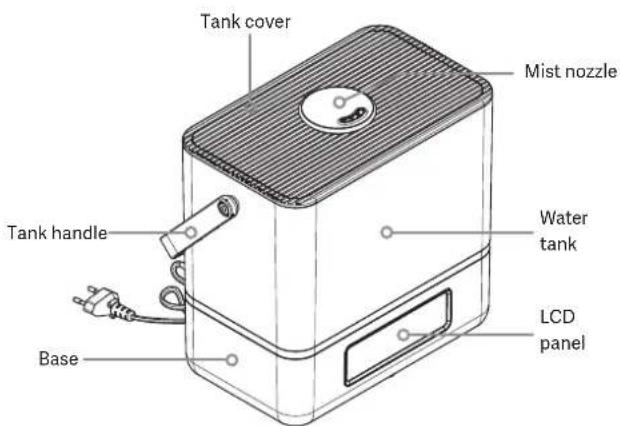
text_image
Tank cover Mist nozzle Tank handle Water tank LCD panel BaseINTENDED USE
Your new Pingi Cascada humidifier CHD-W6000D is suitable for humidifying the air in enclosed indoor spaces. The appliance operates on 220-240V, 50Hz (mains electricity). Never try to connect the device to other power sources. Please always follow the safety instructions in this manual. Keep this instruction manual in a safe place so that it is available at all times. This product complies with regulatory, national and European requirements. Never try to make technical modifications to this device. We do not accept liability for accidents or damages resulting from failure to follow these operating and safety instructions.
WHAT TO EXPECT
The Pingi Cascada humidifier CHD-W6000D is an ultrasonic humidifier that atomises water. High-frequency vibrations transform up to 300 ml (±30ml) of water per hour into a fine mist. This means it will increase the humidity level in the air by generating millions of small droplets. The device has a 6L tank. The CHD-W6000D has multiple speed settings and can automatically maintain the ambient humidity level you select. Humidifiers need to be cleaned regularly to prevent limescale build-up or biofilm formation. Please refer to the cleaning section for further information.
BEFORE YOU START
Please carefully read the safety instructions on the front page of this manual before getting started.
PLACEMENT AND INSTALLATION
-
Select a level surface that provides sufficient distance between the humidifier and any walls and other objects. Please mind that some water may escape from the base or tank when installing the tank. Do not place the device on or near moisture-sensitive objects or surfaces.
-
If needed, install the included filter cartridge in the appropriate slot in the base.
-
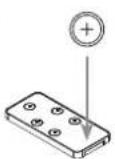
If needed, install a CR2025 battery in the remote control.
-
Plug in the device.
We recommend using this appliance in rooms with a room temperature of 18 - 22 °C
FILLING THE TANK
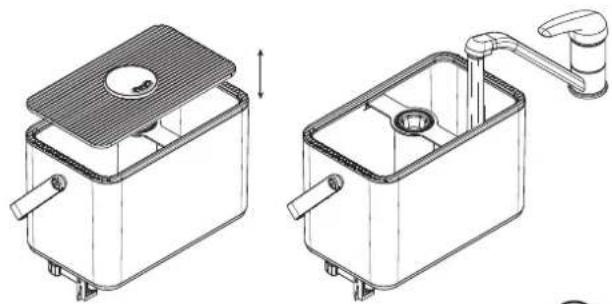
- Empty and flush the
- Place the filled tank on the base and replace the tank
- You can change the direction of the mist output by rotating the mist nozzles.
- You can add water at any time without removing the tank from the base.
natural_image
Technical line drawing of two mechanical components with internal parts and a water tap (no text or symbols)SWITCHING ON THE HUMIDIFIER


The humidifier can be switched on and off with the ON OFF button on the device, or the ON OFF button on the remote control. After switching on the appliance, the display will show the current power setting (3) and the current ambient humidity percentage. Use the MIST button to select the desired power setting (1,2,3). Selecting a lower power level will adjust the amount of mist produced.
SETTING A HUMIDITY PERCENTAGE

When switched on, the device will be in CONTINUOUS MODE. This means it will continue to output mist until the tank is empty. The current ambient humidity level will be visible on the LCD panel. If desired, you can set a humidity level from RH 40% to RH 90% by using the HUMIDITY button. The humidifier will try to maintain the selected humidity level and pause humidification until the measured ambient humidity percentage drops below your selected level. To go back to CONTINUOUS MODE, you can either switch the device off and on or select the setting after RH 90% by using the HUMIDITY button again.
Tip: RH 60% is considered a comfortable humidity level for human beings.
OUT OF WATER SIGNAL
The humidifier will automatically switch off when it detects that the tank is empty. Three intermittent beeps will sound and the red TANK symbol will flash. The appliance will then shut down. Fill the tank to resume operation.
TIMER FUNCTION

The timer function allows you to switch on the humidifier for a set number of hours. The appliance will automatically shut down after the set time has passed. Use the TIMER button on the remote to set the timer to 1-8 hours.
NIGHT MODE

NIGHT MODE can be activated to automatically dim the display when you are not operating the device. Press the NIGHT button and the LCD display will light up for 5 seconds and then dim. The display will now only be activated when you operate the device. Press any button to activate the LCD display for 5 seconds. Press any button while the LCD is still activated and NIGHT MODE will be deactivated.
CLEANING
Both the tank and base need to be cleaned regularly.
We recommend cleaning the appliance once a week.
Important notices:
- Make sure the device is unplugged when cleaning it.
- Do not pour hot water in the tank.
- Do not use detergents or chlorine.
- Use vinegar or a coffee machine descaling fluid.
Procedure:
Water tank: Empty out the water tank. Rinse the water tank with cold water and some vinegar (1 cup). Optionally use a soft brush. Thoroughly flush the tank after emptying out the vinegar solution. Base: Empty out the base. Use a microfibre cloth with some cold water to clean it.
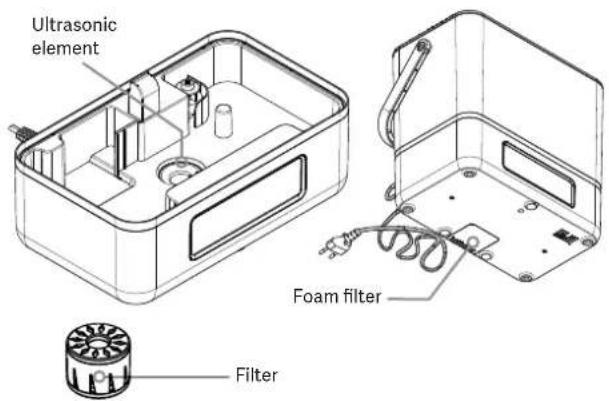
Filter cartridge: Rinse the filter cartridge with hot water. Optionally soak the filter several minutes in hot water.
Foam filter: Regularly check the foam filter for dust by opening the filter compartment on the underside of the device. Rinse the filter under running water if it is dirty.
Ultrasonic element: The ultrasonic element is located in the base. Over time limescale deposits may become visible on and around this element. If you notice this, it may require descaling. Empty out the base and pour a mixture 1 part water and 1 part vinegar in the base. Wait for at least 30 minutes before pouring out the vinegar. You may use a soft brush. Do not use hard brushes or tools, as this may damage the ultrasonic element. Thoroughly rinse the base before switching on the appliance again.
Exterior: If necessary, wipe off the exterior of the appliance with a lightly dampened cloth.
text_image
Ultrasonic element Foam filter FilterDISPOSAL OF THE DEVICE
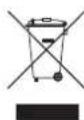
Do not dispose of electrical appliances as unsorted municipal waste, use separate collection facilities. Contact your local government for information regarding the collection systems available. If electrical appliances are disposed of in landfills or dumps, hazardous substances can leak into the groundwater and get into the food chain, damaging your health and well-being. When replacing old appliances with new ones, the retailer is legally obligated to take back your old appliance for disposal free of charge.
LIMITED 2-YEAR WARRANTY
InnoGoods BV guarantees your appliance against material and fabrication faults for two years after your initial purchase. Should material or fabrication faults be found, InnoGoods will repair or replace the device with a similar or better-specified product. Damage to the device due to any form of negligence, accident, lack of cleaning and maintenance, or other use or abuse that can reasonably be considered to be in conflict with the directions described in these instructions, does not fall under this warranty. Furthermore, legal provisions with respect to consumer purchases apply. In the event of a fault, we advise you to return the product together with the original proof of purchase to the store where you bought it. When the defect in the device is caused by anything other than material or fabrication faults, you may be charged for examination and repair costs.
TROUBLESHOOTING
The device will not switch on. What could be the cause?
- Check if the device is plugged in.
- Check if there is water in the tank.
The device beeps several times and shuts down after I turn it on. What could be the cause?
- There is insufficient water in the tank. Fill the tank.
- The tank is not installed correctly. Install the tank again.
The device is switched on but I do not see any mist. Is there a problem?
- Adjust the humidity level setting. Make sure the humidity setting you picked is higher than the measured humidity level. See the 'SETTING A HUMIDITY PERCENTAGE' section.
- The base is too full. Lift the tank and empty out the base. Install the tank again. Wait 30 seconds and switch on the device again.
Water flows down the side of the base after installing the tank. What do I do?
- A few droplets? The base has not been emptied out before the tank was reinstalled. Normally this is harmless.
- The tank might have been placed on the base in an incorrect manner. Adjust the tank position.
The area around my humidifier is wet? What could be the problem?
- The power level / mist volume setting is too high for your ambient conditions. Choose a lower setting.
- Change the humidity level setting to RH 80% or lower.
The mist smells unpleasant. What is wrong?
- Is the device new? The tank needs to be rinsed before first use.
- Make sure to regularly clean the device as described in the 'CLEANING' section.
The output of mist is lower than before.
- The device has multiple mist levels. Can you set a higher setting?
- The ultrasonic disc might be covered in limescale from hard water. Clean the device with a vinegar solution, as described in the 'CLEANING' section.
- Check the fan openings. Are the fan openings blocked or clogged?
The filter cartridge smells unpleasant. Do I need to replace it?
- You do not need to replace the filter cartridge. Clean the filter as described in the 'CLEANING' section.
Can I add scents to the water?
- Never add perfumes or oils to the water in the tank or base. Scents can, however, be applied to the foam filter. To access the foam filter, open the filter compartment on the underside of the device. Please mind that some essential oils and perfumes contain ingredients that can damage plastic parts.
HUMIDIFICATEUR
À ULTRASONS
CASCADA™ CHD-W6000D
natural_image
Line drawing of a portable electric stove with a power outlet and cable (no text or symbols)SÉCURITÉ – GÉNÉRAL
natural_image
Line drawing of a rectangular container with side handles and a rectangular vent, no text or symbols presentCARACTÉRISTIQUES TECHNIQUES CHD-W6000D
| COURANT NOMINAL | AC 220-240V, 50Hz |
| CONSOMMATION D'ENERGIE DE L'APPAREIL | 28 W |
| PRODUCTION MAX.D'EAU | 300ml ( ± 30ml)/heure |
| DOMAINE D'APPLICATION MAX. | 35 m^2 |
| CONTENU DU RESERVOIR | 6000ml |
| TEMPÉRATURE DE FONCTIONNEMENT | 5°C~45°C |
| dB | <35dB |
| TAILLE | 275 x 165 x 265 mm |
CONTENU DE L'EMBALLAGE
natural_image
Line drawing of a rectangular container with side handles and a rectangular opening (no text or symbols)HUMIDIFICATEUR CHD-W6000D
TÉLÉCOMMANDE
MODE
D'EMPLOI
CONTENANT
natural_image
Technical line drawing of two rectangular kitchen or drain compartments with handles and a central sink (no text or symbols)

ALLUMER L'HUMIDIFICATEUR
natural_image
Line drawing of a rectangular device with a lid, power plug, and cable (no text or symbols)natural_image
Line drawing of a rectangular kitchen appliance with side handles and front panel (no text or symbols)TECHNISCHE SPECIFICATIES CHD-W6000D
| NOMINALE INGANGSSPANNING | AC 220-240V, 50Hz |
| STROOMVERBRUIK | 28 W |
| MAX. WATERVERNEVELING PER UUR | 300ml ( ± 30ml)/uur |
| MAX. AANBEVOLEN TOEPASSINGSGEBIED | 35 m^2 |
| TANKVOLUME | 6000ml |
| BEDRIJFSTEMPERATUUR | 5°C~45°C |
| dB | <35dB |
| AFMETINGEN | 275 x 165 x 265 mm |
VERPAKKINGSINHOUD
natural_image
Line drawing of a rectangular container with side handles and a rectangular base (no text or symbols)LUCHTBEVOCHTIGER CHD-W6000D
AFSTANDSBEDIENING
HANDLEIDING
ONDERDELEN
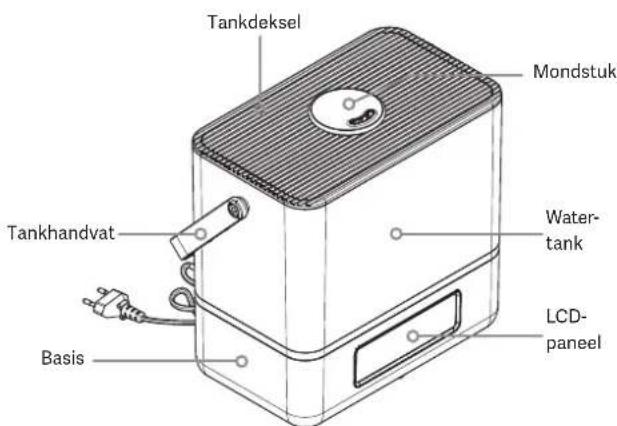
text_image
Tankdeksel Mondstuk Tankhandvat Water-tank LCD-paneel BasisBEOOGD GEBRUIK
PLAATSING EN INSTALLATIE
natural_image
Technical line drawing of two rectangular kitchen or sink compartments with handles and a central sink (no text or symbols)INSCHAKELEN


AFVOEREN VAN HET APPARAAT