WETech BHT6256 - Beard trimmer REMINGTON - Free user manual and instructions
Find the device manual for free WETech BHT6256 REMINGTON in PDF.



User questions about WETech BHT6256 REMINGTON
0 question about this device. Answer the ones you know or ask your own.
Ask a new question about this device
Download the instructions for your Beard trimmer in PDF format for free! Find your manual WETech BHT6256 - REMINGTON and take your electronic device back in hand. On this page are published all the documents necessary for the use of your device. WETech BHT6256 by REMINGTON.
USER MANUAL WETech BHT6256 REMINGTON
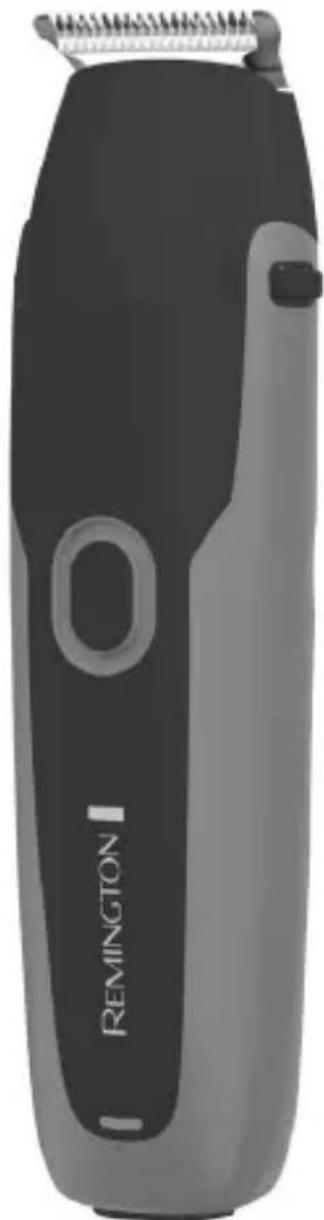
WeTech Body Hair Trimmer
natural_image
Black and gray Remington 1 electric toothbrush with a spiral head (no text or symbols visible on the device body)BHT6256
text_image
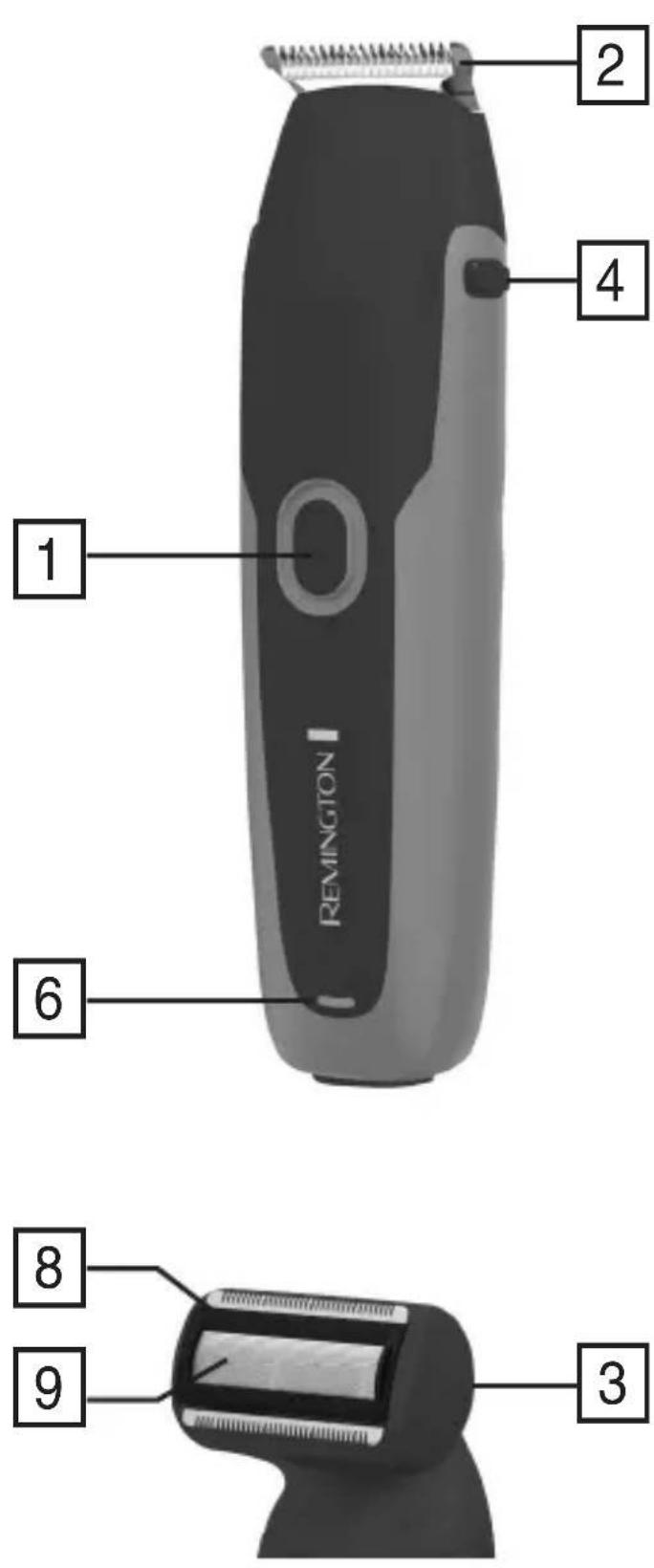
1 2 4 6 8 9 3Thank you for buying your new Remington® product. Please read these instructions carefully and keep them safe. Remove all packaging before use.
IMPORTANT SAFEGUARDS
- This appliance can be used by children aged from 8 years and above and persons with reduced physical, sensory or mental capabilities or lack of experience and knowledge if they have been supervised/instructed and understand the hazards involved. Children shall not play with the appliance. Cleaning and user maintenance shall not be done by children unless they are older than 8 and supervised. Keep the appliance and cable out of reach of children under 8 years.
- Always check the appliance before you use it. Do not use the appliance if it is damaged, as this may cause injury.
- The adaptor contains a transformer. Do not cut off the adaptor to replace it with another plug, as this causes a hazardous situation.

Suitable for use in a bath or shower.
- WARNING: Detach the shaver from the charging adapter before cleaning it in water.
- Do not use the product with a damaged cord. A replacement can be obtained via our International Service Centres.
- WARNING: For recharging the battery, only use the charger supplied with the appliance - type reference PA-0505K (UK).
• Always replace a damaged adaptor with one of the original type.
- Do not use the appliance if it is damaged or malfunctions. - This appliance should never be left unattended when plugged into a power outlet, except when charging.
- Keep the power plug and cord away from heated surfaces.
- Do not plug or unplug the appliance with wet hands.
- Do not twist or kink the cable, or wrap it round the appliance.
- This appliance is not intended for commercial or salon use.
PARTS
-
On/Off switch
-
Main trimmer head
-
Shaver head
-
Head release buttons
-
Attachment guide combs (not shown)
-
Charging indicator light
-
Adaptor (not shown)
-
Cutter assembly
-
Shaver foil
GETTING STARTED
Be patient when first using your trimmer. As with any new product, it may take a little while to familiarise yourself with the product.
CHARGING YOUR APPLIANCE
- Before using your trimmer for the first time, charge for 4 hours.
- NOTE: The light may turn off prior to the complete 4 hours meaning the battery is fully charged.
- Connect the charging adaptor to the product and then to the mains.
- The charging indicator will illuminate.
- The charging indicator will turn off once fully charged.
- Use this product until the battery is low. This is indicated by the trimmer working distinctly slower.
- When empty the battery will be charged within 4 hours.
INSTRUCTIONS FOR USE
ATTACHING AND REMOVING GUIDE COMBS
- To attach, gently slide the guide comb on top of the trimmer head and click into position.
- To remove, carefully lift the back of the comb away from the trimmer head.
TRIMMING
- Attach a guide comb to the trimmer head.
- Turn the unit on.
- Place the flat top of the trimmer comb against the skin.
- Slowly slide the trimmer through the hair against the direction of hair growth.
- If the hair builds up in the trimmer comb during the trimming process, switch the unit off, pull off the comb and brush/rinse off.
EDGING AND SHAPING
- Remove the trimmer comb attachment.
- Hold the trimmer at a right angle to your skin and press down gently.
- Edge and shape the area as desired.
EXCHANGING THE ATTACHMENTS
- Ensure the trimmer is switched off before changing the trimmer and shaver attachments.
- Exchange the attachment heads by squeezing the head release buttons on the groomer body and pulling the head away from the groomer body.
- Attach the desired head by placing on top of the product until it clicks into place.
- The trimmer head and shaver head can only be attached in one way.
- If it does not go on correctly, turn it around and try again.
USING THE SHAVER ATTACHMENT
- Hold the shaving head to your skin.
- Stretch your skin with your free hand so hairs stand upright.
- Only apply light pressure on the shaving head whilst shaving.
- Shave against hair growth.
- Care for your appliance to ensure a long lasting performance.
• We recommend you clean your appliance after each use. - The easiest and most hygienic way to clean the appliance is by rinsing the appliance head after use with warm water.
- It is most effective to turn on the unit whilst rinsing to help clear hair.
AFTER EACH USE
- Turn the appliance off.
- Remove the trimmer head including any fixed combs attached to the main trimmer head, or shaver head.
- Gently tap on a flat surface to remove hair particles and brush the remaining hairs away.
- Rinse the accumulated hair from the cutters and shake off excess water, alternatively, use a small brush.
CLEANING CAUTIONS
- Do not use harsh or corrosive cleaners on the units or their cutters.
- Do not apply pressure or hard objects to cutters.
- Do not disassemble the cutter assembly.
- Do not use a cleaning brush on the foil of the shaver head as this will damage the foil.
STORAGE
- Store this appliance and cord in a moisture free area. Do not store it in temperatures exceeding 140°F (60°C).
- Do not wrap the cord of the charging adaptor around the appliance.
BATTERY REMOVAL
- The battery must be removed from the appliance before it is scrapped.
- The appliance must be disconnected from the supply mains when removing the battery.
- Remove the attachment head.
- Using a small, flat screwdriver, pry off 2 springs from the top side.
- Move/push 2 release buttons to the centre.
- Push/pry the inner housing from the outer housing and expose the PCB and battery.
- Pry the PCB assembly out of the inner housing.
- Cut or break the wire stamps on both ends of the battery and remove the battery.
- The battery is to be disposed of safely.
RECYCLING
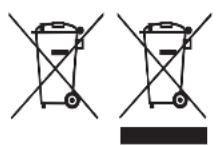
To avoid environmental and health problems due to hazardous substances, appliances and rechargeable and non-rechargeable batteries marked with one of these symbols must not be disposed of with unsorted municipal waste. Always dispose of electrical and electronic products and, where applicable, rechargeable and non-rechargeable batteries, at an appropriate official recycling/collection point.
UW APPARAAT VERZORGEN
natural_image
Two identical diagrams of a trash bin with cross-bracing, no text or symbols presentnatural_image
Solid gray rectangular shape with no text, symbols, or discernible featuresRef. No. BHT6256
Type No. PG08A
Remington ^® is a Registered Trade Mark of Spectrum Brands, Inc., or one of its subsidiaries
VARTA Consumer Batteries GmbH & Co. KGaA, Alfred-Krupp-Str. 9, 73479 Ellwangen, Germany www.remington-europe.com