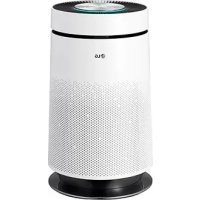
PSN550WP - Air purifier LG - Free user manual and instructions
Find the device manual for free PSN550WP LG in PDF.


| Product Type | Air Purifier |
| Brand | LG |
| Model | PSN550WP |
| Dimensions (W x H x D) | 426 x 568 x 271 mm |
| Weight | 12 kg |
| Power Supply | 230 V, 50 Hz |
| Power Consumption | 55 W |
| Effective Coverage Area | 45 m² |
| Operating Modes | Speed (Manual), Auto, Sandstorm, Night |
| Sterilization Function | Negative Ions, NPI (Nano Plasma Ion) for sterilization |
| Filtration System | Sandstorm Filter, Smoke Filter, HEPA Filter, Odor Filter, Allergy Filter, Nano Platinum Filter |
| HEPA Filter Lifespan | 1 year (replacement) |
| Odor Filter Lifespan | 1 year (replacement) |
| Allergy Filter Lifespan | 6 to 12 months (replacement, do not wash) |
| Remote Control | Yes, with battery (CR2032) |
| Safety | Automatic shut-off when front panel is opened, power failure compensation |
| Dust Sensor Cleaning | Every 6 months with a cotton swab |
| Sandstorm Filter Cleaning Cycle | Once a month (vacuum or wash with warm water) |
| Spare Parts Available | Replacement filters at authorized service centers |
| Repairability | Do not disassemble yourself, contact an authorized service center |
Frequently Asked Questions - PSN550WP LG
User questions about PSN550WP LG
0 question about this device. Answer the ones you know or ask your own.
Ask a new question about this device
Download the instructions for your Air purifier in PDF format for free! Find your manual PSN550WP - LG and take your electronic device back in hand. On this page are published all the documents necessary for the use of your device. PSN550WP by LG.
USER MANUAL PSN550WP LG
Read before using product (safety instruction), use properly.
About ensuring users safety and property.
Product warranty card is enclosed with the user manual.
After careful read through the user manual, do keep it in a handy place.
PS-N550 Series
The advantages are
It's grateful to use our LG air purifier.
After reading through this manual, using this product for a long-term would be safe and convenient.
The Platinum Sterilization System
- 99.9% highly Odor filter completely removes those factors which could cause the sick house syndrome such as VOCs, harmful chemical element and its smell.
- Sterilized by HEPA filter Inside, once again sterilized by NPI(Nano Plasma Ion) outside. Only LG air purifier can sterilize perfectly both inside and outside.
Easy-use refreshing HEPA filter system.
- Easy to check out the filter status immediately through the convenient filter separating system.
Powerful Allergy filter
- The Allergy filter could absorb and decomposes the ingredients which causes the allergy, having the allergy preventive effect also removing the odor and anti-bacteria effect.
Photo-catalyst plasma system
- The most advanced photo-catalyst plasma system not only removes various polluted particles within indoor air but also utilize the static power to strengthens the HEPA filter.
- HEPA(High Efficiency Particulate Air)
Table of Contents
Before Use
The advantages are 2
Cautions for Safty. 4-13
Installation 14
Air purifier Start Guide. 15
Name of Each Part. 16~19
- Mainframe
Display and Controller
- Filters System
Remote Controller
Remote Controller Guide. 20
-Battery Installation
- Caution
During Use
Operation Mode. 21~23
Air Purifying Mode
- Speed Mode
Automatic Mode
- Yellow Sandstorm Mode
- Sleeping Mode
Additional Functions. 24~26
-Off timer Mode Function
Negative Ion / sterilization function
-Filter Checking Function
After Use
Exterior and Dust Sensors Cleaning Method 27
□Filter Cleaning 28-29
□ Maintenance. 30
□ Confirming Items Before Reporting Defect. 31~32
Product Specification 33
Cautions for Safety
The following precautions related to safety marked as follows are to prevent unexpected danger or damage by safely and accurately using the product.
Warning / Caution

This is the symbol to get attention focused for the details and operations that can cause any type of danger. To prevent any danger, observe carefully and follow the directions appropriately.

WARNING
If not followed, it can cause death or major injury to the user.

CAUTIONS
If not followed, it can cause injury to the user or property damage.
Cautions for Safety

Warning
Installation
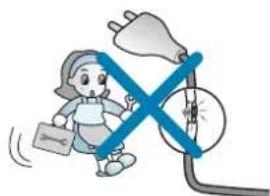
Do not change or extend power cords at random.
Otherwise, it may cause fire or electrical shock.
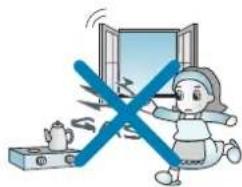
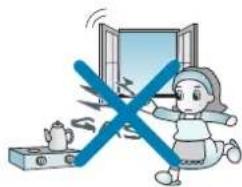
Open the window for air ventilation before operating the air purifier when gas leaks.
Otherwise, it may cause explosion, fire and physical injury.
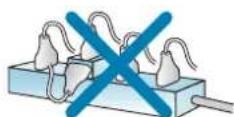
Never use an octopus feet-type of socket.
Unreasonable use of power may cause fire or electrical shock.
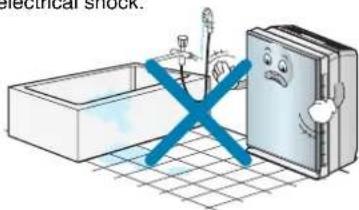
Do not use the product a place where there are much moistures or oils such as toilet, bathroom or washing room.
Otherwise, it may cause fire or electrical shock.
Never use the damaged or loose power cords.
Otherwise, it may cause fire or electrical shock.
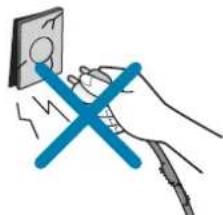
Do not disassemble or repair the product at random.
It will cause fire and electrical shock.

Cautions for Safety
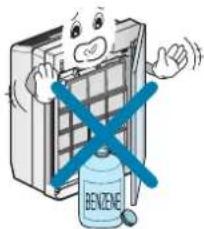
Don't keep and use combustible gas, flammable substance around the product.
Otherwise, it may cause fire and failure of product.
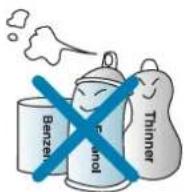
Do not lay fire appliances around the product.
Otherwise, it may cause fire.
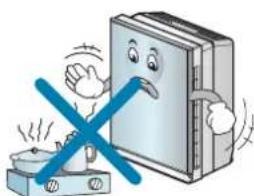
If abnormal noise comes or smell or smoke emits from the product, pull the power plugs out and call our service center.
Otherwise, it may cause fire or electrical shock.
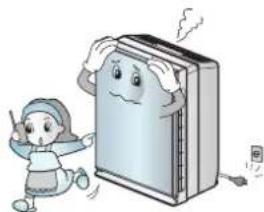
Keep this product out of the direct rays of the sun, heating source and moisture.
Otherwise, it may cause electric shock, fire or failure of product.
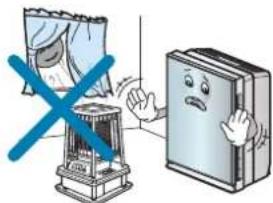
Don't put heavy things on power cords or take care so that they should not be pressed under the product.
Otherwise, it may cause fire or electrical shock.
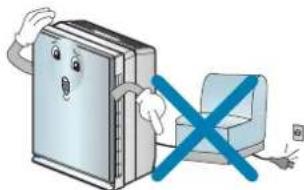
Cautions for Safety
Operation
Securely insert power plugs to the end so that they should not shake. Incomplete connection may cause fire.
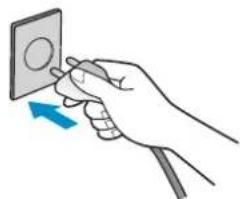
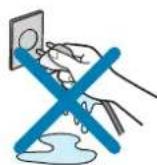
Pull power plugs by grasping the head and never touch with power plugs with the wet hands.
Otherwise, it may cause electrical shock or physical injury.
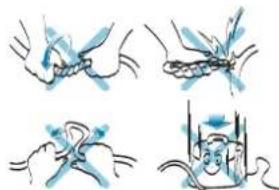
Never damage, process, forcedly bend, twist, pull, lay between gaps or heat power cords.
Damaged cords may cause fire and electrical shock.
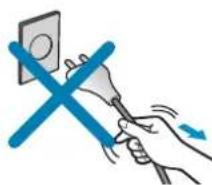
Do not hold the power cable to pull out the power plug. May cause fire or electric shock.
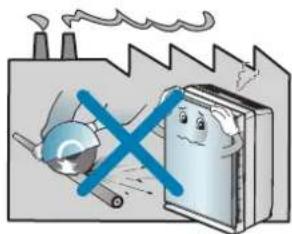
Do not install a place where there are much industrial Oil dust or metallic dust.
If may cause fire and failure of product.
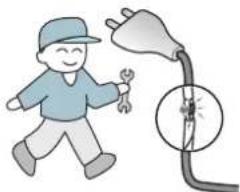
When the power code is damaged, it should be repaired by the qualified person to prevent any risk.
Otherwise, it may cause electric shock, fire or failure of product.
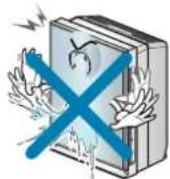
Take care that water could not run into the product.
Otherwise, it may cause electrical shock or fire.
Cautions for Safety
Do not lay obstacles around the product.
Otherwise, it may cause failure.
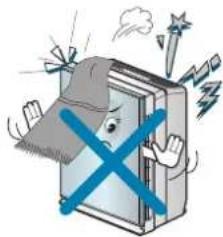
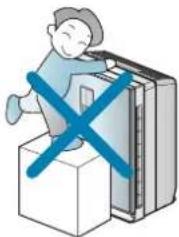
Do not allow children to climb up this product.
May cause the breakdown, injury.
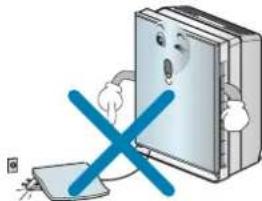
Do not cover with a rug, cushion etc over power cords.
Power cords may be damaged and result in fire and electrical shock in case of putting heavy things on in the manner power cords cannot be seen.
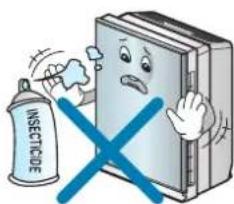
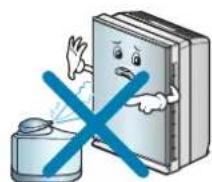
Do not sprinkle in insecticide or hair spray.
It may cause damage or accident.
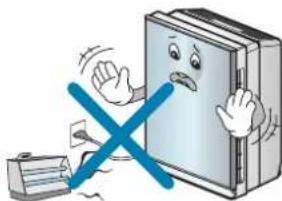
Do not use thermal appliances near power cords.
Otherwise, it may cause fire or electrical shock.
Do not use this product when is in moving.
May cause fire or electric shock or damage to some parts of the product.
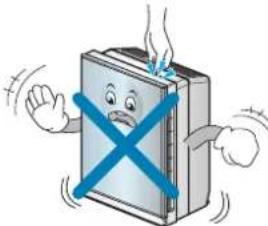
Cautions for Safety
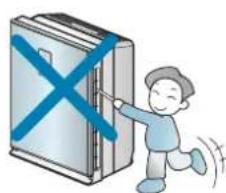
Do not move the product by hold the front-panel.
May cause electric shock or damage to some parts of the product.
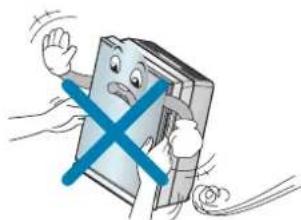
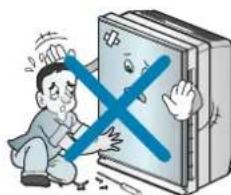
Do not put pressure on the front glass.
It can cause injury and product damage or cause electric shock.
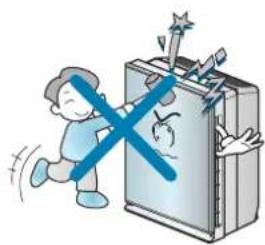
Do not put coffee or all types of beverage on the air discharge outlet.
Otherwise, it may cause fire or electrical shock.
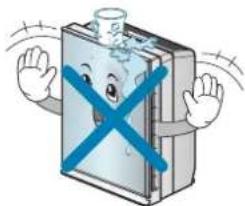
Do not insert the hands or bars into the suction inlet or the outlet.
Otherwise, it may cause failure of product or physical injury.
Contact with the service center for repairing the product.
Any arbitrary disconnection or repairing may cause electric shock or fire.
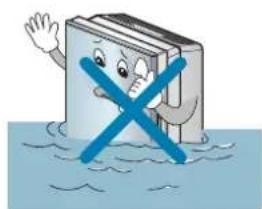
If the product is submersed in the water, you must contact the service center.
It can cause electric shock or fire.
Cautions for Safety

Cautions
Installation
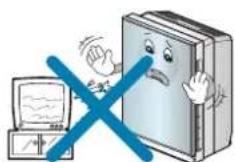
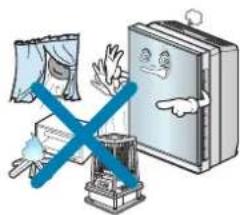
Maintain distance of more than 1m when installing the product near TV or audio.
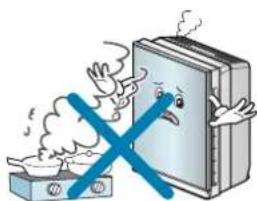
Do not use the product as ventilation fan or range hood at the kitchen.
It may cause shorten the lifetime of the product.
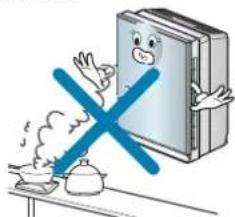
Avoid a place near fire arms or heating devices or subject to direct sunlight. It will cause fire.
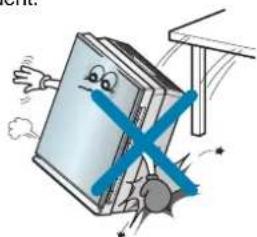
Install the product at a flat place and do not fall the product down or give shock.
Otherwise, it may cause damage or accident.
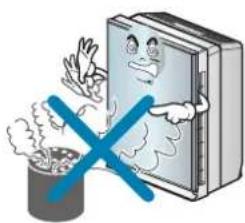
Do not use the product for removing toxic gas as CO. Otherwise, it may cause failure.
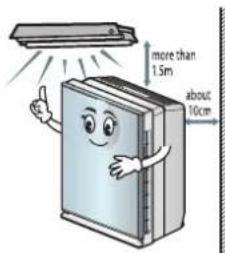
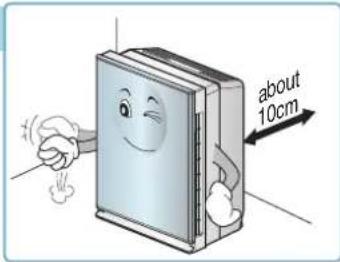
Maintain distance over 1.5m for illumination devices and maintain distance 10cm or so.
Cautions for Safety
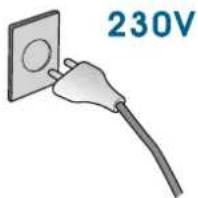
Do not use except AC 230V.
Otherwise, it may cause fire or electrical shock.
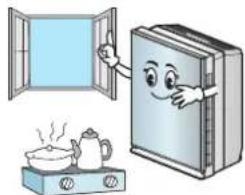
When using the product with a burner within the airtight room, sometimes let fresh air into the room.
Some toxic substances such as carbon dioxide may not be removed.
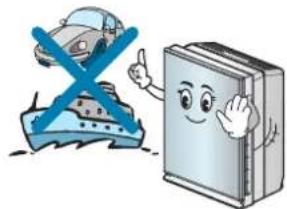
Do not install the air purifier on the transportation vehicle (car, ship etc.).
It may cause failure.
Cautions for Safety
Operation
Do not use the product for special purpose such as animals or vegetables, precision machine or conservation of art articles.
Otherwise, it may cause damage of property.
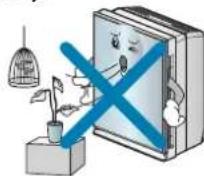
Secure Filters (Sand Storm Filter and Smoke Filter) and regularly clean them.
Otherwise, it may cause failure of product.
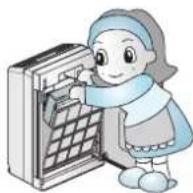
Don't use strong detergent like solvent, etc but use a soft cloth.
Otherwise, fire or distortion of the product may occur.
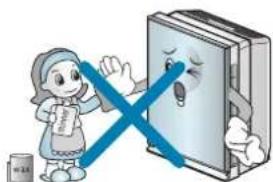
Start cleaning after turning off the power and when the fan stops.
It can cause electric shock or injury.
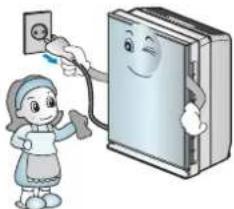
Never operate or stop the product while inserting or removing power plugs.
Otherwise, it may cause electrical shock or fire.
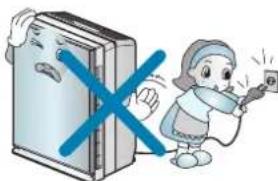
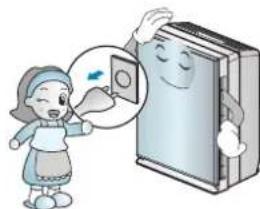
Pull power plugs out when not using the product for a long time. Otherwise, it may cause failure of product or fire.
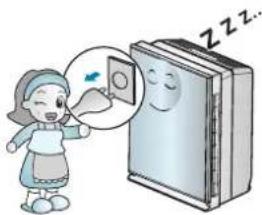
Do not touch the filter part with wet hands.
The cleaning filter part, especially, is dangerous to cause electric shock from high voltage.
Cautions for Safety
Do not let the moisture from the humidifier
directly touch the product.
Otherwise, it may cause electric shock, fire or failure of product.
Do not use this product as ventilating fan or so.
It may cause shorten the lifetime of the product.
Pull power plugs out for cleaning.
Otherwise, it may cause fire and electrical shock.
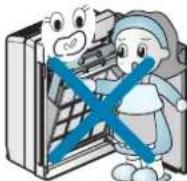
Do not open the front panel during the operation of the product.
Opening the front panel stops the operation.

Keep batteries out of the reach of children after removing batteries from remote controller.
Ensure batteries out of the reach of children. If children swallow the batteries, contact the doctor immediately.
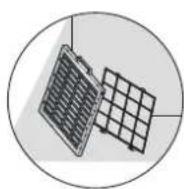
Wash the washable filter and dry it completely in the shade.
Otherwise, it may cause failure.
Do not insert any inflammable into the product.
Otherwise, it may cause fire or failure of product.
Installation
Places to Install
Mainframe
- places with handy power connections
- places with no obstacle to clog air inlet
- places with horizontal surface and rich air circulation

Warning
Install the air purifier on moving objects (car or ship etc) may cause the product defect, therefore do not install on those places.

Warning
This appliance is not intended for use by persons (including children) with reduced physical, sensory or mental capabilities, or lack of experience and knowledge, unless they have been given supervision or instruction concerning use of the appliance by person responsible for their safety.
Children should be supervised to ensure that they do not play with the appliance.
Air Purifier Start Guide
Turn off air purifier when cleaning.
- Cleaning the air purifier with opened windows would disturb the natural air circulation to cause intake too much particles, it may shorten the filter life. After complete cleaning process with enough air circulation, close the windows, turn on the air purifier is the appropriate way to purify air.
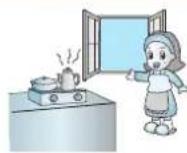
Use after enough air circulation when cooking
- When roast meat or fishes, remove the smell by air purifier is not appropriate. The oil particle will block cells on filter, it may cause filter life shorten or filter polluting etc. negative effects. Under this circumstance enough air circulation is necessary. Remove leftover odors by air purifier after no oil particle is the correct and effective way to use product in long-term scale.
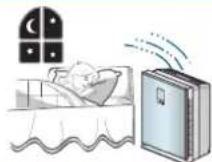
Do not stay too closed when sleeping.
- Air purifier fan speed is not strong, before fallen asleep feel cool, after fallen asleep would feel cold. The appropriate way is to keep at least 1 meter distance with air purifier.
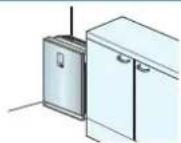
Do not place in the corner edge.
- Avoid to install at places surrounded by furniture, appliances etc. or in the edge corner. Install in the edge corner may cause difficulty to purify indoor air from the rest space.
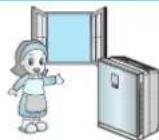
Ensure air circulate 30 minutes at least everyday.
- For those families use the air purifier, air circulation is the prerequisite to ensure enough oxygen supply. Ensure air circulation 30 minutes at least everyday could brings fresh air inflow. Keep opposite windows open may gain a better result for air circulation. In case of being lazy may weaken air refreshing function, therefore it is necessary to ensure clean and maintenance.
Name of Each Part
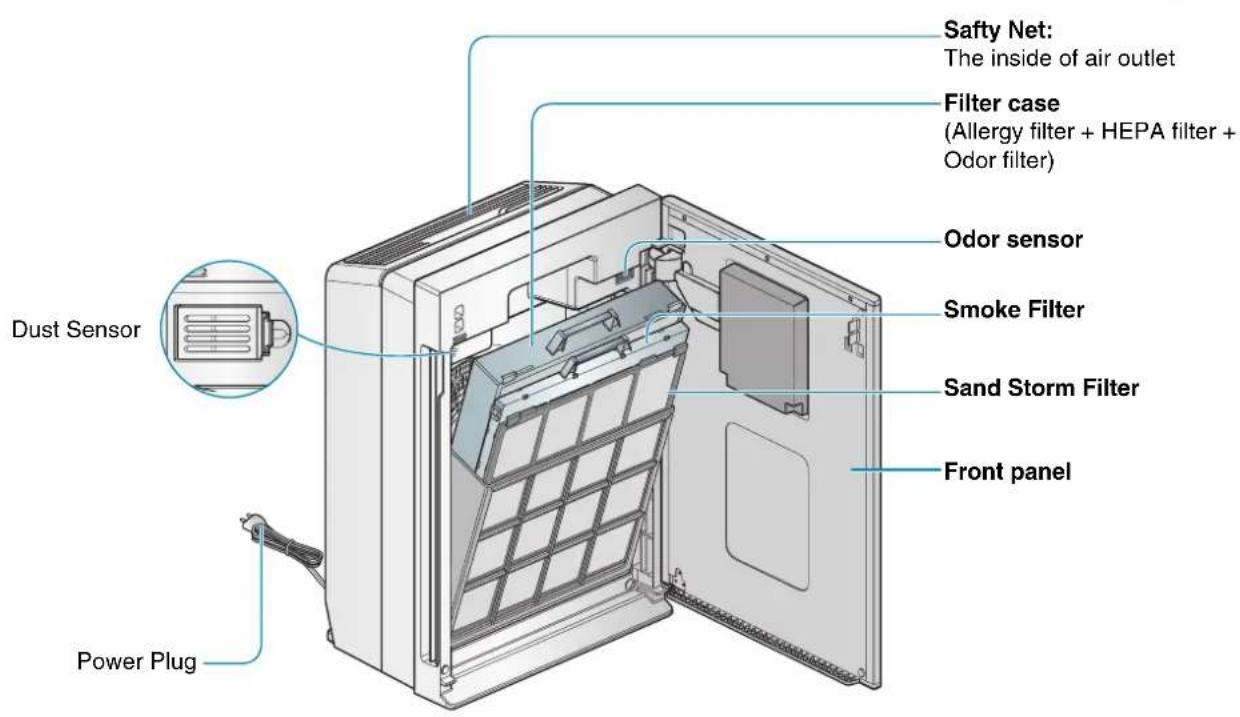
Mainframe
Name of Each Part
Display and controller
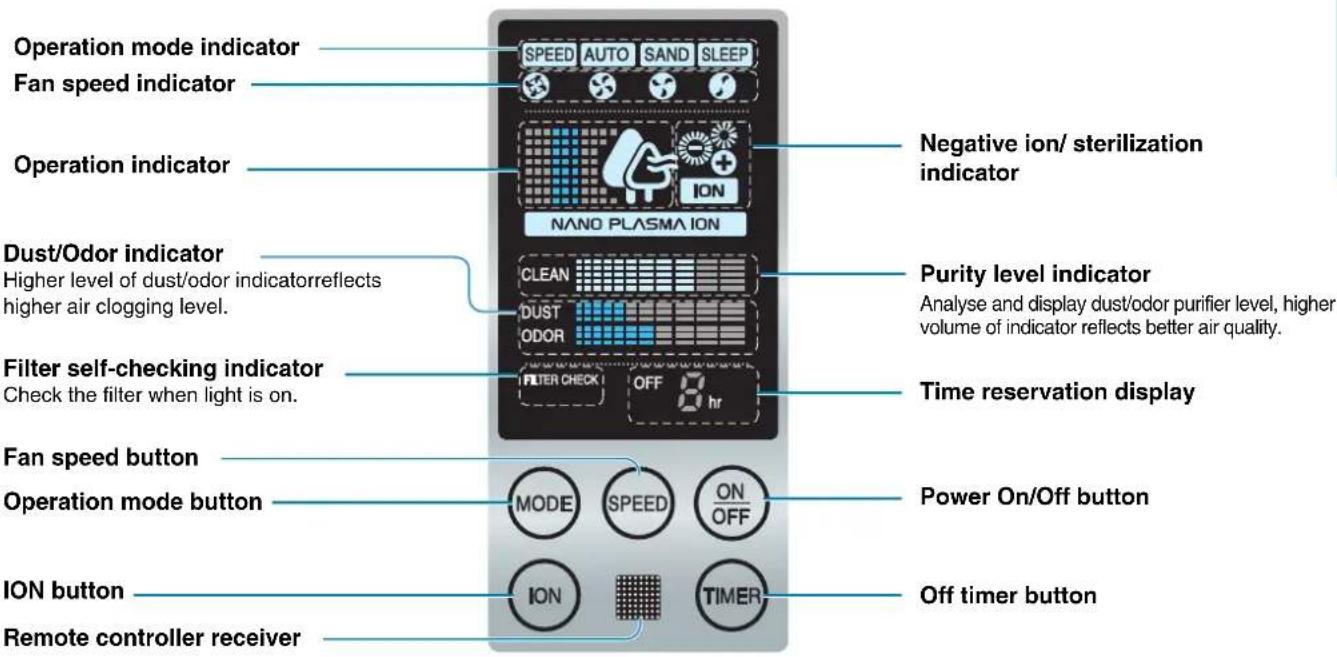
Name of Each Part
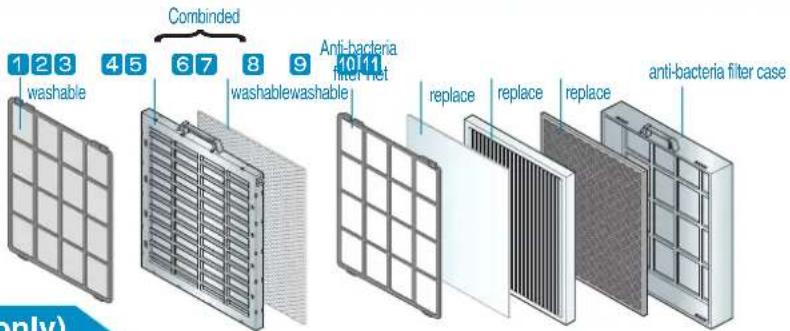
Filter system( include the filter part only)
| Filter name Function | Washing/Replacement cycle | ||
| Sand Storm Filter | 1 Remove big particles2 Anti-bacteria function3 Anti-mildew function | This filter has anti-bacteria, anti- mildew, big particles filtering fuctions. These 3 functions may extend the filter replacement frequency. | About a month washing cycle |
| Smoke Filter | 4 Plasma dust-absorb filter5 Plasma deodorant filter | Absorb big particles, acarid deadbody, pollen, soot, mildew. | About a month washing cycle |
| Decompose odor, absorb dust. | |||
| 6 Photo-catalyst anti bacteria filter7 Photo-catalyst deodorant filter | Target on big particles and odor sterilization, twice remove allergic and mildew particles. | ||
| Remove odor particles, VOCs, smoke smell, musty smell, decompose malodor ingredients and chemicals. | |||
| Allergy Filter | Adsorb and decompose allergic ingredients. | 6~12 months replacement cycle | |
| HEPA Filter | HEPA filter removes the acarid deadbody, pollen, soot(particles), small dust and float mildew, animal bodyhair etc. | About 1 year replacement cycle | |
| Odor Filter | 10 Carbon Catalyst function | Comprehensive odor removing filter removes the soot (smell), putrid food smell, animal body odor, NO2, toilet odor, alkali & acid smell, organic compound(VOCs). | About 1 year replacement cycle |
| 11 Nano Platinum filter | Filter made by platinum from jewellery industry may effectively, professionally remove those organic compounds which could cause air pollution and building symptom. | ||
- You can purchase a replacement filter at a service center nearby you.
Name of Each Part
Remote Controller
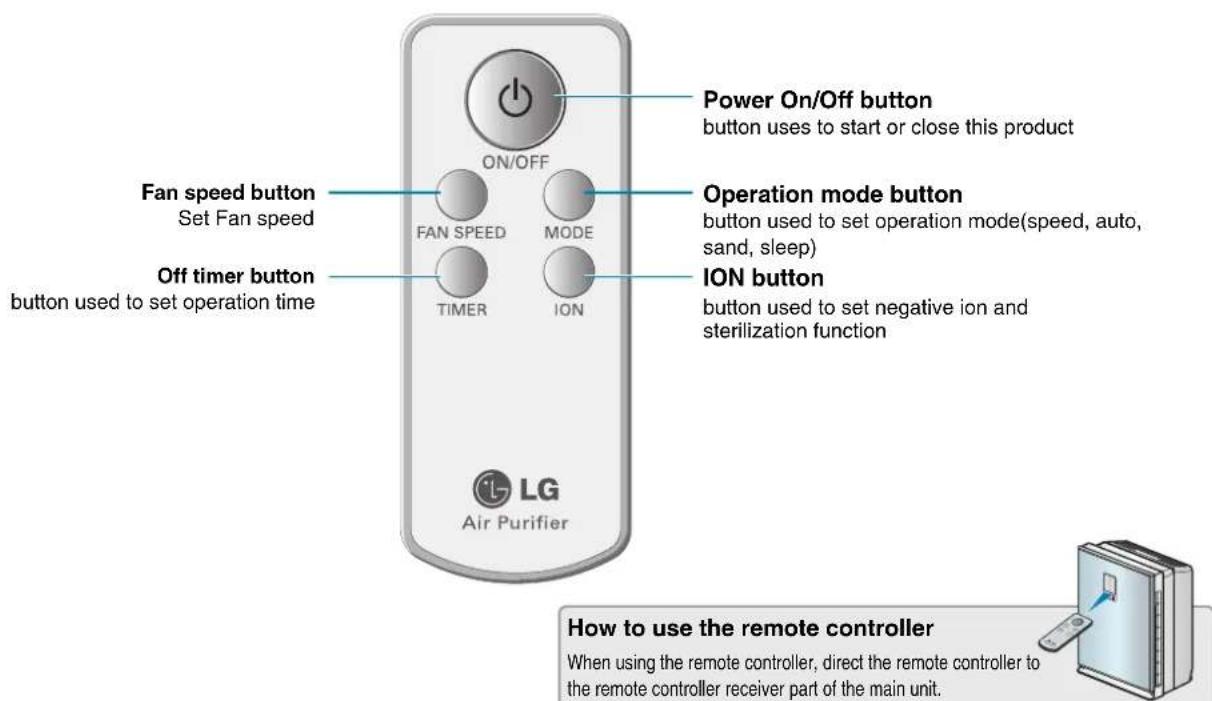
Remote Controller Guide
Battery Installation Cautig
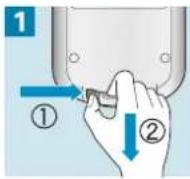
Open the battery lid
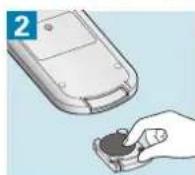
Ensure to install batteries as instructed
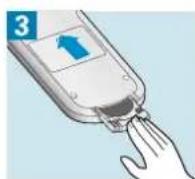
Close the battery lid
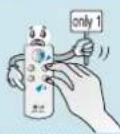
Press only 1 key at one time
Press several keys at the same time, the remote controller does not work properly
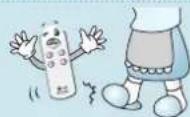
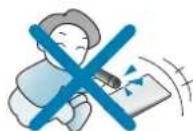
Do not stand on the remote controller or punch it
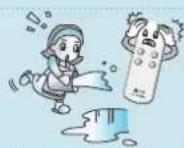
Do not use at places have water or humid
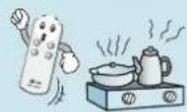
Do not use near fire source or heating source
- Remove batteries when the product is stored for an extended period of time. In the unlikely event that battery fluid leak may cause remote controller defect.
- Replace all batteries of a set at the same time. Contact the post-sales service center if remote controller defect occurs after replacing batteries.

Operation Mode
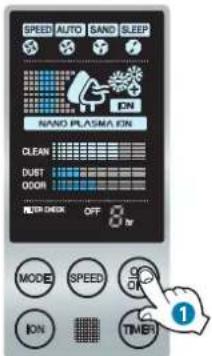
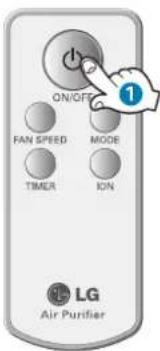
Air Purifying Operation Purify Indoor Air.
Press On/Off button, after a 'DI-RI-LIN' sound, start working as the led light on.
(Reference according to the following 'preparatory operation' category)
The air outlet on top will exhaust fresh air.
- Press On/Off button again to turn off.
- When connect the power supply plug, there will be a 'DI-RI-RI-LIN' reminding sound.
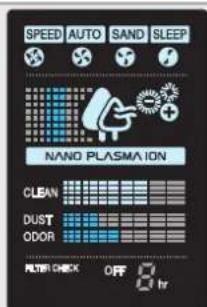
What is 'preparatory operation'?
During the 2 minutes after turning on, preparatory operation starts when sensor is initiating. Dust/odor indicator level are up and down during the preparatory operation.
Operation Mode
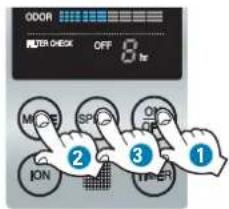
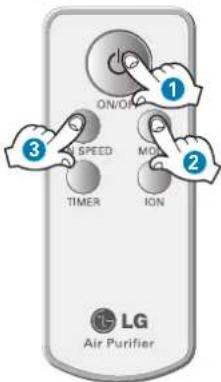
Speed mode User may manually adjust fan speed.
Press On/Off button.
Switch to the speed mode by pressing the mode button.
Press the fan speed button to choose expected fan speed
- Default fan speed is weak.
- When restart under speed mode, system will retrieve to the previous fan speed.
Fan speed has 'weak-soft-strong-turbo' 4 modes.
(Switch to the next mode according to the Up-to-Down sequence.)
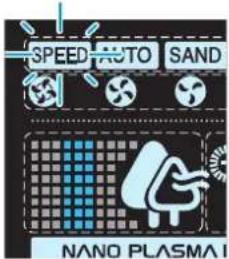
Automatic mode Air Purifier will automatically set the most appropriate Fan speed.
Press On/Off button.
Switch to the automatic mode by pressing the mode button.
- Auto-control fan speed, no more attention to manage.
- Press fan speed button under automatic mode will switch to speed mode and increase fan speed by one level.
Except for the fan speed function, users need to set the rest functions.
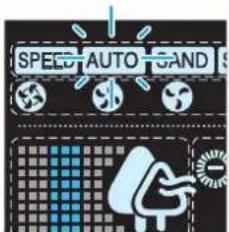
Operation Mode
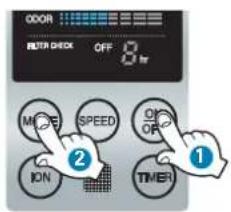
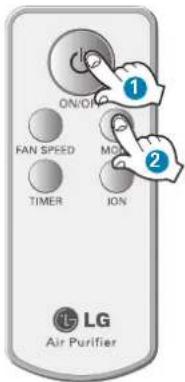
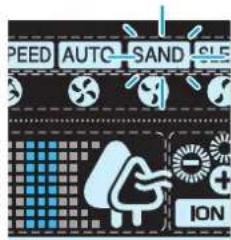
Yellow Sandstorm Mode Purify indoor air effectively when the sandstorm occurs.
1 Press On/Off button.
Switch to the sand mode by pressing the mode button.
- Press fan speed button under yellow sandstorm mode will switch to speed mode and increase fan speed by one level.
Fan speed will be controlled according to previously inputted sequence. - In addition to fan speed function, users need to set the rest functions.
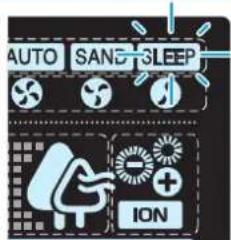
Sleeping Mode Provide quiet indoor atmosphere while sleeping.
1 Press On/Off button.
Switch to the sleeping mode by pressing the mode button.
Fan speed will switch to weak level under sleep mode, sleeping light on the LED indicator will be on 3 seconds later.
- Press fan speed button will switch to speed mode and increase fan speed by one level.
Additional Function
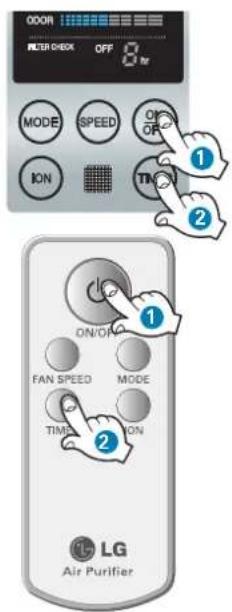
Off timer mode function Automatically shut down after sleeping several hours.
Example:shut down automatically after 3 hours
1 Press On/Off button.
2 Press off timer button to set 3 hours.
Each time pressing the button, operation time will increase 1 more hour.

Maximum reservation time is 9 hours.
- Shut down automatically.
- Automatically shut down 3 hours later.

Additional Function
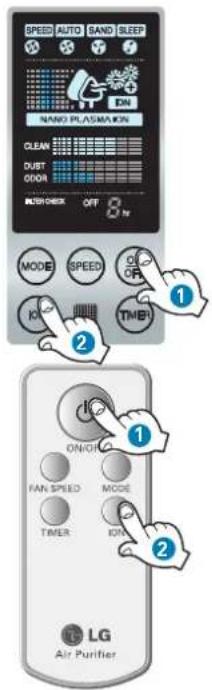
Negative ion/ sterilization function
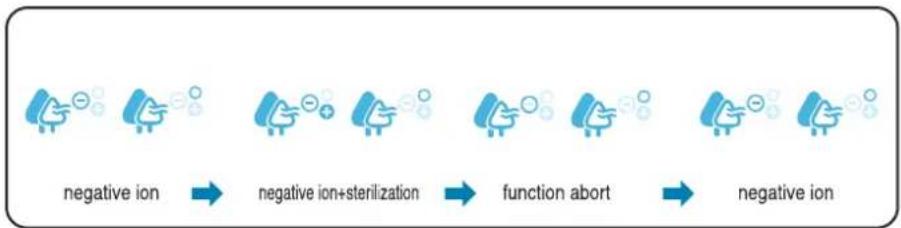
Under the negative ion mode, provide fresh air as in forest through generate negative ion to indoor air. Under sterilization mode, the NPI sterilization negative ion will remove bacteria from indoor air.
1 Press On/Off button.
Press the ION button to choose expected function.
- Press button each time, switch according to 'negative ion - negative ion+sterilization - function abort - negative ion' sequence.
Additional Function
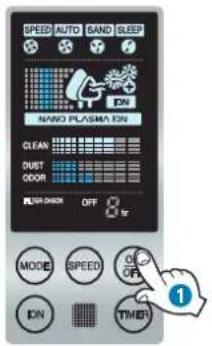
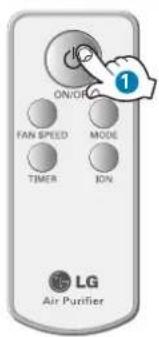
Filter Checking Function May remind users to clean or replace the filter after use for a certain period.
When filter self-checking light is on under the operation, please check the filter.
Press On/Off button, shut down.
3 Open the front panel, take out and check the filter. (About cleaning filter details, please refer to page 28~29)
- Filter status depends upon different using environment.
Power Failure Compensation Function
When power cut or other reasons cause power failure, the power failure compensation function will memorize previous operation status automatically.
Exterior and Dust Sensors Cleaning Method
Exterior Cleaning Method
Soak soft cloth with warm water, wipe the air purifier after wring dry.

Caution
- Do not clean mainframe controller and indicator by alkaline liquid.
- Do not wipe air purifier's surface by vitriol, hydrochloric acid or organic solvent.
Dust sensor cleaning method
The dust sensor is a device that senses the minute and large dust particles. The lens part must be periodically cleaned to maintain the performance.

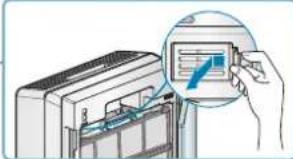
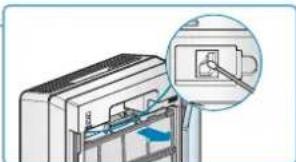
Open the front panel.

Open the dust sensor cover.

Wipe the lens of the dust sensor with a cotton stick.
After cleaning the lens, close the cover of the dust sensor in the reverse order.
Clean the lens of the dust sensor once every 6 months.
But the cleaning frequency can differ according to the using environment and time. So in an environment where it is dusty, clean more frequently.
Filter Cleaning
- Please clean the Sand Storm filter about once a month.
- Please check every filter when the filter checking light is on.

Ensure to shut down before cleaning.
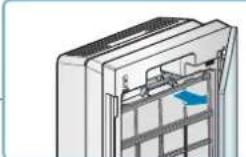
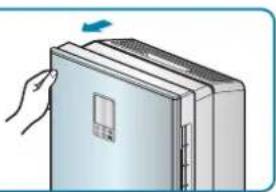
Hold knob then pull forward, open the front panel.

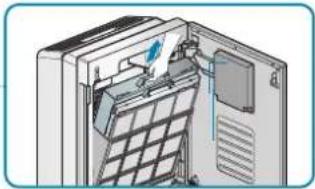
Pull out filter from mainframe and ready to clean or replace.

Clean Sand Storm filter by vacuum cleaner or soft brush.
Wash by neutral detergent when seriously clogged.

Smoke filter cleaning instruction.
Soak the filter in a warm water with a neutral detergent for 1 hour. Remove sediments from the filter by shaking the filter in the water. Rinse out the filter. Completely dry the filter under a well ventilated shade.
Ionization wire inside of the case is very fragile. Please give an extra care when cleaning the product. Do not brush the Smoke Filter.
It may peel off filter coating, resulting a performance decrease) Do not use hot water over 40^ or volatile detergent.
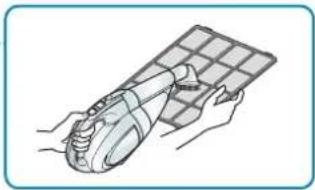
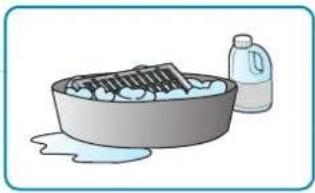
Filter Cleaning
5 Separate filter case and take out filters.
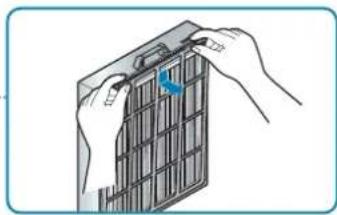
Replace HEPA filter and Odor filter in case of over clogging on the filters. The replacement cycle of the filters is as belows.
| Filter Category | Replacement Cycle |
| HEPA Filter | 1 year |
| Odor Filter | 1 year |
7 Please replace Allergy filter (replacement cycle: once every 6~12 months)
Be careful not to moisten allergy filter.
In case of washing allergy filter may weaken its function, Remember not to wash.

Caution
- For your safety, unplug the power before cleaning.
After cleaning with water, completely dry the product under a shade. (If it is not dried completely, it may cause a malfunction) - Replace the filter when it is impossible to clean it due to over clogging.
If the filter is not dried completely after cleaning, it may cause a bad odor. - Please, do not rub the product with your hand.
Maintenance
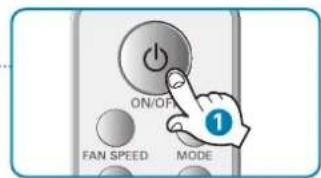
1 Ensure to run air purifier over 1 hour in shiny day, press On/Off button to shut down.
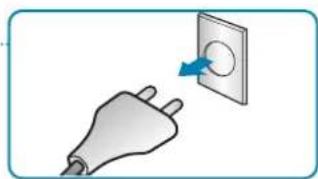
Plug out the power.
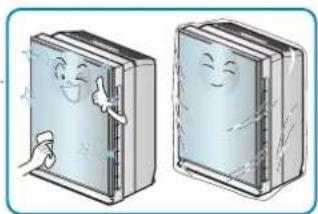
Ensure to clean and protect air purifier's mainframe. Use vinylbag to pack when store air purifier for an extended period of time, avoid dust or particle enter interior.
Clean by soft cloth. Scratch may easily cause exterior damage.
Confirming Items Before Reporting Defect
When product goes wrong, before contacting the service center please confirm the following items.
| Symptom Confirmation Procedures | ||
| Total malfunction | ·Has the power plug been pulled out? | ·Correctly connect with powerpoint. |
| ·Is the power fuse broken? | ·Ask for assistance from service center. | |
| ·Whether a power cut occur? | ·Retrieve working when power cut finish. | |
| ·Does the remote controller have problems? | ·Replace the battery or adjust the battery(+,-) pole. | |
| ·Whether the front panel open or not? | ·Stop working when front panel is opened, close it completely. (Left/right close) | |
| Low fan speed with cacophony | ·Whether the Sand Storm filter is clogged up or not? | ·Clean the Sand Storm filter. |
| ·Whether too much dust clog on the HEPA filter or not? | ·Replace the HEPA filter. | |
| ·Whether too much dust clog on the allergy filter? | ·Replace a new one. | |
| Preparatory function does not work | ·Whether checked the operation indicator or not? | ·Set again according to manual. |
| Air purify function do not work well | ·Whether indoor air pollution is too severe or not? | ·Use after enough air circulation. |
| ·Whether the Sand Storm filter has many filths or not? | ·Clean the Sand Storm filter. | |
| ·Whether using environment is too spacious or not? | ·Use at appropriate space. (Avoid to use at well-ventilated places such as exit and entrance and window etc.) | |
| ·Whether there are surrounding obstacles or not? | ·Remove obstacles. | |
| ·Whether install at non-ventilated places or not? | ·Install at other places. | |
Confirming Items Before Reporting Defect
| Symptom Confirmation Procedures | ||
| Air outlet has abnormal smell. | Whether use at smoky, odor places or not? | Use at smoky, odor places may cause weaken air purifying function. |
| Whether use at place with food odor or not? | Food odor may penetrate into filter, use after enough air circulation. | |
| Whether complete dry washable filter or not? | Wet washable filter may cause odor, please use after complete dry. | |
| Sensor indicator has problem. | Dust sensor keeps high level always. | Clean dust sensor or filter. |
| Odor sensor level goes up? | LG air purifier is designed to detect polluted air, therefore odor sensor may not react to food odors. But odor removing filter will remove odor. Steam particle from cooking or boiling water may cause odor sensor level goes up. | |
Product Specification
The external dimension, design and product standard can change to improve the quality of the product.
| Model Name | PS-N550 Series |
| Power Supply | 230V, 50Hz |
| Effective Space | 45 m² |
| Weight of Product | 12 kg |
| Appearance Size(mm) | 426 (Width) x 568 (Height) x 271 (Depth) |
| Power consumption | 55 W |


Life's Good
MANUAL DE PROPIETARIO
PURIFICADOR DE AIRE
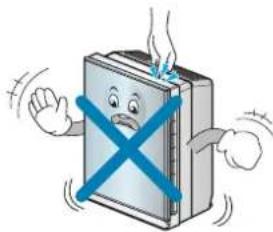
Do not use this product when is in moving.
May cause fire or electric shock or damage to some parts of the product.
Open the window for air ventilation before operating the air purifier when gas leaks. Otherwise, it may cause explosion, fire and physical injury.