
ROC6306 - Television THOMSON - Free user manual and instructions
Find the device manual for free ROC6306 THOMSON in PDF.



| Product type | LED Television |
| Brand | THOMSON |
| Model | ROC6306 |
| Screen size | 81 cm (32 inches) |
| Resolution | HD 1366 x 768 pixels |
| Backlight | LED |
| Aspect ratio | 16:9 |
| Integrated tuner | DVB-T, cable, satellite |
| HDMI connectors | 2 inputs |
| USB connector | 1 input |
| SCART connector | 1 input |
| Peritel connector | 1 (via adapter) |
| Digital audio output | Optical |
| Audio power | 2 x 8 W |
| Main functions | Teletext, Sleep timer, Parental control |
| Remote control included | ROC6306 - Universal 6 in 1 |
| Power supply | 220-240 V, 50/60 Hz |
| Power consumption (max) | 40 W |
| Standby consumption | < 0.5 W |
| Weight (without stand) | 5.5 kg |
| Dimensions (W x H x D without stand) | 73.5 x 44.0 x 8.5 cm |
| VESA wall mount | 200 x 200 mm |
| Energy class | A+ |
| Maintenance and cleaning | Clean with a soft, dry cloth. Do not use harsh liquids. |
| Safety | Use only with mains power. Do not open the casing. |
| Spare parts | Available via THOMSON after-sales service |
| Repairability | Repairability index not provided |
Frequently Asked Questions - ROC6306 THOMSON
User questions about ROC6306 THOMSON
0 question about this device. Answer the ones you know or ask your own.
Ask a new question about this device
Download the instructions for your Television in PDF format for free! Find your manual ROC6306 - THOMSON and take your electronic device back in hand. On this page are published all the documents necessary for the use of your device. ROC6306 by THOMSON.
USER MANUAL ROC6306 THOMSON
Respect the environment and the law!
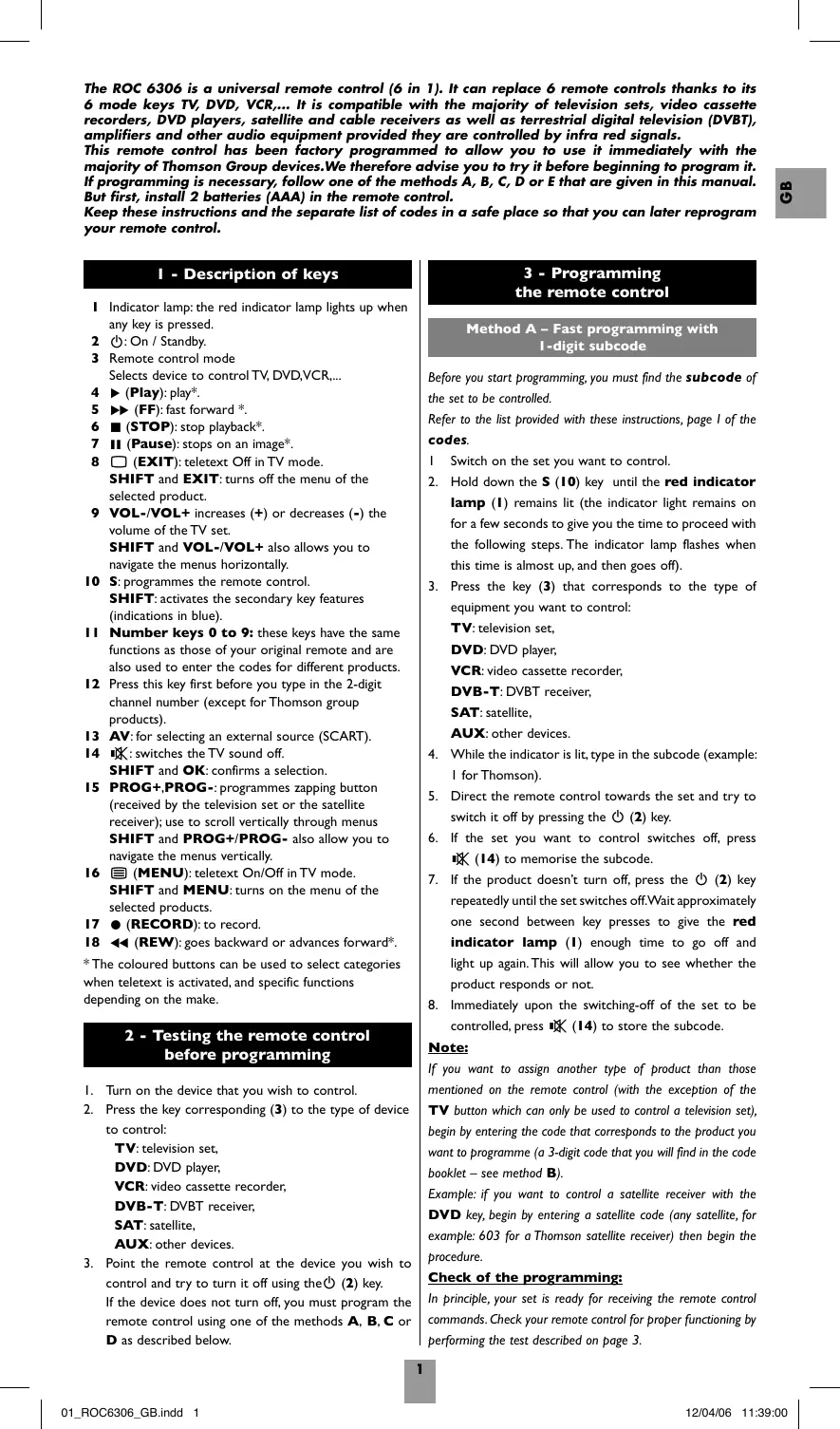
The ROC 6306 is a universal remote control (6 in 1). It can replace 6 remote controls thanks to its 6 mode keys TV, DVD, VCR,... It is compatible with the majority of television sets, video cassette recorders, DVD players, satellite and cable receivers as well as terrestrial digital television (DVBT), amplifiers and other audio equipment provided they are controlled by infra red signals.
This remote control has been factory programmed to allow you to use it immediately with the majority of Thomson Group devices. We therefore advise you to try it before beginning to program it. If programming is necessary, follow one of the methods A, B, C, D or E that are given in this manual. But first, install 2 batteries (AAA) in the remote control.
Keep these instructions and the separate list of codes in a safe place so that you can later reprogram your remote control.
I - Description of keys
Indicator lamp: the red indicator lamp lights up when any key is pressed.
2 ⏻: On / Standby.
3 Remote control mode Selects device to control TV, DVD, VCR,...
4 ▶ (Play): play*.
5 ▶▶ (FF): fast forward *.
6 ■ (STOP): stop playback*.
7 II (Pause): stops on an image*.
8 ☐ (EXIT): teletext Off in TV mode. SHIFT and EXIT: turns off the menu of the selected product.
9 VOL-/VOL+ increases (+) or decreases (-) the volume of the TV set. SHIFT and VOL-/VOL+ also allows you to navigate the menus horizontally.
10 S: programmes the remote control. SHIFT: activates the secondary key features (indications in blue).
11 Number keys 0 to 9: these keys have the same functions as those of your original remote and are also used to enter the codes for different products.
12 Press this key first before you type in the 2-digit channel number (except for Thomson group products).
13 AV: for selecting an external source (SCART).
14 ☑: switches the TV sound off. SHIFT and OK: confirms a selection.
15 PROG+,PROG-: programmes zapping button (received by the television set or the satellite receiver); use to scroll vertically through menus SHIFT and PROG+/PROG- also allow you to navigate the menus vertically.
16 ☐ (MENU): teletext On/Off in TV mode. SHIFT and MENU: turns on the menu of the selected products.
17 ● (RECORD): to record.
18 ◀◀ (REW): goes backward or advances forward*.
* The coloured buttons can be used to select categories when teletext is activated, and specific functions depending on the make.
2 - Testing the remote control before programming
I. Turn on the device that you wish to control.
- Press the key corresponding (3) to the type of device to control:
TV: television set,
DVD: DVD player,
VCR: video cassette recorder,
DVB-T: DVBT receiver,
SAT: satellite,
AUX: other devices.
- Point the remote control at the device you wish to control and try to turn it off using the ⏻ (2) key. If the device does not turn off, you must program the remote control using one of the methods A, B, C or D as described below.
3 - Programming the remote control
Method A – Fast programming with 1-digit subcode
Before you start programming, you must find the subcode of the set to be controlled.
Refer to the list provided with these instructions, page 1 of the codes.
1. Switch on the set you want to control. 2. Hold down the S (10) key until the red indicator lamp (1) remains lit (the indicator light remains on for a few seconds to give you the time to proceed with the following steps. The indicator lamp flashes when this time is almost up, and then goes off). 3. Press the key (3) that corresponds to the type of equipment you want to control:
TV: television set,
DVD: DVD player,
VCR: video cassette recorder,
DVB-T: DVBT receiver,
SAT: satellite,
AUX: other devices.
- While the indicator is lit, type in the subcode (example: I for Thomson).
- Direct the remote control towards the set and try to switch it off by pressing the ⏻ (2) key.
- If the set you want to control switches off, press (14) to memorise the subcode.
- If the product doesn't turn off, press the ⏻ (2) key repeatedly until the set switches off. Wait approximately one second between key presses to give the red indicator lamp (1) enough time to go off and light up again. This will allow you to see whether the product responds or not.
- Immediately upon the switching-off of the set to be controlled, press ☐ (14) to store the subcode.
Note:
If you want to assign another type of product than those mentioned on the remote control (with the exception of the TV button which can only be used to control a television set), begin by entering the code that corresponds to the product you want to programme (a 3-digit code that you will find in the code booklet – see method B).
Example: if you want to control a satellite receiver with the DVD key, begin by entering a satellite code (any satellite, for example: 603 for a Thomson satellite receiver) then begin the procedure.
Check of the programming:
In principle, your set is ready for receiving the remote control commands. Check your remote control for proper functioning by performing the test described on page 3.
Method B - 3-digit codes Programming
Before you start programming, you must find the code of the set to be controlled.
Refer to the list provided with these instructions, page II of the codes.
I. Switch on the set you want to control. 2. Hold down the S (10) until the red indicator lamp (1) remains lit (the indicator light remains on for a few seconds to give you the time to proceed with the following steps. The indicator lamp flashes when this time is almost up, and then goes off).
- Press the key (3) that corresponds to the type of equipment you want to control:
TV: television set,
DVD: DVD player,
VCR: video cassette recorder,
DVB-T: DVBT receiver,
SAT: satellite,
AUX: other devices.
- While the indicator is lit, enter the first digit of the 3-digit code proposed for the set to be controlled (example: 036 for Thomson). The red indicator then goes off if the code is correct or flashes, if the code is not on the list.
- Direct the remote control towards the set and try to switch it off by pressing the ⏻ (2) key.
- Should the set not switch off, repeat step 2. Then type in the next 3-digit code. Try to switch off the set by pressing ⏻ (2) key once. Repeat this procedure by trying out each of the 3-digit codes.
Check of the programming:
In principle, your set is ready for receiving the remote control commands. Check your remote control for proper functioning by performing the test described on page 3.
Method C – Programming by means of code retriever
Should none of the codes work, you still have the possibility of retrieving the appropriate code without having to perform any input.
1. Switch on the set you want to control. 2. Hold down the S (10) until the red indicator lamp (1) remains lit (the indicator light remains on for a few seconds to give you the time to proceed with the following steps. The indicator lamp flashes when this time is almost up, and then goes off).
- Press the key (3) that corresponds to the type of equipment you want to control:
TV: television set,
DVD: DVD player,
VCR: video cassette recorder,
DVB-T: DVBT receiver,
SAT: satellite,
AUX: other devices.
- Direct the remote control towards the set and try to switch it off by pressing the ⏻ (2) key.
- If the set you want to control switches off, press R (14) to memorise the subcode.
- Should the set not switch off, press ⏻ (2) key, as many times as required (up to 200 times), until the set switches off. Wait approximately one second between key presses to give the red indicator lamp (1) enough time to go off and light up again. Proceeding this way will enable you to see whether the set responds or not.
- Immediately upon the switching-off of the set to be controlled, press 1× (14) to store the subcode.
Note:
If you want to assign another type of product than those mentioned on the remote control, begin by entering a code that corresponds to the product you want to programme (a 3-digit code that you will find in the code booklet – see method B).
Example: if you want to control a satellite receiver with the DVD key, begin by entering a satellite code (any satellite, for example: 603 for a Thomson satellite receiver) then begin the procedure.
Check of the programming:
In principle, your set is ready for receiving the remote control commands. Check your remote control for proper functioning by performing the test described on page 3.
Method D - Automatic code search
With this method, the remote control scrolls through the full code list by sending an IR signal to the set to be controlled remotely. Proceed as follows:
- Check that your equipment is on. If not, switch it on manually.
- Hold down the S (10) until the red indicator lamp (1) remains lit (the indicator light remains on for a few seconds to give you the time to proceed with the following steps. The indicator lamp flashes when this time is almost up, and then goes off).
- Release the S (10) key.
- Press the key corresponding to the type of equipment (for example TV).
- Press the PROG+ (15) key once. After a few seconds the remote control begins to list all the codes included in the library (around 1 code per second). Press PROG+ (15) a second time to reduce the speed of the test (1 code every 3 seconds). As soon as the device changes channel you must immediately press ⏻ (14) to record the code and stop the listing. If you have gone past the code, you can go back to the previous code by pressing PROG- (15) as many times as necessary (you can go forward by pressing ⏻ (2) or PROG+ (15). As soon as the device reacts again, press ⏻ (14) to record the code.
Note:
If you want to assign another type of product than those mentioned on the remote control, begin by entering a code that corresponds to the product you want to programme (a 3-digit code that you will find in the code booklet – see method B).
Example: if you want to control a satellite receiver with the DVD key, begin by entering a satellite code (any satellite, for example: 603 for a Thomson satellite receiver) then begin the procedure.
Method E – Programming for control of a COMBO (combined TV-VCR, TV/DVD, VCR/DVD, ... set)
Depending on the COMBO group (TV/VCR, VCR/DVD, etc.) and the make, you will be required to enter a single code for both devices in the COMBO, or to enter two codes, one code per device. Consult the separate list to discover this. Before you start programming, you must find the subcode or code of the subset to be controlled (television or video recorder).
Refer to the list supplied with this user manual (see page subcodes or codes).
1. Switch on the COMBO you want to control. 2. Hold down the S (10) until the red indicator lamp (1) remains lit (the indicator light remains on for a few seconds to give you the time to proceed with the following steps. The indicator lamp flashes when this time is almost up, and then goes off). 3. Press the TV (3) key, then follow one of the programming methods (A, B, C or D) described earlier. 4. If a second code programming is required, then repeat steps 2 and 3 above.
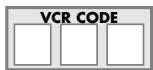
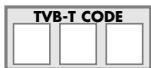
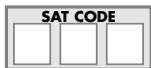
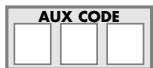
4 - How to retrieve a programmed code
It may be useful to retrieve the code programmed in the remote control.
- Hold down the S (10) until the red indicator lamp (1) remains lit (the indicator light remains on for a few seconds to give you the time to proceed with the following steps. The indicator lamp flashes when this time is almost up, and then goes off).
- Press the key (3) that corresponds to the type of equipment you want to control:
TV: television set,
DVD: DVD player,
VCR: video cassette recorder,
DVB-T: DVBT receiver,
SAT: satellite,
AUX: other devices.
- Press S (10) again briefly. The red indicator lamp (1) flashes once.
- Press the number keys (0 to 9) in ascending order until the red indicator lamp (1) flashes once.
- The digit which made the red indicator lamp (1) flash, is the first number of the 3-digit code. Please make note of it.
- Repeat step 4 to find out the two other numbers of the code.
- When the third number is found, the red indicator lamp (I) goes off.
5 - Check of the programming
- For a television or a satellite receiver: switch on and, for example, press (15) to change channels.
- DVD player: load a DVD and then press PLAY (6).
Try other remote control keys to find out the range of functions you can control. If you think that not all of the keys are active, try the programming Method B or C.
When you have retrieved the code of your set, jot it down so that you can use it whenever needed.
After battery replacement, you may have to programme the remote control again.
6 - Other functions
Adjustment of ALL volume controls under a specific mode.
You can allocate the volume control to one of the modes of the remote control on condition that the volume control exists on the corresponding device (e.g. control of TV sound in VCR/TV mode).
1. Hold down the S (10) key until the red indicator lamp (1) remains lit. 2. Release the S (10) key. 3. Press the ☐ (14) key. The red indicator lamp (I) flashes once. 4. Press once on the mode key (TV, VCR...) corresponding to the device whose volume will always be controlled by the VOL (9) and 1× (14) keys. 5. Press the ☐ (14) key once.
Adjustment of the volume controls for EACH mode.
You can decide that the volume control is functional for each mode selected on condition that the volume control exists on the corresponding device (e.g. control of the television set sound in TV mode, the control of the sound of the SAT receiver in SAT mode, ...).
1. Hold down the S (10) key until the red indicator lamp (1) remains lit. 2. Release the S (10) key. 3. Press the 14 (14) key. The red indicator lamp (1) flashes once. 4. Press once on the mode key (TV, VCR...) corresponding to the device whose volume will always be controlled by the VOL (9) and 12K (14) keys. 5. Press the VOL - (9) key once. 6. Press the ☐ (14) key once.
7 - The NAVILIGHT system
The THOMSON NAVILIGHT navigation system allows you easy access to the settings of your television set (TV) or your video recorder (VCR) fitted with the THOMSON NAVILIGHT system provided that you have allocated the DVD or SAT keys to the video recorder.
I. Switch on the set you want to control. 2. Press the key corresponding to the type of set you want to use (TV, VCR, or SAT). In the VCR position, make sure that the AV mode is activated for the TV set (the SCART socket must be selected). 3. Press the S (10) key once and then press the ☐ (16) key. 4. Navigate through the setting menus with the play keys ▲, ▼, ◀ and ▶ (9 and 15). 5. Validate with OK (14). 6. To leave the menus, press key EXIT (8) once.
Note: The S (10) key remains on as long as light I is lit. If this light goes out, you have to press the S (10) key again before using the navigation keys. To exit this mode, press S (10) a second time.
THOMSON HELPLINE
You can contact THOMSON by dialling: 0871 712 1312
(For Great-Britain, all calls will be charged £0.10/min) www.thomson-europe.com
4 ▶ (Play): play*.
4 ▶ (Play): play*.
AUX: Other devices.
AUX: Other devices.
AUX: Other devices.
AUX: Other devices.
ENGLISH - Do not mix different types of batteries or new and old batteries. Do not use rechargeable batteries. In order to avoid any risk of explosion, observe polarities indicated inside the battery compartment. Replace only with the type of batteries specified above. Do not throw them into fire, do not recharge them. If you are not using the remote control for a long period of time, remove the batteries. Please respect the environment and prevailing regulations. Before you dispose of batteries or accumulators, ask your dealer whether they are subject to special recycling and if they will accept them for disposal.
Model and serial number
THOMSON Sales Europe
46, quai A. Le Gallo
92648 Boulogne Cedex
FRANCE
322 019 464 RCS NANTERRE
http://www.thomson-europe.com

36114480 © Copyright THOMSON 2006



- I - DESCRIPTION OF KEYS
- TESTING THE REMOTE CONTROL BEFORE PROGRAMMING
- PROGRAMMING THE REMOTE CONTROL
- METHOD A – FAST PROGRAMMING WITH 1-DIGIT SUBCODE
- NOTE
- CHECK OF THE PROGRAMMING
- METHOD B - 3-DIGIT CODES PROGRAMMING
- METHOD C – PROGRAMMING BY MEANS OF CODE RETRIEVER
- METHOD D - AUTOMATIC CODE SEARCH
- METHOD E – PROGRAMMING FOR CONTROL OF A COMBO (COMBINED TV-VCR, TV/DVD, VCR/DVD, ... SET)
- HOW TO RETRIEVE A PROGRAMMED CODE
- OTHER FUNCTIONS
- THE NAVILIGHT SYSTEM
- THOMSON HELPLINE
Brand : THOMSON
Model : ROC6306
Category : Television