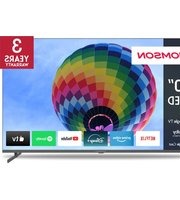
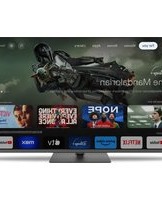
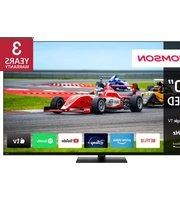
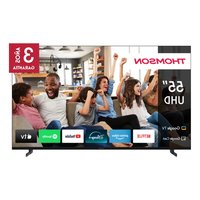
55QG7C14 - Television THOMSON - Free user manual and instructions
Find the device manual for free 55QG7C14 THOMSON in PDF.


Pick your language and provide your email: we'll send you a specifically translated version.
| Product type | 4K Ultra HD Smart TV with QLED display |
| Brand | Thomson |
| Model | 55QG7C14 |
| Screen size | 55 inches (139.7 cm) |
| Display resolution | 3840 x 2160 pixels (4K UHD) |
| Display technology | QLED (Quantum Dot LED) |
| HDR support | HDR10, HLG, Dolby Vision |
| Refresh rate | 60 Hz |
| Smart TV platform | Android TV 11 with Google Assistant built-in |
| Built-in apps | Netflix, YouTube, Prime Video, Disney+ |
| Wireless connectivity | Dual-band Wi-Fi 5, Bluetooth 5.0 |
| HDMI ports | 3 x HDMI 2.0 |
| USB ports | 2 x USB 2.0 |
| Audio output power | 2 x 10 W (20 W total) |
| Audio technologies | Dolby Audio, DTS Virtual: X |
| Power consumption (typical) | 95 W |
| Power consumption (standby) | 0.5 W |
| Energy efficiency class | Class E (SDR) |
| VESA mounting | 300 x 300 mm |
| Dimensions (without stand) | 1230 x 710 x 78 mm |
| Weight (without stand) | 16.8 kg |
| Package contents | TV, remote control, batteries, stand screws, quick guide |
| Spare parts availability | Authorized service centers provide original spare parts for 7 years |
| Recommended cleaning | Use a soft, dry, lint-free cloth. Clean the frame and screen without pressure |
Frequently Asked Questions - 55QG7C14 THOMSON
How do I install the TV on a wall?
Use the VESA 300x300 mm wall mount. Attach the bracket to the TV using the prescribed screws, then fix the wall bracket securely to a solid wall. Keep at least 10 cm of space around the TV for ventilation. Follow the installation guide included with the murals.
What should I do if the screen is not turning on?
Check that the power cable is firmly connected to the TV and a working wall socket. Press the standby button on the bottom edge of the TV. If it still does not light, unplug the TV for 60 seconds, then retry.
How can I connect external speakers or a soundbar?
Use the HDMI ARC port (usually HDMI 1) to connect a soundbar or AV receiver. Alternatively, use the optical digital audio output. Then go to Sound settings and select the appropriate audio output.
What is the best way to clean the TV screen?
Switch off the TV and wait for it to cool. Use a soft, dry, lint-free cloth. For stubborn marks, slightly dampen the cloth with water. Never use alcohol, solvent, or abrasive chemicals.
How do I update the TV's software?
Ensure the TV is connected to Internet via Wi-Fi or Ethernet. Go to Settings > System > System update and select Check for updates. The TV will download and install the latest version automatically.
Why is the image blurry or of poor quality?
Verify that the source device sends the correct resolution (4K for this TV). Activate HDMI UHD color in input settings for HDMI ports. Use a high-speed HDMI cable. Adjust the Picture mode in the menu to suit the content.
Can I connect a Bluetooth headset to the TV?
Yes. Open Settings > Sound > Audio output > Bluetooth list. Set the headset in pairing mode, then select it from the list. The TV will remember the headset for future connections.
Is the TV compatible with voice assistants?
The TV has Google Assistant built-in. Press the voice button on the remote control and speak your command, such as "Change channel" or "Launch YouTube". It can also control compatible smart home devices if linked.
What should I do if the remote control stops working?
Replace the two AAA batteries. Make sure there is no obstacle between the remote and the TV sensor. If the remote is in Bluetooth mode, hold the OK + volume down buttons for 5 seconds to re-pair with the TV.
How should I dispose of the TV at the end of its life?
Do not throw the TV in household waste. Use a local e-waste recycling collection point or return it to an authorised retailer. The TV contains materials that can be recycled and should be handled in an environmentally friendly way.
User questions about 55QG7C14 THOMSON
0 question about this device. Answer the ones you know or ask your own.
Ask a new question about this device
No questions yet. Be the first to ask one.
Download the instructions for your Television in PDF format for free! Find your manual 55QG7C14 - THOMSON and take your electronic device back in hand. On this page are published all the documents necessary for the use of your device. 55QG7C14 by THOMSON.
USER MANUAL 55QG7C14 THOMSON
Manual assistant
Powered by Anthropic
Waiting for your message
Product information
Brand : THOMSON
Model : 55QG7C14
Category : Television