43UG4S14 - Television THOMSON - Free user manual and instructions
Find the device manual for free 43UG4S14 THOMSON in PDF.


Pick your language and provide your email: we'll send you a specifically translated version.
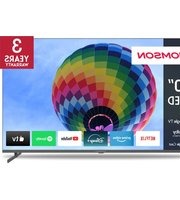
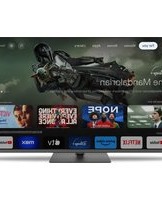
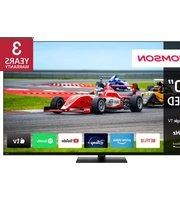
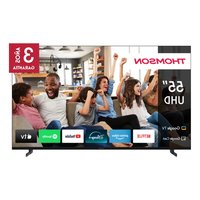
| Product Type | LED Television |
| Screen Size | 43 inches (109 cm) |
| Resolution | 3840 x 2160 (4K UHD) |
| Refresh Rate | 60 Hz |
| Smart TV | Yes, Android TV |
| Wi-Fi | Built-in 802.11ac |
| Bluetooth | Version 5.0 |
| HDMI Ports | 3 (HDMI 2.0) |
| USB Ports | 2 (USB 2.0) |
| Ethernet | 1 (RJ45) |
| Audio Output | Digital Optical, 3.5mm jack |
| Speakers | 2 x 8W |
| Power Consumption (Standby) | <0.5 W |
| Energy Class | A+ |
| VESA Mount | 200 x 200 mm |
| Dimensions (W x H x D) with stand | 967 x 613 x 215 mm |
| Weight with stand | 8.2 kg |
| Remote Control | Infrared, includes batteries |
| Warranty | 2 years |
| Operating Temperature | 5°C to 35°C |
| Cleaning Instructions | Use a soft, dry cloth. Do not use liquid cleaners. |
Frequently Asked Questions - 43UG4S14 THOMSON
How do I connect my Thomson 43UG4S14 to Wi-Fi?
Press the Home button on your remote, go to Settings > Network & Internet > Wi-Fi. Select your network and enter the password.
Why is my screen black but sound is working?
Check if the TV is on a standby mode or if the backlight is failing. Try pressing the Input button to switch sources. If the issue persists, perform a power cycle by unplugging the TV for 1 minute.
How can I update the software on my Thomson TV?
Go to Settings > Device Preferences > About > System Update. If an update is available, follow the on-screen instructions. Ensure the TV is connected to the internet.
Can I mount this TV on a wall?
Yes, the TV is VESA compatible with a 200x200 mm pattern. Use a suitable wall mount (not included). Please refer to the manual for weight and safety instructions.
What sound formats are supported?
The TV supports Dolby Digital, DTS, and standard PCM audio. For external devices, check compatibility.
How do I reset the TV to factory settings?
Go to Settings > Device Preferences > Reset > Factory Data Reset. This will erase all personal data.
Why is my remote control not working?
First, replace the batteries. If still not working, try pointing the remote directly at the TV's IR sensor. Remove any obstacles. If issues continue, consider resetting the remote by removing batteries and pressing each button twice.
Can I use headphones with this TV?
Yes, there is a 3.5mm headphone jack on the side of the TV. Alternatively, you can use Bluetooth headphones (pair via Settings > Remote & Accessories).
How do I connect external speakers via optical?
Connect an optical cable from the TV's Digital Audio Out to your soundbar or receiver. Then go to Settings > Sound > Advanced and select Optical as the output.
What if the picture is blurry or distorted?
Check your source signal (cable/satellite box). Ensure the HDMI cable is securely connected. Go to Settings > Picture and adjust Sharpness or try Auto Tuning. Also, verify the TV is set to the correct resolution.
User questions about 43UG4S14 THOMSON
0 question about this device. Answer the ones you know or ask your own.
Ask a new question about this device
No questions yet. Be the first to ask one.
Download the instructions for your Television in PDF format for free! Find your manual 43UG4S14 - THOMSON and take your electronic device back in hand. On this page are published all the documents necessary for the use of your device. 43UG4S14 by THOMSON.
USER MANUAL 43UG4S14 THOMSON

Manual assistant
Powered by Anthropic
Waiting for your message
Product information
Brand : THOMSON
Model : 43UG4S14
Category : Television