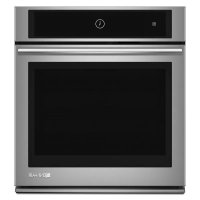
Frequently Asked Questions - JMW3430DP JENN-AIR
How to use the self-cleaning cycle?
Remove all accessories and wipe off excessive soil. Press Self-Clean (or via Tools for double ovens). Choose the duration based on soiling level (3h for light, 4h medium, 5h heavy). The door locks automatically. After the cycle ends, wait for complete cooling before wiping ash with a damp cloth.
How to set the cooking timer?
After selecting a mode and temperature, press OVEN TIMER on the display. Use the columns to set the duration (max 11h59). Press START. You can choose the end action: Hold Temp, Keep Warm (keep warm at 170°F), or Oven Off.
How to use convection cooking?
Select the mode Convect Bake or Convect Roast from the menu. Set the temperature (typically 25°F/14°C lower than the traditional recipe). The convection fan and element heat evenly. For best results, use low-sided pans and leave 2 inches (5 cm) of space around food.
How to calibrate the oven temperature?
Access the Tools menu, then select Temp Calibration. You can adjust from -35°F to +35°F (or -20°C to +20°C). A negative setting makes the oven cooler, a positive setting makes it hotter. For double ovens, each cavity can be calibrated independently.
How to activate Sabbath mode?
Press Power, then Tools. Select Sabbath, set it to ON and follow the instructions to set temperature and optionally a timer. The oven stays on until cancelled. The light does not turn on when the door is opened, and the keys are limited (Power and Cancel).
How to connect the oven to Wi-Fi?
Enable Wi-Fi via the Tools menu > Wireless Features. Follow the instructions in the provided Quick Start Guide. Once connected, you can control the oven remotely, receive notifications (preheat complete, timer done, etc.) via the Jenn-Air app.
How to replace the oven light bulb?
Ensure the oven is cool and disconnect the power. Remove the glass cover by pulling it forward. Replace the halogen bulb (120 V, 40 W max) by holding it with a cloth to avoid finger contact. Reinstall the cover and restore power.
How to remove and reinstall the oven door?
Open the door fully, lift the hinge latches on each side. Close the door to the stop, then lift it off. To reinstall, insert the arms into the slots, open the door until it clicks, then lower the latches. Check that it opens and closes properly.
Why is the oven not heating?
Check that the power cord is plugged in and the circuit breaker has not tripped. Ensure the control lock is not activated (go to Tools > Button Lock). If a delayed or Sabbath mode is set, cancel it. For double ovens, if one cavity is in self-clean, the other cannot be turned on.
How to use the temperature probe?
Insert the probe into the thickest part of the meat, away from fat and bone. Connect it to the oven jack. Select Probe Cooking from the menu, choose a cooking mode (Bake, Convect Bake, or Convect Roast), set the oven temperature and the desired internal temperature. Press Start. The oven will shut off automatically when the internal temperature is reached.
USER MANUAL JMW3430DP JENN-AIR