
R2401 - Router RIDGID - Free user manual and instructions
Find the device manual for free R2401 RIDGID in PDF.



| Product Type | Compact Router |
| Brand | RIDGID |
| Model | R2401 |
| Collet | 6.4 mm (1/4 in) |
| No-load Speed | 20,000 – 30,000 rpm |
| Power Input | 120 V ~ 60 Hz, 5.5 A |
| Motor Type | Overload-protected Motor |
| Switch | Slide Switch with Soft Start |
| Speed Adjustment | Variable (dial) |
| Cutting Depth | Micro-adjustment with Zero-reset function |
| Base | Removable round base + square sub-base included |
| Edge Guide | Included with guide rods |
| Work Light | Integrated LED |
| Protection | Double Insulation |
| Weight | Approximately 1.5 kg |
| Warranty | 3-year Limited |
| Included Accessories | Wrench, edge guide, rods, trimming bit, carry bag, square sub-base, manual |
Frequently Asked Questions - R2401 RIDGID
User questions about R2401 RIDGID
0 question about this device. Answer the ones you know or ask your own.
Ask a new question about this device
Download the instructions for your Router in PDF format for free! Find your manual R2401 - RIDGID and take your electronic device back in hand. On this page are published all the documents necessary for the use of your device. R2401 by RIDGID.
USER MANUAL R2401 RIDGID
RIDGID product, please visit:
http://register.RIDGID.com
General Power Tool SafetyWarnings.....2-3
- Compact Router Safety Rules. 3
Symbols. 4
Electrical 5
■ Features. 6
Assembly 6-7
Operation. 8-10
■ Maintenance 11
■ Illustrations. 12
Parts Ordering and Service. Back page

WARNING: To reduce the
risk of injury, the user must read and
understand the operator's manual
before using this product.
SAVE THIS MANUAL FOR
FUTURE REFERENCE
TABLE DES MATIÈRES
***************
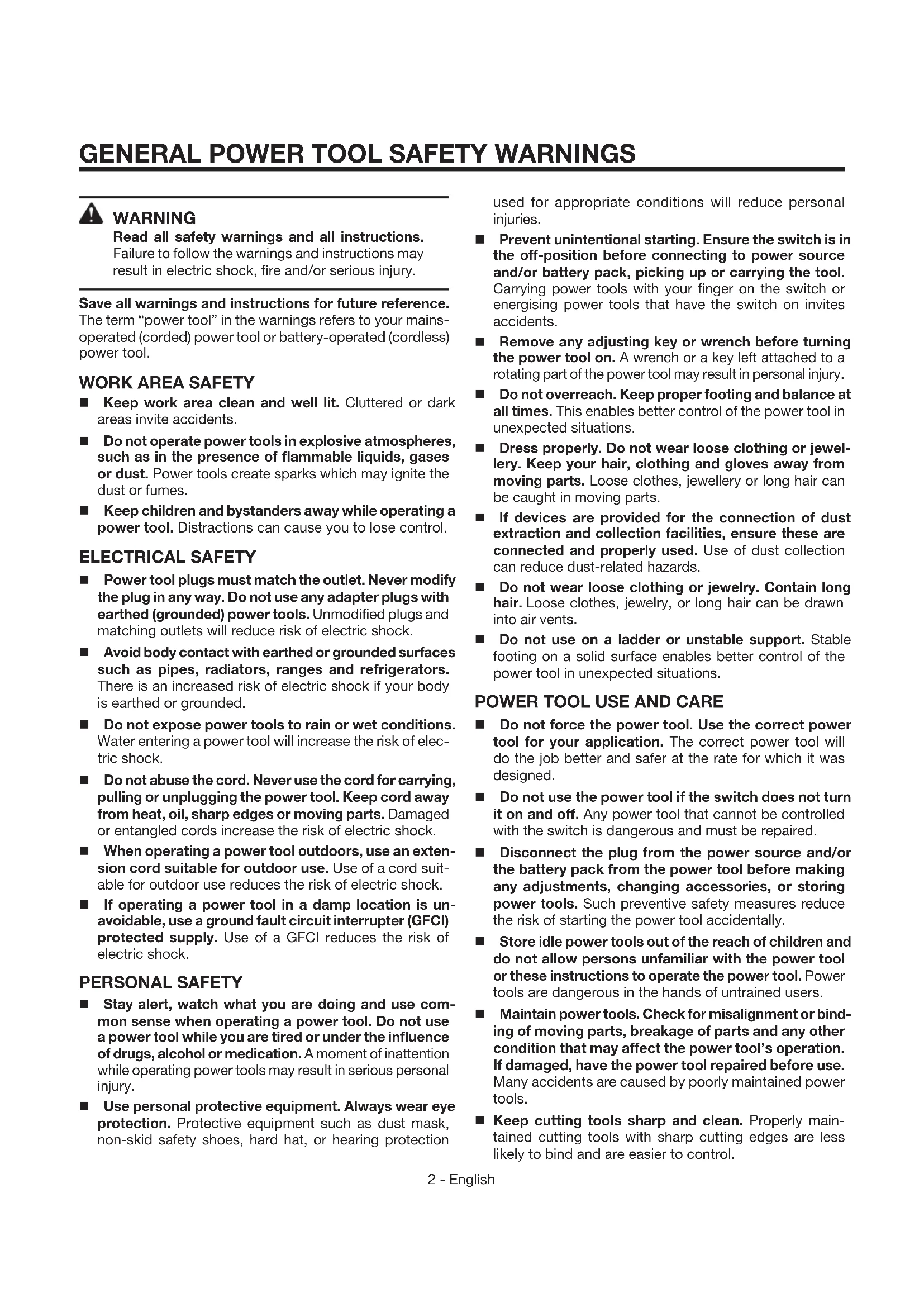
Read all safety warnings and all instructions.
Failure to follow the warnings and instructions may result in electric shock, fire and/or serious injury.
Save all warnings and instructions for future reference. The term "power tool" in the warnings refers to your mains-operated (corded) power tool or battery-operated (cordless) power tool.
WORK AREA SAFETY
- Keep work area clean and well lit. Cluttered or dark areas invite accidents.
- Do not operate power tools in explosive atmospheres, such as in the presence of flammable liquids, gases or dust. Power tools create sparks which may ignite the dust or fumes.
- Keep children and bystanders away while operating a power tool. Distractions can cause you to lose control.
ELECTRICAL SAFETY
Power tool plugs must match the outlet. Never modify the plug in any way. Do not use any adapter plugs with earthed (grounded) power tools. Unmodified plugs and matching outlets will reduce risk of electric shock.
- Avoid body contact with earthed or grounded surfaces such as pipes, radiators, ranges and refrigerators. There is an increased risk of electric shock if your body is earthed or grounded.
- Do not expose power tools to rain or wet conditions. Water entering a power tool will increase the risk of electric shock.
- Do not abuse the cord. Never use the cord for carrying, pulling or unplugging the power tool. Keep cord away from heat, oil, sharp edges or moving parts. Damaged or entangled cords increase the risk of electric shock.
- When operating a power tool outdoors, use an extension cord suitable for outdoor use. Use of a cord suitable for outdoor use reduces the risk of electric shock.
If operating a power tool in a damp location is unavoidable, use a ground fault circuit interrupter (GFCI) protected supply. Use of a GFCI reduces the risk of electric shock.
PERSONAL SAFETY
- Stay alert, watch what you are doing and use common sense when operating a power tool. Do not use a power tool while you are tired or under the influence of drugs, alcohol or medication. A moment of inattention while operating power tools may result in serious personal injury.
Use personal protective equipment. Always wear eye protection. Protective equipment such as dust mask, non-skid safety shoes, hard hat, or hearing protection
used for appropriate conditions will reduce personal injuries.
Prevent unintentional starting. Ensure the switch is in the off-position before connecting to power source and/or battery pack, picking up or carrying the tool. Carrying power tools with your finger on the switch or energising power tools that have the switch on invites accidents.
Remove any adjusting key or wrench before turning the power tool on. A wrench or a key left attached to a rotating part of the power tool may result in personal injury.
- Do not overreach. Keep proper footing and balance at all times. This enables better control of the power tool in unexpected situations.
- Dress properly. Do not wear loose clothing or jewellery. Keep your hair, clothing and gloves away from moving parts. Loose clothes, jewellery or long hair can be caught in moving parts.
If devices are provided for the connection of dust extraction and collection facilities, ensure these are connected and properly used. Use of dust collection can reduce dust-related hazards.
- Do not wear loose clothing or jewelry. Contain long hair. Loose clothes, jewelry, or long hair can be drawn into air vents.
- Do not use on a ladder or unstable support. Stable footing on a solid surface enables better control of the power tool in unexpected situations.
POWER TOOL USE AND CARE
- Do not force the power tool. Use the correct power tool for your application. The correct power tool will do the job better and safer at the rate for which it was designed.
- Do not use the power tool if the switch does not turn it on and off. Any power tool that cannot be controlled with the switch is dangerous and must be repaired.
- Disconnect the plug from the power source and/or the battery pack from the power tool before making any adjustments, changing accessories, or storing power tools. Such preventive safety measures reduce the risk of starting the power tool accidentally.
Store idle power tools out of the reach of children and do not allow persons unfamiliar with the power tool or these instructions to operate the power tool. Power tools are dangerous in the hands of untrained users. - Maintain power tools. Check for misalignment or binding of moving parts, breakage of parts and any other condition that may affect the power tool's operation. If damaged, have the power tool repaired before use. Many accidents are caused by poorly maintained power tools.
- Keep cutting tools sharp and clean. Properly maintained cutting tools with sharp cutting edges are less likely to bind and are easier to control.
GENERAL POWER TOOL SAFETY WARNINGS
- Use the power tool, accessories and tool bits etc. in accordance with these instructions, taking into account the working conditions and the work to be performed. Use of the power tool for operations different from those intended could result in a hazardous situation.
SERVICE
Have your power tool serviced by a qualified repair person using only identical replacement parts. This will ensure that the safety of the power tool is maintained.
- When servicing a power tool, use only identical replacement parts. Follow instructions in the Maintenance section of this manual. Use of unauthorized parts or failure to follow Maintenance instructions may create a risk of shock or injury.
COMPACT ROUTER SAFETY WARNINGS
Hold power tool by insulated gripping surfaces, because the cutter may contact its own cord. Cutting a "live" wire may make exposed metal parts of the power tool "live" and shock the operator.
Use clamps or another practical way to secure and support the workpiece to a stable platform. Holding the work by your hand or against the body leaves it unstable and may lead to loss of control.
- Know your power tool. Read operator's manual carefully. Learn its applications and limitations, as well as the specific potential hazards related to this tool. Following this rule will reduce the risk of electric shock, fire, or serious injury.
Always wear safety glasses. Everyday eyeglasses have only impact-resistant lenses; they are NOT safety glasses. Following this rule will reduce the risk of serious personal injury.
- Protect your lungs. Wear a face or dust mask if the operation is dusty. Following this rule will reduce the risk of serious personal injury.
- Protect your hearing. Wear hearing protection during extended periods of operation. Following this rule will reduce the risk of serious personal injury.
Inspect tool cords periodically and, if damaged, have repaired at your nearest authorized service center. Constantly stay aware of cord location. Following this rule will reduce the risk of electric shock or fire.
- Check damaged parts. Before further use of the tool, a guard or other part that is damaged should be carefully checked to determine that it will operate properly and perform its intended function. Check for alignment of moving parts, binding of moving parts, breakage of parts, mounting, and any other conditions that may affect its operation. A guard or other part that is damaged should be properly repaired or replaced by an authorized service center. Following this rule will reduce the risk of shock, fire, or serious injury.
Make sure your extension cord is in good condition. When using an extension cord, be sure to use one heavy enough to carry the current your product will draw. A wire gauge size (A.W.G.) of at least 14 is recommended for an extension cord 50 feet or less in length. A cord exceeding 100 feet is not recommended. If in doubt, use the next heavier gauge. The smaller the gauge number, the heavier the cord. An undersized cord will cause a drop in line voltage resulting in loss of power and overheating.
Inspect for and remove all nails from lumber before using this tool. Following this rule will reduce the risk of serious personal injury.
Save these instructions. Refer to them frequently and use them to instruct others who may use this tool. If you loan someone this tool, loan them these instructions also.
CALIFORNIA PROPOSITION 65

WARNING:
This product and some dust created by power sanding, sawing, grinding, drilling, and other construction activities may contain chemicals, including lead, known to the State of California to cause cancer, birth defects, or other reproductive harm. Wash hands after handling. Some examples of these chemicals are:
- lead from lead-based paints,
crystalline silica from bricks and cement and other masonry products and, - arsenic and chromium from chemically treated lumber.
Your risk from exposure to these chemicals varies, depending on how often you do this type of work. To reduce your exposure, work in a well-ventilated area and with approved safety equipment, such as dust masks that are specially designed to filter out microscopic particles.
| The following signal words and meanings are intended to explain the levels of risk associated with this product. SYMBOL | SIGNAL | MEANING |
| A | DANGER: | Indicates an imminently hazardous situation, which, if not avoided, will result in death or serious injury. |
| A | WARNING: | Indicates a potentially hazardous situation, which, if not avoided, could result in death or serious injury. |
| A | CAUTION: | Indicates a potentially hazardous situation, which, if not avoided, may result in minor or moderate injury. |
| NOTICE: | (Without Safety Alert Symbol) Indicates important information not related to an injury hazard, such as a situation that may result in property damage. | |
| Some of the following symbols may be used on this product. Please study them and learn their meaning. Proper interpretation of these symbols will allow you to operate the product better and safer. SYMBOL NAME DESIGNATION/EXPLANATION | ||
| Safety Alert Indicates a potential p | personal injury hazard. | |
| Read Operator's Manual | To reduce the risk of injury, user must read and understand operator's manual before using this product. | |
| Eye Protection | Always wear eye protection with side shields marked to comply with ANSI Z87.1. | |
| Wet Conditions Alert Do not expose to rain or use in damp locations. | ||
| V | Volts Voltage | |
| A Ampere | Current | |
| Hz Hertz | Frequency (cycles per second) | |
| W Watt Power | ||
| min | Minutes Time | |
| ~ | Alternating Current Type of current | |
| no | No Load Speed Rotational speed, at no load | |
| Class II Tool | Double-insulated construction | |
| .../min | Per Minute | Revolutions, strokes, surface speed, orbits etc., per minute |
DOUBLE INSULATION
Double insulation is a concept in safety in electric power tools, which eliminates the need for the usual three-wire grounded power cord. All exposed metal parts are isolated from the internal metal motor components with protecting insulation. Double insulated tools do not need to be grounded.

WARNING:
The double insulated system is intended to protect the user from shock resulting from a break in the tool's internal wiring. Observe all normal safety precautions to avoid electrical shock.
NOTE: Servicing of a tool with double insulation requires extreme care and knowledge of the system and should be performed only by a qualified service technician. For service, we suggest you return the tool to your nearest authorized service center for repair. Always use original factory replacement parts when servicing.
ELECTRICAL CONNECTION
This tool has a precision-built electric motor. It should be connected to a power supply that is 120 volts, 60Hz , AC only (normal household current). Do not operate this tool on direct current (DC). A substantial voltage drop will cause a loss of power and the motor will overheat. If your tool does not operate when plugged into an outlet, double-check the power supply.
EXTENSION CORDS
When using a power tool at a considerable distance from a power source, be sure to use an extension cord that has the capacity to handle the current the tool will draw. An undersized cord will cause a drop in line voltage, resulting in overheating and loss of power. Use the chart to determine the minimum wire size required in an extension cord. Only round jacketed cords listed by Underwriter's Laboratories (UL) should be used.
When working outdoors with a tool, use an extension cord that is designed for outside use. This type of cord is designated with "WA" or "W" on the cord's jacket.
Before using any extension cord, inspect it for loose or exposed wires and cut or worn insulation.
**Ampere rating (on tool faceplate) 0-2.0 2.1-3.4 3.5-5.0 5.1-7.0 7.1-12.0 12.1-16.0
| Cord Length | Wire Size (A.W.G.) | |||||
| 25' | 16 | 16 | 16 | 16 | 14 | 14 |
| 50' | 16 | 16 | 16 | 14 | 14 | 12 |
| 100' | 16 | 16 | 14 | 12 | 10 | - |
**Used on 12 gauge - 20 amp circuit.
NOTE: AWG = American Wire Gauge

WARNING:
Keep the extension cord clear of the working area. Position the cord so that it will not get caught on lumber, tools or other obstructions while you are working with a power tool. Failure to do so can result in serious personal injury.

WARNING:
Check extension cords before each use. If damaged replace immediately. Never use tool with a damaged cord since touching the damaged area could cause electrical shock resulting in serious injury.
PRODUCT SPECIFICATIONS
Collet. 1/4 in.
No Load Speed. 20,000-30,000 r/min.
KNOW YOUR COMPACT ROUTER
See Figure 1, page 14.
The safe use of this product requires an understanding of the information on the product and in this operator's manual as well as a knowledge of the project you are attempting. Before use of this product, familiarize yourself with all operating features and safety rules.
DEPTH SCALE
The router has a convenient depth scale located on the side of the motor housing.
EDGEGUIDE
The edge guide will keep the bit a certain distance from the edge of a straight workpiece.
LED WORKLIGHT
The LED worklight helps provide additional light for a clearer view of the cutting area.
MICRO-DEPTH ADJUSTMENT WITH ZERO RESET
The micro-depth control adjustment with zero reset feature makes precise depth of cut changes possible.
MOTOR
The router has a powerful 5.5 amp permanent magnet motor with sufficient power to handle many trimming jobs.
MOTOR RELEASE LEVER
The router has a motor release lever that makes large depth of cut adjustments quick and easy.
ASSEMBLY
UNPACKING
This product requires assembly.
- Carefully remove the tool and any accessories from the box. Make sure that all items listed in the packing list are included.

WARNING:
Do not use this product if it is not completely assembled or if any parts appear to be missing or damaged. Use of a product that is not properly and completely assembled could result in serious personal injury.
Inspect the tool carefully to make sure no breakage or damage occurred during shipping.
Input. 120 V, 5.5 Amps, 60 Hz
Switch Slide
OVERLOAD PROTECTION
Your tool has built-in protection to protect the motor during overloading. When the tool is forced or the motor is overloaded, the router will automatically shut off. Do not force the tool.
OVERMOLDED GRIP AREA
The grip area is overmolded for improved grip and comfort.
REMOVABLE BASE
The removable base allows for greater access to the collet nut.
ROUND SUBBASE
The round subbase makes it easier to rotate the tool when trimming with a guide.
SLIDE SWITCH
The slide switch is located on top of the motor housing. The slide switch features a soft start to prolong motor life and gives the operator more control when starting the router.
SPINDLE LOCK
A spindle lock secures the spindle so that only one wrench is needed to loosen collet nut and change cutters.
SQUARE SUBBASE
The square subbase makes it easier to work with a straight edge.
VARIABLE SPEED DIAL
The variable speed dial, located on the front of the motor housing, enables you to adjust the speed of the bit from 20,000 r/min to 30,000 r/min.
- Do not discard the packing material until you have carefully inspected and satisfactorily operated the tool.
If any parts are damaged or missing, please call 1-866-539-1710 for assistance.
PACKING LIST
Compact Router with Round Subbase
Wrench
Edge Guide
Guide Bars (2)
Bearing Flush Trim Bit
Tool Bag
Square Subbase
Operator's Manual

WARNING:
If any parts are damaged or missing do not operate this product until the parts are replaced. Use of this product with damaged or missing parts could result in serious personal injury.

WARNING:
Do not attempt to modify this tool or create accessories not recommended for use with this tool. Any such alteration or modification is misuse and could result in a hazardous condition leading to possible serious personal injury.

WARNING:
Do not connect to power supply until assembly is complete. Failure to comply could result in accidental starting and possible serious personal injury.
REMOVING THE BASE
See Figure 2, page 14.
Unplug the router.
Pull the quick release lever to the open position.
Get a firm grasp of the base with one hand. Hold the overmolded grip area with the other.
Depress the motor release lever completely. Then pull the motor housing away from the base until they seperate.
To connect the motor housing to the base:
Depress the motor release lever completely.
Align the motor housing with the base and push the motor housing onto the base.
NOTE: This may require some force to overcome the motor retention spring.
- Release the motor release lever and close the quick release lever.

WARNING:
If you are changing a cutter immediately after use, do not touch the collet nut, cutter, or collet with your hands or fingers as they may be hot. Always use the wrench provided to avoid getting burned.
INSTALLING AND REMOVING CUTTERS
See Figure 3, page 14.
Unplug the router.
Pull the quick release lever to the open position.
Depress the motor release lever and move the base to provide clear access to the collet nut. It is not neccessary to remove the base.
- Depress the spindle lock button and rotate spindle until the spindle locks.
- Rotate the wrench counterclockwise to loosen the collet nut. The collet is machined to precision tolerances to fit cutters with 1/4 in. diameter shanks.
If installing the cutter for the first time, it can be installed once the collet nut is loose. If changing cutters, the cutter will easily slip from the collet after loosening the collet nut.
NOTE: The tip of the cutter has a protective wax coating that must be removed before first-time use. Simply peel off the wax coating and be sure that all traces of wax are removed before using the router.
Insert the shank of the cutter into the collet until it touches the bottom, then pull it out approximately 1/16". This allows for expansion when the cutter gets hot.
- Tighten collet nut securely, by rotating it clockwise, using large end of wrench.

WARNING:
If the collet nut is not tightened securely, the cutter could come out during use, resulting in possible serious personal injury.
Depress the motor release lever and return the base back to an operating position.
Push the quick release lever to the closed position.
ATTACHING THE SQUARE SUBBASE
See Figure 4, page 14.
Unplug the router.
- Turn the router upside down to remove the four subbase screws and the round subbase.
- Attach the square subbase using the same screws.
Tighten the screws securely. Do not over tighten.

WARNING:
Always use the base for laminate trimming. Use of the router without a base or using the incorrect base can result in serious personal injury.

WARNING:
Do not allow familiarity with tools to make you careless. Remember that a careless fraction of a second is sufficient to inflict serious injury.

WARNING:
Always wear eye protection with side shields marked to comply with ANSI Z87.1. Failure to do so could result in objects being thrown into your eyes, resulting in possible serious injury.

WARNING:
Do not use any attachments or accessories not recommended by the manufacturer of this tool. The use of attachments or accessories not recommended can result in serious personal injury.
NOTICE:
If the motor is overloaded during operation, this tool will automatically shut off. To reset, turn the router OFF (O), then back ON (I), then adjust your method of operation as needed to prevent the overload condition.
APPLICATIONS
You may use this tool for the purposes listed below:
Smooth, professional trimming of laminates
- Trimming counter tops and finishing cabinet work
- Trimming wood and plastics
STARTING/STOPPING THE COMPACT ROUTER
See Figure 5, page 14.
To turn the router ON, slide the slide switch on top of the router up to the (I) ON position.
NOTE: The router has a soft start feature. The router will start at a slow speed and gradually get up to the speed set by the adjustable speed dial.
- Return the slide switch down to the (O) OFF position when finished.

WARNING:
The bit will continue to spin after the slide switch is set to the (O) OFF position. Wait for the bit to come to a complete stop to continue operation. Failure to do so could result in possible serious injury.
ADJUSTING THE SPEED
See Figure 6, page 14.
To adjust the speed of the router, rotate the variable speed dial located on the front of the motor housing. Rotate the dial to the left to increase speed. Higher numbers on the dial indicate higher speeds. Rotate the dial to the right to decrease speed. The speed is adjustable from 20,000 r/min to 30,000 r/min.
Before starting the router, unplug it and make sure the cutter is securely tightened in the collet and that the depth of cut is properly set. Never start the router while the cutter is in contact with the workpiece.
After completing a cut, pull the cutter slightly away from the cut surface. Turn the router off and wait for the rotating cutter to completely stop before removing the base from the work surface.
When cutting, fit the base of the router over the work surface and firmly hold the body of the router with your hand. Make sure the router is running at full speed before contacting the workpiece.

WARNING:
Avoid hand positions that may expose fingers to cutter through open areas of router base. Fingers entering the opening in the router base can be seriously cut or burned.

WARNING:
Never install a trim cutter larger than 1-1/8 in. in this router. The use of larger bits can result in loss of control and possible serious personal injury.

WARNING:
Never use a trim cutter in this router which is rated at less than 30,000 r/min. Doing so could result in serious personal injury.

WARNING:
Always use the base for laminate trimming. Use of the router without a base or using the incorrect base can result in serious personal injury.
DIRECTION OF FEED AND THRUST
See Figures 8 - 9, page 15.
The router motor and cutter revolve in a clockwise direction. This gives the tool a slight tendency to twist in your hands in a counterclockwise direction, especially when the motor starts. Feed the router into the workpiece from left to right. When fed from left to right, the rotation of the cutter pulls the router against the workpiece. If fed in the opposite direction, the rotation forces of the spinning cutter will tend to throw the router away from the workpiece, causing kickback. This could result in loss of control of the router.
Because of the extremely high speed of cutter rotation during a proper feeding operation, there is very little kickback to contend with under normal conditions. However, should the cutter strike a knot, hard grain, foreign object, etc., that would affect the normal progress of the cutting action, there could be a slight kickback. Kickback could be sufficient to spoil the trueness of your cut if you are not prepared. Such a kickback is always in the direction opposite the direction of cutter rotation.
To guard against kickback, plan your set-up and direction of feed so that you will always be thrusting the tool—to hold it against whatever you are using to guide the cut—in the same direction that the leading edge of the cutter is moving. The thrust should be in a direction that keeps the sharp edges of the cutter continuously biting straight into new (uncut) wood.
PROPER RATE OF FEED
Professional trimming and edge shaping depend upon careful set-up and selecting the proper rate of feed.
The proper rate of feed is dependent upon:
the hardness and moisture content of the workpiece
the depth of cut
the cutting diameter of the cutter.
When cutting shallow grooves in soft woods such as pine, a faster rate of feed can be used. When making cuts in hardwoods such as oak, a slower rate of feed will be required.
Several factors will help you select the proper rate of feed.
Choose a rate that does not slow down the router motor.
Choose the rate at which the cutter advances firmly and surely to produce a continuous spiral of uniform chips or a smooth trim edge on laminate.
Listen to the sound of the router motor. A high-pitched sound means you are feeding too slowly. A strained, lower-pitched sound signals force-feeding.
Check the progress of each cut. Too-slow feeding can cause the router to take off in a wrong direction from the intended line of cut. Force-feeding increases the strain of holding the tool and results in loss of speed.
Notice the chips being produced as you cut. If the router is fed too slowly, it will scorch or burn the wood. If the router is fed too fast, it will take large chips out of the wood and leave gouge marks.
Always test a cut on a scrap piece of the workpiece wood or laminate before you begin. Always grasp and hold the router firmly when trimming.
If you are making a small-diameter, shallow groove in soft, dry wood, the proper feed rate may be determined by the speed at which you can travel the router along the guide line. If the cutter is a large one, the cut is deep or the workpiece is hard to cut, the proper feed may be a very slow one. A cross-grain cut may require a slower pace than an identical with-grain cut in the same workpiece.
There is no fixed rule. Proper rate of feed is learned through practice and use.
FORCE FEEDING
See Figure 10, page 15.
The router is an extremely high-speed tool (20,000-30,000 r/min.), and will make clean, smooth cuts if allowed to run freely without the overload of a forced feed. Three things that cause force feeding are cutter size, depth of cut, and workpiece characteristics. The larger the cutter or the deeper the cut, the more slowly the router should be moved forward. If the wood is very hard, knotty, gummy or damp, the operation must be slowed still more.
Clean, smooth laminate trimming and edge shaping can be done only when the cutter is revolving at a relatively high speed and is taking very small bites to produce tiny, cleanly-severed chips. If the router is forced to move forward too fast, the speed of the cutter becomes slower than normal in relation to its forward movement. As a result, the cutter must take bigger bites as it revolves. Bigger bites mean bigger chips and a rougher finish. Bigger chips also require more power, which could result in overloading the motor.
Under extreme force-feeding conditions, the relative speed of the cutter can become so slow—and the bites it has to take so large—that chips will be partially knocked off rather than fully cut off. This will result in splintering and gouging of the workpiece.
TOO SLOW FEEDING
See Figure 10, page 15.
When the router is advanced into the work too slowly, the revolving cutter does not dig into new wood fast enough to take a bite; instead, it scrapes away sawdust-like particles. Scraping produces heat, which can glaze, burn, or mar the cut, and can overheat the cutter. Dull cutters can also contribute to scraping and burning.
It is more difficult to control a router when the cutter is scraping instead of cutting. With practically no load on the motor, the cutter will be revolving near top RPM, and will have a greater than normal tendency to bounce off the sides of the cut, especially if the wood has a pronounced grain with hard and soft areas. The cut that results may have rippled sides instead of straight.
DEPTH OF CUT
See Figure 11, page 15.
Depth of cut affects the rate of feed and the quality of a cut. Using the proper depth of cut can lessen the possibility of damage to the router motor and cutter.
A deeper cut requires a slower feed than a shallow one. Making a cut that is too deep will slow the feed so that the cutter is scraping, rather than cutting, and is not recommended.
A too-deep cut can cause smaller cutters to be broken off. Cutters that are 1/16 in. in diameter are easily broken off when subjected to too much side thrust. A larger cutter is not as likely to break, but attempting a cut that is too deep may result in a rough cut, and may make it difficult to guide and control the cutter as desired.
It is recommended that you do not exceed 1/8 in. depth of cut in a single pass, regardless of the cutter size or the softness or condition of the workpiece. This will result in a higher quality cut.
To make deeper cuts, it is necessary to make as many successive passes as required, lowering the cutter 1/8 in. for each new pass. To save time, perform all the cutting necessary at one depth setting, then lower the cutter for the next pass. This will assure uniform depth when the final pass is completed.

WARNING:
If the desired depth of cut is greater than can be safely cut in one pass, make cuts in two or more passes. Do not remove more than 1/8 in. in a single pass. Excessive depth of cut can result in loss of control and the possibility of serious personal injury.
SETTING DEPTH OF CUT
See Figure 12, page 15.
Unplug the router.
Pull the quick release lever to the open position.
Depress and hold the motor release lever.
- Slide the motor housing section of the router away from the base until the tip of the cutter reaches the work surface. The depth of cut is zero at this point. Release the motor release lever.
NOTE: Large depth of cut adjustments can be made using the motor release lever.
Using the micro depth adjustment knob, adjust the position of the router to obtain the desired depth of cut. To move the motor housing down, turn the micro depth adjustment knob toward the "down" arrow to the side of the knob.
Note: To set the cutting depth to zero, hold the router in place and turn the micro depth adjustment knob until it reads "0".
The cutter depth can be read on the depth scale on the motor housing. Each mark on the scale indicates a 1/16 in. change in depth setting. Use the top edge of the removable base as reference when setting depth of cut.
- When the desired depth of cut is reached. Push the quick release lever to the closed position to lock the cutter in place.

WARNING:
Avoid open area of router base. Serious personal injury will result from contact with a rotating cutter.
USING EDGE GUIDE
See Figures 13 - 14, page 16.
Use the edge guide to trim or cut a straight or curved edge.
Unplug the router.
- Thread guide bars into the base and tighten with a flat head screwdriver.
Slide the edge guide onto the guide bars.
Install thumb screws provided into the edge guide.
Measure the proper distance to offset the cutter, or if trimming, position the cutter at the edge of the workpiece.
- Tighten the two thumb screws to secure the edge guide.
Move the router along the workpiece keeping the edge guide in constant contact with edge of the workpiece.

WARNING:
Before inspecting, cleaning, or performing any maintenance, make sure the switch is in the off (O) position, wait for all moving parts to stop, and disconnect from the power supply. Failure to follow these instructions can result in death, serious personal injury, or property damage.

WARNING:
Always wear eye protection with side shields marked to comply with ANSI Z87.1. Failure to do so could result in objects being thrown into your eyes, resulting in possible serious injury.

WARNING:
When servicing use only identical replacement parts. Use of any other parts could create a hazard or cause product damage.
GENERAL MAINTENANCE
Avoid using solvents when cleaning plastic parts. Most plastics are susceptible to damage from various types of commercial solvents and may be damaged by their use. Use clean cloths to remove dirt, dust, oil, grease, etc.

WARNING:
Do not at any time let brake fluids, gasoline, petroleum-based products, penetrating oils, etc., come in contact with plastic parts. Chemicals can damage, weaken or destroy plastic which could result in serious personal injury.
Electric tools used on fiberglass material, wallboard, spackle compounds, or plaster are subject to accelerated wear and possible premature failure because the fiberglass chips and grindings are highly abrasive to bearings, brushes, commutators, etc. Consequently, we do not recommended using this tool for extended work on these types of materials. However, if you do work with any of these materials, it is extremely important to clean the tool using compressed air.
LUBRICATION
All of the bearings in this tool are lubricated with a sufficient amount of high grade lubricant for the life of the unit under normal operating conditions. Therefore, no further lubrication is required.
POWER SUPPLY CORD REPLACEMENT
If replacement of the power supply cord is necessary, this must be done by an authorized service center in order to avoid a safety hazard.
BRUSH REPLACEMENT
See Figure 15, page 16.
Unplug the router.
Remove cutter bit if there is one installed.
With a flat head screwdriver, remove the brush cap and washer.
Remove the brush assembly.
Check for wear. If worn, always replace in pairs. Do not replace one side without replacing the other.
Replace the brush assembly.
Make sure the notches in the washer on the spring line up so that the washer on the spring lies flat.
- Replace the washer and brush cap and tighten with a screwdriver. Do not overtighten.
Repeat for other side.
The router is now ready for use.
NOTE: ILLUSTRATIONS START ON PAGE 14 AFTER FRENCH AND SPANISH LANGUAGE SECTIONS.
This product has a 90-Day Satisfaction Guarantee Policy, as well as a Three-year Limited Warranty. For Warranty and Policy details, please go to www.RIDGID.com or call (toll free) 1-866-539-1710.
RÉGLES DE SECURITÉ RELATIVES AUX OUTILS ÉLECTRIQUES
A VERTISSEMENT
REEMPLACEMENT DU CORDON D'ALIMENTATION
REEMPLACEMENT DES BALAIS
0-2,0 2,1-3,4 3,5-5,0 5,1-7,0 7,1-12,0 12,1-16,0
J - Round subbase (rond base, circulo base)
K-Bearing flush cutter (fer a rogner a roulement abilles noyé, fresa de recortar a ras con cojinate)
L - Motor housing (boitier du moteur, alojamento del motor)
O Removable base (detachable base, separable base)
Customer Service Information:
For parts or service, do not return this product to the store. Contact your nearest RIDGID® authorized service center. Be sure to provide all relevant information when you call or visit. For the location of the authorized service center nearest you, please call 1-866-539-1710 or visit us online at www.RIDGID.com.
MODEL NO. SERIAL NO.
RIDGID is a registered trademark of RIDGID, Inc., used under license.
987000-536
4-7-16 (REV:07)


- TABLE DES MATIÈRES
- WORK AREA SAFETY
- ELECTRICAL SAFETY
- PERSONAL SAFETY
- POWER TOOL USE AND CARE
- GENERAL POWER TOOL SAFETY WARNINGS
- SERVICE
- COMPACT ROUTER SAFETY WARNINGS
- CALIFORNIA PROPOSITION 65
- WARNING
- DOUBLE INSULATION
- ELECTRICAL CONNECTION
- EXTENSION CORDS
- PRODUCT SPECIFICATIONS
- KNOW YOUR COMPACT ROUTER
- DEPTH SCALE
- EDGEGUIDE
- LED WORKLIGHT
- MICRO-DEPTH ADJUSTMENT WITH ZERO RESET
- MOTOR
- MOTOR RELEASE LEVER
- ASSEMBLY
- UNPACKING
- OVERLOAD PROTECTION
- OVERMOLDED GRIP AREA
- REMOVABLE BASE
- ROUND SUBBASE
- SLIDE SWITCH
- SPINDLE LOCK
- SQUARE SUBBASE
- VARIABLE SPEED DIAL
- PACKING LIST
- REMOVING THE BASE
- TO CONNECT THE MOTOR HOUSING TO THE BASE
- INSTALLING AND REMOVING CUTTERS
- ATTACHING THE SQUARE SUBBASE
- NOTICE
- APPLICATIONS
- STARTING/STOPPING THE COMPACT ROUTER
- ADJUSTING THE SPEED
- DIRECTION OF FEED AND THRUST
- PROPER RATE OF FEED
- FORCE FEEDING
- TOO SLOW FEEDING
- DEPTH OF CUT
- SETTING DEPTH OF CUT
- USING EDGE GUIDE
- GENERAL MAINTENANCE
- LUBRICATION
- POWER SUPPLY CORD REPLACEMENT
- BRUSH REPLACEMENT
- NOTE: ILLUSTRATIONS START ON PAGE 14 AFTER FRENCH AND SPANISH LANGUAGE SECTIONS
- RÉGLES DE SECURITÉ RELATIVES AUX OUTILS ÉLECTRIQUES
- A VERTISSEMENT
- REEMPLACEMENT DU CORDON D'ALIMENTATION
- REEMPLACEMENT DES BALAIS
- CUSTOMER SERVICE INFORMATION
Brand : RIDGID
Model : R2401
Category : Router