USER MANUAL TT21 Mode S Transponder Trig Avionics
TT21 and TT22 Mode S Transponder Operating Manual
00559-00-AE
15 Mar 2012
Trig Avionics Limited
Heriot Watt Research Park
Riccarton, Edinburgh
EH14 4AP
Scotland, UK
Copyright 2012
EN/DE/FR
Front Panel
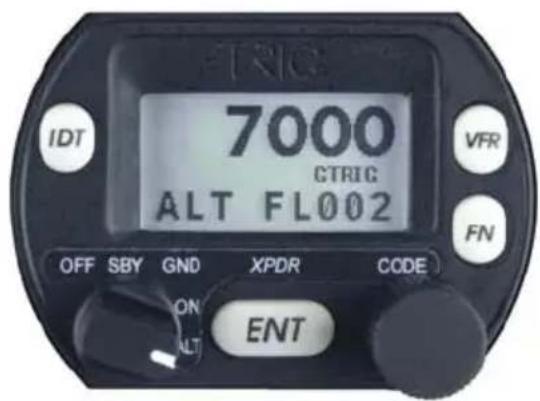
Display
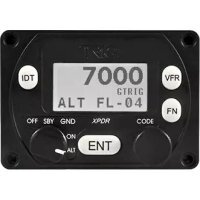
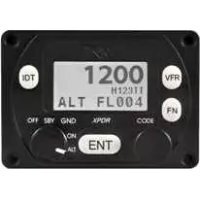
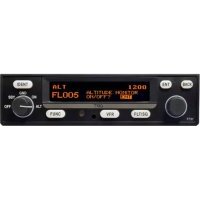
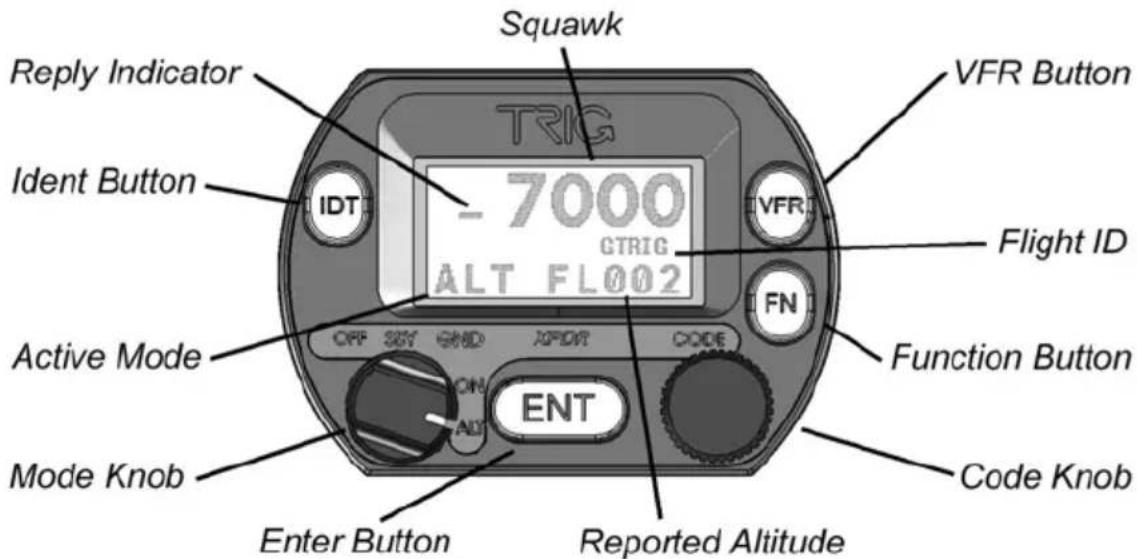
The display shows the operating mode of the transponder, the reported pressure altitude, and the current squawk code and Flight ID. The reply indicator is active when the transponder replies to interrogations.
The pressure altitude is displayed as a Flight Level, which is the pressure altitude in hundreds of feet. When non-standard atmospheric conditions apply, this may not match the altimeter indicated altitude, but will be correctly displayed by the ATC radar.
Mode Selector Knob
The left hand knob controls the power to the transponder and the operating mode.
OFF Power is removed from the transponder.
SBY The transponder is on, but will not reply to any interrogations.
GND The transponder will respond to Mode S ground interrogations from surface movement radar.
ON The transponder will respond to all interrogations, but altitude reporting is suppressed.
ALT The transponder will respond to all interrogations.
When airborne, the transponder should always be set to ALT unless otherwise directed by Air Traffic Control. When you are taxiing on the ground, the transponder should be set to GND unless your installation
EN
includes a gear squat switch. Aircraft installations that include a gear squat switch will automatically select GND on landing.
IDT Press the IDT button when ATC instructs you to "Ident" or "Squawk Ident". This activates the SPI pulse in the transponder replies for 18 seconds. IDT will appear in the display.
FN Pressing the FUNC button provides access to changing the Flight ID and the ADS-B position monitor (depending on installation).
VFR Pressing the VFR button sets the transponder to the pre-programmed conspicuity code. Pressing the button again restores the previous squawk code.
ENT The ENT button enters a digit in the code selector.
Code Selector Knob
The right hand knob is used to set squawk codes and the Flight ID. The FN button selects which will be updated. Turning the knob will highlight the first digit on the display, and the digit can be changed as required. Press the ENT button to advance to the next digit. When ENT is pressed on the last digit, the new squawk code or Flight ID will replace the previous value. If the code entry is not completed within 7 seconds, the changes are ignored and the previous code restored.
1200 VFR code in the USA
7000 VFR code commonly used in Europe.
7500 Hijack code
7600 Loss of communications
7700 Emergency code
The Flight ID should correspond to the aircraft call sign entered on your flight plan. If no flight plan is active, the aircraft registration should be used as your Flight ID. Use only letters and digits. If the Flight ID is less than 8 characters long, entering a blank character will end it.
Altitude Encoder Warm Up
The built in altitude encoder uses a sensor that is temperature dependent. A small internal heater circuit keeps the sensor at the correct temperature. When the ambient temperature is below 0C there may be a delay between switching on the transponder and seeing an altitude reported. In very cold weather this delay can be
several minutes. You should always switch on the transponder (usually to GND mode) before taxiing to the runway, to ensure that the sensor is operating before you become airborne.
General Low Temperature Operation
The transponder is certified to operate correctly down to -25C, but at low temperatures the display may be impaired. On a cold day you may need to wait for the cockpit to warm up to ensure normal operation.
ADS-B Monitor
The ADS-B Monitor is only available on installations that include an ADS-B position source. The ADS-B Monitor provides a display of the position information that is being transmitted in ADS-B position reports. This can provide confirmation that the correct information is being transmitted, particularly where the GPS source is remote from the transponder.
In the event that valid position information is NOT available from the GPS, the latitude and longitude display will be replaced by dashes; if no valid latitude and longitude is shown then ADS-B position information is NOT being transmitted.
Loss of ADS-B position information will also result in a WARNING message being displayed.
Warning Messages
If the transponder detects a problem, the screen will indicate WARNING and a brief statement of the problem. Depending on the nature of the problem, your transponder may not be replying to interrogations. Note the message on the screen and pass that information to your avionics maintenance organisation. Press ENT to clear the message; if the fault is still present the message will reappear.
Fault Annunciation
If the transponder detects a catastrophic internal failure, the screen will indicate FAULT and a brief statement of the problem. No replies will be made to interrogations when a fault has been detected.
Some FAULT indications can be recovered by switching the transponder off and back on again, although in all cases a FAULT code implies that there is a fault with the transponder or the installation. Note the FAULT message at the bottom of the screen and pass that information to your avionics maintenance organisation.
EN
Configuration Mode
The system is configured when it is first installed by your avionics supplier. Configuration items include the Mode S aircraft address, the interface to the other aircraft systems, the aircraft category, and the pre-programmed values for VFR squawk code. To view or change these settings you must use Configuration Mode.
Do not use Configuration Mode in flight. Check with your avionics installer before changing the configuration.
To enter configuration mode, hold down the FN button whilst switching on the transponder. Configuration items can be changed using the Code Knob and the ENT button. Pressing FN advances to the next configuration item.
When configuration is complete, switch the transponder off. When it is switched back on the transponder will use the new configuration.
The configuration data is stored in the controller unit, not in the remote transponder. In the event that you have exchanged the remote transponder unit, but have not changed the controller, no further configuration will be required. If you change the controller unit in an aircraft, you must re-program all the configuration data as described above.
7500 Intervention illicite
7600 Panne radio
Heriot Watt Research Park
Riccarton, Edinburgh EH14 4AP, UK
Tel: +44 (0)131 449 8810
support@trig-avionics.com
Fax: +44 (0)131 449 8811
www.trig-avionics.com