KN5125 - Detector IFM - Free user manual and instructions
Find the device manual for free KN5125 IFM in PDF.


| Product Type | Capacitive Level Sensor |
| Brand | IFM |
| Model | KN5125 |
| Category | Sensor |
| Power Supply | 10-30 V DC |
| Power Consumption | < 50 mA |
| Output | PNP/NPN switching (depending on version), clogging output |
| LED Indicator | Green (operation), yellow (switching status), red (error) |
| Temperature Range | -25 °C to +70 °C |
| Housing Material | Stainless steel / plastic (depending on version) |
| Connection | M12 connector, 4-pin |
| Protection | IP67 |
| Mounting | In the tank wall (direct contact) or through a non-metallic wall |
| Main Functions | Level detection of bulk solids (dry) and liquids, empty/full adjustment, lock/unlock |
| Adjustment | Via push button or programming input (pin 2) |
| Maintenance and Cleaning | Regularly clean the sensing surface to prevent fouling |
| Safety | De-energize the installation before any connection or maintenance |
| Weight | Approximately 100 g |
| Dimensions | Diameter 30 mm, length 60 mm (approximate) |
| Spare Parts and Repairability | Not repairable by user; contact IFM service in case of defect |
| General Information | Manual available for free download at notice-facile.com |
Frequently Asked Questions - KN5125 IFM
User questions about KN5125 IFM
0 question about this device. Answer the ones you know or ask your own.
Ask a new question about this device
Download the instructions for your Detector in PDF format for free! Find your manual KN5125 - IFM and take your electronic device back in hand. On this page are published all the documents necessary for the use of your device. KN5125 by IFM.
USER MANUAL KN5125 IFM
Capacitive level switch
Détector de niveau
capacitif
KN
Function and features
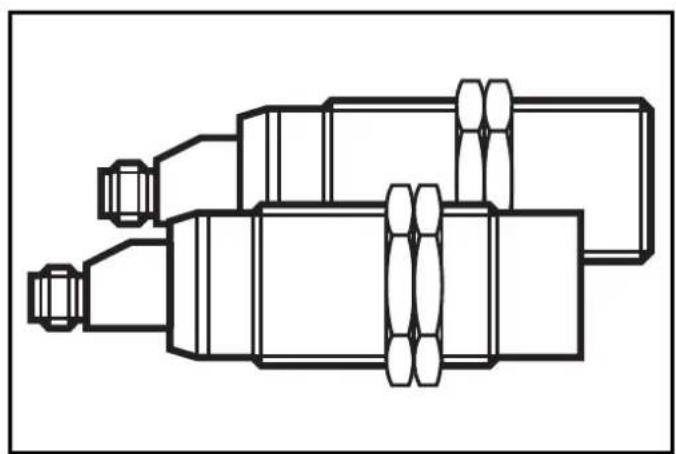
The capacitive level switch controls the level in vessels. It detects if target medium is present or not and provides a switched signal.
- Adjustable to the target medium by means of a programming button or by an electrical signal on the function check output.
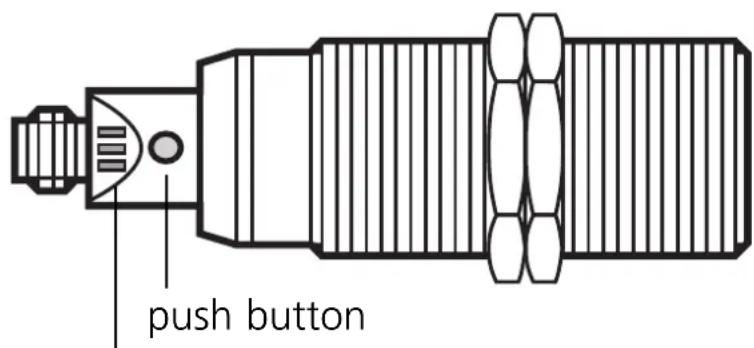
LED's red, yellow, green
Installation
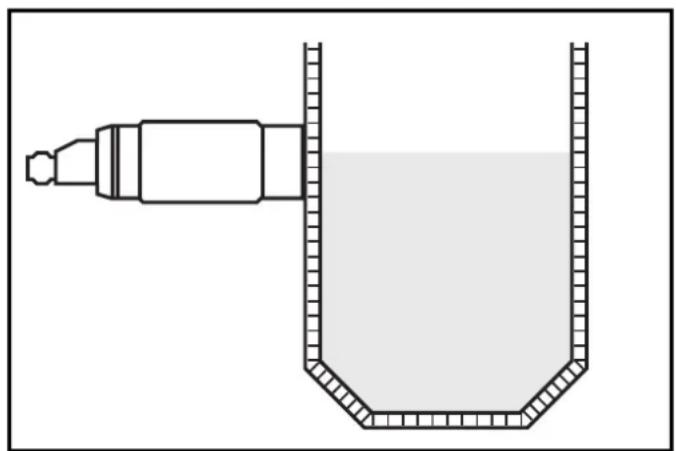
Units of the type KNM30BSA... should be mounted into the vessel wall.
The sensor is in contact with the target medium.
Suitable for dry target medium.
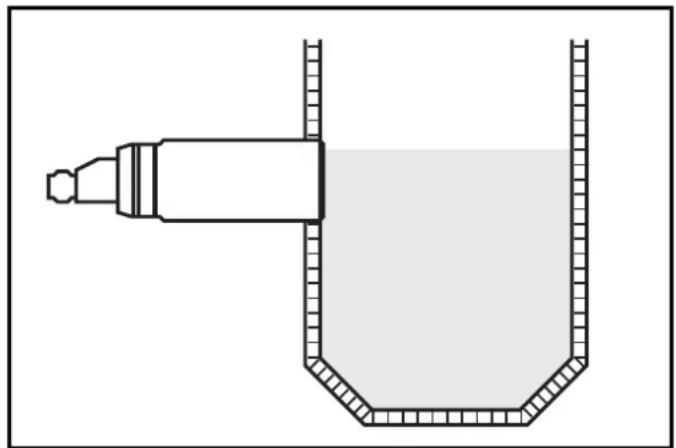
Units of the type KNM30NSA... should be mounted outside the vessel. The sensor detects the target medium through the vessel wall.
Suitable for both dry and liquid target media.
Only for non-metallic vessels.
Electrical connection

Disconnect power before connecting the unit. Connect according to the indications on the type label.
Setting
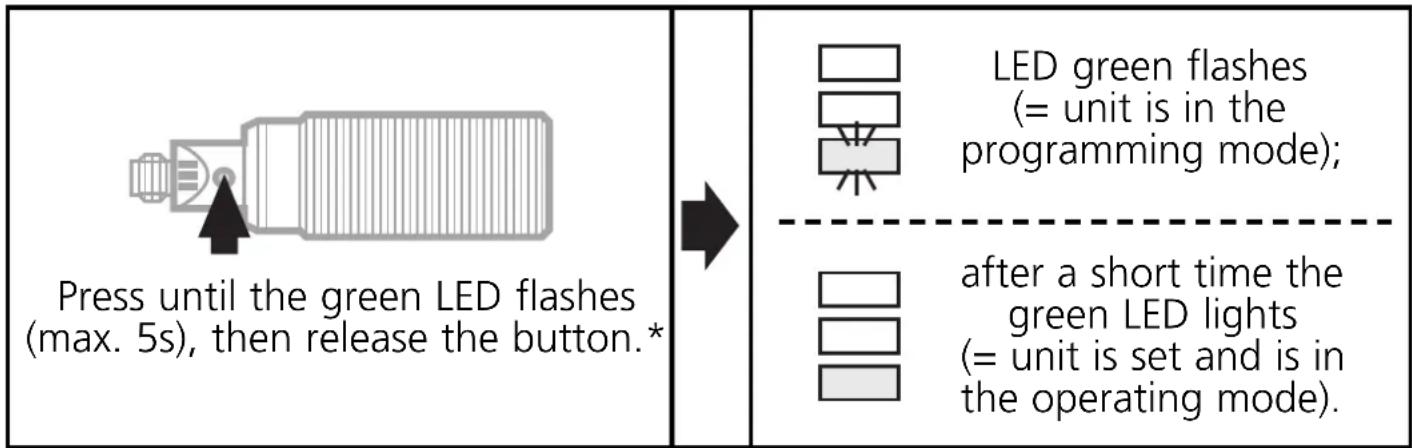
- With target medium absent
The setpoint is adjusted while the vessel is empty. When target medium is detected, the sensor's output switches. The switch-on and switch-off points are automatically generated.
- With target medium present
For most applications setting the sensor while the vessel is empty is sufficient. You can, if you wish, make an additional adjustment with the target medium present (e.g. to obtain an optimum excess gain for special applications).
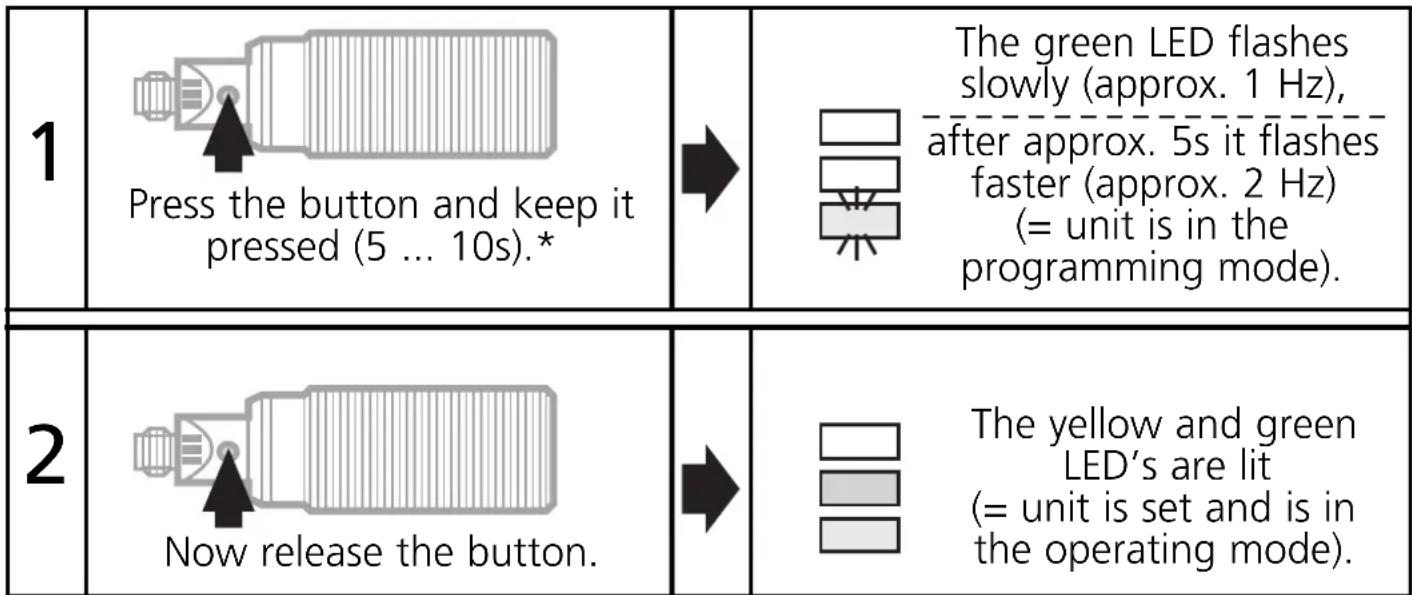
*You can adjust the setpoint via pin 2 (fc output).
(signal length = duration of pressing the button)
Type FPKG: (+U_B) to pin 2; type FNKG: (-U_B) to pin 2.
The setpoint values made with an empty vessel are not overwritten by automatic setting while the vessel is full. You can update adjustment with the vessel full as often as you wish. (Automatic setting with the vessel full will return the "full" setting to the factory default.)

If adjustment is not possible (e.g. "empty" signal strength and "full" signal strength are almost the same), the red LED flashes after setting (in addition the function check output provides a 2Hz signal).
Press the button briefly (= acknowledgement) and repeat setting.
Locking / Unlocking:
| 1 | Press for at least 10s* | → | At first the green LED flashes slowly, then faster. After 10s it goes out. The unit is locked. |
| 2 | Press for at least 10s* | → | After 10s all LED's go out for a short time. The unit is unlocked and the LED's indicate the current operating status. |
*You can also lock/unlock the unit via pin 2 (fc output).
(signal length = duration of pressing the button)
Type FPKG: (+U_B) to pin 2.
Type FNKG: (-U_B) to pin 2.
Operation
Check whether the unit functions properly. Indication by LED's and by the function check output:
| LED green | unit is ready for operation |
| LED yellow lit | = output is switched flashing = output is short-circuited |
| LED red + fc output | ON = uncertain range: - when the vessel is full: target medium is not safely detected - when the vessel is empty: the "empty" signal has changed since the last setpoint adjustment (e.g. due to excessive build-up of deposits). flashing + 2Hz signal of the fc output = error in setting or locking / unlocking. |
Brand : IFM
Model : KN5125
Category : Detector