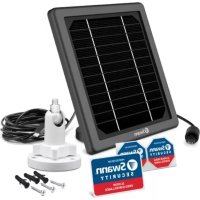
Solar Charging Panel - Solar panel SWANN - Free user manual and instructions
Find the device manual for free Solar Charging Panel SWANN in PDF.



| Product Type | Solar maintenance charging panel |
| Brand | Swann |
| Model | Solar Charging Panel |
| Power supply | Solar energy (direct sunlight) |
| Main functions | Maintenance charging of security camera batteries, maintaining charge level |
| Compatibility | Swann cameras with micro USB port (models SWIFI-XTRCAM, SWIFI-CAM and others) |
| Material | Monocrystalline/polycrystalline solar panel (unspecified), aluminum frame |
| Dimensions (estimate) | Approximately 20 x 15 x 1 cm |
| Weight (estimate) | Approximately 500 g |
| Color | Black (panel), white (mounting bracket) |
| Box contents | Solar panel, mounting bracket, micro USB extension cable, screws, wall plugs, replacement port cover |
| Installation | Wall mounting on wood or masonry, orientation towards the sun (south in northern hemisphere, north in southern hemisphere), optimal tilt |
| Maintenance | Clean regularly with a soft cloth and warm water, remove leaves and debris |
| Safety | Waterproof connections thanks to connector covers, weather protection |
| Spare parts and repairability | Extension cable and connector covers available as spare parts |
| General information | Manual available in multiple languages, free download in PDF format |
Frequently Asked Questions - Solar Charging Panel SWANN
User questions about Solar Charging Panel SWANN
0 question about this device. Answer the ones you know or ask your own.
Ask a new question about this device
Download the instructions for your Solar panel in PDF format for free! Find your manual Solar Charging Panel - SWANN and take your electronic device back in hand. On this page are published all the documents necessary for the use of your device. Solar Charging Panel by SWANN.
USER MANUAL Solar Charging Panel SWANN
Solar Charging Panel
Panel de Carga Solar
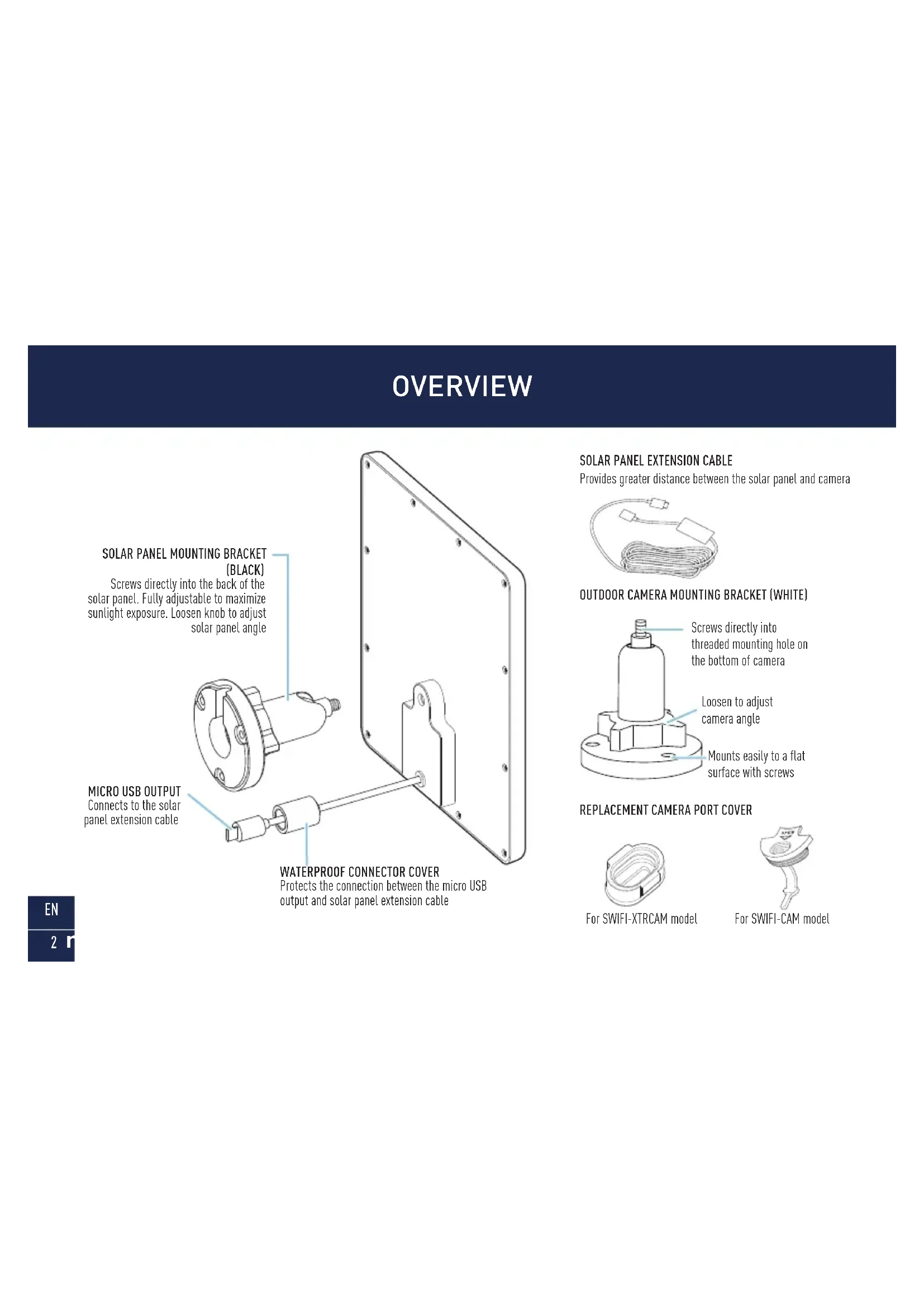
WATERPROOF CONNECTOR COVER
Protects the connection between the micro USB output and solar panel extension cable
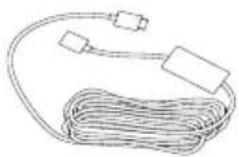
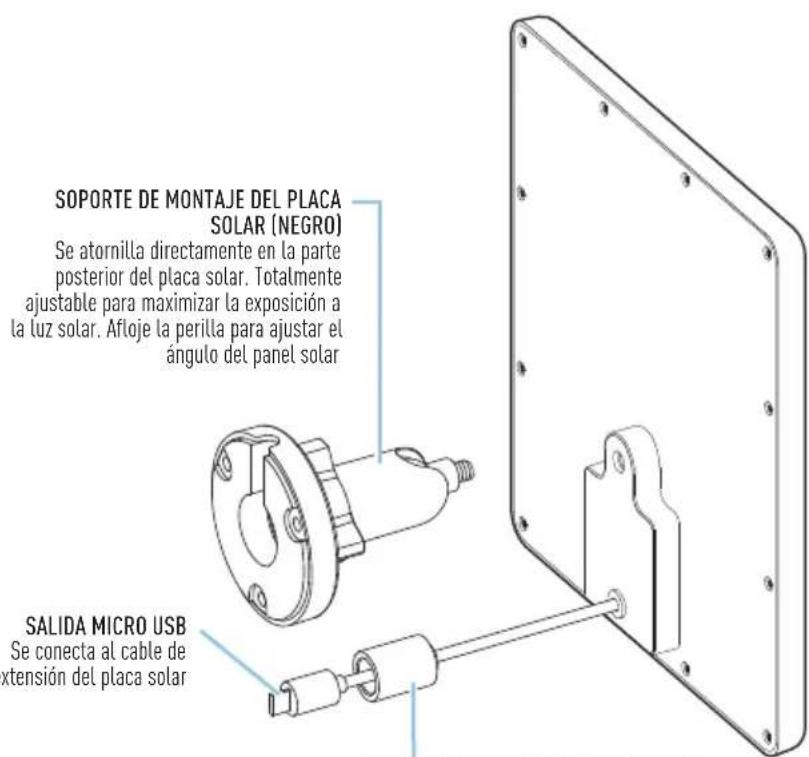
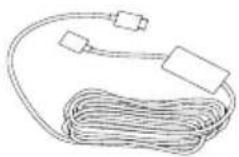
SOLAR PANEL EXTENSION CABLE
Provides greater distance between the solar panel and camera
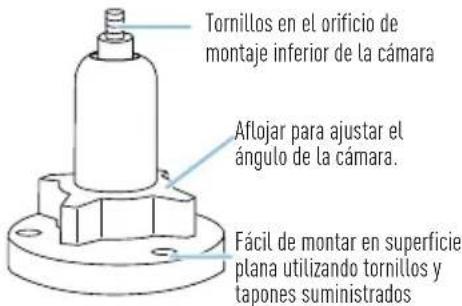
OUTDOOR CAMERA MOUNTING BRACKET (WHITE)
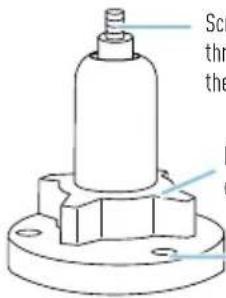
Screws directly into
threaded mounting hole on
the bottom of camera
Loosen to adjust camera angle
Mounts easily to a flat surface with screws
REPLACEMENT CAMERA PORT COVER

For SWIFI-XTRCAM model

For SWIFI-CAM model
BEFORE YOU BEGIN
- The solar panel requires full, direct sunlight to charge your camera. Grey skies, rainy days, and other inclement weather conditions may hinder the ability of the solar panel to generate power.
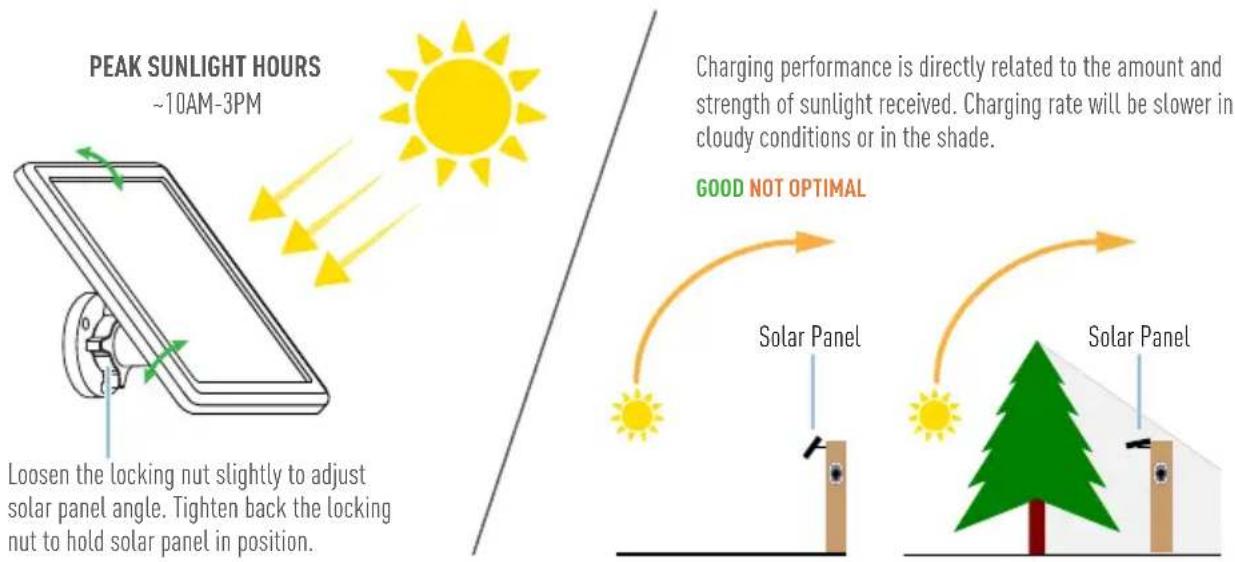
- For best results, the solar panel should be tilted in the direction that captures the most sunlight over the course of the day. The optimum angle varies throughout the year, depending on the season and your geographical location. As a general rule, in the northern hemisphere, the solar panel should face south; in the southern hemisphere, the solar panel should face north. Not sure which direction north or south sits? Download a free compass app to your phone.
- Avoid placing in a shady area where objects such as trees and buildings may block the sun. This will substantially reduce the power output of the solar panel.
- The solar panel is designed to provide a “trickle charge”, topping up and maintaining the camera’s battery charge level based upon the amount of sunlight received daily. If, during the day, the solar panel does not receive enough sunlight (e.g., cloudy weather), it may not sufficiently charge your camera and replenish any usage.
- Periodically clean the solar panel with a soft cloth and warm water. Keep the solar panel surface clear of leaves and debris for optimum performance.
INSTALLING THE SOLAR PANEL
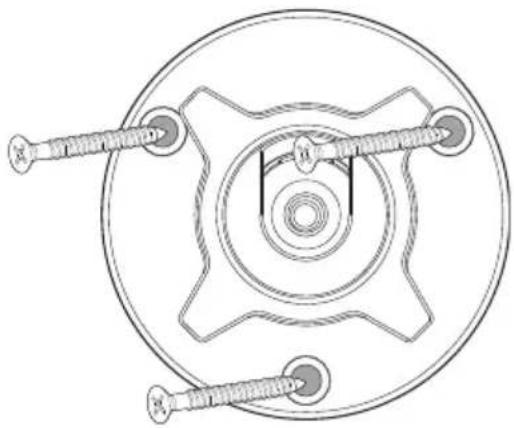
1 Attach the solar panel mounting bracket (black) to a solid surface with the supplied screws. Make sure to allow enough extension cable to reach your camera from the mounting location of the solar panel.
- If mounting to a wooden surface, screw the mounting bracket directly to the surface.
- If mounting to a masonry surface (bricks, concrete, or stucco), drill three holes and insert the supplied wall plugs into holes. Then secure the mounting bracket to the surface with supplied screws.
INSTALLING THE SOLAR PANEL
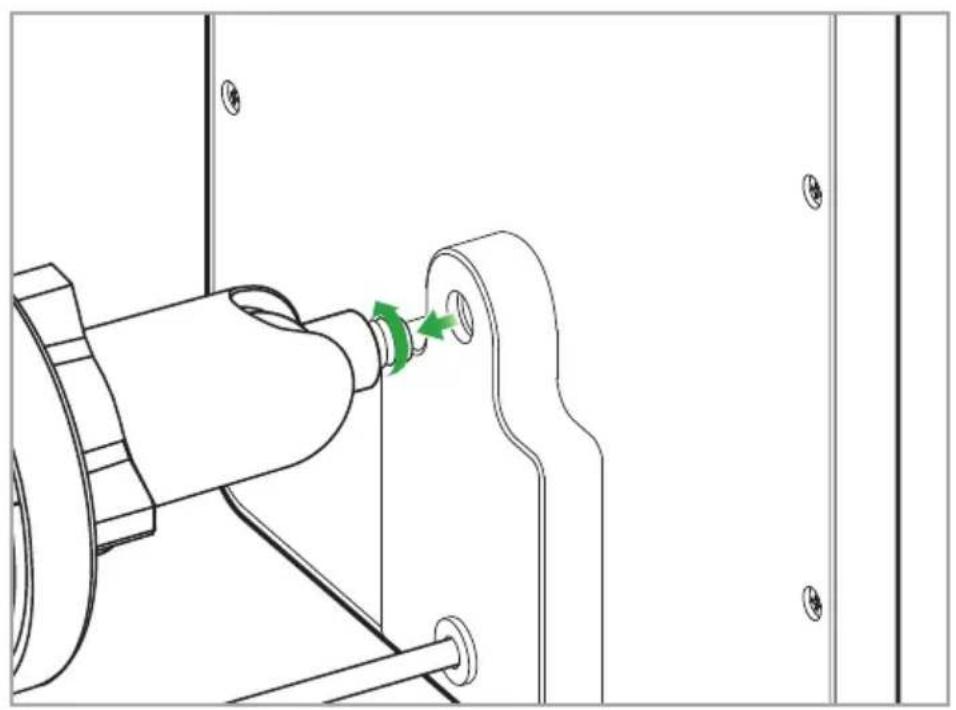
2 Screw the solar panel onto the mounting bracket until it is secured tightly, as shown below.
EN
5
INSTALLING THE SOLAR PANEL
3 The solar panel produces power only when it is exposed to sunlight. To generate the most power and achieve best charging performance, tilt the solar panel in the direction that captures the most sunlight over the course of the day.
INSTALLING THE SOLAR PANEL
4 Connect the solar panel to your camera, as shown in the diagram below.
Connect one end of the extension cable to the solar panel's micro USB output and the other end to your camera's micro USB port.
![graph LR A["SOLAR PANEL"] --> B["CONNECTOR COVER MICRO USB OUTPUT"] B --> C["CONNECTOR COVER"] C --> D["EXTENSION CABLE"] D --> E["CAMERA MICRO USB PORT (SWIFI-XTRCAM SHOWN)"] style A fill:#f9f,stroke:#333 style E fill:#bbf,stroke:#333 note1["Slide the Extension Cable connector cover A over the micr…](/content/2026/04/595088/images/72f506c42c0f1624a90831b6af351ef68605666a274d18833d2f9d84d587f9b9.jpg)
All done! The solar panel is now ready to charge your camera when the sun is out! Use the Swann Security app to check your camera's charging status and battery level at any time via the camera's Settings screen.
RESUMEN
Provides greater distance between the solar panel and camera
SOPORTE DE LA CÁMARA AL AIRE LIBRE (BLANCO)
INSTALLATION DU PANNEAU SOLAIRE
FR
17
INSTALLATION DU PANNEAU SOLAIRE
COPERCHIO DEL CONNETTORE IMPERMEABILE
INSTALLAZIONE DEL PANNELLO SOLARE
INSTALLAZIONE DEL PANNELLO SOLARE
INSTALLATION DES SOLARPANEL
DE
29
INSTALLATION DES SOLARPANEL
© Swann Communications 2020
- SOLAR CHARGING PANEL
- SOLAR PANEL EXTENSION CABLE
- BEFORE YOU BEGIN
- INSTALLING THE SOLAR PANEL
- 4 CONNECT THE SOLAR PANEL TO YOUR CAMERA, AS SHOWN IN THE DIAGRAM BELOW
- RESUMEN
- INSTALLATION DU PANNEAU SOLAIRE
- COPERCHIO DEL CONNETTORE IMPERMEABILE
- INSTALLAZIONE DEL PANNELLO SOLARE
- INSTALLATION DES SOLARPANEL
Brand : SWANN
Model : Solar Charging Panel
Category : Solar panel