PCI 5DC IW - Speaker TANNOY - Free user manual and instructions
Find the device manual for free PCI 5DC IW TANNOY in PDF.


User questions about PCI 5DC IW TANNOY
0 question about this device. Answer the ones you know or ask your own.
Ask a new question about this device
Download the instructions for your Speaker in PDF format for free! Find your manual PCI 5DC IW - TANNOY and take your electronic device back in hand. On this page are published all the documents necessary for the use of your device. PCI 5DC IW by TANNOY.
USER MANUAL PCI 5DC IW TANNOY
Premium 5" Dual Concentric In-Wall Loudspeaker for Installation Applications
PCI 6DC IW
Premium 6" Dual Concentric In-Wall Loudspeaker for Installation Applications
QCI 6DC IW
High-performance 6" Dual Concentric In-Wall Loudspeaker for Installation Applications
-
Do not defeat the safety purpose of the polarized or grounding-type plug. A polarized plug has two blades with one wider than the other. A grounding-type plug has two blades and a third grounding proing. The wide blade or the third proing are provided for your safety. If the provided plug does not fit into your outlet, consult an electrician for replacement of the obsolete outlet.
-
Protect the power card from being walked on or pinched particularly at plugs, convenience receptacles, and the point where they exit from the apparatus.
-
Use only attachments/accessories specified by the manufacturer.

- Use only with the cart, stand, tripod, bracket, or table specified by the manufacturer, or sold with the apparatus. When a cart is used, use caution when moving the cart/apparatus combination to avoid
injury from tip-over.
-
Unplug this apparatus during lightning storms or when unused for long periods of time.
-
Refer all servicing to qualified service personnel. Servicing is required when the apparatus has been damaged in any way, such as power supply cord or plug in damaged, liquid has been spilled or objects have fallen into the apparatus, the apparatus has been exposed to rain or moisture, does not operate normally, or has been dropped.
-
The apparatus shall be connected to a MANG socket outlet with a protective earthing connection.
-
Where the MAINS plug or an appliance coupler is used as the disconnect device, the disconnect device shall remain nearly operable.

- Correct disposal of this product: This symbol indicates that this product must not be disposed of with household waste, according to the WEE Directive (2012/19/EU) and
should be taken to a collection center licensed for the recycling of waste electrical and electronic equipment. EEL, the misunderstanding of this type of waste could have a possible negative impact on the environment and human health due to potentially hazardous substances that are generally associated with EEL, at the same time your cooperation in the correct disposal of this product will contribute to the efficient use of natural resources. For more information about where you can take your waste equipment for recycling, please contact your local city office, or your households waste collection service. 18. Do not install in a confined space, such as a book case or similar unit.
-
Do not place naked flame sources, such as lighted candles, on the apparatus.
-
Please keep the environmental aspects of battery disposal in mind. Batteries must be disposed-of at a battery collection point.
-
This apparatus may be used in tropical and moderate climates up to 45°C.
LEGAL DISCLAIMER
Music Tribe accepts no liability for any loss which may be suffered by any person who relies either wholly or in part upon any description, photograph, or statement contained herein. Technical specifications, appearances and other information are subject to change without notice. All trademarks are the property of their respective owners. Vidas, Klark Teknik, Lab Suggers, Lake, Tanney, Turbosound, TC Electronic, TC Helicon, Behringes, Sugera, Osterheim, Auratone, Aston Microphones and Coledudio are trademarks or registered trademarks of Music in The Global Brands Ltd. © Music Tribe Global Brands Ltd. 2021 All rights reserved.
LIMITED WARRANTY
For the applicable warranty terms and conditions and additional information regarding Music Tribe's Limited Warranty, please see complete details online at musictribe.com/warranty.
BESCHRÄNKTE GARANTIE
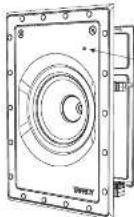
Thank you for purchasing this Tamney Dual Concentric in Wall Loudspeaker for Installation Applications. Tamney speaker systems are monitor quality speaker systems based on the company's expertise in the manufacture of premium quality cabinet loudspeakers and studio monitors. Exclusive drive unit designs and wide-bandwidth technology ensure that these loudspeakers deliver the performance that is essential for applications such as multi-room distributed audio installations, home theatre systems and discrete audio systems, as well as in the many other applications where space is at a premium but ultimate sound quality is still paramount. The speaker construction is based around a rigid moulded ABS cable with excellent structural integrity: this, when combined with the secure polycarbonate clamp mounting system (patient applied for: 0161892.9), ensures a performance-enhancing rigid acoustic coupling with the wall surface, and an Immunity stable platform for the drivers to deliver optimum performance. Complementing any style of decor, the perforated metal grille and low profile mounting frame can be palented to blend in seamlessly with the domestic environment. The result is a system offering audioplike quality sound with minimal invasion of the living space.


Unpacking
Every Tannoy product is carefully inspected before shipment. After unpacking, please inspect your product to ensure no damage has occurred in transit. In the unlikely event of damage, please notify your dealer and retain all shipping materials as your dealer may require return shipment.
Safety Notices
Tammy will not be held responsible for any damages caused by the improper installation of these loudspeakers.
ES
Introducción
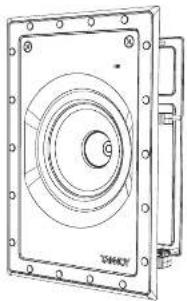
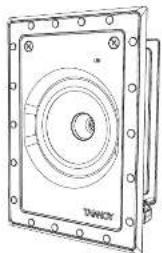
Product Feature Identification
PCI 6DC IW
natural_image
Technical line drawing of a mechanical component with concentric circular features and mounting holes (no text or symbols)QCI 6DC IW
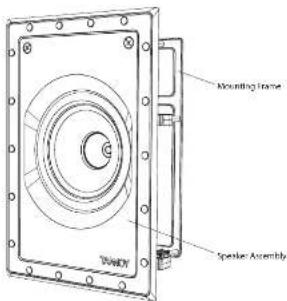
text_image
Mounting Frame Speaker Assembly TOMOYPCI 5DC IW
natural_image
Technical line drawing of a square mechanical component with concentric circles and mounting holes (no text or symbols)Speaker Assembly
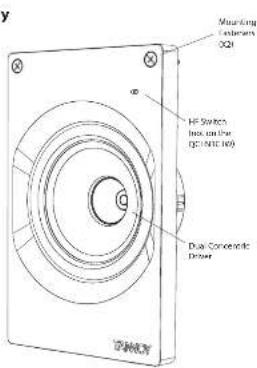
text_image
Mounting Capacitors Q21 HF Switch laser on the (60/100/100) Dual Conromatic Driver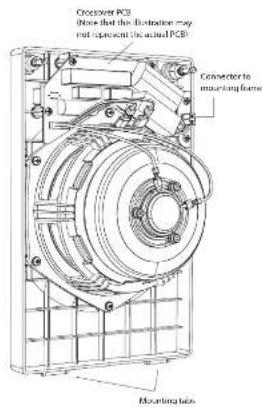
text_image
Crossover PCE Now that the Elevation may not represent the actual PCB Connector to mounting frame Mounting holesMounting Frame
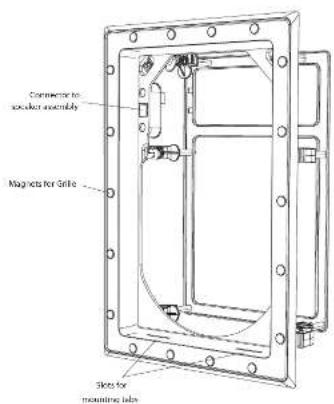
text_image
Connector to speaker assembly Magnets for Slide Skets for mounting tube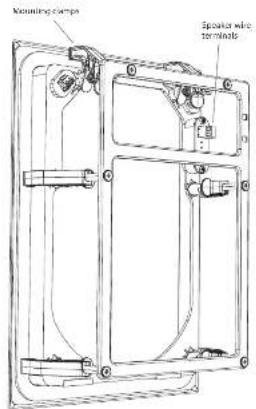
text_image
Mounting clips Speaker wire terminals
Product Feature Identification
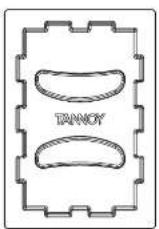
Grilles
PCI SDC IW
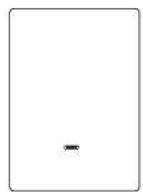
PCI 6DC IW and QCI 6DC IW
Paint Masks
PCI 5DC IW
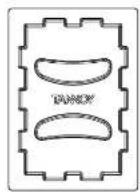
PCI 6DC IW and QCI 6DC IW
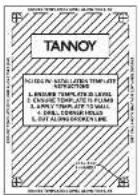
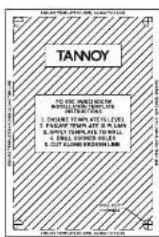
Cutout Templates
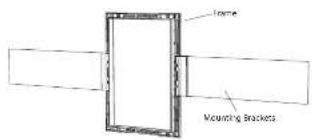
Optional PMK Pre-Mount Kit
PCI 5DC IW uses the PMK 5 IW
PCI 6DC IW and QCI 6DC IW uses the PMK 6 IW (shown below)
text_image
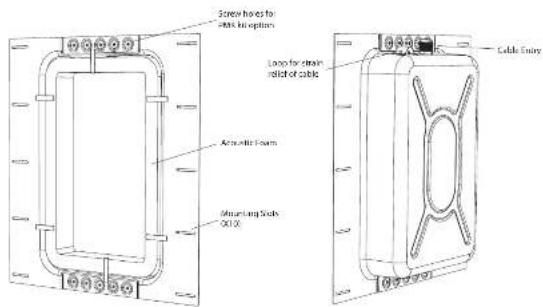
Frame Mounting BracketsOptional Back can
for PCI 5DC IW, PCI 6DC IW, and QCI 6DC IW
text_image
Screen heads to Milk in options Loop for clean infill of cable Aromatic Foam Mounting Steel OUTX Cable EntryInstallation Guide
PCI 5DC IW, PCI 6DC IW, and QCI 6DC IW Installation
WARNING: This procedure requires the use of an assistant, and the use of personal protection equipment, such as safety glasses and gloves.
WARNING: To avoid potential damage to your loudspeaker, ensure that the power amplifier is switched OFF prior to connecting or disconnecting any cables.
WARNING: Make sure that there are no power lines, other cables, or plumbing such as water, sewer, gas lines in the chosen location.
The Back can IN is an optional back can for the PCI 5DC IV, PCI 6DC IV, and the PCI 6DC IV in Wall loudspeakers. The PMR pre-mount kits are also optional, and they can be used with or without the Back can IN. Installation details are shown in the quick start guide that comes with these items.
The procedure below describes the installation of the PCI 6DC IV into a typical 2" x 4" stud wall with 16" centers, with drywall/plasterboard already installed.
The details are the same for the PCI 5DC IV and the OCI 6DC IV in Wall loudspeakers.
Cutout Templates
The PCI 5DC IV, PCI 6DC IV and QCI 6DC PW loudspeakers are provided with paper cutout templates as a guide to cutting the drywall.
Procedure
Follow the procedure steps below in the order in which they are presented. Read all the instructions before starting.
-
Locate a suitable mounting position for the loudspeaker, using a stud-finder. WARNING. Make sure that there are no power lines, other cables, or plumbing such as water, sewer, gas lines in the chosen cutout location. Also make sure that the location is far enough from the wall studs so that all the clamping mechanisms can operate without interference.
-
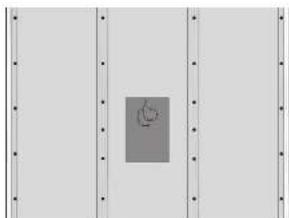
Use the supplied cutout templates (Fig. 1) in the desired location and carefully cut out a hole in the drywall using a suitable handtool. Remove any dust and debris from the hole (Fig. 2).
-
Run speaker wire to this location (Fig. 3). Leave enough slack to make the connections when that time comes. Tie down the speaker cable to prevent it moving and rattling in operation. Make sure that the speaker cable does not come into contact with nails or screws that might damage the electrical insulation.

Fig. 1. Cutout Templates

natural_image
Simple diagram with a central gray rectangle and a small heart symbol, no text or labels presentFig. 2. Drywall Cutout centered between Wall Studs
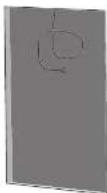
Fig. 3. Drywall Cutout with Speaker Cable
Quick Star Guide
Installing the Frame into the Wall
With the drywall aperture cut, and the speaker wiring run to this location, as shown in the previous pages, the loudspeaker frame can now be installed.
The following illustrations show the PCI GDC IV, but the details are the same for the PCI SDC IV and the QCI GDC IV loudspeakers.
-
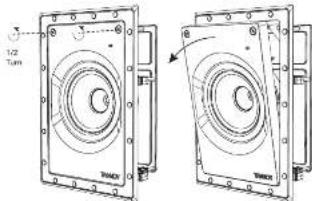
The loudspeaker baffle assembly is shipped inside the frame, and it should be removed as follows: Undo the two screws less than half a turn and then tilt the assembly out of the frame (Fig. 4). Store it in a safe dry place until it is ready to be installed.
-
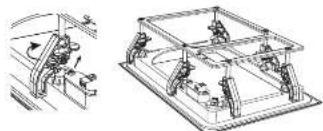
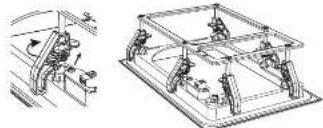
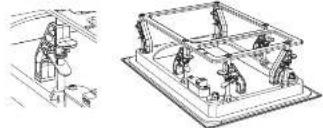
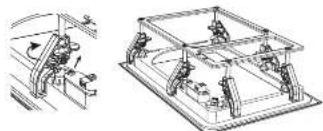
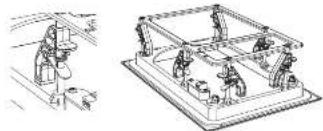
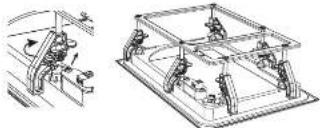
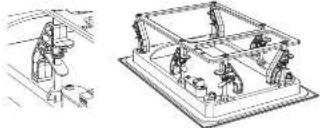
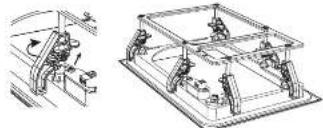
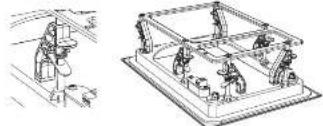
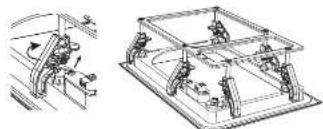
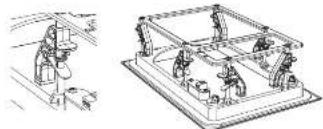
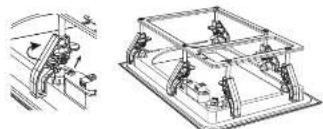
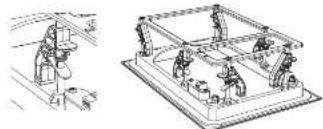
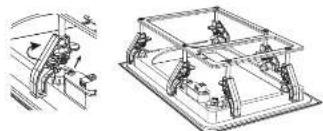
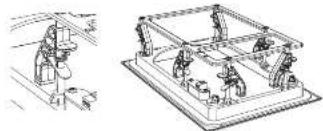
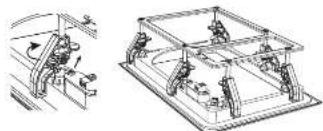
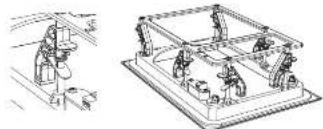
Adjust all of the mounting clamps of the frame so they are in the stowed position (Fig. 5 and 6). They are adjusted by pulling on the spring-loaded metal tab, and then moving the clamps along their mounting posts and rotating them to the side. This will allow the frame to fix into the drywall aperture.
Note: The PCI SDC IV frame has four mounting clamps, and the PCI 6DC IV and OCI 6DC IV have six as shown.
Wiring the Frame
WARNING: To avoid potential damage to your loudspeaker, ensure that the amplifier is switched OFF prior to connecting or disconnecting any cables.
WARNING: Before switching the amplifier ON, double check that all connections are secure and that the polarity is correct.
(Note that the speaker wire connections are made to the screw terminals of the frame.)
We recommend the use of insulated speaker wiring of between 12 and 18 AWG.
-
Carefully pull out the speaker cables and strip off approximately 8 mm [35°] of the outer protective layer from each conductor.
-
Locate the screw-terminal connector on the back of the frame (Fig. 7). The polarity of the connections is marked as shown in the illustration.
-
With the help of an assistant, hold the frame close to the wall aperture .
-
The positive wire from your amplifier should connect to the positive terminal. The negative wire from your amplifier should connect to negative terminal. Tighten the screw terminals to secure the wires.
S. Make sure that the speaker cable is secured to the frame, so it will not move and touch the speaker cone when it is installed.
text_image
1/2 Tum TM400 TM400Fig. 4. Removing the Loudspeaker Assembly from the Frame
natural_image
Technical line drawing of a mechanical assembly with no visible text or symbolsFig. 5. Adjusting the Mounting Camps
natural_image
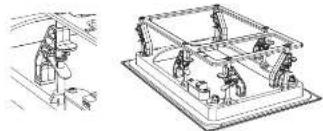
Technical line drawing of a mechanical assembly or workshop (no text or symbols present)Fig. 6 Mounting Camps moved to the Stowed Position
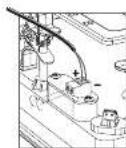
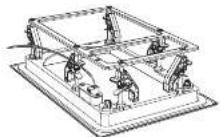
Fig. 7. Connecting Speaker Wires to the Frame
Installation
With the speaker wiring connected to the frame, and the mounting clamps stowed, the frame can now be installed into the wall.
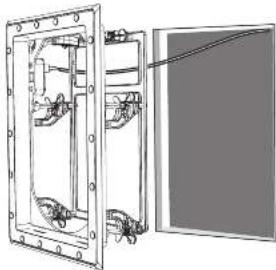
1. Carefully press the frame into the wall aperture, making sure not to trap or pinch the speaker wiring (Fig. 8).
2. Reach Inside the frame, and rotate the mounting clamps to the "Clamping" position, where they can exert a clamping force to the rear of the aperture (Fig. 9 and 10). Press the frame in and tighten each clamp, so the frame is secured in position (Fig. 11).
3. Check that the speaker wires are secured to the frame or inside the wall aperture, so they do not rattle in operation or touch the speaker cone.
natural_image
Technical line drawing of a mechanical assembly with mounting flanges and internal components (no text or symbols)Fig. 8. Installing the Frame into the Wall
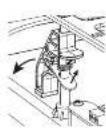

Fig. 9. Adjusting the Mounting Clamps from the Stowed Position
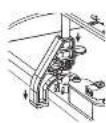
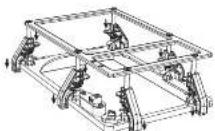
Fig. 10. Mounting Clamps moved to the Clamping Position
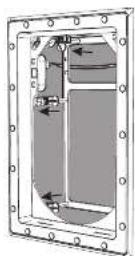
Fig. 11. Frame securely clamped to the Wall
Painting
- A paint mask is supplied to protect the loudspeaker frame from paint, dust, and debris. It allows you to paint and finish the wall after the installation of the frame.
- Press the paint mask into the frame, where it will be kept in place by magnets (Fig. 12). This is left in place while the wall and frame surround is painted, and until the loudspeaker is ready to be installed.
- It is strongly recommended that the metal perforated grille of the loudspeaker is sprayed, as this will avoid clogging of the holes. If painting with a brush is the only option, then several thin coats of paint will provide a superior finish to that achieved by one applied too thickly.
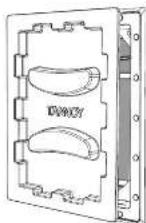
Fig. 12. Adding the Paint Mask to the Frame
Quick Star Guide
Installing the Loudspeaker Assembly
- When the wall and frame have been painted, remove the paint mask from the frame. Keep it in a safe place in case you need it again for repainting.
- Hold the loudspeaker assembly at an angle and fit the two protuding tabs on its bottom edge, into the two corresponding slots in the frame (Fig. 13).
- Tilt the loudspeaker assembly up and press the two fasteners inwards until they click into position, securing it into the frame.
- The loudspeaker is automatically connected to the speaker wiring when it is installed into the frame.
- Removal of the loudspeaker assembly is done by turning the two fasteners less than half a turn, then tilting the assembly out of the frame, and disconnecting the wire.
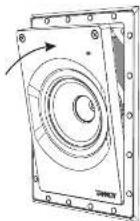
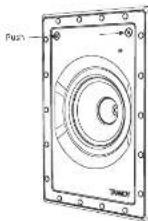
Fig. 13. Installing the Loudspeaker Assembly into the Frame
System Testing
- Switch on the amplifier with the volume control at its lowest setting. Select a suitable signal source and slowly turn up the volume to a low level. Check that the loudspeaker is working correctly and is in phase - if not, switch off the amplifier and recheck the connections.
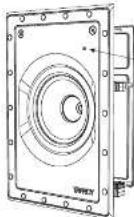
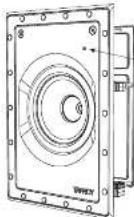
- The HF switch has three positions, with 0 dB being flat. Adjust as necessary to suit the room position and acoustic conditions (Fig. 14). (Not available on OCI 6DC IV).
- Listen carefully to ensure that there are no buzzes or rattles caused by detrieis or cables during installation.
HF Switch
0 dts +1 dts
+1.5 dB
Fig. 14. HF Switch Positions
Grille Installation
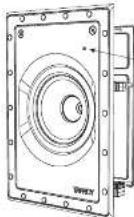
- Press the grille into the frame, where it will be held in place by magnets (Fig. 15).
- To remove the grille, loop an opened paper dip or similar length of firm wire, through two holes near a corner and pull gently. The grille is intended to be a tight fit, so insert the wire at each corner in turn, pulling carefully to avoid distortion of the mesh.
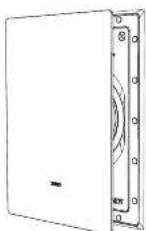
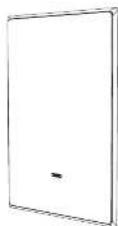
Fig. 15. Installing the Grille
Guía de instalación
natural_image
Pure diagram of a door with a circular symbol on the wall, no text or labels presentFig. 2. Drywall Cutout centered between Wall Studs
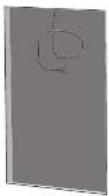
Fig. 3. Drywall Cutout with Speaker Cable
Quick Star Guide
25
Fig. 4. Removing the Loudspeaker Assembly from the Frame
natural_image
Technical line drawing of a mechanical assembly with no visible text or symbolsFig. 5. Adjusting the Mounting Camps
natural_image
Technical line drawing of a mechanical assembly or workshop (no text or symbols visible)Fig. 6 Mounting Camps moved to the Stowed Position
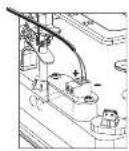
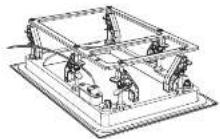
Fig. 7. Connecting Speaker Wires to the Frame
Instalación
natural_image
Technical line drawing of a mechanical assembly with mounting flanges and internal components (no text or symbols)Fig. 8. Installing the Frame into the Wall
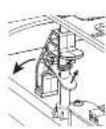
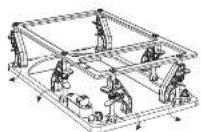
Fig. 9. Adjusting the Mounting Clamps from the Stowed Position
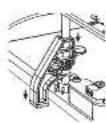
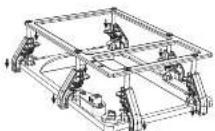
Fig. 10. Mounting Clamps moved to the Clamping Position
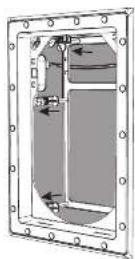
Fig. 11. Frame securely clamped to the Wall
Cuadro
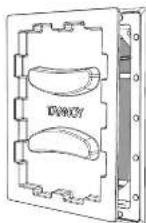
Fig. 12. Adding the Paint Mask to the Frame
Quick Star Guide
27
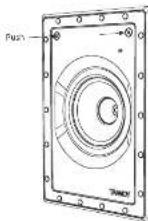
Fig. 13. Installing the Loudspeaker Assembly into the Frame
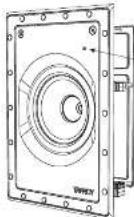
HF Switch
1.5 dB
Fig. 14. HF Switch Positions
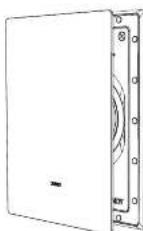

Fig. 15. Installing the Grille
natural_image
Pure diagram of a door with a small circular symbol on the left panel, no text or labels present.Fig. 2. Drywall Cutout centered between Wall Studs
Fig. 3. Drywall Cutout with Speaker Cable
Quick Star Guide
Fig. 4. Removing the Loudspeaker Assembly from the Frame
natural_image
Technical line drawing of a mechanical assembly with no visible text or symbolsFig. 5. Adjusting the Mounting Camps
natural_image
Technical line drawing of a mechanical assembly or workshop (no text or symbols present)Fig. 6 Mounting Camps moved to the Stowed Position
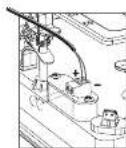
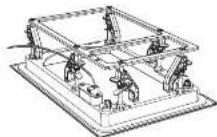
Fig. 7. Connecting Speaker Wires to the Frame
Installation
natural_image
Technical line drawing of a mechanical assembly with mounting flanges and internal components (no text or symbols)Fig. 8. Installing the Frame into the Wall
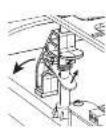
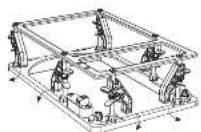
Fig. 9. Adjusting the Mounting Clamps from the Stowed Position
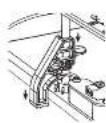
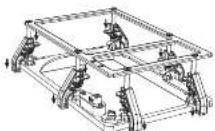
Fig. 10. Mounting Clamps moved to the Clamping Position
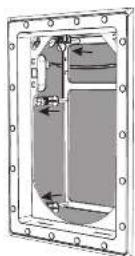
Fig. 11. Frame securely clamped to the Wall
Peinture
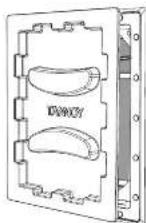
Fig. 12. Adding the Paint Mask to the Frame
Quick Star Guide
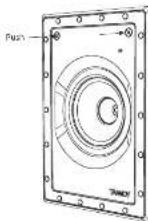
Fig. 13. Installing the Loudspeaker Assembly into the Frame
HF Switch
1.5 dB
Fig. 14. HF Switch Positions

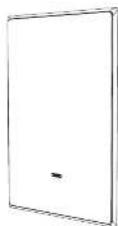
Fig. 15. Installing the Grille
Installation Guide
natural_image
Simple diagram with a central gray rectangle and a small circular symbol, surrounded by vertical lines (no text or labels)Fig. 2. Drywall Cutout centered between Wall Studs
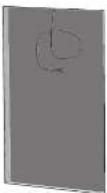
Fig. 3. Drywall Cutout with Speaker Cable
Quick Star Guide
Fig. 4. Removing the Loudspeaker Assembly from the Frame
natural_image
Technical line drawing of a mechanical assembly with no visible text or symbolsFig. 5. Adjusting the Mounting Camps
natural_image
Technical line drawing of a mechanical assembly or workshop (no text or symbols present)Fig. 6 Mounting Clamps moved to the Stowed Position
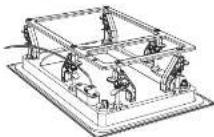
Fig. 7. Connecting Speaker Wires to the Frame
Installation
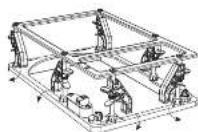
Fig. 9. Adjusting the Mounting Clamps from the Stowed Position
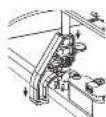
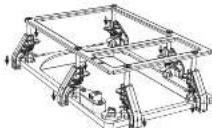
Fig. 10. Mounting Clamps moved to the Clamping Position
Malerei
natural_image
Technical line drawing of a mechanical assembly with mounting flanges and internal components (no text or symbols)Fig. 8. Installing the Frame into the Wall
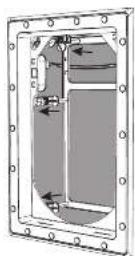
Fig. 11. Frame securely clamped to the Wall
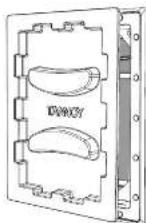
Fig. 12. Adding the Paint Mask to the Frame
Quick Star Guide
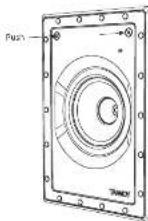
Fig. 13. Installing the Loudspeaker Assembly into the Frame
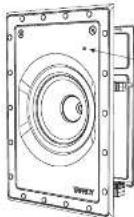
HF Switch
1.5 dB
Fig. 14. HF Switch Positions
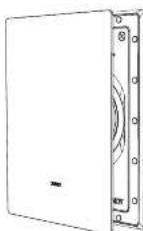
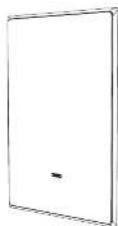
Fig. 15. Installing the Grille
Guia de instalação
natural_image
Pure architectural or mechanical diagram with vertical supports and a central gray rectangle (no text or symbols)Fig. 2. Drywall Cutout centered between Wall Stads
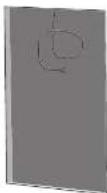
Fig. 3. Drywall Cutout with Speaker Cable
Quick Star Guide
37
Instalando a moldura na parede
Fig. 4. Removing the Loudspeaker Assembly from the Frame
natural_image
Technical line drawing of a mechanical assembly with no visible text or symbolsFig. 5. Adjusting the Mounting Camps
natural_image
Technical line drawing of a mechanical assembly or workshop (no text or symbols present)Fig. 6 Mounting Clamps moved to the Stowed Position
Fiação da estrutura
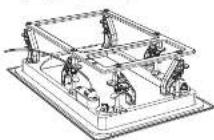
Fig. 7. Connecting Speaker Wires to the Frame
Instalação
natural_image
Technical line drawing of a mechanical assembly with mounting flanges and internal components (no text or symbols)Fig. 8. Installing the Frame into the Wall
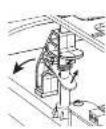
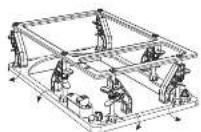
Fig. 9. Adjusting the Mounting Clamps from the Stowed Position
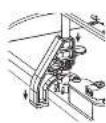
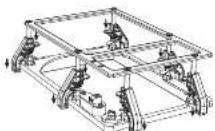
Fig. 10. Mounting Clamps moved to the Clamping Position
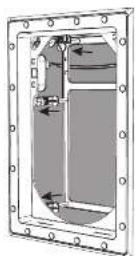
Fig. 11. Frame securely clamped to the Wall
Pintura
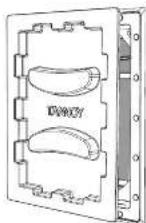
Fig. 12. Adding the Paint Mask to the Frame
Quick Star Guide
39
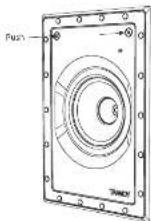
Fig. 13. Installing the Loudspeaker Assembly into the Frame

text_image
HF Switch 0.41 +1.43 +1.5 dB WHEYFig. 14. HF Switch Positions
PT
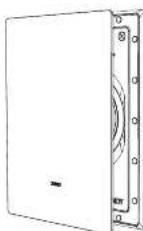
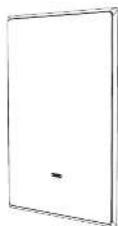
Fig. 15. Installing the Grille
natural_image
Pure diagram of a door with a small icon inside, no text or symbols presentFig. 2. Drywall Cutout centered between Wall Studs
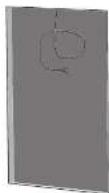
Fig. 3. Drywall Cutout with Speaker Cable
Quick Star Guide
Fig. 4. Removing the Loudspeaker Assembly from the Frame
natural_image
Technical line drawing of a mechanical assembly with no visible text or symbolsFig. 5. Adjusting the Mounting Camps
natural_image
Technical line drawing of a mechanical assembly or workshop (no text or symbols present)Fig. 6 Mounting Clamps moved to the Stowed Position
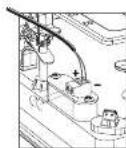
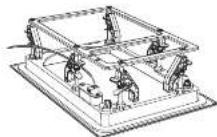
Fig. 7. Connecting Speaker Wires to the Frame
Installazione
natural_image
Technical line drawing of a mechanical assembly with mounting flanges and internal components (no text or symbols)Fig. 8. Installing the Frame into the Wall
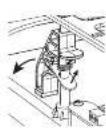
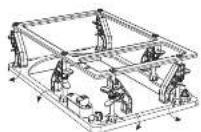
Fig. 9. Adjusting the Mounting Clamps from the Stowed Position
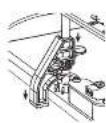
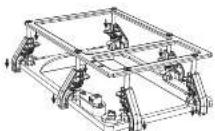
Fig. 10. Mounting Clamps moved to the Clamping Position
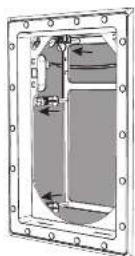
Fig. 11. Frame securely damped to the Wall
Pittura
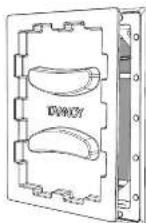
Fig. 12. Adding the Paint Mask to the Frame
Quick Star Guide
43
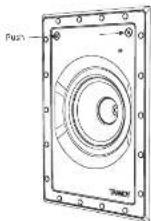
Fig. 13. Installing the Loudspeaker Assembly into the Frame
HF Switch
1.5 dB
Fig. 14. HF Switch Positions
natural_image
Pure architectural or mechanical diagram with vertical supports and a central gray rectangle (no text or symbols)Fig. 2. Drywall Cutout centered between Wall Studs
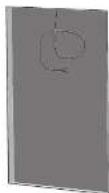
Fig. 3. Drywall Cutout with Speaker Cable
Quick Star Guide
45
Fig. 4. Removing the Loudspeaker Assembly from the Frame
natural_image
Technical line drawing of a mechanical assembly with no visible text or symbolsFig. 5. Adjusting the Mounting Camps
natural_image
Technical line drawing of a mechanical assembly or workshop (no text or symbols present)Fig. 6 Mounting Clamps moved to the Stowed Position
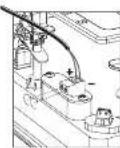
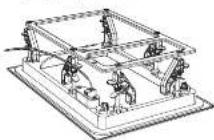
Fig. 7. Connecting Speaker Wires to the Frame
Installatie
natural_image
Technical line drawing of a mechanical assembly with mounting flanges and internal components (no text or symbols)Fig. 8. Installing the Frame into the Wall
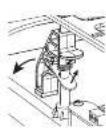
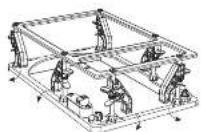
Fig. 9. Adjusting the Mounting Clamps from the Stowed Position
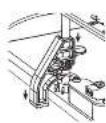
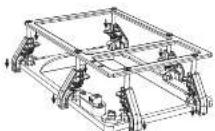
Fig. 10. Mounting Clamps moved to the Clamping Position
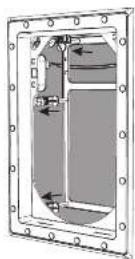
Fig. 11. Frame securely clamped to the Wall
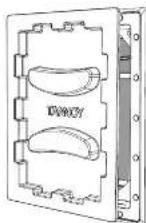
Fig. 12. Adding the Paint Mask to the Frame
Schilderen
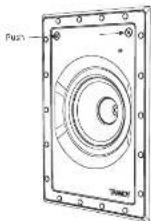
Fig. 13. Installing the Loudspeaker Assembly into the Frame
HF Switch
1.5 dB
Fig. 14. HF Switch Positions
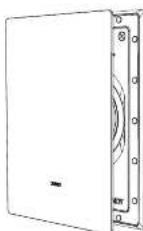
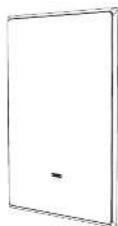
Fig. 15. Installing the Grille
Quick Star Guide
Installationsguide
natural_image
Pure diagram of a door frame with a small icon inside, no text or symbols presentFig. 2. Drywall Cutout centered between Wall Studs
Fig. 3. Drywall Cutout with Speaker Cable
Quick Star Guide
49
Fig. 4. Removing the Loudspeaker Assembly from the Frame
natural_image
Technical line drawing of a mechanical assembly with no visible text or symbolsFig. 5. Adjusting the Mounting Camps
natural_image
Technical line drawing of a mechanical assembly or workshop (no text or symbols visible)Fig. 6 Mounting Camps moved to the Stowed Position
Anslutning av ramen
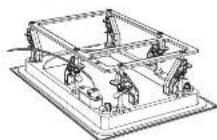
Fig. 7. Connecting Speaker Wires to the Frame
Installation
natural_image
Technical line drawing of a mechanical assembly with mounting flanges and internal components (no text or symbols)Fig. 8. Installing the Frame into the Wall
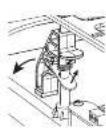
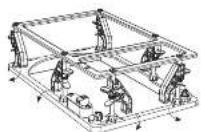
Fig. 9. Adjusting the Mounting Clamps from the Stowed Position
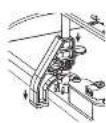
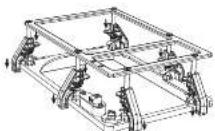
Fig. 10. Mounting Clamps moved to the Clamping Position
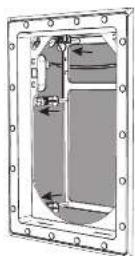
Fig. 11. Frame securely damped to the Wall
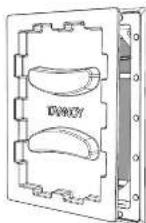
Fig. 12. Adding the Paint Mask to the Frame
Quick Star Guide
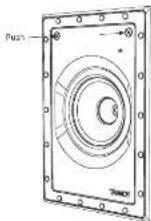
Fig. 13. Installing the Loudspeaker Assembly into the Frame
Systemtestning
natural_image
Simple diagram with a central gray rectangle and a small hand icon, surrounded by vertical lines (no text or symbols)Fig. 2. Drywall Cutout centered between Wall Studs
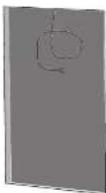
Fig. 3. Drywall Cutout with Speaker Cable
Quick Star Guide
53
Fig. 4. Removing the Loudspeaker Assembly from the Frame
natural_image
Technical line drawing of a mechanical assembly with no visible text or symbolsFig. 5. Adjusting the Mounting Camps
natural_image
Technical line drawing of a mechanical assembly or workshop (no text or symbols present)Fig. 6 Mounting Clamps moved to the Stowed Position
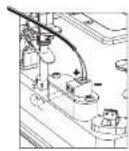
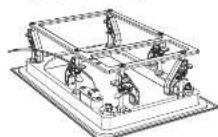
Fig. 7. Connecting Speaker Wires to the Frame
Instalacja
natural_image
Technical line drawing of a mechanical assembly with mounting flanges and internal components (no text or symbols)Fig. 8. Installing the Frame into the Wall
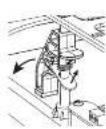
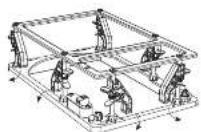
Fig. 9. Adjusting the Mounting Clamps from the Stowed Position

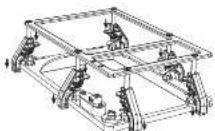
Fig. 10. Mounting Clamps moved to the Clamping Position
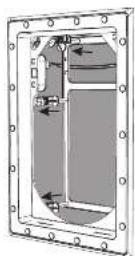
Fig. 11. Frame securely clamped to the Wall
Obraz
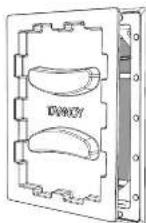
Fig. 12. Adding the Paint Mask to the Frame
Quick Star Guide
55
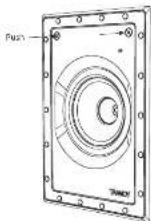
Fig. 13. Installing the Loudspeaker Assembly into the Frame
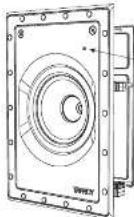
HF Switch
1.5 dB
Fig. 14. HF Switch Positions
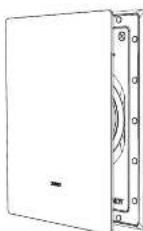
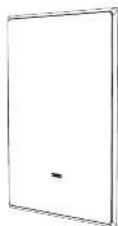
Fig. 15. Installing the Grille
EN
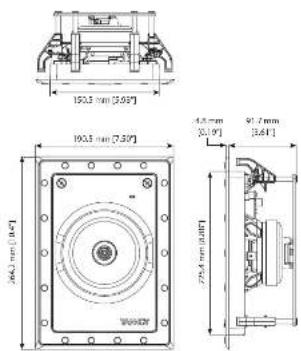
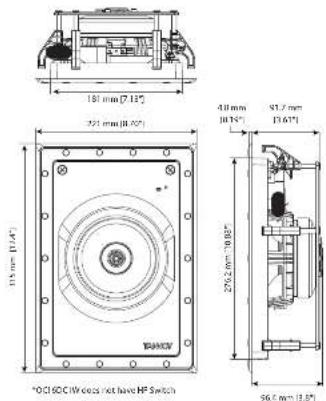
Dimensions Specifications
PCI 5DC IW
PCI 6DC IW and QCI 6DC IW
| Performance | |||
| Frequency response (-1.3 dB), 50 Hz, 20 kHz, 50 Hz, 20 kHz, 50 Hz, 20 kHz | |||
| Frequency response (-10 dB), 35 Hz, -20 kHz, 70 Hz, -20 kHz, 30 Hz, -20 kHz | |||
| Sensitivity (V) vs time (s) dB | |||
| Directivity factor (Q) 4.2 averaged 1 kHz to 10 kHz 4.8 averaged 1 kHz to 10 kHz | |||
| Directivity index (Q) 6.2 averaged 1 kHz to 10 kHz 5.8 averaged 1 kHz to 10 kHz | |||
| Power handling (IEC) | |||
| Average 50 kV | 150 W | ||
| Programme | 120 W | 140 W | |
| Peak | 240 W | 280 W | |
| Recommended amplifier power | 180 W x 8.0 | 210 W x 6.0 | |
| Nominal impedance (I a Z) | 8.0 | ||
| Rated maximum SPL t1 m, Ia Zr 105 dB | 107 dB | ||
| Average | 103 dB | 104 dB | |
| Peak | 105 dB | 110 dB | |
| Crossover point | 1.6 dB | ||
| Coverage angles | |||
| 300 Hz | 180° horizontal, 160° vertical | 180° horizontal, 160° vertical | |
| 1 kHz | 150° horizontal, 154° vertical | 140° horizontal, 164° vertical | |
| 2 kHz | 131° horizontal, 143° vertical | 119° horizontal, 134° vertical | |
| 4 kHz | 107° horizontal, 89° vertical | 92° horizontal, 87° vertical | |
| Transducers | |||
| Low frequency diameter/material/type | 128 mm [5"] | 165.5 mm [4"] | |
| High frequency diameter/material/type | 25.4 mm [0.8"] | 25.4 mm [4"] | |
| Physical | |||
| Back can | Option 1: BACK CAN/W; Steel, powder coating | ||
| Baffle | Reflex loaded UL94 V-0 rated ABS | ||
| Grille | Steel, with weather resistant coating | ||
| Safety features | — | ||
| Clamping design | Security toggle clamp | ||
| Connections | Phoenix Contact terminal block | ||
| Dimensions (inches) | 261 x 191 x 100 mm (10.4 x 7.5x 4.2") | 313 x 221 x 106 mm (32.4 x 8.7 x 6.1") | |
| Beated dimensions | Square: 264 x 190.5 mm (16.4 x 7.5") | Square: 376 x 221 mm (12.4 x 8.3") | |
| Mounting depth | 91.7 mm (3.6") | 91.7 mm (3.6") | |
| Hole cutout dimensions | 248 x 175 mm (9.8 x 6.8") | 259 x 203 mm (11.8x8") | |
| Net weight | 1.2 kg (3.7 lbs) 2.8 kg (5.6 lbs) | 2.9 kg (6.4 lbs) | |
| Packed quantity | 1 | ||
| Included accessories | Grille, paint mask, cutout template | ||
| Optional accessories | Option 1: BACK CAN/WOption 2: PARK 5 W' | Option 1: BACK CAN/WOption 2: PARK 6 W' | |
EN
Other important information

Important information
- Register online. Please register your new Music Tribe equipment right after you purchase it by visiting musictribe.com. Registering your purchase using our simple online form helps us to process your repair claims more quickly and efficiently. Also, read the terms and conditions of our warranty, if applicable.
- Malfunction. Should your Music Tribe Author and Reseller not be located in your vicinity, you may contact the Music Tribe Authorized Fulfill for your country listed under "Support" at musicitibe.com. Should your country not be listed, please check if your problem can be dealt with by our "Online Support" which may also be found under "Support" at musicitibe.com. Alternatively, please submit an online warranty claim at musicitibe.com BEFORE returning the product.
- Power Connections. Before plugging the unit into a power socket, please make sure you are using the correct mains voltage for your particular model. Fuzzy fuses must be replaced with fuses of the same type and rating without exception.

Herby, Music Tribe declares that this product is in compliance with Directive
2011/65/EU and Amendment 2015/863/EU, Directive 2012/19/EU, Regulation
519/2012 REACH SAHC and Directive 1907/2001/E/C, and the pairwise product is not applicable to EAC Directive 2014/2011/11/2016/2014/15/18.
Full text of EU DoC is available at https://community.music.nbc.com/
EU Representative: Music Tribe Brands OK A/S
Address: In Spring Obers Gate 17, DK - 8200 Aarhus N, Denmark
EN