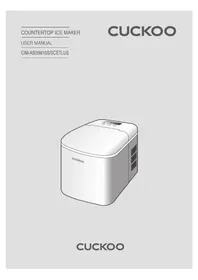
CIMAS09M10S - Other kitchen appliances Cuckoo - Free user manual and instructions
Find the device manual for free CIMAS09M10S Cuckoo in PDF.


| Product type | Ice maker |
| Brand | Cuckoo |
| Model | CIMAS09M10S |
| Supply voltage | 120 V, 110 V (15 A minimum) |
| Production capacity | About 12 kg of ice cubes per 24 hours |
| Water tank capacity | 2 L |
| Dimensions (W x D x H) | 22 x 29 x 32 cm |
| Net weight | 8 kg |
| Housing material | Stainless steel and ABS plastic |
| Type of ice cubes | Bullet or cube shaped ice cubes (depending on program) |
| Production cycle | About 8 to 15 minutes per cycle |
| Main functions | Automatic ice making, automatic stop when basket is full |
| Noise level | Below 50 dB |
| Maintenance and cleaning | Clean the tank and filter regularly; descale every 2 months |
| Safety | Overheat protection, automatic shutdown in case of malfunction |
| Included accessories | Ice basket, ice scoop, ice tray |
| Warranty | 2 years |
| Repairability | Spare parts available (basket, tank, filter) |
Frequently Asked Questions - CIMAS09M10S Cuckoo
User questions about CIMAS09M10S Cuckoo
0 question about this device. Answer the ones you know or ask your own.
Ask a new question about this device
Download the instructions for your Other kitchen appliances in PDF format for free! Find your manual CIMAS09M10S - Cuckoo and take your electronic device back in hand. On this page are published all the documents necessary for the use of your device. CIMAS09M10S by Cuckoo.
USER MANUAL CIMAS09M10S Cuckoo
COUNTERTOP ICE MAKER
USER MANUAL
CIM-AS09M10S/SCETLUS
CUCKOO
natural_image
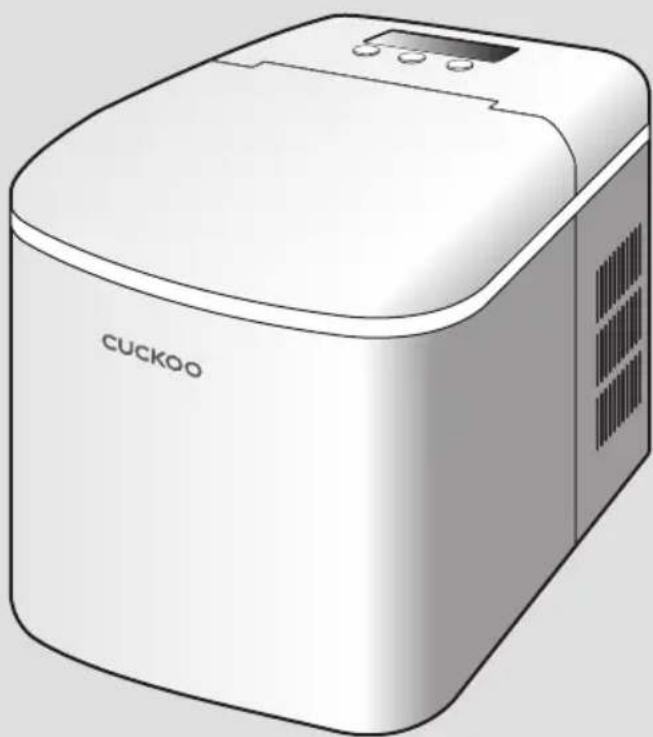
Illustration of a white Cuckoo microwave oven with control panel and ventilation slots (no text or symbols on body)CUCKOO
Dear customers,
Thank you for purchasing CUCKOO Ice Maker. Please retain this manual for future reference. This manual will be of great help should you have any questions or when the functions do not work properly.
natural_image
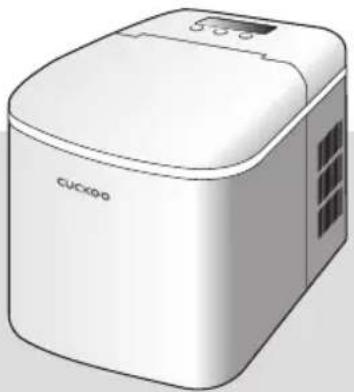
Illustration of a white CUCKoo appliance with lid and ventilation slots (no text or symbols on body)Product Benefits
Ice Maker
The safest and most hygienic ice maker made with stainless steel rods for ultimate cleanliness.
High-volume 20 lbs Ice Making Capacity Makes ups to 20 lbs of ice a day!
Makes ice in under 10 minutes!
Enjoy your ice in no time with 1 batch ready in 6 minutes!
(Ice making time may vary depending on the installation environment and conditions.)
Has an Ice tray full and fill water basin notification. It is possible to quickly check for any abnormality in the with the ice maker by the full ice or no water alarm.
Auto Clean Function
Convenient cleaning is possible thanks to the Auto Clean function.
Small and Large size ice bullets available. Select between Small or Large size ice bullets.
Simple Display
Our LCD display gives a real time update on the current state of ice making, time, etc. and can be intuitively checked through the 3 buttons on the panel.
Enjoy this at home with family, at parties with friends, or work places.
- Kitchen spaces for employees in stores, offices and other working environments
- Accommodation-style environment where breakfast is served
• Supply of foods and similar non-retail applications
• Farm households, and customers at hotels, motels and other residential types
Please read this manual thoroughly to use this product correctly.
After reading this manual, please keep it in an accessible place.
* Caution: Please read this manual in its entirety to ensure product longevity.
CONTENTS
Before Use
Characteristics and Merits of CUCKOO Ice Maker 2
Safety Warnings
● Cautions for Installation 15
Control Panel Description 16
How To Use 17
Cleaning & Maintenance 18
Troubleshooting
Please check before reporting a malfunction. 19
Service Guide
Product Specifications 20
Safety Warnings
- Please comply with the "Safety Warnings" to ensure safe and proper use of the product and to avoid accidents or dangerous situations.
- The "Safety Warnings" section is defined as follows:

Warning
Potentially dangerous situations that can cause serious injuries or death if not avoided.

- This symbol indicates a potentially dangerous situation which will be emitted from the product if the situation occurs.

Caution
Potentially dangerous situations that can cause minor injuries if not avoided.

- This symbol is used to "prohibit" a certain action.

- This symbol is used to "instruct" a certain action.
Warning Prohibited
This product is exclusively for AC 120V only.
- Make sure to insert the power plug properly into an outlet exclusively for 110V and the current rating of 15A or greater that is grounded.
- If the outlet is not grounded, it may cause a malfunction and/or electric shock.
When putting in or pulling out the Power Plug, first remove the moisture on your hands and then insert or pull out the Power Plug.
- It may cause electric shock.
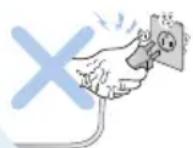
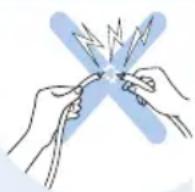
Do not randomly connect the power cord before use.
- It may cause electric shock or fire.
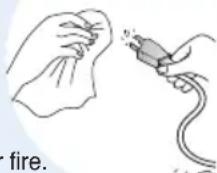
Wipe off any materials on the Power Plug with a dry cloth.
- It may cause electric shock or fire.
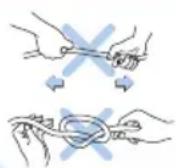
Do not forcefully bend, tie, or pull the Power Cord.
- It may cause an electric shock or fire.
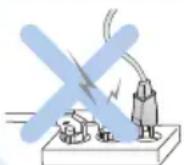
Do not insert several power plugs in a single outlet at the same time.
- It may cause the generation of heat, combustion or fire.
This device is not made to be used by persons (including children)
who are unable to use it safely without supervision or guidance for lacking the
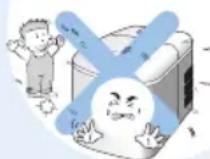
bodily, sensory and/or mental capacity or the experience and knowledge.
- Make sure to educate and monitor children while using this device and to help prevent any accident.
- It may cause electric shock or fire.
natural_image
Illustration of a hand cleaning a cloth next to a tool (no text or symbols)Unplug when not used for a long period of time, during lightning storms, or during cleaning and maintenance.
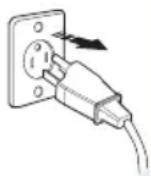
- It may cause a malfunction of the product.
- It may cause electric shock or fire.
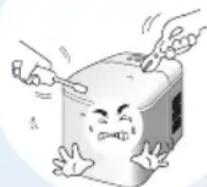
Do not separate, disassemble, repair, or remodel the product. Prevent any foreign substances from entering into the product.
natural_image
Cartoon illustration of a distressed cube with arms and legs, showing stress or discomfort (no text or symbols)- It may cause a malfunction of the product.
- It may cause a fire, electric shock, or bodily injury.
Do not install the product near a gas range or any object that uses fire or high heat.
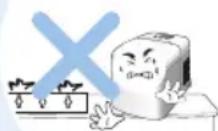
- It may cause a fire, discoloration, or malfunction.
Do not operate the product with wet hands.
- It may cause electric shock.
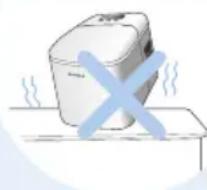
Do not use it in an unstable location where it may easily fall. Do not place a pad, cushion or electric blanket underneath the product.
natural_image
Simple line drawing of a steaming appliance with a blue 'X' symbol (no text or symbols present)- It may cause electric leakage, electric shock, distortion or discoloration.
- Do not place the Power Cord near an electric heating appliance.
Stop using the product if the Power Cord or the Power Plug is damaged or shaking.
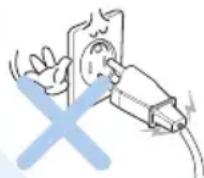
- If the sheath of the Power Cord is peeled or chopped off due to negligence, it may cause a fire or electric shock.
Thus, please check the state of the Power Cord, Power Plug, and Power Outlet frequently.
During use, do not place near an object that is vulnerable to heat or has a risk of ignition and/or explosion.
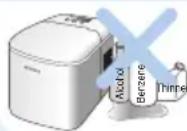
- It may cause bodily harm, electric shock, fire, and/or malfunction.
Do not use in a sink, bath, or anywhere water may get into the product. Do not use in places with chemical substances.
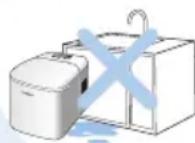
- There is a risk of electric leakage and electric shock.
- Do not use it in places with a significant amount of dust or chemical substances.
Do no use any devices or methods that may remove frost other than those recommended by the manufacturer.
natural_image
Illustration of a hand holding a device with a blue X symbol, no text or symbols presentnatural_image
Simple line drawing of a steaming appliance with a blue X mark on a table (no text or symbols)When using the product on a multipurpose shelf, ensure the power cord does not get stuck in between any cracks.
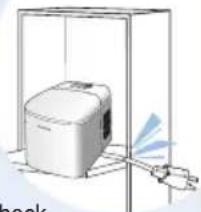
natural_image
Illustration of a microwave oven inside a transparent enclosure with a cooling fan nearby (no text or symbols)- It may cause a fire or electric shock.
Connect the Power Plug so that the Power Cord points downward.

- If connected in the reverse manner, wires inside the Power Cord may snap. They may potentially cause a fire and/or electric shock.
Unplug the Power Plug from the outlet when not in use.
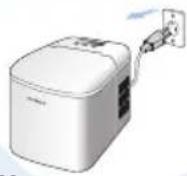
- It may cause electric shock, electric leakage, and / or fire due to a lowered insulation performance.
Do not turn the product upside down or tilt it more than 45 degrees.
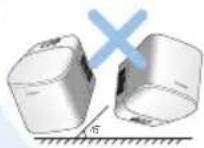
- It may cause damage or harm to the product.
natural_image
Diagram of a microwave oven inside a transparent enclosure with a hand emitting light (no text or symbols)Make sure the power cord is not under any heavy object or in contact with a sharp edge. Take special caution to ensure that the power cord is not damaged
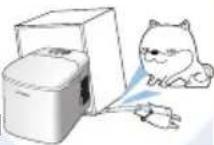
- It may cause damage to the Cord, which may lead to electric shock and/or fire.
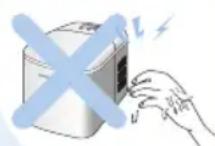
Do not touch the ice-making rod inside while ice-making is in operation.
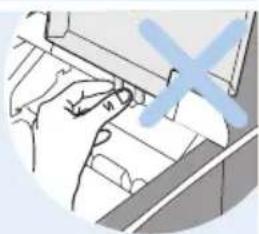
natural_image
Illustration of a hand holding a small object with a blue X symbol overlay (no text or symbols present)• There is a risk of burns.
This product is designed to produce ice cubes. Do not use it for other purposes such as freezing food or beverages.
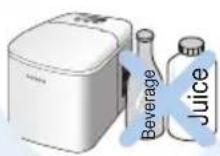
Do not drop the main body, container and / or any of the components.
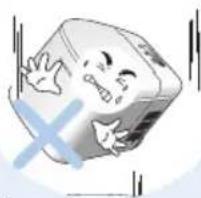
natural_image
Cartoon illustration of a smiling book with arms and legs, partially submerged in water (no text or symbols)- It may cause physical damage to the product. This may also cause a safety hazard.
- Do not apply excessive force to the product.
While cleaning the product, do not spray water directly onto the main body.
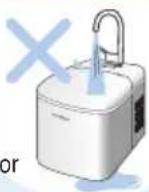
- It may cause a malfunction and or electric shock.
Do not place a bowl of water, drugs, foods, small metallic materials, or other substances on top of the product.
- If it gets into the product, this it may cause an electric shock and/or fire.
Do not use the product on a slope or uneven surface.
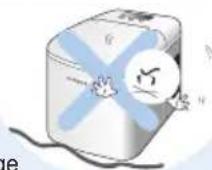
- It may cause burns or damage to the product.
- Avoid getting your hands, feet, or other objects caught on the power cord as it may knock the product over.
Do not insert any explosive, inflammable, corrosiveness, or alkali substances into the ice maker.
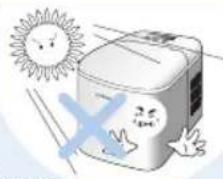
Avoid direct sunlight while installing the product.
natural_image
Cartoon illustration of a smiling water can with sun and a cross symbol (no text or symbols)- It may cause a malfunction and/or discoloration to the exterior of the product.
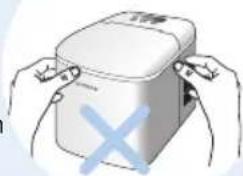
Do not move the main body while in operation.
• It may cause a malfunction or safety issue.
natural_image
Illustration of hands holding a white container with a blue 'X' symbol, no text or symbols presentnatural_image
Illustration of a hand using a tool to interact with documents or files (no visible text or symbols)natural_image
Cartoon illustration of a smiling book with a sad face and a blue X symbol, no text or symbols present.natural_image
Cartoon illustration of a smiling refrigerator with sun and a blue X mark, no text or symbols presentnatural_image
Illustration of hands holding a container with a blue X symbol (no text or symbols present)Safety Cautions

Caution Prohibited
Do not spray insecticide, combustible spray, or other similar substance near the product.
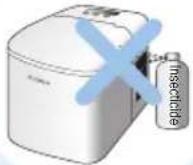
- It may cause a malfunction or fire.
Do not install the product in a sealed space or a storage closet.
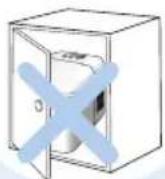
- It may cause the product to overheat, which may lead to a malfunction or fire.
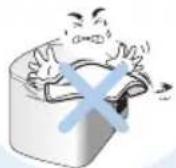
When the product is in operation, ensure that it does not come into contact with any foreign liquids or materials such as a dishcloth. Do not clog the vent. If a foreign material gets caught in the product, pull out the Power Plug.

Caution Instructions
If you detect a strange sound, odor, or smoke during use, pull out the Power Plug immediately.
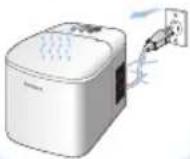
Request a professional technician for any repairs or installations.
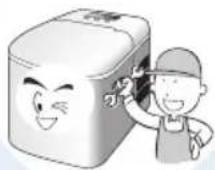
- It may cause electric shock, fire, malfunction, explosion, burn and/or bodily injury.
Handling of Waste Products
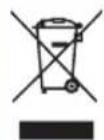
Packaging material of this product is made of recyclable material in accordance to national laws. Do not discard the packaging with other household wastes. Instead, separately dispose it. If you need to discard an electronic device or component, dispose of it in a specified method in accordance to your area.

Mises en garde

Interdictions
Cautions for Installation
When Installing
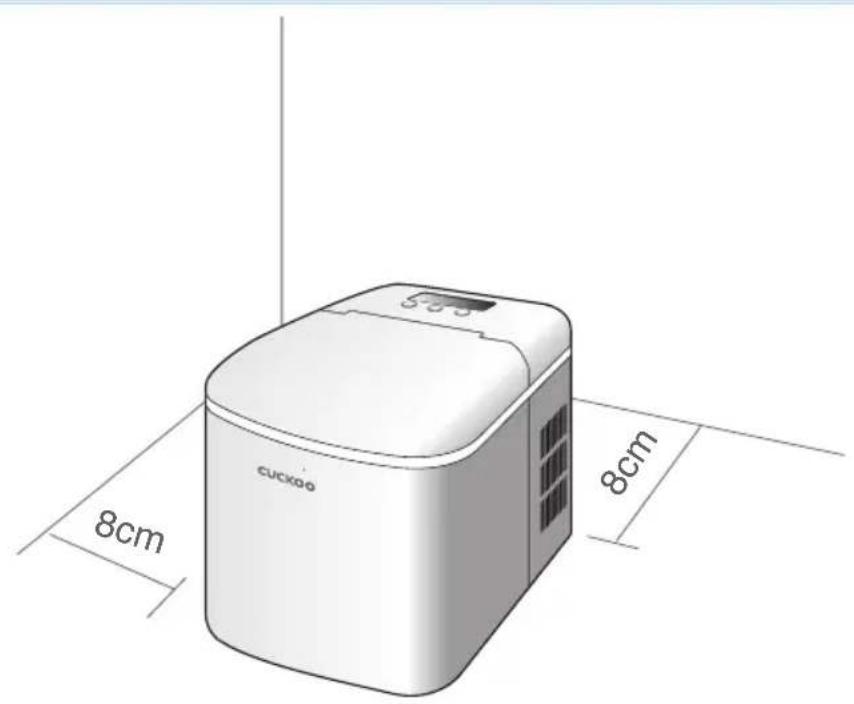
! Review information before Installation
1 Install the product on a solid, flat floor.
2 Use it in a well-ventilated area.
3 Install the ice maker at least 8cm away from a wall so that airflow is not blocked.
4 Use it in a shaded area with no direct sunlight.
5 Keep it away from heat-generating devices.
- It may cause product to malfunction or breakdown.
Control Panel Description
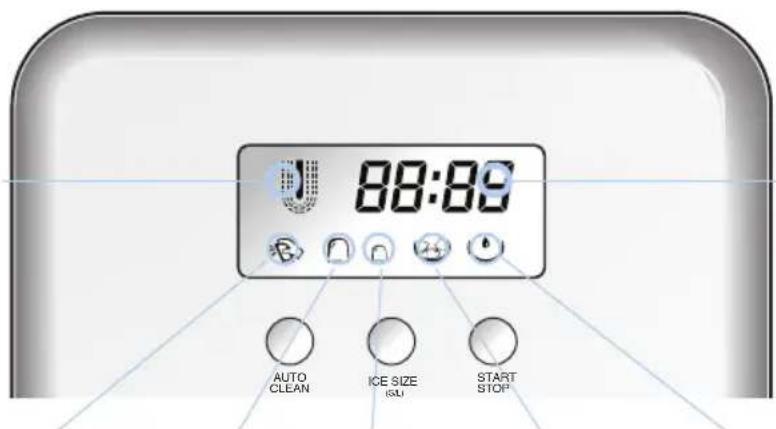
Ice Making Timelce Makin
Auto Clean Large Size Small Size Full Ice Display Water Shortage Warning
| Button | Explanation of Operation |
| AUTO CLEAN | To initiate cleaning function, press the AUTO CLEAN button, then the START/STOP button. Once the cleaning is complete, it automatically switches to the Standby mode.Warning: Do not turn off power during cleaning. |
| ICE SIZE (S/L) | Select the S/L mode. Default setting is Large Ice Making mode.The display will show the selected mode you choose.Small Ice: 8 min. / Large Ice: 9 min. (at room temperature of 25°C) |
| START/STOP | To start ice making function, connect the power and press the START/STOP button. |
| Displayed Icon | Explanation of Functions and Operations |
 | The dotted lines will start blinking once the ice Making function is in use. |
 | When the AUTO CLEAN button is pressed, the icon light will turn on. If the START/STOP button is pressed at this time, the auto clean icon will start to blink.This will activate the cleaning function.* Once the cleaning cycle repeats 5 times, it will automatically enter standby mode.This is where you can select the ice cube sizes.To air dry your ice maker, open the drain stopper, completely empty the water tank, and then open the cover in a cool location. |
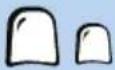 | Press the ICE SIZE(S/L) button to select either the large ice or small ice option.Size and weight of ice may be dependent on environmental temperature and water usage. |
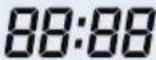 | The timer will start after ice making begins.The ice-making timer will not stop during operation.When the display is 99 : 99, the time will reset to 00 : 00. |
 | If water is not detected for 5 seconds, the Water Shortage icon will appear.This will cause the ice maker to stop its operation. |
 | The Full Ice icon will display once the ice basket is completely full.This will stop the ice maker from operation. |
How to Use
How to Use
1 Open the lid, take out the ice basket and pour water into the water tank.
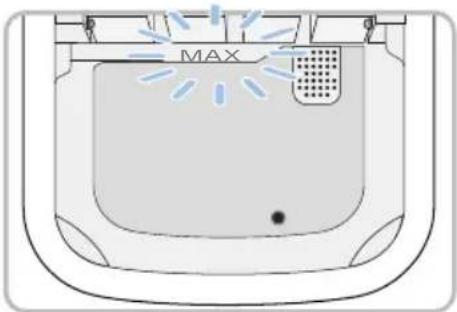
▶ Make sure water does not exceed maximum graduation, or MAX. If water exceeds MAX, open the drain stopper at the bottom to drain.
2 Connect the power and press the START/STOP button to begin.
▶ Once the power is connected, the display will turn on. To start the ice making process, press the START/STOP button while in standby mode.
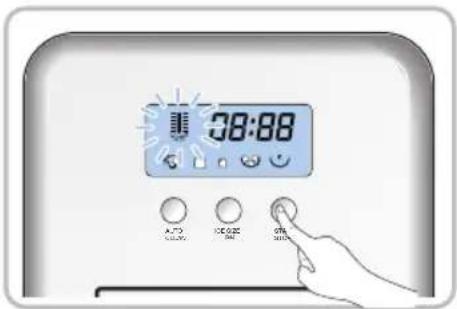
3 Select the size of the ice to be made. Default setting is Large Ice.
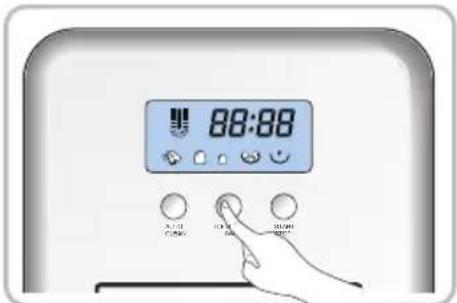
4 If there's a shortage of water, the Water Shortage icon (💡) will display and the Ice Making function will stop. At this time, fill the water tank with water and press the START/STOP button twice to activate the Ice Making function. (If it's pressed once, the Water Shortage Alarm will deactivate. It will then enter the S/L Selection mode.) If it is pressed one more time after selecting the ice size, the Ice Making function begins.
TIP
- If the indoor temperature is below 15^ C, select Small Ice. If the indoor temperature is higher than 30^ C, it's recommended to select Large Ice.
- For the first 3 cycles of use, the size of the ice produced may be irregular.
- Once the ice basket is completely full, take out the ice immediately.
- Size and weight of ice may be dependent on environmental temperature and water usage.
Caution
When the ice maker is moved, do not operate for 30 minutes.
Cleaning & Maintenance
Cleaning & Maintenance

Caution
• Make sure to unplug the power plug before cleaning.
- Do not spray acid, gasoline, oil or any other chemicals or thinner on the product.
- Ensure that the air vents located on the enclosure and internal structure are not clogged.
- Do not use any mechanical devices or other means of removing frost that is not recommended by the manufacturer.
1 Exterior appearance of main body
▶ To clean the exterior surface of your product, wipe it with soft, slightly wet towel.
Caution
· Never soak the main body in water.
- Do not use a chemical such as benzene, alcohol or gasoline.
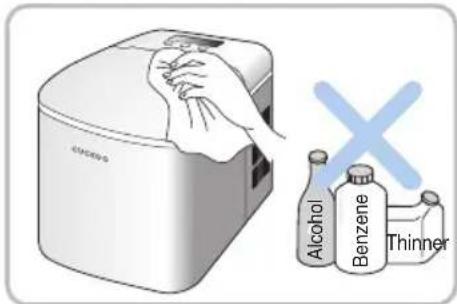
It may damage the surfaces or cause distortion and discoloration.
2 Clean the Water Tank
▶ Open the drain stopper at the bottom of the tank to completely drain the water.
▶ As the clean water flows through the tank, wipe all corners of the water tank with a soft towel.
▶ Once cleaning is complete, be sure to close the drain stopper. Then, let it dry in a well-ventilated place.
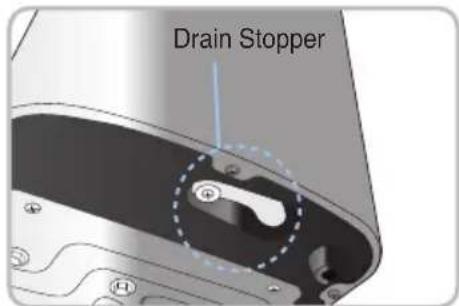
Caution
Do not use organic solvent, boiling water, detergent, strongly acidic substance, alkali substance, or similar substances to clean.
Storage and Maintenance
① Storage
▶ After cleaning, dry the product completely.
▶ Store it away from anything flammable or in direct sunlight. Be sure to keep in a well-ventilated place.
② Maintenance
▶ To ensure cleanliness of the ice, change the water in the water tank at least once a day.
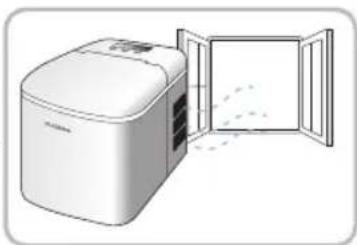
natural_image
Illustration of a white industrial microwave oven with its open door, showing internal components and airflow (no text or symbols)Please check before reporting a malfunction
If you have used the product properly as instructed, the product may still not work properly even if there is no malfunction. If there is a disorder in the product, please check the product according to the checklist below.
| Problems Checklist | Recommended Actions | |
| A strange noise is emitted from the product. | ·In case the product is tilted ·Install the product on an even, solid surface. | |
| The condition of ice cubes is in poor condition. | ·In case the heat does not discharged well·In case the temperature of the water is too high·In case the surrounding temperature is too high·In case ice cubes are stuck together | ·Clean the dust stuck in the air intake and outlet.·Install it at least 8cm away from the intake and outlet so that air flow is not blocked.·Use water at a proper temperature.·Do not use the product in a high-temperature area with direct sunlight.·If the water is too cold, ice cubes may stick to each other.·Use water at a proper temperature. |
| Water Shortage Alarm is on. | ·In case there is no water ·Fill the water until it reaches MAX.Once it's filled, press the START/STOP button twice. | |
| All icons blink at the same time. | ·In case the ice shovel is constrained by ice | ·Turn off the power and remove the ice that blocks the ice shovel.Once the power is connected and the Start button is pressed, the product will restart within 3 minutes. |
| *Size and weight of ice may be dependent on environmental temperature and water usage.Ensure the water is an optimal temperature before use.Ensure you use the ice maker at an appropriate ambient temperature as well. | ||
Product Specifications
| Category | Countertop Ice Maker |
| Model | CIM-AS09M10S/SCETLUS |
| Rated Voltage | 120V~, 60Hz,1A |
| Rated Power Consumption | 120W |
| Ice Storage Capacity | 600g |
| Daily Ice Production | 9kg / 24h |
| Refrigerant type | R600a (25g) |
| Climatic Rating | N |
| Water Tank Capacity | 2.1L |
| Product Dimension (W×D×A) | 244mm × 364mm × 315.5mm |
| Product Weight | 8.3kg |
※ The information (exterior, design, and specifications) provided in this User Manual is subject to change without prior notice to improve the quality of the device.
※ The print specifications of the product are subject to change.
MEMO
MEMO
MEMO
CUCKOO
www.cuckooamerica.com
We provide satisfying consultation and services concerning your complaints, suggestions, and recommendations upon receiving your troubled product model name, status, and contact information.
♣ After reading this manual, keep it in a place easily accessible to the user for future reference.
Caution: Please read this manual carefully to ensure safety and a longer product lifespan.
Z0383-0113A0 Rev.0