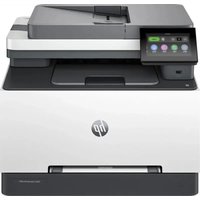
USER MANUAL OFFICEJET PRO X476DW HP
© 2012 Copyright Hewlett-Packard Development Company, L.P.
HP Universal Print Driver (UPD) 40
New Zealand Telecom Statements 249
Additional FCC statement for telecom products (US) 249
Telephone Consumer Protection Act (US) 250
Industry Canada CS-03 requirements 250
- Impression LPD
SLP
WS-Discovery
HP Wireless Direct
HP Universal Print Driver (UPD)
Bring your photos to LIFE
powered by hp EasyColor and the UPD


Bring your photos to LIFE
powered by hp EasyColor and the UPD


Bring your photos to LIFE
powered by hp EasyColor and the UPD


Bring your photos to LIFE
powered by hp EasyColor and the UPD


© 2009 Hewlett-Packard Development Company, L.P.
Rev. 04/09
OpenSSL
www.hp.com/go/energystar.

Please recycle waste batteries.
California Perchlorate Material Notice
Perchlorate material - special handling may apply. See: http://www.dtsc.ca.gov/hazardouswaste/perchlorate/
This product's real-time clock battery or coin cell battery may contain perchlorate and may require special handling when recycled or disposed of in California.
This device complies with Part 15 of FCC Rules. Operation is subject to the following two conditions: (1) this device may not cause interference, and (2) this device must accept any interference, including interference that may cause undesired operation of the device.
Directive R&TTE 1999/5/CE
The grant of a Telepermit for any item of terminal equipment indicates only that Telecom has accepted that the item complies with minimum conditions for connection to its network. It indicates no endorsement of the product by Telecom, nor does it provide any sort of warranty. Above all, it provides no assurance that any item will work correctly in all respects with another item of Tele permitted equipment of a different make or model, nor does it imply that any product is compatible with all of Telecom's network services.
This equipment may not provide for the effective hand-over of a call to another device connected to the same line.
This equipment shall not be set up to make automatic calls to the Telecom « 111 » Emergency Service.
This product has not been tested to ensure compatibility with the FaxAbility distinctive ring service for New Zealand.
This equipment complies with Part 68 of the FCC rules and the requirements adopted by the ACTA. On the rear (or bottom) of this equipment is a label that contains, among other information, a product identifier in the format US:AAAEQ##TXXXX. If requested, this number must be provided to the telephone company.
Applicable connector jack Universal Service Order Codes ("USOC") for the Equipment is: RJ-11C.
A plug and jack used to connect this equipment to the premises wiring and telephone network must comply with the applicable FCC Part 68 rules and requirements adopted by the ACTA. A compliant telephone cord and modular plug is provided with this product. It is designed to be connected to a compatible modular jack that is also compliant. See installation instructions for details.
The REN is used to determine the number of devices that may be connected to a telephone line. Excessive RENs on a telephone line may result in the devices not ringing in response to an incoming call. In most but not all areas, the sum of RENs should not exceed five (5.0). To be certain of the number of devices that may be connected to a line, as determined by the total RENs, contact the local telephone company. For products approved after July 23, 2001, the REN for this product is part of the product identifier that has the format US:AAAEQ##TXXXX. The digits represented by ## are the REN without a decimal point (e.g., 00 is a REN of 0.0).
If this equipment causes harm to the telephone network, the telephone company will notify you in advance that temporary discontinuance of service may be required. But if advance notice isn't practical, the telephone company will notify the customer as soon as possible. Also, you will be advised of your right to file a complaint with the FCC if you believe it is necessary.
The telephone company may make changes in its facilities, equipment, operations or procedures that could affect the operation of the equipment. If this happens the telephone company will provide advance notice in order for you to make necessary modifications to maintain uninterrupted service.
If trouble is experienced with this equipment, please contact the manufacturer, or look elsewhere in this manual, for repair or warranty information. If the equipment is causing harm to the telephone network, the telephone company may request that you disconnect the equipment until the problem is resolved.
Connection to party line service is subject to state tariffs. Contact the state public utility commission, public service commission or corporation commission for information.

ATTENTION: If your home has specially wired alarm equipment connected to the telephone line, ensure the installation of this equipment does not disable your alarm equipment. If you have questions about what will disable alarm equipment, consult your telephone company or a qualified installer.
WHEN PROGRAMMING EMERGENCY NUMBERS AND(OR) MAKING TEST CALLS TO EMERGENCY NUMBERS:
- Remain on the line and briefly explain to the dispatcher the reason for the call.
Perform such activities in the off-peak hours, such as early morning or late evening.

REMARQUE : The FCC hearing aid compatibility rules for telephones are not applicable to this equipment.
The Telephone Consumer Protection Act of 1991 makes it unlawful for any person to use a computer or other electronic device, including FAX machines, to send any message unless such message clearly contains in a margin at the top or bottom of each transmitted page or on the first page of the transmission, the date and time it is sent and an identification of the business or other entity, or other individual sending the message and the telephone number of the sending machine or such business, other entity, or individual. (The telephone number provided may not be a 900 number or any other number for which charges exceed local or long-distance transmission charges.)
In order to program this information into your FAX machine, you should complete the steps described in the software.
Telephone Consumer Protection Act (US)
The Telephone Consumer Protection Act of 1991 makes it unlawful for any person to use a computer or other electronic device, including fax machines, to send any message unless such message clearly contains, in a margin at the top or bottom of each transmitted page or on the first page of the transmission, the date and time it is sent and an identification of the business, other entity, or individual sending the message and the telephone number of the sending machine or such business, or other entity, or individual. (The telephone number provided cannot be a 900 number or any other number for which charges exceed local or long distance transmission charges).
Industry Canada CS-03 requirements
Notice: The Industry Canada label identifies certified equipment. This certification means the equipment meets certain telecommunications network protective, operational, and safety requirements as prescribed in the appropriate Terminal Equipment Technical Requirement document(s). The Department does not guarantee the equipment will operate to the user's satisfaction. Before installing this equipment, users should ensure that it is permissible for the equipment to be connected to the facilities of the local telecommunications company. The equipment must also be installed using an acceptable method of connection. The customer should be aware that compliance with the above conditions may not prevent degradation of service in some situations.
Repairs to certified equipment should be coordinated by a representative designated by the supplier. Any repairs or alterations made by the user to this equipment, or equipment malfunctions, may give the telecommunications company cause to request the user to disconnect the equipment. Users should ensure for their own protection that the electrical ground connections of the power utility, telephone lines, and internal metallic water pipe system, if present, are connected together. This precaution can be particularly important in rural areas.
ATTENTION: Users should not attempt to make such connections themselves, but should contact the appropriate electric inspection authority, or electrician, as appropriate. The Ringer Equivalence Number (REN) of this device is 0.0.
Notice: The Ringer Equivalence Number (REN) assigned to each terminal device provides an indication of the maximum number of terminals allowed to be connected to a telephone interface. The termination on an interface may consist of any combination of devices subject only to the requirement that the sum of the Ringer Equivalence Number of all the devices does not exceed five (5.0). The standard connecting arrangement code (telephone jack type) for equipment with direct connections to the telephone network is CA11A.
In Australia the HP device must be connected to the Telecommunications Network through a line cord which meets the requirements of the Technical Standard AS/ACIF S008.
Exposure to radio frequency radiation
ATTENTION : The radiated output power of this device is far below the FCC radio frequency exposure limits. Nevertheless, the device shall be used in such a manner that the potential for human contact during normal operation is minimized.
In order to avoid the possibility of exceeding the FCC radio frequency exposure limits, human proximity to the antenna shall not be less than 20~cm 8 in during normal operation.
ATTENTION: When using IEEE 802.11a wireless LAN, this product is restricted to indoor use, due to its operation in the 5.15- to 5.25-GHz frequency range. The FCC/Industry Canada requires this product to be used indoors for the frequency range of 5.15 GHz to 5.25 GHz to reduce the potential for harmful interference to co-channel mobile satellite systems. High-power radar is allocated as the primary user of the 5.25- to 5.35-GHz and 5.65- to 5.85-GHz bands. These radar stations can cause interference with and/or damage to this device.
This device incorporates a radio-transmitting (wireless) device. For protection against radio transmission exposure, it is recommended that this device be operated no less than 20 cm from the head, neck, or body.
Under Industry Canada regulations, this radio transmitter may only operate using an antenna of a type and maximum (or lesser) gain approved for the transmitter by Industry Canada. To reduce potential radio interference to other users, the antenna type and its gain should be so chosen that the equivalent isotropically radiated power (e.i.r.p.) is not more than that necessary for successful communication.
This device complies with Industry Canada licence-exempt RSS standard(s). Operation is subject to the following two conditions: (1) this device may not cause interference, and (2) this device must accept any interference, including interference that may cause undesired operation of the device.
AVERTISSEMENT! Exposure to Radio Frequency Radiation The radiated output power of this device is below the Industry Canada radio frequency exposure limits. Nevertheless, the device should be used in such a manner that the potential for human contact is minimized during normal operation.
To avoid the possibility of exceeding the Industry Canada radio frequency exposure limits, human proximity to the antennas should not be less than 20 cm (8 inches).
Assistance technique
en ligne 185,231
Assistant de configuration sans fil
Conventions, document iii
copie
recto versus 116
touche unique 107
Copie
agrandissement 110
annulation 110
assemblage 111
Document, conventions iii
DSL
telecopie 136
E
Orientation portrait
slection,Windows 80
Pilotedimpression universal HP 40