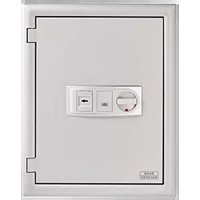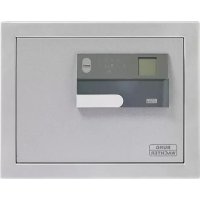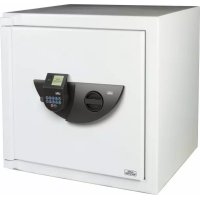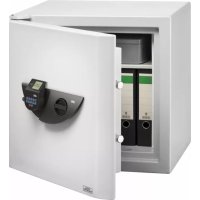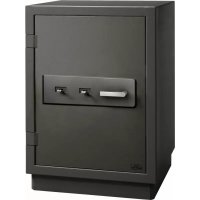
Royal 542 KK - Safe Burg Wächter - Free user manual and instructions
Find the device manual for free Royal 542 KK Burg Wächter in PDF.



| Product type | Electronic safe |
| Brand | Burg Wächter |
| Model | Royal 542 KK |
| Power supply | 4 AA 1.5V batteries (alkaline) |
| Number of administrator codes | 1 |
| Number of user codes | 9 maximum |
| Number of storable fingerprints | 20 maximum |
| Opening methods | 6-digit PIN code, fingerprint, combination of both |
| Lockout time after errors | 5 minutes after 15 incorrect attempts |
| Timer function | Yes, adjustable from 0 to 99 minutes |
| Display | Menu display with battery charge indicator |
| Menu languages | 12 languages available |
| Timestamp and history | Yes, records up to 2000 events |
| Software update | Yes, via microSD card (FAT32) |
| Maintenance | Clean the keypad with a microfiber cloth |
| Warranty | 2 years (excluding batteries and damage from misuse) |
Frequently Asked Questions - Royal 542 KK Burg Wächter
User questions about Royal 542 KK Burg Wächter
0 question about this device. Answer the ones you know or ask your own.
Ask a new question about this device
Download the instructions for your Safe in PDF format for free! Find your manual Royal 542 KK - Burg Wächter and take your electronic device back in hand. On this page are published all the documents necessary for the use of your device. Royal 542 KK by Burg Wächter.
USER MANUAL Royal 542 KK Burg Wächter
CcSting
Deutsch
English English
espanol
1 + u1 - 1 = ( 1 + u) u1 < 1 = u
1:2: FUNC:
m = 311 ;
version mlliter hostitial
Bestuergen
FUNC: M

Firerowx:Update
Firm were update darchetfurt
1

m = 311
Menu Administrator/Setup/Anmelden
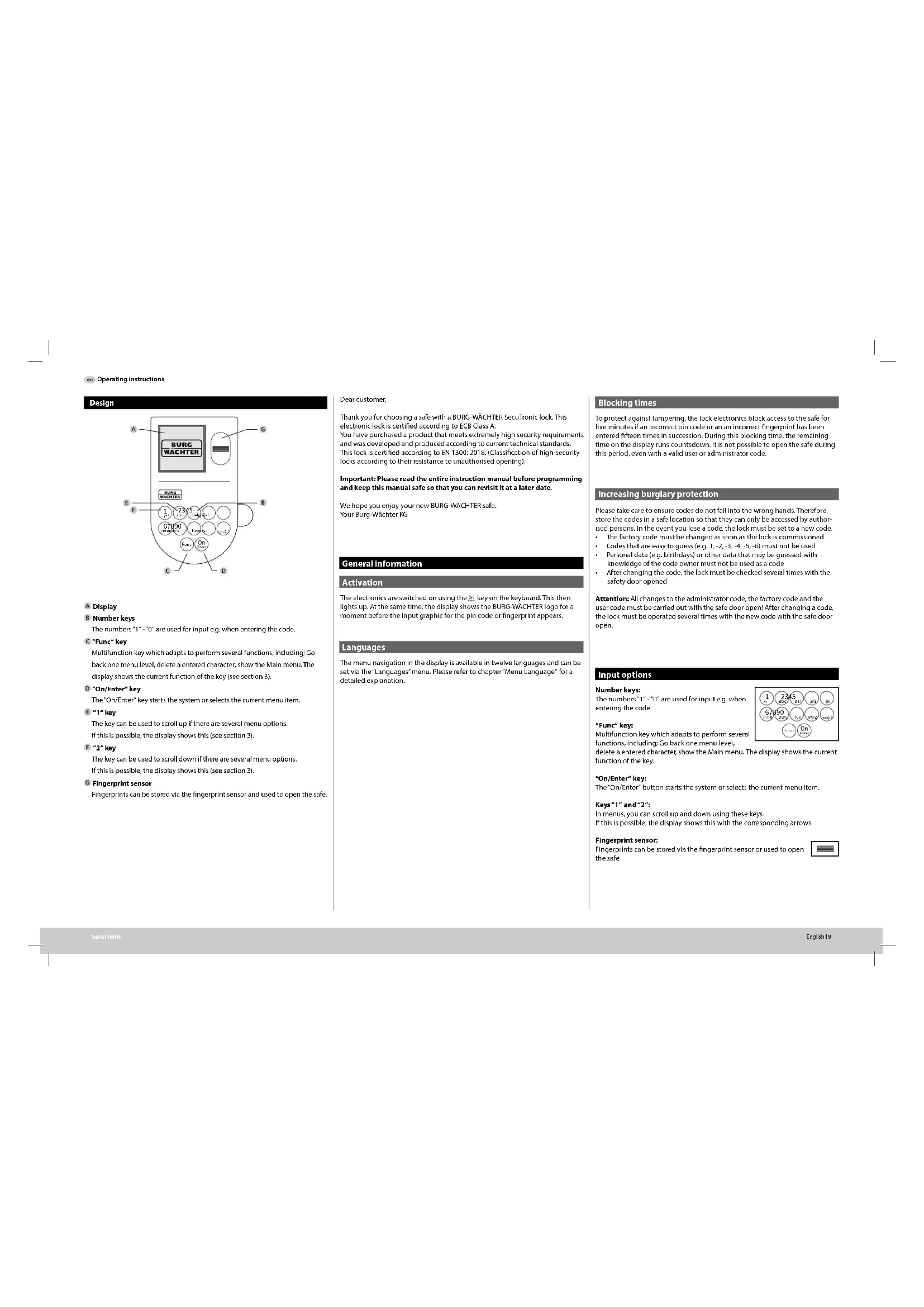
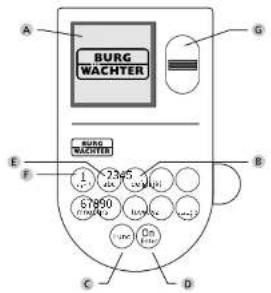
The numbers 1^ - 0^ are used for Input e.g. when entering the code.
C 'Func'key
Multifunction key which adapts to perform several functions, including: Go back one menu level, delete a entered character, show the Main menu. The display shows the current function of the key (see section 3).
D 'On/Enter'key
The 'On/Enter' key starts the system or selects the current menu item.
"1key
The key can be used to scroll up if there are several menu options. If this is possible, the display shows this (see section 3).
F"2"key
The key can be used to scroll down if there are several menu options. If this is possible, the display shows this (see section 3).
Fingerprint sensor
Fingerprints can be stored via the fingerprint sensor and used to open the safe.
Dear customer,
Thank you for choosing a safe with a BurgW-WACHTER SecuTronic lock. This electronic lock is certified according to ECB Class A. You have purchased a product that meets extremely high security requirements and was developed and produced according to current technical standards. This lock is certified according to EN 1300:2018. (Classification of high-security locks according to their resistance to unauthorized opening).
Important: Please read the entire Instruction manual before programming and keep this manual safe so that you can revisit it at a later date.
We hope you enjoy your new BURG-WACHTER safe. Your Burg-Wachter KG
General information
Activation
The electronics are switched on using the key on the keyboard. This then lights up. At the same time, the display shows the BURG WACHTER logo for a moment before the input graphic for the pin code or fingerprint appears.
Languages
The menu navigation In the display is available in twelve languages and can be set via the "Languages" menu. Please refer to chapter "Menu Language" for a detailed explanation.
Blocking times
To protect against tampering, the lock electronics block access to the safe for five minutes if an incorrect pin code or an incorrect fingerprint has been entered fifteen times in succession. During this blocking time, the remaining time on the display runs countdown. It is not possible to open the safe during this period, even with a valid user or administrator code.
Increasing burglary protection
Please take care to ensure codes do not fall into the wrong hands. Therefore, store the codes in a safe location so that they can only be accessed by authorised persons. In the event you lose a code, the lock must be set to a new code.
The factory code must be changed as soon as the lock is commissioned.
- Check out any baby/child (e.g., 1-2, 5-8, 3-, 6-) for whether there was a code that would be used to create the code.
- Check out any baby/child (e.g., 1-2, 5-8, 3-, 6-) for whether there was a code that would be used to create the code.
After changing the code, the lock must be checked several times with the safety door opened
Attention: All changes to the administrator code, the factory code and the user code must be carried out with the safe door open! After changing a code, the lock must be operated several times with the new code with the safe door open.
Input options
Number keys:
The numbers 1^ - 0^ are used for input e.g. when entering the code.
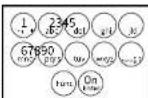
"Func" key:
Multifunction key which adapts to perform several functions, including: Go back one menu level,
delete a entered character show the Main menu. The display shows the current function of the key.
"On/Enter" key:
The "On/Enter" button starts the system or selects the current menu item.
Keys"1" and "2";
In menus, you can scroll up and down using these keys.
If this is possible, the display shows this with the corresponding arrows.
Fingerprint sensor:
Fingerprints can be stored via the fingerprint sensor or used to open the safe

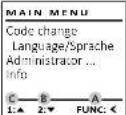
Display
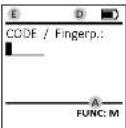
A Specifies whether you can use the key to cancel the last entry ( 心 ) or switch to the main menu [M].
2 · w appears when you can scroll down using the "2" key.
C 11 appears when you can scroll up using the "11" key.
D ( )indicates the battery level.
E (^ / B) indicates whether the locking mechanism has released the lock and the safe can be opened.
Opening
Opening with PIN code
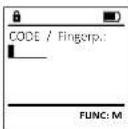
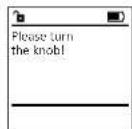
- Switch on the lock using the key.
- Enter the 6-digit PIN code (factory setting "1-2-3-4-5-6").
- Please turn the book" appears in the display
Opening with fingerprint (Convenient opening)
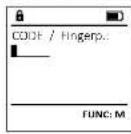
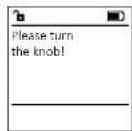
Switch on the lock using the key.
- Move a programmed finger from the top to bottom centrally over the sensor.
- Please run the mock" appears in the display
Turn the knob.
Opening with access combinations
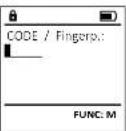
- Switch on the lock using the key.
- Move a programmed finger from the sensor.
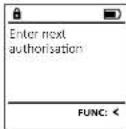
- If an additional authorisation request (code or fingerprint) has been set up, the message "interim authorisation" will appear on the display. Enter the requested additional authorisation (code or fingerprint).
If a threefold authorisation request (3 PIN codes) has been set up, the message 'Enter authorisation' will appear on the display. Enter the 6-digit PIN code.
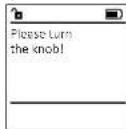
"Poowh the huy" appears in the display.
Turn the knob.
Closing
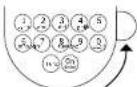
After the safe has been closed, it is essential that the rotary knob is moved manually to its initial position. Ensure that the rotary knob is in the same position as in the following illustration.
Menu structure
Setting up the menu structure
Change code
Language
- Administator
Create
Create code
Assign
Create fingerprint
Assignn code
Assign fingerprint
Delete
Time function
Settime
Set date
Automatic ST/WT
Delay timeProgramming
Database update
Firmware update
ReorganiseProcesses
Display
SaveSetup
Register
FPreset
Generate AES key
+info
Systeminfo
System check
Description of the menu functions
Code Change menu
Change the administrator code and the user codes. We would like to point out that, for security reasons, the factory set administrator code must be changed to an individually set code.
- Switch on the lock using the key.
Then press Foc.
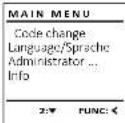
The "Mannen" appears.
+ConfirmWith% - You can use the keys 1 or 2 to scroll until the administrator/user is displayed and you wish to change the code for.
Confirm with - Enter the old or factory code that was previously valid using the keyboard and press.
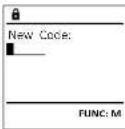
- Enter the new code using the keypad and confirm with:
Repeat your entry and confirm it again with
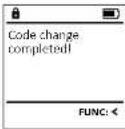
Code change complete!" is displayed after a correct entry.
Press any key.
Note: When a safe lock is first started up, additional information on the current date and time are requested:
Enter the day (2 digits)
Enter the month (2 digits)
Enter the year (2 digits)
Enter the hour (2 digits)
Enter the minutes (2 digits)
Language menu
- Switch on the lock using the key.
- Then press Func.
The 'Attn menu' appears. - Scroll with the 1 or 2 key until the "Language" menu item is highlighted.
- Confirm with
- "yaw menu / yawve" appears.
Use keys 1 or 2 to scroll until the desired
language is marked. - Confirm with
- "Data has been saved" appears in the display
- Press any key.
MAIN MENU
Code change
Language/Sprache
Administraor ...
info No comfication
[172] Combination of 2 codes
1.2.7 FUNC:
FP]Combination with one fingerprint
If you have not selected a combination,
LANGUAGE confirm 3x with
Cotina if you have selected the combination "TP",
Deutsch you will create your fingerprint as described in the sub-menu "Administatsur/User/Create/
Espalhol Create fingerprint".
Sub-menue Administrator / User / Create /
Create fingerprint
- Switch on the lock using the key.
- Then press F#
The "How many" appears.
-Scroll with the 1 or 2 key until the "Administered"
mou m is highestd - Confirm with
- A
·Canfim With - "Mun menu/Adminsator/User"appears.
- Confirm with
- "Kawmon/Adwovnator/1r /Coote fao"appears
- Scroll with the 1 or 2 key until the "Create
- Confirm with
- Enter the administrator code to acquire the
- Enter the administration code to activate the
aannnnnne aen annnnnne - "Magnetism Anger" appears.
- Move the finger from the top to bottom
centrally and a number of times over the sensor.
The display will either prompt you to repeat
the process (for error messages, see page 15),
or the message "USRANXP control" will appear.
Use key 1 or 2 to scroll through the possible
combinations.
The following options are available:
[1]No combination
[CD] Combinations
[5] Combination with an additional
FPFCombinationWithanadditional
Fingerprint - Press any key.
#
1.股份类别:股票
569425
Kombination:
[12]
m - 1 0 ;
1: FUNC:
Sub-menue Administrator/User/Assign/
Create code
- Switch on the lock using the key.
Then press Fuc
The "You know" appears.
+Scrollwiththe1or3keyunlthefundstr - menu item is highlighted.
F
W - Main Menu/Advanced Options appears.
- Confirm with
*u#m#n/Admn#b#r/Be"appeaes. - Scroll with the 1 or 2 key until the 'Assign'
menu item is highlighted.
+Confirm with
Hmnnn nnnnne rnrnnnne ennnnne - Confirm with
- Enter the administrator code to acquire the user's name.
authorisation for programming
You can use the keys 1 or 2 to scroll until
the user is marked whose code is supposed
to be assigned. - Confirm w/
Enter the 6-digit code and confirm it with
Use key 1 or 2 to scroll through the possible
combinations
The following options are available:
[1] No combination
[ ] No combination
[172] Combination of 2 codes
[1/3] Combination of 3 codes
[FP] Combination with one fingerprint
If you have not selected a combination,
confirm 3x with
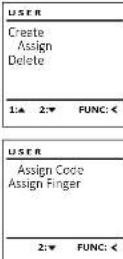
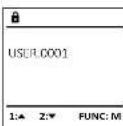
Menu Administrator / User
Menu Administrator / User / Create
Sub-menu Administrator / User / Create /
Create code
- Switch on the lock using the key.
- Then press fuc.
The Aotm nurn appears. - Scroll with the 1 or 2 key until the "Administrator"
menu item is highlighted.
·Confirm with %
·“ - Confirm with
-“Commonly (Administerate) / (Interpretation)
Fumr 3
·CunHmW
"MaH Menu/AdmaaahnAe/Seer/Creae appears. - Confirm with
- Enter the administrator code to acquire the authorisation for programming.
USER
Gomr
Create
Assign
Assig
2: FUNC:
#
USER.0001 CD
1
Combination:
[FP]
EUNC:M
- 实验原理
Sub-menubrator/User/Assign/Assign fingerprint
-
Switch on the lock using the key.
-
Then press Func.
The 'Moth menu' appears.
- Scroll with the 1 or 2 key until the menu
item"Adminstrator"is highlighted
-
Confirm with
-
"Mav memu/Attnmator" appears.
-
Confirm with
"Mac menu/Administatx/User appears.
- Scroll with the 1 or 2 key until the "Assign" button.
menu item is highlighted
Confirm with 10:
- Scroll with the 1 or 2 key until the "Aspen Zinger" menu item is highlighted.
F
- Enter the administrator code to acquire the authorization for personnel.
the authorisation for programing. "Munenw (Amnnter / lir / sienf) apors
- You can use the keys 1 or 2 to scroll until
the user is marked whose fingerprint is
supposed to be assigned.
- Confirm with
"Create frigjprnla appears.
- Move the finger from the top to bottom
centrally and a number of times over the sensor.
The display will either prompt you to repeat the
process (for error messages, see page 15), or the message "USE XXXXX" will appear.
- Use key 1 or 2 to scroll through the possible
combinations.
The following options are available:
No combination
[CD] Combination with one code
[FP] Combination with an additional
fingerprint
Press any key.
Create
A
Delete
1:2:FUNC:
USER
Assier
Assign Finger
x1 = - 12x0 x2 = 12x0 .
一
FUNC: <
JSE0003.EP
created!
12x - 1 > 0
FUNC: <
Menu Administrator / User/Delete
Deleted users no longer have access to the safe.
However, these remain in the history.
Sub-menubnistrator/User/Delete
- Switch on the lock
Then press Fm..
The "main menu" appears. - Scroll with the 1 or 2 key until the menu
item "Administer" is highlighted - Confirm with 0
- Mat memn / Administator appears.
- Confirm with
- "Menu / Administator/ User" appears.
- Confirm with
- "Mav menu/Admnistrator/User/Delete" appears.
- Scroll with the 1 or 2 key until the menu
item "Delete" is highlighted - Confirm with
- Enter the administrator code to acquire the authorisation for programming.
You can use the keys 1 or 2 to scroll until the
user is marked whose code is supposed to
be deleted. - Confirm with 0
"Data has been deleted" appears. - Press any key.
1158
Create Points
一
1: FUNC
6
USER.0001 CD
( x - 2x) t - xy^2 = ( x - 2x) f^ t
( x - 2x) t - xy^2 = ( x - 2x) f^ t
:
1:2:FUNC:M
。
Date
1
一
FUNC:
Menu Administrator / Time functions
Time and date can be set, as well as whether the
system should automatically switch between
Central European Summer/Winter Time, The delay
time prevents quick opening in the event of
a robbery.
ADMIN
Hear
Use: Timer functions
Programming
Prooesses
1
1.2 FUNC:
Menu Administrator / Time functions / Set time
- Switch on the lock using the key.
Then press
The Main menu appears.
Scroll with the 1 or 2 key until the menu
item "Administer" is highlighted
Confirm with
*Mmenn/Adnntbator appears. - Scroll with the 1 or 2 key until the menu
item*Mertfction is highlighted.
Confirm with on
*Administerator/Time entry appears. - Confirm with
- Enter the administrator code to acquire
the authorisation for programming.
The time (24-hour format) can be set via
the keypad - Confirm with On
Data has been saved! appears. - Press any key.
TIMER FUN
Time spent
Date entry
Autom.ST/WT
Delay time
一
2: FUNC:
Time and way
HMMO
1
FUNC: M
Menu Administrator / Time functions / Set date Menu Adminis
- Switch on the lock using the key.
- Then press fun.
The "dot menu" appears. - Scroll with the 1 or 2 key until the menu
item "Administer" is highlighted. - Confirm with
- "Mam menu / Administats" appears.
- Scroll with the 1 or 2 key until the menu
item "Time functions" is highlighted - Confirm with on
The functions appear. - Scroll with the 1 or 2 key until the "Date entry" menu item is highlighted.
- Confirm with
- Enter the administrator code to acquire the authorisation for programming.
The date can be set via the keypad. - Confirm with 20.
Dato has been saved' appears.
Press any key.

Time entry Date entry
Autumn STANT
Auto: 3/1790 Time:





( x - 2x) t - xy^2 = ( x - 2x) f^ t
A
- Scroll with the 1 or 2 key until the menu item
FUNC:M Time functions" is highlighted.
- Confirm with
Tne functions appears.
-
Scroll with the 1 or 2 key until the
-
menu item "Why time" is highlighted.
-
Confirm with g
Enter the administrator code to acquire the
authorisation for programming. Where a delay
m STWT time has already been set, it must hrs
10.3741 through.
The delay time (0-99 minutes) can be set
TIMER FUN... via the keyboard.
Time entry Confirm with
Date entry -Dto has been saved" appears.
Autom ST/WT Press any key.
through.
The delay time (0-99 minutes) can be set
viathekeyboard.
- Confirm with
"Data has been saved!" appears.
- Press any key.
tor / Delay time
The delay time sets up a required waiting time before a function is performed and can consequently prevent quick opening in the event of a robbery. After the delay time has elapsed, a valid and fully authorised entry must be repeated in order to gain access.
- Switch on the lock using the key.
The press
The "main menu" appears. - Scroll with the 1 or 2 key until the menu
item Admxtro is highlighted. - Confirm with
"Administrator" appears. - Scroll with the 1 or 2 key until the menu item
Time functions" is highlighted. - Confirm with g
Time functions appear. - Scroll with the 1 or 2 key until the text is visible.
- menu item "daytime" is highlighted.
- Confirm with g
Enter the administrator code to acquire the
authorisation for programming. Where a delay
time has already been set, it must hirs
Menu Administrator / Programming
A firmware update installs the latest software version. Reorganise sorts the database.

Time:
Time entry Data entry
Autom ST/WT
Delay time





Delay time
[00]min
图8-1
FL
·Confirm with 0
Enter the administrator code to acquire the
authorisation for programming.
The mssage Cmtnr crrn rnrnnnne
- confirm with 3. Thereafter there is no
need to do anything further in the process
The message "do not interrupt power" appears.
The message on the display disappears for
- When the update is complete, the message
"finworeapite completed" appears.

User
Tine: punctures
Programming
Processes

update

Database:update
Firmwareupdate
Restructure

Menu Administrator / Programming / Firmware update
Please ensure that the batteries are full before
updatng the firmware.
+ Please copy the new firmware version to
a FAT-32 formatted microSD card and insert it
into the microSD card slot.
- Switch on the lock using the key.
The press
The "Main menu" appears.
- Scroll with the 1 or 2 key until the menu
item"Administer" is highlighted.
+ Confirm with Or -
+Administrators appears.
- Scroll with the 1 or 2 key until the
"Programming" menu item is highlighted.
- Confirm with
- Programming appears.
- Scroll with the 1 or 2 key until the menu
eemrnnnne nne
Confirm with 90
Enter the administrator code to acquire the
authorisation for programming.
The meseage Cnirim crerl ngm rnae
maww waw waw maw
- Confirm with - Thereafter there is no
need to do anything further in the process.
The message "do not interrupt power" appears.
The message on the display disappears for
some time.
- When the update is complete, the message
"finnooreapate completed appears.

Databaseupdate
Firmwarengale
Restructure



original firmware
version with Enter

FUNC:M

Firmwareupdate
completel
m = 311

FUNC:



Menu Administrator / Programming / Reorganise
Reorganisation must be carried out cyclically in
order to optimise the user database and restructure
the user data records.
- Switch on the lock using the key.
The press unc.
The "Koinmew" appears.
- Scroll with the 1 or 2 key until the menu
item "Administer" is highlighted.
·Confirm with
- "Administrative" appror
- Scroll with the 1 or 2 key until the
"Programming" menu Item is highlighted.
+ Confirm with
- "Programming" appears.
- Scroll with the 1 or 2 key until the menu
item 'Restructuring' is highlighted.
- Confirm with
- Enter the administrator code to acquire
the authorisation for programming.
+ "Restructuring in progress" appears.

Databaseupdate
Firewareupdate
Restructure


Restructuring
in progress!

Menu Administrator / Processes
It is possible to store the history on an inserted microSD card or to output it directly on the display.
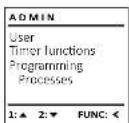
Menu Administrator / Setup
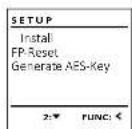
The system must be registered for communication within the device. FP-reset removes all fingerprints.
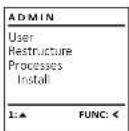
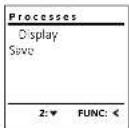
Menu Administrator / Processes / Displays
Switch on the lock using the key.
The press
The Min menu appears.
- Scroll with the 1 or 2 key until the menu
item "Adminstrator" is highlighted.
- Confirm with
- Aaatafata appears.
- Scroll with the 1 or 2 key until the menu
Item "P02328" is highlighted.
-
Enter the administrator code to acquire
the authorisation for programming .- serial with the 1 m x 3 k way through the
Data report
- Confirm with
Menu Administrator / Setup / Install
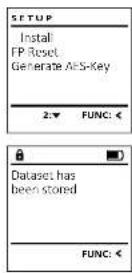
In the event of a complete system failure, the electronic control panel may have to be registered again with the locking mechanism.
Switch on the lock using the key.
The press Func.
The menu appears.
- Scroll with the 1 or 2 key until the menu item "Administer" is highlighted.
- Confirm with
"Administer appears.
- Scroll with the 1 or 2 key until the menu item
"Senp" is high
- Confirm with
- Confirm 'instal' with
- Enter the administrator code to acquire the
authorisation for programming
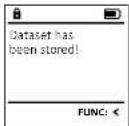
- Dostaset has been stored appears in the display
- Press any key.
After registering, the administrator code must be
changed as described in the Code Change menu.
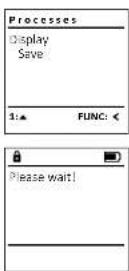
Menu Administrator / Processes / Save
- Please insert a FAT-32 formatted microSD card into the microSD card slot.
- Switch on the lock using the key.
The press
The Main menu appears. - Scroll with the 1 or 2 key until the menu
item"Adminsator"is highlighted.
Confirm with - "Adams bolar" appears.
- Scroll with the 1 or 2 key until the menu
Item Processes is highlighted.
Confirm with
"Xeess appears. - Scroll with the 1 or 2 key until the menu
Item"Say Is highlighted - Confirm with
- Enter the administrator code to acquire the authorisation for programming.
"Please not" appears. - "Dataset has been stored" appears.
- Press any key.
Menu Administrator / Setup / FP-reset
- Switch on the lock using the key.
The press Func.
The "Mow mew" appears - Scroll with the 1 or 2 key until the menu
tem *Admnstratx' is highlighted. - Confirm with
"Adminstrator appears. - Scroll with the 1 or 2 key until the menu
item"Setupishighli - Confirm with
- Scroll with the 1 or 2 key until the menu
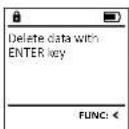
item"FP Rost" is highlighted. - Confirm with
- Enter the administrator code to acquire
the authorisation for progr - Beotedata with 1000key appears
- Confirm with
"Please wul appear. - Press any key.
Menu Administrator / Setup /Generate AES key
This function is not enabled at present.
In this menu, you can have several pieces of information of the system displayed.
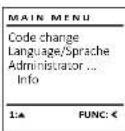
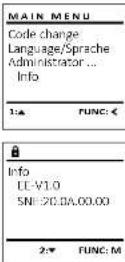
Menu info / System Info
- Switch on the lock using the key.
The press
The Main menu appears. - Scroll with the 1 or 2 key until the menu
item*is highlighted.
Confim with 0e
*ina appears
+Confirm with 0n - Enter the administrator code to acquire
the authorisation for programming.
The system information is displayed. - Scroll with key 1 or 2 to view the information.
- Use the time key to return.
Info/systemcheckmenu
Switch on the lock using the key.
The press
The "Nainew" appears.
+ Scroll with the 1 or 2 key until the menu item
in6 is highlighted
- Confirm with
"mig appears
- Scroll with the 1 or 2 key until the menu item
Systemd is highlighted.
·Confirm with
- Enter the administrator code to acquire the
authorisation for programming.
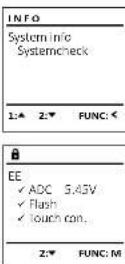
The system check Information is displayed.
- Scroll with key 1 or 2 to view the information.
Use the time key to return.
Error messages
The illustration below describes the error messages on the display when a fingerprint is created or when the safe is opened.
| Error message Solution | |
| Too fast! Please repeat | Move your finger slowly across the sensor. |
| Too tilted! Please repeat | Move your finger flat across the sensor. |
| Too short! Please repeat | Move your finger across the sensor so that more area of your fingerprint can be read. |
| Position in the middle and repeat! | Position your finger in the middle of the sensor. |
| Wrong code! Enter a valid code. | |
| No admittance! An unsaved fingerprint has been used. Repeat with a fingerprint that has already been created. | |
Technical details
| Number of administrator codes: | 1 |
| Number of user codes: 9 (max.) | |
| Number of fingerprint codes: | 20 (max.) |
| Blocking times: After an Internet attack, after the correct code/FP is entered 15x, 5 minutes | |
| Power supply: 4x AA MIGNON LR6 ALKALINE | |
| Date/time: | ✓ |
| Updatable (firmware): | ✓ |
| History number: 2,000 | |
Battery replacement
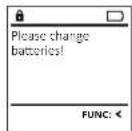
You can see the battery status at any time using the battery level indicator at the top right of the display. If the battery capacity is running low, a corresponding message appears on the display. When this notice appears, change the batteries as soon as possible.
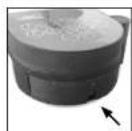
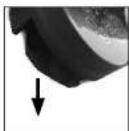
Remove the screw on the underside of the lock electronics. This will require a Tox T8 screwdriver. This is included in the scope of delivery.
Let the cover slide out together with the batteries.
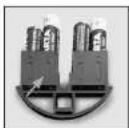
Remove the old batteries and dispose of them according to the disposal instructions on page 15. Replace the batteries with four new 1.5V AA Mignon batteries and according to the correct polarity. For this purpose, illustrations are shown on the battery holder. Please use branded batteries and no rechargeable batteries.
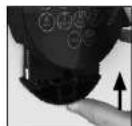
Push the cover and batteries back into the locking electronics and screw them tight.
Warranty
BURG-WACHTER products comply with the technical standards at the time of production and adhere to our own quality standards. The guarantee only covers defects which can be proved to have resulted from production or material defects at the time of purchase. The warranty ends after two years, further claims are excluded. Defects and damage caused by e.g. transport, Incorrect operation, Improper use, wear etc. are excluded from the warranty. The batteries are not included in the guarantee. A short description of any defects identified must be made in writing and the device returned to the place it was purchased, together with the original packaging. After the device has been tested, and within a appropriate period of time, the guarantor will decide whether or not to repair or exchange the item.
Attention:
In order to deliver a flawless and high quality product to you and to better assist you in case of service or repair, it is necessary that faulty or defective devices along with the valid administrator code be presented to your dealer together with the original documentation.
For returns, all undamaged device parts must furthermore be in the factory setting due to your right of revocation. Failure to comply with this will invalidate the warranty.
Disposal of the device
Dear customer,
please help us avoid unnecessary waste. Should you intend to dispose of this device at any time, please remember that many components of this device contain valuable materials that can be recycled.

Please be aware that electrical and electronic equipment and batteries marked in this way must not be disposed of with house hold waste but collected separately. Please obtain information on the collecting points for electrical waste from the responsible authority of your city/municipality.

BURG-WACHTER KG hereby declares that this device complies with the Directives 2014/30/EU, (EMC) and 2011/65/EU (RoHS).
The complete text of the EU Declaration of Conformity is available at the following Internet address: www.burg.biz
Safety recommendation
Please clean the keyboard operating surface periodically with a microfibre cloth (e.g. glasses cleaning cloth for spectacles) to remove any fingerprints on the keyboard surface.
Printing and typesetting errors as well as technical changes reserved.
Mode d'emploi
Montage
A Ecran
| LANGUAGE | |
| C#ting | |
| Deutsch | |
| English | |
| spanish | |
Menu administrateur
| MAIN MENU | |
| Code change | |
| Language/Speech Administrator... | |
| Info |
| USER | |
| Create | |
| Assign | |
| Delete | |
| 2: FUNC: |
| USER.0001 CD |
| Combination: [FP] |
| FUNC.M |
| USER.0002 CD 569425 Combination: [FR] |
| 1:▲ FUNC: < |
| FUNC: < |
| USER Create Code Create Finger |
| 1: FUNC < |
| # |
| Program finger |
| # |
| FUNC < |
| USERLOOOS FP created! |
| FUNC: < |
| USER |
| Create Assign Delete |
| 1.2 FUNC: |
| USER |
| Assign Code |
| Assign Finger |
| 2:✔ FUNC: < |
| USB/LOOO1 |
| 1.4 Z.F FUNC:M |
Sous-menAdministraore/Vilisante/Affector/Affector one enterprise
m = 311
trateur) apparait.
Validez aee
m = 311 ;
-
ADMIN
User
Timer4
Progrs
Processes
1
一
1:
1:
一
1
PROGRAMMING
Databaseucate
Firmwurungsquote
BestFture
1
A
2
m = 311
1
1
1
1
“
V
5
特此公告。
Menu Administerate/Actions
Code change
code change language/Sprahe
Adn
info:

Menu Administrator
Administrative work process
WorF Weergegeven.
CDI Combinatig met gen code
[EB] Combinative and non-derivative
wionerafduik
8
15580025.CD
03E 04
Created:
USER
一
Create Code Create Lines
C. caco Range
Voer de adminstratorcode in. om de
henodinde baveudheid ie verkrijen.
FUNC< Wada toets 1 reso.2 kunt u pu zolapp
bladcrn tot do gcbkrwter wot
biBerien, tuf de gebruker WOrt anig
#
Problems
1,2,3 1,3,4 2,3,4 3,4 4,5 5,6 6,7 7,8 8,9 9,10 10,11 11,12 12,13 13,14 14,15 15,16 16,17 17,18 18,19 19,20 20,21 21,22 22,23 23,24 24,25 25,26 26,27 27,28 28,29 29,30 30,31 31,32 32,33 33,34 34,35 35,36 36,37 37,38 38,39 39,40 40,41 41,42
A
USER.0003 FP
create
一
1 + 2( 1 + u) 1 - 21 t =
m - 1 0 ;
- 10
- 11
- 12
FUNC:
一
一
A
1 + u7 = 70%
1 + u1 - 1 = ( 1 + u) u1 < 1 = u
1 + u1 - 1 = ( 1 + u) u1 < 1 = u
M Sub Cod .Sc .Dl .B1 .Be . Bt .Ht .Bl .Be . Ht .Be .Vc .Vi .Be . Vc .Bl . Hi
1 + u7 = 70%
M
…
Sub
C
5
+
+
·B1

·Be
:
D.
·B1
Hb
m = 311

Date entry
D.MY
AD = AC = 1
Bevestig met
Time entry Data entry
Autom ST/WT
Delay time




Delay time
[00]min
.
1 + u1 - 1 = ( 1 + u) u1 < 1 = u