USER MANUAL OFFICEJET PRO 276DW (CR770A) HP
natural_image
Blue circular logo with white stylized 'hp' letters (no additional text or symbols)
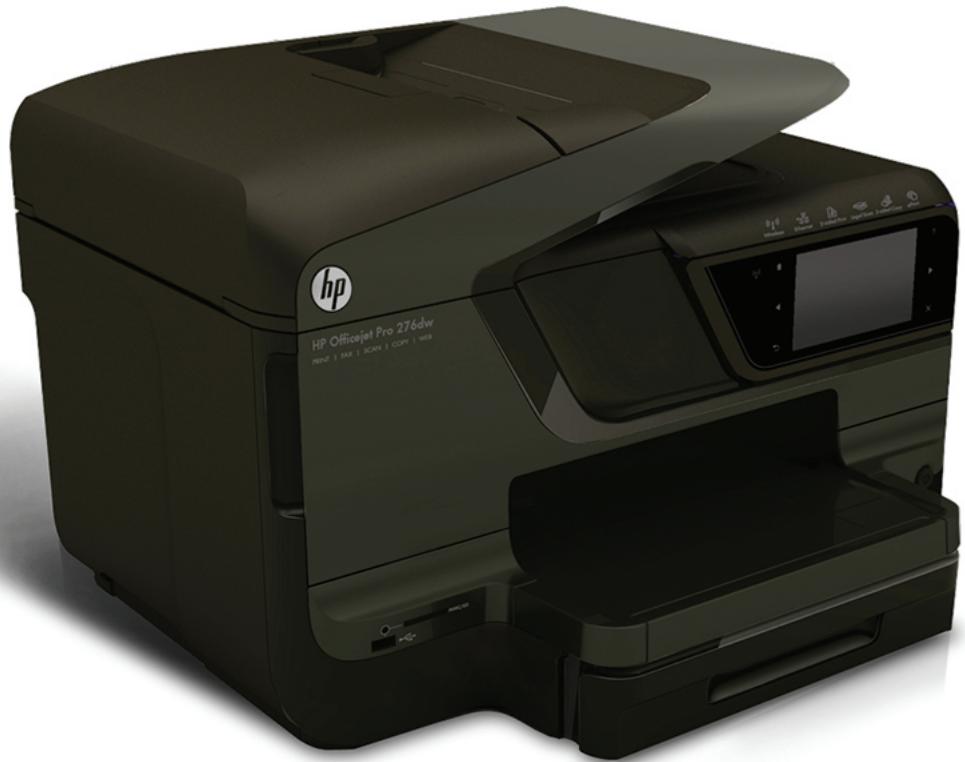
natural_image
HP Officejet Pro 276dw printer with HP logo and control panel (no visible text or symbols on device body)
HP Officejet Pro 276dw

natural_image
Black circular logo with white stylized 'hp' letters (no additional text or symbols)
Imprimante multifonction HP Officejet Pro 276dw
Impression de documents (Mac OS X)....40
Impression de brochures....41
Impression de brochures (Windows)......41
Impression de brochures (Mac OS X)....42
Conditions requises....62
Sommaire
Installation des services Web....102
natural_image
Line drawing of an open printer with green arrows indicating process flow, no text or symbols present
- Fermez le capot.
natural_image
Diagram showing a device's internal structure with a green arrow indicating a specific component (no text or symbols present)
natural_image
Diagram showing a device being inserted into a green plastic tray, with arrows indicating the process (no text or symbols present)

natural_image
Diagram of a mechanical component with green arrows indicating direction, no text or symbols present
natural_image
Diagram showing a device's internal structure with a green arrow indicating a specific area (no text or symbols present)
natural_image
Two simple diagrams showing upward arrows above a container and a divided rectangle (no text or symbols)
natural_image
Diagram of a mechanical component with green arrows indicating flow or movement, no text or symbols present
natural_image
Diagram showing a device's internal structure with a green arrow indicating a specific component (no text or symbols present)
natural_image
Diagram of a mechanical component with green arrows indicating direction, no text or symbols present
natural_image
Diagram showing a device's internal structure with a green arrow indicating a specific component (no text or symbols present)
natural_image
Diagram showing a device being inserted into a green plastic tray, with arrows indicating the process (no text or symbols present)
natural_image
Diagram of a mechanical component with green arrows indicating motion or force direction (no text or symbols)
natural_image
Illustration of a printer with a green paper roller being inserted, showing internal structure and no text or symbols.
natural_image
Line drawing of a printer with a green download arrow indicating file path (no text or symbols)
natural_image
Diagram of a printer or printer stacker with a green arrow indicating the base layer (no text or symbols present)
natural_image
Diagram of a vehicle intake tray with green arrows indicating flow or movement (no text or symbols)
Configuration des bacs

natural_image
Illustration of a hand cleaning a car interior with a green cloth (no text or symbols)
Installation des services Web (Mac OS X)
natural_image
Hand inserting a component into a device housing (no text or symbols visible)
natural_image
3D diagram of an open electronic device with internal components and a green arrow indicating a specific section (no text or symbols present)
natural_image
Illustration of a hand inserting a component into a device housing (no text or symbols visible)
natural_image
Illustration of a mechanical device with multiple ports and a highlighted section (no text or symbols)
natural_image
Interior view of a computer mouse interface showing color-coded battery cells (no text or symbols visible)
HP OfficeJet Pro 276dw MFP Series Print Quality Diagnostic Page
Produkt model number: CRT/0A
Product special number: Chzol.10180004
Service ID: 20165
servici D: 221 de
Firmere Version: FIL3CA1240R
Pagos printed: Trey 1-67, Trey 2-0, Talal-67, Azerkuplan and-0
Inl cartridge level: K=90, Y=90, V=90, Cr=60
*Estimates only. Actual inklevels may vary.
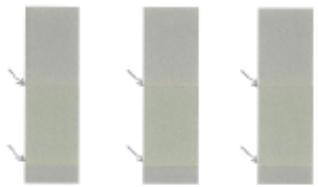
Test Pattern 1
If you see dari lines or white-paps when the arrows are pointing, calibrate indeed.
natural_image
Three identical gray rectangular panels with small white arrows pointing downward on each panel (no text or symbols)
Test Pattern 2
If the Ruas are not straightened connected: align the preheaderis.

natural_image
Pure geometric lines forming a cross and rectangle shape without any text, numbers, or symbols
Test Pattern 3
If you see thin while lines across any of the colored blocks, clean the printheeds.

natural_image
Diagram of a mechanical device with a green arrow indicating a directional flow or force (no text or symbols present)
natural_image
Line drawing of a printer with a green paper roll and paper holder, showing internal structure without any text or symbols.
C:\Ping 123.123.123.123
- Ou -
Additional Assistance
For more information about change settings and degrees problems, see the user documentation for your develop. This
documentation is available on your computer after an install the software...other from the COVID-01 outbreak (Microsoft) website (Software/Windows) or the help/Viewer/MacOS).
Par Text Setup
To verify host your product is a set up correctly for Raw run the Pan Test. You can access this text from the device counterparameter from the HPV-IP OilateralPro 2N6olarU4TP Inster Software.
Wireless Network Test
To verify your produccis setup console/GetMeere, run the GetMeere/Network Test. You can access this test train the device control panel.
natural_image
Diagram of an HP printer internal structure showing internal components and a green arrow indicating a specific area (no text or symbols present)
natural_image
Illustration of hands inserting a computer into an open circuit board (no text or symbols visible)
natural_image
Hand holding a green-labeled electronic device with a green arrow indicating the next component (no text or symbols visible)
natural_image
Hand holding a green device with a green arrow pointing to it, placed on a computer screen (no text or symbols visible)
natural_image
Line drawing of a printer with a green paper roll and paper holder, showing internal components (no text or symbols)
natural_image
Line drawing of a printer with internal components and a magnified inset showing a green arrow pointing to a component (no text or symbols present)
natural_image
Line drawing of a printer with a hand inserting a green arrow to the top panel (no text or symbols present)
natural_image
Line drawing of a printer with a hand pressing a button (no text or symbols)
natural_image
Diagram of a device casing with a green arrow indicating direction (no text or symbols)
The United States Federal Communications Commission (in 47 CFR 15.105) has specified that the following notice be brought to the attention of users of this product.
This equipment has been tested and found to comply with the limits for a Class B digital device, pursuant to Part 15 of the FCC Rules. These limits are designed to provide reasonable protection against harmful interference in a residential installation. This equipment generates, uses and can radiate radio frequency energy and, if not installed and used in accordance with the instructions, may cause harmful interference to radio communications. However, there is no guarantee that interference will not occur in a particular installation. If this equipment does cause harmful interference to radio or television reception, which can be determined by turning the equipment off and on, the user is encouraged to try to correct the interference by one or more of the following measures:
- Reorient or relocate the receiving antenna.
- Increase the separation between the equipment and the receiver.
- Connect the equipment into an outlet on a circuit different from that to which the receiver is connected.
Consult the dealer or an experienced radio/TV technician for help.
For further information, contact:
Manager of Corporate Product Regulations
Hawlett-Packard Company
3000 Hanover Street
Palo Alto, Ca 94304
(650) 857-1501
Modifications (part 15.21)
The FCC requires the user to be notified that any changes or modifications made to this device that are not expressly approved by HP may void the user's authority to operate the equipment.
This device complies with Part 15 of the FCC Rules. Operation is subject to the following two conditions: (1) this device may not cause harmful interference, and (2) this device must accept any interference received, including interference that may cause undesired operation.
Directive R&TTE 1999/5/EC
Notice to users of the U.S Telephone network: FCC requirements
This equipment complies with Part 68 of the FCC rules and the requirements adopted by the ACTA. On the rear (or bottom) of this equipment is a label that contains, among other information, a product identifier in the format US:AAAEQEBT000X. If requested, this number must be provided to the telephone company.
Applicable connector jack Universal Service Order Codes ("USOC") for the Equipment is: RJ11C.
A plug and jack used to connect this equipment to the premises wiring and telephone network must comply with the applicable FCC Part 68 rules and requirements adopted by the ACTA. A compliant telephone cord and modular plug is provided with this product. It is designed to be connected to a compatible modular jack that is also compliant. See installation instructions for details.
The REN is used to determine the number of devices that may be connected to a telephone line. Excessive RENs on a telephone line may result in the devices not ringing in response to an incoming call. In most but not all areas, the sum of RENs should not exceed five (5.0). To be certain of the number of devices that may be connected to a line, as determined by the total RENs, contact the local telephone company. For products approved after July 23, 2001, the REN for this product is part of the product identifier that has the format US:AAAEQ@DT000C. The digits represented by @ are the REN without a decimal point (e.g., 00 is a REN of 0.0).
If this equipment causes harm to the telephone network, the telephone company will notify you in advance that temporary discontinuance of service may be required. But if advance notice isn't practical, the telephone company will notify the customer as soon as possible. Also, you will be advised of your right to file a complaint with the FCC if you believe it is necessary.
The telephone company may make changes in its facilities, equipment, operations or procedures that could affect the operation of the equipment. If this happens the telephone company will provide advance notice in order for you to make necessary modifications to maintain uninterrupted service.
If trouble is experienced with this equipment, please contact the manufacturer, or look elsewhere in this manual, for repair or warranty information. If the equipment is causing harm to the telephone network, the telephone company may request that you disconnect the equipment until the problem is resolved.
Connection to party line service is subject to state tariffs. Contact the state public utility commission, public service commission or corporation commission for information.
If your home has specially wired alarm equipment connected to the telephone line, ensure the installation of this equipment does not disable your alarm equipment. If you have questions about what will disable alarm equipment, consult your telephone company or a qualified installer.
WHEN PROGRAMMING EMERGENCY NUMBERS AND(OR) MAKING TEST CALLS TO EMERGENCY NUMBERS:
1) Remain on the line and briefly explain to the dispatcher the reason for the call.
2) Perform such activities in the offpeak hours, such as early morning or late evenings.

Note The FCC hoaring aid compatibility rules for telephones are not applicable to this equipment.
The Telephone Consumer Protection Act of 1901 makes it unlawful for any person to use a computer or other electronic device, including FAX machines, to send any message unless such message clearly contains in a margin at the top or bottom of each transmitted page or on the first page of the transmission, the data and time it is sent and an identification of the business or other entity, or other individual sending the message and the telephone number of the sending machine or such business, other entity, or individual. (The telephone number provided may not be a 900 number or any other number for which charges exceed local or long-distance transmission charges.)
In order to program this information into your FAX machine, you should complete the steps described in the software.
This equipment meets the applicable Industry Canada Terminal Equipment Technical Specifications. This is confirmed by the registration number. The abbreviation IC before the registration number signifies that registration was performed based on a Declaration of Conformity indicating that Industry Canada technical specifications were met. It does not imply that Industry Canada approved the equipment.
Users should ensure for their own protection that the electrical ground connections of the power utility, telephone lines and internal metallic water pipe system, if present, are connected together. This precaution might be particularly important in rural areas.

Note The REN (Ringer Equivalence Number) assigned to each terminal device provides an indication of the maximum number of terminals allowed to be connected to a telephone interface. The termination on an interface might consist of any combination of devices subject only to the requirement that the sum of the Ringer Equivalence Numbers of all the devices does not exceed 5.
The REN for this product is 0.0B, based on FCC Part 68 test results.
In Australia, the HP device must be connected to Telecommunication Network through a line cord which meets the requirements of the Technical Standard AS/ACIF S008.
Notice to users in the European Economic Area
This product is designed to be connected to the analog Switched Telecommunication Networks (PSTN) of the European Economic Area (EEA) countries/regions.
Network compatibility depends on customer selected settings, which must be reset to use the equipment on a telephone network in a country/region other than where the product was purchased. Contact the vendor or Hawlett-Packard Company if additional product support is necessary.
This equipment has been certified by the manufacturer in accordance with Directive 1999/5/EC (annex II) for Pan-European single-terminal connection to the public switched telephone network (PSTN). However, due to differences between the individual PSTNs provided in different countries, the approval does not, of itself, give an unconditional assurance of successful operation on every PSTN network termination point.
In the event of problems, you should contact your equipment supplier in the first instance.
This equipment is designed for DTMF tone dialing and loop disconnect dialing. In the unlikely event of problems with loop disconnect dialing, it is recommended to use this equipment only with the DTMF tone dial setting.
Exposure to radio frequency radiation

Caution The radiated output power of this device is far below the FCC radio frequency exposure limits. Nevertheless, the device shall be used in such a manner that the potential for human contact during normal operation is minimized. This product and any attached external antenna, if supported, shall be placed in such a manner to minimize the potential for human contact during normal operation. In order to avoid the possibility of exceeding the FCC radio frequency exposure limits, human proximity to the antenna shall not be less than 20 cm (8 inches) during normal operation.
Under Industry Canada regulations, this radio transmitter may only operate using an antenna of a type and maximum (or lesser) gain approved for the transmitter by Industry Canada. To reduce potential radio interference to other users, the antenna type and its gain should be so chosen that the equivalent isotropically radiated power (e.i.r.p.) is not more than that necessary for successful communication.
This device complies with Industry Canada licence-exempt RSS standard(s). Operation is subject to the following two conditions: (1) this device may not cause interference, and (2) this device must accept any interference, including interference that may cause undesired operation of the device.
WARNING! Exposure to Radio Frequency Radiation The radiated output power of this device is below the Industry Canada radio frequency exposure limits. Nevertheless, the device should be used in such a manner that the potential for human contact is minimized during normal operation.
To avoid the possibility of exceeding the Industry Canada radio frequency exposure limits, human proximity to the antennas should not be less than 20 cm (8 inches).
www.hp.com/hpinfo/globalcitizenship/environment/recycle/
www.hp.com/hpinfo/globalcitizenship/environment/recycle/
www.hp.com/go/energystar
Please recycle waste batteries.
California Perchlorate Material Notice
Perchlorate material - special handling may apply. See: http://www.dtsc.ca.gov/hazardouswaste/perchlorate/
This product's real-time clock battery or coin cell battery may contain perchlorate and may require special handling when recycled or disposed of in California.
Directive RoHS (Chine seulement)
* @version 3.0 (December 2000)
*
* Optimised ANSI C code for the Rijndael cipher (now AES)
*
* @author Vincent Rijmen vincent.rijmen@esat.kuleuven.ac.be
* @author Antoon Bosselaers antoon.bosselaers@esat.kuleuven.ac.be
* This code is hereby placed in the public domain.
*
* THIS SOFTWARE IS PROVIDED BY THE AUTHORS "AS IS" AND ANY EXPRESS
* OR IMPLIED WARRANTIES, INCLUDING, BUT NOT LIMITED TO, THE IMPLIED
* WARRANTIES OF MERCHANTABILITY AND FITNESS FOR A PARTICULAR PURPOSE
* ARE DISCLAIMED. IN NO EVENT SHALL THE AUTHORS OR CONTRIBUTORS BE
* LIABLE FOR ANY DIRECT, INDIRECT, INCIDENTAL, SPECIAL, EXEMPLARY, OR
* CONSEQUENTIAL DAMAGES (INCLUDING, BUT NOT LIMITED TO, PROCUREMENT OF
* SUBSTITUTE GOODS OR SERVICES; LOSS OF USE, DATA, OR PROFITS; OR
* BUSINESS INTERRUPTION) HOWEVER CAUSED AND ON ANY THEORY OF LIABILITY,
* WHETHER IN CONTRACT, STRICT LIABILITY, OR TORT (INCLUDING NEGLIGENCE
* OR OTHERWISE) ARISING IN ANY WAY OUT OF THE USE OF THIS SOFTWARE,
* EVEN IF ADVISED OF THE POSSIBILITY OF SUCH DAMAGE.
*/
LICENSE.expat-mit--expat
Copyright (c) 1998, 1999, 2000 Thai Open Source Software Center Ltd
Permission is hereby granted, free of charge, to any person obtaining a copy of this software and associated documentation files (the "Software"), to deal in the Software without restriction, including without limitation the rights to use, copy, modify, merge, publish, distribute, sublicense, and/or sell copies of the Software, and to permit persons to whom the Software is furnished to do so, subject to the following conditions:
The above copyright notice and this permission notice shall be included in all copies or substantial portions of the Software.
THE SOFTWARE IS PROVIDED "AS IS", WITHOUT WARRANTY OF ANY KIND, EXPRESS OR IMPLIED, INCLUDING BUT NOT LIMITED TO THE WARRANTIES OF MERCHANTABILITY, FITNESS FOR A PARTICULAR PURPOSE AND NONINFRINGEMENT. IN NO EVENT SHALL THE AUTHORS OR COPYRIGHT HOLDERS BE LIABLE FOR ANY CLAIM, DAMAGES OR OTHER LIABILITY, WHETHER IN AN ACTION OF CONTRACT, TORT OR OTHERWISE, ARISING FROM, OUT OF OR IN CONNECTION WITH THE SOFTWARE OR THE USE OR OTHER DEALINGS IN THE SOFTWARE.
LICENSE.hmac-sha2-bsd--nos_crypto
/* HMAC-SHA-224/256/384/512 implementation
* Last update: 06/15/2005
* Issue date: 06/15/2005
*
* Copyright (C) 2005 Olivier Gay (olivier.gay@a3.epfl.ch)
* All rights reserved.
*
* Redistribution and use in source and binary forms, with or without
* modification, are permitted provided that the following conditions
* are met:
* 1. Redistributions of source code must retain the above copyright
* notice, this list of conditions and the following disclaimer.
* 2. Redistributions in binary form must reproduce the above copyright
* notice, this list of conditions and the following disclaimer in the
* documentation and/or other materials provided with the distribution.
* 3. Neither the name of the project nor the names of its contributors
* may be used to endorse or promote products derived from this software
* without specific prior written permission.
*
* THIS SOFTWARE IS PROVIDED BY THE PROJECT AND CONTRIBUTORS ``AS IS'' AND
* ANY EXPRESS OR IMPLIED WARRANTIES, INCLUDING, BUT NOT LIMITED TO, THE
* IMPLIED WARRANTIES OF MERCHANTABILITY AND FITNESS FOR A PARTICULAR PURPOSE
* ARE DISCLAIMED. IN NO EVENT SHALL THE PROJECT OR CONTRIBUTORS BE LIABLE
* FOR ANY DIRECT, INDIRECT, INCIDENTAL, SPECIAL, EXEMPLARY, OR CONSEQUENTIAL
* DAMAGES (INCLUDING, BUT NOT LIMITED TO, PROCUREMENT OF SUBSTITUTE GOODS
* OR SERVICES; LOSS OF USE, DATA, OR PROFITS; OR BUSINESS INTERRUPTION)
* HOWEVER CAUSED AND ON ANY THEORY OF LIABILITY, WHETHER IN CONTRACT, STRICT
* HOWEVER CAUSED AND ON ANY THEORY OF LIABILITY, WHETHER IN CONTRACT, STRICT
* LIABILITY, OR TORT (INCLUDING NEGLIGENCE OR OTHERWISE) ARISING IN ANY WAY
* OUT OF THE USE OF THIS SOFTWARE, EVEN IF ADVISED OF THE POSSIBILITY OF
* SUCH DAMAGE.
*/
LICENSE.md4-pubdom--jm_share_folder
LibTomCrypt is public domain. As should all quality software be.
All of the software was either written by or donated to Tom St Denis for the purposes of this project. The only exception is the SAFER.C source which has no known license status (assumed copyrighted) which is why SAFER,C is shipped as disabled.
Tom St Denis
LICENSE.md5-pubdom--jm_share_folder
LibTomCrypt is public domain. As should all quality software be.
All of the software was either written by or donated to Tom St Denis for the purposes of this project. The only exception is the SAFER.C source which has no known license status (assumed copyrighted) which is why SAFER,C is shipped as disabled.
Tom St Denis
LICENSE.open_ssl--open_ssl
Copyright (C) 1995-1998 Eric Young (eay@cryptsoft.com)
All rights reserved.
This package is an SSL implementation written
by Eric Young (eay@cryptsoft.com).
The implementation was written so as to conform with Netscapes SSL.
This library is free for commercial and non-commercial use as long as the following conditions are aheared to. The following conditions apply to all code found in this distribution, be it the RC4, RSA, lhash, DES, etc., code; not just the SSL code. The SSL documentation included with this distribution is covered by the same copyright terms except that the holder is Tim Hudson (tjh@cryptsoft.com).
Copyright remains Eric Young's, and as such any Copyright notices in the code are not to be removed.
If this package is used in a product, Eric Young should be given attribution as the author of the parts of the library used.
This can be in the form of a textual message at program startup or in documentation (online or textual) provided with the package.
Redistribution and use in source and binary forms, with or without modification, are permitted provided that the following conditions are met:
-
Redistributions of source code must retain the copyright notice, this list of conditions and the following disclaimer.
-
Redistributions in binary form must reproduce the above copyright notice, this list of conditions and the following disclaimer in the documentation and/or other materials provided with the distribution.
- All advertising materials mentioning features or use of this software must display the following acknowledgement:
"This product includes cryptographic software written by
Eric Young (eay@cryptsoft.com)"
The word 'cryptographic' can be left out if the rouines from the library being used are not cryptographic related :-).
- If you include any Windows specific code (or a derivative thereof) from the apps directory (application code) you must include an acknowledgement:
"This product includes software written by Tim Hudson (tjh@cryptsoft.com)"
THIS SOFTWARE IS PROVIDED BY ERIC YOUNG "AS IS" AND
ANY EXPRESS OR IMPLIED WARRANTIES, INCLUDING, BUT NOT LIMITED TO, THE IMPLIED WARRANTIES OF MERCHANTABILITY AND FITNESS FOR A PARTICULAR PURPOSE
ARE DISCLAIMED. IN NO EVENT SHALL THE AUTHOR OR CONTRIBUTORS BE LIABLE FOR ANY DIRECT, INDIRECT, INCIDENTAL, SPECIAL, EXEMPLARY, OR CONSEQUENTIAL DAMAGES (INCLUDING, BUT NOT LIMITED TO, PROCUREMENT OF SUBSTITUTE GOODS OR SERVICES; LOSS OF USE, DATA, OR PROFITS; OR BUSINESS INTERRUPTION) HOWEVER CAUSED AND ON ANY THEORY OF LIABILITY, WHETHER IN CONTRACT, STRICT
LIABILITY, OR TORT (INCLUDING NEGLIGENCE OR OTHERWISE) ARISING IN ANY WAY OUT OF THE USE OF THIS SOFTWARE, EVEN IF ADVISED OF THE POSSIBILITY OF SUCH DAMAGE.
The licence and distribution terms for any publicly available version or derivative of this code cannot be changed. i.e. this code cannot simply be copied and put under another distribution licence [including the GNU Public Licence.]
Copyright (c) 1998-2001 The OpenSSL Project. All rights reserved.
Redistribution and use in source and binary forms, with or without modification, are permitted provided that the following conditions are met:
- Redistributions of source code must retain the above copyright notice, this list of conditions and the following disclaimer.
-
Redistributions in binary form must reproduce the above copyright notice, this list of conditions and the following disclaimer in the documentation and/or other materials provided with the distribution.
-
All advertising materials mentioning features or use of this software must display the following acknowledgment:
"This product includes software developed by the OpenSSL Project for use in the OpenSSL Toolkit. (http://www.openssl.org/)"
- The names "OpenSSL Toolkit" and "OpenSSL Project" must not be used to endorse or promote products derived from this software without prior written permission. For written permission, please contact openssl-core@openssl.org.
- Products derived from this software may not be called "OpenSSL" nor may "OpenSSL" appear in their names without prior written permission of the OpenSSL Project.
- Redistributions of any form whatsoever must retain the following acknowledgment:
"This product includes software developed by the OpenSSL Project for use in the OpenSSL Toolkit (http://www.openssl.org/)"
THIS SOFTWARE IS PROVIDED BY THE OpenSSL PROJECT ``AS IS" AND ANY EXPRESSED OR IMPLIED WARRANTIES, INCLUDING, BUT NOT LIMITED TO, THE IMPLIED WARRANTIES OF MERCHANTABILITY AND FITNESS FOR A PARTICULAR PURPOSE ARE DISCLAIMED. IN NO EVENT SHALL THE OpenSSL PROJECT OR ITS CONTRIBUTORS BE LIABLE FOR ANY DIRECT, INDIRECT, INCIDENTAL, SPECIAL, EXEMPLARY, OR CONSEQUENTIAL DAMAGES (INCLUDING, BUT NOT LIMITED TO, PROCUREMENT OF SUBSTITUTE GOODS OR SERVICES; LOSS OF USE, DATA, OR PROFITS; OR BUSINESS INTERRUPTION) HOWEVER CAUSED AND ON ANY THEORY OF LIABILITY, WHETHER IN CONTRACT, STRICT LIABILITY, OR TORT (INCLUDING NEGLIGENCE OR OTHERWISE) ARISING IN ANY WAY OUT OF THE USE OF THIS SOFTWARE, EVEN IF ADVISED OF THE POSSIBILITY OF SUCH DAMAGE.
This product includes cryptographic software written by Eric Young (eay@cryptsoft.com). This product includes software written by Tim Hudson (tjh@cryptsoft.com).
Copyright (c) 1998-2006 The OpenSSL Project. All rights reserved.
Redistribution and use in source and binary forms, with or without modification, are permitted provided that the following conditions are met:
- Redistributions of source code must retain the above copyright
notice, this list of conditions and the following disclaimer.
- Redistributions in binary form must reproduce the above copyright notice, this list of conditions and the following disclaimer in the documentation and/or other materials provided with the distribution.
- All advertising materials mentioning features or use of this software must display the following acknowledgment: "This product includes software developed by the OpenSSL Project for use in the OpenSSL Toolkit. (http://www.openssl.org/)"
- The names "OpenSSL Toolkit" and "OpenSSL Project" must not be used to endorse or promote products derived from this software without prior written permission. For written permission, please contact openssl-core@openssl.org.
- Products derived from this software may not be called "OpenSSL" nor may "OpenSSL" appear in their names without prior written permission of the OpenSSL Project.
- Redistributions of any form whatsoever must retain the following acknowledgment:
"This product includes software developed by the OpenSSL Project for use in the OpenSSL Toolkit (http://www.openssl.org/)"
THIS SOFTWARE IS PROVIDED BY THE OpenSSL PROJECT ``AS IS'' AND ANY EXPRESSED OR IMPLIED WARRANTIES, INCLUDING, BUT NOT LIMITED TO, THE IMPLIED WARRANTIES OF MERCHANTABILITY AND FITNESS FOR A PARTICULAR PURPOSE ARE DISCLAIMED. IN NO EVENT SHALL THE OpenSSL PROJECT OR ITS CONTRIBUTORS BE LIABLE FOR ANY DIRECT, INDIRECT, INCIDENTAL, SPECIAL, EXEMPLARY, OR CONSEQUENTIAL DAMAGES (INCLUDING, BUT NOT LIMITED TO, PROCUREMENT OF SUBSTITUTE GOODS OR SERVICES; LOSS OF USE, DATA, OR PROFITS; OR BUSINESS INTERRUPTION) HOWEVER CAUSED AND ON ANY THEORY OF LIABILITY, WHETHER IN CONTRACT, STRICT LIABILITY, OR TORT (INCLUDING NEGLIGENCE OR OTHERWISE) ARISING IN ANY WAY OUT OF THE USE OF THIS SOFTWARE, EVEN IF ADVISED OF THE POSSIBILITY OF SUCH DAMAGE.
This product includes cryptographic software written by Eric Young (eay@cryptsoft.com). This product includes software written by Tim Hudson (tjh@cryptsoft.com).
Copyright 2002 Sun Microsystems, Inc. ALL RIGHTS RESERVED.
ECC cipher suite support in OpenSSL originally developed by
SUN MICROSYSTEMS, INC., and contributed to the OpenSSL project.
LICENSE.sha2-bsd--nos\_crypto
/* FIPS 180-2 SHA-224/256/384/512 implementation
* Last update: 02/02/2007
* Issue date: 04/30/2005
*
* Copyright (C) 2005, 2007 Olivier Gay olivier.gay@a3.epfl.ch
* All rights reserved.
*
* Redistribution and use in source and binary forms, with or without
* modification, are permitted provided that the following conditions
* are met:
* 1. Redistributions of source code must retain the above copyright
* notice, this list of conditions and the following disclaimer.
* 2. Redistributions in binary form must reproduce the above copyright
* notice, this list of conditions and the following disclaimer in the
* documentation and/or other materials provided with the distribution.
* 3. Neither the name of the project nor the names of its contributors
* may be used to endorse or promote products derived from this software
* without specific prior written permission.
*
* THIS SOFTWARE IS PROVIDED BY THE PROJECT AND CONTRIBUTORS ``AS IS'' AND
* ANY EXPRESS OR IMPLIED WARRANTIES, INCLUDING, BUT NOT LIMITED TO, THE
* IMPLIED WARRANTIES OF MERCHANTABILITY AND FITNESS FOR A PARTICULAR PURPOSE
* ARE DISCLAIMED. IN NO EVENT SHALL THE PROJECT OR CONTRIBUTORS BE LIABLE
* FOR ANY DIRECT, INDIRECT, INCIDENTAL, SPECIAL, EXEMPLARY, OR CONSEQUENTIAL
* DAMAGES (INCLUDING, BUT NOT LIMITED TO, PROCUREMENT OF SUBSTITUTE GOODS
* OR SERVICES; LOSS OF USE, DATA, OR PROFITS; OR BUSINESS INTERRUPTION)
* HOWEVER CAUSED AND ON ANY THEORY OF LIABILITY, WHETHER IN CONTRACT, STRICT
* LIABILITY, OR TORT (INCLUDING NEGLIGENCE OR OTHERWISE) ARISING IN ANY WAY
* OUT OF THE USE OF THIS SOFTWARE, EVEN IF ADVISED OF THE POSSIBILITY OF
* SUCH DAMAGE.
*/
LICENSE.unicode--jm_share_folder
/*
* Copyright 2001-2004 Unicode, Inc.
*
* Disclaimer
*
* This source code is provided as is by Unicode, Inc. No claims are
* made as to fitness for any particular purpose. No warranties of any
* kind are expressed or implied. The recipient agrees to determine
* applicability of information provided. If this file has been
* purchased on magnetic or optical media from Unicode, Inc., the
* sole remedy for any claim will be exchange of defective media
* within 90 days of receipt.
*
* Limitations on Rights to Redistribute This Code
*
* Unicode, Inc. hereby grants the right to freely use the information
* supplied in this file in the creation of products supporting the
* Unicode Standard, and to make copies of this file in any form
* for internal or external distribution as long as this notice
* remains attached.
*/
LICENSE.zlib--zlib
zlib.h -- interface of the 'zlib' general purpose compression library version 1.2.3, July 18th, 2005
Copyright (C) 1995-2005 Jean-loup Gailly and Mark Adler
This software is provided 'as-is', without any express or implied warranty. In no event will the authors be held liable for any damages arising from the use of this software.
Permission is granted to anyone to use this software for any purpose, including commercial applications, and to alter it and redistribute it freely, subject to the following restrictions:
- The origin of this software must not be misrepresented; you must not claim that you wrote the original software. If you use this software in a product, an acknowledgment in the product documentation would be appreciated but is not required.
- Altered source versions must be plainly marked as such, and must not be misrepresented as being the original software.
- This notice may not be removed or altered from any source distribution.
Jean-loup Gailly Mark Adler
jloup@gzip.org madler@alumni.caltech.edu
The data format used by the zlib library is described by RFCs (Request for Comments) 1950 to 1952 in the files http://www.ietf.org/rfc/rfc1950.txt (zlib format), rfc1951.txt (deflate format) and rfc1952.txt (gzip format).
B Fournitures et accessoires HP