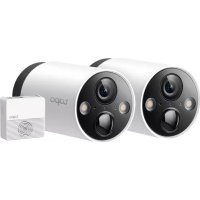
Tapo C420S2 - Camera TP-LINK - Free user manual and instructions
Find the device manual for free Tapo C420S2 TP-LINK in PDF.


| Product Type | Outdoor Wireless Security Camera |
| Brand | TP-Link |
| Model | Tapo C420S2 |
| Video Resolution | 2K QHD (2560 x 1440 pixels) |
| Battery | Rechargeable and removable, up to 180 days battery life (depending on usage) |
| Included Hub | Tapo Smart Hub (H200) |
| Local Storage | MicroSD up to 256 GB (on the hub) |
| Cloud Storage | Tapo Care subscription (optional) |
| Connectivity | Wi-Fi (standard not specified) |
| Night Vision | Color with LED spotlights, infrared mode, smart mode |
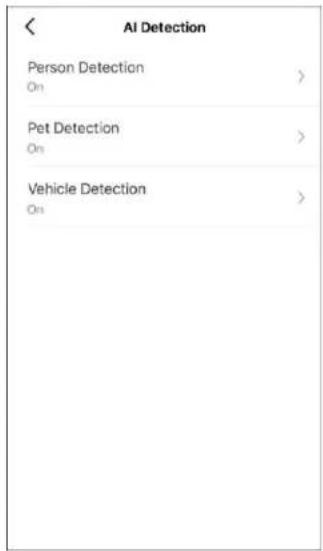
| AI Smart Detection | Person, animal, vehicle |
| Audio | Two-way with built-in microphone and speaker |
| Alarm | Audible and visual, triggerable manually or on detection |
| Weather Resistance | Yes (IP rating not specified) |
| Power Supply | Rechargeable battery via USB 5V (charger not included) |
| Installation | Wall or ceiling mount (bracket included), wireless placement |
| App | Tapo (iOS and Android) |
| Privacy Zones | Customizable via the app |
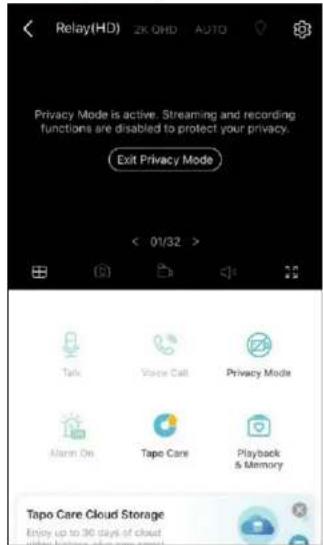
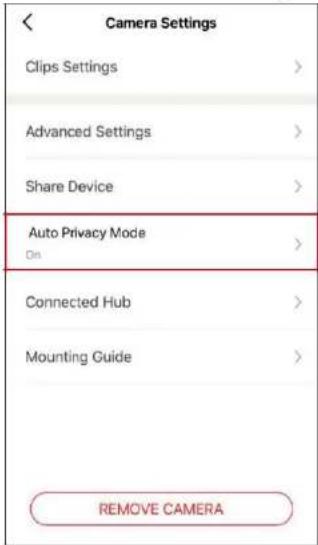
| Privacy Mode | Temporarily disables streaming and recording |
| Maintenance | Clean with a soft, dry cloth |
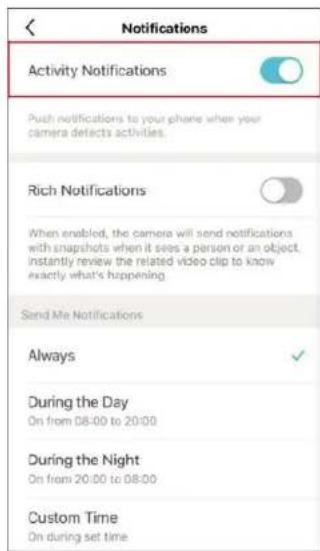
| Security | Audible/visual alarm, push notifications, encryption (unspecified) |
| Manufacturer Warranty | 2 years |
Frequently Asked Questions - Tapo C420S2 TP-LINK
User questions about Tapo C420S2 TP-LINK
0 question about this device. Answer the ones you know or ask your own.
Ask a new question about this device
Download the instructions for your Camera in PDF format for free! Find your manual Tapo C420S2 - TP-LINK and take your electronic device back in hand. On this page are published all the documents necessary for the use of your device. Tapo C420S2 by TP-LINK.
USER MANUAL Tapo C420S2 TP-LINK
natural_image
Product image of a tapo camera module with two lenses and a smaller speaker on a blue background (no text or symbols visible)Mode d'emploi
Authentication....35
natural_image
Simple line drawing of a tool hitting a circle on a plain background (no text or symbols)natural_image
Technical line drawing of a cylindrical connector with mounting flange (no text or symbols)natural_image
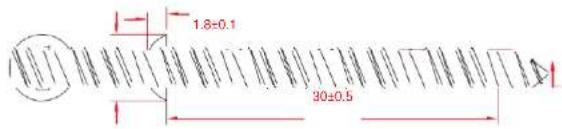
Pure mechanical assembly diagram showing a shaft and housing without any text, numbers, or symbolsTaille des vis


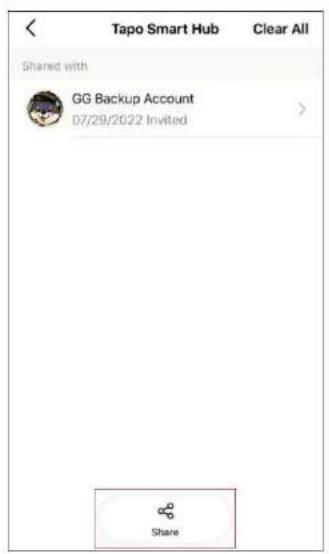
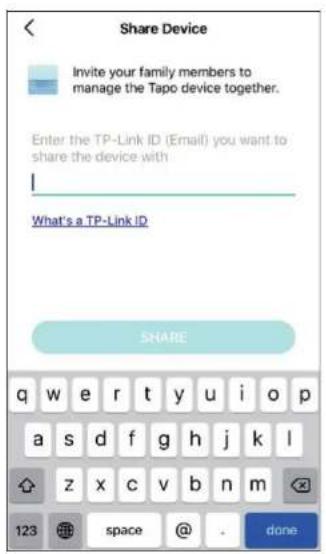
Partagez votre hub

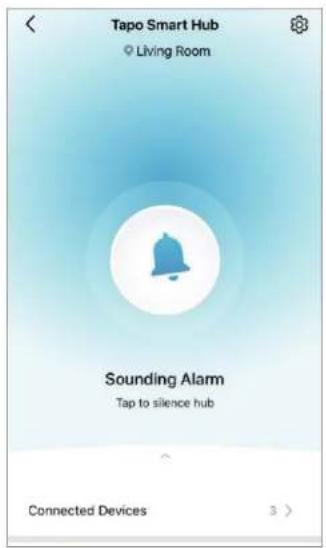
Paramétrage du Hub

Mode vision de nuit
23

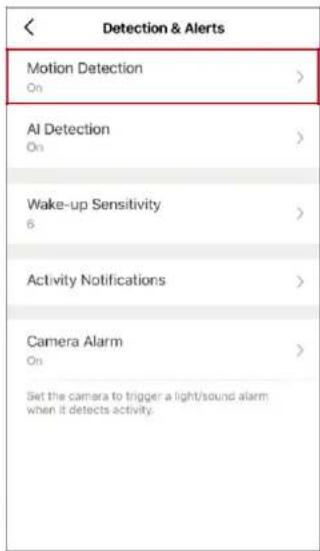
Alarme de la Caméra
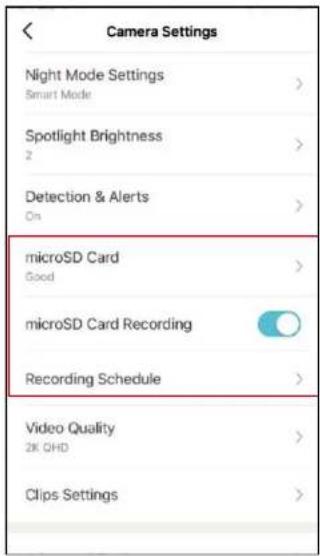
bar
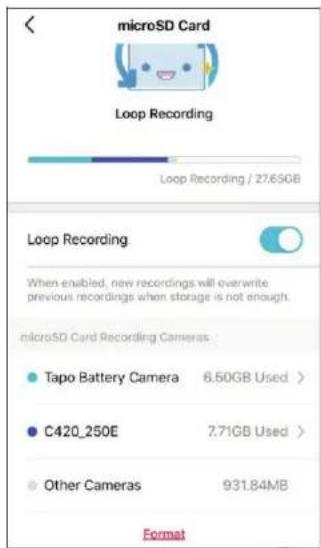
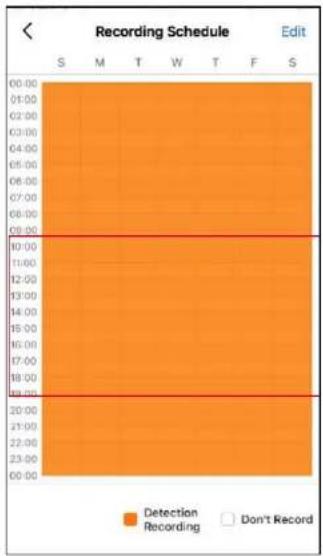
Recording Schedule Edit | Time | Detection Recording | Don't Record | |---|---|---| | 00:00 | | | | 01:00 | | | | 02:00 | | | | 03:00 | | | | 04:00 | | | | 05:00 | | | | 06:00 | | | | 07:00 | | | | 08:00 | | | | 09:00 | | | | 10:00 | | | | 11:00 | | | | 12:00 | | | | 13:00 | | | | 14:00 | | | | 15:00 | | | | 16:00 | | | | 17:00 | | | | 18:00 | | | | 19:00 | | | | 20:00 | | | | 21:00 | | | | 22:00 | | | | 23:00 | | | | 00:00 | | | | 11:00 | | | | 12:00 | | | | 13:00 | | | | 14:00 | | | | 15:00 | | | | 16:00 | | | | 17:00 | | | | 18:00 | | | | 19:00 | | | | 19:30 | | | | 22:30 | | | | 23:30 | | | S M T W T F S
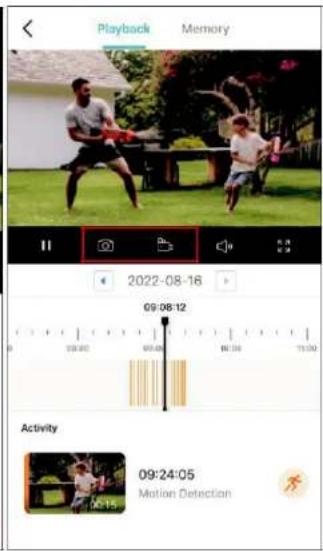
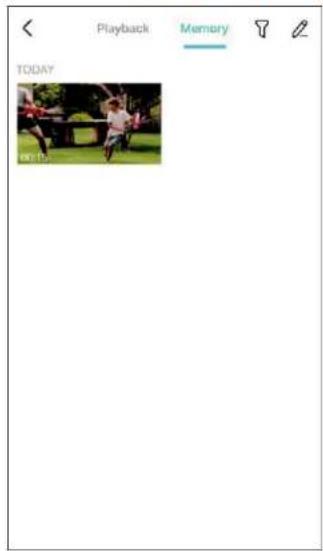

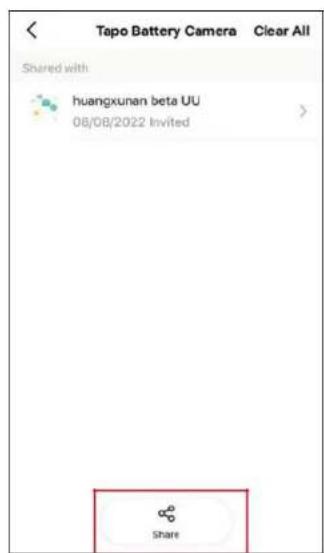
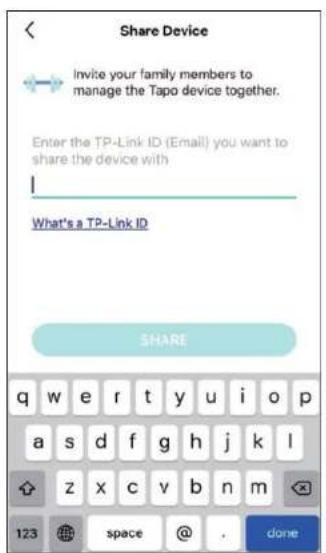
Actions intelligentes


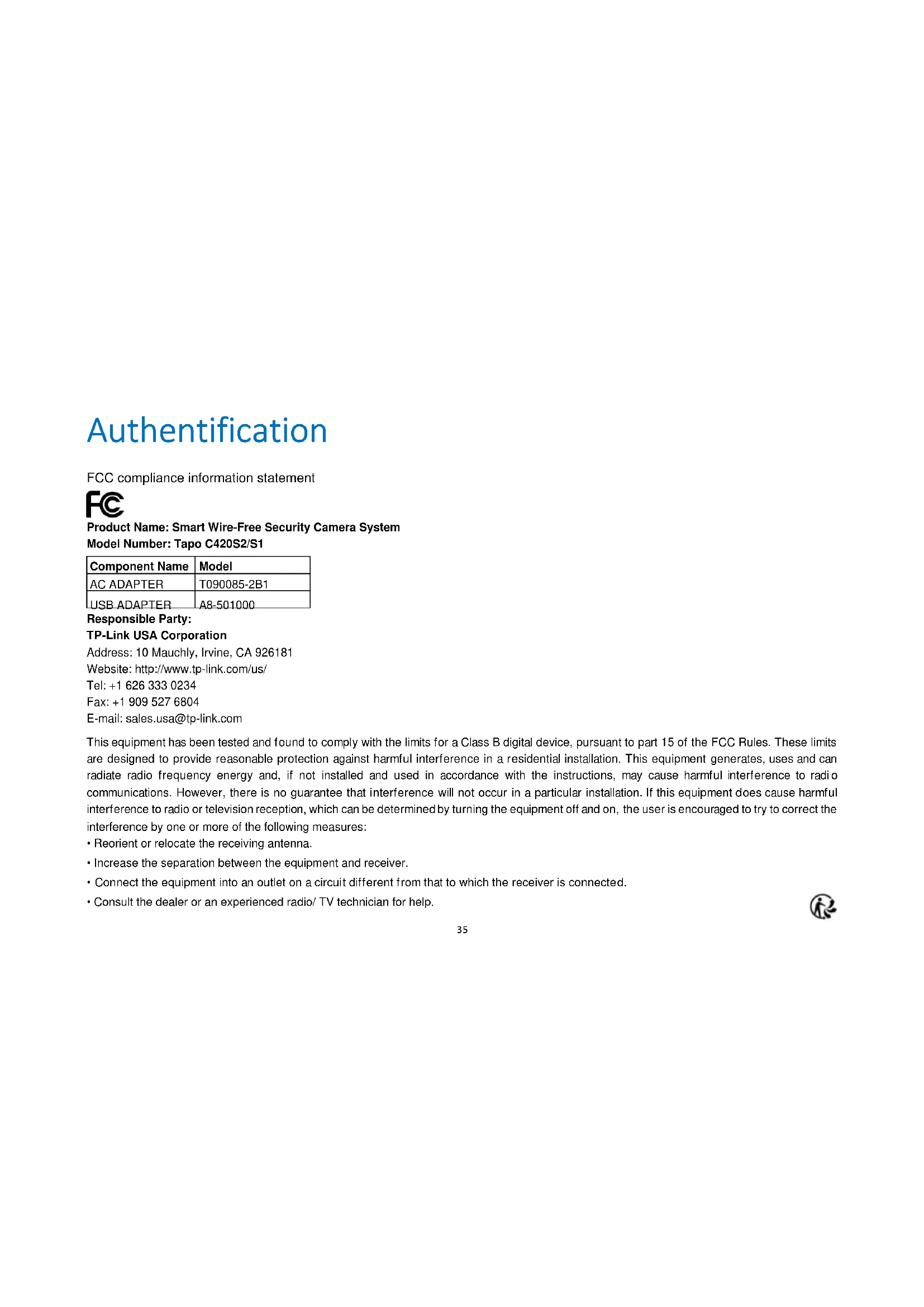
FCC compliance information statement

Product Name: Smart Wire-Free Security Camera System
Model Number: Tapo C420S2/S1
| Component Name | Model |
| AC ADAPTER | T090085-2B1 |
| USB ADAPTER | A8-501000 |
Responsible Party:
TP-Link USA Corporation
Address: 10 Mauchly, Irvine, CA 926181
Website: http://www.tp-link.com/us/
Tel: +1 626 333 0234
This equipment has been tested and found to comply with the limits for a Class B digital device, pursuant to part 15 of the FCC Rules. These limits are designed to provide reasonable protection against harmful interference in a residential installation. This equipment generates, uses and can radiate radio frequency energy and, if not installed and used in accordance with the instructions, may cause harmful interference to radio communications. However, there is no guarantee that interference will not occur in a particular installation. If this equipment does cause harmful interference to radio or television reception, which can be determined by turning the equipment off and on, the user is encouraged to try to correct the interference by one or more of the following measures:
- Reorient or relocate the receiving antenna.
- Increase the separation between the equipment and receiver.
- Connect the equipment into an outlet on a circuit different from that to which the receiver is connected.
- Consult the dealer or an experienced radio/ TV technician for help.

This device complies with part 15 of the FCC Rules. Operation is subject to the following two conditions :
- This device may not cause harmful interference.
- This device must accept any interference received, including interference that may cause undesired operation.
Any changes or modifications not expressly approved by the party responsible for compliance could void the user's authority to operate the equipment.
Note: The manufacturer is not responsible for any radio or TV interference caused by unauthorized modifications to this equipment. Such modifications could void the user's authority to operate the equipment.
FCC RF Radiation Exposure Statement
This equipment complies with FCC RF radiation exposure limits set forth for an uncontrolled environment. This device and its antenna must not be co-located or operating in conjunction with any other antenna or transmitter.
"To comply with FCC RF exposure compliance requirements, this grant is applicable to only Mobile Configurations. The antennas used for this transmitter must be installed to provide a separation distance of at least 20 cm from all persons and must not be co-located or operating in conjunction with any other antenna or transmitter."
We, TP-Link USA Corporation, has determined that the equipment shown as above has been shown to comply with the applicable technical standards, FCC part 15. There is no unauthorized change is made in the equipment and the equipment is properly maintained and operated.
Issue Date: 2022-08-16
FCC compliance information statement
Product Name: AC ADAPTER
Model Number: T090085-2B1
Product Name: USB ADAPTER
Model Number: A8-501000
Responsible Party:
TP-Link USA Corporation
Address: 10 Mauchly, Irvine, CA 926181
Website: http://www.tp-link.com/us/
Tel: +1 626 333 0234

This equipment has been tested and found to comply with the limits for a Class B digital device, pursuant to part 15 of the FCC Rules. These limits are designed to provide reasonable protection against harmful interference in a residential installation. This equipment generates, uses and can radiate radio frequency energy and, if not installed and used in accordance with the instructions, may cause harmful interference to radio communications. However, there is no guarantee that interference will not occur in a particular installation. If this equipment does cause harmful interference to radio or television reception, which can be determined by turning the equipment off and on, the user is encouraged to try to correct the interference by one or more of the following measures:
- Increase the separation between the equipment and receiver.
- Connect the equipment into an outlet on a circuit different from that to which the receiver is connected.
- Consult the dealer or an experienced radio/ TV technician for help.
This device complies with part 15 of the FCC Rules. Operation is subject to the following two conditions:
-
This device may not cause harmful interference.
-
This device must accept any interference received, including interference that may cause undesired operation.
Any changes or modifications not expressly approved by the party responsible for compliance could void the user's authority to operate the equipment.
We, TP-Link USA Corporation, has determined that the equipment shown as above has been shown to comply with the applicable technical standards, FCC part 15. There is no unauthorized change is made in the equipment and the equipment is properly maintained and operated.
Issue Date: 2022-08-16
CE Mark Warning

This is a class B product. In a domestic environment, this product may cause radio interference, in which case the user may be required to take adequate measures.
OPERATING FREQUENCY (the maximum transmitted power)
2412MHz—2472MHz (20dBm)
EU Declaration of Conformity
TP-Link hereby declares that the device is in compliance with the essential requirements and other relevant provisions of directives 2014/53/EU, 2009/125/EC, 2011/65/EU and (EU)2015/863.
The original EU declaration of conformity may be found at https://www.tapo.com/en/support/ce/
RF Exposure Information
This device meets the EU requirements (2014/53/EU Article 3.1a) on the limitation of exposure of the general public to electromagnetic fields by way of health protection.
The device complies with RF specifications when the device used at 20 cm from your body.

UK Declaration of Conformity
TP-Link hereby declares that the device is in compliance with the essential requirements and other relevant provisions of the Radio Equipment Regulations 2017.
The original UK declaration of conformity may be found at https://www.tapo.com/support/ukca/
Canadian Compliance Statement
This device contains licence-exempt transmitter(s)/receiver(s) that comply with Innovation, Science and Economic Development Canada's licence-exempt RSS(s). Operation is subject to the following two conditions:
- This device may not cause interference.

- This device must accept any interference, including interference that may cause undesired operation of the device.
Radiation Exposure Statement:
This equipment complies with IC radiation exposure limits set forth for an uncontrolled environment. This equipment should be installed and operated with minimum distance 20cm between the radiator & your body.
Industry Canada Statement
CAN ICES-3 (B)/NMB-3(B)
Korea Warning Statements:
Note 1: “Exceeding 0.1 wt %” and “exceeding 0.01 wt %” indicate that the percentage content of the restricted substance exceeds the reference percentage value of presence condition.
Note 2: “o” indicates that the percentage content of the restricted substance does not exceed the percentage of reference value of presence.
Note 3: The “-” indicates that the restricted substance corresponds to the exemption.

- Do not use damaged charger or USB cable to charge the device. Do not use any other chargers than those recommended.
- Do not use the device where wireless devices are not allowed.
- Adapter shall be easily accessible.
- Use only power supplies which are provided by manufacturer and in the original packing of this product. If you have any questions, please don't hesitate to contact us.
- Keep the device away from fire or hot environments. DO NOT immerse in water or any other liquid.
- Do not disassemble, repair or modify the product.
- Do not place near automatically controlled devices such as fire alarms. Radio waves emitted from this product may cause such devices to malfunction resulting in an accident.
- Observe restrictions on using wireless products in fuel depots, chemical plants or when blasting operations are in progress.

- Do not use liquid to clean the product. Only use a dry cloth.
- Never put metal objects inside the product. If a metal object enters the product turn off the circuit breaker and contact an authorised electrician.
- This product is not intended to be used when providing medical care. Consult the manufacturer of any personal medical devices, such as pacemakers or hearing aids to determine if they are adequacy shielded from external RF (radio frequency) energy.
- Do not use this product in health care facilities. Hospitals or health care facilities may be using equipment that could be sensitive to external RF energy.
- Do not place heavy objects on top of the product.
- When you leave the product unused for a long time unplug the product from the power outlet.
- Product should be kept away from heat sources such as radiators, cookers etc. - it should not be placed in places where the temperature is less than -20 degrees or greater than 45 degrees.
- This product may interfere with other electronic products such as TV, radios, personal computers, phones or other wireless devices.
• Always follow the local waste and recycle laws when you get rid of the used battery.
CAUTION!
Risk of fire or explosion
if the battery is replaced by an incorrect type
CAUTION!
Avoid replacement of a battery with an incorrect type that can defeat a safeguard. Avoid disposal of a battery into fire or a hot oven, or mechanically crushing or cutting of a battery, that can result in an explosion.
Do not leave a battery in an extremely high temperature surrounding environment that can result in an explosion or the leakage of flammable liquid or gas; Do not leave a battery subjected to extremely low air pressure that may result in an explosion or the leakage of flammable liquid or gas.
Please read and follow the above safety information when operating the device. We cannot guarantee that no accidents or damage will occur due to improper use of the device. Please use this product with care and operate at your own risk.

Explanation of the symbols on the product label
| Symbol | Explanation |
| DC voltage | |
| Indoor use only | |
| RECYCLINGThis product bears the selective sorting symbol for Waste electrical and electronic equipment (WEEE). This means that this product must be handled pursuant to European directive 2012/19/EU in order to be recycled or dismantled to minimize its impact on the environment.User has the choice to give his product to a competent recycling organization or to the retailer when he buys a new electrical or electronic equipment. |

Brand : TP-LINK
Model : Tapo C420S2
Category : Camera